), making it a smart choice for content creators focused on growing and monetising their audience.
**Groupmail** provides a budget-friendly option without skimping on essential features. For just $10/month, you get support for 10,000 contacts and unlimited email sends. It’s ideal for small teams or growing businesses, offering tools like AI-assisted features, real-time analytics, and mobile-optimized templates. Its straightforward design makes it a scalable and user-friendly choice.
When deciding, think about where your business is headed. If you’re anticipating rapid growth, **ConvertKit’s subscriber-based model** with unlimited sending can help you avoid surprise costs. For businesses that need advanced automation and detailed reporting, **Mailchimp’s robust toolset** may justify the extra investment. Meanwhile, if you’re a smaller team focused on managing costs while maintaining consistent communication, **Groupmail’s affordability and simplicity** are hard to beat.
Each platform comes with its own learning curve. Mailchimp’s expansive features may take time to master, while ConvertKit focuses on simplifying the creator experience. Groupmail strikes a middle ground, offering an intuitive interface that won’t overwhelm new users.
Ultimately, the best platform is the one that fits your current needs and can grow with you. Whether you’re a marketer watching your budget, a content creator building engagement, or a larger business in need of advanced tools, there’s an option here to meet your goals for 2025.
## FAQs
### How do the pricing models of Mailchimp, ConvertKit, and Groupmail compare?
Mailchimp offers a tiered pricing structure, starting with a free plan for up to 500 contacts. If you need more, their paid plans kick off at **$13/month** for 500 contacts, with costs rising as your subscriber base expands.
ConvertKit, on the other hand, begins at **$2/month** for up to 1,000 subscribers. As you move up the pricing tiers, you gain access to more advanced features.
Groupmail takes a different approach with its **flat-rate pricing model**, which can be easier on the budget. They provide a free plan that supports up to 1,000 contacts and allows for 2,000 emails per month. Paid plans start at **$10/month** for small teams, with options scaling up to **$29/month** for those needing more advanced capabilities. This straightforward pricing makes Groupmail a solid pick for small businesses, startups, and marketers seeking an affordable and flexible email marketing solution.
### How does email deliverability compare between Mailchimp, ConvertKit, and Groupmail, and what factors impact success rates?
Email deliverability is crucial for making sure your messages actually land in your audience's inboxes. In 2025, **Mailchimp** continues to shine with its impressive inbox placement rates. Performance stems from their advanced infrastructure and years of fine-tuning.
**ConvertKit** also stands out for its focus on deliverability. By using strategies like tag-based segmentation and offering single opt-in options, it helps users maintain a solid sender reputation - key for getting emails where they’re supposed to go.
Meanwhile, **Groupmail** highlights the importance of factors like sender reputation, proper email authentication (SPF, DKIM, DMARC), and keeping your contact lists clean and engaged. Although specific deliverability stats for Groupmail aren't widely shared, sticking to these best practices ensures dependable results across campaigns.
In the end, the success of these platforms hinges on their ability to handle technical protocols effectively and maintain trust with email providers.
### What is the best email platform for a small business looking to grow its marketing efforts over time?
For small businesses looking to expand their email marketing efforts, **ConvertKit** is a solid option. It’s built with creators and growing audiences in mind, offering tools that make scaling up easier. Another great choice is **Groupmail**, which combines a user-friendly interface with dependable features tailored specifically for small to medium-sized businesses. While **Mailchimp** is packed with a variety of tools, both Groupmail and ConvertKit shine for their straightforward approach and growth-focused features, making them perfect for businesses that want to scale at a steady pace.
## Related posts
- [Best Free Email Marketing Platforms Compared \[2025 Edition\]](https://blog.groupmail.io/best-free-email-marketing-platforms-compared-2025-edition/)
## Related guides
- [Mailchimp vs Constant Contact for nonprofits](https://blog.groupmail.io/mailchimp-vs-constant-contact-nonprofits/)
- [Mailchimp vs Brevo for nonprofits](https://blog.groupmail.io/mailchimp-vs-brevo-nonprofits/)
- [Mailchimp vs MailerLite for associations](https://blog.groupmail.io/mailchimp-vs-mailerlite-associations/)
### How to Create Mobile-Friendly Email Templates
URL: https://blog.groupmail.io/how-to-create-mobile-friendly-email-templates/
Last updated: 2025-08-29T10:44:50.000Z
**Over 60% of emails are opened on mobile devices, making** [**mobile-friendly email design**](https://blog.groupmail.io/best-practices-for-responsive-email-templates-2025-guide/) **a must.** Poorly optimized emails risk low engagement, while mobile-friendly templates can boost [open rates](https://blog.groupmail.io/low-email-open-rates-5-quick-fixes/), click-throughs, and conversions.
Here’s what you need to know:
- **Responsive design** ensures emails adjust to any screen size.
- Use a **single-column layout** for better readability and no horizontal scrolling.
- Keep text readable with a **minimum font size of 14px** and ensure buttons are **44x44 pixels** for easy tapping.
- **Optimize images** for faster loading and include descriptive alt text for accessibility.
- Tools like [**Groupmail**](https://groupmail.io/) simplify the process with [drag-and-drop builders](https://blog.groupmail.io/drag-and-drop-vs-html-email-builder-guide/), mobile-ready templates, and real-time previews.
**Key takeaway:** Start with a mobile-first approach, test across devices, and prioritize simplicity to create emails that engage mobile users effectively.
## Core Principles of Mobile-Friendly Email Templates
### Responsive Email Design Basics
[Responsive email design](https://blog.groupmail.io/tag/newsletter-design/) is the backbone of any effective mobile email strategy. This approach ensures that your emails automatically adjust their layout, images, and text to fit any screen size. Why is this so important? Because **over 70% of emails are now opened on mobile devices**. Without responsive design, your well-crafted message could look broken or require users to pinch and zoom - a surefire way to lose their attention.
By using CSS media queries and flexible layouts, you can ensure your content adapts seamlessly. For example, an image that sits beside text on a desktop will stack neatly above the text on mobile, creating a natural, vertical flow that's much easier to read. This kind of adaptability lays the groundwork for layouts that are specifically optimized for mobile users.
### Best Email Layout for Phones
Building on responsive principles, the single-column layout is the go-to choice for mobile-friendly emails. While multi-column designs may work on desktops, they can create unnecessary horizontal scrolling on smaller screens. A single-column layout avoids this issue, presenting your content in a clean, vertical format that aligns with how people naturally scroll on their phones.
This layout isn’t just about aesthetics - it’s about functionality. It **improves readability and makes navigation effortless**. When someone checks their email on their phone, whether during a quick break or their morning commute, they want to skim and grasp your message without distractions. A single-column design ensures they see your headline first, followed by supporting visuals, your main message, and finally, a clear call-to-action button.
### How to Optimize Fonts, Colors, and Buttons
Typography and interactive elements play a huge role in how your email performs on mobile. Start with font size - **a minimum of 14px for body text** is essential for readability on smaller screens. What looks fine on a desktop monitor might be unreadable on a phone, so testing is key.
Stick to **email-safe fonts like Arial, Verdana, or Georgia** to ensure consistent rendering across email clients. These fonts maintain clarity even when scaled down for mobile viewing.
Color contrast is another critical factor. Since users often check emails in varying lighting conditions - like bright sunlight or dimly lit rooms - **high contrast between text and background colors** is a must. Avoid combinations like light gray text on a white background, as they can strain the eyes.
Interactive elements like buttons should also be designed with mobile users in mind. Make your call-to-action buttons stand out with bold colors and concise text. For instance, a "Shop Now" button should be instantly recognizable and easy to tap, even when someone is scrolling quickly. Ensure buttons are at least **44x44 pixels** with enough spacing around them to prevent accidental clicks.
### Image Optimization for Mobile
Images can make or break your email’s performance on mobile. They need to look great but also load quickly, especially for users on slower connections. The solution? **Compress your images** to reduce file size without sacrificing too much quality. Large, uncompressed images can lead to slow loading times, which might prompt users to delete your email instead of waiting.
Proper sizing is equally important. Images should typically be **600-640px wide** to fit most email layouts. For devices with high-resolution screens, like iPhones, consider using 2x resolution images to ensure they appear sharp and clear.
Don’t forget to include **descriptive alt text** for every image. This serves two purposes: it improves accessibility for visually impaired users and provides context when images are blocked or fail to load. For example, instead of using generic alt text like "image1.jpg", opt for something descriptive, such as "Woman wearing blue summer dress from our new collection."
To maintain the effectiveness of your message, balance your visuals with text. That way, even if images fail to load, your core message remains intact.
| Design Element | Mobile-Friendly Practice | Recommended Specs |
| --------------- | ------------------------ | ----------------------- |
| **Font Size** | Minimum readable size | 14px or larger |
| **Button Size** | Tap-friendly targets | 44x44px minimum |
| **Image Width** | Fits mobile screens | 600-640px max |
| **Layout** | Vertical, single-column | No horizontal scrolling |
## Step-by-Step Guide to Creating Mobile-Friendly Emails
### Start with a Mobile-First Approach
Designing emails with a mobile-first mindset means crafting them specifically for smartphones first, then adapting for larger screens. This makes sense when you realize that **64% of emails are opened on mobile devices**. By starting with this approach, you can focus on what’s essential and eliminate unnecessary clutter.
This method helps you prioritize your key message while creating a clear visual hierarchy. It also avoids the common pitfall of trying to squeeze desktop-sized content into a tiny screen, which often results in unreadable text and a frustrating experience for readers.
Here’s the good news: if your email works well on a small phone screen, it’s likely to look great on a desktop too. By focusing on mobile first, you ensure your email is both clear and actionable no matter where it’s viewed.
### Using [Groupmail](https://groupmail.io/)'s Drag-and-Drop Builder
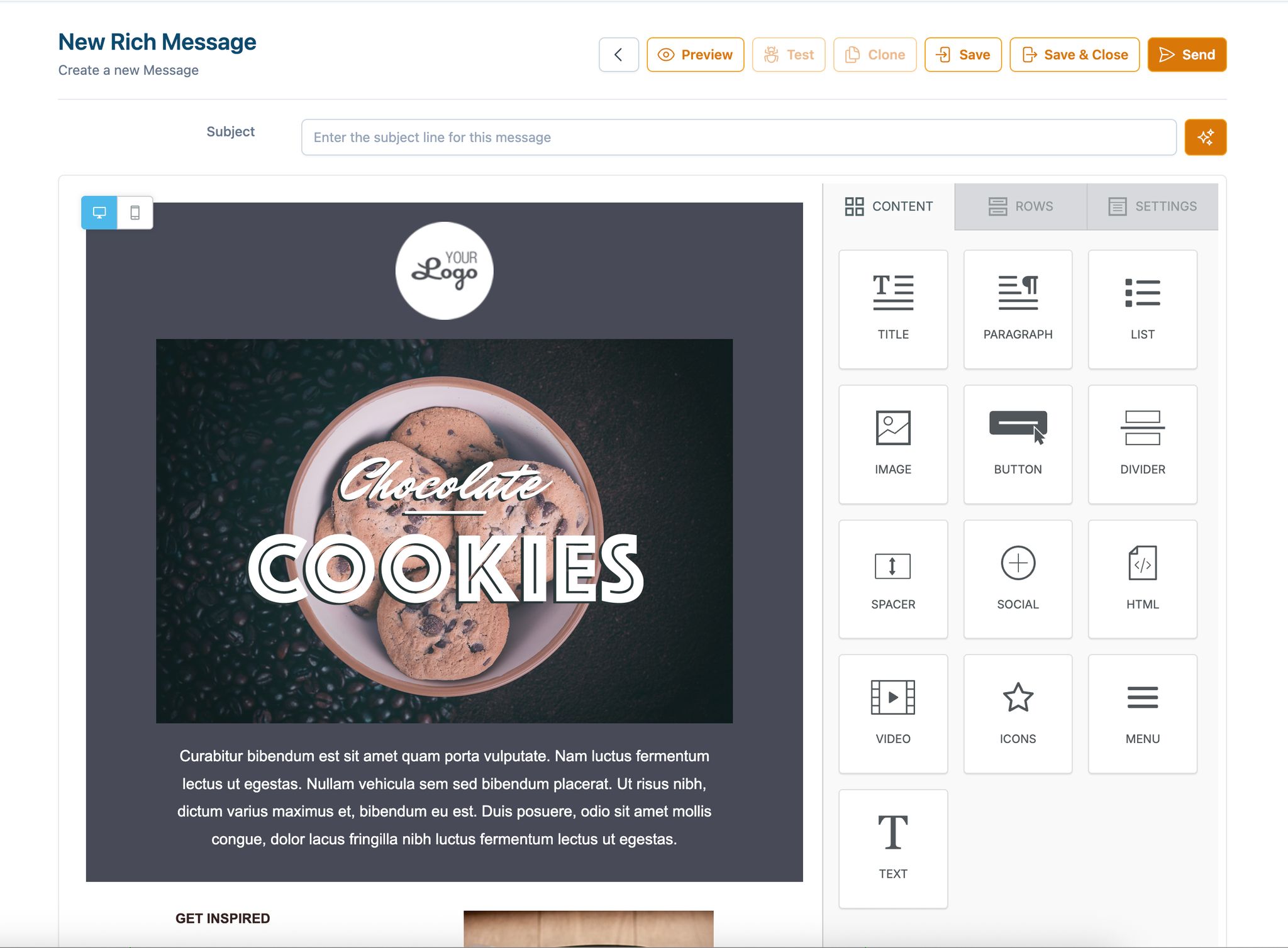
Once you’ve nailed the mobile-first mindset, tools like Groupmail make the design process even easier. This platform’s drag-and-drop builder creates responsive layouts automatically - no coding required. Compared to traditional HTML email creation, this saves time and eliminates the need for manual adjustments.
Getting started is simple. Sign up for Groupmail Free to access their drag-and-drop editor and pre-designed responsive templates. Select the "Rich Text Editor" to begin working in their user-friendly interface. These templates are already optimized for mobile and are updated regularly to stay compatible with evolving email clients.
> "Drag & drop email template builder empowers anyone in your team to create professional transactional emails on their own. No coding required!" - MailerSend
With just a few clicks, you can customize templates by adding text, images, buttons, and other elements. The drag-and-drop simplicity lets you focus on crafting your message without worrying about technical design issues. Once your template is ready, arrange the content to suit the vertical scrolling habits of mobile users.
### Arranging Content for Vertical Scrolling
Since mobile users scroll vertically, your email should flow naturally from top to bottom. Place your most important message - like a headline, hero image, or special offer - at the very top to grab attention immediately.
Break your email into logical sections that build on each other. For example, start with a bold headline, follow it with a brief explanation or benefit, add supporting visuals, and finish with a clear call-to-action. Each section should stand alone while contributing to the overall message.
Keep paragraphs short, ideally two to three sentences. Long blocks of text can be overwhelming on small screens. Use plenty of white space to separate sections, making the content easier to read and scan quickly.
Pay attention to the "thumb zone", the area of a smartphone screen that’s easiest to reach with a thumb. Placing your most important buttons or interactive elements in this zone can improve engagement by making navigation more comfortable.
### Optimizing CTAs and Links for Mobile
Next, focus on making your email’s interactive elements easy to use on mobile. Buttons should be large enough to tap easily, with enough space around them to avoid accidental clicks. Use concise, action-oriented text like "Download Guide", "Start Free Trial", or "Shop Now" instead of vague phrases like "Click Here."
Color contrast is critical for mobile users who might open emails in various lighting conditions. Ensure your buttons stand out from the background so they remain visible whether the reader is outdoors in bright sunlight or indoors in dim lighting. Limit the number of CTAs to one primary action, with a secondary option only if absolutely necessary. Too many options can overwhelm the reader.
### Previewing Emails on Mobile with Groupmail
Don’t wait until the end to preview your email. Groupmail’s built-in preview tool lets you check your design throughout the process. Use it after adding major elements like headlines, images, buttons, and text blocks to catch potential issues early.
Look for problems like images that don’t scale correctly or text that’s hard to read on smaller screens. The preview feature also helps identify if buttons are too small to tap or if the layout feels cramped. Fixing these issues before sending ensures a better experience for your audience.
If possible, test your email in both portrait and landscape orientations. Many users switch between the two, especially when viewing images or reading longer content. Your email should look great and function well, no matter how it’s held.
## Do's and Don'ts of Mobile Email Best Practices
### Do's for Mobile Email Design
When designing emails for mobile, keeping things simple and user-friendly is key. Here are some tips to help you get it right:
**Stick to a single-column layout** that flows naturally from top to bottom. This ensures your content is easy to read without requiring users to zoom in or scroll sideways. The goal is to make your email feel like a seamless part of the mobile browsing experience.
**Make buttons and links easy to tap.** They should be at least 44x44 pixels, with plenty of space around them. For text, use fonts that are easy to read - no smaller than 14px for body text and 22px for headlines.
**Write short and impactful subject lines** that display fully on mobile screens. Most mobile email apps only show 25–30 characters, so put the most important words upfront.
**Position your main call-to-action (CTA) above the fold.** This ensures users see it right away without scrolling. Emails with a single, clear CTA can boost click-through rates by as much as **371%** compared to emails with multiple competing actions.
**Test your emails on actual devices.** While tools like Groupmail’s preview feature are helpful, nothing beats checking how your email looks and works on different phones and apps.
### Don'ts for Mobile Email Design
Avoid these common pitfalls to keep your mobile emails effective and user-friendly:
**Skip multi-column layouts.** While they may look great on desktops, they often become cluttered or break entirely on mobile screens, making them hard to navigate.
**Don’t rely solely on images to communicate your message.** Many email clients block images by default, and slow connections can delay image loading. Always include text-based content to ensure your message gets through.
**Avoid placing links and buttons too close together.** Crowded interactive elements can lead to frustrating accidental clicks. Give each button or link enough breathing room.
**Say no to Flash, JavaScript, or non-standard fonts.** Most email clients don’t support these, and using them can lead to display issues.
**Keep your email size under 100 KB.** Large emails with too many images or heavy designs can load slowly or get clipped, especially on mobile networks.
By following these tips, you’ll ensure your emails are clear, fast-loading, and optimized for mobile devices.
### Comparison of Key Design Choices
Here’s a quick breakdown of how different design choices perform on mobile:
| Design Choice | Pros on Mobile | Cons on Mobile |
| -------------------------- | -------------------------------------------------- | --------------------------------------------------------------------- |
| **Single-column layout** | Easy to read; no horizontal scrolling; adapts well | Limited space for complex layouts |
| **Multi-column layout** | More content visible on desktop | Can break or stack awkwardly on mobile; may require zooming |
| **Balanced text & images** | Loads quickly; clear messaging even without images | May look less visually dynamic |
| **Image-heavy design** | Visually impressive when images load | Slower load times; important info may be missed if images are blocked |
With over **60% of email opens happening on mobile devices**, keeping your design simple and focused - like a single-column layout with balanced text and images - can lead to better engagement. A clean, mobile-friendly email ensures your message gets across and encourages action immediately.
## Testing and Final Checks with Groupmail
### Why Cross-Device Testing Matters
An email that looks perfect on a desktop can fall apart on other devices. **Email clients interpret HTML and CSS differently**, meaning your polished design might not translate well across platforms.
For instance, [**Apple Mail**](https://en.wikipedia.org/wiki/Apple%5FMail) **and** [**Gmail**](https://www.google.com/gmail/about/) **handle formatting in unique ways**, while **Android devices and iPhones display content differently**. Add in the variety of screen sizes - like the compact [iPhone SE](https://en.wikipedia.org/wiki/IPhone%5FSE) compared to larger [Samsung Galaxy](https://en.wikipedia.org/wiki/Samsung%5FGalaxy) models - and your email could end up with unreadable text, overlapping buttons, or poorly scaled images.
Cross-device testing is your safeguard against these pitfalls. By catching issues before your email lands in subscribers' inboxes, you avoid frustrating your audience. A single bad experience - like an email that requires horizontal scrolling or has broken images - can hurt engagement and erode the trust you've worked hard to build.
Common problems that arise during testing include **text that's too tiny to read**, **buttons that are hard to tap**, **images that fail to load or scale**, and **content that doesn't fit the screen properly**. These are all avoidable with thorough testing.
### Using Groupmail's Testing and Analytics Features
Our mobile-first design philosophy means cross-device testing isn’t optional - it’s essential. Groupmail simplifies this process with its built-in preview and analytics tools. You can view your email on **desktop, tablet, and mobile screens** directly within the platform, allowing you to spot and fix formatting issues in real time.
The preview tool ensures your text is legible, your images are properly scaled, and your call-to-action (CTA) buttons are easy to tap and well-positioned. No need to juggle multiple tools - adjustments can be made on the spot.
Once your campaign is live, Groupmail’s **real-time analytics** help you measure how well your mobile optimization is working. For example, you can track **open rates by device type** to see if your mobile audience is engaging as expected. If mobile engagement is lagging, it’s a clear sign your templates need tweaking.
The platform also tracks **click-through rates by device**, giving you actionable data on whether your mobile CTAs are effective. This feedback is invaluable for refining future campaigns.
For a more hands-on approach, **send test emails to yourself** on various devices before launching your campaign. Set up a small test list with your own email addresses and preview how your email looks across different devices and apps. These practical insights feed directly into the final review checklist below.
### Final Review Checklist
Here’s a comprehensive checklist to ensure your email meets all the mobile-first best practices discussed so far:
- **Design Elements**: Stick to a single-column layout, use at least 14px for body text and 22px for headlines, and make sure your key message and primary CTA are visible above the fold.
- **Interactive Elements**: Confirm buttons are at least 44x44 pixels with enough space around them. Test all links and buttons to ensure they’re easy to tap without hitting nearby elements. Use action-oriented text for your CTAs to grab attention.
- **Images and Media**: Optimize images for quick loading and add alt text for accessibility. Check that your email’s message remains clear even if images don’t load. Verify that videos or GIFs function correctly across all major email clients.
- **Technical Performance**: Keep your email size under 100KB for faster loading on mobile networks. Ensure your subject line fits within 25-30 characters to display properly on mobile. Double-check that your preheader text complements the subject line.
- **Cross-Client Compatibility**: Test your email on different clients, including Gmail, Apple Mail, and [Outlook](https://www.microsoft.com/en-us/microsoft-365/outlook/email-and-calendar-software-microsoft-outlook). Review how it appears in both light and dark modes. Avoid using unsupported elements like Flash or JavaScript.
- **Final Functionality Check**: Click every link to make sure they work and lead to mobile-optimized landing pages. Test your unsubscribe link to confirm it’s accessible. Ensure any personalization features display correctly with real subscriber data.
This checklist ties together all the steps needed to create an email that performs flawlessly, no matter the device or client. With Groupmail’s tools and thorough testing, you can confidently deliver campaigns that resonate with your audience.
## COMPLETE Responsive HTML Email Template Tutorial
## Conclusion: Creating Better Mobile-Friendly Emails
With over 60% of email opens happening on mobile devices, designing mobile-friendly emails isn't just a nice-to-have - it's a must. Emails optimized for mobile screens can achieve up to 15% higher click-through rates compared to those that aren’t.
The key principles we’ve covered - like using single-column layouts, readable fonts (14px or larger), tap-friendly buttons (at least 44x44 pixels), and properly optimized images - are essential building blocks for effective mobile email design. These practices not only make your emails visually appealing but also ensure they’re functional and easy to interact with, boosting overall audience engagement. By focusing on mobile-first design, you’re crafting emails that look and perform well on any device, not just desktop computers.
Tools like Groupmail simplify this process with features such as responsive design blocks and an easy-to-use drag-and-drop builder. On top of that, their [testing and analytics](https://blog.groupmail.io/tag/analytics-optimization/) tools allow you to fine-tune your campaigns on the go, making it easier than ever to align with mobile-first best practices. What once felt like a daunting, technical task is now accessible to marketers and business owners of all skill levels.
It’s worth noting that mobile email design isn’t a one-and-done effort. Email clients change, new devices hit the market, and user preferences evolve. Staying ahead means regularly refining your approach. By sticking to the strategies outlined here and using tools like Groupmail to stay adaptable, you’ll be well-equipped to create emails that engage your audience no matter how they access them.
When you invest in mobile optimization, you're not just improving email performance - you’re building stronger relationships with your subscribers and driving better results. Start applying these strategies to see the difference in engagement and conversions.
## FAQs
### Why is a single-column layout ideal for mobile-friendly email templates?
A single-column layout works perfectly for [mobile-friendly email templates](https://blog.groupmail.io/best-html-email-builders-for-marketers-2025-edition/) because it ensures **easy readability** on smaller screens. With this design, your content flows naturally, allowing users to read without needing to zoom in or scroll sideways. It fits seamlessly with the way people naturally scroll on mobile devices, making it easier for them to stay engaged with your email.
On top of that, single-column layouts simplify the overall design, minimizing potential glitches across various email clients. This straightforward structure often requires less testing, ensuring your emails look polished and consistent on any device.
### How can I make sure my email images load quickly on mobile devices?
To make sure your email images load fast on mobile devices, focus on trimming down file sizes while keeping the quality intact. Use tools designed for **image compression** to reduce file sizes and consider saving images in modern formats like **WebP**, which are optimized for performance. Always resize your images to match the exact dimensions needed in your email layout - this avoids unnecessary scaling that can slow things down.
Another key tip: aim to keep your entire email size under **1 MB** for quicker loading. If you can, use a **Content Delivery Network (CDN)** to speed up image delivery by caching them closer to your recipients. These steps can help ensure a seamless experience for your mobile audience.
### Why should you test your email designs on different devices and email clients?
Testing your [email designs](https://blog.groupmail.io/tag/email-marketing/) across multiple devices and email clients is essential to ensure they look polished and work correctly for every recipient. Since different email clients and devices handle HTML and CSS in unique ways, skipping this step can result in layout glitches, broken elements, or inconsistent formatting.
Thorough testing allows you to spot and fix these issues before hitting "send." This not only creates a smooth experience for your audience but also safeguards your brand’s reputation. Plus, well-tested emails are less likely to end up in spam folders or be overlooked due to poor display. Making sure your emails are optimized for all platforms is a crucial step toward effective communication and stronger engagement.
## Related posts
- [Mailchimp vs ConvertKit vs Groupmail: Which Is Best in 2025?](https://blog.groupmail.io/mailchimp-vs-convertkit-vs-groupmail-which-is-best-in-2025/)
### Email Marketing Trends for 2025: What’s Changing & What Matters
URL: https://blog.groupmail.io/email-marketing-trends-for-2025-whats-changing-what-matters/
Last updated: 2025-08-29T11:03:23.000Z
**Email marketing in 2025 is all about personalization, automation, and staying compliant with stricter privacy laws.** Here’s a quick breakdown of what’s driving these changes and how you can stay ahead:
- **AI is now a must-have:** Over 50% of marketers use AI to personalize campaigns, predict the best send times, and craft tailored content at scale.
- **Privacy is reshaping strategies:** With privacy laws active in 17 U.S. states and growing, marketers must rely on first-party data and transparent consent practices.
- **Consumers expect relevance:** Generic emails and outdated tactics (like buying email lists) no longer work. Subscribers want timely, personalized content or they’ll unsubscribe.
- **Simpler, accessible design matters:** Mobile-first layouts, dark mode optimization, and interactive elements (like polls and product galleries) are the new standard.
- **Metrics are evolving:** Open rates are less reliable due to privacy updates. Focus on click-through rates, revenue per email, and customer lifetime value instead.
To succeed, prioritize AI-driven personalization, clean design, and compliance. The goal? Build trust and deliver value to your audience in every email.
## 7 Game-Changing Email Marketing Trends for 2025 (iOS 18 Changes & More)
## AI and Automation in Email Campaigns
Artificial intelligence is no longer just a buzzword in email marketing - it's become a must-have. Over 50% of marketers now use AI to personalize emails, and 84% rely on it to improve customer journeys. This shift has revolutionized how campaigns perform, tackling challenges that manual methods simply can't handle on a large scale.
Gone are the days of guessing the best send times or relying on generic content for broad audiences. AI dives deep into behavior patterns, allowing marketers to craft emails that feel tailor-made for every recipient. This leap forward has unlocked new levels of personalization and smarter automation.
### How AI Boosts Personalization and Performance
Predictive analytics is now the backbone of personalized email marketing. By analyzing data like open rates, click-throughs, and past engagement times, AI can predict the *perfect* moment to send an email to each subscriber. For example, one person might consistently open emails on Tuesday mornings, while another is more likely to click if they receive product recommendations after browsing specific categories.
AI also takes segmentation to the next level. Instead of just grouping subscribers by basic demographics, it sorts them based on behavior patterns, predicted lifetime value, and purchase intent. This deeper understanding allows brands to anticipate what their audience wants and when they want it.
For e-commerce brands, AI-powered product recommendations have become a game-changer, driving 35% of sales for those using them. These insights not only enhance personalization but also set the stage for even more responsive automation - something we'll explore further in this guide.
### Smarter Campaign Management Through Automation
AI's predictive capabilities are the foundation of streamlined campaign management. By analyzing individual engagement habits, AI determines the best send times for each subscriber, eliminating the need for a one-size-fits-all approach. This automation saves marketers hours of manual work while boosting engagement rates.
[Subject line optimization](https://groupmail.io/free-ai-email-subject-line-generator) has also seen major advancements. AI tools now analyze audience responses to suggest compelling subject lines, even testing multiple variations automatically to find the best-performing option for different segments.
The predictive analytics market, expected to grow at a compound annual growth rate (CAGR) of 21.2% over the next decade, highlights how crucial these tools have become for marketing automation. The measurable improvements in campaign performance - thanks to AI handling repetitive tasks - are driving this growth.
Automation has evolved far beyond simple drip campaigns. AI now manages complex customer journeys that adapt in real time. For instance, if a subscriber downloads a resource but doesn't interact with follow-up emails, the system might adjust the sending frequency or switch to a different content strategy.
Even small businesses can now compete with larger players. Tools like [Groupmail](https://groupmail.io)'s automation features empower smaller teams to execute sophisticated campaigns that once required big-budget marketing departments. With AI taking care of analysis and optimization, marketers can focus their energy on strategy and creative ideas.
Real-time optimization is another game-changer. If AI notices that a subject line isn't resonating with a specific segment, it can automatically switch to an alternate version for the remaining sends. This ensures campaigns continuously improve without requiring manual adjustments.
To make the most of AI in email marketing, clean and organized data is essential. The better your AI tools understand subscriber behavior, preferences, and engagement patterns, the more effective they'll be. This makes first-party data - information willingly shared by subscribers - an incredibly valuable asset.
## Advanced Personalization Techniques
Personalization has evolved far beyond simply addressing someone by their first name. Today, it’s about using advanced data analysis and real-time content adjustments to create experiences tailored specifically to individuals. With growing privacy regulations and a shift toward **first-party data** and **behavioral segmentation**, customers now expect communications that are not just relevant but meaningful.
To succeed, marketers must navigate the delicate balance between respecting privacy and delivering personalized content. Those who get it right often see higher engagement rates and stronger customer loyalty. The secret? Knowing how to gather, organize, and use customer data in ways that enhance, rather than disrupt, the user experience. Let’s dive into how first-party data can elevate your personalization game.
### Using First-Party Data for Better Personalization
First-party data - information willingly shared by your audience - is the cornerstone of modern personalization. Unlike third-party data, which is becoming harder to use due to restrictions, first-party data is collected with consent and offers a clearer view of customer preferences and behaviors.
One effective way to gather this data is through **progressive profiling**. Instead of overwhelming new subscribers with lengthy forms, you can collect small bits of information over time through surveys, preference centers, and tracking user behavior. This method not only improves completion rates but also builds detailed customer profiles gradually.
**Purchase history** is another treasure trove for personalization. If a customer has bought a particular product, future emails can suggest complementary items, offer maintenance tips, or highlight potential upgrades. It’s a subtle way to guide them toward relevant choices.
**Website activity tracking** adds another layer of insight. For instance, if a subscriber frequently visits certain product pages or downloads specific resources, this behavior can inform the content of future emails. Instead of guessing, you’re responding to what they’ve shown interest in.
Even **email engagement patterns** provide valuable clues. If a subscriber consistently opens emails on certain topics or clicks through to specific types of content, that’s a clear indicator of their preferences. This data allows you to tailor future messages to match their interests.
First-party data also simplifies privacy compliance. By being transparent about how you collect and use data, you can build trust while adhering to regulations. Now, let’s look at how dynamic content and behavioral segmentation can take personalization even further.
### Dynamic Content and Behavioral Segmentation
**Dynamic content** turns static emails into adaptable, personalized experiences. With this approach, a single email template can display different content, images, or offers based on the recipient’s data. It’s like sending a custom-made message to every subscriber without creating dozens of individual emails.
For example, e-commerce brands often use dynamic content to recommend products based on purchase history, browsing habits, or similar customer profiles. These recommendations are updated automatically as preferences change, keeping them fresh and relevant.
**Location-based personalization** is another powerful tool. Retail brands can highlight nearby stores, promotions specific to a region, or even products suited to the local weather. This makes emails feel timely and actionable.
**Behavioral segmentation** takes personalization to the next level by focusing on how subscribers interact with your brand. For instance, you can create **engagement-based segments**, such as highly active readers, occasional openers, or subscribers who need re-engagement. Each group gets a tailored approach in terms of content and email frequency.
**Customer lifecycle segmentation** recognizes that subscribers have different needs depending on where they are in their journey with your brand. New subscribers might benefit from educational content or an introduction to your offerings, while loyal customers might appreciate exclusive rewards or VIP perks.
**Purchase behavior segmentation** identifies patterns like frequent buyers, seasonal shoppers, or price-sensitive customers. Each group responds differently to promotional strategies, so tailoring your messaging can make a big impact.
Finally, **content preference segmentation** tracks what types of content resonate most with specific subscribers. While some might prefer detailed product descriptions, others may gravitate toward visual storytelling or quick, actionable tips. Dynamic content ensures each subscriber gets the format they engage with most.
## Email Design and User Experience Trends
In 2025, email design is moving toward simplicity and accessibility, with a clear focus on delivering engaging and interactive experiences. These changes reflect evolving user habits and technological advancements, as subscribers now expect emails to adapt seamlessly across devices. But this isn’t just about making emails look good - these design choices have a direct impact on engagement rates and even deliverability.
The trend is shifting away from overly complex, flashy designs to a cleaner, more functional style that prioritizes readability and user experience. Thanks to modern email clients supporting advanced features, marketers can now create visually appealing emails without compromising compatibility. This evolution has also paved the way for exciting developments like dark mode optimization and interactive elements.
### Dark Mode and Clean Design
Dark mode has become a must-have for email design. With many users enabling dark mode on their devices and email platforms like [Apple Mail](https://support.apple.com/guide/mail/welcome/mac), [Outlook](https://www.microsoft.com/en-us/microsoft-365/outlook/email-and-calendar-software-microsoft-outlook), and [Gmail](https://www.google.com/gmail/about/) offering built-in support, emails that aren’t optimized for dark mode can feel awkward or even unreadable.
The secret to designing for dark mode lies in thoughtful color and background choices. Transparent or light gray backgrounds work well to maintain readability, while explicitly defining text colors ensures clarity in both light and dark settings. Relying on system defaults can lead to inconsistent results, so careful planning is key.
Typography is another area seeing a strategic shift. System fonts like San Francisco (iOS), Segoe UI (Windows), and Roboto (Android) are being widely adopted for their consistent rendering and faster load times. Font sizes are also increasing, with 16px becoming the baseline for body text and many brands opting for 18px or larger to improve readability on mobile devices.
Color schemes are evolving, too. Instead of bold, high-contrast palettes, brands are embracing softer, muted tones that reduce visual strain. This aligns with a broader push toward digital wellness and mindfulness, making emails not just easier to read but also more enjoyable to engage with.
### Interactive Elements and Microinteractions
Static designs are taking a backseat as interactive features become the norm in email marketing. These elements transform emails into dynamic experiences, encouraging subscribers to spend more time engaging with content. Modern email clients now support CSS animations, hover effects, and other interactive tools that work seamlessly without requiring users to click through to external pages.
Accordion menus and collapsible content sections are gaining popularity for their ability to present more information without overwhelming the reader. These features allow users to expand only the sections they’re interested in, making them ideal for product catalogs, FAQs, or educational content.
Image carousels and product galleries are another game-changer, especially for e-commerce. They let subscribers browse multiple items - like different product angles or options - directly within the email, creating a more interactive shopping experience.
Embedded surveys and polls are also becoming more common. From simple star ratings to multiple-choice questions or emoji reactions, these tools make it easy for subscribers to provide feedback while keeping them engaged. This not only boosts interaction but also provides marketers with valuable insights for future campaigns.
Micro-animations, such as hover effects on buttons or subtle transitions, guide the reader’s attention without overwhelming the message. Animated GIFs, when used sparingly, can add a touch of visual interest, while gamification elements - like scratch-off promotions or spin-to-win wheels - are proving effective for loyalty programs and seasonal campaigns.
The key to making interactive design work lies in its purpose. Every feature should have a clear role, whether it’s simplifying navigation, collecting data, or enhancing the storytelling within the email. Overloading emails with random animations or unnecessary elements can distract from the core message and hurt performance. Purposeful, well-thought-out design ensures not only a visually appealing email but also one that delivers results.
## Deliverability and Compliance Issues
Email deliverability has become a tougher challenge in 2025\. Major providers have rolled out stricter authentication requirements and improved spam detection systems. What worked a couple of years ago might now land your campaigns straight in the spam folder. Poor deliverability doesn’t just hurt your open rates - it can also damage your sender reputation, making future campaigns even harder to land in inboxes. Email providers now rely on machine learning to analyze sender behavior, content quality, and recipient engagement to determine whether your emails make it to the inbox. While AI helps personalize content, proper authentication and privacy practices build trust. Let’s dive into the key protocols and practices you’ll need this year.
### Stricter Spam Filters and Authentication Protocols
Email authentication has shifted from being a "nice-to-have" to an absolute necessity. DMARC (Domain-based Message Authentication, Reporting, and Conformance) policies are now critical for ensuring your emails reach their intended audience, especially with providers like Gmail and Yahoo tightening their rules for bulk senders. Without proper DMARC alignment, your emails are far more likely to be flagged or outright rejected.
Other key protocols include SPF (Sender Policy Framework), which confirms authorized IP addresses for your domain, and DKIM (DomainKeys Identified Mail), which ensures message integrity. These serve as trust signals, helping email providers decide if your messages belong in the inbox.
Setting these up correctly is essential. For SPF, make sure your record includes all legitimate sending sources, such as your email marketing platform, transactional email services, and any third-party tools. Keep in mind that SPF records allow only 10 DNS lookups, so if your setup is complex, consider using SPF flattening to simplify it.
For DKIM, you’ll need to generate cryptographic keys. Publish the public key in your DNS records while keeping the private key secure. As security standards advance, most providers now recommend using 2048-bit keys instead of the older 1024-bit ones for added protection.
Spam filters have also become more sophisticated, now factoring in engagement signals like whether recipients forward or reply to your emails. This makes high-quality content and relevance to your audience more important than ever.
Maintaining a clean email list is another must. Providers expect you to actively remove unengaged subscribers and run re-engagement campaigns before purging inactive contacts. Continuing to send emails to addresses that haven’t interacted with your campaigns in 6–12 months can harm your sender reputation - even if those emails don’t bounce.
Platforms like Groupmail simplify the authentication process with built-in SMTP integration and clear DNS configuration guidance. However, even with technical compliance tools, good sending practices and a well-maintained list are still essential. Now, let’s look at how evolving privacy standards are shaping email marketing compliance.
### Meeting Privacy Standards
Privacy regulations have expanded well beyond [GDPR](https://en.wikipedia.org/wiki/General%5FData%5FProtection%5FRegulation) and [CCPA](https://en.wikipedia.org/wiki/California%5FConsumer%5FPrivacy%5FAct), introducing new requirements that directly affect email marketing strategies. For example, Apple’s Mail Privacy Protection, launched with iOS 15, has fundamentally altered how open rates are tracked. Since email content is pre-loaded, traditional open rate metrics are less reliable, pushing marketers to focus on deeper engagement metrics like clicks, conversions, and revenue attribution.
Consent management has also become more detailed. You’ll need clear documentation of when and how subscribers opted in. Forget about buying email lists or using pre-checked subscription boxes - those practices are now relics of the past. Providers closely monitor spam complaints, and a high complaint rate can quickly harm your sender reputation.
Data minimization is now a core principle. Instead of asking for a lot of personal details upfront, many email marketers are using progressive profiling. This approach gradually collects information based on how subscribers interact with your content, making it less intrusive and more effective.
Under GDPR, “right to be forgotten” requests mean you must have systems in place to completely delete subscriber data - not just suppress it from active lists. This includes removing historical engagement data and any related insights, requiring robust data management processes.
Cross-border data transfers have grown more complicated, especially for businesses operating internationally. It’s critical to understand where your email service provider stores data and how they handle transfers between regions to meet local data residency requirements.
With third-party cookies fading out, marketers are pivoting to cookie-less tracking solutions. This includes server-side tracking, first-party data collection, and directly measuring engagement metrics instead of relying on external tracking pixels.
Compliance isn’t just about avoiding fines - it’s about building trust with both your subscribers and email providers. Transparent practices, clear consent mechanisms, and a genuine respect for subscriber preferences lay the foundation for long-term success in email marketing. The more trust you build, the more likely your audience is to stay engaged.
## Key Metrics to Track in 2025
The way we measure email marketing success is evolving. Privacy updates like Apple's Mail Privacy Protection have made open rates less reliable, and stricter spam filters can disrupt deliverability, skewing your data before emails even reach subscribers. Savvy marketers are now focusing on metrics that give a clearer picture of engagement and business impact. Tracking these updated metrics can help you uncover both subscriber behavior and revenue contributions.
### Focus on Engagement and Revenue Metrics
**Click-through rate (CTR)** remains a cornerstone for understanding how well your campaigns are performing. It goes beyond surface-level interaction, signaling intentional engagement. To gauge the full impact, track what happens after the click - whether it’s purchases, downloads, or sign-ups.
**Revenue per email sent** is a key indicator for businesses that sell products or services. For instance, if a campaign brings in $5,000 from 10,000 emails, your revenue per email is $0.50\. This metric directly ties email performance to financial outcomes, offering a clear view of its effectiveness.
**Customer lifetime value (CLV)** helps you measure the long-term impact of your email campaigns. Emails often influence purchases weeks or even months later, especially for high-ticket items. By tracking CLV, you can justify your email marketing spend and identify which types of content create lasting customer relationships.
**Conversion rates by email type** give you insight into which formats - like welcome series, promotions, or educational emails - drive the most sustained engagement. This helps refine your strategy to focus on what resonates most with your audience.
**Engagement within the first 30 days of subscription** is especially critical. New subscribers who interact early are more likely to stick around. Monitoring this metric helps you evaluate the effectiveness of your lead magnets, sign-up forms, and acquisition channels.
**Unsubscribe rate trends** can be an early warning system for content misalignment or audience fatigue. A slow but steady rise in unsubscribes could signal that your content or sending frequency needs adjustment. Addressing these trends early prevents damage to your sender reputation.
### Using Real-Time Analytics for Optimization
Building on these metrics, real-time analytics allow you to fine-tune campaigns as they run. This adaptability is crucial in the fast-paced world of 2025 email marketing. Modern tools provide up-to-the-minute insights, enabling quick adjustments that can make or break a campaign.
**Send time optimization** gets a boost from real-time monitoring. Instead of relying on outdated advice like "send on Tuesday mornings", you can see exactly when your audience is most active. Real-time data reveals engagement patterns as they happen, helping you identify the best times to reach specific subscriber segments.
**A/B testing with rapid feedback** speeds up your learning process. Instead of waiting days to analyze results, you can identify winning subject lines, preview text, or call-to-action buttons within hours. This quick turnaround lets you test more variations and immediately apply insights to upcoming campaigns.
**Engagement velocity tracking** measures how quickly subscribers interact with your emails after they’re sent. Campaigns with strong content often see high engagement in the first few hours, while weaker ones may lag. This metric helps you identify which emails resonate immediately and which might need follow-up strategies.
**Device and client performance monitoring** can quickly highlight technical issues. If an email doesn’t render properly on a specific device or email client, engagement metrics will reflect the problem. Real-time monitoring allows you to address these issues promptly, whether by sending corrected versions or follow-up emails to affected users.
**Geographic engagement patterns** offer insights for global campaigns. Real-time analytics can show which regions are engaging first, helping you adjust send times for different time zones or tailor content to specific geographic audiences.
**Spam folder detection** is another benefit of real-time monitoring. If engagement rates drop despite strong subject lines and relevant content, it could indicate your emails are landing in spam. Early detection allows you to address deliverability issues before they harm your sender reputation.
Platforms like Groupmail make these insights accessible through real-time dashboards, even for non-technical users. The real value of these analytics lies in acting on them quickly - data alone won’t improve your campaigns unless it drives immediate decisions and adjustments. By leveraging these tools, you can stay ahead in the ever-changing email marketing landscape.
## Outdated Tactics to Stop Using
Some email marketing tactics that worked years ago now hinder engagement. With **over 80% of emails opened on mobile devices**, audiences expect tailored, seamless experiences. Sticking to outdated strategies can hurt your results, making it crucial to embrace more adaptive, data-driven methods.
### Static Newsletters and Over-Designed Templates
Elaborate templates with multiple columns and heavy graphics are no longer effective. Many modern email clients struggle to display these designs correctly on mobile devices, leading to broken layouts and unreadable content. They also load slowly, risk triggering spam filters, and often fail to adjust for dark mode.
Static newsletters are equally problematic. **74% of people dislike irrelevant content**, and generic newsletters ignore subscriber preferences, behavior, and engagement history. This one-size-fits-all approach results in lower engagement and less impact.
The solution? Use modular, responsive designs that adapt effortlessly to any device or display setting. Clean, minimalist templates - especially single-column layouts - load faster, display consistently across email clients, and work well in both light and dark modes. This approach keeps the focus on your message, not unnecessary design elements.
Interactive content is also replacing static blocks. Instead of sending the same newsletter to everyone, marketers are now using dynamic content tailored to subscriber data. For example, a retailer can show winter coats to subscribers in colder areas and swimwear to those in warmer regions - all within the same email.
### Generic Mass Email Strategies
Beyond design issues, generic mass emails are another outdated tactic that damages engagement and deliverability. Sending the same message to your entire list ignores valuable subscriber data and treats everyone the same, whether they’re a loyal customer or someone who hasn’t opened an email in months.
Segmented campaigns offer a much better alternative. Personalized emails drive higher conversion rates and improve deliverability. Email providers like Gmail and Outlook monitor engagement metrics, and generic emails often result in lower open and click rates. When engagement drops, your emails are more likely to end up in spam folders.
**Segmentation is now the backbone of effective email marketing.** Over 90% of marketers report that segmentation improves email performance. By grouping subscribers based on factors like purchase history, engagement levels, or demographics, you can send content that resonates with each audience segment.
For instance, a [HubSpot](https://en.wikipedia.org/wiki/HubSpot) study found that companies using segmentation achieved a **760% increase in revenue from email campaigns**. This success comes from delivering content that aligns with subscriber interests, rather than relying on generic messages to appeal to everyone.
Behavioral triggers have also replaced scheduled mass emails in many successful campaigns. Instead of sending a weekly newsletter to your entire list, marketers now send emails based on specific actions, such as browsing a product page, abandoning a cart, or reaching a subscription anniversary. These behavior-driven emails feel timely and relevant, as they directly respond to subscriber activity.
| Outdated Approach | Modern Alternative | Key Benefit |
| ------------------------------- | ------------------------------------------------ | -------------------------------------- |
| Same email to entire list | Segmented campaigns by behavior/demographics | Higher engagement and conversion rates |
| Static subject lines | Personalized subject lines using subscriber data | 26% boost in open rates |
| Scheduled weekly blasts | Behavior-triggered email sequences | Better timing and relevance |
| Generic product recommendations | AI-powered personalized suggestions | 6× higher conversion rates |
Shifting from generic to targeted strategies doesn’t happen overnight, but the results can be immediate. Start by segmenting your list into basic groups - such as new subscribers, repeat customers, and inactive users. Create specific content for each group and compare engagement metrics to your previous mass-email approach.
Modern email platforms make segmentation easier than ever. They allow you to build dynamic campaigns that automatically adjust content based on subscriber data. By adopting these tools and strategies, you’ll be well on your way to crafting emails that feel personal, relevant, and engaging.
## How to Adapt: Practical Steps for 2025
As we move toward 2025, it's time to turn emerging email marketing trends into actionable strategies. Below are practical steps to refine your approach and keep your campaigns relevant in the ever-evolving digital landscape.
### Adopt AI and Automation Tools
AI has become a game-changer in email marketing, streamlining processes and enhancing personalization. Start small by using tools that deliver immediate results without requiring a complete overhaul of your current setup.
For example, AI can refine subject lines and customize content based on subscriber behavior. Tools like Groupmail's [free AI Email Subject Line Generator](https://groupmail.io/free-ai-email-subject-line-generator) can craft engaging subject lines tailored to your audience, removing the guesswork. Many modern platforms also use AI to dynamically adjust content - showing personalized product recommendations, adapting the tone of your messaging, or highlighting services that align with user preferences.
Timing is another area where AI shines. It can analyze subscriber habits to determine the best time to send emails, improving open rates and engagement compared to traditional scheduling.
When it comes to automation, focus on creating workflows triggered by user behavior rather than rigid schedules. Examples include welcome emails for new subscribers, re-engagement campaigns for inactive users, and post-purchase follow-ups for recent buyers. Start by integrating one or two AI-driven features into your campaigns, prioritizing tools that work seamlessly with your existing email platform and offer measurable results. Once these are in place, shift your attention to refining the overall user experience.
### Focus on User Experience and Accessibility
A seamless user experience is non-negotiable in 2025\. Single-column layouts have become the preferred design choice because they display well on any device, load quickly, and work in both light and dark modes. In contrast, complex multi-column templates often break on mobile screens, frustrating users and driving them away.
Dark mode compatibility is another must. Pay close attention to color schemes and contrast to ensure readability in both light and dark modes. Use transparent backgrounds for logos and graphics, and steer clear of extreme background colors that could clash with text.
Accessibility improvements not only enhance the experience for users with disabilities but also make your emails more user-friendly overall. Add descriptive alt text to images, use proper heading structures, and ensure sufficient color contrast for text. These small changes can make a big difference.
Interactive elements like buttons, polls, or expandable menus can make your emails more engaging. However, always provide backup options for email clients that don’t support these features. Additionally, optimize images by using compressed, web-friendly formats and keep your total email size under 100KB to ensure fast loading times. With these design updates, you can focus on tracking performance using better metrics.
### Track Progress with Better Metrics
To truly measure success, shift your focus to metrics that directly align with your business goals. Traditional engagement figures like open rates are becoming less reliable, so consider alternatives that offer deeper insights.
- **Revenue per email**, **customer lifetime value**, and **conversion rates** reveal how effectively your campaigns drive meaningful results.
- Use real-time analytics to monitor performance immediately after sending. Keep an eye on delivery rates, spam complaints, and unsubscribe patterns. If issues arise, pause and adjust your campaigns as needed.
- Prioritize quality over quantity when evaluating engagement. Metrics like time spent reading, click-to-conversion rates, and repeat engagement from the same users can help identify content that resonates.
Segmentation analysis is another powerful tool. Compare engagement rates across different subscriber groups to fine-tune your targeting and improve list performance overall. And don’t limit A/B testing to just subject lines - experiment with send times, content length, call-to-action placement, and email frequency. Test one variable at a time with statistically significant sample sizes, and document your findings to build a repository of insights.
Here’s a quick comparison of traditional metrics versus their more effective 2025 alternatives:
| Traditional Metric | 2025 Alternative | Why It Matters |
| ------------------ | ------------------------------------- | ---------------------------------------------------- |
| Open rate | Engagement rate (clicks + time spent) | Gives a clearer picture of actual interest |
| Total clicks | Click-to-conversion rate | Focuses on the quality of traffic rather than volume |
| List size | Active subscriber count | Highlights engaged users instead of raw numbers |
| Campaign ROI | Customer lifetime value from email | Measures long-term impact, not just immediate sales |
Don’t forget to include deliverability metrics in your regular reviews. Monitor sender reputation, spam complaint rates, and inbox placement to ensure your emails consistently land in subscribers’ primary inboxes. Start by adding one or two advanced metrics to your reporting, and as you grow more comfortable with the data, expand your tracking efforts. These insights will help you create more effective campaigns and build stronger connections with your audience in 2025.
## Conclusion: Staying Ahead in Email Marketing
Email marketing in 2025 is all about creating genuine connections by blending smart technology with thoughtful strategies. The trends we've discussed highlight a strong movement toward **AI-driven personalization**, **inclusive design**, and **metrics that truly impact business outcomes**.
Consider this: AI-powered email campaigns are already delivering a 13% boost in click-through rates and a 41% surge in revenue. And with 4.6 billion email users expected globally by 2025, the potential for marketers who adapt is immense.
To succeed in this evolving landscape, focus on three key principles:
- **Leverage AI and automation** to refine personalization and timing. Tools like Groupmail's AI Subject Line Generator can improve open rates, while automated workflows ensure messages reach the right audience at the perfect time.
- **Design with accessibility in mind**, prioritizing mobile-first layouts and compatibility with features like dark mode.
- **Measure what matters**, such as engagement quality and revenue per email, instead of relying on vanity metrics.
The numbers speak for themselves - email marketing delivers an average return of $36–$70 for every $1 spent, with 99% of users checking their inbox daily. This provides a level of consistent audience access that social media simply can't guarantee.
Looking ahead, the path is clear: evaluate your current campaigns for AI opportunities, update templates to meet accessibility standards, and focus on tracking metrics that align with your business goals. Marketers who embrace these trends will be well-positioned to build stronger, more profitable relationships with their subscribers in 2025 and beyond.
## FAQs
### How AI Is Changing Email Personalization in 2025
In 2025, AI is taking email personalization to a whole new level. By using advanced machine learning, it’s now possible to analyze user behavior, preferences, and past interactions with incredible precision. This means marketers can craft highly targeted content, fine-tune subject lines, and send emails at just the right moment for each individual recipient.
Generative AI tools are also stepping up the game, allowing businesses to produce customized visuals and copy on a massive scale. These personalized touches make emails far more engaging and relevant. The result? Stronger connections with customers and a noticeable boost in key metrics like open rates and click-through rates. AI isn’t just making email smarter - it’s making it more effective than ever.
### How can marketers stay compliant with changing privacy laws in email marketing?
To keep up with changing privacy laws in email marketing, focus on getting **explicit consent** from your subscribers. A smart way to do this is by using a double opt-in process, which confirms their interest. Also, make sure every email includes clear and straightforward **unsubscribe options** to give recipients control over their preferences. Regulations like **GDPR**, **CCPA**, and [**CAN-SPAM**](https://www.ftc.gov/legal-library/browse/rules/can-spam-rule) set the standard for these practices.
It's also important to keep detailed records of subscriber consent, include clear sender information, and avoid using misleading subject lines or headers. Stay on top of updates to privacy laws, especially those that vary by state, and make sure your data practices are secure and transparent. Being proactive now will help you steer clear of compliance headaches in 2025 and beyond.
### Why should marketers prioritize metrics like customer lifetime value and revenue per email instead of focusing on open rates?
Marketers should prioritize **customer lifetime value (CLV)** and **revenue per email** because these metrics paint a clearer picture of long-term performance and profitability. Unlike open rates, which only indicate how many people clicked to view an email, these metrics dive deeper into meaningful engagement and financial returns.
**CLV** measures the total revenue a customer brings to your brand over the course of their relationship. This helps you understand the importance of fostering loyalty and encouraging repeat purchases. On the other hand, **revenue per email** directly links your email campaigns to financial results, shifting the focus away from superficial metrics like open rates and toward strategies that drive actual profit.
As email marketing continues to evolve in 2025, honing in on these impactful metrics will ensure you're tracking what truly matters: lasting customer relationships and measurable business growth.
## Related posts
- [How to Create Mobile-Friendly Email Templates](https://blog.groupmail.io/how-to-create-mobile-friendly-email-templates/)
- [Mailchimp vs ConvertKit vs Groupmail: Which Is Best in 2025?](https://blog.groupmail.io/mailchimp-vs-convertkit-vs-groupmail-which-is-best-in-2025/)
### Best Free Email Marketing Platforms Compared [2025 Edition]
URL: https://blog.groupmail.io/best-free-email-marketing-platforms-compared-2025-edition/
Last updated: 2026-04-10T02:30:03.000Z
[Email marketing](https://blog.groupmail.io/tag/email-marketing/) in 2025 remains one of the most effective tools for businesses, offering an impressive ROI of 3,500% - or $36 earned for every $1 spent. With 52% of consumers making purchases directly from emails, choosing the right platform is essential for success. [Free email marketing platforms](https://blog.groupmail.io/email-newsletter-platforms-and-sharing/) are a great starting point, but they often include limitations like subscriber caps, email send limits, and platform branding.
Here’s a quick breakdown of nine popular free platforms and what they offer:
- [**Mailchimp**](https://apps.shopify.com/mailchimp): Up to 500 contacts, 1,000 emails/month, basic templates, but includes branding.
- [**MailerLite**](https://wordpress.org/plugins/official-mailerlite-sign-up-forms/): Manage 1,000 subscribers, send 12,000 emails/month, strong automation, but branding remains.
- [**Brevo**](https://www.linkedin.com/company/sendinblue-official) **(Sendinblue)**: Unlimited contacts, 300 emails/day, branding removable for $10.80/month.
- [**Benchmark**](https://www.benchmarkemail.com/): 500 subscribers, flexible email editors, but limited automation and branding.
- [**Groupmail**](https://groupmail.io): 1,000 contacts, 2,000 emails/month, full feature access, but branding included.
- [**Moosend**](https://www.linkedin.com/company/moosend): Advanced automation, landing pages, 1,000 contacts, but subscriber caps apply.
- [**EmailOctopus**](https://emailoctopus.com/): 2,500 subscribers, 10,000 emails/month, simple interface, but fewer integrations.
- [**Mailmodo**](https://www.youtube.com/@mailmodo/videos): Free 21-day trial with all features, then paid plans starting at $39/month.
- [**ConvertKit**](https://wordpress.org/plugins/convertkit/) **Free**: 1,000 subscribers, unlimited emails, creator-focused tools, branding included.
### Quick Comparison
| Platform | Subscriber Limit | Email Send Limit | Key Features | Branding Presence |
| --------------- | ----------------- | --------------------- | -------------------------------------------------------------------- | -------------------------------- |
| Mailchimp | 500 | 1,000/month | Basic templates, analytics | Yes |
| MailerLite | 1,000 | 12,000/month | Automation, landing pages | Yes |
| Brevo | Unlimited | 300/day | SMS options, transactional emails | Yes (removable for $10.80/month) |
| Benchmark | 500 | Not specified | Drag-and-drop, plain text, HTML | Yes |
| Groupmail | 1,000 | 2,000/month | Full feature access | Yes |
| Moosend | 1,000 | Not specified | Automation, landing pages, analytics | Yes |
| EmailOctopus | 2,500 | 10,000/month | Simple interface, [Amazon SES](https://aws.amazon.com/ses/)\-powered | Yes |
| Mailmodo | Unlimited (trial) | 20,000 credits (Lite) | Interactive emails, workflows | N/A (trial only) |
| ConvertKit Free | 1,000 | Unlimited | Creator-focused tools, automation | Yes |
Each platform caters to different needs. For small businesses, **MailerLite** offers generous limits and automation. **ConvertKit** is ideal for creators, while **Brevo** suits high-volume senders. If you want full feature access upfront, **Groupmail** is a great option. Test a few platforms to find the one that aligns best with your goals as you scale.
## I tried every FREE email marketing tool. This is the best
## 1\. [Mailchimp](https://apps.shopify.com/mailchimp)
Mailchimp is one of the most well-known platforms in the email marketing space, particularly appealing to startups and solo entrepreneurs. Over the years, it’s expanded its features, but its free tier still provides the basics needed to get started with [email campaigns](https://blog.groupmail.io/email-campaign-checklist-12-steps-to-success/).
### Subscriber/Contact Limit
With Mailchimp's free plan, you're allowed up to 500 contacts. This makes it a practical choice for smaller campaigns. However, once you reach this limit, you’ll need to switch to a paid plan to grow your subscriber list.
### Monthly Send Volume
The free plan comes with a cap of 1,000 emails per month, with a daily limit of 500\. As your contact list grows, careful planning becomes essential to stay within these limits.
### Core Features
Mailchimp’s free plan includes one audience, a single user seat, and access to basic templates. It also offers tools like **a one-click automated welcome email**, [basic analytics](https://blog.groupmail.io/tag/analytics-optimization/), landing pages, and signup forms. However, more advanced capabilities - like [automation workflows](https://blog.groupmail.io/tag/marketing-automation/), A/B testing, and custom-coded templates - are only available with paid plans. Another limitation is customer support: free users receive **email support for the first 30 days only**, after which direct assistance is no longer available.
### Branding Presence
One notable drawback of the free plan is the inclusion of Mailchimp branding on all emails and signup forms. This branding, typically displayed as a small logo or banner in the footer, can make your campaigns look less polished and professional. To remove this branding, you’ll need to upgrade to a paid plan.
Next, we’ll take a closer look at how MailerLite’s free plan stacks up against these features and restrictions.
## 2\. [MailerLite](https://wordpress.org/plugins/official-mailerlite-sign-up-forms/)
MailerLite's free plan provides a solid starting point for email marketing, but it comes with a few key restrictions.
### Subscriber/Contact Limit
With the free plan, you can manage up to **1,000 subscribers**. This gives you room to build and nurture your audience without any initial cost.
### Monthly Send Volume
The free plan allows you to send up to **12,000 emails per month**. This is enough to maintain consistent communication with your subscribers.
### Branding Presence
One notable downside of MailerLite's free plan is the inclusion of their branding in email footers, which cannot be removed. This can affect the polished look of your campaigns. If you want to remove the MailerLite logo and gain access to custom domains for email tracking links, you'll need to upgrade to a paid plan. The "Growing Business" and "Advanced" plans start at $10 per month.
Next, let's take a closer look at what Brevo has to offer for comparison.
## 3\. [Brevo](https://www.linkedin.com/company/sendinblue-official) (formerly Sendinblue)
Brevo's free plan is ideal for those who want to create emails that reflect their brand. Its drag-and-drop editor makes it simple to customize emails with your logos, colors, and fonts.
However, emails sent on the free plan will include Brevo's branding by default. If you'd prefer a cleaner, more personalized look, you can remove the Brevo branding for an additional $10.80 per month.
Next, let’s take a look at Benchmark’s free plan, which offers a different approach.
## 4\. [Benchmark](https://www.benchmarkemail.com/)
Benchmark keeps things simple when it comes to [free email marketing](https://blog.groupmail.io/easy-email-marketing-a-step-by-step-guide/), offering tools that cater to users with varying levels of expertise.
### Core Features
Benchmark provides **three types of editors**: drag-and-drop, plain text, and HTML code. This means you can choose the tool that best matches your comfort level - whether you're crafting a visually appealing email, sticking to plain text, or diving into custom HTML coding.
### Subscriber/Contact Limit
The free plan is capped at **500 subscribers**, making it ideal for small businesses just starting out or those testing the waters of email marketing. If your contact list grows beyond this limit, you'll need to consider upgrading.
### AI Capabilities
Benchmark’s AI tools are quite limited. While it may not offer advanced automation, it shines in giving users the freedom to design emails their way.
For businesses prioritizing editor flexibility over managing large subscriber lists, Benchmark is a solid choice. However, as your email list expands, you might find yourself needing a more scalable solution.
Next, let’s take a look at how Groupmail approaches free email marketing with its own unique style.
## 5\. [Groupmail](https://groupmail.io/)

Groupmail stands out by offering **full feature access** right from the start. Unlike many free plans that limit functionality, this approach ensures users can explore everything the platform has to offer from day one.
### Subscriber/Contact Limit
With the free plan, you can manage up to **1,000 contacts**, making it a great choice for small businesses or individual creators looking to grow their audience.
### Monthly Send Volume
The free tier includes **2,000 email sends per month**, which is ideal for running consistent campaigns without worrying about hitting a cap too quickly.
### Core Features
Groupmail’s free plan is packed with tools to help you create and manage effective email campaigns. Here’s what you get:
- A **drag-and-drop email builder** for user-friendly design.
- Access to **HTML email templates**, all mobile-optimized.
- Support for **video and HTML blocks** to enhance your emails.
- A built-in **image editor** for quick tweaks without needing external tools.
- Options to import contacts from **.csv and .txt files**.
- **Personalization tools** to tailor messages for each recipient.
- Automated **bounce management** and **unsubscribe processing** to streamline your campaigns.
### Branding Presence
Emails sent under the free plan include [**Groupmail branding**](https://blog.groupmail.io/tag/newsletter-software/) and links. Opting for a paid plan removes all branding for a more professional appearance.
### [SMTP](https://mailforge.ai)/Deliverability
Groupmail integrates seamlessly with SMTP, ensuring reliable email delivery through its secure infrastructure hosted in Ireland. This robust setup helps maintain high deliverability rates.
Next, let’s see how Groupmail stacks up against Moosend in terms of features and functionality.
## 6\. [Moosend](https://www.linkedin.com/company/moosend)
Moosend provides a comprehensive suite of [email marketing tools](https://blog.groupmail.io/best-html-email-builders-for-marketers-2025-edition/) designed to cater to businesses of all sizes. Known for its intuitive interface and budget-friendly pricing, it’s a platform that appeals to both beginners and seasoned marketers.
### Core Features
Moosend’s free plan packs a punch with a variety of marketing tools. It includes email marketing, [marketing automation](https://blog.groupmail.io/tag/ai-for-email-marketing/), landing pages, subscription forms, transactional emails, and even AI-driven features. The email builder is particularly user-friendly, offering a drag-and-drop interface with responsive templates. No coding skills? No problem. These templates can be easily customized, ensuring your emails look polished and professional.
The platform’s automation tools allow users to set up workflows triggered by subscriber actions, streamlining engagement and saving time.
### SMTP/Deliverability
A standout feature of Moosend is its inclusion of SMTP server access, even on the free plan. This ensures reliable email delivery and helps maintain a strong sender reputation - an essential factor for effective email campaigns.
### User Experience and Support
Moosend has earned praise for its usability and customer support. Alex Melvani from [WWF](https://www.worldwildlife.org/) shares:
> "Moosend is a user friendly professional platform with a great support team. And the most incredible thing is that it's cost efficient. Thank you Moosend for making my life easier".
Similarly, Dipak Raghuwansi from [Vogue](https://www.vogue.com/) highlights:
> "After going through Mailchimp, and other platforms, we decided to stay with Moosend. From seamless onsite event tracking to amazing support, there's no other tool matching the feature set & price point offered.".
For businesses looking to expand their capabilities, Moosend’s paid plans start at just $9 per month, offering an affordable upgrade path as your needs grow.
Next, let’s dive into how EmailOctopus approaches free email marketing with its own distinct features and options.
## 7\. [EmailOctopus](https://emailoctopus.com/)
EmailOctopus is a [budget-friendly email marketing](https://blog.groupmail.io/7-best-email-marketing-tools-for-small-business/) tool powered by Amazon SES. It's often highlighted as a top choice for smaller businesses looking for cost-effective solutions.
### Subscriber/Contact Limit
The free Starter plan lets you manage up to 2,500 subscribers. Imed Bouchrika, Co-Founder and Chief Data Scientist at [Research.com](https://research.com/), explains:
> "Their free plan supports up to 2,500 subscribers and 10,000 emails monthly, which gave me a risk-free way to test the platform. For those just starting out, this can be a real advantage."
### Monthly Send Volume
With the free plan, you can send up to 10,000 emails each month. This high send limit makes it easy to connect with your audience multiple times, whether you're sharing newsletters or running promotional campaigns.
### Core Features
The free plan includes several useful tools, such as:
- Three landing pages and forms
- Three automation sequences
- Management of up to 10 custom fields and tags
- 30-day access to reporting
- Single-user access
### Branding Presence
Emails sent using the free plan will display EmailOctopus branding. To remove this and gain full control over your email designs, you'll need to upgrade to the Pro plan, which starts at $9 per month.
### SMTP/Deliverability
Thanks to its Amazon SES integration, EmailOctopus ensures reliable email deliverability. Users have rated the platform 4.05 out of 5, reflecting solid satisfaction with its performance.
Camilla Westergaard from [Folksy](https://folksy.com/?srsltid=AfmBOorXhojHjOKtqNC6BwFDFFTpKVp6IB56%5FZHGhK0Hzn7EXqt2a8BN) shares her thoughts:
> "EmailOctopus has allowed us to grow our email list without spending a fortune."
> "EmailOctopus offers all the essential features we need, is easy to use and great value for money."
Next, we'll take a closer look at how Mailmodo introduces interactive features to free email marketing.
## 8\. [Mailmodo](https://www.youtube.com/@mailmodo/videos)
Mailmodo provides a 21-day free trial with access to all features. Once the trial ends, users need to switch to a paid plan to continue using the platform’s services. Unlike platforms with ongoing free tiers, Mailmodo focuses on giving users a complete experience during this trial period.
### Subscriber/Contact Limit
During the trial, there are no restrictions on features or contact limits. After the trial, the Lite plan starts at $39 per month (billed annually) and supports up to 2,500 contacts. This pricing places Mailmodo on the pricier side compared to platforms that offer free plans.
### Monthly Send Volume
The Lite plan includes 20,000 email credits per month for up to 2,500 contacts. For users who need more, the Pro plan offers 25,000 credits at $79 per month, while the Max plan provides 37,500 credits at $159 per month.
### Core Features
Mailmodo’s approach prioritizes offering all features during the trial instead of limiting functionality through free plans. Over the 21 days, users can test tools like interactive email capabilities, automation workflows, and analytics. These interactive emails allow recipients to take immediate actions directly within the email.
Up next, we’ll take a closer look at ConvertKit Free’s features.
## 9\. [ConvertKit](https://wordpress.org/plugins/convertkit/) Free
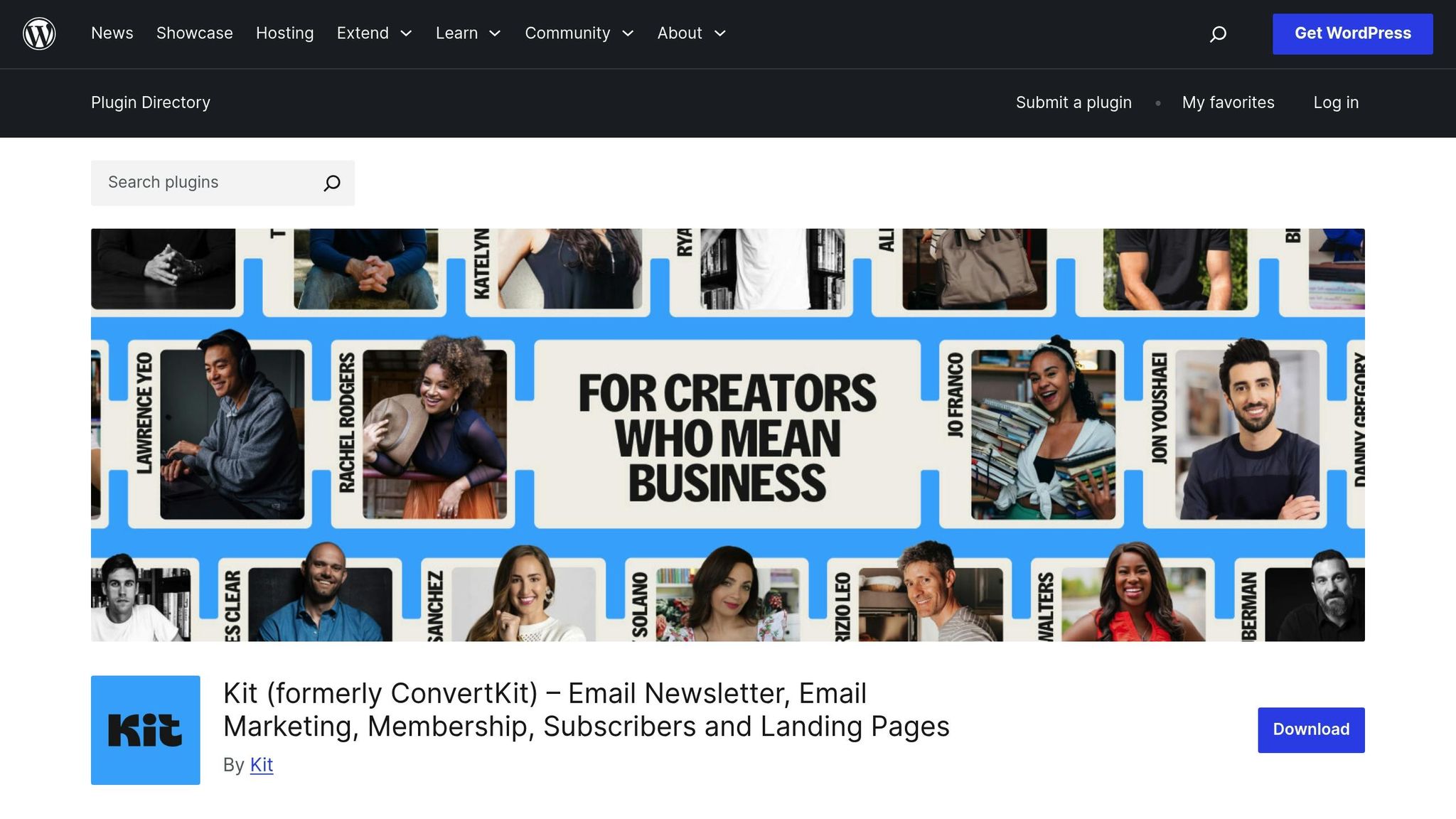
ConvertKit’s free plan is tailored specifically for creators who want to focus on building meaningful connections with their audience. With a strong emphasis on [content-driven email sequences](https://blog.groupmail.io/tailoring-your-message-an-in-depth-guide-to-segmentation-strategies-for-email-campaigns/), it’s a great starting point for those just beginning their journey.
### Subscriber/Contact Limit
The free plan allows you to manage up to **1,000 subscribers**. This limit is ideal for beginners like bloggers, podcasters, or course creators who are still growing their audience. If your list grows beyond 1,000 subscribers, you’ll need to upgrade to the Creator plan, which starts at **$9 per month**.
### Monthly Send Volume
One standout feature of ConvertKit’s free plan is that it lets you send **unlimited emails** within the 1,000-subscriber limit. This flexibility ensures you can stay connected with your audience without worrying about hitting a cap.
### Core Features
The free plan includes several tools to help creators get started:
- **Simple automation**: Set up welcome series and basic [drip campaigns](https://blog.groupmail.io/email-drip-campaigns-the-ultimate-guide-to-maximizing-conversions/).
- **Visual automation builder**: While you can create workflows, advanced features like conditional logic require an upgrade.
- **Customizable opt-in forms and landing pages**: Perfect for attracting new subscribers.
- **Basic reporting metrics**: Track [open rates](https://blog.groupmail.io/low-email-open-rates-5-quick-fixes/), click rates, and subscriber growth.
Email templates are kept simple and text-focused, aligning with ConvertKit’s philosophy that content should take center stage. This minimalistic approach appeals to creators who value substance over flashy design.
### Branding Presence
Emails sent through the free plan include **"Powered by ConvertKit"** branding in the footer. This branding cannot be removed unless you switch to a paid plan. For creators aiming for a polished, professional appearance, this limitation might serve as a motivation to upgrade.
### SMTP/Deliverability
ConvertKit maintains **high deliverability rates** across all its plans, including the free tier. Both free and paid users benefit from the same sending infrastructure, ensuring reliable inbox placement. However, free users are unable to use **custom domains** for sending emails, which could pose a challenge for creators who want consistent branding.
Up next, we’ll dive into a comparison of the pros and cons across these platforms.
## Platform Comparison: Pros and Cons
For businesses aiming to make the most of their email marketing without overspending, picking the right free tool is a game-changer. Below is a quick comparison of the strengths and drawbacks of some popular platforms to help you decide which one fits your needs best.
| Platform | Best For | Key Strengths | Main Limitations |
| ---------------- | -------------------------------------------------------------------------------------------------- | ------------------------------------------------------------------------------------------------------------------------------------------------------------- | --------------------------------------------------------------- |
| **Mailchimp** | Beginners seeking brand recognition | Extensive integrations, polished templates, and a trusted reputation | Free plan limits sending volume and frequently prompts upgrades |
| **MailerLite** | Small businesses seeking automation | Generous sending limits, strong automation features, and easy-to-use design | Free plan restricts the number of subscribers |
| **Brevo** | High-volume senders | Steady sending limits, SMS options, and transactional email capabilities | Interface and templates might feel less intuitive for some |
| **Benchmark** | Visually focused campaigns | Wide variety of templates and dependable list management tools | Free plan includes platform branding and limited automation |
| **Groupmail** | Full feature access and flexibility | [SMTP integration](https://blog.groupmail.io/smtp2go-groupmail-the-perfect-combo-for-reliable-email-deliverability/), full feature set, and 2,000 sends/month | Free plan includes Groupmail branding |
| **Moosend** | Automation enthusiasts | Advanced automation tools, landing page options, and detailed analytics | Free plan caps the number of subscribers |
| **EmailOctopus** | Budget-conscious users | Simple interface, solid deliverability, and affordable upgrades | Basic features with fewer integration options |
| **Mailmodo** | [Interactive email creators](https://blog.groupmail.io/drag-and-drop-vs-html-email-builder-guide/) | AMP email support and interactive elements for engaging campaigns | Requires some learning to master interactive tools |
| **ConvertKit** | Content creators | Unlimited email sending, creator-friendly tools, and simple automation | Free plan limits subscriber count and has fewer design options |
Each platform offers something different, catering to a variety of business needs. For example, if flexibility and full feature access matter most, **Groupmail** stands out with its SMTP integration and 2,000 monthly sends. On the other hand, **MailerLite** excels in automation, while **ConvertKit** is tailored for content creators.
When comparing these options, think about what matters most for your campaigns - whether it's ease of use, advanced automation, or interactive features. The right tool will depend on your specific goals and priorities.
## Conclusion
Picking the right [free email marketing platform](https://blog.groupmail.io/the-best-sendgrid-alternative-for-marketers-who-want-a-better-campaign-builder/) comes down to your current needs and how you plan to grow. Free plans are a great way to get started without spending money, but remember, they often come with limitations that might not fit your business as it scales.
Here’s a quick breakdown of which platforms work best for different needs:
- **Beginners**: Mailchimp is user-friendly and packed with resources to help you learn the ropes.
- **Small businesses focused on automation**: MailerLite offers a strong set of automation tools with a generous free plan.
- **High-volume senders**: Brevo provides consistent sending limits that work well for those with larger lists.
- **Content creators**: ConvertKit allows unlimited email sends, even though its free plan has a subscriber cap.
- **Visual design enthusiasts**: Benchmark shines with its variety of customizable templates.
- **Interactive campaigns**: Mailmodo stands out with AMP email features for creating engaging, dynamic content.
For those who want full access to features without paying upfront, **Groupmail** is a solid choice. It includes [seamless SMTP integration](https://blog.groupmail.io/tag/platform-integrations/) and 2,000 monthly sends for free. On the other hand, **EmailOctopus** appeals to budget-conscious users with its simple, affordable setup, while automation fans may find **Moosend**’s advanced workflows ideal.
The best way to find the right fit? Test a few platforms during their free trial periods. Most of them let you import contacts and run campaigns without any cost, making it easier to see which one aligns with your goals - whether that’s automation, creative design, or managing a high volume of emails.
Keep in mind that free plans are just a starting point. As your email list grows and your needs become more advanced, you’ll probably need to upgrade. Choose a platform that offers a simple, scalable upgrade path to match your future growth.
Start with the platform that fits your immediate needs, and don’t hesitate to switch if things change. Most tools make it easy to export your contacts and migrate as your business evolves.
## FAQs
### What should I look for in a free email marketing platform for my business?
When you're choosing a free email marketing platform, it's essential to focus on a few key aspects like **deliverability rates**, the range of **features offered**, and how user-friendly the platform feels. Keep an eye on the limitations of the free plan - these might include caps on the number of subscribers, visible branding on your emails, or restrictions on how many messages you can send each month.
You’ll also want to look for features that can make your campaigns more effective, such as **automation tools** and **SMTP support**. Think about whether the platform can scale with your business as your needs grow. Is it beginner-friendly? Does it provide useful guides or resources to help you get started? By carefully considering these factors, you'll be better equipped to choose a tool that sets you up for success with your email marketing efforts.
### How can I work around the limitations of free email marketing plans, like subscriber limits and platform branding?
To get the most out of free email marketing plans, start by familiarizing yourself with the platform's specific restrictions. These might include limits on the number of subscribers, how many emails you can send, or mandatory platform branding. **Focus on quality over quantity** by segmenting your audience and targeting the subscribers who are most engaged. This approach helps you stay within the limits while maximizing impact. If branding restrictions are a concern, explore the customization tools available to make the emails feel as aligned with your brand as possible.
As your email marketing needs expand, platforms like Groupmail can be a great option. They offer flexible free tiers with features like SMTP sending, which can help you handle larger campaigns without being locked into strict branding requirements. When your business demands more advanced tools or higher limits, upgrading to a paid plan can be a smart step to support your growth.
### What are the main differences between Mailchimp, MailerLite, and ConvertKit in terms of features and ease of use?
Mailchimp shines with its **powerful design tools** and customizable templates, making it a top pick for businesses that prioritize branding and strong visual elements. However, its feature-packed interface might feel a bit daunting for beginners.
MailerLite is celebrated for its **easy-to-use interface** and simple automation setup, making it a perfect fit for small businesses or those just starting out with email marketing. It also boasts excellent deliverability rates and a straightforward design process.
ConvertKit is designed with **creators and content-driven users** in mind. While its design features are less robust compared to Mailchimp, it offers effective automation and segmentation tools, helping creators connect with and grow their audience with ease.
To sum it up: Mailchimp is ideal for branding and design, MailerLite stands out for its simplicity and automation, and ConvertKit is tailored for creators seeking streamlined tools to engage their audience.
## Related Blog Posts
- [Email Marketing Trends for 2025: What’s Changing & What Matters](https://blog.groupmail.io/email-marketing-trends-for-2025-whats-changing-what-matters/)
- [How to Create Mobile-Friendly Email Templates](https://blog.groupmail.io/how-to-create-mobile-friendly-email-templates/)
### SMTP2GO + Groupmail = Better Email Deliverability
URL: https://blog.groupmail.io/smtp2go-groupmail-the-perfect-combo-for-reliable-email-deliverability/
Last updated: 2025-08-25T15:33:12.000Z
## SMTP2GO + Groupmail: The Perfect Combo for Reliable Email Deliverability
[SMTP2GO](https://get.smtp2go.com/vhpdjf6lo690) and [Groupmail](https://groupmail.io/) make [email marketing](https://groupmail.io/blog-post?slug=email-marketing-faq-15-common-questions) simple, effective, and affordable. [SMTP2GO](https://get.smtp2go.com/vhpdjf6lo690) ensures **95.5% deliverability** with clean IPs and authentication protocols, while Groupmail offers an easy [drag-and-drop email builder](https://groupmail.io/blog-post?slug=drag-and-drop-vs-html-email-builder-guide) with features like [AI-powered subject lines](https://groupmail.io/free-ai-email-subject-line-generator) and mobile-friendly templates. Together, they solve [common email marketing challenges](https://groupmail.io/blog-post?slug=10-mistakes-to-avoid-in-your-email-marketing-campaigns):
- **Inbox Placement**: Avoid spam folders with SMTP2GO's SPF/DKIM/DMARC protocols.
- **Cost Efficiency**: SMTP2GO starts at $15 for 10,000 emails; Groupmail plans begin at $10/month.
- **User Control**: Groupmail gives full ownership of email lists and campaigns.
This integration is ideal for businesses seeking reliable email tools without complex setups or high costs. Setting up is straightforward, and both platforms provide analytics to monitor and improve performance. If you're looking to optimize [email campaigns](https://groupmail.io/blog-post?slug=email-campaign-checklist-12-steps-to-success) with minimal hassle, this combination delivers.
## FREE Email Deliverability Full Course (Email Setup 2024-2025)
## Benefits of Using [SMTP2GO](https://get.smtp2go.com/vhpdjf6lo690) with [Groupmail](https://groupmail.io/)

Pairing SMTP2GO with Groupmail creates an efficient and effective email marketing solution. Together, they simplify everything from designing your campaigns to ensuring your messages reach their intended audience.
### Improved Inbox Placement with SMTP2GO
SMTP2GO is designed to prioritize email deliverability, a critical factor for any successful email campaign. With features like clean IP addresses, advanced SPF/DKIM/DMARC protocols, and real-time bounce handling, SMTP2GO ensures your emails avoid spam folders and land directly in recipients' inboxes.
What makes SMTP2GO stand out is its **dedication to deliverability** and its ability to safeguard your sending reputation with major providers like [Gmail](https://www.google.com/gmail/about/), [Outlook](https://www.microsoft.com/en-us/microsoft-365/outlook/email-and-calendar-software-microsoft-outlook), and Yahoo. If an email bounces or a recipient marks it as spam, SMTP2GO processes this feedback automatically, helping you maintain list hygiene and protect future campaigns. This proactive approach becomes even more crucial as your email volume increases.
### Easy Campaign Creation with Groupmail
Groupmail makes building email campaigns straightforward and stress-free. Its drag-and-drop, WYSIWYG editor allows you to create professional, mobile-friendly emails effortlessly. Plus, it includes features like AI-powered subject lines and built-in image editing to elevate your campaigns.
For those with advanced design needs, Groupmail offers **full HTML customization**. You can use your own designs or choose from pre-made templates tailored for various industries and campaign goals, giving you the flexibility to create emails that stand out.
### Cost-Effective and Scalable Email Marketing
Affordability is another key advantage of combining Groupmail and SMTP2GO. Groupmail offers a free plan for up to 1,000 contacts, with paid plans starting at just $10 per month for 10,000 contacts and $29 per month for 50,000 contacts. SMTP2GO complements this with a generous offer for Groupmail users—1**0,000 emails per month completely free**. For those needing more, SMTP2GO also provides a flexible pay-as-you-go model.
This combination delivers **enterprise-level features without the hefty price tag** often associated with big-name platforms that can cost hundreds or even thousands of dollars monthly. By connecting Groupmail with SMTP2GO, businesses of all sizes can access [professional-grade email marketing tools](https://groupmail.io/features.html) without breaking the bank.
## How to Set Up SMTP2GO with Groupmail
Getting SMTP2GO working with Groupmail is simple and seamless thanks to the dedicated integration built into the platform.
For a complete, up-to-date walkthrough with screenshots, see the official guide here: [**Setting up Groupmail with SMTP2GO**](https://groupmail.io/kb-article?slug=setting-up-groupmail-with-smtp2go)**.**
### What You Need Before Starting
- An active **SMTP2GO account** with your **API key** ready. This is the only supported authentication method. Make sure the key has access to the email/send endpoint and that **Open Tracking** and **Click Tracking** are enabled.
- A **verified sender address or domain** in SMTP2GO. Verifying your full domain is recommended for better deliverability and authentication (SPF, DKIM, etc.).
- Your **Groupmail Webhook URL**, which you’ll add to your SMTP2GO account for real-time tracking and bounce handling.
### Basic Setup Steps
1\. **In Groupmail:**
Go to **Integrations** and click **\+ New Integration** → Select **SMTP2GO (Email Delivery Service)**.
2\. Enter Details:
• Give your integration a name
• Paste your **SMTP2GO API key**
• Add your From **Name**, **From Email**, and optionally a **Reply-To address**
3\. **Configure the Webhook:**
• In your SMTP2GO account, go to **Settings → Webhooks**
• Add your **Groupmail Webhook URL**, set the user as the API key, and choose the desired events (opens, clicks, bounces, complaints, etc.)
• Include custom headers X-GMCM and X-GMCC, then test and save the webhook
4\. **Test and Save:**
• In Groupmail, click Test to send a test message
• Once confirmed, click Save.
After setup, you’ll be able to send campaigns through SMTP2GO with tracking and deliverability insights directly in Groupmail.
Again, full step-by-step instructions with visuals are available here: [Setting Up Groupmail with SMTP2GO](https://groupmail.io/kb-article?slug=setting-up-groupmail-with-smtp2go)
### Sending Your First Test Campaign
After the integration is set up, it's time to send a test campaign to confirm everything works as expected. This step helps identify and resolve any issues before reaching your full audience.
Create a simple test campaign in Groupmail, using a small segment of your contact list or just your own email address. Include typical campaign elements like images, links, and personalized content to ensure all features are functioning correctly with the SMTP2GO integration.
During the test, pay attention to delivery speed and check for bounce notifications. SMTP2GO automatically handles bounce feedback, which helps you maintain a clean contact list and protects your sender reputation. If any delivery issues arise, double-check that your sender email address is verified in SMTP2GO.
Remember, when sending to multiple recipients, your emails must include an unsubscribe link. This isn’t just a best practice - it’s a legal requirement that helps maintain high deliverability rates.
Finally, monitor the performance of your test email using both Groupmail's analytics and SMTP2GO's reporting dashboard. By reviewing both, you’ll get a complete picture of delivery success, open rates, and any potential issues that could impact larger campaigns.
###### sbb-itb-2d4bf0e
## How to Improve Deliverability and Campaign Performance
Now that integration is set up, it's time to use analytics to fine-tune your email campaigns. Both SMTP2GO and Groupmail offer tools that can help you understand what’s working and where you might need adjustments.
### Using SMTP2GO's Reporting Dashboard
SMTP2GO provides a real-time performance dashboard that gives you a detailed look at your email delivery. One standout feature is its **customizable weekly reporting**, which includes bounce and spam tracking. This makes it easier to identify trends and fix issues before they harm your sender reputation.
The dashboard's **Summary section** gives a high-level view of your sending activity over the past month. You can filter this data by SMTP Username, domain, or sender address. Meanwhile, the **Charts section** offers a visual representation of sending peaks and dips over the last 30 days, helping you plan campaigns for maximum impact.
For more detailed insights, the **Activity section** provides a delivery log for each recipient. You can filter by delivery status and even access full email headers to troubleshoot issues like provider-related delays or authentication errors.
Another useful feature is the **Suppressions section**, which automatically blocks recipients who mark emails as spam, unsubscribe, or generate hard bounces. Regularly reviewing and cleaning up this list helps you avoid future delivery problems and keeps your sender reputation intact.
SMTP2GO also supports **data exports in CSV, XML, or NDJSON formats**. You can pull data from the Summary, Activity, Archives, and Suppressions sections, making it easy to integrate with other analytics tools or create custom reports.
### Using Groupmail's Campaign Analytics
Groupmail Insights offers **real-time tracking and analytics** to measure your email campaign performance. Beyond basic open and click tracking, it provides subscriber-level data so you can see exactly who opened your emails and clicked on links. This kind of granular insight is invaluable for audience segmentation and planning follow-up campaigns.
The platform also includes **sales and conversion tracking**, letting you connect your email efforts directly to revenue. By analyzing which content, subject lines, and sending times generate the best results, you can refine your strategy for maximum ROI.
Another handy feature is device usage tracking, which ensures your emails are optimized for all platforms and devices. When combined with SMTP2GO’s insights, Groupmail gives you the tools to build a more effective and cohesive campaign strategy.
### Best Practices for Better Inbox Rates
Using the insights from SMTP2GO and Groupmail, you can adopt strategies to improve inbox placement and engagement rates.
- **Optimize timing**: Use SMTP2GO’s Charts section to identify sending patterns and combine that with Groupmail’s engagement data to pinpoint the best times to send your emails.
- **Test before launching**: If you’re on SMTP2GO’s 100K+ plans, take advantage of their email testing tool. It checks for spam filter issues and previews how emails will look across different clients, ensuring everything is polished before hitting "send".
- **Monitor sender reputation**: SMTP2GO’s automatic blacklist monitoring, spam-trap detection, and DKIM/SPF tools help protect your reputation. However, it’s still important to regularly verify that your DNS records are correctly configured.
- **Keep your list clean**: Regularly remove inactive or disengaged email addresses. This not only protects your reputation but also saves money by avoiding unnecessary sends.
## Full Control Without Complex ESPs
The combination of SMTP2GO and Groupmail puts you in charge of your email campaigns, freeing you from the constraints of bulky email service providers (ESPs). You can design campaigns exactly how you want while maintaining professional deliverability standards. This setup gives you control over design, data security, and scalability - key factors for improving campaign performance.
### Customizable Campaigns with Groupmail
Groupmail makes creating visually appealing, mobile-friendly campaigns simple with its drag-and-drop builder. You can include video and HTML content blocks, use an integrated image editor, and access built-in storage for your assets. Plus, it offers deep personalization options, allowing you to tailor content, subject lines, links, and even attachments for individual recipients.
For businesses looking for ready-made designs, Groupmail provides professional templates. All templates are mobile-optimized and can be fully customized to match your branding.
The platform also supports scheduled campaigns and includes **multi-language support**, enabling you to connect with global audiences seamlessly.
> "Excellent, quick support is the hallmark of any good product. With a knowledgeable and prompt support staff and a full feature set, GroupMail shows over and over again that it's quality software programmed by top-notch people. The ability to add custom attachments to your bulk emails is literally one of a kind. That feature alone makes the product indispensable. Highly recommended."
>
> - Alex O, Digital Marketing Manager, CQH
### Secure and Compliant Data Handling
Using SMTP2GO and Groupmail ensures that your data stays secure and under your control. Unlike relying on third-party ESPs, this setup keeps your contact lists and campaign data within your own systems, giving you full visibility and control over how sensitive customer information is handled.
Groupmail also simplifies compliance with email regulations by automating bounce and unsubscribe management.
> "We have used GroupMail successfully for several years. The software is superb. Very easy to use and what little technical support we have needed has been excellent. I would highly recommend GroupMail to any business with email at the heart of their marketing strategy."
>
> - Jon Case, CEO, School Software Solutions Ltd
## Conclusion: Why SMTP2GO + Groupmail Works
SMTP2GO and Groupmail provide a dependable solution for email deliverability without the hassle or expense of managing a complicated infrastructure. Together, they empower you to take full control of your email campaigns and data while maintaining a professional edge.
With over 100,000 users and stellar reviews (4.8/5 on [G2](https://www.g2.com/) and 4.9/5 on [GetApp](https://www.getapp.com/)), SMTP2GO has built a reputation for being reliable, easy to use, and budget-friendly. Pair that with Groupmail’s intuitive drag-and-drop builder and a rich library of templates, and you have a winning formula for effective email campaigns.
> "SMTP2GO has been a lifesaver for me. It serves a category that, frankly, I never even knew existed before I started using it." - Randall Greenwald, International Association for Property & Evidence Inc.
Cost efficiency is another big advantage. This combination allows you to scale your email marketing efforts without unnecessary premium charges or bloated features. SMTP2GO’s global server network ensures your messages land in inboxes worldwide, sparing you the expense and effort of managing your own email infrastructure.
Groupmail’s mobile-friendly templates and robust personalization options, combined with SMTP2GO’s advanced tracking and reporting tools, give you everything you need for high-performing campaigns. You’re free to customize beyond cookie-cutter templates, while detailed analytics help fine-tune your strategies for better results.
For businesses aiming to take charge of their email marketing, the SMTP2GO and Groupmail partnership strikes the ideal balance between reliability, affordability, and creative flexibility. It’s enterprise-level deliverability without the complexity - or the cost.
## FAQs
### How does combining SMTP2GO with Groupmail improve email deliverability?
Integrating SMTP2GO with Groupmail creates a solid partnership for improving email deliverability. SMTP2GO's **dependable sending system** works to improve inbox placement while reducing the chances of your emails being marked as spam. Meanwhile, Groupmail offers **user-friendly campaign tools** and complete control over your email content, ensuring your messages are not only well-designed but also more likely to land where they belong - in your recipients' inboxes.
With this setup, SMTP2GO takes care of the technical heavy lifting, like managing sender reputation and preventing spam issues, while Groupmail helps you craft [engaging and relevant emails](https://groupmail.io/blog-post?slug=how-do-i-make-my-email-marketing-newsletter-engaging). Together, they deliver a smooth and **budget-friendly solution** for effective email marketing.
### How can I make sure my email campaigns look great on mobile devices using Groupmail?
To make your email campaigns mobile-friendly with Groupmail, start by using its **responsive email templates**. These templates are designed to automatically adapt to various screen sizes, ensuring your emails look polished on any device. Use the **real-time preview tool** to check how your email will appear on mobile screens before hitting send. Another smart move is to schedule your campaigns during peak times when mobile users are most active, helping you increase engagement and improve delivery rates. With these tools, crafting mobile-optimized emails becomes a hassle-free process.
### How can I use SMTP2GO and Groupmail analytics to enhance my email marketing campaigns?
To get the most out of your email marketing efforts, leverage **SMTP2GO's analytics** to monitor essential metrics like delivery rates, open rates, click-through rates, and bounce rates. These metrics provide valuable insights into potential issues, such as low engagement or delivery problems, and offer a clear path for improvement.
Armed with this data, you can tweak your campaigns by adjusting send times, crafting more compelling subject lines, and customizing content to resonate with your audience. Pair this with **Groupmail's campaign tracking tools**, and you’ll have complete oversight of your [email strategy](https://groupmail.io/blog-post?slug=7-best-practices-for-email-marketing-strategy). This combination allows for ongoing adjustments to achieve better inbox placement, stronger engagement, and a higher return on investment.
### Should You Let AI Write Your Emails? Pros, Pitfalls & What to Watch
URL: https://blog.groupmail.io/should-you-let-ai-write-your-emails-pros-pitfalls-what-to-watch/
Last updated: 2025-08-25T14:37:04.000Z
## Should You Let AI Write Your Emails? Pros, Pitfalls & What to Watch
AI can write emails faster, personalize messages at scale, and save costs. It [boosts open rates](https://groupmail.io/blog-post?slug=how-to-write-email-subject-lines-with-ai-that-people-actually-open) by up to **50%** and revenue by **41%**, making it a powerful tool for marketers. But it often lacks emotional depth and can feel overly formal or impersonal. Human-written emails, while slower and more expensive, excel in building trust and handling sensitive communications with care and nuance.
### Key Takeaways:
- **AI excels at:** Speed, scalable personalization, and cost-efficiency.
- **Humans excel at:** Emotional connection, tone, and handling complex topics.
- **Best approach:** Combine AI for efficiency and humans for emotional depth.
### Quick Comparison:
| Aspect | AI-Generated Emails | Human-Written Emails |
| ------------------- | -------------------------- | ---------------------- |
| **Speed** | Fast, scalable | Time-intensive |
| **Personalization** | Data-driven, broad scale | Context-aware, deeper |
| **Emotional Depth** | Often lacks nuance | Strong emotional tone |
| **Cost** | Lower | Higher |
| **Best Use** | Routine tasks, large lists | Sensitive, high-stakes |
Blend AI's efficiency with human oversight for [impactful email campaigns](https://groupmail.io/blog-post?slug=email-marketing-statistics-unveiled-a-deep-dive-into-the-power-and-impact-of-email-campaigns) that connect with your audience.
## Best AI Tools for Email Marketing – But Watch Out for These Traps!
## 1\. AI-Generated Email Content
AI has reshaped how marketers craft [email campaigns](https://groupmail.io/blog-post?slug=email-analytics-what-metrics-actually-matter), making the process faster, smarter, and more data-driven. In the U.S., **70% of marketers now use generative AI tools**, with **34% leveraging them specifically for writing email copy**. Let’s dive into how AI impacts efficiency, personalization, authenticity, and cost in [email marketing](https://groupmail.io/blog-post?slug=7-best-email-marketing-tools-for-small-business).
### Efficiency
AI tools streamline email creation, delivering content at a speed no human could match. For instance, **51% of email marketers use** [**ChatGPT**](https://openai.com/chatgpt), while others turn to platforms like [Copy.ai](https://www.copy.ai/) (21%), [Scalenut](https://www.scalenut.com/) (19%), and [Jasper](https://www.jasper.ai/) (14%) for their campaigns. These tools can generate everything from [subject lines](https://groupmail.io/free-ai-email-subject-line-generator) to full campaigns in minutes.
The time saved is a game-changer. With AI handling repetitive tasks, marketers can juggle multiple campaigns without expanding their teams. Beyond content creation, **66% of marketers use AI to optimize send times**, ensuring emails land in inboxes when recipients are most likely to engage.
### Personalization
One of AI's standout features is its ability to personalize emails at scale. By analyzing data such as browsing behavior, purchase history, and past interactions, AI crafts messages tailored to each recipient.
This level of precision pays off. **Companies using advanced personalization see up to 40% more revenue** compared to those relying on generic messages. Additionally, **72% of consumers say they only engage with personalized content**.
Big names like Google, [Adobe](https://www.adobe.com/), and [TripAdvisor](https://www.tripadvisor.com/) are already leveraging AI to deliver highly customized, one-on-one messaging at scale. It’s not just about adding a recipient’s name anymore - AI can suggest specific products, create unique offers, and even adjust tone based on individual preferences.
### Authenticity
Despite its strengths, AI struggles with authenticity. While it can churn out polished, data-driven content, it often lacks the emotional depth and nuanced tone that human writers bring. This can make messages feel impersonal or overly generic.
Even though **95% of marketers view AI as effective, with 54% rating it "very effective,"** many still rely on human oversight to ensure the content aligns with their brand voice and genuinely connects with recipients.
### Cost
AI also delivers financial advantages by cutting down on the resources needed to create and manage email campaigns. Teams can produce more content without hiring additional staff, scaling their efforts efficiently.
The results speak for themselves: **AI-driven email marketing has boosted click-through rates by 13% and increased revenue by 41%** compared to traditional methods. Furthermore, **50.7% of marketers in the U.S. and EU believe AI outperforms traditional email marketing techniques**.
Beyond content creation, AI automates tasks like scheduling, follow-ups, and response workflows, simplifying the entire process and reducing the need for manual input. This not only saves time but also enhances overall campaign performance.
## 2\. Human-Written Email Content
When it comes to email marketing, AI brings speed and scalability to the table, but human-written emails excel at creating meaningful connections. The craftsmanship of human writers stands out in areas where depth and emotional resonance are crucial. Let’s take a closer look at the unique strengths of human-written emails.
### Authenticity
Human writers have an edge in creating content that feels genuine and trustworthy. Unlike AI, which often relies on predictable patterns, human-crafted emails reflect real emotion and intent.
This authenticity shines through in the little details - whether it’s the careful wording of a message during a crisis, a thoughtful tone when addressing customer concerns, or the warmth of a personalized welcome note. These subtle touches make recipients feel valued, reducing the sense that they’re just another name on a mailing list. Messages written by humans tend to build trust, especially when discussing sensitive topics or delivering important updates. However, this level of care and authenticity often comes at the cost of speed.
### Personalization
While AI can automate [personalization at scale](https://groupmail.io/blog-post?slug=personalized-email-marketing-the-future-of-customer-engagement), human-written emails go deeper by weaving in context and shared experiences. Human writers can reference specific details - like past interactions or industry-specific challenges - that AI might overlook. This nuanced approach makes the recipient feel truly seen and understood.
For instance, a human-crafted follow-up email might mention a recent conversation or address a unique concern, creating a sense of continuity and attention to detail. This level of personalization not only strengthens relationships but can also drive revenue by fostering loyalty and trust.
### Efficiency
Creating high-quality, personalized emails takes time. Unlike AI, which can churn out hundreds of emails in minutes, human writers invest significant effort into crafting the perfect message. Each email requires careful thought, review, and refinement, making the process less efficient but far more impactful.
For critical communications - like crisis responses, major announcements, or important client outreach - the time spent perfecting the tone and message often pays off. Stronger engagement and deeper connections are the rewards of this labor-intensive approach.
### Cost
Human-written emails generally cost more because they require skilled copywriters and rigorous quality checks. While AI can lower upfront costs by automating the writing process, the long-term value of human-crafted emails often justifies the higher investment.
Well-written emails lead to better engagement and higher conversion rates, which can offset the initial expense of hiring human talent. For businesses sending large volumes of emails, the challenge is deciding when the added value of a human touch is worth the extra cost.
Here’s a quick comparison of the strengths and trade-offs between human and AI-generated emails:
| Aspect | Human-Written Emails | AI-Generated Emails |
| ------------------- | -------------------------------- | -------------------------------------- |
| **Efficiency** | Lower (time-intensive) | Higher (fast, scalable) |
| **Personalization** | Deep, nuanced, and context-aware | Often surface-level, data-driven |
| **Authenticity** | High (emotionally resonant) | Can feel generic or impersonal |
| **Cost** | Higher (requires skilled labor) | Lower (automation reduces labor costs) |
The true value of human-written emails lies in their ability to handle complex, sensitive, or high-stakes situations. Whether it’s responding to a customer complaint, managing a crisis, or reaching out to a key client, the human touch can make all the difference in building trust and fostering long-term relationships.
###### sbb-itb-2d4bf0e
## Pros and Cons
Deciding between AI-generated and human-written [email content](https://groupmail.io/blog-post?slug=how-to-write-compelling-email-marketing-copy-that-converts) is no small task. Both options come with their own set of strengths and challenges, and understanding these trade-offs is essential for building a successful [email marketing strategy](https://groupmail.io/blog-post?slug=7-best-practices-for-email-marketing-strategy). Let’s break down the key differences, backed by data and real-world insights.
AI-driven email campaigns are proving their worth, with **50.7% of US and EU marketers** reporting that AI outperforms traditional methods. These campaigns have shown **13% higher click-through rates**, **41% revenue growth**, and **95% of marketers rating AI as effective**. Impressive, right? But numbers only tell part of the story. Each method shines in different situations, and the choice often depends on your specific goals.
Here’s a quick comparison of the two approaches:
| Aspect | AI-Generated Email Content | Human-Written Email Content |
| ----------------------- | -------------------------------------------------------------- | ---------------------------------------------------------- |
| **Speed & Efficiency** | Lightning-fast; can produce content at scale | Slower; involves manual effort |
| **Personalization** | Scalable, data-driven personalization for large audiences | Limited by capacity but offers deeper contextual relevance |
| **Creativity & Nuance** | Can lack subtlety, humor, and brand voice depth | Offers emotional depth, humor, and cultural sensitivity |
| **Consistency** | Highly consistent, avoiding errors caused by human factors | Can vary depending on writer experience or circumstances |
| **Cost** | Lower for high volumes; reduces labor expenses | Higher costs, especially for scaling campaigns |
| **Risk** | May produce tone-deaf or off-brand messaging without oversight | Lower risk of misalignment with skilled writers |
| **Oversight Needed** | Requires review to ensure quality and brand alignment | Minimal oversight needed with experienced writers |
| **Performance** | Proven to boost click-through rates and revenue | Can achieve high engagement when thoughtfully crafted |
### The Case for AI
AI’s ability to process massive amounts of data and deliver scalable personalization is a game-changer. For instance, companies using advanced personalization techniques can see up to **40% more revenue** compared to those relying on generic messaging. Tools like Groupmail's [AI Subject Line Generator](https://groupmail.io/free-ai-email-subject-line-generator) provide data-driven insights, helping marketers refine their strategies while keeping their brand voice intact.
Speed is another huge advantage. AI can churn out large volumes of emails in no time, which is especially helpful for businesses managing seasonal promotions, multiple campaigns, or massive subscriber lists. On top of that, **66% of marketers use AI for optimizing send times**, ensuring emails land in inboxes at the perfect moment.
### The Case for Human Creativity
On the flip side, human-written emails excel in areas where nuance, emotion, and brand personality matter most. Whether it’s a sensitive topic, a crisis communication, or a high-stakes client message, the human touch remains invaluable. Skilled writers can pick up on subtle cultural cues and craft messages that resonate emotionally, creating a deeper connection with recipients.
### Balancing Cost and Value
AI’s cost-effectiveness is hard to ignore, especially for enterprises managing millions of subscribers. While small businesses sending a few hundred emails may not see a drastic difference, the savings for larger organizations can be substantial. That said, the risk of AI-generated content feeling generic or robotic is real. Over-relying on AI without human oversight can dilute your brand’s voice and fail to engage your audience meaningfully.
### The Best of Both Worlds
The sweet spot often lies in a hybrid approach. Use AI for data analysis, initial drafts, and technical optimization, but rely on human expertise for refining tone, ensuring brand alignment, and adding emotional depth. For transactional emails or campaign updates, AI can deliver efficiency and precision. For relationship-building, storytelling, or sensitive communications, human creativity is irreplaceable.
The key takeaway? Balance efficiency with authenticity. Combining AI’s speed and data-driven insights with the emotional resonance of human creativity can help you craft emails that not only perform well but also connect with your audience on a deeper level.
## Conclusion
Selecting the right tool for the job is key. For tasks like welcome emails or promotional campaigns, AI offers speed and scalability. However, when it comes to sensitive topics or messages that require a personal touch, human expertise is essential to convey emotional depth and genuine warmth.
Set clear goals for your email strategy. Are you aiming to speed up production, improve personalization, or ensure top-tier quality? Defining your objectives will help shape your approach and ensure that every email - whether crafted by AI or a human - supports your brand’s story.
For most marketers, success lies in combining AI's efficiency with human oversight to maintain quality and authenticity. Fine-tune your AI models for accuracy, but leave emotionally charged or high-stakes communications to human hands.
Keep an eye on performance by tracking engagement and conversion metrics. The email marketing world changes quickly, so it’s important to stay adaptable - whether that means tweaking AI prompts or refining human workflows.
The most effective marketers use AI and human creativity together, leveraging each where they excel. This balanced approach is what drives impactful and lasting results in email marketing.
## FAQs
### How can I balance AI and human input to improve my email marketing strategy?
To make the most of [AI in email marketing](https://groupmail.io/blog-post?slug=ai-and-email-marketing-revolutionizing-the-industry-through-automation-and-personalization), let it take care of the repetitive stuff - like sorting customers into segments, analyzing data, or drafting initial [email templates](https://groupmail.io/blog-post?slug=best-practices-for-responsive-email-templates-2025-guide). These tasks can eat up a lot of time, and AI is great at handling them quickly and efficiently.
But don’t stop there. It’s essential to have human oversight to fine-tune what the AI produces. Adjust the tone, tweak the style, and make sure the messaging aligns perfectly with your brand’s voice. This human touch ensures your emails feel genuine and relatable.
By blending AI’s speed and precision with human creativity, you can craft emails that not only rely on smart data but also connect with your audience on a personal level. It’s this balance that can truly elevate your email marketing efforts.
### How can I ensure AI-generated emails reflect my brand's voice and tone?
To make sure AI-generated emails reflect your brand's personality, start by defining your brand's voice and tone. Be clear about how your brand communicates - whether it's formal, casual, playful, or professional. Provide the AI with specific instructions, like tone preferences or example text, to steer its output in the right direction. Regularly check and tweak the generated content to keep it consistent with your brand's identity. **Human oversight is crucial** \- always review the results to make sure the messaging feels genuine and aligns with your brand's values.
### When should I choose human-written emails over AI-generated ones to build trust and engagement?
When it comes to emails where *authenticity*, *empathy*, and a *personal touch* are essential, nothing beats a human touch. Think about situations like addressing sensitive customer concerns, navigating complex negotiations, or weaving a compelling story that embodies your brand's voice. Sure, AI can help speed things up, but it often falls short in delivering the emotional depth and subtlety needed to build real trust.
In cases that call for a strong grasp of context or emotional intelligence - such as resolving customer complaints or nurturing long-term relationships - emails written by humans tend to resonate more. Striking the right balance ensures your messages maintain professionalism while still feeling personal and relatable.
### Ultimate Guide to AI Email Marketing for Beginners [2025]
URL: https://blog.groupmail.io/ultimate-guide-to-ai-email-marketing-for-beginners-2025/
Last updated: 2026-04-16T14:02:28.000Z
## Ultimate Guide to AI Email Marketing for Beginners \[2025\]
[AI email marketing](https://groupmail.io/blog-post?slug=ai-and-email-marketing-revolutionizing-the-industry-through-automation-and-personalization) is transforming how businesses connect with customers. It uses tools like machine learning and predictive analytics to personalize content, automate timing, and boost engagement. Here’s why it matters in 2025:
- **Personalization is key**: 71% of consumers expect tailored communication, and businesses using advanced personalization see up to 40% more revenue.
- **Automation saves time**: AI handles tasks like audience segmentation, [A/B testing](https://groupmail.io/blog-post?slug=ai-and-email-marketing-revolutionizing-the-industry-through-automation-and-personalization), and send-time optimization, freeing marketers to focus on strategy.
- **Proven results**: AI-enhanced campaigns can increase sales productivity by 14.5% and reduce marketing costs by 12.2%.
Getting started is easier than you think. Platforms like [Groupmail](https://groupmail.io/) offer beginner-friendly tools, such as drag-and-drop editors and AI-powered features like subject line generation and content personalization. Start small - test [AI-driven subject lines](https://groupmail.io/blog-post?slug=how-to-write-email-subject-lines-with-ai-that-people-actually-open) or send-time optimization - and gradually expand your strategy.
AI [email marketing](https://groupmail.io/blog-post?slug=7-best-email-marketing-tools-for-small-business) isn’t just a trend - it’s a practical way to improve engagement, save time, and increase ROI. With tools available for all budgets, even beginners can see measurable results.
## Key Benefits and Use Cases of AI in Email Marketing
### Benefits of AI in Email Marketing
AI has transformed email marketing into a precise, data-driven process, moving far beyond guesswork. One of its standout advantages is **scaling personalization** \- a task that would be impossible to manage manually. Unlike traditional methods that rely on basic demographic data, AI digs into countless data points to create truly tailored experiences for each member.
The results speak for themselves. Companies using advanced personalization techniques have reported up to **40% higher revenue** compared to those sticking to generic messaging.
AI also brings **cost savings** into the mix. A 2022 [Statista](https://www.statista.com/) report revealed that 51% of companies reduced their service operation costs by over 20% after integrating AI into their email marketing strategies. Tasks like audience segmentation and content optimization, which once consumed hours of manual effort, are now automated.
Another major win is **increased engagement rates**. When AI takes charge of technical tasks, marketers see better results. For instance, over 90% of marketers reported improved engagement through smarter audience segmentation, while optimized subject lines have been shown to boost open rates by 5–10% .
### Practical Use Cases for AI in Email Campaigns
These benefits translate into several practical applications that can elevate [email campaigns](https://groupmail.io/help/email-marketing/email-marketing-for-small-business/) to the next level. One example is **send-time optimization**. AI analyzes when each subscriber is most likely to open emails and schedules delivery accordingly, increasing the chances of engagement.
**Smart segmentation** is another game-changer. By analyzing data like purchase history, browsing behavior, and email engagement patterns, AI creates highly targeted audience groups, ensuring your message reaches people who are genuinely interested.
AI also customizes email elements - such as product recommendations and visuals - based on each recipient’s behavior, eliminating the need to create multiple versions manually.
**A/B testing automation** is another area where AI shines. It evaluates multiple variations of an email and provides actionable, data-backed insights to refine your campaigns.
[**Subject line optimization**](https://groupmail.io/blog-post?slug=improving-open-rates-the-art-and-science-of-email-subject-lines) is gaining traction too, with 34% of email marketers already using AI to craft subject lines. These AI-generated lines take into account factors like recipient preferences, industry trends, and ideal length, all aimed at maximizing open rates.
Finally, AI helps avoid spam filters. By analyzing email content and suggesting tweaks, it improves deliverability, ensuring your messages land in inboxes instead of getting lost in spam folders.
### How AI Saves Time and Boosts Results
AI doesn’t just improve engagement - it also simplifies day-to-day operations. By automating foundational tasks, AI allows marketers to focus on strategy and creativity. **Workflow automation** is one of the biggest time-savers, with AI managing entire email sequences, from welcome messages to complex nurturing campaigns. Meanwhile, **predictive analytics** helps forecast customer behavior, enabling better targeting without the need for time-intensive manual analysis.
Industry leaders emphasize the competitive advantage AI offers:
> "It's a competitive edge right now to know how to use AI better than other people. So we need to develop new skills".
> "AI can combine data analysis, personalization, copywriting, and deployment into one streamlined process that will have an enormous impact".
## How to Start Using AI in Email Marketing (The Right Way)
## AI Concepts and Terms for Beginners
Understanding key AI email marketing terms can help you make the most of these tools. While some concepts might seem technical at first, they’re easier to grasp once you break them down.
### Machine Learning in Email Marketing
Machine learning is the backbone of most AI-driven email marketing tools. Think of it as a highly efficient assistant that learns from your email data to improve decision-making. Instead of relying on guesswork, machine learning analyzes subscriber behavior, email performance, and [engagement metrics](https://groupmail.io/blog-post?slug=email-analytics-what-metrics-actually-matter) to predict what strategies will work best for future campaigns.
This technology processes massive amounts of data that would be impossible for humans to handle. It examines everything from open rates and click patterns to purchase history and browsing behavior, identifying trends and providing actionable recommendations.
Sarah Chudleigh, Researcher & AI Content Lead, highlights why email marketing is such a great fit for AI:
> "Marketing is one of the most fruitful areas for applying AI. It's full of data, analytics, tricky predictions, confusing human behavior – it's perfect for bringing in a second kind of intelligence."
Machine learning shifts email marketing from a "one-size-fits-all" approach to a strategy that delivers the right message at the right time. The results speak for themselves - 51% of marketers already incorporate AI into their workflows, and it enables small teams to achieve the output of much larger ones.
Next, let’s explore how AI uses these insights to create personalized email experiences.
### AI-Powered Personalization
AI-powered personalization goes far beyond simply adding a subscriber’s name to an email. It creates highly customized experiences by analyzing individual data to determine the most relevant content, products, and messaging for each person.
This technology uses behavioral data - like past purchases, browsing habits, and engagement history - to tailor emails to each subscriber. It even predicts the best time to send emails for maximum impact. The system works automatically, evolving with every interaction to make future communications even more relevant.
For example, AI can personalize various elements of an email, such as product recommendations, content topics, images, and call-to-action buttons. A subscriber who frequently clicks on hiking-related content might see outdoor gear, while someone interested in work-from-home tips might receive suggestions for home office products.
This level of personalization fosters a dynamic connection with your audience, ensuring that every email feels more tailored and engaging than the last.
### Email Automation with AI
AI-enhanced email automation takes traditional automated sequences to the next level by making them smarter and more responsive. While basic automation sends the same email to everyone who triggers a specific action, AI automation adapts content, timing, and frequency based on each subscriber’s unique behavior and preferences.
The system handles multiple tasks simultaneously. It determines the best time to send emails for individual members, segments audiences based on shared behaviors and interests, and continuously tracks responses to refine future communications.
For example, if a subscriber hasn’t opened emails recently, the system might adjust the send time or tweak the subject line. On the other hand, if a subscriber regularly clicks on specific content, the AI prioritizes similar topics in upcoming emails.
AI automation also streamlines workflows by guiding subscribers through complex email sequences based on their actions and engagement levels. This creates a more conversational and personalized experience that feels less like mass marketing.
To get started, define a clear objective - like reducing churn or boosting conversions. Identify the data you’ll need, such as purchase history or engagement metrics, and test the AI’s performance on a small segment before scaling it to your entire list.
## Step-by-Step Guide: Getting Started with AI Email Campaigns
Ready to dive into AI-powered email campaigns? Here’s a straightforward guide to help you launch your first campaign with ease.
### Setting Up an AI Email Marketing Platform
The first step is choosing an [AI email marketing platform](https://groupmail.io/easiest-email-marketing-software.html) that’s simple to use, especially if you’re new to this. Look for tools with built-in AI features that don’t require coding or complicated setups.
**Groupmail** is a great option for beginners. It combines AI tools with an easy-to-use [drag-and-drop editor](https://groupmail.io/blog-post?slug=drag-and-drop-vs-html-email-builder-guide), making it possible to create polished campaigns - even if you have no technical background. Start with the free plan to get familiar with the AI features.
When setting up your account, focus on these key tasks:
- **Import and clean your contact list**. Make sure to configure sender details like your business name, reply-to email, and authentication settings to improve deliverability.
- [Explore the AI-powered subject line generator](https://groupmail.io/free-ai-email-subject-line-generator). This tool can help you create attention-grabbing subject lines tailored to your audience, boosting open rates. You can test multiple options, refine tone and style, and ensure your subject lines match the campaign’s goal.
Once your platform is ready, you’re all set to start creating campaigns that take advantage of AI’s capabilities.
### Creating AI-Enhanced Campaigns
AI can help fine-tune every aspect of your email campaigns. From crafting subject lines to tailoring content and [scheduling send times](https://groupmail.io/kb-article?slug=schedule-an-email-newsletter-campaign), these tools make decision-making smarter and faster.
- **Subject lines**: Use AI to generate subject lines that align with your email’s content and audience preferences. These tools analyze data to suggest options that are more likely to grab attention.
- **Content personalization**: AI studies subscriber behavior to recommend products, topics, or offers that match individual interests. For instance, if you’re promoting multiple products, AI can highlight the ones most relevant to each subscriber based on their past interactions.
- **Send time optimization**: Instead of sending emails to everyone at the same time, AI determines when each subscriber is most likely to engage. This ensures your emails land in inboxes at the perfect moment.
Don’t forget to test your campaigns. A/B testing lets you compare AI-generated elements - like subject lines or timing - with your traditional methods. This way, you can refine and improve your approach.
After launching, use AI analytics to track performance and make adjustments for future campaigns.
### Tracking Performance with AI Analytics
AI analytics take [email performance tracking](https://groupmail.io/blog-post?slug=email-analytics-what-metrics-actually-matter) to the next level. Beyond basic metrics like open and click rates, these tools provide deeper insights into what’s working and why.
For example, AI might reveal that mobile users prefer shorter subject lines or that certain subscriber groups engage more on specific days. These patterns, which might not be obvious at first glance, can help you fine-tune your strategy.
Here’s how AI analytics can help:
- **Segment-specific insights**: Learn how different groups respond to your emails. Some may prefer product-focused content, while others engage more with educational material. Adjust your messaging accordingly to boost results.
- **List health management**: AI can predict which subscribers are likely to lose interest and suggest re-engagement tactics. It can also identify your most engaged subscribers - those who consistently open, click, and convert - so you can create lookalike audiences for future campaigns.
To save time, set up automated reports that summarize key metrics and AI-driven insights. Look for platforms that connect email performance with broader business data - like website conversions or sales figures - so you can see the full impact of your campaigns.
This ongoing analysis is crucial for maintaining strong returns. On average, email marketing delivers $42 for every dollar spent. By using AI to continuously optimize your campaigns, you can make the most of this powerful marketing tool.
###### sbb-itb-2d4bf0e
## [Groupmail](https://groupmail.io/)'s AI-Powered Features for Beginners

Groupmail is designed to make email marketing straightforward, even for those just starting out. By combining user-friendly tools with advanced AI capabilities, it offers a practical solution for anyone looking to create [professional email campaigns](https://groupmail.io/blog-post?slug=scaling-email-campaigns-with-third-party-services). Let’s take a closer look at how Groupmail simplifies the email marketing process with its intuitive features.
### Simplifying Campaign Creation with Groupmail
Groupmail makes creating email campaigns a breeze, thanks to its [drag-and-drop builder](https://groupmail.io/newsletter-tool.html) and mobile-friendly templates. You don’t need any coding or design experience - just pick a template, customize it, and you’re good to go. These templates automatically adapt to any device, ensuring your emails look polished on everything from smartphones to desktops.
One standout feature is the **AI Subject Line Generator**, which analyzes your email content and suggests subject lines to help improve your open rates. This tool takes the guesswork out of crafting attention-grabbing email headers.
Groupmail also excels in personalization, allowing you to tailor emails for each recipient. From names to specific details, you can create messages that feel more personal and engaging, which is key to boosting campaign performance.
For those who want to add a creative touch, Groupmail offers tools like an image editor, a storage system for your assets, and support for video and HTML blocks. To make sure your emails look great everywhere, the platform includes a preview feature, so you can see how your design appears on different devices and email clients.
> "Creating and Maintaining Email Campaigns has been easy due to Groupmail. Interface is simple but has good features for good Email marketing." - Revanth S., Application Engineer
### Automating and Optimizing Email Campaigns
Groupmail doesn’t just help with design - it also simplifies campaign management. Its automation tools handle repetitive tasks like managing bounces and unsubscribes, helping you maintain clean contact lists and protect your sender reputation. This is critical for ensuring your emails actually reach your audience.
The platform’s integrated dashboard provides clear performance metrics, so you can quickly see what’s working and make adjustments as needed. You can also schedule emails to go out at the best times for maximum visibility.
To keep costs low without compromising deliverability, Groupmail integrates with third-party services like [SendGrid](https://sendgrid.com/en-us) and [SMTP2Go](https://get.smtp2go.com/vhpdjf6lo690). These partnerships ensure your emails reach inboxes efficiently .
### Affordable Plans for All Users
Groupmail’s pricing structure makes it accessible to users with varying needs and budgets.
| Plan | Monthly Price | Contacts | Sends | Key Features |
| ---------- | ------------- | ------------ | ----------- | ----------------------------------- |
| Free | $0 | Up to 1,000 | 2,000/month | Full access with Groupmail branding |
| Individual | $10 | Up to 10,000 | Unlimited | No branding, full feature access |
| Business | $29 | Up to 50,000 | Unlimited | No branding, full feature access |
The **Free Plan** is an excellent starting point for beginners. It allows you to manage up to 1,000 contacts and send 2,000 emails per month - more than enough to test the waters and see results before committing to a paid plan.
Groupmail boasts a **4.3/5 rating** on popular review platforms like [Capterra](https://www.capterra.com/), [GetApp](https://www.getapp.com/), and [Software Advice](https://www.softwareadvice.com/) . Considering that email marketing typically delivers an **average ROI of $36 for every dollar spent**, Groupmail’s affordable plans make it an appealing option for small businesses and individuals looking to tap into this high-return strategy without a hefty investment.
## Measuring Success and Optimizing with AI
Tracking key metrics is crucial for understanding what’s working and what needs improvement. AI doesn’t just help craft smarter campaigns - it also provides deeper insights into performance data to guide your optimization efforts.
### Key Metrics to Track in AI Email Marketing
**Open rates** show the percentage of recipients who open your email. The average open rate is **18%**. However, while open rates tell you how many people opened your email, they don’t reveal how they interacted with the content.
For deeper engagement insights, focus on **click-through rates (CTR)**. The average CTR for marketing emails is **2.6%**, with the 2021 benchmark at **2.19%**. As Erin Aguilar, Senior Customer Success Manager at [Klaviyo](https://www.klaviyo.com/), puts it:
> "Click rate is a true indicator of customer engagement."
Another vital metric is **conversion rates**, which measure how many recipients take the desired action - whether it’s making a purchase, signing up for an event, or downloading a resource. Well-optimized campaigns can deliver a **4,300% return, or $43 for every dollar spent**.
**Deliverability metrics** are just as important. A strong delivery rate falls between **90-98%**, while the average bounce rate in 2021 was **4.31%**. Keep your unsubscribe rate around **0.1%**, as the industry benchmark sits at **0.20%**. Maintaining these metrics helps protect your sender reputation.
Financial indicators like **revenue per recipient (RPR)** and **return on investment (ROI)** provide a direct view of your campaign’s profitability. Randy McHugh, Founder of [Stimulate Agency](https://www.stimulate.agency/), highlights:
> "The best way to optimize email revenue per recipient is by refining your [segmentation strategy](https://groupmail.io/blog-post?slug=tailoring-your-message-an-in-depth-guide-to-segmentation-strategies-for-email-campaigns)."
Lastly, monitor **list health metrics**. Email lists degrade by about **25% annually**, so keeping an eye on list growth and churn is essential for long-term success. Together, these metrics lay the groundwork for continuous improvement.
### How AI Assists in Ongoing Optimization
AI takes these metrics and translates them into actionable insights, helping you refine your strategy in real time. For instance, AI-generated subject lines can boost open rates by **20%**. Tools like Groupmail’s AI Subject Line Generator analyze your content and suggest tweaks based on live performance data, tailoring recommendations to your audience.
**Dynamic content personalization** is another game-changer, especially since **80% of consumers prefer emails tailored to their interests**. By analyzing which content, timing, and messaging resonate most, AI can automatically fine-tune future campaigns for better results.
AI-driven strategies also deliver measurable results. For example, AI-enhanced campaigns have been shown to achieve **30% higher ROI** in e-commerce by refining targeting, timing, and content. As Kalo Yankulov, Founder at [Encharge](https://encharge.io/), explains:
> "Today companies need to focus on revenue metrics, not vanity metrics. Clicks and revenue per email will become the staple for email marketing."
AI simplifies testing, too. Instead of manually setting up A/B tests, AI automates the process, continuously experimenting with and implementing the best-performing elements. This allows you to optimize multiple aspects of your campaign - like timing, targeting, and content - without adding to your workload.
To get started, introduce AI features gradually. For example, begin with AI-driven subject line optimization, measure its impact, and then layer in additional tools as you see results.
### AI Features and Their Impact on KPIs
Different AI tools target specific performance metrics, so you can focus on the ones that align with your goals. Here’s a breakdown of key features and their benefits:
| AI Feature | Primary KPI Impact | Expected Improvement | Secondary Benefits |
| ------------------------------- | ------------------ | ----------------------------------------------------------- | ------------------------------------------------------------------------------------------------------------------------------------------- |
| AI Subject Line Generation | Open Rate | 20% increase | Improved email engagement |
| Dynamic Content Personalization | Engagement | Enhances relevance; 80% of consumers prefer tailored emails | More [personalized customer experience](https://groupmail.io/blog-post?slug=personalized-email-marketing-the-future-of-customer-engagement) |
| AI-Driven Campaign Optimization | Overall ROI | 30% higher ROI | Better targeting and resource allocation |
Using a data-driven approach, you can prioritize the AI tools that align with your business objectives. Whether you’re aiming to expand your audience, increase engagement, or drive revenue, AI insights help fine-tune your [email marketing strategy](https://groupmail.io/blog-post?slug=7-best-practices-for-email-marketing-strategy). With **over 65% of marketers planning to integrate AI tools into their workflows**, those who start now will gain a competitive edge in today’s fast-moving market.
## Conclusion
AI email marketing is becoming a must-have for staying ahead in 2025\. With 35% of companies already leveraging AI tools and outbound emails growing by 15% last year, adopting these technologies now can give marketers a clear edge.
### Key Takeaways from the Guide
The main takeaway? AI doesn't replace human creativity - it works alongside it. Experts agree that creativity, innovation, and personalization are still the backbone of successful email campaigns.
AI-driven email marketing delivers real, measurable results. For example, interactive emails can achieve a 520% higher response rate, and one marketer saw a 10x boost in A/B testing performance by using generative AI.
AI also simplifies testing and optimization. Tasks that once required hours of manual effort are now automated. To get started, try using built-in, no-code AI tools like send-time optimization or subject line testing. As you get more comfortable, you can move toward advanced features like real-time personalization. Experts recommend building a foundation that combines ethical practices, strategic planning, and the right technology. This means understanding your data, respecting customer privacy, and selecting tools that align with your goals.
Use these insights to refine your email campaigns and consider exploring what Groupmail has to offer.
### Next Steps for Beginners
Now it's time to put these strategies into action.
Groupmail makes it easy to get started with AI-powered email marketing. Its [drag-and-drop email builder](https://groupmail.io/help/article-categories/email-editor/), real-time analytics, and customizable templates let you create polished campaigns without needing technical skills.
You can start experimenting with Groupmail's free plan, which supports up to 1,000 contacts and 2,000 sends per month. This is a great way to test features like subject line optimization, personalization, and send-time automation.
Begin by using your email data to create precise customer segments and craft engaging content. Keep an eye on key metrics like open rates, click-through rates, and conversions to identify which AI features work best for your audience.
Once you’ve mastered the basics, consider upgrading to Groupmail's Individual plan for $10/month, which offers unlimited sends and expanded personalization options. For businesses ready to scale, the Business plan at $29/month supports up to 50,000 contacts, making it a great choice for larger campaigns.
## FAQs
### What makes AI personalization in email marketing more effective than traditional methods?
AI has transformed email marketing by leveraging **machine learning** and **real-time data** to craft content uniquely tailored to each recipient. Unlike older methods that depended on static information like past purchases or basic demographics, AI adjusts on the fly, responding to user behavior, preferences, and engagement patterns as they happen.
This means emails can deliver **next-level personalization**, offering tailored recommendations, predictive deals, and dynamic content that updates automatically. The payoff? Improved **open rates**, **click-through rates**, and deeper engagement, ensuring your campaigns resonate more with your audience.
### How can beginners start using AI in their email marketing strategy?
To dive into AI-powered email marketing, start by **defining your target audience** and establishing clear, measurable objectives for your campaigns. Make sure to grow your email list through opt-in methods while adhering to privacy laws.
Once that's in place, ease into AI by tackling **straightforward yet impactful tasks**. For instance, use AI tools to segment your audience for more personalized content or to craft and test subject lines that can improve open rates. Many AI-driven platforms also come equipped with automation features, streamlining processes and saving time - perfect for those new to AI who may not have technical expertise.
### How does AI improve email deliverability and help avoid spam filters?
AI plays a crucial role in boosting [email deliverability](https://groupmail.io/blog-post?slug=low-email-open-rates-5-quick-fixes) by examining critical elements like email content, sender reputation, and user engagement patterns. By doing so, it can predict and minimize the risk of emails being marked as spam. These advanced algorithms are skilled at identifying subtle spam triggers, such as questionable wording or formatting, and can adjust in real time to lower the chances of false positives.
On top of that, AI tools can mimic how spam filters assess your emails. This allows you to fine-tune things like subject lines, email body content, and overall layout. With this proactive strategy, your emails are more likely to land in inboxes, making it easier to connect with your audience.
### 5 Best SendBlaster Alternatives in 2025 (Modern, Cloud-Based & Easier)
URL: https://blog.groupmail.io/5-best-sendblaster-alternatives-in-2025-modern-cloud-based-easier/
Last updated: 2026-04-10T02:30:01.000Z
## 5 Best SendBlaster Alternatives in 2025 (Modern, Cloud-Based & Easier)
[SendBlaster](https://www.sendblaster.com/), once a popular desktop [email marketing](https://groupmail.io/blog-post?slug=email-marketing-faq-15-common-questions) tool, feels outdated in 2025\. Its lack of cloud-based features, mobile access, advanced automation, and robust analytics makes it less efficient compared to modern platforms. If you're tired of its limitations, here are five better options:
- [**Groupmail**](https://groupmail.io/): Affordable, user-friendly, and cloud-based with strong automation and integrations. Free up to 1,000 contacts.
- [**Mailchimp**](https://apps.shopify.com/mailchimp): Market leader with advanced tools, AI features, and extensive integrations. Free for small lists; paid plans start at $13/month.
- [**Constant Contact**](https://www.constantcontact.com/): Great for small businesses with email and social media tools. Starts at $12/month.
- [**Brevo**](https://www.brevo.com/): Multi-channel marketing (email, SMS, WhatsApp) with a free plan and low-cost paid options from $9/month.
- [**GetResponse**](https://www.getresponse.com/): All-in-one solution with email, webinars, and course creation. Free plan available; paid plans start at $19/month.
These platforms deliver cloud accessibility, advanced automation, and better analytics, making them ideal replacements for SendBlaster.
## Best Email Marketing Tool 2025 - I tested them ALL
## Quick Comparison
| Platform | Starting Price | Free Plan | Key Features | Main Limitation |
| -------------------- | -------------- | -------------------------------------- | ----------------------------- | ----------------------------- |
| **Groupmail** | $0 | Yes: 1,000 contacts, 2,000 sends/month | Affordable, strong automation | Branding on free plan |
| **Mailchimp** | $13/month | Yes: 500 contacts, 1,000 emails/month | AI tools, integrations | Costs rise with list growth |
| **Constant Contact** | $12/month | No | Email + social tools | Higher costs for larger lists |
| **Brevo** | $9/month | Yes: 300 emails/day | Multi-channel marketing | Limited template options |
| **GetResponse** | $19/month | Yes: 500 contacts, 2,500 emails/month | Email + webinars + courses | Higher pricing tiers |
Choose based on your needs, budget, and growth plans, and ditch outdated tools for a [modern email marketing experience](https://groupmail.io/blog-post?slug=personalized-email-marketing-the-future-of-customer-engagement).
## 1\. [Groupmail](https://groupmail.io/)

**Groupmail** is a cloud-based email marketing platform designed to overcome the limitations of traditional desktop tools—though, if you prefer to stay desktop-based, our long-standing **Groupmail desktop software** is still available at [group-mail.com](https://group-mail.com).
With its web-based access, the cloud version lets you manage campaigns from any device with an internet connection, making it ideal for marketers who value flexibility and remote collaboration.
The platform includes an intuitive drag-and-drop builder and mobile-friendly templates, ensuring your emails look great on any screen. Real-time analytics provide instant insights, helping you make confident, data-driven decisions. And if you ever find yourself stuck for inspiration, the [**free AI Email Subject Line Generator**](https://groupmail.io/free-ai-email-subject-line-generator) can help you craft attention-grabbing subject lines in seconds..
Here’s a closer look at what makes Groupmail stand out.
### Cloud-Based Features
Groupmail’s cloud setup means you can create campaigns, track performance, and manage subscriber lists without installing software on multiple devices. This approach streamlines workflows and enables real-time collaboration. Built-in GDPR compliance safeguards user data, while automatic updates ensure you’re always working with the latest tools and features without manual effort.
### Automation Capabilities
Groupmail supports powerful scheduling tools, allowing you to plan campaigns in advance and keep your audience engaged at the right times. Routine list management—like handling bounces and unsubscribes—is automated, saving you time. Personalisation and multi-language support help you deliver messages that truly resonate with your audience.
### Pricing (USD)
Groupmail offers a straightforward pricing model with options to suit various needs:
- **Free Plan**: Supports up to 1,000 contacts and 2,000 sends per month.
- **Individual Plan**: Costs $10 per month, allowing up to 10,000 contacts with unlimited sends.
- **Business Plan**: Priced at $29 per month, supporting up to 50,000 contacts.
This tiered structure makes it easy for businesses to adjust costs as they grow.
### Integration Options
Groupmail works with popular third-party email delivery services such as [**SendGrid**](https://sendgrid.com/en-us) and [**SMTP2GO**](https://get.smtp2go.com/vhpdjf6lo690), helping you keep sending costs low while maintaining excellent deliverability. For advanced use cases, API access allows for custom integrations to fit specific workflows.
## 2\. [Mailchimp](https://apps.shopify.com/mailchimp)

Mailchimp is a dominant player in the email marketing space, commanding **64%** of the market share and welcoming over **14,000 new users daily**. Known for its user-friendly interface, Mailchimp offers a [**drag-and-drop editor**](https://groupmail.io/kb-article?slug=drag-and-drop-email-editor-getting-started) and a wide range of templates, making it approachable for both beginners and seasoned marketers. Its AI-powered tools enhance email creation and optimization, helping users craft polished campaigns without needing advanced design skills. Let’s dive into how Mailchimp’s cloud-based infrastructure and standout features support effective marketing.
### Cloud-Based Features
Because Mailchimp operates entirely online, there’s no need for clunky software installations. You can manage campaigns, access subscriber lists, and view analytics from any device with internet access. Your data is stored securely in **monitored data centers**, ensuring it’s both safe and readily available.
Security is a priority, with **HTTPS encryption** safeguarding data in transit and compliance with **GDPR, CAN-SPAM, and SOC 2 Type II standards**. Users can activate **two-factor authentication (2FA)** for added protection and control account permissions with ease. Additionally, the platform includes built-in spam prevention tools and works closely with internet service providers to maintain high email delivery rates.
For those on the move, Mailchimp’s mobile app allows you to monitor campaigns, manage contacts, and analyze performance. This flexibility is especially useful for remote teams or anyone needing to make quick adjustments.
### Automation Capabilities
Mailchimp’s automation tools are designed to grow with your business. The Standard plan enables **multi-step customer journeys**, while the Premium plan supports up to **200 automation points**. Notable automation features include **RSS-to-email**, which automatically sends newsletters when your blog updates, **A/B testing** to fine-tune strategies, and advanced audience targeting based on factors like location or user behavior. Additionally, [**AI-powered send time optimization**](https://groupmail.io/blog-post?slug=ai-and-email-marketing-revolutionizing-the-industry-through-automation-and-personalization) ensures your emails land at just the right moment.
Whether you choose pre-designed templates or build custom workflows, Mailchimp’s automation tools let you respond dynamically to subscriber actions. These features are available across its pricing tiers, making it accessible for businesses of all sizes.
### Pricing (USD)
Mailchimp’s pricing is based on the number of contacts you manage, not the volume of emails sent - a potential advantage for businesses with smaller but highly engaged audiences:
- **Free Plan**: Up to 500 contacts and 1,000 emails per month (daily cap of 500 emails)
- **Essentials Plan**: Starts at $13/month for 500 contacts and includes 3 user seats
- **Standard Plan**: Starts at $20/month for 500 contacts and includes 5 user seats
- **Premium Plan**: Starts at $350/month for 10,000 contacts with unlimited user seats
- **Pay As You Go**: A credit-based option for infrequent senders
The Essentials plan allows you to send **10 times your contact limit** in emails each month, while the Standard and Premium plans increase that to **12 times** and **15 times**, respectively. Nonprofits and charities can benefit from a **15% discount** on all paid plans. Mailchimp reports that users of the Standard plan often see an **up to 24x return on investment (ROI)**.
### Integration Options
Mailchimp integrates seamlessly with over **300 popular tools**, including [Shopify](https://www.shopify.com/), [WooCommerce](https://woocommerce.com/), [Canva](https://www.canva.com/), [Stripe](https://stripe.com/), [Salesforce](https://www.salesforce.com/), and [Google Analytics](https://marketingplatform.google.com/about/analytics/). This extensive network ensures you can connect it to your existing systems without disruption.
For developers, Mailchimp’s **flexible API** allows for custom integrations and automated data syncing. The platform also connects with **Zapier**, giving access to thousands of additional apps for even greater functionality.
Through integrations with tools like Google Analytics, Mailchimp provides detailed performance insights. You can even track how your newsletter subscribers engage on Twitter, offering a well-rounded view of your campaign’s impact.
## 3\. [Constant Contact](https://www.constantcontact.com/)

Constant Contact is a digital marketing platform that blends email and social media campaign management in one place. With more than 2,000 reviews on [Capterra](https://www.capterra.com/) spanning from 2008 to 2024, it holds an impressive overall rating of 4.3/5 stars. It has also been featured on the 2025 [Capterra](https://www.capterra.com/) Shortlists for top lead generation, contact management, and SMS marketing software. The platform is especially favored by small businesses (86% of users) and nonprofit organizations (11% of users).
The platform’s standout feature is how it integrates social media and email campaigns, leveraging AI tools, automation, and advanced reporting. Businesses can use it to turn website visitors into active subscribers through custom forms and landing pages.
### Cloud-Based Features
Because it operates entirely in the cloud, Constant Contact doesn’t require any software downloads. Its AI tools take the hassle out of marketing by generating branded templates, drafting messages, and scheduling posts across multiple social channels. One particularly handy feature is the AI branding tool. By entering your website URL, the tool pulls your logo, colors, and imagery to create a customizable brand asset library. These assets can then be used for emails, social posts, and other marketing materials. The platform also includes a robust social media marketing suite with automation, analytics, and strategy tools, all tied together with an easy-to-use drag-and-drop interface .
### Automation Capabilities
Constant Contact’s automation features streamline campaign management. Its AI can handle everything from setting up campaigns and selecting target audiences to adjusting tone and writing campaign descriptions. Additionally, social media content can be scheduled across multiple platforms. The platform’s segmentation tools and contact management system make it easy to create personalized, targeted campaigns. Real-time tracking ensures you can monitor performance and make adjustments as needed, improving efficiency across all campaigns.
### Pricing (USD)
Constant Contact offers three pricing tiers, with a 30-day free trial available for new users. While there’s no free plan, customers who prepay annually receive a 15% discount.
| Contacts | Lite | Standard | Premium |
| ------------ | ---------- | ---------- | ---------- |
| Up to 500 | $12/month | $35/month | $80/month |
| Up to 1,000 | $30/month | $55/month | $110/month |
| Up to 2,500 | $50/month | $75/month | $150/month |
| Up to 5,000 | $80/month | $110/month | $200/month |
| Up to 10,000 | $120/month | $160/month | $275/month |
For U.S. customers, SMS marketing is available as an add-on for $10/month. This straightforward pricing structure makes it easy for businesses to choose a plan that fits their needs.
### Integration Options
Constant Contact connects with over 300 popular business tools, creating seamless workflows that integrate email marketing, social media management, and lead generation. These integrations work smoothly with the platform’s contact management system, ensuring data synchronization and effective segmentation.
> "Constant Contact allows me to effectively automate marketing strategies, design websites and create landing pages in one place."
> – Adewale O., Sales Funnel and Marketing Automation Expert, Internet
###### sbb-itb-2d4bf0e
## 4\. [Brevo](https://www.brevo.com/) Marketing Platform

Brevo is a cloud-based platform designed to handle email, SMS, WhatsApp, and chat marketing, showcasing the growing trend of efficient, cloud-driven marketing tools. With an impressive 99% email delivery rate - 50% of emails sent within just 1 second and 99.98% delivered in under 20 seconds - it has earned accolades like "Best Email Marketing Tool For Value For Money" for three consecutive years: 2023, 2024, and 2025.
Brevo also integrates email marketing with a free CRM system that features a deal pipeline, making it a practical choice for businesses looking to manage marketing and sales in one place. Its popularity is evident, with over 80,000 active installations of its WordPress plugin.
### Cloud-Based Features
Brevo operates entirely in the cloud, offering a wide range of tools, including email, SMS, WhatsApp marketing, automation, customizable forms, landing pages, push notifications, and even mobile wallet connectivity. Its AI tools enhance content creation, segmentation, and send time optimization.
The platform features an easy-to-use drag-and-drop editor and a rich template library for professional campaign design. The AI assistant refines email content and timing, while the *Conversations* feature provides live chat with automatic triggers and chatbots for real-time interaction. Add to that advanced analytics for tracking delivery rates and performance metrics, and you get a highly functional marketing hub. Brevo also prioritizes compliance, adhering to GDPR and CCPA standards, and supports six languages on its website and help center \[26, 27\].
### Automation Capabilities
Brevo's automation tools simplify creating personalized customer journeys. Using pre-made or custom drag-and-drop workflows, businesses can set up campaigns for welcome emails, birthday greetings, abandoned carts, and more. The platform segments contacts based on activity, assigns lead scores, and sends tailored offers.
AI-powered Send Time Optimization ensures emails are sent at the most effective times for engagement. Even on the free plan, automation is available for up to 2,000 contacts. Notably, abandoned cart emails can boost revenue by 10–15%. Brevo also integrates with over 150 tools, including Shopify, WooCommerce, and [Magento](https://business.adobe.com/products/magento/magento-commerce.html), for seamless connectivity with CRM, CMS, and e-commerce platforms.
### Pricing (USD)
Brevo offers flexible pricing based on email volume, not contact count, making it an economical choice for businesses with extensive lists. Plans include:
| Plan | Monthly Price | Email Volume | Features |
| ---------- | ------------- | -------------- | ----------------------------------------------- |
| Free | $0 | 300 emails/day | Unlimited contacts, basic automation, CRM |
| Starter | $9/month | 5,000 emails | Branding removal (+$10/month) available |
| Business | $18/month | 5,000 emails | Advanced automation, A/B testing, landing pages |
| Enterprise | Custom | Custom | Dedicated support, custom features |
For occasional users, the Pay As You Go option ranges from $32 for 5,000 emails to $1,600 for 1,000,000 emails. Annual plans come with a 10% discount, and a dedicated IP address is available for $251/year \[31, 32, 33\]. Compared to competitors, Brevo's pricing is significantly lower - for instance, 10,000 contacts cost $29/month on the Starter plan versus $100/month on Mailchimp Essential.
### Integration Options
Brevo's extensive integrations make it a versatile tool for businesses. It connects with over 150 popular platforms, enabling smooth workflows across marketing, sales, and customer service. Whether it’s e-commerce platforms, CRMs, or content management tools, Brevo ensures seamless data synchronization for effective campaign management.
> "Brevo gives us the functionality and flexibility we need to manage our marketing engagement as well as our sales pipeline while saving us $30,000 annually compared to HubSpot."
> – Kevin Yen, Head of Growth at AI Camp
> "I don't have time to spend hours understanding how to set things up. Brevo's campaign builder is very straightforward. I can create professional emails in minutes."
> – Paul Lacitinola, Owner, Vintage Camper Trailers
## 5\. [GetResponse](https://www.getresponse.com/)

GetResponse is a cloud-based platform that brings together email marketing, webinars, landing pages, and course creation. Designed for businesses aiming to engage their audience and drive sales, it boasts an impressive **99% deliverability rate**, reflecting the advancements in email marketing tools by 2025.
By combining email marketing with powerful automation tools, landing page creation, webinars, and course-building features, GetResponse simplifies multiple marketing tasks into one unified solution. Its AI-driven tools enable deep personalization, helping businesses enhance customer engagement.
### Cloud-Based Features
As a fully cloud-based platform, GetResponse offers AI-powered tools for email generation, campaign management, and content creation. Users can easily build contact lists, segment audiences with precision, and craft tailored messages for large-scale campaigns.
The [drag-and-drop email editor](https://groupmail.io/features.html) includes professional templates and A/B testing options, making it simple to design effective campaigns. Analytics and reporting tools provide actionable insights for data-driven decisions. The platform also offers mobile apps, allowing users to monitor and manage campaigns on the go. Beyond email marketing, GetResponse includes tools for hosting webinars, creating online courses, and publishing [premium newsletters](https://groupmail.io/blog-post?slug=email-newsletter-service-how-to-create-an-email-newsletter-worth-reading). Integration with e-commerce platforms and CRM systems ensures smooth workflows across various business functions. These features, combined with streamlined automation, make it a powerful choice for marketers.
### Automation Capabilities
GetResponse excels in automation, handling everything from basic autoresponders to intricate multi-step workflows. Businesses can create automated sequences to nurture leads and build customer relationships at scale. Its AI-powered tools optimize send times, generate content, and design customer journeys based on user behavior and preferences. Features like abandoned cart recovery, welcome sequences, and behavioral triggers ensure businesses stay connected with their audience while maximizing conversion opportunities.
### Pricing (USD)
GetResponse offers a range of pricing plans to suit businesses of different sizes and needs:
| Plan | Starting Price | Key Features |
| ---------- | ----------------------------- | ----------------------------------------------------------------- |
| Free | $0/month | 2,500 newsletters/month, up to 500 contacts, basic landing page |
| Starter | $19/month (1,000 subscribers) | Unlimited emails, autoresponders, landing pages, 24/7 support |
| Marketer | $59/month (1,000 subscribers) | Full automation, sales funnels, abandoned cart, segmentation |
| Creator | $69/month (1,000 subscribers) | Course builder, webinars, up to 500 students, no transaction fees |
| Enterprise | Custom pricing | All features, priority support, dedicated IP, unlimited users |
Annual payment discounts are available, and pricing adjusts based on subscriber count. While GetResponse may cost more than alternatives like [MailerLite](https://www.mailerlite.com/) or Brevo, its wide array of features provides excellent value for businesses seeking an all-in-one marketing solution.
### Integration Options
GetResponse's integration capabilities ensure smooth connectivity with major e-commerce platforms, CRMs, and other marketing tools. These integrations are particularly useful for e-commerce businesses, as they enable syncing of customer data, purchase history, and behavioral insights to create highly targeted campaigns.
With research indicating that email marketing can deliver an **average return of $36 for every $1 spent**, GetResponse’s comprehensive tools for automation and integration make it a strong option for businesses aiming to maximize their marketing ROI.
## Platform Comparison: Benefits and Drawbacks
Every [email marketing platform](https://groupmail.io/blog-post?slug=best-newsletter-platform-how-to-choose-the-right-one-for-your-email-marketing-campaigns) has its own set of strengths and weaknesses. The key is to align these features with your business goals and budget. Here’s a closer look at how some popular platforms stack up.
**Groupmail** is a solid choice for those seeking affordability. It offers a drag-and-drop email builder, mobile-friendly templates, and real-time analytics. Its free plan supports up to 1,000 contacts and 2,000 sends per month, though it includes branding, which might not suit everyone.
**Mailchimp** is often praised for its intuitive interface and extensive integration options, earning a 4.3/5 user rating. However, as your subscriber list grows, so does the cost, which could make it less appealing for businesses aiming for scalability.
**Constant Contact** shines with its dependable customer support, reflected in its 4.1/5 rating. Starting at $12 per month for up to 500 contacts, it offers strong deliverability. That said, costs can rise significantly as your list expands.
**Brevo Marketing Platform** stands out for combining email, SMS, and CRM features into one affordable package. With a 4.5/5 rating, its free plan allows 300 emails per day, and paid plans start at $9 per month for 5,000 emails. On the downside, its template selection is somewhat limited compared to competitors.
**GetResponse** is ideal for businesses looking for a full suite of marketing tools. Beyond email, it includes features like webinars and course creation, making it a versatile option. However, it comes at a higher price point, starting at $19 per month, which may not fit smaller budgets. It holds a 4.3/5 rating and is best suited for experienced marketers who can fully utilize its advanced automation tools.
Here’s a quick summary of these platforms to help you compare:
| Platform | Starting Price | Free Plan | Key Strength | Main Limitation | User Rating |
| ---------------- | -------------- | -------------------------------------- | ----------------------------------- | --------------------------------- | ----------- |
| Groupmail | $0 | Yes: 1,000 contacts, 2,000 sends/month | Affordable with a strong free plan | Branding included on free plan | N/A |
| Mailchimp | $13/month | Yes: 1,000 emails, 500 contacts | Easy to use with great integrations | Costs rise as list grows | 4.3/5 |
| Constant Contact | $12/month | No | Excellent customer support | Price increases with larger lists | 4.1/5 |
| Brevo | $9/month | Yes: 300 emails/day | Multi-channel marketing features | Limited template options | 4.5/5 |
| GetResponse | $19/month | Yes: 2,500 emails, 500 contacts | Comprehensive marketing tools | Higher pricing tiers | 4.3/5 |
When selecting a platform, think about both your current needs and future growth. A tool that fits a small contact list may become expensive as your email list grows. Similarly, an advanced, feature-rich platform might be overkill for a simple newsletter campaign.
Email marketing remains one of the most effective strategies for businesses. It drives purchases for 52% of consumers and delivers an impressive $38 return for every dollar spent. Choosing the right platform is crucial to meeting your business goals and maximizing this potential.
## Conclusion
The email marketing world has come a long way, offering businesses a variety of platforms to meet different needs and budgets. For startups and small businesses, **Groupmail** stands out with its generous free plan and budget-friendly paid options starting at just $10 per month.
Each business type can find a platform that suits its unique requirements. Small businesses benefit from simple drag-and-drop builders and basic automation, features offered by platforms like **Groupmail** and **Brevo**. E-commerce brands often need tools like abandoned cart emails, and **GetResponse** provides these without breaking the bank. Nonprofits, on the other hand, appreciate discounted pricing and donor-specific segmentation, making **Constant Contact** a strong contender despite its $12 starting price. For B2B companies, platforms like **Brevo** and **GetResponse** deliver advanced CRM integrations and lead scoring, helping them manage longer sales cycles and complex nurturing processes. These tailored features let businesses choose platforms that grow alongside them.
The numbers back up email marketing's value. It boasts an incredible **$42 return for every $1 spent**. Plus, 75.4% of U.S. consumers prefer email for promotional messages, while 74% favor it for transactional communications. Selecting the right platform is more than just ticking off features - it’s about leveraging one of the most effective digital marketing tools available.
When deciding, focus on automation capabilities, segmentation tools, and analytics. Think about your current budget, but also look ahead to ensure the platform can scale with your growth and integrates smoothly with the tools you already use.
In this [fast-changing email marketing space](https://groupmail.io/blog-post?slug=email-marketing-software-for-small-business-a-game-changer-in-customer-engagement), the best platform balances functionality, simplicity, and affordability. Whether you're starting small with Groupmail's free plan or moving to a more advanced solution, aligning your choice with your goals and growth strategy is what makes the difference.
## FAQs
### What are the benefits of using a cloud-based email marketing platform compared to a desktop-based one like SendBlaster?
Using a **cloud-based email marketing platform** comes with several advantages compared to desktop software like SendBlaster. For starters, cloud platforms let you manage campaigns from any device with internet access, making it easy to work remotely or collaborate with team members no matter where they are.
On top of that, these tools often come with **lower upfront costs** and can easily scale as your business grows. Another big plus? They take care of **automatic updates** and include **built-in data backups**, so you don’t have to worry about manual maintenance or investing in extra IT resources. All these features make cloud platforms a smart and efficient choice for today’s email marketing needs.
### How do automation features in these SendBlaster alternatives improve email marketing results?
Automation tools in these SendBlaster alternatives take email marketing to the next level by enabling **customized and timely interactions**. For instance, platforms like Groupmail let you set up workflows that automatically react to recipient activities - whether it’s opening an email or clicking a link. This way, your audience gets content that aligns with their actions, increasing both engagement and conversion rates.
On top of that, automation streamlines campaign management by taking care of tasks like scheduling emails and organizing audience segments. This not only saves time but also ensures consistent communication and boosts the overall efficiency of your campaigns, freeing you up to focus on creating impactful strategies.
### What should I look for in an email marketing platform to fit my business needs and budget?
When choosing an email marketing platform, prioritize tools that are **user-friendly**, can grow with your business, and fit within your budget. Look for platforms that offer straightforward workflows, [well-designed email templates](https://groupmail.io/blog-post?slug=newsletter-design-software-the-key-to-effortless-and-engaging-email-communication), and automation features to streamline your campaigns and boost productivity.
Key considerations should include **deliverability rates**, robust security, and tools for [effective personalization and targeting](https://groupmail.io/blog-post?slug=tailoring-your-message-an-in-depth-guide-to-segmentation-strategies-for-email-campaigns). It's also important to ensure the platform provides dependable support, such as onboarding guides or a comprehensive knowledge base, and scales without hitting you with surprise costs. Focus on features that make email marketing simpler while delivering clear, actionable results.
### 10 Ways AI Is Revolutionising Email Marketing in 2025
URL: https://blog.groupmail.io/10-ways-ai-is-revolutionising-email-marketing-in-2025/
Last updated: 2026-03-28T02:30:02.000Z
## 10 Ways AI Is Revolutionising Email Marketing in 2025
AI has completely transformed [email marketing](https://groupmail.io/blog-post?slug=7-best-email-marketing-tools-for-small-business) in 2025\. Here's how it's changing the game:
- [**Personalization at Scale**](https://groupmail.io/blog-post?slug=personalized-email-marketing-the-future-of-customer-engagement): AI uses data like purchase history and user behavior to create highly targeted, individualized emails, boosting revenue by up to 40%.
- **Automated Content Creation**: AI generates and optimizes [email content](https://groupmail.io/blog-post?slug=best-ai-subject-line-generators-compared-free-paid) (subject lines, body text, etc.) tailored to each recipient, saving time and improving engagement.
- **Predictive Analytics**: AI predicts campaign performance, identifies the best send times, and helps prevent customer churn with targeted actions.
- [**Advanced Segmentation**](https://groupmail.io/blog-post?slug=tailoring-your-message-an-in-depth-guide-to-segmentation-strategies-for-email-campaigns): AI groups audiences into precise micro-segments based on behavior and preferences, leading to more effective campaigns.
- **Real-Time Personalization**: Emails dynamically adjust content based on user actions, location, or timing, increasing click-through rates by 44%.
- **Improved Deliverability**: AI monitors email lists, removes inactive contacts, and ensures emails land in inboxes, improving sender reputation.
- [**Subject Line Optimization**](https://groupmail.io/blog-post?slug=best-ai-subject-line-generators-compared-free-paid): AI crafts data-driven subject lines that increase open rates by up to 26%.
- **Smart Workflow Automation**: AI creates personalized customer journeys, automating tasks like follow-ups and cart abandonment emails.
- **Data Insights**: AI analyzes performance metrics, providing actionable recommendations to improve future campaigns.
- **Interactive Emails**: AI powers engaging features like quizzes, polls, and gamified content to boost interaction and conversions.
AI simplifies processes, enhances precision, and drives better results across all aspects of email marketing. Whether it's personalization, automation, or analytics, integrating AI is no longer optional - it's essential for success.
## How To ACTUALLY Use AI For Email Marketing in 2025 (FREE TOOL)
## 1\. Personalization at Scale
The days of generic, one-size-fits-all emails are long gone. Thanks to AI, personalization has become a driving force behind revenue growth. By analyzing both real-time and historical data - ranging from [email campaigns](https://groupmail.io/blog-post?slug=scaling-email-campaigns-with-third-party-services) to social media activity - AI creates highly targeted content tailored to each subscriber. This shift isn't just about making emails feel personal; it's about building smarter, more effective campaigns that deliver measurable results.
The impact is clear: companies using [AI-driven personalization](https://groupmail.io/blog-post?slug=ai-and-email-marketing-revolutionizing-the-industry-through-automation-and-personalization) report up to 40% higher revenue. Many small and medium businesses credit personalized digital ads for their revenue growth. This isn’t a coincidence - it’s the direct result of AI’s ability to process vast amounts of customer data and turn it into actionable insights.
Modern AI algorithms take information like purchase history, browsing behavior, and engagement patterns to build detailed customer profiles. These profiles help predict actions, allowing businesses to create content that aligns with specific customer needs - whether it’s a re-engagement email for someone losing interest or a product recommendation for someone ready to buy.
> "Personalization is evolving from general experiences based on demographics to highly individual interactions based on unique search intent, preferences, and context. And generative AI-powered solutions can help brands deliver hyper-personalized experiences at scale, leading to significantly higher engagement and conversions." - Paul Longo, GM of AI Ads, Microsoft Advertising
AI doesn’t stop at segmentation - it also automates content creation and adjusts campaigns in real time. For example, it can tweak subject lines or optimize content within minutes based on performance data. This means your campaigns continuously improve without needing constant manual adjustments.
The practical applications are impressive. AI can **leverage geolocation data to deliver hyper-relevant content based on a recipient’s location** \- like offering winter promotions to people in colder areas while sending summer deals to those in warmer regions. It can even factor in local weather or events, ensuring the messaging feels timely and relevant.
Another major benefit? AI ensures a consistent brand voice across all personalized messages. This is a game changer for large organizations, where maintaining brand identity across tailored campaigns can be a challenge. With AI, every message feels individually crafted while staying aligned with your brand guidelines.
To make personalization at scale work, start by **gathering privacy-compliant first-party data directly from your audience**. Then, **segment your audience based on factors like demographics, purchase behavior, and engagement levels**. While automation is key, it’s equally important to **review AI-generated content to ensure it aligns with your brand’s quality standards**.
Here’s a compelling stat: **personalized advertising is up to five times more effective than contextual advertising**. Investing in AI-powered personalization isn’t just a smart move - it’s becoming essential for staying competitive in the evolving landscape of email marketing. And as personalization becomes the norm, it sets the stage for even more advanced AI-driven innovations in the future.
## 2\. Automated Content Creation and Optimization
Creating email content used to be a time-consuming, manual process. Now, AI has revolutionized this task, generating and fine-tuning email content automatically. This shift highlights AI's growing role in optimizing every part of email campaigns.
Today, **seven out of ten marketers use AI**, and outbound emails saw a **15% increase last year**. With this kind of growth, automated content creation has become a must-have tool for staying competitive.
Generative AI has made **true 1:1 personalization** possible. Instead of sending one generic email to thousands of subscribers, AI can craft unique versions tailored to each recipient’s specific interests. It adjusts the tone, style, and messaging automatically, aligning with individual preferences and behaviors.
AI also studies customer engagement patterns to determine the best times to send emails. It generates content for those ideal timeframes, tests subject lines to find the most engaging ones, and continually learns from each interaction to improve future campaigns.
Modern AI tools can handle everything from writing **engaging subject lines and body copy** to creating dynamic content that captures attention and drives engagement. These tools adapt and evolve based on customer interactions, making your campaigns smarter and more effective without requiring extra manual effort.
By integrating CRM data, AI takes content personalization even further. It refines offers, recommendations, and messaging to ensure every email feels relevant and timely. This automation works hand-in-hand with AI-driven personalization, making campaigns stronger and more impactful.
That said, the best results come from combining automation with human oversight. Use creative prompts to guide AI in generating fresh content, then review and tweak the results to ensure they match your brand’s voice. This balance of automation and human input allows marketers to scale campaigns while keeping them personal and effective.
## 3\. Predictive Analytics for Campaign Performance
Predictive analytics combines AI, statistical algorithms, and machine learning to study historical data and estimate how campaigns will perform before they even launch.
Here’s a staggering fact: 88% of marketers now rely on AI daily. This technology has sped up decision-making by 78% and improved forecasting accuracy by 47%. These numbers highlight how AI simplifies campaign planning and helps marketers make smarter budget choices. Beyond automating content creation, predictive analytics allows you to send emails at the most effective times for engagement.
One standout feature of predictive analytics is behavioral prediction. AI tools dig into past email interactions to uncover patterns in user behavior. This allows marketers to pinpoint the best moments to send emails, increasing the chances of engagement. A great example is churn prediction - by identifying customers who might disengage, marketers can launch targeted win-back campaigns to retain them.
Take [Sephora](https://www.sephora.com/), for instance. They used predictive analytics to review customer purchase history and engagement data, predicting when customers would likely run out of products. They followed up with personalized reminders, tailored recommendations, and exclusive offers. The result? A noticeable increase in repeat purchases and stronger [customer loyalty](https://groupmail.io/blog-post?slug=low-email-open-rates-5-quick-fixes).
Predictive analytics also revolutionizes segmentation. Instead of relying on basic demographics, AI creates detailed customer groups based on expected behavior patterns. The result? Highly [personalized emails](https://groupmail.io/blog-post?slug=how-to-personalize-your-email-newsletter-service) that connect with recipients on a deeper level. Research shows that [personalized emails](https://groupmail.io/blog-post?slug=how-to-personalize-your-email-newsletter-service) generate six times higher transaction rates compared to generic ones.
Another powerful use case is identifying cross-selling and upselling opportunities. By analyzing customer behavior, predictive models can suggest when subscribers might be ready for additional products or upgrades.
To get the most out of predictive analytics, it’s essential to keep an eye on customer data, fine-tune your models, and regularly test your algorithms to ensure they stay accurate and effective for real-time campaigns. When AI insights work hand-in-hand with human strategy, the result is smarter, data-driven campaigns tailored to individual needs.
With predictive analytics, email marketing shifts from reactive to proactive, allowing you to anticipate customer needs and deliver timely, targeted campaigns.
## 4\. Advanced Audience Segmentation
[Email segmentation](https://groupmail.io/blog-post?slug=tailoring-your-message-an-in-depth-guide-to-segmentation-strategies-for-email-campaigns) has come a long way from the days of simply sorting subscribers by age or location. Thanks to AI and deep learning, marketers can now uncover intricate patterns in subscriber behavior and preferences, enabling them to craft email campaigns that feel tailor-made for each recipient. This evolution has taken personalization to a whole new level, refining how brands connect with their audiences.
The results speak for themselves. Businesses using advanced segmentation techniques have reported remarkable outcomes. For instance, some have seen email revenue jump by an astounding 760%, while 81% of consumers say they’re more likely to buy from brands that offer personalized experiences. These gains highlight the power of finely tuned audience segmentation.
AI plays a key role by analyzing a mix of data - demographics, purchase history, [engagement metrics](https://groupmail.io/kb-article?slug=understanding-campaign-analytics), and behavior patterns - to create highly detailed customer profiles. Predictive segmentation takes this further by forecasting behaviors like purchase intent or churn risk, allowing brands to act proactively rather than reactively. Real-time segmentation adds yet another layer, adjusting audience groups dynamically based on actions like clicks or page visits as they happen.
The impact of these advancements is evident in real-world examples. [Yum Brands](https://www.yum.com/), for example, used AI to send personalized email offers tailored to factors such as time of day, day of the week, subject lines, and past customer interactions. This approach led to double-digit increases in both engagement and sales. Similarly, [ON Sportswear](https://www.on.com/en-us/?srsltid=AfmBOookWAcfXu86aNTphYjaJQpsYjzH1bJBDrKDoFbF-XRLQv6lJH3Y) leveraged AI to create dynamic content based on user interests, location, purchase history, and even weather conditions. The result? A 537% spike in click-through rates for non-shoe products.
Beyond just boosting engagement, AI-driven segmentation is reshaping how brands re-engage with their audiences. By analyzing past purchases and online habits, AI can predict future buying behaviors and identify opportunities to reconnect with both active and inactive subscribers. It can even detect hobbies, values, and lifestyle preferences, enabling brands to craft campaigns that resonate on a deeper level.
This shift from manual to dynamic segmentation is transforming email marketing. By quickly identifying trends within massive datasets, AI empowers marketers to launch campaigns that are not only more targeted but also more effective. In fact, segmented and [targeted marketing programs](https://groupmail.io/kb-article?slug=create-a-group-in-groupmail) now account for 77% of overall ROI. As AI continues to evolve, it’s clear that advanced segmentation is becoming the backbone of modern email marketing strategies.
## 5\. Real-Time Personalization and Dynamic Content
Real-time personalization takes email marketing to the next level, adapting content dynamically based on a subscriber's current actions and preferences. It’s not just about plugging in a first name; it’s about creating an experience that feels tailored to each individual in the moment.
> "Personalization isn't about adding a first name to an email. It's about making the entire experience feel like it was crafted just for that individual subscriber." - Kath Pay, CEO of Holistic Email Marketing
**Dynamic content** is a game-changer. It allows marketers to customize what each reader sees in the same email campaign, based on behavior or data insights. AI plays a big role here, analyzing data to create personalized messages that adapt in real time to subscriber actions. And the results speak for themselves - companies using live content updates have reported a **44% boost in click-through rates**.
Take Spotify, for example. They categorize listeners by their music preferences and habits, delivering "Discover Weekly" playlists that achieve **60% higher open rates**. [Adidas](https://www.adidas.com/us) uses dynamic content to recommend products based on a subscriber’s browsing or purchase history, leading to a **40% rise in email click-through rates**. These examples highlight how dynamic content enables highly responsive, targeted campaigns.
One standout feature of real-time personalization is live content updates. These updates can adjust email content based on factors like the time an email is opened, the recipient's location, or even current events. Imagine opening an email at 9 AM that promotes breakfast deals, while the same email at 6 PM showcases dinner options.
What sets this approach apart is its ability to go beyond traditional [A/B testing](https://groupmail.io/kb-article?slug=creating-your-email-message-with-groupmail). Instead of static variations, email content can adapt in real time to meet individual needs, enabling marketers to create campaigns that feel fresh and relevant.
To implement this, leverage AI to analyze customer data and craft messages that respond instantly to user behavior. Integrating real-time personalization with dynamic content isn’t just a strategy - it’s a reflection of how email marketing is evolving, powered by advancements in AI technology.
## 6\. Enhanced Email Deliverability and List Management
AI has taken over the tedious task of monitoring [email deliverability](https://groupmail.io/blog-post?slug=sendgrid-vs-smtp2go-which-one-should-you-use-with-groupmail), transforming what used to be manual list cleaning and basic rule application into a seamless, real-time process. This shift ensures emails land in inboxes and keeps subscribers engaged, laying the groundwork for better campaign outcomes and smarter adjustments.
By tweaking sending times, adjusting frequencies, and tailoring content automatically, AI helps emails bypass spam filters and improves their chances of reaching the inbox. It also identifies crucial patterns, such as spotting disengaged subscribers or flagging email addresses that could harm your sender reputation.
One standout feature is AI's ability to clean email lists automatically. It removes inactive, invalid, or unengaged contacts, tackling issues like bounced emails before they escalate. This proactive method not only safeguards deliverability but also opens doors for re-engagement campaigns or subscriber segmentation, ensuring marketers can address potential risks before they become problems.
When AI keeps your email list clean and focused on engaged subscribers, the results speak for themselves: higher open and click-through rates, fewer spam complaints, and an improved sender reputation. This directly boosts inbox placement and maximizes the return on investment. With email marketing already delivering a $36 return for every $1 spent, AI-driven targeting amplifies these benefits by making campaigns more relevant and engaging. And with 72% of consumers preferring personalized messaging, AI's role in managing lists and delivering tailored content becomes even more essential.
Beyond deliverability, AI ensures your data is accurate and up-to-date. It merges duplicate records, corrects errors, and enriches subscriber profiles with behavioral insights. This attention to detail allows for sharper segmentation and targeting, which is vital as consumers increasingly demand personalized experiences. In fact, companies leveraging advanced personalization and segmentation can see up to 40% more revenue compared to those using generic messaging. AI also monitors key metrics - like bounce rates, spam complaints, and engagement trends - in real time, adapting to changes and ensuring compliance with new email provider regulations.
Tools like [Groupmail](https://groupmail.io/)'s AI Subject Line Generator demonstrate how data-driven insights can replace guesswork, boosting open rates. These AI-powered tools effortlessly integrate with existing email platforms, offering real-time analytics dashboards and recommendations that streamline the entire process.
In practice, AI-driven email verification and hygiene tools automatically weed out invalid or risky email addresses before campaigns are sent. They also activate automated workflows to re-engage inactive subscribers and provide deliverability dashboards that help marketers resolve issues before they impact performance. This automation not only lightens the workload but also ensures campaigns remain effective in an increasingly challenging email environment.
###### sbb-itb-2d4bf0e
## 7\. AI-Powered Subject Line Optimization
Subject lines are the gatekeepers of email marketing success. In fact, **64% of recipients decide whether to open or delete an email based purely on its subject line**. Thanks to AI, [crafting effective subject lines](https://groupmail.io/blog-post?slug=how-to-write-compelling-email-marketing-copy-that-converts) has shifted from guesswork to a precise, data-driven process. With machine learning and natural language processing, AI tools now create subject lines that align with a brand’s tone, cater to audience preferences, and meet specific marketing goals.
These AI-powered tools don't just toss in a few keywords - they analyze trends, engagement metrics, and historical data to produce subject lines that resonate. They even consider context, sentiment, and timing to create hooks that grab attention and improve open rates.
Personalization is another game-changer. By tailoring subject lines to individual subscriber behavior, AI-driven personalization can **increase open rates by 26%**. And the best part? AI allows marketers to scale this level of personalization across massive email lists without breaking a sweat.
When it comes to A/B testing, marketers have reported **up to a 10x boost in performance** using generative AI. These tools don’t just generate multiple variations of subject lines - they also predict which ones are most likely to succeed before the emails are even sent. By leveraging historical data and predictive analytics, AI identifies the language patterns that resonate most with audiences. Over time, it refines strategies, adapting to seasonal trends, audience fatigue, and shifting preferences to ensure subject lines remain effective.
A great example of this is [Groupmail's AI Subject Line Generator](https://groupmail.io/free-ai-email-subject-line-generator), which automates the optimization process to consistently improve open rates.
For marketers ready to dive into AI-powered subject line optimization, starting with A/B testing is crucial. Testing different options helps identify what resonates best with your audience. By applying these insights - like integrating relevant keywords to improve discoverability - AI transforms subject line creation into a strategic, data-backed process that drives higher engagement and better results.
## 8\. Smart Workflow Automation
AI has taken email automation to a whole new level, evolving it from basic autoresponders into intelligent systems that craft personalized customer journeys based on behavior, preferences, and engagement patterns.
By tapping into machine learning, smart workflow automation analyzes subscriber interactions across various touchpoints - like website visits and purchase history. This data powers precise conditional triggers, ensuring the right message reaches the right person at the perfect time, creating a truly tailored experience.
The benefits are clear. Businesses using marketing automation tools generate **twice as many leads** compared to those that don’t. On top of that, professionals using AI-driven automation tools report being **14% more productive each week**. This allows marketers to focus on strategy and creativity while AI handles the nuts and bolts of execution. These efficiencies build on earlier advances in personalization and subject line optimization, making campaigns even smarter.
But AI workflows don’t stop at simple [drip campaigns](https://groupmail.io/blog-post?slug=email-drip-campaigns-the-ultimate-guide-to-maximizing-conversions). They can automatically tag subscribers based on their interests, track website activity to send relevant follow-ups, and even implement lead scoring systems that notify sales teams when a contact reaches a specific engagement threshold. For e-commerce, AI powers advanced cart abandonment sequences, tailoring messages based on the items left behind and the customer’s purchase history. This seamless use of behavioral data makes campaign management more efficient at every stage.
One of the key principles behind successful AI-powered workflow automation is **quality over quantity**. By identifying the best frequency and timing for each subscriber, AI reduces generic messaging, lowers unsubscribe rates, and increases engagement. It focuses on sending fewer but more impactful emails.
AI tools also boost productivity in email communication. Users can write **59% more business emails per hour**, respond twice as fast, and address emails a full day sooner compared to traditional methods.
As AI continues to analyze subscriber behavior, it gets better at predicting what will drive engagement. This constant refinement of the customer journey helps maximize results while cutting down on manual effort, making smart workflow automation an indispensable tool for modern marketers.
## 9\. Data-Driven Insights and Reporting
AI takes raw email performance data and turns it into actionable insights that can significantly improve business outcomes. Forget manually combing through endless spreadsheets of open rates and click-through stats - AI-powered analytics can automatically detect patterns, forecast trends, and suggest ways to enhance your campaigns. These capabilities build on earlier advances in personalization and automation, driving even better results.
Modern AI analytics platforms go beyond basic email metrics. They combine data from email interactions, website activity, purchase histories, and customer service interactions to give you a full picture of subscriber engagement - something traditional reporting tools just can't match.
The results speak for themselves. Campaigns that leverage AI analytics see measurable improvements, including a **13% increase in click-through rates** and up to a **41% boost in revenue** thanks to better personalization strategies. These gains are possible because AI learns continuously from customer interactions, adapting its recommendations in real time.
AI also simplifies reporting. It automatically highlights key metrics and flags anomalies, saving marketers from hours of manual work. This efficiency makes it easier to identify what’s working in a campaign and what needs adjustment - quickly and effectively.
Audience segmentation is another area where AI shines. By analyzing customer behaviors, purchase patterns, and engagement timing, AI uncovers subtle trends that might otherwise go unnoticed. These insights allow marketers to create highly targeted segments, leading to messaging that resonates more deeply with specific audiences.
The best AI reporting tools don’t stop there - they offer integrated features like send-time optimization, content selection, and subject line testing. These tools test multiple variables automatically and provide data-backed recommendations, taking much of the guesswork out of campaign planning.
For a bigger picture, marketers can connect [email analytics](https://groupmail.io/blog-post?slug=email-analytics-what-metrics-actually-matter) to broader business metrics. AI helps track how email campaigns influence website conversions, app downloads, and even direct sales revenue. This approach reveals the true ROI of email marketing, showing its impact beyond just engagement metrics.
What makes AI-driven insights even more powerful is their ability to improve over time. Each campaign generates new data, feeding into a feedback loop that sharpens future predictions and recommendations. The result? Smarter, more effective campaigns with every iteration.
## 10\. Interactive and Gamified Email Experiences
AI has reshaped email marketing by turning static messages into dynamic experiences. Think personalized quizzes, polls, games, and other interactive content - all tailored to how recipients behave. This magic happens because AI can analyze user actions in real time, creating elements that feel uniquely engaging to each reader.
With real-time personalization, interactive features adapt based on factors like when the email is opened, the recipient's location, or even their recent activity. These tweaks make emails feel more relevant and encourage interaction. Many of these emails also incorporate gamification - like mini-games or challenges - to grab attention and drive conversions.
But it doesn’t stop there. AI doesn’t just create these elements; it also tests and refines them. By analyzing engagement data, it learns which interactive features resonate most with specific audience segments, fine-tuning campaigns for better performance over time.
Some of the latest AI tools take this a step further by enabling multi-step interactions within a single email. For example, a branching quiz might guide a user through a series of questions, ultimately leading to personalized recommendations. AI handles the entire process, ensuring every step feels purposeful and valuable to the recipient.
When paired with broader marketing automation, these interactive elements become even more powerful. If a subscriber engages with a quiz or poll, that behavior feeds directly into the AI system. This data helps refine future recommendations, optimize send times, and adjust other campaign elements for maximum impact.
For marketers looking to simplify this process, tools like Groupmail offer drag-and-drop builders and real-time analytics, making it easier to create and track engaging, interactive email campaigns.
## Comparison Table
This table breaks down the key differences between **AI-powered email marketing** and **traditional methods**, showing why more marketers are leaning toward intelligent, data-driven automation.
| Factor | AI-Powered Email Marketing | [Traditional Email Marketing](https://groupmail.io/help/email-marketing/email-marketing-for-small-business/) |
| -------------------------- | ------------------------------------------------------------------ | ------------------------------------------------------------------------------------------------------------ |
| **Efficiency** | Automates tasks with real-time optimization | Relies on manual processes, taking significant time |
| **Personalization** | Delivers 1:1 personalization at scale with dynamic content | Limited to basic merge tags and static templates |
| **Engagement Rates** | Achieves up to 82% higher conversion rates with targeted campaigns | Lower engagement due to generic messaging |
| **Segmentation** | Uses behavioral data for micro-segmentation | Broad segmentation based on demographics |
| **ROI** | Generates up to 40% more revenue through advanced personalization | Offers standard returns with limited optimization |
| **Content Creation** | Automates and tests multiple content variations | Requires manual creation of single versions |
| **Send Time Optimization** | Determines optimal timing for each recipient using AI | Relies on static scheduling and assumptions |
| **Deliverability** | Automatically monitors and cleans email lists | Requires periodic manual maintenance |
| **Campaign Optimization** | Adjusts campaigns in real time based on performance data | Involves post-campaign analysis and manual adjustments |
The numbers speak for themselves: **companies leveraging advanced personalization can see up to 40% more revenue**, according to [McKinsey](https://www.mckinsey.com/) research. This isn’t just about improving open rates - it’s about redefining how customers connect with your brand.
The precision of AI is what sets it apart. Traditional methods might segment audiences into a few broad categories, but AI dives deeper, creating hundreds of micro-segments based on behavior, purchase history, and preferences. This means each recipient gets messaging that feels tailor-made for them.
Efficiency is another game-changer. Traditional email campaigns often require hours - or even days - for content creation, segment setup, and scheduling. Contrast that with AI-powered tools, which can generate subject lines, optimize content, and pinpoint the best send times in minutes. For example, Groupmail's [AI Subject Line Generator](https://groupmail.io/free-ai-email-subject-line-generator) allows marketers to instantly create and test multiple subject line variations.
AI doesn’t just save time; it opens doors to entirely new strategies. Real-time personalization and predictive analytics, once out of reach, are now becoming standard in email marketing. These tools make it possible to deliver experiences that customers now expect - dynamic, personalized, and timely.
Platforms like Groupmail also make advanced AI features accessible for marketers without technical expertise. Their user-friendly interfaces simplify complex processes, ensuring that even those unfamiliar with AI can harness its potential. This shift toward AI-driven email marketing highlights the growing demand for smarter, faster, and more personalized customer engagement.
## Conclusion
AI is reshaping email marketing in ways that are hard to ignore. With **88% of marketers already incorporating AI into their daily tasks** and the global AI marketing market expected to hit **$47.32 billion by 2025**, the real question isn't if you should adopt AI - it's how quickly you can make it a part of your strategy.
The numbers speak for themselves. AI-driven personalization increases purchase frequency by 35% and boosts order value by 21%. On top of that, AI analytics speed up decision-making by 78% and improve forecasting accuracy by 47%. These advancements are redefining how email marketing operates.
Experts in the field highlight the practical benefits of AI:
> "As an email marketer, you're already doing so much that, for many of us, adding AI feels like one more thing to make you overwhelmed. With AI, I think the idea is not to use it so you can create more new campaigns every day, but so you can manage more personalized, dynamic, or detailed email campaigns that perform better." - Rafael Viana, Sr. Email Marketing Strategist at Validity
This insight underscores a key point: AI isn't about piling on more work - it’s about working smarter. For the **51% of marketers who say they lack the time** to create effective campaigns, AI offers a solution through automation and smarter optimization.
To make AI work for you, it’s important to start with a strong data foundation and clear goals. Begin with simple, no-code tools like send-time optimization and subject line testing before diving into more advanced features like real-time personalization. Tools such as Groupmail's [AI Subject Line Generator](https://groupmail.io/free-ai-email-subject-line-generator) show just how accessible these technologies have become, making it easier for marketers to leverage AI without needing technical expertise.
As we look toward 2025, the brands that succeed in email marketing will be those that use AI not to replace creativity but to amplify it. AI can enhance strategic thinking and deliver more personalized customer experiences, giving those who adopt it a clear edge.
Now is the time to take action and stay ahead of the curve.
## FAQs
### How does AI help ensure emails reach the inbox instead of spam folders?
AI plays a pivotal role in boosting email deliverability by monitoring and analyzing key factors like sender reputation, engagement rates, and recipient behavior. It identifies potential problems - such as outdated email lists or authentication mistakes - early on, helping to prevent your messages from being marked as spam.
Beyond that, AI optimizes sending times and tailors email content based on real-time data. This increases the likelihood of your emails landing in the primary inbox, where they’re more likely to grab attention. With its ability to learn and adapt over time, AI doesn’t just ensure your emails are delivered - it makes them more engaging for your audience.
### How does real-time personalization in emails boost engagement?
Real-time personalization can significantly enhance email engagement by making messages feel custom-made for each recipient. For instance, using a recipient's name or other specific details in the subject line can boost open rates by as much as 50%. Similarly, incorporating dynamic content - like suggesting products a user has viewed or tailoring offers to match their preferences - can lead to a nearly 30% increase in click-through rates.
This strategy not only makes the experience more engaging but also fosters trust and encourages interaction, paving the way for stronger customer loyalty and improved conversion rates.
### How can small businesses start using AI in their email marketing without needing technical expertise?
Small businesses can start incorporating **AI** into their email marketing efforts with easy-to-use, no-code tools like AI-powered subject line and content generators. These tools simplify tasks like customizing emails, automating campaigns, and evaluating performance - all without needing any advanced technical know-how.
The first step is to pinpoint the areas where AI could have the greatest effect, such as boosting open rates or fine-tuning [customer segmentation](https://groupmail.io/blog-post?slug=tailoring-your-message-an-in-depth-guide-to-segmentation-strategies-for-email-campaigns). From there, set clear objectives and begin on a small scale by testing AI solutions in just one or two areas. Taking it step by step makes the transition smoother and allows businesses to see noticeable results early on.
By leveraging AI tools and applying them to practical tasks, small businesses can upgrade their email marketing strategies with minimal hassle and noticeable improvements.
### SendGrid vs SMTP2GO: Which One Should You Use with Groupmail?
URL: https://blog.groupmail.io/sendgrid-vs-smtp2go-which-one-should-you-use-with-groupmail/
Last updated: 2026-04-11T02:30:03.000Z
## SendGrid vs SMTP2GO: Which One Should You Use with Groupmail?
When choosing between [SendGrid](https://sendgrid.com/en-us) and [SMTP2GO](https://get.smtp2go.com/vhpdjf6lo690) for [Groupmail](https://groupmail.io/), the right option depends on your email volume, budget, and technical needs. Here’s the quick breakdown:
- **SendGrid**: Best for high-volume campaigns (100,000+ emails/month) and advanced features like analytics and automation. Pricing starts at $19.95/month but lacks a free plan.
- **SMTP2GO**: Ideal for smaller email volumes and simplicity. Offers a free plan (1,000 emails/month) and paid plans starting at $15/month. Known for user-friendly setup and strong customer support.
**Quick Comparison**:
| Feature | SendGrid | SMTP2GO |
| ----------------------- | ---------------------------------- | --------------------------- |
| **Free Plan** | None | 1,000 emails/month |
| **Entry-Level Pricing** | $19.95/month (60,000 emails) | $15/month (10,000 emails) |
| **Ease of Setup** | Moderate (requires DNS setup) | Simple (optional DNS setup) |
| **Support** | 24/7 chat for paid plans | Live chat, email, phone |
| **Deliverability** | 82% | 95.5% |
| **Best For** | Large-scale campaigns, enterprises | Small businesses, beginners |
If you're sending fewer emails and want an affordable, easy-to-use solution, **SMTP2GO** is the way to go. For larger campaigns and advanced tools, **SendGrid** is a better fit.
## [SendGrid](https://sendgrid.com/en-us) Ends Free Plan - Switch to [SMTP2GO](https://get.smtp2go.com/vhpdjf6lo690)’s Unlimited Free Plan

## How [Groupmail](https://groupmail.io/) Works with SendGrid and SMTP2GO

Groupmail integrates seamlessly with both SendGrid and SMTP2GO by using standard SMTP settings, making the setup process straightforward. All you need to do is input the SMTP server address, port, and authentication details for your chosen provider into Groupmail's account settings. Once configured, you're ready to send newsletters and transactional emails without hassle.
Both SendGrid and SMTP2GO support SMTP and API-based sending, giving you the flexibility to choose the method that aligns with your technical expertise and needs. Whether you're a small business owner launching [email campaigns](https://groupmail.io/blog-post?slug=discover-your-next-adventure-email-marketing-tips-for-travel-agencies) or a developer handling large-scale communications, the connection process is designed to be user-friendly.
After setup, Groupmail's tools - like [drag-and-drop email design](https://groupmail.io/kb-article?slug=drag-and-drop-email-editor-getting-started), campaign scheduling, and real-time analytics - work seamlessly with either provider. For detailed insights into delivery and engagement, such as open rates, bounces, and spam complaints, you can access the reporting dashboards provided by SendGrid or SMTP2GO.
One key difference lies in server locations. SMTP2GO operates servers in regions including the US, EU, Australia, New Zealand, and Singapore, which can improve delivery speed and reliability for global users. SendGrid, on the other hand, primarily relies on US-based servers. These variations in server locations can impact metrics like deliverability and performance, which are explored further in the next section.
Take note of attachment size limits: SMTP2GO allows up to 50 MB per email, while SendGrid supports up to 30 MB. Both services function exclusively as outbound relays.
The flexibility of Groupmail's setup means you can easily switch between providers with minimal adjustments. This allows you to test both options and determine which works best for your needs. It also ensures that you're not tied to a single SMTP service, offering adaptability as your business requirements change.
## Pricing and Free Plans Comparison
In May 2025, SendGrid made a significant change by discontinuing its free plan entirely. This decision shifts the spotlight to SMTP2GO, which still offers a free plan, making it an attractive choice for testing email-sending capabilities without any upfront commitment.
Here’s a breakdown of the pricing details for both providers.
### SendGrid Pricing
SendGrid now requires all users to start with a paid plan, as the free tier was discontinued in 2025\. For Groupmail users seeking advanced features, SendGrid offers several options:
- The **Essentials plan** starts at **$19.95 per month** and includes up to 60,000 emails.
- For higher email volumes, the **Pro plan** begins at **$89.95 per month**, covering between 100,000 and 2,500,000 emails.
- Enterprise-level users can inquire about **Premier pricing** for custom solutions.
- Additionally, SendGrid provides separate **Marketing Campaigns** pricing, starting at **$15 per month** for up to 100,000 contacts and 300,000 emails. The **Advanced tier** costs **$60 per month** and supports 200,000 contacts and 1,000,000 emails.
### SMTP2GO Pricing
SMTP2GO stands out with its free plan, which has no expiration and is ideal for small businesses or users exploring Groupmail's email marketing features. The free plan includes 1,000 emails per month with a daily limit of 200 emails. For those requiring more, paid plans start at:
- **Starter plan**: **$15 per month** for 10,000 emails.
- For businesses sending over 3 million emails monthly, SMTP2GO offers custom Premier pricing.
### Pricing Comparison Table
| Feature | SendGrid | SMTP2GO |
| ---------------------- | ---------------------------------- | --------------------------------- |
| **Free Plan** | None (discontinued May 2025) | 1,000 emails/month, 200/day limit |
| **Entry-Level Paid** | $19.95/month (up to 60,000 emails) | $15/month (10,000 emails) |
| **Free Plan Duration** | N/A | No time limit |
| **Support on Free** | N/A | Ticket-only after 14 days |
| **Free Plan Domains** | N/A | Up to 5 sender domains |
SMTP2GO's Starter plan averages about $0.0015 per email, while SendGrid's pricing comes to approximately $0.00033 per email. However, SendGrid's higher minimum monthly cost makes SMTP2GO a better option for beginners or those with smaller email volumes.
For Groupmail users starting their email marketing journey, SMTP2GO’s free plan offers a low-risk way to grow a subscriber list and refine strategies before committing to a paid option. On the other hand, SendGrid’s lack of a free tier requires immediate investment, even for users with minimal email-sending needs.
## Setup Process and Ease of Use
The setup process for SendGrid and SMTP2GO varies depending on how each service integrates with Groupmail. Your level of technical expertise and the resources you have on hand will play a big role in determining which service feels easier to set up.
### Setting Up SendGrid
With SendGrid, domain authentication is a required step. This process involves updating DNS records to verify that you own the domain and to authorize SendGrid to send emails on your behalf. To do this, you'll need to log into your domain registrar, add the necessary DNS records, and then generate an API key within your SendGrid account for integration.
For users with certain DNS providers, like [GoDaddy](https://www.godaddy.com/), SendGrid simplifies this process by offering automated domain setup. If your provider isn't supported, you'll need to manually input the DNS records into your domain settings.
### Setting Up SMTP2GO
SMTP2GO takes a more straightforward approach, particularly for Groupmail users. The platform includes a streamlined integration process with Groupmail Web, allowing users to sign up for a free account directly from the Groupmail interface. This minimizes the number of steps and reduces the need to navigate away from the platform.
To complete the setup, you’ll need to provide an API key, verify your From Email address, and input a Webhook URL. SMTP2GO’s setup guide is designed to prioritize simplicity and speed, making it a great option for those who want to get started quickly.
Additionally, SMTP2GO offers general [SMTP setup instructions](https://groupmail.io/kb-article?slug=setting-up-groupmail-with-smtp2go) and platform-specific guides, including dedicated documentation for Groupmail.
### Setup Comparison Table
| Setup Aspect | SendGrid | SMTP2GO |
| --------------------------- | ------------------------------------------------ | ----------------------------- |
| **DNS Configuration** | Required (domain authentication) | Optional for basic setup |
| **Technical Difficulty** | Moderate to high | Low to moderate |
| **Automated Setup Options** | Direct Groupmail integration | Direct Groupmail integration |
| **Documentation Quality** | Comprehensive but technical | Simplified, platform-specific |
| **Support During Setup** | 24/7 chat (paid plans) and tickets for all users | Live chat, email, and phone |
Both providers offer robust support during the setup process. SendGrid provides extensive documentation and technical troubleshooting for its General Availability products, along with 24/7 live chat and callback options for paid users. Free users can still access ticket-based support.
SMTP2GO, on the other hand, offers live chat, email, and phone support. However, free plan users are limited to email ticket support after the initial 14 days. Their setup guides and direct assistance can be especially helpful for users looking for a quick and hassle-free configuration experience.
###### sbb-itb-2d4bf0e
## Email Delivery and Customer Support
Ensuring reliable email delivery is a cornerstone of any successful Groupmail campaign. Both SendGrid and SMTP2GO excel in this area, though their approaches to dedicated IPs and support vary. Let’s dive into how each provider handles delivery and support.
### SendGrid Email Delivery
SendGrid offers flexibility with both shared and dedicated IP options, tailored to your sending volume and plan. Dedicated IPs are included with their Pro and Premier Email API plans, while additional IPs are available for $30 per month. For optimal performance, SendGrid suggests using at least two dedicated IPs once your monthly email volume hits 200,000–300,000.
As SendGrid explains:
> "Since you are the only one sending email over this IP, the sender reputation associated with this IP is determined purely by your sending practices."
Building and maintaining a dedicated IP’s reputation requires consistent and thoughtful [email practices](https://groupmail.io/blog-post?slug=email-marketing-newsletter-best-practices).
### SMTP2GO Email Delivery
SMTP2GO simplifies access to dedicated IPs. All plans supporting 100,000 emails per month or more include one dedicated IP, and additional IPs can be added for $19 each per month. SMTP2GO recommends sending at least 5,000 emails per day, three or more days a week, to maintain a strong dedicated IP reputation. Plus, they handle reverse DNS setup automatically, reducing technical overhead.
SMTP2GO highlights the value of dedicated IPs, stating:
> "Having a dedicated IP address in your SMTP2GO account means that all of your emails are sent out from an IP address that is only used by your own account. The reputation of this IP address is solely determined by the email that you send."
### Delivery Comparison Table
| Feature | SendGrid | SMTP2GO |
| ----------------------------------- | ------------------------------------------------ | -------------------------------- |
| **Dedicated IP Inclusion** | Pro and Premier Email API plans | Plans with 100,000+ emails/month |
| **Additional IP Cost** | $30/month | $19/month |
| **Minimum Volume for Dedicated IP** | 200,000–300,000 emails/month (2 IPs recommended) | 5,000 emails/day, 3+ days/week |
| **Reverse DNS Setup** | Manual configuration required | Automatically handled |
Both providers offer strong email delivery solutions, but their approaches cater to different needs. SendGrid is ideal for high-volume senders who prioritize robust IP management, while SMTP2GO provides a user-friendly option with automated technical features. These distinctions set the stage for further evaluation in the next section.
## Best Use Cases for Each Provider
When deciding between SendGrid and SMTP2GO for your [Groupmail campaigns](https://groupmail.io/blog-post?slug=the-master-guide-to-an-email-marketing-newsletter), your choice will largely depend on your goals, budget, and technical preferences. Both providers integrate effortlessly with Groupmail, but each shines in different scenarios.
### When SendGrid Works Best
If you're managing high-volume campaigns and need enterprise-level features, SendGrid is your go-to option. It’s particularly suited for campaigns exceeding 100,000 emails per month, backed by robust infrastructure that sends over 148 billion emails monthly. With a 99% deliverability rate and a median delivery speed of just 1.9 seconds, SendGrid ensures your emails reach recipients quickly and reliably.
For enterprise users, SendGrid offers advanced analytics and automation tools. When combined with Groupmail’s drag-and-drop builder, it becomes a powerful tool for creating intricate email workflows.
Technical teams will also appreciate SendGrid’s flexibility. Features like custom pricing for high-volume campaigns and tools to safeguard sender reputation make it an excellent choice for businesses handling complex email operations.
### When SMTP2GO Works Best
SMTP2GO is a better fit for users who are budget-conscious or sending smaller volumes of emails. With pricing starting at $15 per month - lower than SendGrid’s $19.95 starting tier - it provides excellent value. It also earns higher ratings for affordability, scoring 4.7/5 compared to SendGrid’s 4.0/5.
Small and medium-sized businesses often favor SMTP2GO for its simplicity. With ease-of-use ratings of 4.8/5 compared to SendGrid’s 4.1/5, it’s ideal for teams that want to focus on crafting engaging emails in Groupmail without needing to manage complex technical setups.
Customer support is another area where SMTP2GO excels, earning a 4.8/5 rating versus SendGrid’s 3.8/5\. Users frequently praise its responsive and personable support team, which ensures smooth integration with Groupmail.
For businesses that prioritize straightforward functionality over advanced features, SMTP2GO delivers reliable email delivery with an easy setup process. While it may lack some of SendGrid’s enterprise-level tools, it effectively handles the core tasks most businesses need.
### Use Case Comparison Table
| Your Situation | Recommended Provider | Key Reason |
| ----------------------------- | -------------------- | -------------------------------------------------------------------------- |
| Sending 200,000+ emails/month | SendGrid | High-capacity infrastructure for large campaigns |
| Budget under $20/month | SMTP2GO | Affordable pricing with dependable performance |
| Need advanced analytics | SendGrid | Superior tracking and reporting capabilities |
| Want simple setup | SMTP2GO | Easier to use (4.8/5 vs. 4.1/5) |
| Require enterprise features | SendGrid | Trusted by major brands like Uber and [Spotify](https://open.spotify.com/) |
| Priority on customer support | SMTP2GO | Higher support ratings (4.8/5 vs. 3.8/5) |
| Small business/startup | SMTP2GO | Cost-effective and easy to manage |
| Large enterprise | SendGrid | Custom pricing and advanced tools for scalability |
Both providers integrate seamlessly with Groupmail, so the best choice depends on your unique business needs. This comparison highlights how each provider serves different priorities, helping you make an informed decision.
## Final Recommendations
Your decision ultimately hinges on your business needs when integrating with Groupmail.
**Go with SMTP2GO if** you're looking for simplicity and affordability. This option works best for small to medium-sized businesses that prioritize ease of use and budget-conscious solutions. Users have praised its straightforward setup and cost structure. As John M, a CEO, noted, *"Simplicity and they do not charge me for each SMTP user is a huge plus"*. With plans starting at just $15 per month for 10,000 emails and an impressive deliverability rate of 95.5%, SMTP2GO ensures your emails reach their destination without requiring a steep learning curve.
On the other hand, **choose SendGrid if** your focus is on managing high-volume campaigns or leveraging advanced analytics. This platform is better suited for enterprise-level operations, handling over 100,000 emails per month with ease. While its support ratings are lower, SendGrid compensates with robust automation tools that pair seamlessly with Groupmail's drag-and-drop builder, enabling intricate email workflows. Pricing starts at $19.95 per month for 50,000–100,000 emails, though deliverability tests showed a lower rate of 82.0%.
**Technical expertise matters too.** SMTP2GO is ideal for teams that want to focus on creating content without getting bogged down in technical details. Meanwhile, SendGrid is a better match for organizations equipped to fully utilize its advanced features and capabilities.
## FAQs
### Which is better for my email campaigns with Groupmail: SendGrid or SMTP2GO?
When deciding between **SendGrid** and **SMTP2GO**, it really comes down to your email volume, budget, and what features matter most to you.
- **SendGrid** works well for high-volume email campaigns, with scalable plans starting at $15/month for up to 100,000 emails. It also offers advanced analytics and deliverability tools, making it a solid option if you need flexibility and detailed reporting.
- **SMTP2GO** keeps things simple and reliable, with pricing starting at $20/month for 50,000 emails. Its focus on consistent delivery and straightforward pricing makes it a great pick for moderate to high-volume users who prefer predictable costs.
Both services integrate smoothly with Groupmail, so the best choice depends on what fits your goals and priorities.
### How do SendGrid and SMTP2GO compare in terms of setup and ease of use with Groupmail?
Both **SendGrid** and **SMTP2GO** are easy-to-use options for integrating with Groupmail, but their setup processes have some differences.
**SendGrid** gives you the flexibility to configure your account using either an API key or SMTP relay. To get started, you’ll need to create an account, generate an API key, and input the necessary details into Groupmail. This dual option makes it a suitable choice for users who like having both API and SMTP configuration options.
**SMTP2GO**, however, focuses solely on SMTP setup. Once you sign up, you’ll follow a straightforward process to connect their SMTP server with Groupmail. This approach is perfect for those who prefer a more traditional SMTP configuration.
Both services provide detailed, step-by-step guides, making them accessible to users with different levels of technical know-how. Since Groupmail supports both seamlessly, the decision comes down to your preferred setup method and what feels most comfortable for you.
### How do server locations and deliverability rates affect choosing between SendGrid and SMTP2GO for global email campaigns?
Server locations and deliverability rates are critical factors when choosing between **SendGrid** and **SMTP2GO** for global email campaigns. **SMTP2GO** stands out with its extensive global server network, which not only speeds up email delivery but also minimizes the chances of emails being flagged by regional spam filters. With a deliverability rate of around **95.5%**, it outperforms **SendGrid**, which has a deliverability rate of **82.0%**, making it a more reliable option for campaigns that target diverse international audiences.
If achieving high deliverability and performance across global regions is your main goal, **SMTP2GO** is likely the stronger choice. That said, both services integrate seamlessly with Groupmail and can effectively support your campaigns based on your specific requirements.
### AI Email Marketing Tools: How to Choose the Best in 2025
URL: https://blog.groupmail.io/ai-email-marketing-tools-how-to-choose-the-best-in-2025/
Last updated: 2026-04-13T02:30:02.000Z
## AI Email Marketing Tools: How to Choose the Best in 2025
[AI email marketing tools](https://groupmail.io/blog-post?slug=the-7-best-free-ai-tools-for-email-marketing-in-2025) are transforming how businesses connect with customers in 2025\. With **81% of small businesses relying on [email marketing](https://groupmail.io/blog-post?slug=email-marketing-statistics-unveiled-a-deep-dive-into-the-power-and-impact-of-email-campaigns)** and AI boosting click-through rates by **41%**, these tools offer smarter personalization, better timing, and increased conversions.
Here’s what you need to know:
- **Affordable Options**: Tools start as low as $50/month, with free plans available for small-scale needs.
- **Key Features**: AI helps with subject line generation, send-time optimization, and avoiding spam filters.
- **Top Picks**: [Groupmail](https://groupmail.io/), [ActiveCampaign](https://www.activecampaign.com/), and [Brevo](https://www.brevo.com/) are leading tools, each balancing ease of use, cost, and scalability differently.
**Quick Takeaway**: For small businesses, **Groupmail** stands out with simple AI features and a free plan. Larger teams might prefer **ActiveCampaign** for advanced automation or **Brevo** for multi-channel marketing. Choose based on your [growth goals](https://groupmail.io/blog-post?slug=email-marketing-goals-and-metrics-for-success) and budget.
## How To ACTUALLY Use AI For Email Marketing in 2025 (FREE TOOL)
## 1\. [Groupmail](https://groupmail.io/)

Groupmail takes a straightforward approach to [AI-powered email marketing](https://groupmail.io/blog-post?slug=ai-and-email-marketing-revolutionizing-the-industry-through-automation-and-personalization), focusing on tools that small businesses and individual marketers can easily use. Instead of overwhelming users with overly complex features, it delivers practical [email solutions](https://groupmail.io/blog-post?slug=10-top-email-newsletter-best-practices) through an intuitive drag-and-drop interface. Simplicity is at the heart of its design.
### Ease of Use
Groupmail’s **drag-and-drop email builder** makes creating professional, mobile-friendly emails a breeze. You can work with customizable templates, add video or HTML blocks, and preview campaigns - all without needing to write a single line of code. Plus, the **built-in image editor and storage** eliminates the need for external graphic design tools, saving time and effort.
The platform also streamlines list management with **automated bounce and unsubscribe handling**, so you can focus on crafting your campaigns rather than sorting through technical details.
### Pricing
Groupmail keeps its pricing simple and transparent with three main plans:
- **Free Plan**: $0 per month, includes up to 1,000 contacts and 2,000 email sends.
- **Individual Plan**: $10/month, supports up to 10,000 contacts with unlimited sends.
- **Business Plan**: $29/month, designed for up to 50,000 contacts with unlimited sends.
All features are available even on the free plan, and there are no hidden per-email charges - just straightforward limits based on your chosen plan.
### AI Features
Groupmail focuses on delivering smart, user-friendly AI tools where they matter most. For instance, it offers **intelligent subject line generation** to help craft attention-grabbing headers and **personalization options** to tailor subject lines, email content, links, and attachments for each recipient. Its **spam score check** uses AI to analyze your email and flag potential issues, helping ensure your messages land in inboxes. Additionally, the platform’s **targeting and segmentation tools** make it easy to send the right content to specific audience groups.
### Scalability
Whether your business is just starting out or rapidly expanding, Groupmail has you covered. Paid plans include **unlimited sending** and tiered contact limits to grow alongside your needs. Features like **multi-language support** make international expansion easier, while **secure data handling** ensures compliance as your operations scale.
Other tools like **real-time analytics** provide actionable insights to fine-tune your campaigns, and the **autoresponder functionality** helps manage automated sequences - such as welcome emails and reminders - so you can maintain engagement as your subscriber base grows.
## 2\. [ActiveCampaign](https://www.activecampaign.com/)

While Groupmail keeps things straightforward, **ActiveCampaign** stands out for its focus on advanced automation and scalability. It’s designed to handle the needs of businesses of all sizes, offering tools that grow with you.
### Pricing
ActiveCampaign uses a tiered pricing model, offering plans that range from $15 to $145 per month. Here’s a quick breakdown:
- **Starter Plan ($15/month):** Perfect for small teams just dipping their toes into email marketing.
- **Plus Plan ($49/month):** Adds more tools for businesses looking to expand their reach.
- **Pro Plan ($79/month):** Tailored for marketers who need advanced automation features.
- **Enterprise Plan ($145/month):** Built for larger companies, offering custom setups and dedicated support.
With these flexible options, ActiveCampaign provides a scalable solution for businesses at any stage, making it a strong choice for those who need more sophisticated automation tools.
## 3\. [Brevo](https://www.brevo.com/) (formerly [Sendinblue](https://en.wikipedia.org/wiki/Brevo))

**Brevo** combines email marketing with SMS and other channels, offering businesses a cost-efficient way to connect with customers across various platforms.
### Ease of Use
Brevo is designed with simplicity in mind, featuring a clean interface, [drag-and-drop editor](https://groupmail.io/blog-post?slug=drag-and-drop-vs-html-email-builder-guide), and pre-built templates that make creating emails straightforward. While the platform is user-friendly for basic tasks, accessing advanced features might require navigating through multiple menus, which can slow things down as your campaigns grow more complex.
### Pricing
Brevo provides a free plan with essential [email marketing tools](https://groupmail.io/blog-post?slug=7-best-email-marketing-tools-for-small-business). Paid plans start at **$9 per month**, which include automation features and remove sending limits. Pricing adjusts based on the size of your contact list and the volume of emails you send.
### AI Features
Brevo integrates useful AI-powered tools to enhance campaign performance without requiring technical expertise.
- **Send-time optimization**: This feature uses machine learning to identify the best times to send emails, ensuring your messages land in inboxes when your audience is most likely to engage.
- **Personalized content recommendations**: By analyzing audience behavior, Brevo suggests content that aligns with the interests of different segments, saving time while improving relevance.
- **[Advanced A/B testing](https://groupmail.io/blog-post?slug=email-campaign-checklist-12-steps-to-success)**: Beyond just testing subject lines, Brevo allows you to experiment with various content strategies and automatically identifies the most effective versions.
These tools are particularly helpful for small teams looking to create smarter campaigns without dedicating hours to manual analysis.
### Scalability
Brevo stands out for its ability to grow alongside your business. Its **omnichannel marketing** capabilities enable you to combine email campaigns with SMS messaging as your strategy evolves.
The platform includes a built-in CRM, allowing you to manage customer relationships and marketing efforts in one place - no need for additional tools. For businesses with more advanced needs, Brevo offers real-time API integrations, making it easy to connect with other software and build a more complex marketing stack.
Automation options range from simple welcome emails to detailed customer journey workflows. This flexibility, combined with its omnichannel support, makes Brevo a strong choice for businesses planning to scale their marketing efforts over time.
## Tool Comparison: Pros and Cons
Here's a quick breakdown of how three email marketing tools - Groupmail, Tool A, and Brevo - stack up when it comes to features that matter most to small businesses and growing teams.
| Tool | Ease of Use | Pricing | AI Features | Scalability |
| ------------------ | --------------------------------------------------------------------------------------------------------------------------------------------------- | ---------------------------------------------------------------------------------------------------------------------------------------------------------------- | ---------------------------------------------------------------------------------------------------------------------------------------------------------------------------------------------------- | ------------------------------------------------------------------------------------------------------------------------------------------------- |
| **Groupmail** | **Pros:** Drag-and-drop builder, mobile-optimized templates, clean interface **Cons:** Limited advanced customization options | **Pros:** Free plan with up to 1,000 contacts and 2,000 sends/month; affordable Individual plan at $10/month **Cons:** Some feature limitations on the free plan | **Pros:** Practical AI for subject line suggestions and personalization options **Cons:** Fewer enterprise-level AI features | **Pros:** Plans scale from 1,000 to 50,000 contacts with unlimited sends on paid plans **Cons:** May need additional tools for complex automation |
| **ActiveCampaign** | **Pros:** Intuitive interface, extensive template library **Cons:** Can become overwhelming with advanced features | **Pros:** Generous free tier with 1,000 emails/month **Cons:** Pricing jumps significantly on paid plans starting at $13/month | **Pros:** [Smart segmentation](https://groupmail.io/blog-post?slug=email-campaign-checklist-12-steps-to-success) and send-time optimization **Cons:** Advanced AI features require higher-tier plans | **Pros:** Handles large contact lists and offers robust automation **Cons:** Complex setup for advanced workflows |
| **Brevo** | **Pros:** Clean interface, straightforward setup, basic tools that keep things simple **Cons:** Advanced features require navigating multiple menus | **Pros:** Free plan with 300 emails/day and affordable pricing at $9/month **Cons:** Daily email volume limits on the free plan | **Pros:** Send-time optimization, personalized content recommendations, and advanced A/B testing **Cons:** AI capabilities are less sophisticated than enterprise-grade platforms | **Pros:** Offers omnichannel capabilities, built-in CRM, and API integrations **Cons:** A steeper learning curve with advanced features |
### Key Observations
Each platform brings its own strengths and trade-offs to the table. Groupmail is ideal for users who want practical AI tools without the complexity of enterprise-level features. Brevo shines in its simplicity and accessibility, while Tool A offers a feature-packed experience for those ready to invest time in mastering its advanced options.
**Pricing** is a major consideration, especially for small businesses. Groupmail's free plan allows up to 2,000 sends per month for 1,000 contacts, making it an attractive choice for startups. In comparison, Tool A's free plan limits users to 1,000 emails per month, and Brevo restricts free users to 300 emails daily.
When it comes to **AI functionality**, Groupmail focuses on tools that make campaign creation easier, like subject line suggestions and basic personalization. While these features aren't as advanced as predictive analytics, they provide practical support without overwhelming less experienced users.
**Scalability** is another critical factor. Groupmail offers an affordable upgrade path with its Business plan, supporting up to 50,000 contacts and unlimited sends for $29/month. Brevo, on the other hand, offers more flexibility with its omnichannel capabilities and integrations but may require more time to master for businesses looking to scale.
User-friendly design is also essential, especially for beginners. Groupmail's clean interface and focus on essential features ensure that even first-time users can manage campaigns effectively. In addition, all three platforms excel in **mobile optimization**, a must-have feature given that 64% of emails are opened on mobile devices. Groupmail's mobile-optimized templates are designed to work seamlessly across all devices.
For small businesses looking to maximize their return on investment, the combination of affordable pricing, practical AI tools, and ease of use often outweighs the need for every advanced feature. Groupmail, in particular, stands out as a solid choice for teams seeking a straightforward and scalable email marketing solution.
## Final Recommendations
Pick the [email marketing tool](https://groupmail.io/features) that aligns with both your current needs and future growth plans.
For small businesses and startups just stepping into email marketing, **Groupmail** strikes a good balance between cost and functionality. With its free plan, you can get started without any financial commitment. Plus, its practical AI features - like subject line suggestions - help you create effective campaigns without overwhelming complexity. It’s an affordable starting point that can grow alongside your business.
If your business is in growth mode, you’ll likely need more advanced features. As your contact list expands, automation and pricing become even more important. Groupmail’s Business plan, priced at $29 per month for up to 50,000 contacts with unlimited sends, offers solid value for companies scaling quickly.
Make sure the platform you choose integrates effortlessly with tools like **[Shopify](https://www.shopify.com/)**, **[Stripe](https://stripe.com/)**, or your CRM. This ensures smooth data sharing and avoids the hassle of siloed information.
Before committing, take advantage of free trials to test the platform. Since 7 out of 10 marketers already use AI, trials can help you experience benefits like send-time optimization, audience segmentation, and subject line recommendations firsthand.
Groupmail’s simple interface and practical AI tools make it an excellent option for teams focused on creating great content rather than navigating complex automation. As your business needs grow, you’ll have the flexibility to upgrade or switch platforms. Starting with a tool that simplifies email marketing ensures a smoother journey as your campaigns evolve.
## FAQs
### How can Groupmail's AI features enhance my email marketing campaigns in 2025?
Groupmail's AI tools are set to elevate your email marketing in 2025 by simplifying key tasks and enhancing audience engagement. Features like **AI-generated subject lines**, **personalized dynamic content**, and **real-time analytics** allow you to create emails that resonate with your audience - all while saving valuable time.
On top of that, **AI-driven segmentation** and **predictive analytics** ensure you're reaching the right people at the right time, boosting open rates and campaign performance. These smart tools empower small businesses and teams to design professional, [data-informed email campaigns](https://groupmail.io/blog-post?slug=email-marketing-statistics-unveiled-a-deep-dive-into-the-power-and-impact-of-email-campaigns) without relying on overly complex automation software.
### What should small businesses look for in an AI email marketing tool?
When selecting an [AI email marketing](https://groupmail.io/blog-post?slug=best-ai-subject-line-generators-compared-free-paid) tool, small businesses should prioritize **ease of use**. A tool that's simple to navigate allows teams to hit the ground running without needing extensive training. Features like **personalization, automation, and analytics** are key, as they can enhance campaign results while saving valuable time.
Another critical factor is **integration capabilities**. The tool should work seamlessly with your current systems to keep workflows smooth and uninterrupted. Additionally, keep an eye on **data quality requirements** \- AI tools deliver their best results when working with clean, accurate customer data. Finally, make sure the tool adheres to **privacy laws** like GDPR and emphasizes **data security** to safeguard your customers' information.
### How does Groupmail handle growth and protect my data as my business expands?
Groupmail is built to adapt to your business needs while ensuring your data stays protected. Its desktop-based setup gives you **complete control over your data**, so you can handle email campaigns without depending on external servers. This setup not only aligns with organizational policies but also supports compliance with data privacy regulations.
Security is a key focus of Groupmail. It uses **strong encryption** and **secure list management** to keep your information safe. Plus, with built-in SSL certificate support, the platform ensures your email operations stay secure as your business grows, offering both flexibility and confidence.
### How to Write Email Subject Lines with AI (That People Actually Open)
URL: https://blog.groupmail.io/how-to-write-email-subject-lines-with-ai-that-people-actually-open/
Last updated: 2025-08-22T15:43:40.000Z
## How to Write Email Subject Lines with AI (That People Actually Open)
**Did you know that 64% of people decide to open or delete an email based solely on the subject line?** AI tools can help you write better subject lines by analyzing data, predicting performance, and personalizing messages for your audience. This means [higher open rates](https://groupmail.io/blog-post?slug=improving-open-rates-the-art-and-science-of-email-subject-lines), improved engagement, and less time spent brainstorming.
Here’s what you need to know:
- AI tools like Groupmail's [free ai subject line generator](https://groupmail.io/free-ai-email-subject-line-generator) use machine learning to create tailored email subject lines in seconds.
- [Personalized subject lines](https://groupmail.io/blog-post?slug=how-to-personalize-your-email-newsletter-service) can boost open rates by up to 50%, compared to generic ones.
- AI simplifies [A/B testing](https://groupmail.io/blog-post?slug=email-campaign-checklist-12-steps-to-success), analyzes language patterns, and ensures subject lines are mobile-friendly.
- Features like tone customization and spam filter testing help optimize subject lines for better results.
**Bottom line:** AI transforms email subject line writing into a data-driven process, giving you actionable insights and saving time while improving results.
## How To Generate Email Subject Lines Using AI | AI In Emails with Kendra Corman
## What Are AI Email Subject Line Generators
AI email subject line generators are tools designed to improve your email subject lines by analyzing past data, audience behavior, and current trends. Their goal? To help you boost open rates and engagement. Using machine learning and natural language processing, these tools assess your brand tone, understand your audience, and align with your campaign objectives to suggest subject lines that feel natural while delivering results.
### How AI Subject Line Generators Work
These tools follow a straightforward four-step process that blends data analysis and language understanding. Knowing how they operate can help you make the most of their capabilities.
1. **Analyze Engagement Metrics**: The AI starts by studying key metrics to identify patterns in subject lines that have performed well in the past.
2. **Predict Performance**: Using predictive analytics, it forecasts how subject lines might perform based on factors like seasonal trends, industry norms, and audience demographics.
3. **Understand Language Nuances**: Through natural language processing, the AI crafts subject lines that are not only catchy but also contextually relevant.
4. **Learn and Improve**: Over time, the AI refines its suggestions by incorporating user feedback and campaign performance data.
This combination of analysis and adaptability ensures the AI delivers subject lines designed to engage your audience effectively.
### Why Use AI for Subject Lines
The importance of subject lines in [email marketing](https://groupmail.io/resources) can't be overstated - 64% of recipients decide to open or delete an email based solely on the subject line. AI tools make this process faster and more efficient by generating multiple subject line options in seconds, saving marketers hours of manual effort.
AI also excels at personalizing subject lines for different audience segments, analyzing large volumes of performance data to remove much of the guesswork. For instance, [Virgin Holidays](https://www.virginholidays.co.uk/sign-up) saw a 2% increase in open rates, and [NuStrips](https://nustrips.com/?srsltid=AfmBOorFh1RrAXs69%5F0m46BsVcH--6wNIWcL4dzBqFol%5FppUiRYloLg%5F) achieved an impressive 11% boost in open rates by using AI-generated subject lines.
### Manual vs. AI Subject Line Creation
When it comes to crafting subject lines, AI brings clear advantages over manual methods. It’s faster, producing multiple variations in seconds, while manual brainstorming can take hours. AI also taps into extensive data analysis to uncover patterns that might go unnoticed by human intuition.
> "When humans make choices, they inject their own experience, thoughts and beliefs. AI output is based on pattern matching, which is invisible to the human eye and devoid of cognitive biases that lead to poor decisions." – Parry Malm
Personalization is another area where AI shines. While creating customized subject lines for large email lists can be a daunting task for humans, AI simplifies it by analyzing recipient data and generating tailored options. To get the best results, combine AI’s speed and data-driven insights with human judgment to ensure the final subject lines align with your brand voice. This partnership can help you craft subject lines that truly connect with your audience.
## How to Write Better Subject Lines with AI
AI can be a game-changer for crafting subject lines when paired with a clear strategy and data-driven insights. Below, we’ll explore practical tips, language analysis methods, and how to align AI-generated subject lines with your campaign goals.
### Best Practices for Subject Line Writing
To get the most out of AI, start by applying tried-and-true email marketing principles. Keep subject lines short and snappy - ideally 5–7 words or under 42 characters. This ensures they’re optimized for mobile, where more than half of emails are opened.
Personalization is a powerful tool. Subject lines that include dynamic details like the recipient's name or location can increase open rates by over 26% compared to generic ones . AI makes scaling personalization easy by automatically inserting these custom details for each recipient using dynamic fields.
Emotional triggers also play a big role in engagement. For instance, using emojis can boost open rates by 56%, while posing a question in the subject line can lead to a 44% higher open rate. Keep the language simple and direct - emails written at a third-grade reading level tend to perform best, achieving a 53% response rate.
### Using AI to Analyze Language and Tone
AI isn’t just for generating subject lines - it can also analyze what’s working and why. By reviewing past email performance, AI can identify effective words, structures, and emotional cues that resonate with your audience. This goes beyond basic metrics, diving into sentiment, urgency, and keyword patterns that predict success.
Consistency is key when it comes to tone, and AI can help ensure your subject lines maintain a cohesive voice, avoiding any inconsistencies that might erode trust. It can also flag spam-triggering words and phrases, helping your emails land in inboxes instead of spam folders. The best approach? Use AI to generate multiple options, then refine them to keep the tone authentic and avoid sounding robotic.
### Matching Subject Lines to Your Campaign Goals
To make your subject lines truly effective, align them with your campaign objectives. AI can help tailor your approach based on specific goals, whether you’re aiming to boost open rates, reduce unsubscribes, or drive overall engagement.
For campaigns focused on conversions, direct your AI to create subject lines that clearly highlight what the recipient stands to gain by opening the email. If your goal is to spark curiosity and encourage clicks, ask AI to craft lines that intrigue without misleading. Data shows that urgency and exclusivity in subject lines can increase open rates by 22%.
It’s also important to match subject lines to where the customer is in their journey. AI can help craft tailored messages, whether you’re welcoming new subscribers or re-engaging inactive ones. Keep in mind that even the best-performing subject lines can lose their impact over time. AI can help you test and refresh them regularly to maintain engagement.
###### sbb-itb-2d4bf0e
## Step-by-Step Guide: Using Groupmail's [Free AI Subject Line Generator](https://groupmail.io/free-ai-email-subject-line-generator/)

Groupmail's free AI subject line generator is a handy tool designed to help you create attention-grabbing subject lines that boost open rates. Available directly from your dashboard, it offers features to enhance email performance and improve campaign results.
### How to Access and Use the Tool
The AI subject line generator is accessible to all Groupmail users, including those on the **free plan**, which supports up to 1,000 contacts and 2,000 email sends per month. You’ll find it within the campaign creation section of your dashboard.
To get started, log into your Groupmail account and navigate to the campaign editor. When you reach the subject line field, look for the AI assistance option. No setup is required - just click to activate the generator. Enter your campaign details, define your target audience, and choose the tone you want for your subject lines.
The tool uses this information to analyze your campaign and generate multiple subject line suggestions. Whether you're crafting a promotional email, a newsletter, or an announcement, the AI tailors its suggestions to align with your goals, helping you create subject lines that resonate with your audience.
### Tool Features and Settings
Groupmail's AI subject line generator is packed with features to improve email performance. Here’s what you can expect:
- **Real-time suggestions**: As you type, the tool provides instant feedback and subject line options based on your input.
- **Tone customization**: Choose from professional, casual, friendly, or urgent tones to match your brand’s voice and campaign needs.
- **Length optimization**: The generator recommends subject lines within the ideal range of 6-8 words or under 50 characters to ensure they’re easy to read on mobile devices.
- **Personalization integration**: Seamlessly add recipient-specific details like names or locations to make your emails feel more tailored and engaging.
- **Spam filter testing**: The tool analyzes your subject lines for spam triggers, helping to keep your emails out of spam folders. Considering that 69% of recipients mark emails as spam based solely on the subject line, this feature is critical.
These features are designed to simplify the process of creating effective subject lines while ensuring they align with your campaign objectives.
### Testing and Improving Your Subject Lines
Once you've generated subject lines, the next step is testing and refining them to optimize performance. Groupmail’s AI tool supports **A/B testing**, making it easy to experiment with multiple variations.
Using the A/B testing feature, you can send different subject lines to segments of your audience and track metrics like open rates and click-through rates. This allows you to identify which subject lines resonate most with your subscribers.
The tool also includes **performance analysis**, offering insights into why certain subject lines perform better than others. By analyzing patterns in successful campaigns, the AI learns your audience's preferences, helping it provide better recommendations over time. You can further refine the suggestions by combining elements from different options or tweaking them to better suit your brand voice.
Regular testing is key to maintaining strong email performance. The AI helps you keep track of when it’s time to refresh your subject lines, ensuring your campaigns stay effective and engaging. Over time, this iterative process helps you fine-tune your approach and consistently achieve better results.
## How to Increase Open Rates with AI Data
AI takes the guesswork out of email marketing by turning it into a science. With nearly half of recipients (47%) deciding whether to open an email based solely on the subject line, using AI to analyze performance data becomes a game-changer for your campaigns. Groupmail integrates AI with its analytics features, offering you the tools to fine-tune subject lines for maximum impact.
Groupmail’s AI digs into your historical data to uncover subtle patterns that might otherwise go unnoticed. With its free AI subject line generator, you get real-time insights powered by machine learning. This tool analyzes your past email performance, audience behavior, and even current trends to provide optimized suggestions tailored to your campaigns.
A/B testing is just the beginning. Groupmail’s dashboard takes things further by offering deep analytics to refine your subject lines even more. It tracks key metrics, helping you pinpoint which elements resonate best with your audience.
The AI doesn’t stop at metrics - it understands audience preferences on a granular level. For example, it might reveal that B2B audiences respond better to question-based subject lines on Tuesdays, while retail subscribers are more likely to engage with emoji-filled lines over the weekend. Groupmail’s AI also evaluates tone, emotional triggers, and personalization, giving you insights into *why* certain subject lines perform better. Consider this: personalized subject lines average a 35.69% open rate, compared to just 16.67% for generic ones. With data like this, you can shape your strategy to meet your audience’s expectations.
When your open rates fall below industry benchmarks, Groupmail’s AI steps in with actionable suggestions, steering your campaigns toward consistent, predictable success.
### Ongoing Improvement with AI Tools
One of AI’s biggest strengths is its ability to learn and adapt. As you send more campaigns through Groupmail, the AI gathers additional data, refining its recommendations to align with your audience’s evolving preferences.
This process creates a feedback loop: the AI identifies which subject lines perform well and which don’t, using that knowledge to enhance future suggestions. To get the most out of this, regularly update the AI with fresh campaign data and performance metrics. These updates ensure the tool stays aligned with your goals, leading to steadily improving open rates.
## Conclusion: Getting Better Results with AI Email Tools
Thanks to the advancements in AI data analysis, creating email subject lines has shifted from guesswork to a precise, data-driven process. With 64% of recipients deciding whether to open or delete emails based solely on the subject line, leveraging tools like Groupmail's free AI subject line generator can give you a significant edge in the battle for attention in crowded inboxes.
AI simplifies the process by generating multiple tailored subject line variations in seconds. This not only saves time for more strategic campaign planning but can also boost open rates by up to 20% compared to manually crafted subject lines.
Personalization plays a major role in boosting engagement, and AI makes it possible to scale this across your entire email list. Groupmail's tool doesn’t just add names to subject lines - it dives deeper by analyzing recipient behavior, past interactions, and engagement patterns. This allows it to create subject lines that resonate with individual preferences and needs.
But AI’s value doesn’t stop at personalization. It also supports ongoing optimization. With every campaign, machine learning algorithms adapt to audience behavior, ensuring your subject lines stay relevant and effective over time. When you combine these AI-driven insights with your own creative touch, you maintain your brand’s authenticity while benefiting from data-backed refinements.
Groupmail's free AI subject line generator puts all these capabilities within reach, no matter your budget or technical expertise. By blending AI's analytical precision with your creative ideas, you can consistently craft subject lines that not only grab attention but also drive the engagement and conversions your campaigns need to thrive. This mix of personalization, data-driven insights, and continuous improvement is key to standing out in today’s competitive email landscape.
## FAQs
### How can AI help create personalized email subject lines that boost open rates?
AI has the power to create [personalized email subject lines](https://groupmail.io/blog-post?slug=personalized-email-marketing-the-future-of-customer-engagement) that truly connect with recipients, leading to noticeably higher open rates. By examining factors like individual preferences, past behaviors, and demographic details, AI can craft subject lines that feel tailor-made, making emails more appealing and relevant.
Studies reveal that personalized subject lines can boost open rates by an impressive **26% to 50%** compared to generic ones. Why? Because personalization fosters a sense of connection, prompting readers to engage with the email rather than skip over it. Tools such as Groupmail's free AI email subject line generator simplify the process, helping you produce subject lines that grab attention and deliver results.
### How does Groupmail's AI subject line generator help keep emails out of spam folders?
Groupmail's **AI subject line generator** helps you create subject lines that grab attention while sticking to [email best practices](https://groupmail.io/blog-post?slug=10-top-email-newsletter-best-practices). This means your emails are less likely to end up in the spam folder.
Powered by advanced AI, it evaluates language patterns, tone, and context to produce subject lines that connect with your audience. At the same time, it avoids using words or phrases that could trigger spam filters, improving **deliverability** and increasing the likelihood of your emails being opened.
### How can Groupmail's AI subject line generator help improve email marketing campaigns over time?
Groupmail's **AI subject line generator** takes the guesswork out of [crafting email subject lines](https://groupmail.io/blog-post?slug=how-to-write-compelling-email-marketing-copy-that-converts). By analyzing data from your past campaigns, it creates subject lines designed to grab attention and resonate with your audience, ultimately driving higher open rates.
The tool doesn't stop there - it constantly tests and adjusts subject lines based on real-time performance. This ongoing optimization ensures your emails remain engaging and aligned with your audience's preferences. Over time, it fine-tunes your approach, making it easier to connect with your readers and achieve stronger results.
### Best AI Subject Line Generators Compared: Free & Paid (2025)
URL: https://blog.groupmail.io/best-ai-subject-line-generators-compared-free-paid/
Last updated: 2026-05-06T13:31:37.000Z
**Last Updated:** October 2025
---
Your email subject line is the gateway to every campaign you send. According to research from [Convince & Convert](https://www.convinceandconvert.com/digital-marketing/email-subject-lines/), **47% of recipients decide whether to open an email based solely on the subject line**, while [OptinMonster reports](https://optinmonster.com/email-marketing-statistics/) that 69% will mark your message as spam based on those few words alone.
In 2025, that makes your subject line arguably the most valuable real estate in email marketing—and artificial intelligence has revolutionized how marketers craft these critical first impressions.
AI subject line generators have evolved from simple word-swapping tools to sophisticated systems that analyze billions of data points, understand emotional triggers, and personalize at scale. The results speak volumes: AI-optimized subject lines boost open rates by 50% on average, while companies using systematic AI testing see 41% higher engagement rates according to [Campaign Monitor's research](https://www.campaignmonitor.com/resources/guides/email-marketing-benchmarks/).
> 💰 **Business Impact:** Email marketing delivers $40 for every dollar spent. Even a modest 10% improvement in open rates from AI optimization translates to substantial revenue growth.
With email marketing delivering [$40 for every dollar spent](https://www.litmus.com/blog/infographic-the-roi-of-email-marketing) as reported by Litmus, even a modest improvement in opens translates to substantial revenue growth.
This comprehensive guide compares the best AI subject line generators available today—from powerful free tools to enterprise-grade platforms—so you can choose the right solution for your needs. Whether you're launching your first newsletter or managing campaigns for Fortune 500 brands, you'll find actionable insights and tool recommendations that deliver measurable results. For a broader view of AI email marketing solutions beyond just subject lines, explore our [complete guide to the 25 best AI email marketing tools](https://blog.groupmail.io/25-best-ai-email-marketing-tools-free-paid-expertly-curated/).
---
## Why AI subject line tools matter more in 2025
The email landscape has transformed dramatically. With [65% of emails now opened on mobile devices](https://www.emailmonday.com/mobile-email-usage-statistics/) (where only 30-40 characters display), and [Apple Mail Privacy Protection](https://support.apple.com/en-us/HT212777) complicating open rate tracking, marketers need every advantage.
**AI tools address these challenges by:**
- **Analyzing massive datasets** \- Tools like Persado train on 60+ billion data points that humans cannot process
- **Personalizing at scale** \- Beyond simple name insertion, adapting tone and messaging to individual behavior patterns
- **Testing continuously** \- Machine learning identifies winning patterns 66% more accurately than human controls
- **Optimizing for mobile** \- Front-loading key words and maintaining ideal character counts automatically
- **Predicting performance** \- Reduce guesswork and campaign risk before you hit send
**The bottom line:** Today's AI delivers contextually relevant, brand-aligned, performance-optimized subject lines informed by what actually works across billions of real emails.
> 📊 **Key Statistic:** 47% of email recipients decide whether to open based solely on the subject line, making it your most valuable marketing real estate.
---

---
> 💡 **Pro Tip:** The best AI subject line generators analyze billions of real email interactions to identify patterns humans simply cannot detect at scale.
## Quick comparison: Best AI subject line generators
| Tool | Type | Starting Price | Key Strengths | Best For | Limitations |
| ------------------------------ | ------------- | --------------------- | ------------------------------------------------------------------------------------- | ---------------------------------------------------------------- | --------------------------------------- |
| **Groupmail** | Free | $0 | No signup required, unlimited use, spam checking, mobile optimization, multiple tones | Anyone needing instant AI subject lines without account creation | None - completely free |
| **Encharge** | Free | $0 | GPT-4o powered, 20+ tones, unlimited generation, no signup | Quick generation for any platform | No built-in testing or analytics |
| **HubSpot Campaign Assistant** | Free with CRM | $0 (Free CRM) | Deep CRM integration, mobile app access, 5 regenerations | HubSpot users wanting seamless workflow | Requires HubSpot account, 5-regen limit |
| **Mailmodo** | Free | $0 | Extensive customization, journey stage targeting, no usage caps | Marketers needing granular control | Generic outputs need refinement |
| **Copy.ai** | Freemium | Free (2K words/mo) | GTM platform integration, 50+ templates, sales-focused | Sales teams, growth marketers | Monthly word limit on free plan |
| **Omnisend** | Free | $0 | 15-second generation, ecommerce-focused, no signup | Quick ecommerce campaigns | Limited customization options |
| **CoSchedule** | Freemium | Free (basic) / $19/mo | Data-driven scoring, SEO insights, mobile optimization | Data-driven content marketers | Premium features require subscription |
| **Persado** | Enterprise | $3K+/month | 60B+ data points, 96% outperform rate, compliance AI | Enterprise, regulated industries | High cost, enterprise-only |
| **Jacquard** | Enterprise | $95K-190K/year | 66% win rate vs humans, brand voice control, multi-channel | Large retailers, global brands | Very high investment required |
| **ActiveCampaign** | Paid | $15-589/month | Full marketing automation, CRM, predictive sending | SMBs needing automation beyond email | Costs scale with contacts |
| **Mailchimp** | Freemium | Free / $20-350+/mo | Market leader, 300+ integrations, comprehensive features | Growing businesses, ecommerce | Can become expensive at scale |
| **Seventh Sense** | Paid | $80+/month | Send-time optimization, doubles open rates, HubSpot/Marketo native | Mid-large businesses on HubSpot/Marketo | Requires 30K+ contacts for best results |
| **Zeta Global** | Enterprise | Custom pricing | 350M+ identity graph, omnichannel, 63% open rates | Large enterprises, omnichannel campaigns | Enterprise-level complexity |
---
> 💡 **Pro Tip:** Start with completely free tools like Groupmail's standalone generator to test AI effectiveness before investing in premium platforms.
## Top free AI subject line generators
### Groupmail Free AI Subject Line Generator ⭐
**100% Free, No Signup Required**
Groupmail offers a [completely free standalone AI subject line generator](https://groupmail.io/free-ai-email-subject-line-generator) that anyone can use instantly—no account required, no email capture, just AI-powered subject lines. Visit the tool, describe your email campaign, and get instant suggestions you can use with any email platform.
**Key Features:**
- **Real-time suggestions** as you type
- **Customizable tones** \- professional, casual, friendly, urgent
- **Mobile optimization** \- automatic length adjustment for mobile displays
- **Spam filter testing** \- built-in checking (critical since 69% of recipients mark emails as spam based on subject lines)
- **Unlimited use** \- generate as many variations as you need
- **No limitations** \- completely free forever
**How It Works:**
Simply visit the tool, input details about your email campaign (topic, audience, goal), select your preferred tone, and receive multiple AI-generated subject line options immediately. Copy your favorite and paste it into any email marketing platform—Mailchimp, Constant Contact, Sendinblue, or even plain Gmail.
**Complementary Free Tools:**
Groupmail also offers other free AI tools to complete your email optimization workflow:
- [AI Subject Line Tester](https://groupmail.io/free-ai-subject-line-tester) \- Score and validate subject lines before sending
- [AI Spam Checker](https://groupmail.io/free-ai-spam-checker) \- Ensure your emails reach inboxes, not spam folders
This interconnected ecosystem means you can generate, test, and validate subject lines—all free, all without signup. For users who want a complete email marketing platform with campaign management and analytics, Groupmail also offers a freemium platform option (1,000 contacts, 2,000 sends/month free), but the standalone subject line generator works perfectly for anyone regardless of which email platform you use.
---
### Encharge AI Subject Line Generator
Encharge offers one of the most sophisticated free AI subject line generators available, powered by OpenAI's GPT-4o technology for superior contextual understanding. Unlike templated systems that rotate pre-written phrases, Encharge genuinely comprehends your industry-specific terminology—whether you're marketing Taylor Swift merchandise, self-publishing services, fashion brands, or niche products like succulents—and generates authentically human-sounding subject lines.
The tool provides over 20 tone-of-voice options including assertive, appreciative, informative, convincing, friendly, and urgent, giving unprecedented flexibility to match your brand voice. Users simply enter context about their email and company name, select a tone, and receive seven unique subject line options instantly. The standout feature is unlimited regeneration—click the generate button repeatedly until you discover the perfect option, with no caps or sign-up requirements.
What sets Encharge apart is its neuro-linguistic approach: the AI scrapes internet patterns to predict human-like word formulations rather than following rigid templates. Marketing professionals consistently praise how "human" the results sound compared to other free tools. The generator works universally—copy your selected subject line and paste it into any email platform, from Gmail to Mailchimp to HubSpot. Since it's completely free with no account required, Encharge is ideal for marketers who want powerful AI without commitment or learning curves. The main limitation is the lack of built-in A/B testing or performance analytics, though the unlimited generation capacity helps compensate by providing abundant options to choose from.
### HubSpot AI Subject Line Generator (Campaign Assistant)
HubSpot's Campaign Assistant provides sophisticated AI-powered subject line generation free to all HubSpot CRM users, including those on free accounts. The tool leverages advanced natural language processing that understands context, tone, and intent beyond simple keyword matching, resulting in subject lines that feel genuinely engaging rather than algorithmic.
Users access the generator directly from their HubSpot dashboard by navigating to Campaign Assistant and providing campaign descriptions, email purposes, and key topics. The AI generates draft subject lines as starting points, which you can review, adjust, and regenerate up to five additional times per email. The seamless integration with HubSpot's email marketing platform means you can copy generated subject lines directly into templates or load them with a single click.
What distinguishes HubSpot's approach is the deep CRM integration—the AI can access your contact and company data to inform subject line creation, making suggestions contextually relevant to your audience segments. The tool supports multiple languages based on your email editor settings and is available on both desktop and the HubSpot mobile app for on-the-go campaign management. Users like JOANN have reported 10% increases in email open rates using HubSpot's AI tools.
The primary limitation is the requirement for a HubSpot account (though free accounts are available), and the five-regeneration limit per email. HubSpot warns that AI-generated content may occasionally be incorrect, biased, or misleading, so users should verify accuracy before sending. Non-English language support is improving but may have inconsistencies. For organizations already using HubSpot or considering it, the Campaign Assistant provides exceptional value as part of the broader marketing automation ecosystem.
### Mailmodo AI Subject Line Generator
Mailmodo delivers arguably the most comprehensive customization options among free AI subject line generators, powered by advanced GPT-3 and GPT-4 technologies. The tool allows granular control over tone (professional, friendly, playful, bold, casual, urgent), intent (curiosity, urgency, value, action), capitalization style (title case, sentence case, ALL CAPS), emoji inclusion, email type (promotional, offer, newsletter, product launch, transactional, milestone), and even customer journey stage (awareness, acquisition, engagement, retention).
The interface is remarkably user-friendly—simply describe your campaign (e.g., "Announcing summer sale" or "Launching new feature"), select preferences from the extensive option menus, and click "Generate Subject Lines" to receive instant, ready-to-use options. The AI analyzes your input to create tailored suggestions that balance business goals with audience expectations. Unlike many competitors, Mailmodo places no limits on generation volume—create as many subject line variations as needed without hitting paywalls or usage caps.
What makes Mailmodo particularly valuable is its educational approach. The platform provides comprehensive tracking recommendations for post-campaign analysis (open rate, click-through rate, unsubscribe rate, spam complaints) and A/B testing guidance to speed optimization. The tool emphasizes that AI accelerates brainstorming and provides fresh ideas, but human judgment remains essential for selecting and fine-tuning the best options.
Mailmodo integrates directly with its interactive email marketing platform, allowing seamless workflow from generation to deployment. Users can also employ it as a standalone tool, copying generated subject lines for use in any email system. Marketing teams praise the depth of customization, noting it feels more like a premium tool despite being completely free. To access Mailmodo's full platform features like interactive emails and advanced automation, paid plans start at $39/month, but the subject line generator itself has no limitations.
### Copy.ai Email Subject Line Generator
Copy.ai's Email Subject Line Generator is part of their comprehensive GTM (Go-To-Market) AI platform, specifically optimized for outbound sales automation and marketing campaigns. Rather than randomly generating phrases, Copy.ai uses sophisticated algorithms drawing from a database of thousands of pre-written subject lines while analyzing your specific keywords and campaign needs to create catchy, high-converting headlines.
The tool excels for sales professionals and marketing teams executing go-to-market strategies, helping craft compelling subject lines that increase both open rates and potential prospect conversations. Copy.ai employs proven psychological techniques including power words, curiosity gaps, and emotional triggers to optimize for higher open and click-through rates. The interface is consistently praised as beautiful and intuitive, making it one of the easiest AI writing tools to navigate even for beginners.
Copy.ai's free plan includes 2,000 words per month with 200 bonus credits, providing access to all core tools including the subject line generator plus 50+ additional content generation templates (paragraph generator, sentence writer, LinkedIn headline generator, etc.). The platform supports 25+ languages for global campaigns and is SOC 2 Type II compliant for data security. Strong integration with Copy.ai's Workflows system enables automated email campaigns, and open APIs allow custom integrations with existing tech stacks.
The primary limitations are the monthly word count cap on the free plan (which restricts generation volume) and occasional generic-sounding outputs that benefit from human refinement. Users note that while the tool produces helpful starting points, adding nuance and personalization improves results. To access unlimited generations, advanced workflows, and team collaboration features, paid plans start at $49/month. Copy.ai is ideal for sales teams and growth marketers who need subject lines integrated into broader content creation workflows.
### Omnisend AI Subject Line Generator
Omnisend provides a powerful, completely free AI subject line generator designed specifically for ecommerce and marketing professionals with an emphasis on simplicity and speed. The tool requires minimal input—just at least five keywords and a brief 30-50 character description—and generates personalized, high-converting subject lines in approximately 15 seconds. No account creation or sign-up is required, making it the most accessible option for quick subject line needs.
Omnisend acknowledges that crafting subject lines often feels like a "high-pressure guessing game" where marketers must be simultaneously catchy, intriguing, and accurate about email content. The AI handles this delicate balance by generating multiple options optimized to stand out in crowded inboxes. The focus on ecommerce use cases means suggestions are particularly relevant for promotional campaigns, product launches, and sales-driven messaging.
Beyond subject line generation, Omnisend offers a suite of complementary free marketing tools including a Subject Line Tester (for getting second opinions on your copy), ROI Calculator (to measure campaign value), and SMS Character Counter. This ecosystem approach provides comprehensive optimization support. For users of the full Omnisend platform, the tool integrates with over 160+ pre-built integrations and flexible APIs for centralized data management across your tech stack.
The main trade-off for Omnisend's simplicity is reduced customization compared to competitors like Mailmodo—you cannot specify detailed tone, intent, or other parameters beyond basic keywords. The tool prioritizes ease of use over extensive options, making it perfect for marketers who want quick, effective results without configuration complexity. The free Omnisend email marketing plan supports up to 250 contacts and 500 emails monthly, with paid upgrades available for larger lists and advanced automation features.
### CoSchedule AI Email Subject Line Generator
CoSchedule's AI-Powered Email Subject Line Generator combines AI and machine learning with optional integration to Headline Studio, their premium headline optimization platform. This data-backed approach sets CoSchedule apart from tools that simply generate options without performance scoring or improvement guidance.
The generator follows a simple four-step process: enter your topic/keyword, optionally specify target audience and tone, review the generated subject line list, and then optimize further using Headline Studio. This optional optimization step provides detailed headline scoring, actionable suggestions, and valuable SEO insights that help content rank higher, hook readers, boost click-throughs, and convert more effectively.
CoSchedule emphasizes mobile-first best practices built into their AI, including keeping subject lines under 40 characters (ideally 20 or less), limiting punctuation to three marks maximum, and using relevant keywords for searchability. According to Omeda research cited by CoSchedule, subject lines with 20 characters or less achieve 29.9% average open rates, with performance dropping significantly beyond that length. Since 85% of emails are opened on mobile devices, this mobile optimization is critical.
The basic subject line generator is completely free with unlimited use. However, to access Headline Studio's optimization features—scoring, detailed suggestions, SEO insights, save history, team collaboration, and bulk generation—users need to subscribe starting at $19/month. CoSchedule is part of a broader content marketing toolkit including generators for YouTube titles, Instagram captions, TikTok videos, podcast episodes, and more, making it valuable for multi-channel marketers.
Users praise the data-driven approach, noting that concrete scores and improvement suggestions feel more actionable than blind generation. Content marketers appreciate how the tool helps "sharpen your ability to convey compelling messages in fewer words" while providing measurable metrics for optimization. CoSchedule is ideal for data-driven marketers who want subject lines backed by performance analytics rather than guesswork.
> 📈 **Performance Insight:** Tools trained on 60+ billion data points like Persado and Jacquard outperform human-written copy 96% of the time, delivering measurable ROI for enterprise campaigns.
---
## Premium AI subject line tools worth the investment
For organizations requiring advanced features, deeper analytics, or enterprise-grade compliance, premium AI subject line tools deliver substantial ROI. These platforms typically offer superior training data (billions of real interactions vs. generic content), dedicated support, performance guarantees, and integration depth that justifies their cost.
### Persado Motivation AI
Persado represents the pinnacle of enterprise AI subject line optimization, used by 8 of the top 10 U.S. banks and major brands like American Express, Chase, and Verizon. The platform's Motivation AI is trained on 1.2 billion consumer interactions and 60+ billion data points, enabling it to outperform human and other AI-generated copy 96% of the time.
Pricing starts at $3,000/month for Persado Go (mid-market self-service), with enterprise plans requiring custom quotes. The investment delivers average 43% performance increases, 20% conversion lifts, and documented $2.5+ billion in new revenue for financial services companies. Persado's Multi-Agent Compliance AI reduces compliance rejection by 90%, critical for regulated industries. The platform provides emotional language AI that categorizes subject lines by emotion and motivation, dynamic personalization at open-time, and ISO27001/SOC II Type 2 certifications for enterprise security.
### Jacquard (formerly Phrasee)
Jacquard combines neuro-symbolic architecture with patent-pending Neural² Predictive Engine trained on 60 billion data points. The platform's Language² Generative Engine balances creative generation with deterministic brand compliance rules, delivering 9.7% median click uplift with 66% win rate versus human controls.
Pricing runs $95,000-$190,000/year depending on features and audience size. Major retail and ecommerce brands like Domino's, eBay, and FARFETCH use Jacquard for multi-channel content (email, SMS, push, web) with 50+ brand configuration settings ensuring voice consistency. Virgin Holidays achieved 2% open rate increases worth millions in new revenue. The platform offers native Salesforce Marketing Cloud integration and supports nine languages.
### ActiveCampaign AI Features
ActiveCampaign provides sophisticated AI capabilities at SMB-friendly pricing starting at $15-19/month (Starter) up to $145-589/month (Enterprise), with costs scaling based on contact count. The Plus tier ($49-59/month) includes generative AI and predictive sending, while Pro ($79-99/month) offers the full AI suite with predictive analytics.
Features include AI-driven send time optimization, intelligent customer segmentation, campaign reporting co-pilot with AI-generated insights, win probability scoring, and connected workflows with advanced automation. The platform combines email, CRM, and sales engagement in one system with 900+ integrations. ActiveCampaign is ideal for small to medium businesses requiring sophisticated automation beyond basic email marketing, particularly B2B SaaS companies and agencies managing multiple clients.
### Mailchimp AI Tools
As the market leader by customer count, Mailchimp offers AI capabilities across all pricing tiers, from Free (limited features) to Premium ($350+/month for advanced AI). The Standard tier ($20-800/month for 500-100K contacts) includes the full AI suite: Content Optimizer, generative AI for email creation, predictive segmentation, send time optimization, and behavioral targeting.
Mailchimp reports up to 7x more orders with Customer Journey Builder versus bulk emails, and 141% more revenue with predictive segmented emails. The platform's comprehensive approach includes email, SMS, social, landing pages, and websites with 300+ integrations. Strong Shopify and ecommerce integration, extensive template libraries, and industry benchmarking make Mailchimp valuable for growing SMEs through large enterprises. The free plan provides basic AI features for up to 500 contacts, making it accessible for testing before upgrading.
### Seventh Sense
Seventh Sense is a highly specialized tool focused exclusively on send-time optimization using AI-powered behavioral pattern recognition. Starting at $80/month with pricing scaling by contact list size, Seventh Sense integrates natively with HubSpot and Marketo to analyze individual recipient engagement patterns and determine optimal send times.
Users consistently report open rates doubling within 1-2 weeks, with one case study showing 44% email volume reduction while achieving 11% revenue growth. The tool uses statistical modeling on open and click data to predict engagement probability, automatically adjusts email frequency based on thresholds, and improves sender reputation by focusing on engaged contacts. Seventh Sense is ideal for medium to large businesses with substantial contact lists (30,000+ ideal) using HubSpot or Marketo, offering simple implementation without disrupting existing workflows.
### Zeta Global (with Optimail)
Zeta Global delivers enterprise-grade omnichannel orchestration with AI-powered email optimization through its Optimail component. With custom enterprise pricing through AWS Marketplace and direct contracts, Zeta targets mid-to-large enterprises requiring sophisticated customer journey management across email, display, mobile, social, and CTV.
The platform's proprietary identity graph covers 350+ million people for deterministic targeting, enabling real-time behavioral personalization and automated product recommendations. Historical Boomtrain data (Zeta acquired the AI optimization company) showed 63% open rates for AI-personalized emails. Companies implementing Zeta's AI technologies report 3-15% revenue increases and 10-20% sales ROI boosts. The unified platform combines data management, customer acquisition, and retention with advanced segmentation based on intent, purchase history, and engagement patterns.
---
## How to choose the right AI subject line generator
> 💡 **Quick Decision Guide:** Free tools for testing and occasional use, freemium platforms for growing businesses, enterprise solutions for high-volume senders with compliance needs.
Selecting the optimal tool depends on your specific needs, budget, and email marketing maturity. Consider these key factors:
**For small businesses and solopreneurs** starting with email marketing, free tools like [Groupmail's standalone generator](https://groupmail.io/free-ai-email-subject-line-generator), Encharge, or Omnisend provide excellent value without financial commitment. Groupmail's tool is particularly valuable since it requires no signup and works with any email platform you already use.
**For growing businesses with 1,000-10,000 contacts**, freemium platforms like Mailmodo or Copy.ai offer extensive customization and additional content tools. If you're already using HubSpot or considering it, the Campaign Assistant provides seamless integration worth prioritizing. ActiveCampaign ($49-99/month) or Mailchimp Standard ($20-800/month) become cost-effective when you need advanced automation and CRM features beyond just subject lines.
**For established businesses requiring optimization at scale**, invest in tools that learn from your specific performance data. Groupmail's AI analyzes your historical campaigns to provide increasingly personalized recommendations, while premium options like Seventh Sense ($80+/month) use sophisticated behavioral modeling. If your organization uses HubSpot or Marketo extensively, Seventh Sense's send-time optimization typically delivers immediate ROI through doubled open rates.
**For enterprise organizations and regulated industries**, platforms like Persado ($3,000+/month) and Jacquard ($95,000+/year) justify their cost through compliance guarantees, dedicated support, and proven performance lifts. These tools are trained on billions of real interactions rather than generic internet content, providing superior results for high-volume senders. Financial services, healthcare, and other regulated sectors particularly benefit from Persado's 90% compliance approval rate and bias-free content generation.
**For ecommerce-focused businesses**, Omnisend's speed and simplicity work well for promotional campaigns, while Zeta Global's product recommendation engine and 63% open rates suit larger retailers. Mailchimp's strong Shopify integration and Journey Builder (7x more orders) make it a solid mid-market choice for online stores.
**For data-driven marketers who optimize continuously**, CoSchedule's headline scoring provides actionable metrics. Look for platforms that not only generate subject lines but also explain why certain approaches work and track performance over time.
---
## Maximizing results with AI subject line tools
Simply generating AI subject lines isn't enough—strategic implementation amplifies results. Here's how to extract maximum value:
### 1\. Combine Generation with Testing
Even the best AI predictions benefit from validation. Use [Groupmail's Free AI Subject Line Tester](https://groupmail.io/free-ai-subject-line-tester) to score your generated options before sending, comparing multiple variants to identify top performers.
Systematic A/B testing improves campaign ROI by 32% according to [Gartner research](https://www.gartner.com/en/marketing/topics/marketing-optimization). Test one variable at a time with minimum sample sizes of 1,000 contacts for statistical significance.
### 2\. Ensure Deliverability First
A brilliant subject line is worthless if your email lands in spam. Check every generated subject line with spam filtering tools before deployment—[Groupmail's Free AI Spam Checker](https://groupmail.io/free-ai-spam-checker) identifies potential triggers that could damage deliverability.
Remember: 69% of recipients mark emails as spam based solely on subject lines, making pre-send validation critical.
### 3\. Personalize Beyond Names
While [adding first names boosts open rates by 13-28%](https://www.experian.com/blogs/marketing-forward/personalization-in-email-marketing/) according to Experian research, deeper personalization delivers even stronger results.
Reference past purchases, browsing behavior, or engagement history. [Segmented campaigns with personalized subject lines generate 760% more revenue](https://www.campaignmonitor.com/resources/guides/email-marketing-new-rules/) than generic blasts according to Campaign Monitor.
### 4\. Optimize for Mobile Obsessively
With [65% of emails opened on mobile devices](https://www.emailmonday.com/mobile-email-usage-statistics/) that display only 30-40 characters, front-load your most important words.
Test how your subject lines appear on iPhone, Android, Gmail app, and Apple Mail. The [first 30 characters are make-or-break](https://www.marketingprofs.com/charts/2016/29729/the-ideal-length-for-email-subject-lines) for mobile users who check email 15 times daily according to MarketingProfs research.
### 5\. Learn From Your Data
Track your campaign performance consistently to understand what works for your specific audience. Monitor whether your audience prefers questions over statements, responds better on certain days, or engages more with emojis or urgency language.
Feed this learning loop by tracking open rates, click-through rates, and conversions—not just vanity metrics. According to research, 50% of people delete emails that aren't optimized, so continuous improvement is non-negotiable. Document successful patterns and use these insights to inform your future AI-generated subject line selections.
### 6\. Maintain Brand Voice
AI should enhance your voice, not replace it. Configure tone settings that match your brand personality (formal vs. casual, playful vs. professional).
Review all generated suggestions before sending, editing for authenticity and brand alignment. The best AI tools offer 20+ tone options or extensive customization to maintain consistency across campaigns.
### 7\. Track What Matters
Open rate is the gateway metric, but conversion is king. Monitor how AI-generated subject lines affect not just opens but clicks, purchases, and revenue.
Calculate the ROI of your subject line optimization—with [email marketing delivering $40 per dollar spent](https://www.litmus.com/blog/infographic-the-roi-of-email-marketing), even modest improvements translate to substantial returns. Document which AI-generated patterns (questions, urgency, numbers, personalization) drive results for your specific audience according to [DMA's email marketing benchmarks](https://dma.org.uk/article/email-marketing-benchmarks).
> ✅ **Success Formula:** Generate 5-10 variations, validate with spam checking, test your top 2-3 options, and track not just opens but clicks and conversions for true ROI measurement.
---
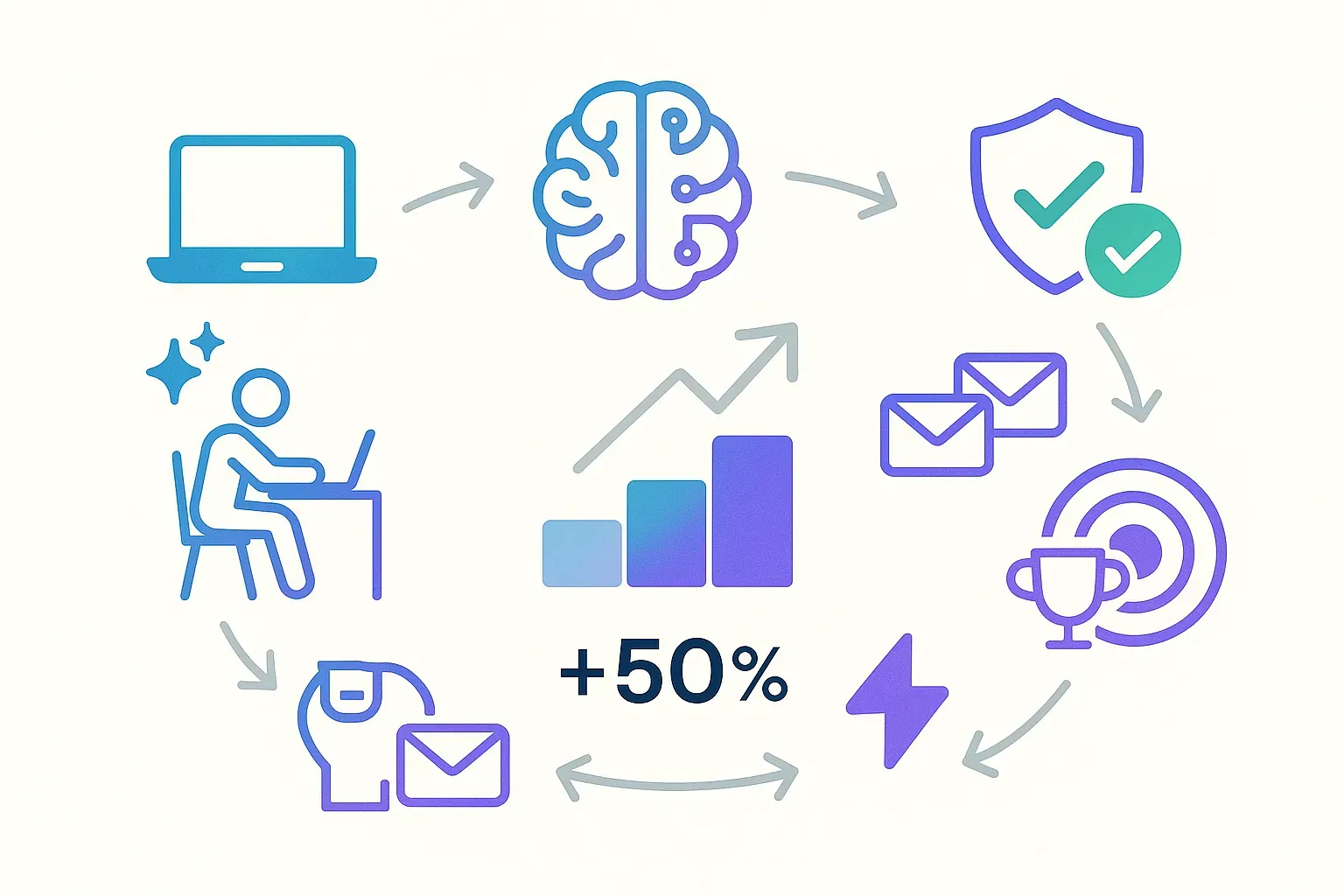
---
## The future of AI-powered email subject lines
The rapid evolution of AI email tools shows no signs of slowing. By 2026, experts predict 75% of email marketing will use predictive analytics, with AI moving beyond generation to real-time optimization at the moment of open. Technologies like Persado's Open-Time Email API already dynamically serve content based on when recipients actually engage, while behavioral AI like Seventh Sense identifies each individual's unique engagement patterns.
The shift from generic generation to hyper-personalization at individual level represents the next frontier. Rather than segment audiences into broad categories, emerging AI analyzes granular behavioral data to customize subject lines for each recipient based on past interactions, time zones, device preferences, and predicted intent. This evolution from "what works for most people" to "what works for this specific person" will further widen the gap between AI-optimized and human-only campaigns.
Privacy changes like Apple Mail Privacy Protection are forcing marketers to look beyond open rates to more meaningful engagement metrics. The most sophisticated AI tools already incorporate click-through rates, conversion tracking, and revenue attribution into their optimization algorithms. This shift toward outcome-based optimization rather than vanity metrics will reward marketers who adopt AI tools that track and optimize for business results, not just inbox visibility.
For marketers exploring these emerging capabilities, the [AI Email Marketing Tools Directory](https://groupmail.io/ai-email-marketing-tools-directory) at Groupmail provides a comprehensive resource cataloging the latest AI innovations across email marketing categories. Our expertly curated guide to the [25 best AI email marketing tools](https://blog.groupmail.io/25-best-ai-email-marketing-tools-free-paid-expertly-curated/) covers everything from subject line generation to full campaign automation, helping teams discover specialized solutions for every email marketing challenge.
## Conclusion: Start optimizing your subject lines today
Email subject lines remain the single highest-leverage element of your marketing campaigns. With 47% of recipients deciding to open based solely on those few words, and AI-optimized subject lines boosting performance by 50% on average, the tools and strategies covered in this guide deliver measurable, rapid ROI.
**The fastest way to start:**
Use [Groupmail's free AI subject line generator](https://groupmail.io/free-ai-email-subject-line-generator) for instant results—no signup, no account, just enterprise-quality subject lines you can use with any email platform. Visit, describe your email, get AI-powered suggestions immediately.
**Need more than just subject lines?**
If you want a complete email marketing platform with campaign management and analytics, Groupmail offers a freemium plan (1,000 contacts, 2,000 sends/month free). But the standalone subject line generator works perfectly on its own with any email platform you already use.
**Start now, not later:**
Generate alternatives for your next campaign. Test systematically with tools like [Groupmail's Subject Line Tester](https://groupmail.io/free-ai-subject-line-tester). Track results obsessively. Iterate continuously. The compound returns from consistent improvement are substantial.
---
**Looking for an all-in-one email platform with built-in AI tools?**
Try [Groupmail](https://groupmail.io/tools)—free to start, with AI subject line generation, spam checking, and performance analytics in one seamless workflow.
Or use the [standalone free AI subject line generator](https://groupmail.io/free-ai-email-subject-line-generator) for instant results without any signup.
**Explore more AI tools:**
- [Complete guide to the 25 best AI email marketing tools](https://blog.groupmail.io/25-best-ai-email-marketing-tools-free-paid-expertly-curated/) \- Expert recommendations across all categories
- [AI Email Marketing Tools Directory](https://groupmail.io/ai-email-marketing-tools-directory) \- Specialized solutions for every challenge
---
### Scaling Email Campaigns with Third-Party Services
URL: https://blog.groupmail.io/scaling-email-campaigns-with-third-party-services/
Last updated: 2025-08-22T13:49:17.000Z
Scaling [email campaigns](https://groupmail.io/blog-post?slug=email-campaign-checklist-12-steps-to-success) can be challenging as your business grows. Traditional email platforms often hit limits with volume, deliverability, and personalization. Third-party email services like [**SendGrid**](https://sendgrid.com/en-us) and [**SMTP2GO**](https://get.smtp2go.com/plans) solve these problems by offering tools for high-volume sending, better deliverability, and cost-effective solutions.
Here’s what you need to know:
- **Why Use Third-Party Services?** They handle technical aspects like IP warming, spam monitoring, and domain reputation, allowing you to focus on creating effective campaigns.
- **Key Benefits:**
- Improved control over sending domains and IPs.
- Better inbox placement and real-time analytics.
- Scalable pricing based on email volume.
- **How to Start:** Pair tools like [**Groupmail**](https://groupmail.io/) with [SMTP providers](https://groupmail.io/blog-post?slug=sendgrid-vs-smtp2go-which-one-should-you-use-with-groupmail) to design, manage, and track campaigns while ensuring reliable delivery.
- **Best Practices:** Authenticate your domain (SPF, DKIM, DMARC), warm up new IPs gradually, and segment your audience for [personalized messaging](https://groupmail.io/blog-post?slug=personalized-email-marketing-the-future-of-customer-engagement).
**Quick Comparison: SMTP2GO vs. SendGrid**
| Feature | SMTP2GO | SendGrid |
| ------------------- | ------------------- | ----------------------------------------------------------------------------------------------------- |
| **Monthly Pricing** | $15 (40,000 emails) | $19.95 (50,000 emails) |
| **Deliverability** | 95.5% | 82.0% |
| **Advanced Tools** | Basic | [A/B testing](https://groupmail.io/blog-post?slug=low-email-open-rates-5-quick-fixes), validation API |
| **User Rating** | 4.9/5 | 4.2/5 |
For businesses managing under 500,000 emails per month, **SMTP2GO** offers simplicity and reliability. For advanced features or larger campaigns, **SendGrid** is a solid option. Both integrate seamlessly with platforms like Groupmail to streamline your [email marketing](https://groupmail.io/blog-post?slug=7-best-email-marketing-tools-for-small-business) efforts.
## The 7 Best SMTP Service Providers with High Email Deliverability
## Key Benefits of Third-Party Email Services
Switching to third-party email services can transform the way you manage your email campaigns. From gaining better control to improving deliverability and reducing costs, these services offer a solid foundation for scaling your email efforts effectively. Let’s break down the key advantages.
### More Control Over Your Email Sending
When handling large-scale campaigns, having control over your email processes is essential. Third-party SMTP providers give you the tools to take charge of your campaigns. You can customize sending domains, manage your IP reputation, and fine-tune delivery settings to suit your needs. These providers also offer real-time security features, allowing you to quickly adapt to threats and update protocols without disrupting service. On top of that, you can segment campaigns by reputation tiers and monitor bounce and spam rates closely, ensuring your sender reputation stays intact.
### Better Email Deliverability
For campaigns to succeed, your emails need to land in the right inboxes. Third-party email services specialize in maximizing deliverability. They use dedicated monitoring systems and real-time adjustments to keep emails out of spam folders and ensure they’re delivered as intended. With tools to track email performance, monitor bounces, and manage feedback loops, these services help you dodge common issues like blocked or undelivered emails.
### Lower Costs for Growing Businesses
Scaling campaigns often means finding ways to manage costs without sacrificing quality. Third-party email services make this possible by charging based on the volume of emails sent. Unlike traditional ISPs, which may restrict email volumes or block direct SMTP connections, these services provide a more flexible and cost-effective solution. For example, combining Groupmail’s user-friendly design tools and analytics with the delivery power of providers like SendGrid or SMTP2GO gives you enterprise-level features without the hefty price tag.
## How to Connect [Groupmail](https://groupmail.io/) with Third-Party SMTP Services

Integrating Groupmail with a third-party SMTP service is a straightforward process that combines Groupmail's design and analytics tools with the delivery power of specialized email providers. Here's how to set it up.
### Connecting Groupmail to a Third-Party Email Provider
You can easily connect Groupmail to a third-party provider like **SendGrid** or **SMTP2Go** for greater flexibility and reliable delivery.
To get started, go to **Your Profile > Channels**. From here, either create a new channel or edit an existing one.
Instead of using traditional SMTP settings, you’ll be connecting via the provider’s **API**, which is more secure and efficient. Choose your preferred provider and follow the relevant instructions:
- [Setting up Groupmail with SMTP2Go](https://groupmail.io/kb-article?slug=setting-up-groupmail-with-smtp2go)
- [Setting up Groupmail with SendGrid](https://groupmail.io/kb-article?slug=setting-up-groupmail-with-sendgrid)
During setup, you’ll be asked for details such as your API key, the sending email address, and any necessary authentication. Groupmail makes this process straightforward, but make sure to copy the API key exactly as provided.
After connecting your account, it’s a good idea to **test the connection** to confirm that everything is configured correctly before sending any campaigns.
Using an API connection ensures faster delivery, improved tracking, and better deliverability—ideal for managing large-scale email campaigns with confidence..
### Using Groupmail for Design and Campaign Management
With the connection in place, Groupmail becomes your main tool for managing campaigns, while your email provider handles the email delivery. The platform's [drag-and-drop email builder](https://groupmail.io/newsletter-tool.html) makes it easy to create professional campaigns. You can use customizable templates, add video or HTML content blocks, and take advantage of the built-in image editor and storage to refine your designs.
Groupmail also offers personalization features to keep your campaigns engaging, even at scale. Its scheduling tool lets you plan campaigns in advance, which is especially helpful for managing multiple large sends. Additionally, the platform automatically handles bounces and unsubscribes, saving you time and effort.
### Tracking Performance with Groupmail Analytics
Once your campaigns are live, tracking their performance is crucial. Groupmail provides real-time analytics that give you a clear picture of how your emails are performing. From the dashboard, you can monitor metrics like bounce rates, open rates, and click-through rates, helping you understand the impact of your campaigns.
The analytics system also breaks down performance by audience segments and individual campaigns, making it easier to identify which strategies are most effective. With mobile-optimized reporting, you can keep an eye on your campaign performance wherever you are.
This detailed tracking, combined with the reliability of professional SMTP services, helps you maintain high deliverability rates. For instance, you can quickly address issues like unusual bounce patterns or drops in engagement before they affect your sender reputation.
###### sbb-itb-2d4bf0e
## Best Practices for High-Volume Email Sending
[Scaling email campaigns](https://groupmail.io/blog-post?slug=email-campaign-checklist-12-steps-to-success) isn’t just about having a strong SMTP connection. To ensure your emails land in inboxes as your volume grows, you need to follow certain practices. Verifying your sender identity is a key step to improving deliverability, and it aligns seamlessly with Groupmail's built-in design and analytics tools.
### Set Up Email Authentication for Your Domain
Email authentication is how you prove to internet service providers (ISPs) that you’re a trustworthy sender.
Start by adding **SPF (Sender Policy Framework)** records to your domain’s DNS settings. These records tell receiving servers which IP addresses are allowed to send emails on your domain’s behalf. Then, implement **DKIM (DomainKeys Identified Mail)** to attach a digital signature to your emails, ensuring they remain unchanged during delivery.
Finally, set up **DMARC (Domain-based Message Authentication, Reporting & Conformance)**. DMARC builds on SPF and DKIM by adding an extra layer of protection against email spoofing. It also provides detailed reports on how your emails are being treated by different providers.
Many third-party SMTP services, such as SendGrid and SMTP2GO, offer detailed guides to help you configure these settings. While the setup might require some technical effort, it’s crucial for maintaining your sender reputation as your email volume grows.
### Warm Up Your IP Address Slowly
When you send emails from a new IP address, ISPs are cautious. They monitor your sending behavior closely to determine if you’re a legitimate sender or a potential spammer. **IP warming** involves gradually increasing your email volume to build a positive reputation with ISPs.
Start with your most engaged subscribers to quickly establish trust. Use a schedule like this:
| Day | Emails Sent |
| --- | ----------- |
| 1 | 50 |
| 2 | 100 |
| 3 | 500 |
| 4 | 1,000 |
| 5 | 5,000 |
| 6 | 10,000 |
| 7 | 20,000 |
| 8 | 40,000 |
| 9 | 70,000 |
| 10 | 100,000 |
**Double your daily volume until you reach your target sending level**. Depending on your goals, this process might take anywhere from 15 to 60 days, but it’s vital for building a strong sender reputation.
Throughout this period, keep a close eye on your metrics. If bounce rates exceed 3-5%, review your email list for outdated or invalid addresses. Similarly, if your spam complaint rate goes above 0.08%, reevaluate your [email content](https://groupmail.io/blog-post?slug=tailoring-your-message-an-in-depth-guide-to-segmentation-strategies-for-email-campaigns). If these issues arise, slow down your sending and focus on your most engaged subscribers until your metrics improve.
### Segment and Personalize Your Campaigns
[Segmentation and personalization](https://groupmail.io/blog-post?slug=10-ai-tools-for-email-personalization) are essential as your email volume increases.
Divide your audience into segments based on behavior, preferences, and engagement history. For example, send tailored messages to new subscribers, long-term customers, or users with specific purchase patterns. This level of targeting improves open rates and click-through rates, signaling ISPs that your emails are well-received.
Groupmail’s segmentation tools make it easy to manage even large subscriber lists. You can create dynamic groups that update automatically based on subscriber actions, ensuring your campaigns stay relevant as your audience evolves.
Personalization goes beyond simply addressing subscribers by name. Use the information you have to craft content that aligns with their interests and needs. This could include product recommendations, location-specific offers, or messages based on past interactions.
**Consistency and relevance are key as you scale up**. Avoid the temptation to send more emails just because your volume allows it. Instead, focus on delivering the same quality content that initially engaged your audience. Subscribers who find your emails valuable are less likely to mark them as spam, helping protect your sender reputation.
## [SMTP2GO](https://get.smtp2go.com/plans) vs [SendGrid](https://sendgrid.com/en-us): Which Service to Choose

SMTP2GO and SendGrid approach high-volume email campaigns in distinct ways. SMTP2GO prioritizes dependable email delivery with simple pricing, while SendGrid offers a feature-rich platform with [advanced marketing tools](https://groupmail.io/blog-post?slug=the-7-best-free-ai-tools-for-email-marketing-in-2025). Understanding these differences can help you decide which service aligns with your goals. Check out the feature comparison below to see how they measure up.
### Feature Comparison Table
Here's a side-by-side look at how SMTP2GO and SendGrid perform across key areas for scaling email campaigns:
| Feature | SMTP2GO | SendGrid |
| --------------------------- | ------------------------- | ----------------------------- |
| **Monthly Pricing** | $15/month (40,000 emails) | $19.95/month (50,000 emails) |
| **Free Plan** | 1,000 emails/month | 100 emails/day (60-day trial) |
| **Deliverability Rate** | 95.5% (tested) | 82.0% (tested) |
| **A/B Testing** | No | Yes |
| **Email Validation API** | No | Yes (Pro plan) |
| **Attachment Size** | 50 MB | 30 MB |
| **Customer Support Rating** | 4.8/5 | 3.8/5 |
| **Overall User Rating** | 4.9/5 (158 reviews) | 4.2/5 (759 reviews) |
Tests reveal SMTP2GO achieves a 95.5% deliverability rate, compared to SendGrid's 82.0%. For businesses sending thousands of emails, this difference could significantly impact inbox placement. SendGrid, however, processes over 100 billion emails monthly and includes advanced tools like email validation APIs and IP warmup options. Despite these features, users often rate SMTP2GO higher for its ease of use and predictable pricing.
### How to Pick the Right Provider
Choosing between SMTP2GO and SendGrid comes down to three main factors: email volume, required features, and technical needs.
**When to Choose SMTP2GO:**
SMTP2GO is a great fit for businesses sending between 10,000 and 500,000 emails per month. It shines in delivering emails reliably with clear, straightforward pricing. If you value exceptional customer support and simplicity over advanced marketing features, SMTP2GO is a solid choice. It integrates seamlessly with Groupmail, ensuring smooth design and analytics workflows while keeping costs manageable.
**When to Choose SendGrid:**
SendGrid is better suited for businesses handling over 500,000 emails monthly or those needing advanced tools like A/B testing and email validation. It’s ideal for campaigns that require detailed segmentation or a mix of transactional and marketing emails. However, keep in mind that SendGrid's pricing can become more complex as you add features or scale up.
Budget also plays a role. SMTP2GO’s transparent pricing makes it easier to forecast costs, while SendGrid’s pricing structure may vary depending on add-ons and contact-based tiers.
For most businesses using Groupmail, SMTP2GO strikes the right balance between cost, deliverability, and ease of use. This allows you to focus on crafting impactful campaigns, knowing that SMTP2GO will handle the delivery efficiently and affordably.
## Conclusion: Scale Your Campaigns with Groupmail and Third-Party Services
You don’t need to overhaul your platform or pay hefty enterprise fees to scale your email campaigns. By pairing **Groupmail** with third-party SMTP services like **SMTP2GO** or **SendGrid**, you get a solution that grows alongside your business while staying budget-friendly.
### Key Takeaways
- **Flexibility and control**: Groupmail handles your campaign design, list management, and analytics, while third-party services manage email delivery. This setup allows you to **increase your sending capacity** without overhauling your system or dealing with the constraints of built-in email service provider (ESP) sending.
- **Cost efficiency**: Instead of committing to expensive enterprise plans, you only pay for the email volume you use. This scalable pricing model ensures your costs align with your business growth.
- **Enhanced deliverability**: Dedicated SMTP providers focus on getting your emails into inboxes. Features like dedicated IPs, domain authentication, and reputation management improve inbox placement rates, directly boosting your campaign’s reach and impact.
- **Simplicity**: With the technical complexities managed by the SMTP provider, you can concentrate on creating engaging content and analyzing campaign performance. Use these insights to refine and scale your efforts.
### Next Steps for Scalable Email Campaigns
**Get started with Groupmail’s integrations.** The platform works seamlessly with SMTP providers like SMTP2GO and SendGrid, allowing you to quickly set up connections and start scaling your email efforts.
**Follow setup guides for your chosen SMTP service.** Whether you choose SMTP2GO for its straightforward pricing or SendGrid for its advanced tools, proper configuration is crucial. Authenticate your sending domains with SPF, DKIM, and DMARC records to improve deliverability.
**Adopt** [**email marketing best practices**](https://groupmail.io/blog-post?slug=email-marketing-newsletter-best-practices)**.** Gradually warm up new IPs, [segment your email lists](https://groupmail.io/blog-post?slug=tailoring-your-message-an-in-depth-guide-to-segmentation-strategies-for-email-campaigns) for personalized messaging, and monitor metrics like delivery, open, and engagement rates. These insights help fine-tune your campaigns for better results.
With Groupmail and third-party SMTP services, scaling your email marketing is both achievable and cost-effective. This combination gives you the tools to grow your campaigns without unnecessary complexity or expense.
## FAQs
### How do third-party email services help improve email deliverability for high-volume campaigns?
Third-party email services are built to improve [email deliverability](https://groupmail.io/blog-post?slug=low-email-open-rates-5-quick-fixes) by leveraging specialized infrastructure tailored for high-volume sending. These providers work closely with Internet Service Providers (ISPs), use advanced authentication methods like SPF, DKIM, and DMARC, and maintain a solid sender reputation - helping your emails land in inboxes instead of getting flagged as spam.
Unlike standard email platforms, these services are specifically designed to handle large-scale email campaigns efficiently. They take care of the technical side of things, like managing email infrastructure and ensuring compliance, so businesses can focus on crafting impactful campaigns without worrying about deliverability hurdles or technical setbacks.
### What are the main differences between SMTP2GO and SendGrid when choosing a third-party service to scale email campaigns?
The main differences between **SMTP2GO** and **SendGrid** lie in their focus and the features they offer. **SMTP2GO** is tailored for reliable, high-performance SMTP services, making it a solid choice for transactional emails. It includes tools like real-time analytics, bounce tracking, and spam monitoring. Many users appreciate its straightforward setup and affordability, especially for handling high email volumes.
**SendGrid**, in contrast, offers a more extensive range of tools that cater to both transactional and marketing emails. It’s particularly suited for businesses that need advanced [marketing automation](https://groupmail.io/blog-post?slug=ai-and-email-marketing-revolutionizing-the-industry-through-automation-and-personalization), a variety of integration options, and the ability to scale for large campaigns. While SMTP2GO shines in delivering emails efficiently and reliably, SendGrid is better known for its advanced marketing features and flexible API integrations.
The best choice depends on your needs: **go with SMTP2GO** if you’re focused on dependable transactional email delivery, or **choose SendGrid** if you need marketing automation and more sophisticated integrations.
### How can I successfully integrate Groupmail with a third-party SMTP service?
To connect Groupmail with a third-party SMTP service like SendGrid or SMTP2GO, begin by creating your API key through the service provider. Double-check that these credentials have the necessary permissions to send emails.
Once you have the credentials, open Groupmail and input the required details. Be sure to follow the specific setup instructions provided by your provider.
After configuring these settings, run a connection test within Groupmail. This step ensures everything is working as it should and helps to prevent delivery problems, especially when managing large email campaigns. Testing is key to maintaining smooth and reliable email performance.
### 7 Best EmailOctopus Alternatives in 2025 (Ranked & Compared)
URL: https://blog.groupmail.io/7-best-emailoctopus-alternatives-in-2025-ranked-compared/
Last updated: 2026-04-16T09:57:11.000Z
## 7 Best EmailOctopus Alternatives in 2025 (Ranked & Compared)
If [EmailOctopus](https://emailoctopus.com/) isn’t meeting your needs, here are [seven alternatives to consider](https://blog.groupmail.io/best-newsletter-software-organizations/). Each platform offers distinct features, pricing, and benefits tailored to different business goals. [Whether you need advanced automation, better design tools, or multi-channel marketing](https://blog.groupmail.io/7-best-mailchimp-alternatives-in-2026-free-paid/), these options cover a wide range of requirements.
- [**Groupmail**](https://groupmail.io/): Affordable, with strong [SMTP integration](https://groupmail.io/kb-article?slug=setting-up-groupmail-with-smtp2go) and drag-and-drop design tools.
- [**MailerLite**](https://www.mailerlite.com/): Simple to use with advanced automation and a generous free plan.
- [**Mailchimp**](https://apps.shopify.com/mailchimp): A powerful all-in-one marketing tool with AI-driven automation.
- [**Brevo**](https://www.brevo.com/) **(Sendinblue)**: Great for transactional emails and rapid delivery.
- [**ActiveCampaign**](https://www.activecampaign.com/): Advanced automation and CRM for scaling businesses.
- [**Moosend**](https://moosend.com/): Offers detailed automation and personalization at a lower price point.
- [**SendPulse**](https://sendpulse.com/): Multi-channel marketing with email, SMS, and web push.
### Quick Comparison
| Platform | Free Plan Features | Starting Price | Best For |
| ------------------ | -------------------------------- | -------------- | -------------------------------------- |
| **Groupmail** | 1,000 contacts, 2,000 sends | $10/month | Design flexibility and SMTP control |
| **MailerLite** | 1,000 contacts, 12,000 emails | $10/month | Beginners and small businesses |
| **Mailchimp** | 500 contacts, 1,000 emails | $13/month | Advanced automation and integrations |
| **Brevo** | 300 emails/day, 100,000 contacts | $9/month | Transactional emails and fast delivery |
| **ActiveCampaign** | No free plan | $19/month | Advanced automation and CRM |
| **Moosend** | 30-day trial, unlimited emails | $9/month | E-commerce and growing businesses |
| **SendPulse** | 500 subscribers, 15,000 emails | $8/month | Multi-channel marketing |
[Each platform addresses specific gaps in EmailOctopus](https://blog.groupmail.io/mailchimp-competitors-organizations/), offering tools for businesses looking to improve [email marketing](https://groupmail.io/blog-post?slug=7-best-email-marketing-tools-for-small-business) capabilities. Whether you’re focused on automation, design, or multi-channel outreach, there’s a solution here for you.
## I tried every email marketing tool. Here's the BEST
## 1\. [Groupmail](https://groupmail.io/)

Groupmail offers a sleek, user-friendly alternative to EmailOctopus, boasting a [drag-and-drop email builder](https://groupmail.io/blog-post?slug=best-html-email-builders-for-marketers-2025-edition), live analytics, and mobile-ready templates. What sets it apart is its robust SMTP integration, allowing users to connect with third-party email services like [SMTP2GO](https://www.smtp2go.com/) and [SendGrid](https://sendgrid.com/en-us). This connection not only enhances deliverability but also helps cut down on costs, giving users greater control over their [email campaigns](https://groupmail.io/blog-post?slug=email-campaign-checklist-12-steps-to-success). Let’s dive into how these SMTP integrations make a difference.
**SMTP Integration Benefits**
Groupmail’s partnership with SMTP2GO is a game-changer, offering a free monthly allowance of 10,000 emails per month. It takes care of critical technical details like SPF, DKIM, and blacklist monitoring to ensure smooth email delivery. The webhook integration tracks key email events - such as sent, delivered, opened, clicked, and bounced messages - and feeds this data into Groupmail’s analytics dashboard, providing detailed insights into campaign performance.
**Design and Automation Features**
Groupmail doesn’t just focus on deliverability; it also makes creating email campaigns a breeze. The drag-and-drop builder supports video, HTML content, and even in-editor image adjustments, along with personalization options. It also includes tools for scheduling, managing bounces and unsubscribes, and creating multi-language campaigns, making it a versatile choice for diverse marketing needs.
**Pricing Structure**
Groupmail keeps things simple with a straightforward pricing model that avoids volume-based limits:
| Plan | Price | Contacts | Monthly Sends | Key Features |
| ---------- | --------- | ------------ | ------------- | ----------------------------------- |
| Free | $0 | Up to 1,000 | 2,000 | Full access with Groupmail branding |
| Individual | $10/month | Up to 10,000 | Unlimited | No branding, full features |
| Business | $29/month | Up to 50,000 | Unlimited | No branding, full features |
**User Ratings**
Groupmail earns high marks from users, with a 4.3/5 rating on [GetApp](https://www.getapp.com/) and [Software Advice](https://www.softwareadvice.com/). It’s particularly praised for being budget-friendly, scoring 4.4/5 for cost-effectiveness.
**Best For**: Ideal for businesses that prioritize design flexibility, control over SMTP settings, and predictable pricing. It’s especially useful for newsletter publishers and marketing teams who need reliable email delivery paired with in-depth analytics.
## 2\. [MailerLite](https://www.mailerlite.com/)

If you're looking for an [advanced segmentation](https://groupmail.io/blog-post?slug=scaling-email-campaigns-with-third-party-services that goes beyond the basics, MailerLite stands out as a user-friendly alternative to EmailOctopus. With over 1 million creators and businesses on board, it combines simplicity with powerful tools to elevate your marketing efforts.
Advanced Automation and Segmentation
While EmailOctopus offers basic automation, MailerLite takes it a step further with multi-step workflows and "MailerLite gives me everything that I need at a price that I'm happy to pay." - Michael F., Small-Business
**Best For**: Small to medium-sized businesses that need advanced automation, detailed analytics, and a wide range of templates. It's particularly well-suited for those who want professional-grade tools while keeping things simple enough for beginners, with plenty of room to grow as their needs evolve.
## 3\. [Mailchimp](https://apps.shopify.com/mailchimp)

Mailchimp has grown far beyond its roots as a basic [email marketing tool](https://groupmail.io/blog-post?slug=the-7-best-free-ai-tools-for-email-marketing-in-2025), transforming into a full-fledged [marketing platform](https://groupmail.io/blog-post?slug=the-best-newsletter-platform-for-connecting-with-your-email-subscribers). With over 11 million users worldwide, it provides a powerful option for businesses aiming to step up their marketing efforts.
**AI-Powered** [**Marketing Automation**](https://groupmail.io/blog-post?slug=ai-and-email-marketing-revolutionizing-the-industry-through-automation-and-personalization)
One of Mailchimp's standout features is its advanced automation, driven by artificial intelligence. The platform offers more than 50 behavior-based triggers, enabling real-time and highly personalized campaigns. While tools like EmailOctopus stick to basic automation, Mailchimp takes it further with AI-generated templates, detailed trigger options, and conditional logic that adapts to how your audience behaves. Users of the Standard plan have reported up to 24x ROI, while those on paid plans have achieved up to 25x ROI.
**A Full Suite of Marketing Tools**
Mailchimp isn't just about email - it integrates a variety of tools designed to help businesses grow. Its all-in-one approach combines email marketing, CRM, social media tools, and more. With **connections to over 300 apps and services**, integrating it into your existing systems is straightforward. The platform’s Content Optimizer uses AI to provide actionable suggestions for improving your emails, while advanced segmentation ensures you’re targeting the right audience. And with a **\>99% deliverability rate**, your emails are far more likely to land in inboxes than spam folders.
**User-Friendly Design and Features**
Mailchimp balances its powerful features with ease of use. Standard and Premium plan users benefit from personalized onboarding, which helps even beginners get started quickly. Its [drag-and-drop editor](https://groupmail.io/kb-article?slug=mastering-the-drag-and-drop-editor), combined with AI-driven design tools, allows users to create polished campaigns without needing design expertise. While the platform's extensive capabilities might feel overwhelming at first, 90% of users rely on its detailed reporting tools to guide their strategies.
**Pricing Breakdown**
Mailchimp uses a contact-based pricing model, reflecting its premium position in the market:
| Plan | Price | Key Features |
| ---------- | ---------- | ------------------------------------------- |
| Free | $0/month | 500 contacts, 1,000 monthly emails |
| Essentials | $13/month | 500 contacts, basic automation |
| Standard | $20/month | Advanced automations, A/B testing |
| Premium | $350/month | Advanced segmentation, multivariate testing |
Although pricier than EmailOctopus, the cost is justified by the advanced features included, which are especially valuable for businesses looking to expand. Nonprofits and charities can take advantage of a **15% discount** on all plans.
**Performance and Results**
Mailchimp delivers measurable results: 70% of small businesses reported increased engagement and sales after using the platform. Its blend of AI-powered tools, advanced segmentation, and in-depth analytics offers businesses a reliable way to maximize their email marketing ROI.
**Best For**: Medium to large businesses that need a comprehensive marketing solution. Mailchimp is perfect for companies ready to move beyond basic email campaigns into more sophisticated, multi-channel strategies backed by detailed analytics.
## 4\. [Brevo](https://www.brevo.com/) (Sendinblue)

Brevo, previously known as Sendinblue, is a robust marketing platform with a **4.6/5 overall rating** for its user-friendly interface and advanced features. It's a strong contender for businesses looking to step up from simpler tools like EmailOctopus, offering rapid delivery speeds and powerful design capabilities to handle growing campaign demands.
### **Advanced SMTP and Deliverability**
For businesses that need faster email dispatch and greater control, Brevo delivers. Its SMTP integration ensures lightning-fast delivery - **50% of emails are sent within 1 second, and 99.98% within 20 seconds**. This makes it especially appealing for companies managing transactional emails alongside their marketing campaigns.
Brevo also includes features to safeguard your sender reputation, addressing a common challenge with basic email platforms. These tools are invaluable for maintaining deliverability and ensuring your emails reach their intended audience.
### **Enhanced Design and Automation Tools**
Brevo’s drag-and-drop [email builder](https://groupmail.io/blog-post?slug=drag-and-drop-vs-html-email-builder-guide) simplifies the creation of [professional-looking emails](https://groupmail.io/blog-post?slug=the-best-sendgrid-alternative-for-marketers-who-want-a-better-campaign-builder) in minutes. Its automation builder goes beyond basic options, enabling custom workflows based on user behavior and website interactions.
> "I don't have time to spend hours understanding how to set things up. Brevo's campaign builder is very straightforward. I can create professional emails in minutes."
>
> - Paul Lacitinola, Owner, Vintage Camper Trailers
The platform also offers superior integration capabilities and landing page tools, features that are often limited to paid plans on platforms like EmailOctopus.
### **Competitive Pricing Structure**
Brevo’s pricing is budget-friendly, with **pay-as-you-go plans that are 25-60% cheaper than competitors like Mailchimp**. Its free plan is particularly generous, supporting **up to 100,000 contacts and 300 emails per day**, including access to the SMTP server.
| Plan | Price | Key Features |
| --------- | -------------- | ------------------------------------------------------------- |
| Free | $0/month | 100,000 contacts, 300 emails/day, SMTP access |
| Starter | $9/month | 5,000 emails, basic automation |
| Business | $18/month | 5,000 emails, landing pages, multi-user access, phone support |
| BrevoPlus | Custom pricing | Enterprise-level features for large organizations |
Nonprofits can enjoy a **15% discount** on all plans, making Brevo an even more attractive option. Its feature-rich offerings justify its pricing tiers.
### **Real-World Impact**
Brevo has proven to deliver tangible benefits for businesses. Kevin Yen, Head of Growth at AI Camp, shared how the platform helped his team save on costs:
> "Brevo gives us the functionality and flexibility we need to manage our marketing engagement as well as our sales pipeline while saving us $30,000 annually compared to HubSpot."
### **Areas for Improvement**
Despite its strengths, some users have noted that Brevo’s pricing structure could be more transparent. Additionally, the platform’s email template options are somewhat limited, which might be a drawback for businesses heavily reliant on unique designs.
### **Best For**
Brevo is an excellent choice for small to medium-sized businesses seeking reliable SMTP services, advanced automation tools, and professional design capabilities. It’s ideal for companies ready to elevate their email marketing efforts without overspending.
###### sbb-itb-2d4bf0e
## 5\. [ActiveCampaign](https://www.activecampaign.com/)

ActiveCampaign stands out as a leader in advanced automation, boasting a **4.5/5 rating from over 14,000 reviews** \- making it one of the most positively reviewed marketing automation platforms globally. While EmailOctopus provides basic automation with limited triggers, ActiveCampaign takes things to the next level with AI-driven automation that can redefine how businesses connect with their customers.
### **AI-Powered Automation**
ActiveCampaign’s visual automation builder goes beyond simple workflows. By leveraging **AI to pre-fill content and create workflows tailored to your business goals**, it makes even complex automation accessible to users without technical expertise. You can design detailed customer journeys with advanced triggers, actions, and conditions that adapt in real-time to user behavior.
The platform’s impact is undeniable. For instance, in 2025, **Pit Boss Grills generated $76,717 in revenue from a single email campaign** using ActiveCampaign’s forms, tagging, and automation tools. As their team stated:
> A single campaign generated over $76,000 in revenue, and it was largely thanks to ActiveCampaign forms, tagging, and automation that were instrumental in achieving this result.
### **Integrated CRM That Boosts Revenue**
ActiveCampaign combines advanced automation with a built-in CRM, creating a powerful tool for managing customer interactions. This integration lets you track everything from email opens and link clicks to website visits, while also managing deals and forecasting sales.
The **Museum of Science and Industry in Chicago saw a 206% revenue growth year-over-year in 2025**, heavily supported by ActiveCampaign’s integrated approach. Their marketing team shared:
> ActiveCampaign lets us send email campaigns, automate features, and manage contacts by staff group. The holy trinity. Other tools couldn't do all three.
This seamless combination of automation and CRM tools makes it easier to engage customers and drive growth.
### **Features That Grow With Your Business**
ActiveCampaign offers a range of advanced features like predictive sending, geotracking, multi-user collaboration, and custom pipelines. Its **omni-channel messaging** ensures your communications reach customers on their preferred platforms.
For businesses with more advanced CRM needs, ActiveCampaign integrates with platforms like [Salesforce](https://www.salesforce.com/), [Microsoft Dynamics](https://www.microsoft.com/en-us/dynamics-365), and [Zendesk Sell](https://www.zendesk.com/sell/). These premium CRM add-ons include pipeline management, lead scoring, deal tracking, and automated 1:1 email options.
### **Pricing and Add-Ons**
ActiveCampaign’s pricing starts at **$19/month for up to 1,000 contacts** on the Starter plan. While it’s positioned on the higher end for small-to-medium businesses, many users report seeing a strong return on investment when utilizing the platform’s full suite of tools.
| Plan | Price (1,000 contacts) | Key Features |
| ---------- | ---------------------- | ----------------------------------------------------- |
| Starter | $19/month | Email marketing, basic automation, web forms |
| Plus | $59/month | Advanced marketing, landing pages, basic CRM |
| Pro | $99/month | Conditional content, advanced segmentation, reporting |
| Enterprise | $179/month | Custom objects, SSO, premium support |
Add-ons like SMS marketing ($16.83/month), enhanced CRM ($68–$111/month), and custom reporting ($159/month) are also available. Additionally, **non-profits receive a 20% discount** on all plans.
### **Who Should Consider ActiveCampaign?**
ActiveCampaign is a great fit for businesses looking for **advanced automation workflows, integrated CRM features, and** [**detailed segmentation tools**](https://groupmail.io/blog-post?slug=tailoring-your-message-an-in-depth-guide-to-segmentation-strategies-for-email-campaigns). It’s particularly suited for e-commerce businesses or companies managing complex customer journeys that go beyond basic email marketing.
### **Potential Downsides**
Some users feel the pricing can be a hurdle for smaller startups. Additionally, the platform’s extensive feature set may feel overwhelming for businesses that only need simple email marketing. Recent price increases have also frustrated some long-term users.
### **Best For**
ActiveCampaign is best suited for **medium to large businesses** ready to invest in high-level marketing automation. It’s an excellent choice for companies seeking advanced customer journey mapping, AI-driven automation, and CRM tools that can deliver measurable revenue growth.
Up next, we’ll explore another strong contender in the marketing automation space.
## 6\. [Moosend](https://moosend.com/)

Moosend stands out as a marketing automation platform that goes far beyond the basics offered by EmailOctopus. With a global user base of over 100,000 customers, it combines an intuitive interface with powerful automation tools designed to help businesses engage more effectively with their audiences.
### Advanced Automation That Adapts to Your Needs
Unlike EmailOctopus, which focuses on simple time-based campaigns, Moosend provides dynamic automation workflows that respond to subscriber behavior in real time. It features 11 automation actions, such as sending [Slack](https://slack.com/) messages, triggering automations, and posting webhooks. Its builder offers four conditional steps for more advanced filtering, surpassing the basic Yes/No options available in EmailOctopus. Pre-designed templates for tasks like welcome sequences, abandoned cart recovery, and re-engagement are included, along with an AI writer tool to help craft personalized messages.
### Flexible and Engaging Email Design
Moosend’s email builder comes equipped with 82 professional templates and 12 layout variations. The editor also allows you to add interactive elements like countdown timers and product showcases, enabling dynamic content tailored to subscriber location, weather, or their position in the buyer’s journey.
These design tools have delivered measurable results for major brands.
### Real Success Stories
Moosend’s advanced features have helped businesses achieve notable gains. For instance, Vogue’s Email Marketing Associate, Dipak Raghuwansi, shared their positive experience:
> "After going through Mailchimp, and other platforms, we decided to stay with Moosend. From seamless onsite event tracking to amazing support, there's no other tool matching the feature set & price point offered."
>
> - Dipak Raghuwansi, Email Marketing Associate | Vogue
Similarly, Alex Melvani, Membership Officer at WWF, praised the platform’s affordability and ease of use:
> "Moosend is a user friendly professional platform with a great support team. And the most incredible thing is that it's cost efficient. Thank you Moosend for making my life easier."
>
> - Alex Melvani, Membership Officer | WWF
### Straightforward Pricing
Moosend’s pricing starts at $9 per month for 500 subscribers, with unlimited email sends. Unlike competitors that charge based on email volume, Moosend’s subscriber-based pricing offers predictability as your list grows. For those who prefer flexibility, pay-as-you-go credits are available starting at $350 for 350,000 credits.
| Plan | Starting Price | Key Features |
| ---------- | -------------- | --------------------------------------------------- |
| Free Trial | $0 (30 days) | Core features, no credit card required |
| Pro | $9/month | Unlimited emails, automation, landing pages |
| Moosend+ | Custom pricing | Transactional emails, dedicated IPs, custom reports |
| Enterprise | Custom pricing | Dedicated account manager, priority support |
### Tools for Growing Businesses
Moosend shines with features like advanced product recommendations, precise [email personalization](https://groupmail.io/blog-post?slug=how-to-personalize-your-email-newsletter-service), and detailed segmentation tools. Its real-time analytics go beyond basic metrics, offering insights into audience behavior. Dynamic segmentation, which automatically organizes your audience, and numerous integrations make it easy to incorporate Moosend into your existing workflow. Plus, with 24/5 email and live chat support, assistance is always a click away.
### Areas for Improvement
Some users feel that Moosend’s interface could use a refresh, as it can appear slightly outdated and cluttered compared to newer platforms. Additionally, its [email deliverability](https://groupmail.io/blog-post?slug=email-newsletter-service-how-to-create-an-email-newsletter-worth-reading) rates have been rated as average in recent tests, and the signup form templates leave room for improvement.
### Best For
Moosend is a great fit for medium-sized businesses looking for advanced automation tools without the steep price of enterprise solutions. Its features - like behavioral triggers, product recommendation engines, and detailed customer segmentation - make it particularly appealing for e-commerce businesses. With a [G2](https://www.g2.com/) rating of 4.6 out of 5 stars, Moosend offers the automation power needed to help growing businesses thrive.
## 7\. [SendPulse](https://sendpulse.com/)

SendPulse rounds out our list as a **multi-channel marketing platform** that goes well beyond traditional email marketing. Alongside its core email tools, it provides a full suite of marketing capabilities, including SMS campaigns, chatbots, and web push notifications. Let’s dive into what makes SendPulse stand out, from its multi-channel automation to its design tools.
### Multi-Channel Automation That Extends Your Reach
SendPulse takes [email automation](https://groupmail.io/blog-post?slug=ai-and-email-marketing-revolutionizing-the-industry-through-automation-and-personalization) to the next level by seamlessly integrating multiple channels. With advanced triggers and intuitive automation, you can connect with your audience through email, SMS, and web push notifications. The platform’s combination of tools - including email, webhooks, SMS, and CRM - ensures better subscriber engagement. Impressively, its data-driven approach has been shown to boost email open rates to over 45%.
### Design Tools with Interactive Features
SendPulse’s editor supports AMP emails, allowing users to upload custom code for more dynamic and engaging designs. Whether you prefer starting from scratch or using one of the pre-made templates, the platform offers flexibility. Additionally, its A/B testing feature for subject lines helps refine your campaigns for better performance.
### Real User Insights
Marketers who use SendPulse often highlight its versatility and support. Melissa A., President of a Marketing and Advertising agency, shared:
> "SendPulse is the best email marketing tool we've found! As an agency, we love the pricing, flexible features, and innovative updates! The support is top-notch and very swift!"
However, not all feedback is glowing. Antony C., a verified LinkedIn user, noted some challenges:
> "The pricing plans can be a bit confusing, especially for users who are just starting and may not know which features they need"
### Flexible Pricing Options
SendPulse offers a range of pricing plans to suit different needs. Its free plan accommodates up to 500 subscribers and includes 15,000 emails per month, while paid plans start at $8/month with unlimited emails \[87, 90\].
| Plan | Price | Subscribers | Key Features |
| ---------- | ------------ | ----------- | --------------------------------------------------- |
| Free | $0 | Up to 500 | 15,000 emails/month, 1 domain, 1 landing page |
| Standard | $8/month | Up to 500 | Unlimited emails, 10 events, 10 flows |
| Pro | $9.60/month | Up to 500 | 1,000 verifications, 10 landing pages, 20 addresses |
| Enterprise | $13.44/month | Up to 500 | 5GB storage, unlimited domains, full email testing |
For those who don’t want a monthly commitment, SendPulse also offers pay-as-you-go options, allowing users to purchase credits as needed.
### Advanced Analytics and AI Integration
SendPulse doesn’t stop at pricing flexibility. It equips marketers with cutting-edge analytics, offering real-time data and detailed subscriber insights. The platform also incorporates AI-powered features, such as [ChatGPT](https://openai.com/chatgpt) integration for chatbots and smart email content suggestions, to streamline campaign creation and management.
### Room for Improvement
While SendPulse offers a robust feature set, it’s not without its flaws. Some users have found the interface less user-friendly and noted limited customization options for email templates. Additionally, there have been occasional issues with email deliverability, with some messages ending up in spam folders. Despite these challenges, it remains a strong contender in the multi-channel marketing space.
### Best For
SendPulse is an excellent choice for businesses looking for a comprehensive multi-channel marketing solution rather than focusing solely on email. With impressive ratings of 4.6 out of 5 stars on G2 and [Capterra](https://www.capterra.com/), it’s a great fit for companies aiming to combine email, SMS, and web push notifications into cohesive campaigns. This platform is ideal for those ready to invest time in mastering its advanced automation tools and multi-channel capabilities.
## Feature and Price Comparison
Here's a breakdown of seven alternatives based on features, pricing, and suitability for different business needs and budgets.
| Platform | Starting Price | Key Features | Best For | Rating |
| ------------------ | -------------- | ---------------------------------------------------------------------- | ------------------------------------------------------ | ------ |
| **Groupmail** | $0 (Free plan) | Drag-and-drop builder, SMTP integration, unlimited sends on paid plans | Businesses needing SMTP control and design flexibility | – |
| **MailerLite** | $10/month | Intuitive interface, built-in photo editor, advanced segmentation | Beginners seeking reliable email deliverability | 4.7/5 |
| **Mailchimp** | $4.63/month\* | Advanced automation, mobile app, extensive integrations | Customer segmentation and automated workflows | 4.3/5 |
| **Brevo** | $25/month | SMS marketing, Facebook Ads integration, modern interface | Publishers and B2B businesses | 4.5/5 |
| **ActiveCampaign** | $39/month | Advanced CRM, complex automation, sales pipeline | Businesses needing sophisticated marketing automation | – |
| **Moosend** | $9/month | E-commerce tools, A/B testing, automation workflows | Online stores and growing businesses | 4.7/5 |
| **SendPulse** | $6.4/month | Multi-channel marketing, AMP emails, AI integration | Companies combining email, SMS, and web push marketing | – |
\*Mailchimp's starting price is based on the Essentials plan for up to 500 subscribers.
### Pricing and Features: What Stands Out?
The pricing spectrum across these platforms is wide, reflecting their varying levels of functionality and target audiences. For instance, **Moosend** offers advanced segmentation and automation at just $9/month, making it a solid choice for growing businesses. On the other hand, **Mailchimp**, starting at $4.63/month, is on the pricier side when scaling up, but its extensive integrations and automation tools justify the cost for many.
**MailerLite** is a standout option for beginners. Its simple interface, paired with excellent deliverability, starts at a reasonable $10/month. Meanwhile, **Brevo** caters to publishers and B2B businesses with its SMS marketing and Facebook Ads integration, though it comes with a higher entry price of $25/month.
### Free Plans: A Closer Look
Free plans differ significantly across platforms. **Groupmail** allows up to 1,000 contacts and 2,000 sends, while **MailerLite** supports 1,000 contacts and 12,000 sends. **Mailchimp**, however, limits its free plan to just 250 subscribers. Notably, platforms like **ActiveCampaign** do not offer free plans, reflecting their focus on feature-rich, paid services.
### Feature Depth and Pricing Correlation
Platforms with more advanced features naturally come with higher price tags. For example, **ActiveCampaign** starts at $39/month, offering a comprehensive suite of tools for marketing automation and CRM. Similarly, **SendPulse** justifies its pricing with its multi-channel capabilities, making it ideal for businesses looking to expand beyond email marketing.
Whether you're after better automation tools (**ActiveCampaign**), superior design options (**Groupmail**), or multi-channel marketing solutions (**SendPulse**), there's a platform tailored to your specific needs and budget. Each alternative brings something unique to the table, offering flexibility for businesses at different stages of growth.
## Final Thoughts
Pick the option that aligns with your needs, budget, and future growth plans. Each platform has its own set of strengths, catering to a variety of business and marketing goals.
Here’s a quick rundown of what each brings to the table:
- **Groupmail**: Perfect for businesses that need flexibility with SMTP providers and advanced design capabilities. It integrates seamlessly with services like SMTP2GO and SendGrid, giving you full control over email deliverability. Plus, its drag-and-drop builder and unlimited sends on paid plans make it a great choice for businesses that value predictable costs and professional designs.
- **MailerLite**: A user-friendly platform ideal for beginners. Its intuitive interface and built-in photo editor have earned it a 4.7/5 user rating.
- **Mailchimp**: Known for its extensive integrations and mobile app access, though its pricing can increase as your contact list grows.
- **Brevo**: Offers a sleek modern interface and SMS marketing features, making it a strong choice for businesses seeking multi-channel marketing tools.
- **ActiveCampaign**: Designed for businesses with advanced marketing strategies in mind, thanks to its powerful CRM capabilities and automation workflows.
- **Moosend**: Competitive pricing paired with advanced segmentation and automation options.
- **SendPulse**: A solid option for businesses aiming to scale, with its multi-channel marketing features.
Ultimately, your decision comes down to what matters most to your business - whether it’s the control offered by platforms like Groupmail or the convenience of all-in-one solutions. If you're stepping away from EmailOctopus due to its limited automation features, these alternatives provide the tools and scalability needed to support your growth in 2025.
## FAQs
### What should I look for when choosing an alternative to EmailOctopus for my email marketing needs?
When looking for an alternative to EmailOctopus, it's important to weigh a few key factors: **email deliverability**, **ease of use**, and **scalability**. Strong deliverability ensures your emails actually land in inboxes, not spam folders. An intuitive platform can save your team valuable time, while scalability becomes crucial as your business grows and your campaigns expand.
You should also think about features like **automation tools**, **customization options**, and **pricing**. Automation helps simplify your processes, while customization allows you to craft campaigns that resonate with your audience. Pricing is another big consideration - make sure the platform fits your budget. Lastly, choose a service with dependable customer support to help with setup and any issues along the way. By keeping these factors in mind, you'll be better equipped to find a solution that meets your business needs.
### How does the pricing of these EmailOctopus alternatives compare, and which one is the best value for small businesses?
The pricing for EmailOctopus alternatives comes in a range of options to suit different business needs. For instance, EmailOctopus itself starts at **$9/month**, while Mailchimp begins at **$20/month** for up to 25,000 emails. Sendy takes a different approach with a **one-time fee of $69** plus pay-per-email charges, and Flodesk offers a **flat rate of $38/month**, no matter the size of your email list.
For small businesses, predictable pricing models like Flodesk's flat fee or the low upfront cost of Sendy can be easier on the budget as email volumes increase. Ultimately, the best choice depends on what features matter most to your business, such as automation, scalability, or contact management.
### What makes multi-channel marketing platforms like SendPulse better than traditional email-only services?
Multi-channel marketing platforms like **SendPulse** make it easier to connect with your audience across different channels, including email, SMS, and web push notifications. By reaching people where they already are, these tools can help increase engagement and drive more conversions.
What sets these platforms apart is their ability to deliver **personalized and consistent messaging**. This not only enhances [customer relationships](https://groupmail.io/blog-post?slug=newsletter-software-for-small-business-revolutionize-your-communication-and-drive-growth) but also builds loyalty over time. Unlike email-only services, multi-channel tools offer more flexibility, making your marketing efforts both broader in scope and more effective.
### 5 Best Sendy Alternatives in 2026 (Cheaper, Easier & Hosted)
URL: https://blog.groupmail.io/5-best-sendy-alternatives-in-2025-cheaper-easier-hosted/
Last updated: 2026-05-06T13:31:38.000Z
**TL;DR:** GroupMail 6 Desktop ($149.95 one-time) gives you what Sendy promised—affordable email marketing without monthly fees—but without the server setup. Prefer cloud? Groupmail.io starts free. Mailchimp, Brevo, and EmailOctopus round out the list for those wanting hosted alternatives with different feature sets.
> **Disclosure:** We're the team behind Groupmail—simple email software for organizations since 1996.
[Sendy](https://sendy.co/) is a budget-friendly [email marketing tool](https://groupmail.io/blog-post?slug=7-best-email-marketing-tools-for-small-business) that uses [Amazon SES](https://aws.amazon.com/ses/) for sending emails at just **$1 per 10,000 emails**. However, its **self-hosted setup**, **technical complexity**, and **reliability issues with Amazon SES** make it challenging for many users. If you're looking for simpler, fully hosted platforms with modern design tools and reliable support, here are five Sendy alternatives worth considering in 2026:
- [**GroupMail 6 Desktop**](https://group-mail.com/): One-time payment, no monthly fees, data stays on your computer, flexible SMTP.
- [**Groupmail.io**](https://groupmail.io/): Fully hosted, [drag-and-drop builder](https://groupmail.io/newsletter-tool.html), flexible SMTP options, starts free.
- [**Mailchimp**](https://mailchimp.com/): User-friendly, extensive features, free plan available, pricing based on contacts.
- [**Brevo**](https://www.brevo.com/) **(Sendinblue)**: Multi-channel marketing, free plan for 300 emails/day, paid plans from $9/month.
- [**EmailOctopus**](https://emailoctopus.com/): Affordable, AWS-based, free plan for 2,500 subscribers, Pro plan from $9/month.
### Quick Comparison
| Platform | Hosting Type | Pricing (Starting) | Drag-and-Drop Builder | SMTP Options | Free Plan |
| ------------ | ---------------- | ------------------ | --------------------- | ------------------------------------------------------- | ----------------------- |
| GroupMail 6 | Desktop Software | $149.95 one-time | Yes | Any provider | Lite edition |
| Groupmail.io | Fully Hosted | $25/month | Yes | Flexible ([SendGrid](https://sendgrid.com/en-us), etc.) | Up to 500 contacts |
| Mailchimp | Fully Hosted | $13/month | Yes | Limited | Free up to 500 contacts |
| Brevo | Fully Hosted | $9/month | Yes | Brevo SMTP | 300 emails/day |
| EmailOctopus | Fully Hosted | $9/month | Yes | AWS SES | 2,500 subscribers |
These platforms remove the technical hurdles of Sendy while offering better design tools, reliable hosting, and flexible pricing options.
## What to Look for in a Sendy Alternative
When searching for a replacement for Sendy, it's important to focus on solutions that address its challenges while still being cost-effective. The ideal platform should make [email marketing](https://groupmail.io/blog-post?slug=email-analytics-what-metrics-actually-matter) easier, more efficient, and enjoyable.
One of the biggest issues with Sendy is its self-hosting requirement. To avoid this, prioritize **Hosted Solutions with Zero Server Setup**. Unlike Sendy, a fully hosted platform takes care of all the technical infrastructure for you. No more dealing with web hosting configurations, server maintenance, or troubleshooting. This allows you to focus entirely on creating impactful [email campaigns](https://groupmail.io/help/email-marketing/email-marketing-for-small-business/) instead of worrying about backend issues.
Another key feature to look for is **Intuitive Design Tools**. Modern email marketing requires user-friendly drag-and-drop editors and mobile-responsive templates. These tools make it simple to design professional emails without needing coding expertise, ensuring your campaigns look great on any device.
[**SMTP Flexibility**](https://groupmail.io/help/article-tags/smtp/) is another crucial factor. Platforms that integrate with multiple SMTP providers - such as SendGrid, [SMTP2GO](https://www.smtp2go.com/), or [Mailgun](https://www.mailgun.com/) \- offer the flexibility to switch providers if one experiences issues, ensuring reliable email delivery.
For effective campaigns, **Real-Time Analytics and Reporting** are indispensable. Look for platforms that go beyond basic metrics, offering detailed insights into open rates, click-through rates, bounce rates, and subscriber engagement. These analytics can help you fine-tune your strategy and understand your audience better.
Running email campaigns often involves tight deadlines, so **Reliable Customer Support** is a must. Whether it's live chat, phone support, or detailed documentation, having access to timely assistance can save you from campaign delays or technical hiccups.
To ensure your emails land in inboxes and not spam folders, look for platforms with strong **Authentication and Deliverability Features**. Support for protocols like DKIM, DMARC, and SPF is critical for maintaining your sender reputation and avoiding spam filters.
Pricing is another area where clarity matters. Sendy's pay-per-send model is appealing, but you should seek **Transparent Pricing Models** that offer predictable costs without hidden fees. Some alternatives even provide unlimited sends within subscriber limits, making budgeting more straightforward.
Finally, consider platforms with **Automation Capabilities**. Automating tasks like handling bounces, managing unsubscribes, or setting up email sequences (e.g., welcome series or re-engagement campaigns) can save you significant time and improve your marketing efficiency.
## 1\. GroupMail 6 Desktop — One-Time Payment, No Server Headaches
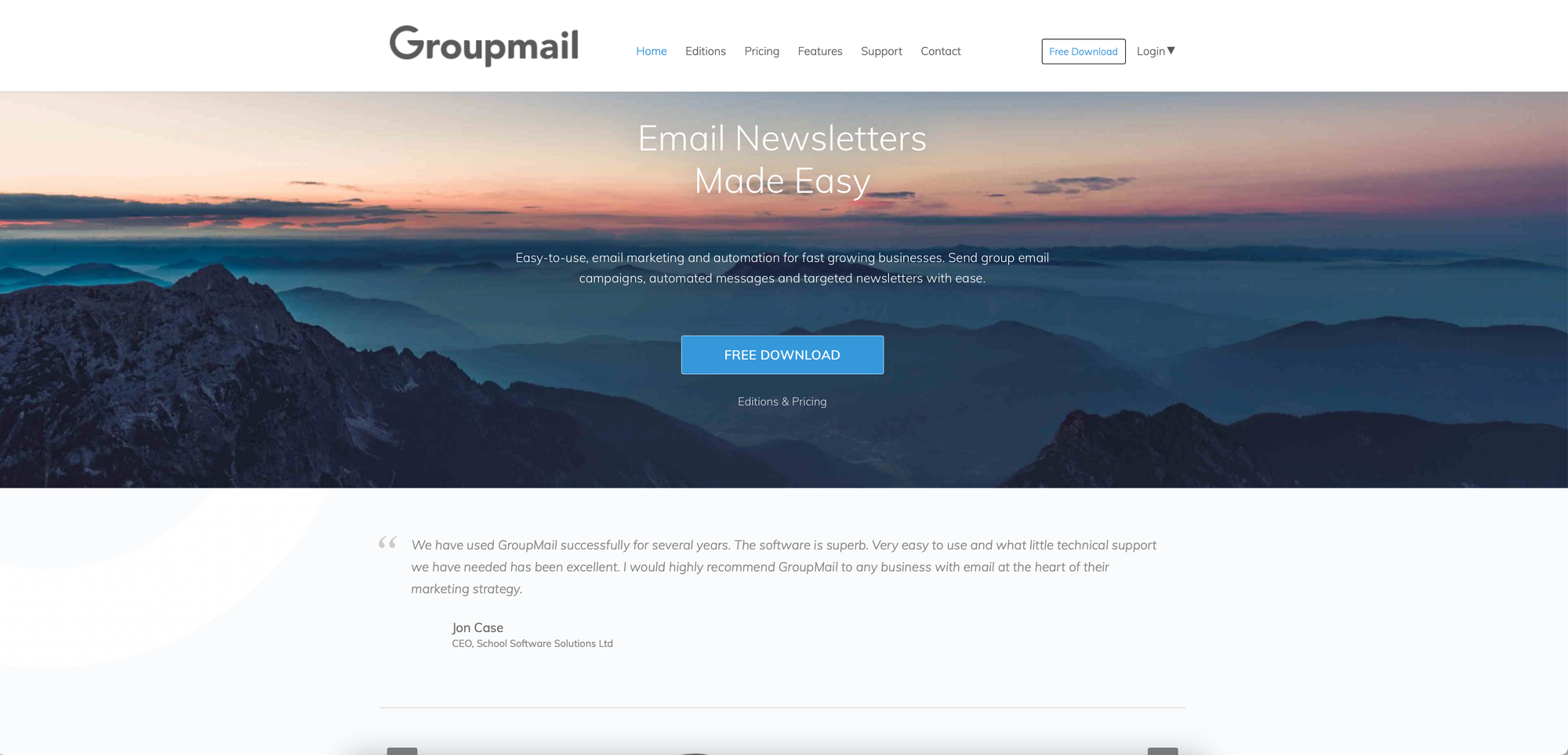
[GroupMail 6](https://group-mail.com/) is desktop email software that delivers what Sendy promised: affordable email marketing without monthly fees. The difference? No server setup, no PHP configurations, no database management. Download, install, and start sending.
### One-Time Payment Model
GroupMail 6 uses a one-time payment model that Sendy users will appreciate:
- **Personal Edition:** $149.95 — up to 3 delivery connections, 108 HTML templates
- **Business Edition:** $349.95 — 256 simultaneous connections for faster sending, autoresponders, bounce management
- **Marketing Edition:** $699.95 — email tracking, opt-in form builder, spam score check, GDPR support
No monthly fees. No per-email charges. One payment, permanent ownership.
### Your Data Stays on Your Computer
Unlike cloud platforms, GroupMail 6 stores all your email lists and campaign data locally on your computer. This means complete privacy and control—no third-party access, no cloud breaches, no data harvesting. For organizations with strict data requirements, this is a significant advantage.
### SMTP Flexibility
GroupMail 6 works with virtually any SMTP provider—SendGrid, SMTP2GO, Mailgun, Amazon SES, or your own mail server. You're never locked into a single provider like Sendy's Amazon SES dependency. If one provider has issues, switch to another.
### Enterprise Trust
Organizations including Yale University, Samsung, Oracle, Microsoft, Intel, and the BBC use GroupMail for their email campaigns. With over 100,000 customers across 160 countries since 1996, it's proven enterprise-grade reliability.
### Who Should Choose GroupMail 6
GroupMail 6 is ideal for businesses wanting permanent software ownership, organizations with strict data privacy requirements, users comfortable with desktop applications, and anyone who's struggled with Sendy's server setup. It also offers deep CRM integration with ACT!, MS Access, Excel, Outlook, SQL Server, Oracle, and MySQL.
[Download GroupMail 6 free](https://group-mail.com/groupmail-free-software-download/) to test the Lite edition before purchasing.
## 2\. Groupmail.io
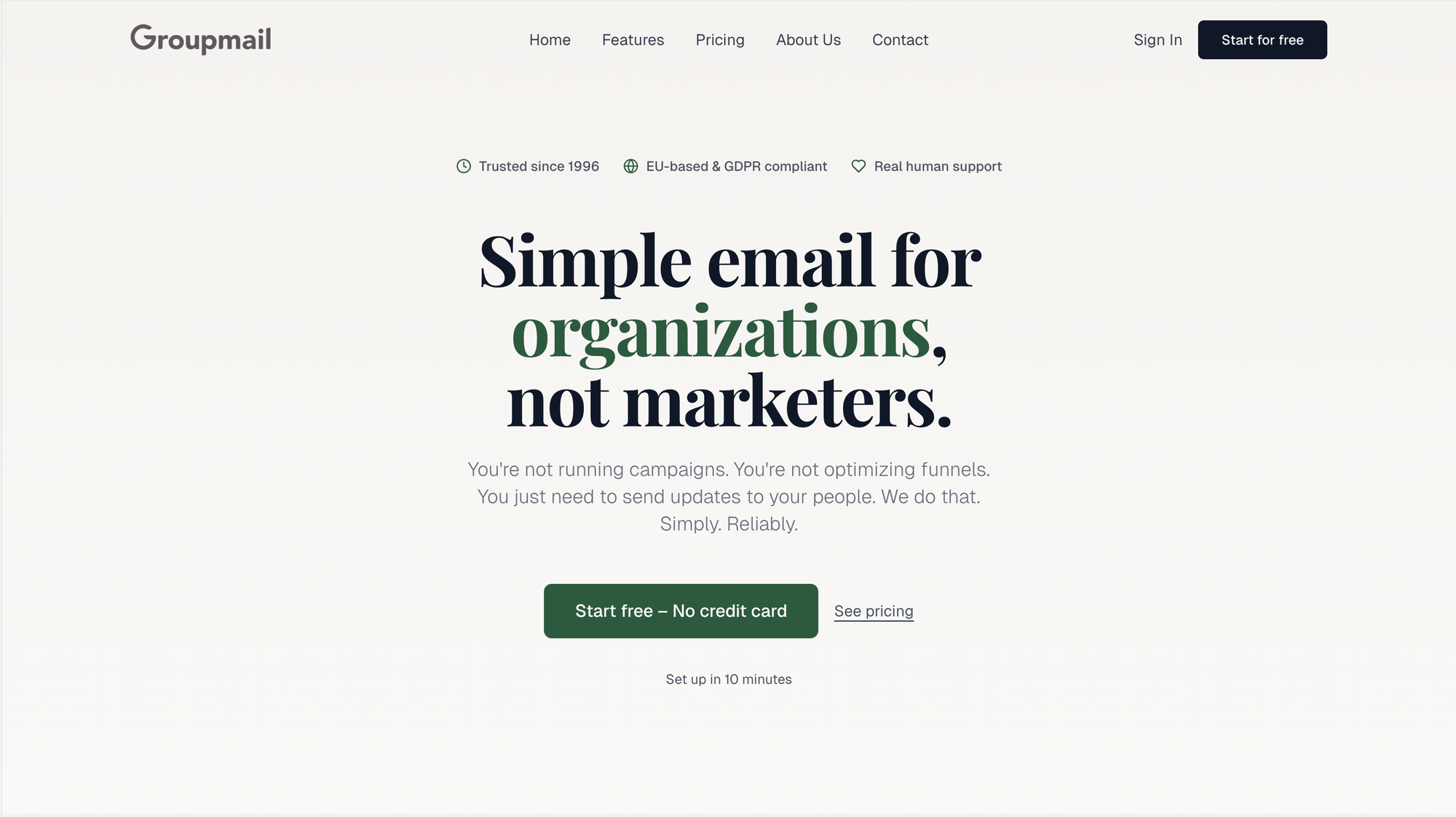
[Groupmail.io](https://groupmail.io) is a hosted platform designed to make email marketing simple and affordable. With no complicated setup required, this cloud-based solution takes care of the technical side, so you can focus on creating impactful campaigns.
### Hosted Service (No Server Setup)
With Groupmail.io, all hosting, maintenance, and scaling are handled for you. This means you can start sending emails just minutes after signing up. The platform takes care of infrastructure, security updates, and performance management, so you don't have to worry about late-night troubleshooting or dealing with hosting issues.
This streamlined service ensures a smooth experience and supports seamless [SMTP integration](https://groupmail.io/blog-post?slug=sendgrid-vs-smtp2go-which-one-should-you-use-with-groupmail) for better email delivery.
### SMTP Integration Options
Groupmail.io offers flexible SMTP integration, allowing you to choose from multiple email service providers instead of relying solely on Amazon SES like Sendy does. The platform can automatically detect your SMTP credentials, but you also have the option to manually configure your settings with providers like SendGrid or SMTP2GO.
For added security and reliability, Groupmail.io uses authenticated SMTP via secure APIs. This ensures that all messages are sent using verified credentials. You can also use a dedicated IP address, which can help improve your sender reputation and deliverability—especially if you send a large volume of emails.
### Drag-and-Drop Email Builder
Groupmail.io makes creating email campaigns a breeze with its [drag-and-drop editor](https://groupmail.io/help/email-editor/getting-started-with-our-drag-and-drop-email-editor/). This user-friendly tool allows you to design polished, mobile-ready emails without needing technical skills.
The editor includes features like mobile-optimized templates, customizable video and HTML blocks, and an integrated image editor with storage. You can also [personalize emails](https://groupmail.io/blog-post?slug=how-to-personalize-your-email-newsletter-service) for different audience segments and preview how your campaigns will look across various devices and email clients before hitting send.
### Pricing Transparency
Groupmail.io keeps its pricing simple and upfront, with no hidden charges or confusing calculations. Here's how it breaks down:
- **Free Plan**: Up to 5,00 contacts and 1,000 sends per month.
- **Individual Plan**: $25month for up to 5,000 contacts with unlimited sends.
- **Business Plan**: $45/month for up to 25,000 contacts with unlimited sends.
Unlike Sendy's pay-per-send structure, which can be hard to predict as your list grows, Groupmail.io's pricing is easy to understand. Both paid plans include full access to all features, such as real-time analytics, automation tools for managing bounces and unsubscribes, and no branding restrictions on your emails.
## 3\. Mailchimp
Mailchimp, much like Groupmail.io, offers a straightforward, [fully hosted email marketing solution](https://groupmail.io/self-hosted-email-marketing-software.html). With over 17,400 reviews and a 4.5/5 rating, it has earned a reputation for being both user-friendly and dependable.
### Fully Hosted Service (No Server Setup Required)
Mailchimp takes care of all the behind-the-scenes technical work, including hosting, security updates, and performance optimization. This hands-off approach makes it an attractive choice for businesses that prefer to focus on crafting marketing campaigns instead of dealing with server configurations. It's a setup designed to help users get their campaigns up and running quickly, without the hassle of managing backend systems.
### Easy-to-Use Drag-and-Drop Email Builder
Mailchimp simplifies email creation with its drag-and-drop builder, offering both a new and classic interface. The platform comes packed with features like a library of templates, integrations with third-party apps, and a Content Optimizer that provides suggestions to enhance your campaigns. You can also tailor your emails separately for desktop and mobile, ensuring they look polished on any device. Plus, Mailchimp's smart suggestion system helps catch potential issues, like broken links, before you hit send.
### Clear Pricing Model
Mailchimp uses a contact-based pricing structure. While it's pricier than options like Sendy paired with Amazon SES, the cost covers extensive support and ease of use. For smaller lists, there's even a free tier available, with pricing increasing as your contact list grows. For those who value convenience and a smooth user experience over the complexities of self-hosted platforms, Mailchimp's pricing and features might be worth the investment.
## 4\. Brevo (Sendinblue)
Brevo, previously known as Sendinblue, is a [cloud-based email marketing platform](https://groupmail.io/tour.html) that eliminates the need for self-hosting. With its range of features, it's a solid choice for businesses managing large-scale email campaigns.
Brevo streamlines email marketing by handling the technical complexities for you, making it an excellent alternative to tools like Sendy. It's also designed to scale effortlessly as your business grows.
### Hosted Service (No Server Setup)
As a fully hosted service, Brevo takes care of server management, allowing you to focus solely on creating and running your campaigns. Its SMTP servers are optimized for high-volume email sending, ensuring reliable delivery performance.
### SMTP Integration Options
Brevo offers a user-friendly SMTP relay service, making transactional email delivery straightforward. Whether you're integrating it with your website, email client, or automation tools, Brevo's SMTP setup is designed for ease of use.
To configure SMTP, simply use `smtp-relay.brevo.com` as the server, your email address as the user, and your unique SMTP key. This setup enables seamless transactional email sending while providing detailed analytics to track performance.
> "We've been using Brevo (Sendinblue) as an SMTP for our transactional Woo emails since 2021 and intend to continue even longer... Hats off to the Brevo team, we've received it quickly. The support team found a spam bot activity and helped us resolve this issue by advising us on our steps." - Tatiana Lebedeva, Brevo user
### Pricing Transparency
Brevo offers a free plan that allows up to 300 emails per day. For businesses requiring higher volumes, paid plans start at $9 per month for 5,000 emails. This straightforward pricing structure makes it easy to estimate costs as your email needs grow.
## 5\. EmailOctopus
EmailOctopus is a hosted [email marketing service](https://groupmail.io/help/article-categories/email-marketing/) that stands out for its affordability and straightforward features. Built on [Amazon Web Services](https://aws.amazon.com/) (AWS), it ensures smooth and reliable email delivery, with its servers located in the EU region. This setup allows users to focus on crafting campaigns without worrying about server management or deliverability concerns. Let's dive into what makes EmailOctopus a compelling choice.
### Hosted Service (No Server Setup)
One of the biggest advantages of EmailOctopus is that it takes the hassle out of email marketing. Unlike platforms like Sendy, which require you to set up and maintain your own server, EmailOctopus handles everything for you. All you need to do is sign up, and you're ready to start building campaigns right away.
### SMTP Integration Options
While the main dashboard doesn't support direct SMTP connections, EmailOctopus Connect allows you to integrate your own SMTP via AWS for transactional emails. This feature adds flexibility for users who need custom email solutions. Additionally, EmailOctopus works seamlessly with automation tools like [Zapier](https://zapier.com/) and [Integrately](https://integrately.com/), enabling workflows where actions in other apps can trigger SMTP emails or automatically add contacts to your EmailOctopus lists.
### Pricing Transparency
EmailOctopus keeps its pricing simple and competitive. The free plan supports up to 2,500 subscribers and 10,000 emails per month. For those with larger lists, the Pro plan starts at just $9 per month and adjusts predictably based on subscriber count.
A standout feature is the EmailOctopus Connect option, which uses Amazon SES to offer even lower costs. For example, while the standard plan for 10,000 subscribers costs $36 per month, the Connect option reduces this to $26 per month. The platform also offers automatic upgrades or downgrades based on your subscriber count, and nonprofits can enjoy a 20% lifetime discount.
Users frequently highlight the platform's affordability and value. Sumeet C., a founder in the retail industry, remarked:
> "I have been very satisfied with their product and haven't found any other service which gives me such good features at this price point." - Sumeet C., Founder, Retail
EmailOctopus also boasts impressive user ratings, with 4.8/5 stars on both [Capterra](https://www.capterra.com/) and [GetApp](https://www.getapp.com/). It's often chosen over pricier options like Mailchimp and [Constant Contact](https://www.constantcontact.com/) for its affordability and essential features.
## Conclusion
Sendy's technical challenges highlight the demand for a more user-friendly email marketing solution. While its low cost is appealing, the hurdles of self-hosting and limited design options can outweigh the benefits. Choosing the right alternative comes down to prioritizing ease of use, flexibility, and the level of support you need.
Each alternative to Sendy offers unique advantages. **Mailchimp** stands out for its comprehensive marketing automation tools and large user community, making it a strong choice for businesses looking for an all-in-one platform. **Brevo (formerly Sendinblue)** shines with its multi-channel capabilities, seamlessly combining email campaigns with SMS marketing. For those familiar with Amazon SES, **EmailOctopus** provides an affordable yet functional option.
But if simplicity and value are your top priorities, the **Groupmail** family is hard to beat:
- [**GroupMail 6 Desktop**](https://group-mail.com/) offers one-time payment ($149.95+) with no monthly fees, complete data privacy on your computer, and flexible SMTP integration. It's what Sendy should have been—affordable ownership without the server headaches.
- [**Groupmail.io**](https://groupmail.io/) provides a fully hosted service with an intuitive drag-and-drop editor, flexible SMTP integration options (like SMTP2GO and SendGrid), and real-time support—all starting at just **$25/month** for unlimited sends and up to 5,000 contacts.
Ready to simplify your email marketing? [Download GroupMail 6 free](https://group-mail.com/groupmail-free-software-download/) or check out our [SMTP2GO setup guide](https://groupmail.io/kb-article?slug=setting-up-groupmail-with-smtp2go) for Groupmail.io to get started.
## FAQs
### What are the key benefits of using a fully hosted email marketing platform compared to a self-hosted solution like Sendy?
Using a [fully hosted email marketing platform](https://groupmail.io/) can make your life a lot easier compared to self-hosted options like Sendy. **For starters**, hosted platforms take care of all the technical setup and server maintenance for you. This means you won't have to deal with tricky configurations or depend on external services like Amazon SES to get your emails out.
**Another big advantage** is the support you get. Most hosted platforms offer real-time help, so if something goes wrong, you can sort it out quickly. Plus, they come loaded with modern tools like drag-and-drop email builders and built-in analytics. These features make creating and managing campaigns much simpler. And with seamless SMTP integration, sending emails becomes a breeze, saving you both time and effort.
In short, a fully hosted email platform is a straightforward, stress-free way to handle your email marketing.
### Why is SMTP flexibility important for email deliverability when choosing an email marketing platform?
SMTP's adaptability is a critical factor in making sure your emails land where they're supposed to - your recipients' inboxes. By letting you fine-tune how emails are routed and authenticated, it enhances deliverability and minimizes the risk of messages being flagged as spam or outright rejected by recipient servers.
This level of control is especially important when choosing an email marketing platform. It enables you to manage **email authentication**, protect your **sender reputation**, and boost the overall success of your email delivery. With well-configured SMTP settings, your campaigns can achieve greater reach and impact.
### What key features should I look for in an email marketing tool to make managing campaigns easier and more effective?
When managing campaigns, tools that offer a [**drag-and-drop email builder**](https://groupmail.io/help/email-editor/getting-started-with-our-drag-and-drop-email-editor/) can make designing emails a breeze, even if you're not tech-savvy. Having access to **built-in analytics** is also essential - it allows you to monitor performance in real time and fine-tune your campaigns based on solid data. Plus, support for **SMTP integration**, with services like SMTP2GO or SendGrid, ensures your emails are delivered reliably and gives you more flexibility. Together, these features simplify your workflow, improve deliverability, and help you achieve better outcomes with less hassle.
### Is GroupMail 6 really a one-time payment with no monthly fees?
Yes. You pay once ($149.95-$349.95 depending on edition) and own the software permanently. There are no monthly fees, no per-email charges, and no surprise bills. The only optional costs are SMTP service fees from providers like SendGrid or SMTP2GO, which you'd pay with any email platform including Sendy.
### What's the difference between GroupMail 6 Desktop and Groupmail.io Cloud?
GroupMail 6 is desktop software you install on your computer with one-time pricing and local data storage. Groupmail.io is a cloud platform accessed via browser with monthly pricing and hosted data. Choose desktop for permanent ownership and privacy; choose cloud for anywhere access and automatic updates.
## Related posts
- [Email Marketing FAQ: 15 Common Questions](https://groupmail.io/blog-post?slug=email-marketing-faq-15-common-questions)
- [Best HTML Email Builders for Marketers (2025 Edition)](https://groupmail.io/blog-post?slug=best-html-email-builders-for-marketers-2025-edition)
- [The Best SendGrid Alternative for Marketers Who Want a Better Campaign Builder](https://groupmail.io/blog-post?slug=the-best-sendgrid-alternative-for-marketers-who-want-a-better-campaign-builder)
- [Scaling Email Campaigns with Third-Party Services](https://groupmail.io/blog-post?slug=scaling-email-campaigns-with-third-party-services)
### Single vs. Double Opt-In: Pros and Cons
URL: https://blog.groupmail.io/single-vs-double-opt-in-pros-and-cons/
Last updated: 2026-04-13T02:30:02.000Z
**Wondering whether to use single or double opt-in for your email list?** Here's the short answer:
- **Single opt-in** adds subscribers immediately after signup, helping you grow your list faster but with lower subscriber quality.
- **Double opt-in** requires users to confirm their subscription via email, resulting in slower growth but higher engagement and fewer spam risks.
**Key Differences:**
- **Single opt-in** is quick and simple but more prone to fake signups and deliverability issues.
- **Double opt-in** ensures better list quality, legal compliance, and engagement but may lose potential subscribers during the confirmation step.
**Quick Comparison Table:**
| Feature | Single Opt-In | Double Opt-In |
| ---------------------- | ------------- | -------------------- |
| **List Growth Speed** | Fast | Slower |
| **Subscriber Quality** | Mixed | High |
| **Spam Risk** | Higher | Lower |
| **Compliance** | Basic | Stronger |
| **Ease of Setup** | Simple | Requires extra steps |
**Which to choose?**
- Use **single opt-in** for rapid growth and time-sensitive campaigns.
- Opt for **double opt-in** if you prioritize engagement, legal safeguards, and list quality.
Read on to dive deeper into the pros, cons, and when to use each method effectively.
## Single Opt-In Explained
### What is Single Opt-In?
Single opt-in is a straightforward process where new subscribers are added to your email list as soon as they submit a signup form. There’s no extra step - like confirming their email address - required. Once someone enters their email and clicks "Subscribe", they’re immediately part of your mailing list.
> "Single opt-in (SOI) is a subscription process where a new contact joins your mailing list without requiring the owner of that email address to confirm definitively that they knowingly and willingly opted in." - Kayla Voigt, B2B Freelance Writer
Here’s how it works: A visitor lands on your site, fills out the form, and submits their email. That’s it - they’re in. The system automatically records their signup details, removing potential friction points that might discourage someone from completing the process. This simplicity can help grow your email list quickly, but it’s not without its downsides.
### Single Opt-In Benefits
The biggest advantage of single opt-in is **speed**. Your email list grows faster because there’s no confirmation step that could cause potential subscribers to lose interest. The moment someone enters their email, they’re added to your list.
This approach is particularly useful for mobile users who may sign up while on the go. By skipping confirmation emails and extra clicks, it makes the process more convenient for them.
From a setup perspective, single opt-in is also easier to implement and manage. You don’t need to design confirmation emails or thank-you pages, which frees up time to focus on engaging your new audience. For businesses that rely on quick action - like event registrations, flash sales, or time-sensitive promotions - this method ensures subscribers are added to your funnel without delay. With 76% of marketers citing starting conversations as their main email objective, the speed of single opt-in can be a valuable asset.
### Single Opt-In Drawbacks
While single opt-in is fast and easy, it comes with some risks - chief among them, maintaining email quality. Without a verification step, your list is more susceptible to errors, fake entries, and bot signups. These issues can hurt your [email deliverability](https://groupmail.io/blog-post?slug=how-to-write-email-subject-lines-with-ai-that-people-actually-open) and overall engagement.
Spam and bot signups are a significant concern. Automated systems can easily fill out single opt-in forms, adding invalid or fake email addresses to your list. Over time, this can damage your sender reputation and make it harder for your emails to reach real subscribers. Additionally, if people forget signing up, they’re more likely to unsubscribe or mark your emails as spam, further lowering engagement.
To counter these risks, it’s essential to keep a close eye on your list. Regularly monitor bounce rates, use email verification tools, and clean out inactive subscribers. Running spam tests and removing fake entries can also help maintain list quality. Avoid using no-reply email addresses, and make sure your emails are instantly recognizable to new subscribers to minimize confusion. Staying proactive about list health is key to addressing the challenges of single opt-in.
## Double Opt-In Explained
### What is Double Opt-In?
Double opt-in introduces an extra step to the subscription process. After someone submits their email, they receive a confirmation email with a clear call-to-action, such as "Confirm Your Subscription." Only when they click the confirmation link are they officially added to your email list.
> "A double opt-in occurs when a user signs up for an [email marketing](https://groupmail.io/blog-post?slug=7-best-email-marketing-tools-for-small-business) list, and then an email is sent out to the user which includes a link to click and confirm the subscription. Only after the confirmation click is completed will the user officially be added to the [email marketing](https://groupmail.io/blog-post?slug=7-best-email-marketing-tools-for-small-business) list." - Campaign Monitor
This two-step process ensures that subscribers genuinely want to receive your emails and that the provided email address is valid. While this method has clear advantages, it also comes with some challenges.
### Double Opt-In Benefits
One of the main perks of double opt-in is **better list quality**. Since subscribers must confirm their interest, your audience is more likely to be engaged and genuinely interested in your content. This process naturally weeds out spam and fake signups, as bots and automated systems rarely complete the confirmation step. It also ensures that email addresses are valid, reducing bounce rates and helping protect your sender reputation.
From a **compliance standpoint**, double opt-in aligns with regulations like [GDPR](https://en.wikipedia.org/wiki/General%5FData%5FProtection%5FRegulation), which require explicit consent from subscribers. The confirmation email serves as proof that someone actively chose to join your list, offering legal protection if questions about consent arise later.
Another benefit is improved engagement. Subscribers who take the time to confirm their subscription often show higher interest, leading to better open and click-through rates. Fewer spam complaints are another bonus, as only genuinely interested users remain on your list.
### Double Opt-In Drawbacks
The biggest downside to double opt-in is **slower list growth**. Not everyone who signs up will complete the confirmation step. For example, a [Cirque du Soleil](https://www.cirquedusoleil.com/) case study found a 20% drop-off rate, which translates to a noticeable loss of potential subscribers.
There are several reasons for this drop-off. Some users may forget they signed up by the time the confirmation email arrives, especially if there's a delay in delivery. Others might lose interest or get distracted before completing the process. Technical issues, like confirmation emails ending up in spam folders, can also be a barrier.
Managing a double opt-in system adds **extra complexity**. You'll need to create and maintain confirmation emails, set up automated follow-ups for unconfirmed subscribers, and monitor the process to ensure everything runs smoothly. This setup is more resource-intensive than a single opt-in system.
> "While you may lose additional subscribers in the short term, the long-term benefits of list quality, deliverability, and reputation far outweigh the initial trade-off." - Julie Griffin, Contributor, Twilio
The longer process can also discourage some users, particularly those signing up on impulse or using mobile devices where extra steps feel inconvenient. For businesses focused on capturing leads quickly - like during live events or time-sensitive promotions - this delay can be a drawback.
## Double or Single Opt-In? What Does It All Mean? (2025/522)
###### sbb-itb-2d4bf0e
## Single vs. Double Opt-In Comparison
Here’s a quick breakdown of single and double opt-in methods, highlighting their unique strengths and challenges. Each approach can significantly influence your [email marketing outcomes](https://groupmail.io/blog-post?slug=email-analytics-what-metrics-actually-matter), depending on your priorities.
The main difference lies in **user experience**. With single opt-in, subscribers are added to your list immediately after entering their email address. This straightforward process works well for those browsing on mobile devices or making quick decisions, as it eliminates extra steps. Double opt-in, on the other hand, requires users to confirm their subscription via email. While this added step might deter some users, it ensures that those who subscribe are genuinely interested in your content.
When comparing **list quality**, the distinction becomes even clearer. Single opt-in lists often include inactive or even fake email addresses. Double opt-in naturally filters these out, leaving you with a smaller but more engaged audience. This matters because email providers are increasingly focused on sender behavior and engagement metrics when determining deliverability.
**Compliance** is another area where the two methods differ. Both comply with regulations like GDPR and CAN-SPAM, but double opt-in provides documented proof of consent, which can be especially valuable in countries like Germany, where double opt-in is a legal requirement. With spam complaints on the rise - 27% of users reported marking emails as spam in a recent survey, up from 22% the previous year - having a clear record of consent can help protect your reputation.
> "I would recommend that every sender use a double opt-in all the time. Not only does it ensure you only acquire subscribers who are more likely to engage, but it also helps prevent bots from abusing signup forms, which is a significant email security risk." - Nick Schafer, Sr. Manager of Deliverability & Compliance, Sinch Mailgun
### Side-by-Side Comparison Table
Here’s a table summarizing the key differences:
| Feature | Single Opt-In | Double Opt-In |
| ------------------------ | ------------------------------------------- | -------------------------------------------- |
| **List Growth Speed** | Fast - immediate additions | Slower - requires confirmation step |
| **Subscriber Quality** | Mixed - includes disengaged and fake emails | High - only genuinely interested subscribers |
| **User Experience** | Frictionless and quick | Adds extra step, may deter some users |
| **Engagement Rates** | Lower due to less committed subscribers | Higher from confirmed, interested users |
| **Compliance** | Requires careful record-keeping for GDPR | Provides clear consent documentation |
| **Spam Risk** | Higher risk of complaints | Reduced spam complaints |
| **List Maintenance** | Requires frequent cleaning | Less cleaning needed |
| **Bot Protection** | Vulnerable to automated signups | Filters out bots and fake accounts |
| **Email Deliverability** | May suffer from poor engagement | Better due to higher engagement rates |
| **Setup Complexity** | Simple to implement | Requires confirmation email system |
This comparison highlights the strengths of each method. While nearly 40% of email senders now use double opt-in, the right choice depends on your goals. If you need rapid list growth for a time-sensitive campaign, single opt-in might be the way to go. But if you’re aiming for long-term engagement and better deliverability, double opt-in is often the better option, even if it slows growth initially.
With spam making up 45.6% of all [email traffic](https://groupmail.io/blog-post?slug=best-practices-for-responsive-email-templates-2025-guide) in 2023, double opt-in’s extra step can help ensure you’re building a list of people who actually want to hear from you. This not only improves engagement but also helps you avoid contributing to the spam issue that frustrates recipients and email providers alike.
Next, we’ll explore how to decide which opt-in method aligns best with your email marketing goals.
## How to Choose the Right Opt-In Method
Selecting the right opt-in method comes down to aligning with your business goals, understanding your audience's preferences, and planning for the future. Your decision should consider campaign objectives, the balance between list quality and quantity, legal requirements, technical capabilities, and audience expectations. For rapid growth, single opt-in may be the way to go, while double opt-in is better suited for nurturing long-term engagement.
### Key Decision Factors
**List quality versus quantity** is a major factor. According to research, 67% of marketers say purging email lists is their top strategy for improving email marketing performance. Starting with a cleaner list through double opt-in can save time and effort later. On the other hand, single opt-in lists often require more frequent cleaning to maintain good deliverability rates.
**Legal compliance requirements** depend on your location and the industries you serve. If you're working in areas with strict data protection laws or reaching out to international audiences, double opt-in offers stronger legal safeguards. Having a clear consent trail can be critical if you need to prove subscriber intent down the line.
**Audience expectations** also matter. For example, B2B audiences often expect more formal processes and may see double opt-in as more professional. Meanwhile, consumer audiences might lean toward the simplicity and immediacy of single opt-in.
### When to Use Each Method
**Single opt-in** is ideal for time-sensitive campaigns or when collecting emails in person. It’s particularly effective for mobile-first audiences and at events like trade shows or physical gatherings where you can confirm interest on the spot.
**Double opt-in** is better for long-term engagement and when subscriber quality outweighs quantity. Industries like SaaS, education, and B2B services often benefit from this approach because their success relies on having highly engaged audiences.
Additionally, double opt-in is recommended for reaching international markets or operating in regulated industries. The added legal protection and documented consent are valuable assets. It’s also the best choice when planning [advanced email automation](https://groupmail.io/easiest-email-marketing-software.html) that depends on an engaged subscriber base.
To find what works best for your needs, test both methods. Compare metrics like engagement rates, unsubscribe rates, and conversions to determine which approach delivers the best results for your specific goals and audience.
## Conclusion
Deciding between single and double opt-in boils down to what aligns best with your business goals and audience needs. **Single opt-in** is all about speed and simplicity, making it ideal for campaigns that need quick responses or when targeting mobile users who expect instant access. However, it may lead to issues with list quality and email deliverability over time.
On the other hand, **double opt-in** ensures a cleaner, more engaged [subscriber list](https://groupmail.io/blog-post?slug=single-vs-double-opt-in-pros-and-cons) while offering added legal protection. Though it might result in fewer sign-ups initially, the subscribers you do gain are often more invested, leading to stronger engagement and better long-term results.
The right choice depends on your priorities. If rapid growth and the ability to manage your list frequently are key, single opt-in could be the way to go. But if your focus is on high-quality engagement, compliance with strict regulations, or reaching global audiences, double opt-in provides a more reliable option.
## FAQs
### What’s the difference between single and double opt-in, and how do they impact email deliverability and engagement?
The decision between **single opt-in** and **double opt-in** can have a big impact on the success of your [email campaigns](https://groupmail.io/help/email-marketing/email-marketing-for-small-business/).
With **double opt-in**, subscribers must confirm their email address before being added to your list. This extra step ensures that your list is made up of verified and genuinely interested users. The benefits? Better deliverability, fewer bounce rates, and a lower chance of spam complaints - all of which help maintain a strong sender reputation. Plus, double opt-in lists often perform better, with higher open and click-through rates from engaged subscribers.
Meanwhile, **single opt-in** skips the confirmation process, making it easier and quicker for people to subscribe. This can lead to faster list growth, but there’s a trade-off. Without verification, your list might include fake or uninterested users, which can hurt engagement and increase the risk of spam complaints or delivery problems.
Ultimately, the right choice comes down to your goals. If you’re focused on growing your list quickly, single opt-in might be the way to go. But if you’re aiming for a high-quality, engaged audience, double opt-in is likely the better option.
### What should I know about legal requirements when choosing between single and double opt-in methods?
In the United States, the [**CAN-SPAM Act**](https://www.ftc.gov/legal-library/browse/rules/can-spam-rule) sets the legal framework for email opt-ins. While it doesn't specifically require businesses to use double opt-in, it does mandate that you obtain clear and traceable consent from subscribers before sending marketing emails. In short, your opt-in process needs to be transparent, and you should keep records that confirm subscriber consent.
Although double opt-in isn't a legal necessity, it can offer extra peace of mind. By requiring subscribers to confirm their email address, you create undeniable proof of consent. This not only helps reduce spam complaints but also minimizes potential legal risks. Single opt-in remains compliant as long as you adhere to CAN-SPAM rules, but double opt-in is often recommended as a way to build trust and add an extra layer of security to your email campaigns.
### How do I choose the right opt-in method for my email campaign?
Choosing the right opt-in method comes down to what your business needs and what your audience prefers. If your main goal is to grow your email list as quickly as possible, **single opt-in** could be the way to go. It’s a simple, one-step process that lets users subscribe instantly. On the other hand, if you’re more focused on building a list of engaged, high-quality subscribers, **double opt-in** is a better fit. This method requires users to confirm their subscription, which helps verify consent and cuts down on spam or fake sign-ups.
When deciding, think about what matters most for your campaign - rapid list growth or ensuring a more engaged audience. Also, consider what your audience expects and how that fits with your overall strategy. Balancing these factors will guide you to the right choice.
## Related posts
- [Email Marketing FAQ: 15 Common Questions](https://groupmail.io/blog-post?slug=email-marketing-faq-15-common-questions)
- [Email Analytics: What Metrics Actually Matter](https://groupmail.io/blog-post?slug=email-analytics-what-metrics-actually-matter)
- [10 Email Newsletter Ideas That Drive Clicks](https://groupmail.io/blog-post?slug=10-email-newsletter-ideas-that-drive-clicks)
- [The Best SendGrid Alternative for Marketers Who Want a Better Campaign Builder](https://groupmail.io/blog-post?slug=the-best-sendgrid-alternative-for-marketers-who-want-a-better-campaign-builder)
### Low Email Open Rates: 5 Quick Fixes
URL: https://blog.groupmail.io/low-email-open-rates-5-quick-fixes/
Last updated: 2025-08-22T13:50:32.000Z
**Struggling with** [**email open rates**](https://groupmail.io/blog-post?slug=how-to-write-email-subject-lines-with-ai-that-people-actually-open)**?** If your emails are falling short of the 17%-28% healthy range, you’re not alone. With the average person receiving 121 emails daily, standing out in crowded inboxes is tough. But here’s the good news: small changes can make a big difference.
Here are **5 quick fixes** to [boost your open rates](https://groupmail.io/blog-post?slug=improving-open-rates-the-art-and-science-of-email-subject-lines):
- **Write better subject lines:** 47% of recipients decide to open emails based on the subject line alone. Keep it short, clear, and personalized.
- **Resend to non-openers:** A second chance can increase open rates by up to 30%. Adjust timing or tweak the subject line for better results.
- **Clean your email list:** Remove inactive or invalid addresses to protect your sender reputation and improve deliverability.
- **Segment and personalize:** Target specific groups with tailored content. Segmented campaigns get 46% higher open rates.
- **Optimize send times:** Timing matters - most emails are opened within the first hour. Test different times to find when your audience is most active.
These strategies don’t require major overhauls. Start small, track results, and refine your approach to see immediate improvements in engagement.
## 5 Ways That Can TRIPLE Your Email Open Rates
## Why Open Rates Matter and What 'Low' Really Means
Understanding why open rates matter is key to improving your [email marketing](https://groupmail.io/blog-post?slug=7-best-email-marketing-tools-for-small-business) efforts. Open rates are more than just a number - they’re a measure of how well your messages connect with your audience. If your emails aren't being opened, nothing inside them gets read, clicked, or acted upon.
> "Open rates do matter to us, particularly as a diagnostic tool. A sudden drop in open rates can alert us to issues that may require immediate attention, such as problems with email deliverability or declining subscriber interest."
> – Jason Hennessey, CEO, [Hennessey Digital](https://hennessey.com/)
Open rates also directly influence your return on investment. With email marketing offering an average return of $36 for every $1 spent, unopened emails mean missed opportunities. Without opens, there’s no path to conversions. Simply put, open rates are the first step in turning emails into results.
### Understanding Open Rate Benchmarks
What qualifies as a "low" open rate depends on your industry and your baseline performance. The median open rate across all campaigns is 42.35%, but this figure can be misleading due to factors like Apple's Mail Privacy Protection. A more realistic range for healthy open rates falls between 17% and 28%, depending on your industry. Here’s a breakdown of how various industries typically perform:
| Industry | Open Rate Benchmark |
| ------------------------- | ------------------- |
| Religion | 59.70% |
| Hobbies | 53.33% |
| Non-profit | 53.21% |
| Photo and video | 52.01% |
| Artist | 51.35% |
| Creative services/agency | 50.00% |
| Sports | 49.83% |
| Health and fitness | 48.90% |
| Coaching | 48.17% |
| Government | 47.11% |
| Consulting | 45.74% |
| Educational institution | 45.32% |
| Higher education | 45.37% |
| Marketing and advertising | 39.05% |
| Software and web app | 38.14% |
| E-commerce | 31.08% |
| Manufacturing | 32.65% |
| Travel and transportation | 22.57% |
For example, in the travel industry, a 25% open rate might be acceptable, but a nonprofit organization with a 30% open rate has room to grow. Knowing these benchmarks helps you assess your performance and identify areas for improvement.
### Consequences of Low Open Rates
Falling below these benchmarks can create a ripple effect that weakens your email marketing efforts. Low open rates often point to deliverability problems. If engagement remains low, email providers may start flagging your messages as spam, further reducing visibility and reach.
> "The open rate shows whether our emails are engaging enough to our audience. Higher open rates indicate that your subject line compelled recipients to engage."
> – Pankaj Kumar, CEO, [Naxisweb](https://www.naxisweb.com/)
Low open rates also make it harder to refine your campaigns. Without enough opens, testing subject lines, content strategies, or calls-to-action becomes unreliable. Over time, persistently poor open rates can signal a low-quality email list, wasting your resources and harming your sender reputation.
The good news? Nearly half of email recipients - 47% - decide to open an email based solely on the subject line. This means even small adjustments to your subject lines can lead to noticeable improvements, giving you a clear starting point to enhance your [email strategy](https://groupmail.io/blog-post?slug=7-best-practices-for-email-marketing-strategy).
## Fix #1: Improve Your Subject Lines
The subject line is your first - and sometimes only - chance to grab attention. In fact, **47% of email recipients decide to open emails based solely on the subject line**. On the flip side, **69% of people mark emails as spam based only on the subject line**. Clearly, getting this right is essential.
> "[Email subject lines](https://groupmail.io/blog-post?slug=discover-your-next-adventure-email-marketing-tips-for-travel-agencies) are the most important part of any email you send. That's because they're the key to whether a reader opens your email, ignores it, or why they go to spam." - OptinMonster
Even small adjustments can make a big difference. For example, **subject lines with fewer than 50 characters see 12.5% higher open rates**. These changes don’t require complex skills - just a thoughtful approach to what will resonate with your audience.
### Practical Subject Line Tips
Creating subject lines that work starts with understanding a few simple principles. **Keep them short and to the point - under 9 words and 60 characters**. This ensures they display properly on mobile devices, where **55% of emails are opened**. This limitation forces you to focus on clarity and impact.
**Personalization is a game-changer.** Add a personal touch by including the recipient’s name, location, or other details using merge tags. **Emails with** [**personalized subject lines**](https://groupmail.io/blog-post?slug=how-to-personalize-your-email-newsletter-service) **are 22% more likely to be opened**. It’s an easy way to stand out in a crowded inbox.
A single emoji, when used thoughtfully, can also make a difference. **Emails with one emoji in the subject line can see up to a 45% increase in open rates**. Just don’t overdo it - too many emojis can look unprofessional or even trigger spam filters.
**Urgency works, but don’t overdo it.** Phrases like "Last chance", "Ending soon", or "Limited time" can drive action, increasing open rates by **22%**. However, avoid sounding desperate by skipping excessive punctuation or ALL CAPS, which can come off as spammy.
**Be clear about the value your email offers.** Instead of vague subject lines like "Newsletter #47", try something more specific, like "5 marketing trends shaping 2025." This approach sets clear expectations and makes your email more appealing.
Finally, **watch your punctuation and word choices.** Limit punctuation to three marks per subject line, and avoid words like "Free", "Guaranteed", or "Act now", which can trigger spam filters. These small refinements can make a big difference in deliverability and open rates.
Once you’ve polished your subject lines, consider tools that can help you take them to the next level.
### Using [Groupmail](https://groupmail.io/)'s Subject Line Generator

Groupmail offers an AI-powered subject line generator that simplifies the process of crafting attention-grabbing headlines. By entering a brief description of your email’s purpose, the tool generates multiple subject line options tailored to your content and audience.
You can even adjust the tone - whether professional, friendly, or playful - to match your brand’s voice. This tool saves time and sparks creativity, especially when you’re juggling multiple campaigns or working under tight deadlines.
Here’s the best part: **you can test different subject lines to see what works best.** Groupmail’s analytics provide insights into which options drive the highest open rates, helping you fine-tune your strategy over time. This feedback loop ensures you’re always improving based on what resonates with your audience.
Plus, the subject line generator integrates seamlessly with Groupmail’s other features, making it easy to implement and test new ideas without switching between tools. It’s a quick and efficient way to boost your email marketing results while staying focused on your goals.
## Fix #2: Resend Emails to Non-Openers
Sometimes, subscribers miss your emails - not because they’re uninterested, but because of crowded inboxes, poor timing, or simple oversight. While [crafting sharp subject lines](https://groupmail.io/blog-post?slug=how-to-write-compelling-email-marketing-copy-that-converts) grabs attention, resending emails to non-openers ensures your message gets a second chance. In fact, resending can boost your open rate by up to 30%, click-through rate by 14%, and ROI by 29%. That’s a simple tweak with a big payoff.
Here’s an eye-opener: only 12.8% of people read more than half of the emails they receive. Even your most engaged subscribers can overlook important messages. Resending gives you another shot at grabbing their attention - without coming across as overbearing.
For example, one campaign saw open rates jump from 20% to 29% just by tweaking the subject line and targeting non-openers. Since these recipients have already opted in, resending is a low-risk way to re-engage them. Let’s dive into some best practices to make your resend campaign a success.
### Best Practices for Resending
A successful resend isn’t just about hitting "send" again - it’s about making meaningful adjustments. Start with your subject line. This is crucial because up to 69% of email recipients decide whether to open an email based solely on the subject line. A fresh, attention-grabbing subject can make all the difference.
Timing matters, too. Research from [MailChimp](https://apps.shopify.com/mailchimp) suggests that resending within 24 hours minimizes performance drops. For most campaigns, aim for a 24–48 hour window. If your [email content](https://groupmail.io/blog-post?slug=tailoring-your-message-an-in-depth-guide-to-segmentation-strategies-for-email-campaigns) isn’t time-sensitive, you can even wait up to a week. Also, consider varying the send time. If your initial email went out on a Tuesday morning, try a Wednesday afternoon or even a weekend resend. Since most email opens happen within an hour of delivery, experimenting with timing can help you catch subscribers when they’re more likely to engage.
Focus your resend on the right audience - specifically, those who received but didn’t open your first email. Segment your list to exclude subscribers who’ve already opened or clicked. And keep it simple: limit yourself to one resend per campaign to avoid overwhelming your audience and potentially harming your sender reputation.
### Resend Campaigns with Groupmail
Want to make follow-ups easier? While Groupmail doesn’t currently offer full automation, it still gives you the tools to run effective resend campaigns. You can download a list of non-openers, create a new group, and send a tailored follow-up message to just those recipients.
This approach ensures only people who didn’t open your original email get the resend—avoiding unnecessary duplicates. You can customise the subject line, message content, and timing to improve engagement, especially for time-sensitive emails like event invites, limited-time offers, or key updates.
And because Groupmail tracks open rates and clicks, you’ll be able to compare the performance of your original email and your follow-up. It takes a few manual steps, but the results can be well worth it.
###### sbb-itb-2d4bf0e
## Fix #3: Clean and Maintain Your Email List
Keeping your email list tidy is essential for improving open rates and ensuring your messages reach an audience that actually cares. Did you know email lists shrink by 22–30% every year? That’s why regular maintenance is so important - not just for engagement, but also for your sender reputation. For instance, even a single spam complaint per 1,000 emails can hurt your credibility. Plus, if your open rate dips below 15%, email providers might flag your messages as spam.
### Steps to Keep Your Email List in Shape
Here’s how you can effectively clean and maintain your email list:
- **Remove hard bounces:** These are email addresses that are permanently unreachable (like ones tied to closed accounts). Keeping your bounce rate below 0.5% is key for good deliverability.
- **Address soft bounces:** Soft bounces happen due to temporary issues, like full inboxes or server problems. If an address keeps bouncing for 1–3 months, it’s time to take action.
- **Handle inactive subscribers:** If someone hasn’t opened or clicked an email in 6–12 months, try a re-engagement campaign. Send 2–4 emails to reignite their interest. As Brad Smith from [Wordable](https://wordable.io/) shares:
> "To keep our list healthy and up to date, we do not send an email to someone who does not open our emails three times in a row. We try to reactivate their interest in our brand by sending another email that is personalized and has an amazing offer."
- **Eliminate duplicates:** Use built-in tools to find and remove duplicate addresses. This prevents recipients from getting the same email multiple times and keeps your subscriber count accurate.
- **Stick to a cleaning schedule:** Aim to clean your list every six months. If you manage a large list (100,000+ subscribers), you might need to clean it more often. Smaller lists (under 1,000 subscribers) can be reviewed less frequently.
### How Groupmail Simplifies List Maintenance
Groupmail makes list cleaning a breeze with its automated contact hygiene features. It automatically handles hard bounces and unsubscribes, so you don’t have to manually update your list.
The platform also tracks engagement across your campaigns, helping you spot inactive subscribers. You can segment your audience by activity level and send targeted re-engagement campaigns before deciding to remove anyone. This ensures you don’t accidentally delete someone who’s still interested.
Groupmail’s real-time analytics let you monitor bounce rates, engagement stats, and list growth, giving you a clear picture of how your cleaning efforts are paying off. Plus, its duplicate detection feature flags repeats during the import process, preventing inflated subscriber counts and saving you money.
## Fix #4: Segment and Personalize Your Campaigns
Sending generic emails is a surefire way to see your open rates drop. On the other hand, when you craft targeted content for specific groups, you connect directly with their interests and needs. The numbers back this up: **segmented campaigns see 46% higher open rates**, and **segmented, targeted, and** [**personalized emails**](https://groupmail.io/blog-post?slug=personalized-email-marketing-the-future-of-customer-engagement) **account for 58% of all email-driven revenue**. Relevance makes all the difference.
### Getting Started with Segmentation
[Email segmentation](https://groupmail.io/blog-post?slug=tailoring-your-message-an-in-depth-guide-to-segmentation-strategies-for-email-campaigns) is all about dividing your subscribers into groups based on traits like demographics, behaviors, or interests. This allows you to send messages that resonate with each group. Here’s how to begin:
- **Collect the right data.** Use sign-up forms, surveys, purchase histories, and website activity to gather details about your subscribers.
- **Focus on key criteria.** Segment by demographics (age, location, job title), behavior (purchase history, site engagement), email activity (open and click rates), or [customer lifecycle stage](https://groupmail.io/blog-post?slug=understanding-the-role-of-email-marketing-in-customer-retention) (new, loyal, or at-risk customers).
- **Experiment with proven strategies.** For example, introduce new subscribers to your brand with a welcome series, send tailored offers to past buyers based on their purchase habits, or create location-based campaigns to deliver region-specific content.
> "Segmentation is key. The more you know your subscribers/customers, the more you'll be able to segment your database and your sendings."
>
> - Victor Montaucet, CEO, Ben&Vic
- **Start simple, then refine.** Begin with broad categories like engagement level or purchase history. As you learn more about your audience, dive into micro-segmentation to address niche behaviors and preferences.
The impact of segmentation is undeniable. For instance, [Andie Swim](https://andieswim.com/?srsltid=AfmBOoqtjxnFUXgyUlq-1OQZZyOjIVB5LaAzLanrSOrH99gAMky2v29H) used a fit-finder quiz to segment their email list by style and fit preferences, generating over $70,000 in extra revenue within 8 months. [Huda Beauty](https://hudabeauty.com/) focused on their most engaged subscribers, sending campaigns only to those active in the last 120 days, and doubled their year-over-year growth.
Once your segments are set, the next step is to take engagement up a notch with thoughtful personalization.
### Personalization with Groupmail
Personalization is the natural next step to complement segmentation. Personalized emails and subject lines can increase open rates by 26%.
Groupmail makes it easy to combine segmentation with personalization. This platform allows you to divide your email lists by location, interests, or any data field in your group, ensuring your campaigns reach the right audience. You can also use its personalization tools to merge subscriber details into your emails, creating messages that feel custom-made for each recipient.
From subject lines to content - and even attachments - Groupmail enables you to tailor every aspect of your email. This goes far beyond simply adding a first name; it’s about crafting campaigns that reflect individual preferences and behaviors.
**Top-performing email marketers, who achieve ROI ratios as high as 36:1 or even 50:1, consistently segment their campaigns**. With Groupmail’s user-friendly tools, you can join their ranks and ensure every email you send is relevant and impactful. No technical expertise required - Groupmail’s ready-to-use features handle segmentation and personalization seamlessly.
## Fix #5: Optimize Send Times
Timing plays a crucial role in determining whether your email gets opened or overlooked. Even the most attention-grabbing subject line won’t help if your email lands in an inbox at the wrong moment.
> "The difference between an opened and an ignored email often comes down to timing. If you send your message when inboxes are overcrowded, it'll disappear. However, if you send it during peak engagement hours, it'll get the attention it deserves." - Syed Ali Nemath, Senior SEO Manager, Pipedrive
Research shows that 75% of emails are opened within the first hour of delivery. This makes timing one of the most important factors in email marketing success.
### When to Send Emails in 2025
A study of 1.7 million emails has revealed some clear patterns in engagement. **Monday emerges as the top performer**, with open rates averaging **51.90%**. This finding challenges the belief that Monday emails are often ignored.
**Weekdays consistently outperform weekends** when it comes to email engagement. The best time to send during the week is **between 3 PM and 7 PM local time**, as many people check their emails later in the workday. For weekends, **9 AM tends to see the highest engagement**.
Here’s a breakdown of the optimal send times:
- **Monday–Friday, 3–7 PM**: Peak open rates, with notable highs on Monday at 4 PM (53.4%), Friday at 6 PM (52.7%), and Thursday at 7 PM (52.5%).
- **Newsletters**: Best sent on Monday or Tuesday between 4–6 PM.
- **Promotions and sales offers**: Perform better on Thursday or Friday between 6–7 PM.
- **Surveys**: Ideal times are Sunday at 9 AM or Wednesday at 4 PM.
While these benchmarks provide a useful starting point, every audience is unique. **Testing different send times is essential to find what works best for your specific subscribers**.
### Using Groupmail's Scheduling Tools
Groupmail makes it easy to plan your emails ahead of time. With built-in scheduling, you can set your campaigns to send at a later date and time—ideal if you’re coordinating messages across time zones or simply want to hit inboxes at the right moment.
While Groupmail doesn’t yet support segmentation or A/B testing, you can still test different send times manually by creating separate groups and monitoring results. This helps you learn when your audience is most likely to engage.
By tracking open rates after scheduled sends, you’ll start to see patterns in how timing affects performance. Over time, this helps you build a basic strategy for when to reach your audience—without needing advanced tools.
It’s a simple but effective way to stay organised and send smarter.
## Conclusion: Start Improving Your Open Rates Today
Building on the five quick fixes mentioned earlier, here’s your game plan for boosting email open rates. By addressing key elements like subject lines, sender names, and timing, you can turn around underperforming campaigns.
**Start with your subject lines** \- they’re critical. Nearly half (47%) of users decide to open an email based solely on the subject line. Experiment with proven strategies and consider adding a relevant emoji to grab attention. **Don’t overlook your sender name**, either. Using a personal name instead of a company name can increase open rates by up to 50%. As Steven Hua from [Medallia](https://www.medallia.com/) points out, placing the most important words at the beginning of your subject line, pre-header, or sender name ensures they stand out before the email is even opened.
**Keep your list clean and segment your audience.** Remove contacts who haven’t engaged in 6–12 months and focus on segmenting the rest based on their interests and behavior. Campaigns that utilize subscriber filters are 28% more likely to succeed, making this a crucial step for long-term results.
**Timing matters, too.** While some studies suggest emails sent at 8 PM often perform well, every audience is unique. Experiment with different send times to discover what resonates with your subscribers.
Groupmail’s integrated tools make implementing these strategies easier. Features like the **subject line generator**, **automated scheduling**, and **contact hygiene tools** ensure your campaigns are both effective and efficient. The subject line generator provides inspiration when you’re stuck, while scheduling tools help you test send times effortlessly. Plus, segmentation and automated list cleaning keep your audience engaged and your emails landing in inboxes.
Don’t feel the need to tackle everything at once. Start small - maybe focus on refining your subject lines or testing send times this week. Track your progress, then move on to the next area. Incremental changes can lead to big improvements in engagement.
Ready to see results? Try Groupmail’s subject line generator today and take the first step toward better open rates.
## FAQs
### How can I personalize my email campaigns to boost open rates?
To improve your email open rates, focus on **personalization**. Tailor your **subject lines** and **content** to reflect your recipients' preferences, past interactions, or demographic details. For instance, you could include their name in the subject line or suggest products based on their previous purchases.
Emails that feel personal often lead to **better open and click-through rates** because they connect with readers on a more meaningful level. Leveraging AI tools can also help you craft subject lines and content that align with individual interests, making your emails more likely to stand out. A good place to start? Segment your audience into smaller groups and experiment with personalized touches to find out what resonates most effectively!
### What’s the best time to send emails to boost engagement?
The ideal window for sending emails is generally **9 a.m. to noon** on weekdays, with **Tuesday through Thursday** standing out as the most effective days. Steer clear of sending emails during hectic work hours or late at night, as these periods tend to result in lower open rates.
For even better results, think about your audience’s routines and experiment with various times to pinpoint what resonates with your specific recipients. Sometimes, even minor tweaks can significantly boost engagement!
### Why should I clean my email list regularly, and what’s the best way to do it?
Keeping your email list clean is essential if you want an audience that’s active and engaged. Regular maintenance helps cut down on bounce rates, improves deliverability, increases engagement, and safeguards your sender reputation. Ignoring this step can mean more of your emails end up in spam folders, dragging down your campaign’s overall performance.
To tidy up your list effectively, start by removing invalid or inactive email addresses. Update subscriber preferences to ensure you’re sending content they actually want, and consider using automation tools to streamline the process. A good rule of thumb is to clean your list every 6 to 12 months. This keeps your campaigns running smoothly and ensures your subscribers stay satisfied.
## Related posts
- [Email Campaign Checklist: 12 Steps to Success](https://groupmail.io/blog-post?slug=email-campaign-checklist-12-steps-to-success)
- [Email Analytics: What Metrics Actually Matter](https://groupmail.io/blog-post?slug=email-analytics-what-metrics-actually-matter)
- [10 Email Newsletter Ideas That Drive Clicks](https://groupmail.io/blog-post?slug=10-email-newsletter-ideas-that-drive-clicks)
- [Best HTML Email Builders for Marketers (2025 Edition)](https://groupmail.io/blog-post?slug=best-html-email-builders-for-marketers-2025-edition)
### The Best SendGrid Alternative for Marketers Who Want a Better Campaign Builder
URL: https://blog.groupmail.io/the-best-sendgrid-alternative-for-marketers-who-want-a-better-campaign-builder/
Last updated: 2026-04-12T02:30:04.000Z
If [SendGrid](https://sendgrid.com/en-us)'s email builder feels clunky or restrictive, you're not alone. While it excels at delivering emails with a 99% deliverability rate and handling massive volumes, its design tools often leave marketers wanting more. Enter [**Groupmail**](https://groupmail.io/), a tool that pairs perfectly with SendGrid by offering an intuitive [drag-and-drop email builder](https://groupmail.io/newsletter-tool.html), eliminating the need for coding skills.
Here’s the key takeaway:
- **SendGrid**: Great for [email delivery](https://groupmail.io/help/article-tags/smtp/) but limited in design flexibility. Its [drag-and-drop editor](https://groupmail.io/blog-post?slug=drag-and-drop-vs-html-email-builder-guide) is functional but outdated, with limited templates and customization options.
- **Groupmail**: Offers a drag-and-drop builder with professionally designed, mobile-optimised templates—no coding needed. Includes video, HTML blocks, and [integrates with SendGrid](https://groupmail.io/kb-article?slug=setting-up-groupmail-with-sendgrid) for reliable delivery and advanced analytics.
This combination lets you enjoy the best of both worlds: SendGrid’s delivery power and Groupmail’s user-friendly design tools. If you’re tired of struggling with SendGrid’s editor, Groupmail might be the solution you’ve been searching for.
## EmailIt Review & Demo: Lifetime Email API for Marketers & Devs!
## 1\. [SendGrid](https://sendgrid.com/en-us) Email Builder

SendGrid offers two primary tools for crafting emails: a **drag-and-drop Design Editor** and a **Code Editor** for users comfortable with HTML. While these tools provide flexibility, they can feel limiting when it comes to quickly creating campaigns.
### Drag-and-Drop Functionality
The drag-and-drop editor is designed for non-technical marketers, making it easy to build emails without needing coding expertise. It also ensures emails are automatically optimized for different devices - an essential feature, as **55.6% of emails across industries are opened on mobile devices**. However, the editor's interface has drawbacks. Its outdated design requires excessive scrolling to access features, which slows down the creation process. Additionally, the lack of pre-made content block layouts forces users to start from scratch, adding to the time and effort required.
> "The template has all the essential features, with many personalized feeds to include. However, the UI is pale and can seem confusing for a first-time user." - Mailmodo
While the drag-and-drop editor covers the basics, its limitations in layout and design flexibility can be frustrating for users looking for a smoother experience.
### Template Library & Design Options
SendGrid's template library includes **60 responsive templates** and allows for both drag-and-drop modifications and direct HTML editing. This dual approach caters to a range of user preferences, from beginners to more advanced designers.
Despite these options, many users find the design process less intuitive compared to competitors. For instance, [SMB Guide](https://www.smbguide.com/) gives SendGrid's Email Builder a score of **7/10**, while Mailmodo rates the template editor at just **3 out of 5 stars**.
> "The software is easy-to-use, but the UI can seem a bit boring, and even the color used can seem too difficult to read sometimes due to bad color contrast compared to other ESPs." - Mailmodo
Another common issue is the lack of flexibility in basic design elements. For example, users cannot adjust the padding between social icons, leaving them stuck with the default spacing. These small limitations can add up, making the design process feel restrictive.
### Personalization Features
SendGrid includes tools to personalize emails, such as tokens that automatically insert recipient details like names or locations. For more advanced customization, the platform supports **dynamic content** using [Handlebars](https://handlebarsjs.com/) syntax, allowing emails to adapt based on recipient data. You can also segment audiences by behavior, demographics, or engagement levels, and experiment with [A/B testing](https://groupmail.io/blog-post?slug=low-email-open-rates-5-quick-fixes) to refine your campaigns.
However, the platform's personalization capabilities are not without flaws. SMB Guide rates its Personalization & Customization at **6 out of 10**. A key limitation is the automation feature, which allows only a single trigger and condition per campaign. This restricts the ability to build complex, behavior-driven workflows that many marketers now expect.
These challenges underscore why some users feel constrained by SendGrid's tools, particularly when aiming to create more sophisticated campaigns.
## 2\. [Groupmail](https://groupmail.io/) Campaign Builder

Groupmail provides a smart solution to overcome the challenges of [email campaign creation](https://groupmail.io/kb-article?slug=creating-your-email-message-with-groupmail). By integrating seamlessly with SendGrid's powerful delivery platform, it focuses on simplifying the design process without requiring you to replace your existing email infrastructure. With Groupmail, you get a user-friendly design interface that works directly with your SendGrid setup.
### Drag-and-Drop Functionality
Groupmail's drag-and-drop builder makes creating campaigns straightforward. You can easily add elements like images, text, buttons, and more while previewing your changes in real-time. The interface is clean and intuitive, eliminating unnecessary scrolling and giving you a workspace that's easy to navigate. Need to add dividers, social media links, or custom HTML? Just drag and drop them into place.
What makes Groupmail stand out is its focus on **designing specifically for email clients**. Every element is optimized to ensure your emails display correctly across various platforms, saving you from the frustration of trial-and-error adjustments that other tools often require.
### Template Library & Design Options
Groupmail offers a wide range of [free templates](https://groupmail.io/newsletter%5Ftemplates.html) tailored to different needs.
All templates are tested to work seamlessly across major email clients. They’re organized by theme, so whether you’re crafting a newsletter, promotional email, or event invite, you’ll find a design that fits your goals. Plus, each template is fully customizable.
For those with HTML skills, Groupmail allows you to import custom templates from external editors. This option is perfect if you have specific branding guidelines or want to use designs created by your team. Groupmail also stays ahead of email client updates, ensuring your templates look great even as rendering engines evolve.
### Personalization Features
Groupmail takes personalization to the next level. Using its dynamic tools, you can tailor messages to individual subscribers based on their preferences, behaviors, or demographics. This creates a more engaging experience for your audience.
To ensure your emails look perfect, Groupmail includes **mobile and desktop preview options**. These previews let you see exactly how your personalized messages will appear on different devices, helping you catch any formatting issues before hitting send.
### Integration and Analytics
Connecting Groupmail to SendGrid is simple and highly effective. Using your SendGrid API key, Groupmail taps into SendGrid’s impressive 99% deliverability rate and ability to handle high email volumes.
Groupmail's webhook system collects detailed event data from SendGrid, tracking metrics like sent, delivered, opened, clicked, and bounced emails. This information feeds into **Groupmail Analytics**, a real-time analytics tool that goes beyond basic stats. You can monitor individual subscriber behavior, identify the devices and email clients your audience prefers, and even track revenue generated from specific campaigns.
The system also automatically manages bounced email addresses, removing them from your lists to protect your sender reputation. For businesses focused on ROI, Groupmail’s revenue tracking feature links email campaigns directly to sales data, giving you a clear picture of how your efforts translate into dollars.
If you’re working with smaller campaigns, SendGrid’s free tier allows up to **100 emails per day**. Meanwhile, Groupmail offers a free plan that supports up to 1,000 contacts and 2,000 email sends per month, making it an affordable option for businesses just starting out.
###### sbb-itb-2d4bf0e
## Pros and Cons
Let’s break down the main strengths and weaknesses of each platform to help you decide which one fits your needs best. Below, you'll find a summary of the standout features and limitations for both SendGrid and Groupmail.
### **SendGrid's Email Builder Advantages**
SendGrid provides a flexible experience with its dual editing options: a drag-and-drop editor for beginners and an HTML editor for those with coding expertise. It also includes dynamic personalization features to tailor emails to individual recipients and offers built-in spam testing with inbox rendering previews, ensuring your emails look great and land where they should.
### **SendGrid's Email Builder Limitations**
For advanced features, users may need technical know-how, which can be a hurdle for beginners. Additionally, its design tools are somewhat basic, making it difficult to create visually intricate emails without diving into HTML.
### **Groupmail's Campaign Builder Advantages**
Groupmail focuses on simplicity, offering a user-friendly interface paired with effective contact management. Its extensive template library - provides plenty of design options. Your campaigns will look great on every device, thanks to **mobile-optimised layouts**—no extra work required. Easily add **video and custom HTML blocks**, including automatic video thumbnails, for a more dynamic experience.
### **Feature Comparison Table**
| Feature | SendGrid Email Builder | [Groupmail Campaign Builder](https://groupmail.io/nemo.html) |
| -------------------------- | ---------------------------------- | ------------------------------------------------------------ |
| **User Interface** | Clean, web-based | Clean, web-based |
| **Technical Requirements** | May need technical expertise | User-friendly for beginners |
| **Template Library** | Limited built-in options | Wide range of professionally designed templates |
| **Personalization** | Dynamic content support | Mail merge format |
| **Analytics** | Built-in spam testing and previews | Advanced Analytics |
| **Data Control** | Cloud-hosted | Cloud-hosted |
Your decision ultimately depends on what matters most to you. Some marketers find success by combining Groupmail’s straightforward design tools with SendGrid’s reliable delivery and advanced features, creating a balanced approach that doesn’t compromise on functionality.
## Conclusion
Pairing SendGrid's trusted delivery with Groupmail's sleek campaign builder creates a powerful combination for [email marketing](https://groupmail.io/blog-post?slug=7-best-email-marketing-tools-for-small-business). It offers a blend of professional design tools and reliable delivery, making it easier to create and send effective campaigns.
With Groupmail's integration, you get a user-friendly design experience while still benefiting from SendGrid's robust delivery system. There's no need for coding, and your workflow becomes more efficient. Plus, you can track performance and manage bounced emails directly from your dashboard, all without giving up your current SendGrid setup.
For marketers limited by basic email templates, Groupmail's drag-and-drop builder is a game-changer. It’s especially useful for businesses that need large-scale email delivery but prefer design tools that don’t require technical expertise. While some initial setup might call for IT assistance, the long-term benefits of combining these platforms are well worth it.
If you’re curious, Groupmail's free plan lets you try it out with up to 1,000 contacts and 2,000 sends per month. It’s a great way to see how this integration can improve your campaigns while keeping things simple and efficient.
## FAQs
### How does Groupmail’s drag-and-drop email builder make designing emails easier than SendGrid’s editor?
Groupmail’s drag-and-drop email builder makes [designing emails](https://groupmail.io/help/article-categories/email-editor/) a breeze. With its **intuitive, no-code interface**, you can simply drag, drop, and tweak elements in real time. Compared to SendGrid’s editor, which can sometimes feel limiting, Groupmail gives you the freedom to craft polished, professional campaigns quickly and without the usual frustrations.
This hassle-free approach means you can spend more time focusing on creative ideas and less time dealing with technical roadblocks. It’s an ideal option for anyone looking for a **simpler, more adaptable design experience**.
### How does integrating Groupmail with SendGrid improve email marketing campaigns?
Integrating **Groupmail** with **SendGrid** takes your email marketing to the next level by combining **Groupmail's user-friendly campaign builder** with **SendGrid's dependable delivery system**. This partnership lets you craft professional, code-free email campaigns while relying on SendGrid for efficient delivery and tracking.
Here’s what this integration brings to the table:
- Design eye-catching emails effortlessly with a drag-and-drop editor.
- Keep your existing SendGrid workflows running smoothly - no interruptions.
- Dive into detailed [performance analytics](https://groupmail.io/blog-post?slug=email-analytics-what-metrics-actually-matter) to fine-tune your campaigns.
By connecting these tools, you can save time, boost engagement, and maximize the impact of your email marketing strategy.
### Does Groupmail’s campaign builder offer advanced personalization and analytics features like SendGrid?
Groupmail’s campaign builder offers **personalization tools** that let you craft emails tailored specifically to your audience. It doesn’t stop there - its analytics tools allow you to monitor important metrics like [open rates](https://groupmail.io/blog-post?slug=how-to-write-email-subject-lines-with-ai-that-people-actually-open), click-through rates, and real-time engagement. This combination helps you fine-tune your campaigns and improve their effectiveness.
## Related posts
- [Email Marketing FAQ: 15 Common Questions](https://groupmail.io/blog-post?slug=email-marketing-faq-15-common-questions)
- [10 Email Newsletter Ideas That Drive Clicks](https://groupmail.io/blog-post?slug=10-email-newsletter-ideas-that-drive-clicks)
- [The 7 Best Free AI Tools for Email Marketing in 2025](https://groupmail.io/blog-post?slug=the-7-best-free-ai-tools-for-email-marketing-in-2025)
- [Best HTML Email Builders for Marketers (2025 Edition)](https://groupmail.io/blog-post?slug=best-html-email-builders-for-marketers-2025-edition)
### Best HTML Email Builders for Marketers (2025 Edition)
URL: https://blog.groupmail.io/best-html-email-builders-for-marketers-2025-edition/
Last updated: 2026-04-10T02:30:03.000Z
[Email marketing](https://groupmail.io/blog-post?slug=the-7-best-free-ai-tools-for-email-marketing-in-2025) is still highly effective in 2025, with a **4,200% ROI** and **89% open rates**. To succeed, you need tools that make designing mobile-friendly, professional emails easy - no coding required. Here are the top [email builders](https://groupmail.io/help/article-categories/email-editor/):
- [**Groupmail**](https://groupmail.io/): Affordable, simple [drag-and-drop editor](https://groupmail.io/blog-post?slug=drag-and-drop-vs-html-email-builder-guide), 35+ free templates, and multi-SMTP integration for better deliverability.
- **Mailchimp**: Popular all-in-one platform with 250+ templates, automation, and advanced analytics.
- [**Constant Contact**](https://www.constantcontact.com/): Beginner-friendly tool with 200+ templates and strong customer support.
- [**BeePro**](https://mailup.com/integration/beepro/): Design-focused platform with 1,700+ templates and powerful customization options.
### Quick Comparison
| Feature | Groupmail | Mailchimp | Constant Contact | BeePro |
| ----------------------------------------------------------------------------------------------------------------------- | -------------------- | -------------------- | ---------------------------------------- | -------------------- |
| **Drag-and-Drop Editor** | Yes | Yes | Yes | Yes |
| **Templates** | 35+ free | 250+ | 200+ | 1,700+ |
| [**SMTP Integration**](https://groupmail.io/blog-post?slug=sendgrid-vs-smtp2go-which-one-should-you-use-with-groupmail) | Multi-SMTP support | Transactional add-on | [Zapier](https://zapier.com/) workaround | Export to platforms |
| **Pricing (Starting)** | $0 (Free plan) | $13/month | $12/month | $30/month |
| **Best For** | Cost-conscious users | All-in-one needs | Beginners | Design-focused teams |
Whether you want simplicity, robust features, or design flexibility, there’s an email builder for you. Dive into the article to find the perfect match for your needs.
## 5 Best Email Design Software Tools 2024 (Email Template Builder)
## 1\. [Groupmail](https://groupmail.io/)

Groupmail provides a straightforward yet effective [email marketing solution](https://groupmail.io/blog-post?slug=7-best-email-marketing-tools-for-small-business), making it easy to create visually appealing, responsive, and deliverable emails. With consistent ratings of 4.3/5 across major review platforms like [Capterra](https://www.capterra.com/), [GetApp](https://www.getapp.com/), and [Software Advice](https://www.softwareadvice.com/), and a 90% positive user review rate, it’s clear why marketers of all experience levels trust this tool.
### Drag-and-Drop Builder
Groupmail’s [drag-and-drop builder](https://groupmail.io/newsletter-tool.html) removes the need for technical know-how, allowing users to design attractive emails without any coding skills. The WYSIWYG editor makes it simple to add images, social icons, and content blocks.
> "With our simple drag-and-drop editor, you can create beautiful, responsive emails that reflect your brand – no tech experience needed." – GroupMail
> "Creating and Maintaining [Email Campaigns](https://groupmail.io/help/email-marketing/email-marketing-for-small-business/) has been easy due to GroupMail. Interface is simple but has good features for good Email marketing. It's easy to use and for beginners its easy to learn." – Revanth S., Application Engineer
This user-friendly design ensures marketers can focus on crafting compelling content. And if you’re looking for inspiration, Groupmail’s comprehensive template library has you covered.
### Template Library
Groupmail offers an impressive library of over 35 [free email templates](https://groupmail.io/newsletter%5Ftemplates.html) tailored to a variety of campaigns and themes. Whether you’re planning holiday promotions for Christmas, St. Patrick’s Day, Easter, or the 4th of July, or need industry-specific designs for fields like real estate, there’s a template for nearly every occasion.
### Customization Options
Groupmail goes beyond pre-designed templates, offering advanced customization features. Users can add their own HTML emails for full creative control, or tweak existing designs to match their brand identity. Additional tools like built-in image editing, storage options, and video or HTML content blocks provide the flexibility needed to create engaging campaigns.
### SMTP Integration
Groupmail’s SMTP integration enhances [email delivery](https://groupmail.io/help/article-tags/smtp/) by supporting multiple SMTP servers. This feature allows organizations to distribute their email-sending load across different accounts using a single interface. The platform’s multi-SMTP capability is particularly useful for businesses with varied email needs. By using professional SMTP settings, Groupmail improves deliverability and minimizes filtering issues.
The platform also simplifies SMTP configuration, supporting standard port 25 for regular connections and port 465 for SSL-secured transmissions. To ensure compliance with anti-spam regulations, Groupmail automatically adds unsubscribe links and handles opt-out requests seamlessly.
## 2\. Mailchimp
Mailchimp, with over 12 million users globally, has become a well-known name in email marketing. It boasts an overall rating of 4/5 and a 4.5/5 score for its features. To cater to different user preferences, Mailchimp offers two email builders: a modern version and a classic one.
### Drag-and-Drop Builder
Mailchimp's drag-and-drop builders - both the modern and classic versions - offer flexibility and ease of use. The modern builder includes features like undo/redo, inline editing, and access to over 75 [email templates](https://groupmail.io/help/article-categories/email-templates/). It also supports third-party integrations, spacing tools, and feedback modules, making it a powerful tool for creating polished campaigns. Additionally, the editor is designed to be fast and user-friendly, with a built-in error-checking tool that flags potential issues before emails are sent. Combined with its extensive template library, this setup simplifies the process of designing professional emails.
### Template Library
Mailchimp provides a robust library of over 250 mobile-friendly templates, tailored to various industries and design needs. While free plan users get access to a limited selection, paid plans unlock the full library. Pre-built layouts, such as Image & Text or Text & Text configurations, make it easy to create structured content areas. For those who prefer custom designs, Mailchimp supports importing templates through code, HTML, or ZIP files. With over 500 million emails sent daily and a deliverability rate exceeding 99%, Mailchimp ensures [reliable and effective email campaigns](https://groupmail.io/blog-post?slug=email-marketing-newsletter-best-practices). This versatility in templates allows users to create highly personalized emails.
### Customization Options
Mailchimp stands out with its flexible customization features. Users can adjust individual content block styles without affecting the email's default settings. The modern builder offers a range of content blocks and styling tools to help maintain brand consistency across devices. For advanced users, the classic builder allows custom coding. Additionally, the Content Optimizer provides personalized recommendations based on industry best practices, making it easy for non-coders to create professional-looking emails. These tools strike a balance between simplicity and advanced functionality.
### SMTP Integration
Mailchimp supports SMTP integration through its Mailchimp Transactional Email service (formerly known as [Mandrill](https://mandrillapp.com/docs/)), which is available as an add-on for paid marketing plans. Starting at $20 for 25,000 emails, this feature enhances [email deliverability](https://groupmail.io/blog-post?slug=smtp2go-groupmail-the-perfect-combo-for-reliable-email-deliverability), prevents spam, and supports bulk messaging. Users can also customize emails using SMTP headers to track and apply specific options. This integration ensures consistent, reliable email delivery for businesses looking to scale their email campaigns effectively.
## 3\. [Constant Contact](https://www.constantcontact.com/)

Constant Contact, the second-largest email marketing provider, holds a 4.3/5 star rating and was featured on the 2025 Capterra Shortlists for top lead generation, contact management, and SMS marketing software. It's particularly known for being easy to use, making it a favorite among beginners and small businesses.
### Drag-and-Drop Builder
Constant Contact's drag-and-drop email editor simplifies the process of designing professional-looking emails, even for those without coding experience. Users praise its intuitive interface, giving it a 4.0/5.0 for [email design](https://groupmail.io/blog-post?slug=drag-and-drop-vs-html-email-builder-guide) features and 4.5/5.0 for overall ease of use. The editor includes pre-made content blocks for headings, layouts, images, footers, and call-to-action buttons.
> "The dashboard is extremely easy to navigate. The layout is clean. The block builder for campaigns is simple drag-and-drop, and there's plenty of memory to store photos and PDFs. The data is easy to understand (opens, CTR, etc.)." - David M., Director of Communications and PR
A standout feature is the "Check for Errors" option, which flags issues like overly long subject lines or broken links before you hit send. This built-in tool is a lifesaver for non-technical users who want to ensure their emails are polished.
### Template Library
With over 200 mobile-responsive email templates, Constant Contact has designs for newsletters, announcements, and various campaigns, including welcome messages, seasonal promotions, events, and more. Templates can be filtered by email type, industry, or layout preferences, making it easy to find the perfect fit.
The platform also streamlines branding by automatically pulling your logo and colors directly from your website. Popular templates include the Showcase Template for product galleries and the Retail Coupon Template for promotional campaigns.
> "Constant Contact templates make me look like a pro!" - Liz Fanning, CorpsAfrica
### Customization Options
Whether you're tweaking pre-built templates or starting from scratch, Constant Contact offers extensive customization options. You can adjust everything from colors to fonts and layouts using the drag-and-drop editor.
> "It is easy to create aesthetically pleasing emails that get read!" - Caitlin S., CEO, Performing Arts
### SMTP Integration
Unlike some platforms, Constant Contact doesn't support direct SMTP integration. Instead, it uses its own authenticated servers for email delivery. However, for those who need SMTP functionality, Zapier provides a workaround by connecting Constant Contact to third-party SMTP services.
Next, we’ll take a closer look at BeePro to see how it compares for email marketing solutions.
###### sbb-itb-2d4bf0e
## 4\. [BeePro](https://mailup.com/integration/beepro/)

BeePro is a design-focused tool for crafting professional emails, offering creative freedom without the complexity of full marketing automation. It's a favorite among marketers who prioritize design and flexibility in their campaigns.
### Drag-and-Drop Builder
BeePro's drag-and-drop editor makes email creation simple, even for users without technical expertise. In fact, **81% of users report creating emails three times faster** thanks to its streamlined interface. The editor automatically adjusts row and column widths, saving users from layout headaches. Adding elements like images, social media links, or even videos is just as easy - and requires no coding skills.
> "With Beefree, we can easily bring all our design ideas to life without writing any code." – Daniela Ferreira, Media Lead Digital Designer at Reachdesk
For mobile optimization, BeePro includes a Mobile Design Mode. This feature lets you tweak text size, alignment, and visibility to ensure your emails look perfect on smaller screens.
### Template Library
BeePro boasts a library of **over 1,700 pre-designed templates** tailored for various campaign needs. These include **1,548+ designs** that can be filtered by categories like promotions, newsletters, seasonal themes, and more. Industry-specific options cover fields such as Marketing & Design, E-commerce, Webinars, and Human Resources. All templates are designed to be mobile-friendly, ensuring a polished look across devices.
> "Users praise BeePro for its wide array of designs and templates, making it an excellent tool for creating professionally designed emails, akin to 'Canva' for email creation." – Tekpon Score
### Customization Options
BeePro shines when it comes to customization. Whether you're starting from scratch or tweaking a template, you can adjust colors, fonts, images, and layouts to align perfectly with your brand identity. To maintain consistency, you can set your company's logos, fonts, and colors as defaults for all communications. Additionally, reusable content blocks for elements like headers, footers, and CTAs make future campaigns more efficient.
> "Creating beautiful email designs is so much easier than it is in HubSpot." – Ryan Segal Cantellay, Operations at Vidcruiter
### SMTP Integration
Instead of focusing on direct SMTP integration, BeePro emphasizes seamless export capabilities. You can send your designs directly to platforms like HubSpot or Mailchimp using its native integrations. For even more flexibility, the Custom Connector feature lets you export email and landing page designs via API, enabling compatibility with various email platforms, CRM systems, and enterprise tools.
> "It's easy to bring over emails designed in Beefree to HubSpot... it is fairly intuitive because I've been successful using it without reading any documentation or training." – Tamera Jones, Marketer, Advertising
This overview of BeePro's features sets the stage for a deeper dive into its strengths and areas for improvement.
## Strengths and Weaknesses
Email builders come with their own set of strengths and trade-offs, so choosing the right one depends on your team's needs and goals. Here's a closer look at some popular options:
**Groupmail** stands out for its affordability and flexibility. By integrating with third-party providers, it helps reduce sending costs compared to all-in-one platforms. Its drag-and-drop builder makes it easy to craft intricate designs without needing coding skills, and real-time analytics offer quick feedback on your campaigns. However, Groupmail is primarily designed for email campaigns, so it might not be the best fit for businesses looking for a broader range of marketing automation tools. This makes it a great choice for marketers who want responsive design without technical hurdles.
**Mailchimp** provides a comprehensive platform with a simple interface, covering everything from email design to advanced automation and in-depth reporting. For example, [Spotify](https://www.spotify.com/us/premium/) used Mailchimp's Email Verification API to cut its bounce rate from 12.3% to 2.1% in 60 days, which helped improve deliverability and added $2.3 million in revenue. The downside? Costs can climb quickly as your contact list grows, which could be a concern for small businesses with limited budgets. That said, its drag-and-drop builder is excellent for creating HTML emails that look great across devices.
**Constant Contact** is known for its strong customer support and beginner-friendly approach. It offers plenty of educational resources and dedicated phone support, making it ideal for small businesses just starting with email marketing. Its event management features are an added bonus. However, it lacks some of the advanced customization and integrations offered by platforms tailored to more technical users. Its no-code builder ensures that marketers can easily create responsive campaigns without a steep learning curve.
**BeePro** focuses on giving users creative control and design flexibility. With a rich library of pre-designed templates and robust customization options, it’s perfect for brands wanting visually stunning emails. However, BeePro is primarily a design tool, so you'll need additional software for list management, automation, and analytics. Its drag-and-drop editor is particularly effective for crafting visually appealing HTML emails.
Here’s a quick comparison of key features:
| Feature | Groupmail | Mailchimp | Constant Contact | BeePro |
| ------------------------- | --------------------------- | ------------------------ | ------------------------ | -------------------------- |
| **Drag-and-Drop Builder** | ✅ Full-featured | ✅ Comprehensive | ✅ Beginner-friendly | ✅ Design-focused |
| **Template Library** | ✅ Mobile-optimized | ✅ Wide variety | ✅ Industry-specific | ✅ Extensive options |
| **SMTP Integration** | ✅ Via third-party providers | ✅ Built-in | ✅ Built-in | ✅ Export to platforms |
| **Pricing (Starting)** | $0 (Free plan) | $13/month | $12/month | $30/month |
| **Best For** | Cost-conscious marketers | All-in-one marketing | Small business beginners | Design-focused campaigns |
| **Main Limitation** | Limited to email features | High costs as list grows | Fewer advanced options | No built-in campaign tools |
The right email builder for you depends on your priorities - whether it's cost, integration, ease of use, or design control. Responsive design is especially critical, as 36.1% of marketers cite template adaptability as a challenge. With 71.5% of users checking emails on mobile devices, having a builder with strong drag-and-drop functionality is essential.
If you're on a tight budget, Groupmail's cost-effective features might be the way to go. For those seeking an all-in-one marketing solution, Mailchimp offers a robust ecosystem. Creative teams may prefer BeePro for its design tools, while small businesses could benefit from Constant Contact's supportive resources.
> "Responsive email design ensures that your email formatting adjusts depending on the recipient's screen size, providing an optimal user experience whether the email is viewed on mobile phone, tablet, or desktop."
> – Mary Kate Miller, Contributor
## Conclusion
When it comes to selecting the best [HTML email builder](https://groupmail.io/blog-post?slug=the-best-sendgrid-alternative-for-marketers-who-want-a-better-campaign-builder) for 2025, one option clearly rises above the rest. The key is finding a tool that aligns with your needs - one that offers responsive design, an intuitive drag-and-drop editor, and seamless SMTP integration. **Groupmail** checks all these boxes.
With over 25 years of experience in powering professional email campaigns, Groupmail has built a strong reputation. It holds an impressive Capterra rating of 4.3 out of 5, with 90% of users leaving positive reviews. Even better, its free plan makes it accessible for businesses of all sizes, and paid plans are budget-friendly, starting at just $10 per month.
Groupmail’s third-party SMTP integration is a standout feature, providing marketers with the flexibility to manage costs and scale email delivery as needed. This level of control is invaluable for businesses aiming to optimize their campaigns.
Whether you're a small business owner crafting your first newsletter or a seasoned marketer juggling multiple campaigns, Groupmail combines responsive design, ease of use, and flexible SMTP options to make it the go-to choice for email marketing in 2025.
## FAQs
### How does Groupmail's SMTP integration improve email deliverability?
Groupmail's SMTP integration puts users in charge of their email delivery by enabling them to set up and manage their own SMTP servers. This added control not only boosts the likelihood of emails landing in inboxes but also minimizes the risk of messages being marked as spam.
Users can also adjust delivery settings to suit their needs, such as tweaking sending speeds or choosing dependable SMTP providers. These customization options ensure that emails are sent effectively and reach their intended audience, offering a clear edge over basic built-in sending options.
### What customization features does Groupmail provide to help create professional, brand-aligned email campaigns?
Groupmail provides a variety of tools to help you create polished, on-brand email campaigns with ease. You can work with **customizable HTML templates**, include personalized attachments, and even link your social media profiles to boost interaction. The platform allows you to schedule and automate your campaigns while offering **real-time tracking** to keep tabs on their performance.
### What makes Groupmail a budget-friendly choice for businesses starting email marketing in 2025?
Groupmail offers a **budget-friendly option** for businesses by cutting out recurring expenses. Unlike many other email platforms, you can start with a generous free plan. Users can later upgrade to gain the ability to send **unlimited email campaigns**, making it a smart choice for marketers aiming to stretch their budgets in 2025.
## Related posts
- [Email Marketing FAQ: 15 Common Questions](https://groupmail.io/blog-post?slug=email-marketing-faq-15-common-questions)
- [Drag and Drop vs HTML: Email Builder Guide](https://groupmail.io/blog-post?slug=drag-and-drop-vs-html-email-builder-guide)
- [10 AI Tools for Email Personalization](https://groupmail.io/blog-post?slug=10-ai-tools-for-email-personalization)
- [Best Practices for Responsive Email Templates (2025 Guide)](https://groupmail.io/blog-post?slug=best-practices-for-responsive-email-templates-2025-guide)
### Best Practices for Responsive Email Templates (2025 Guide)
URL: https://blog.groupmail.io/best-practices-for-responsive-email-templates-2025-guide/
Last updated: 2026-04-11T02:30:02.000Z
**Over 70% of emails are opened on mobile devices in 2025.** If your emails aren’t mobile-friendly, 8 out of 10 recipients might delete them instantly. [Responsive email templates](https://groupmail.io/help/article-categories/email-templates/) ensure your messages look great and work seamlessly on any device, improving engagement and maintaining brand trust.
### Key Takeaways:
- **Mobile-first design**: Start with simple, single-column layouts and readable fonts (16px+ for body text).
- **Optimize visuals**: Use compressed images with `max-width: 100%` and buttons at least 44×44 pixels for easy tapping.
- **Accessibility**: Focus on color contrast, alt text for images, and clear navigation.
- **Dark mode**: Test for compatibility and use muted tones that work in both light and dark themes.
- **Testing**: Use tools like [Litmus](https://www.litmus.com/) or [Email on Acid](https://www.emailonacid.com/) to preview your designs across devices and email clients.
Responsive design isn’t just about aesthetics - it boosts clicks, enhances usability, and saves time. Whether you’re a small business or a major brand, making emails accessible and mobile-friendly is essential in 2025.
## Email Design Best Practices | Responsive Email Design
## Mobile-First Design Principles for Responsive Emails
With over 80% of emails being opened on mobile devices and mobile users checking their inboxes three times more often than desktop users, **mobile-first design** has become a central focus for [email marketing](https://groupmail.io/blog-post?slug=the-7-best-free-ai-tools-for-email-marketing-in-2025) in 2025\. The idea is simple: start designing for the smallest screens first, then scale up for larger devices. This approach shapes everything from layout to typography.
### Simple Layouts and Readable Fonts
When it comes to mobile-friendly design, **single-column layouts** are your best friend. Unlike multi-column designs, which can feel cramped on smaller screens, single-column layouts stack content vertically, making emails clean, easy to scan, and effective across all devices.
Keep your email width within 600px for proper display. Choose a base font size between 16–18px for body text and 22–26px for headers. Avoid fonts smaller than 14px, and use line spacing of 1.4–1.6 for better readability.
Stick to **web-safe fonts** like Arial, Helvetica, or Georgia, and always include fallback options in your code to ensure consistency across email clients. Short paragraphs, clear headings, and bullet points can also make your content easier to skim, which is key since mobile users tend to scan emails quickly. Place your most important message or call-to-action (CTA) at the top of your email to grab attention immediately.
### How to Optimize Images and CTAs for Mobile
Images and CTAs play a huge role in mobile [email design](https://groupmail.io/blog-post?slug=drag-and-drop-vs-html-email-builder-guide), but they need to be optimized carefully. Use CSS properties like `'max-width: 100%'` and `'height: auto'` to ensure images adjust to screen size. Compress files to keep load times fast, and always include descriptive alt text to provide context if images fail to load.
For CTAs, design buttons that are at least 44×44 pixels in size, making them easy to tap. Use high-contrast colors and ample spacing around buttons to ensure they stand out. HTML-based buttons or clearly styled text links are ideal for creating a seamless experience.
**White space** is another critical element for mobile design. It improves readability and separates content effectively, making your email feel less cluttered.
Interestingly, emails with **three or fewer images** and **20 lines of text** tend to have higher click rates. This highlights the importance of simplicity - focusing on essential elements ensures your message is clear and engaging. These mobile-first strategies lay the groundwork for creating responsive, user-friendly [email templates](https://groupmail.io/newsletter%5Ftemplates.html).
## Creating Fluid Layouts and Structuring Responsive Code
To ensure your emails look great on any device or email client, you'll need to focus on fluid layouts and clean, responsive code. These techniques help your emails adapt seamlessly, whether they're being viewed on a smartphone or a desktop.
Fluid layouts rely on percentage-based widths to scale naturally, rather than depending solely on media queries to adjust content. This makes them particularly effective for text-heavy emails, providing a consistent experience across different screen sizes and devices.
### Using HTML Tables for Consistent Rendering
HTML tables may feel like a throwback to older web development practices, but they remain the most reliable tool for email design in 2025\. Why? Because email clients often have inconsistent CSS support, and tables provide dependable rendering across platforms.
Here’s how to use tables effectively for fluid layouts:
- **Stick to percentage-based widths**: Use attributes like `width="100%"` rather than fixed pixel values. This ensures your tables can expand and contract based on the available screen space.
- **Limit table nesting**: Avoid deeply nested tables, as they can cause rendering issues and make your code harder to manage.
- **Set a maximum width**: Keep your main container table at a maximum width of 600px for desktop clients, while also using `width="100%"` to ensure proper scaling on mobile devices.
- **Handle images carefully**: Apply both `width="100%"` and `max-width` properties to images. This ensures they resize correctly without breaking your design.
Once your table structure is in place, you can refine the design further with inline CSS and media queries.
### Applying Inline CSS and Media Queries
Inline CSS is critical for email development because many email clients require styles to be embedded directly into the HTML for consistent rendering. For example, you can apply styles like `style="width:100%; max-width:600px;"` directly to your container tables.
Media queries, on the other hand, allow you to fine-tune specific elements - like font sizes, padding, or button dimensions - for different screen sizes. These should be included in the `` section of your email.
Here are a few tips for working with inline CSS and media queries:
- **Avoid overusing** `!important`: While it can override styles, excessive use can clutter your code and make troubleshooting difficult.
- **Stick to traditional CSS properties**: Advanced techniques like flexbox or grid are tempting but often lack support across email clients. Instead, rely on tried-and-true properties for compatibility.
- **Test thoroughly**: Check your email across various devices and screen sizes to ensure everything renders as intended.
## Designing for Accessibility and Dark Mode
When creating email templates, it's crucial to go beyond aesthetics and focus on inclusivity. With **1 in 4 adults in the US and EU living with disabilities and 1.4 billion people projected to be 60 or older by 2030**, accessibility in email design is no longer optional. Add to that the fact that **35% of email opens in 2022 were in dark mode**, and it's clear that designing for everyone is a key part of your [email strategy](https://groupmail.io/blog-post?slug=7-best-practices-for-email-marketing-strategy) for 2025.
### Making Your Email Design Accessible
Accessible email design ensures that your message can be read and understood by everyone, including people who rely on assistive technologies. At its core, this means focusing on **color contrast, readability, and structure**.
Start by using tools like [WebAIM](https://webaim.org/)'s Color Contrast Checker to verify that your text has enough contrast against its background. High-contrast colors are essential for users with visual impairments or color blindness. Also, avoid using color alone to communicate important information - pair it with text or icons for clarity.
**Font selection plays a big role in accessibility.** Thin fonts can be hard to read, so consider using bold fonts, especially for dark mode. Increasing font size and line height will also make your content easier to read across different devices and lighting conditions.
To improve navigation for screen reader users, structure your emails with semantic HTML and a clear content hierarchy.
Finally, test your emails with accessibility tools like Microsoft’s Accessibility Insights or [Axe DevTools](https://www.deque.com/axe/browser-extensions/) browser extensions.
Now, let’s talk about making your designs work seamlessly in both light and dark environments.
### How to Optimize Emails for Dark Mode
Optimizing for dark mode is just as important as ensuring accessibility. However, dark mode can be tricky since **email clients handle it differently** \- some invert colors completely, while others make partial adjustments.
To start, include the following **meta tags** in your email's `` section to signal support for both light and dark modes:
```html
```
Next, use **media queries** like `@media (prefers-color-scheme: dark)` to create custom styles for dark mode. For Outlook apps, you may need to duplicate these styles using `[data-ogsc]` or `[data-ogsb]` prefixes to ensure compatibility.
**Images require special attention in dark mode.** For transparent PNGs, add translucent outlines to ensure logos and graphics remain visible against dark backgrounds. For social media icons or stroke-based designs, consider adding outlines or shape backgrounds to maintain visibility.
> "One simple thing that works well is to keep your text content as black text on a white background. It does mean some limitations on your design, but there is still plenty of opportunity to get creative around the outside of the text and make things look great." – Mark Robbins
When it comes to **color selection**, opt for muted tones that work well in both light and dark modes. Colors in the mid-range of brightness tend to maintain good contrast on both white and black backgrounds. Avoid pure white on pure black combinations, as they can strain the eyes and may even be inverted by some email clients.
Finally, **testing is non-negotiable.** Each email client handles dark mode differently, so test your designs across multiple platforms to ensure consistency. Simplify your color palette to reduce unexpected variations when switching between modes.
###### sbb-itb-2d4bf0e
## Testing Responsive Email Templates
Creating a responsive email template is just the beginning; the real challenge lies in ensuring it looks and functions properly across all email clients. Different [email platforms](https://groupmail.io/blog-post?slug=email-newsletter-platforms-and-sharing) interpret HTML and CSS in unique ways, which means an email that looks flawless in Gmail might appear distorted in Outlook. Once you've tackled the design hurdles, thorough testing is essential to guarantee your emails perform well everywhere.
### Email Testing Tools You Should Use
Testing tools are indispensable for confirming that your mobile-friendly and fluid designs hold up in a variety of email clients. Industry leaders like **Litmus** and **Email on Acid** allow you to preview your emails across 90+ email clients, saving you from unpleasant surprises.
- **Litmus**: Known for its detailed previews, this tool boasts a 4.7-star rating on [Capterra](https://www.capterra.com/) and starts at $99/month for its Basic plan.
- **Email on Acid**: Offers similar features, including Campaign Precheck, with a 4.5-star rating on [G2](https://www.g2.com/). Plans also begin at $99/month.
- [**Email Preview Services**](https://emailpreviewservices.com/): A more budget-friendly option, starting at $25/month for unlimited previews and basic testing.
- [**Mailtrap**](https://mailtrap.io/) [**Email Testing**](https://groupmail.io/blog-post?slug=sendgrid-vs-smtp2go-which-one-should-you-use-with-groupmail): Perfect for light use, it offers a free plan for up to 100 emails per month, with paid plans starting at $14.99/month.
If you're already using platforms like [**HubSpot**](https://www.hubspot.com/) or [**Campaign Monitor**](https://www.campaignmonitor.com/), take advantage of their built-in testing tools. HubSpot integrates Litmus-powered previews for about 30 email clients, while Campaign Monitor includes inbox preview testing in its Unlimited and Premier plans.
### Pre-Send QA Checklist
Even after using testing tools, a manual quality assurance (QA) check is critical to ensure that every detail is in place. For instance, one major brand saw better deliverability and fewer bounce rates by implementing rigorous pre-send checks.
Start with your **subject line and preheader text**. Make sure they're engaging, concise, and don't include spam-triggering words, as these can affect performance across email clients.
Next, review the content of your email. Proofread for typos and double-check that personalization tokens are correctly set up to avoid broken merge tags.
Test all links, buttons, and images to ensure they work as intended and lead to the correct destinations. Add alt text for images to improve accessibility and keep the total email size under 102KB to avoid Gmail clipping issues.
Don’t forget to test for **light and dark mode** rendering. Confirm that color contrast meets accessibility guidelines (minimum 4.5:1 ratio) and that fonts are legible at 16pt or larger.
Make sure your **unsubscribe link** is easy to find and functional to comply with CAN-SPAM and GDPR regulations. Run spam tests to identify any issues with your content and ensure that linked domains are not blocklisted.
> "This allows you to review your preheader text, address accessibility issues, validate URLs and images, run spell check, see if you've been blocklisted, run spam tests, and then preview how your email renders on more than 90 of the most popular devices and email clients." – Email on Acid
Finally, send test emails to yourself and your team. Reviewing the email in actual inboxes often uncovers issues that automated tools might miss. This step provides peace of mind that your responsive design will deliver the intended experience to your subscribers.
## Using [Groupmail](https://groupmail.io/)'s Responsive Email Builder

Now that we've covered the essentials of responsive design and testing, it's time to put those principles into action with a tool that simplifies the process. Groupmail offers an intuitive platform that makes creating responsive emails a breeze - no heavy coding required.
### Drag-and-Drop Interface for Easy Customization
Groupmail's drag-and-drop editor makes designing emails simple and accessible. You can effortlessly add elements like text, images, buttons, dividers, and social media links, all while customizing the layout to fit your needs. Need more content rows? Just drag them in - it's that easy! Plus, the platform ensures your emails display perfectly across all major email clients, so you don’t have to worry about compatibility issues.
Revanth, an IT professional, highlights Groupmail's user-friendly approach, stating: "GroupMail has a simple interface with good features for email marketing and is easy to use". The platform consistently earns high ratings on SoftwareAdvice.com, with an overall score of 4.3 out of 5, including 4.3/5 for Ease of Use and 4.4/5 for Value for Money.
This seamless interface sets the stage for Groupmail's standout mobile optimization features.
### Built-In Mobile Optimization and Testing
Groupmail takes the guesswork out of mobile email design with tools that include real-time previews, automatic adjustments for mobile devices, and integrated spam testing. Whether you're working with HTML or plain text formats, the platform ensures your emails look polished on any screen. Plus, its spam testing feature helps protect your sender reputation.
These capabilities directly tackle the mobile-first and testing concerns we discussed earlier. As Jon Case, CEO of School Software Solutions Ltd, explains:
> "We have used GroupMail successfully for several years. The software is superb. Very easy to use and what little technical support we have needed has been excellent. I would highly recommend GroupMail to any business with email at the heart of their marketing strategy".
Groupmail also provides a library of professionally designed, fully responsive templates that are regularly updated to ensure compatibility with all major email clients. To make the most of these tools, use the Preview option to see how your email will look on both mobile and desktop before hitting send. Leverage the responsive design features to ensure your emails adjust automatically to different screen sizes, and always run your messages through the spam testing tool to maintain strong deliverability rates.
## Conclusion: Key Takeaways for 2025
### Why Responsive Email Design Matters
In 2025, [responsive email design](https://groupmail.io/blog-post?slug=best-practices-for-responsive-email-templates-2025-guide) is no longer optional - it's essential. With over 70% of emails being opened on mobile devices and 80% of recipients deleting emails that don’t display properly, failing to prioritize responsive design means risking engagement and performance drops.
Responsive design does more than just make emails look good; it drives higher engagement, boosts conversions, and ensures brand consistency. Plus, with individuals with disabilities controlling over $1 trillion in annual disposable income, making emails accessible isn’t just the right thing to do - it’s a smart business move. These benefits lay the groundwork for refining your email strategy.
### Next Steps for Better Email Templates
To take your email templates to the next level, focus on three key areas: mobile-first design, accessibility, and thorough testing. Start with a mobile-first approach, designing for smaller screens first and then adapting for desktops. This ensures your primary audience gets the best experience, no matter how they view your emails.
Incorporate accessibility features like proper color contrast, alt text for images, and easy-to-read fonts. These adjustments not only help users with disabilities but also enhance the overall usability of your emails.
Testing is a must. Before hitting send, preview your emails on various devices and email clients to catch any rendering issues. This simple step can make a huge difference in keeping your communications polished and professional.
If you're looking for tools to simplify the process, Groupmail’s [responsive email builder](https://groupmail.io/newsletter-tool.html) has you covered. Its drag-and-drop interface, built-in mobile optimization, and testing features make it easy to implement these best practices without diving into complicated coding.
While [email trends](https://groupmail.io/blog-post?slug=how-to-write-email-subject-lines-with-ai-that-people-actually-open) will continue to evolve, the core principles of responsive design remain constant. By embracing these strategies now, you’ll set your [email campaigns](https://groupmail.io/blog-post?slug=email-campaign-checklist-12-steps-to-success) up for success in 2025 and beyond.
## FAQs
### How can I make my email designs accessible for users with disabilities?
To design emails that everyone can easily access and enjoy, focus on **inclusivity** by keeping these tips in mind:
- Include descriptive *alt text* for images so screen readers can explain their purpose to visually impaired users.
- Opt for **high-contrast color combinations** to make text and visuals easier to read.
- Select **clear, easy-to-read fonts** and avoid using text that's too small.
- Organize your email with **semantic HTML elements**, such as headings and lists, to make navigation smoother.
- Use **descriptive link text** like "Explore our latest tips" rather than vague phrases like "Click here."
It's also a good idea to run your emails through accessibility tools to ensure they meet standards like **ADA** and **Section 508**. By making accessibility a priority, your emails can reach and resonate with a broader audience.
### What mistakes should I avoid when designing emails for dark mode?
When creating emails for dark mode, steer clear of using fixed background colors that don't adjust to dark mode settings. This can lead to text or visuals becoming hard to read. Instead, focus on ensuring **strong contrast** so your content stays clear and readable in both light and dark modes.
Pay special attention to logos or images with transparent backgrounds - they can disappear against dark backgrounds, making them hard to spot. Additionally, avoid thin or very light fonts, as these can compromise readability, especially on smaller screens. To wrap it all up, make sure to test your emails on various devices and email clients to confirm they perform well in dark mode.
### Why should you test your email templates on different devices and email clients?
When it comes to email templates, testing them across different devices and email clients is a step you simply can't skip. Why? Because not every platform displays emails the same way. Each email client has its own rendering engine, which can cause variations in how your design appears. If you skip testing, you risk sending out emails with layout glitches, broken elements, or text that's hard to read.
Thorough testing ensures your email looks polished and works seamlessly, no matter where it's opened. This consistency not only makes your content easier to read but also encourages engagement and reinforces trust with your audience.
## Related posts
- [Email Marketing FAQ: 15 Common Questions](https://groupmail.io/blog-post?slug=email-marketing-faq-15-common-questions)
- [Drag and Drop vs HTML: Email Builder Guide](https://groupmail.io/blog-post?slug=drag-and-drop-vs-html-email-builder-guide)
- [10 Email Newsletter Ideas That Drive Clicks](https://groupmail.io/blog-post?slug=10-email-newsletter-ideas-that-drive-clicks)
- [Low Email Open Rates: 5 Quick Fixes](https://groupmail.io/blog-post?slug=low-email-open-rates-5-quick-fixes)
### The 7 Best Free AI Tools for Email Marketing in 2025
URL: https://blog.groupmail.io/the-7-best-free-ai-tools-for-email-marketing-in-2025/
Last updated: 2026-04-12T02:30:02.000Z
By 2025, free AI tools are transforming [email marketing](https://groupmail.io/blog-post?slug=7-best-email-marketing-tools-for-small-business). They help businesses write better subject lines, automate campaigns, and personalize emails - all without spending a cent. With click-through rates up by 13% and [open rates](https://groupmail.io/blog-post?slug=how-to-write-email-subject-lines-with-ai-that-people-actually-open) climbing 10%, these tools are making a big impact.
Here’s a quick look at **7 free** [**AI-powered email marketing**](https://groupmail.io/blog-post?slug=ai-and-email-marketing-revolutionizing-the-industry-through-automation-and-personalization) **tools** you can start using today:
- [**Groupmail**](https://groupmail.io/): Manage 1,000 contacts and send 2,000 emails/month. Includes AI email subject line generator, [drag-and-drop builder](https://groupmail.io/newsletter-tool.html) and real-time analytics.
- [**MailerLite**](https://www.mailerlite.com/): Send 12,000 emails/month to 1,000 subscribers. Features AI content tools, automation, and landing pages.
- [**Brevo**](https://www.brevo.com/): Handle 100,000 contacts with 9,000 emails/month. Offers AI content creation and multi-channel campaigns.
- [**Moosend**](https://moosend.com/): 30-day free trial with AI writing tools and advanced automation workflows.
- [**GetResponse**](https://www.getresponse.com/): Free plan allows 500 contacts and 2,500 emails/month, with AI email generators and automation tools.
- [**Benchmark Email**](https://www.benchmarkemail.com/): Manage 500 contacts and send 3,500 emails/month. Includes AI content tools and basic automation.
- [**Sender**](https://www.sender.net/): Supports 2,500 contacts and 15,000 emails/month. Offers full automation and segmentation for free.
### Quick Comparison Table
| Tool | Free Plan Limits | AI Features | Automation Options | Best For |
| --------------- | ------------------------------------ | ----------------------------------- | ----------------------------- | ------------------------------ |
| **Groupmail** | 1,000 contacts, 2,000 emails/month | AI subject line generator | Smart automation | Small businesses starting out |
| **MailerLite** | 1,000 contacts, 12,000 emails/month | AI content tools, Smart Sending | Full workflows | Growing businesses |
| **Brevo** | 100,000 contacts, 9,000 emails/month | AI assistant, dynamic content | Workflows for 2,000 contacts | Multi-channel campaigns |
| **Moosend** | 30-day free trial | Generative AI writer | Advanced workflows (Pro plan) | AI-driven content creation |
| **GetResponse** | 500 contacts, 2,500 emails/month | AI email and subject line generator | Draft workflows | Beginners testing AI tools |
| **Benchmark** | 500 contacts, 3,500 emails/month | AI content and subject line tools | Basic triggers and drips | Simple, user-friendly platform |
| **Sender** | 2,500 contacts, 15,000 emails/month | Send time optimization | Unlimited automation | High-volume campaigns |
These tools make advanced email marketing accessible to everyone. Whether you’re just starting or looking to optimize your campaigns, there’s a free AI solution for you.
## I tried every FREE email marketing tool. This is the best
## 1\. [Groupmail](https://groupmail.io/)

Groupmail is an [email marketing platform](https://groupmail.io/blog-post?slug=email-newsletter-platforms-and-sharing) designed to help small businesses get started without breaking the bank. Its free plan offers a chance to build email lists and test strategies without spending a cent.
### Free Plan Details (Contacts, Sends, Features)
With the free plan, you can manage up to 1,000 contacts and send 2,000 emails per month. While emails include Groupmail branding, you still gain access to essential tools like a [drag-and-drop email builder](https://groupmail.io/blog-post?slug=drag-and-drop-vs-html-email-builder-guide) and real-time analytics. These features provide a solid foundation for creating and analyzing [email campaigns](https://groupmail.io/help/email-marketing/email-marketing-for-small-business/).
### Standout Features (AI, Templates, Integrations, Analytics)
Groupmail packs a punch with its features:
- Groupmail’s **AI subject line generator** helps you craft eye-catching subject lines in seconds. Trained on high-performing campaigns, it suggests tailored options to boost open rates—no guesswork needed
- The drag-and-drop email builder comes with mobile-friendly templates, HTML and video blocks, and an image editor, making it easy to [design visually appealing emails](https://groupmail.io/help/article-categories/email-editor/).
- Real-time analytics give you a clear picture of how your campaigns are performing, offering insights like open rates and click-through rates to help you fine-tune your strategy.
- Integration with third-party tools ensures smooth scaling as your contact list grows. Automated processes, such as managing bounces and unsubscribes, save time, while multi-language support expands your reach.
Thanks to its combination of useful tools and a generous free plan, Groupmail is a great choice for businesses looking to kick off their email marketing efforts effectively.
## 2\. [MailerLite](https://www.mailerlite.com/)

MailerLite has earned a reputation as one of the most generous free [email marketing platforms](https://groupmail.io/blog-post?slug=best-newsletter-platform-how-to-choose-the-right-one-for-your-email-marketing-campaigns) available. It combines AI-driven tools with robust automation features, making it a solid choice for businesses looking to grow their email marketing efforts.
### Free Plan Limits (Contacts, Sends, Features)
With MailerLite's free plan, you can manage up to **1,000 subscribers** and send **12,000 emails per month**. The plan includes useful tools like a [drag-and-drop editor](https://groupmail.io/blog-post?slug=drag-and-drop-vs-html-email-builder-guide), automation options, pop-ups, surveys, quizzes, and landing pages. However, it does come with some limitations. You’re restricted to **one user account**, and all campaigns will carry MailerLite branding that cannot be removed. Additionally, the free plan offers fewer email and automation templates compared to its paid plans. On the bright side, new users get access to **24/7 support**, which is a rarity for free plans.
MailerLite also incorporates AI tools to enhance email content and optimize delivery timing, further setting it apart from competitors.
### AI-Powered Capabilities (Subject Lines, Content, Personalization)
MailerLite’s AI features showcase how free tools can elevate your email marketing. The platform includes an AI subject line generator and a writing assistant that helps craft engaging content. You can even tweak the tone to fit your needs - choose from Natural, Catchy, Professional, or Persuasive styles. Free plan users get credits to try these features before deciding to upgrade. Another standout feature is **Smart Sending**, which uses AI to identify the best time to send emails to each subscriber, maximizing engagement and personalization.
### Automation Tools (Workflows, Triggers, Drip Campaigns)
Automation is another area where MailerLite excels. While full access to advanced features requires a paid plan, the free version still offers plenty of options. You can design automated workflows triggered by specific subscriber actions, like signing up for a group, completing a form, or clicking on a link. These automations make it easier to engage with your audience, nurture leads, and provide tailored experiences in real time.
For example, welcome emails - a common automation - are highly effective. Research shows that 74% of subscribers expect a welcome email, and these emails can generate up to 320% more revenue than standard promotional messages. MailerLite’s tools simplify the process, helping you create workflows that drive better results.
### Key Strengths (Templates, Integrations, Analytics)
MailerLite stands out for its high email deliverability rates, earning it a Best of 5 award from [Email Tool Tester](https://www.emailtooltester.com/en/). Users praise the platform for being affordable, easy to use, and backed by excellent customer support. Its generous email sending limits are another big plus.
The platform integrates seamlessly with e-commerce systems, enabling advanced automations like abandoned cart reminders and [personalized post-purchase emails](https://groupmail.io/blog-post?slug=personalized-email-marketing-the-future-of-customer-engagement). Real-time analytics let you monitor audience engagement and track growth, while [A/B testing features](https://groupmail.io/blog-post?slug=low-email-open-rates-5-quick-fixes) help fine-tune subject lines, email content, and send times for better performance.
When you’re ready to move beyond the free plan, MailerLite offers paid options starting at **$9 per month**, making it an attractive long-term solution for businesses aiming to scale.
## 3\. [Brevo](https://www.brevo.com/)

Brevo stands out with one of the most generous free [email marketing plans](https://groupmail.io/blog-post?slug=email-marketing-faq-15-common-questions), blending AI-driven tools with strong automation features. It's a solid pick for businesses aiming to tap into artificial intelligence while keeping costs low.
### Free Plan Limits (Contacts, Sends, Features)
Brevo's free plan allows up to **100,000 contacts** with a daily limit of **300 emails** (approximately **9,000 emails per month**). However, it restricts users to one account and includes the Brevo logo on emails. Despite these limitations, the plan includes essential features like [customizable email templates](https://groupmail.io/help/article-categories/email-templates/), a drag-and-drop editor, SMS and WhatsApp campaign options, and transactional email support. For advanced tools like landing pages, Facebook ads, and A/B testing, you'll need to upgrade to a paid plan.
### AI-Powered Capabilities (Subject Lines, Content, Personalization)
Brevo’s AI assistant, **Aura**, takes email marketing to the next level. Aura helps craft subject lines, generate email content, fine-tune tone to align with your brand, and even add dynamic product recommendations. It also enriches contact profiles by automatically pulling in additional data. Need to refine your message? Aura can rephrase, shorten, or translate your emails into multiple languages.
For example, Feisworld Media, managing a subscriber base of around 2,300, saw their email open rates improve from **17.83% to 25.68%** \- an increase of nearly **7% over three months** \- after using Brevo's AI-powered subject line generator. They also reported saving hours each week on content creation, showcasing how AI can streamline workflows and improve results.
### Automation Tools (Workflows, Triggers, Drip Campaigns)
Even with the free plan, Brevo offers marketing automation workflows for up to **2,000 contacts**. It includes pre-built templates and an easy-to-use editor, allowing you to set up autoresponders, segmentation, and [targeted campaigns](https://groupmail.io/blog-post?slug=email-campaign-checklist-12-steps-to-success) based on subscriber behavior. Customizable signup forms are also available to help grow your audience organically.
For businesses looking to expand, paid plans with unlimited automation start at **$65 per month**. However, the free plan’s automation tools are robust enough for many small to medium-sized businesses, making it a great starting point.
### Key Strengths (Templates, Integrations, Analytics)
Brevo excels in personalization, offering features like conditional content, [dynamic segmentation](https://groupmail.io/blog-post?slug=tailoring-your-message-an-in-depth-guide-to-segmentation-strategies-for-email-campaigns), and AI-powered send time optimization to ensure emails are delivered at the perfect moment. A standout feature of the free plan is its multi-channel approach, enabling businesses to run SMS and WhatsApp campaigns alongside email, creating a unified marketing strategy.
The platform also provides detailed analytics and reporting tools to monitor campaign performance and make informed decisions. While customer support on the free plan is somewhat limited, the available resources and documentation are thorough enough to help most users get started.
> "A great marketing platform, easy to use and with great features. The automation tool is better than expected and it's possible to personalize everything, from the contacts fields to the email templates. Great also the meetings app!" - Maurizio Porcu, Brevo user
## 4\. [Moosend](https://moosend.com/)

Moosend gives you a chance to try out its AI-powered features with a **30-day free trial** \- no credit card required. This trial provides full access to its core tools, letting you get a feel for the platform before deciding on a paid plan, which starts at **$9 per month for 500 subscribers**.
### AI-Powered Capabilities (Subject Lines, Content, Personalization)
Moosend's AI tools pack a punch during the trial. Its **generative AI writer** can create email copy, product descriptions, headlines, and even [subscription form content](https://groupmail.io/blog-post?slug=single-vs-double-opt-in-pros-and-cons). The **Audience Discovery** feature uses machine learning to group subscribers based on their behavior and purchase intent, making segmentation a breeze. On top of that, Moosend personalizes emails using factors like location, local weather, and where the subscriber is in their buyer journey. It even offers tailored product recommendations to match each customer’s needs.
### Automation Tools (Workflows, Triggers, Drip Campaigns)
The trial includes access to Moosend's **automation builder**, though it’s limited to one published workflow. Upgrading to the Pro plan unlocks **unlimited automation workflows** with ready-made templates for scenarios like welcome emails, cart abandonment, and re-engagement campaigns. The automation builder also allows you to design workflows triggered by subscriber behavior, custom events, website activity, or specific list segments. Triggered emails, by the way, typically achieve **70.5% higher open rates** and **152% higher click-through rates** compared to standard newsletters.
### Key Strengths (Templates, Integrations, Analytics)
Moosend stands out for its ease of use and responsive customer support. The platform combines affordability with powerful AI features, making it a favorite among users.
> "Moosend is a user-friendly platform with a great support team. And the most incredible thing is that it's cost efficient. Thank you Moosend for making my life easier."
>
> - Alex Melvani, Membership Officer at WWF
> "Thanks to Moosend our clients are always happy. User-friendly dashboard, amazing support, great tools & automations help our business grow, and our clients deliver outstanding results."
>
> - George Levetikos, Chief Integration Officer, MullenLowe Group
Although Moosend doesn’t offer a permanent free plan, the **30-day trial** gives you plenty of time to test its AI features and see its value. With its combination of advanced AI tools and intuitive automation, Moosend sets a solid benchmark as we move on to the next [email marketing tool](https://groupmail.io/blog-post?slug=7-best-email-marketing-tools-for-small-business).
###### sbb-itb-2d4bf0e
## 5\. [GetResponse](https://www.getresponse.com/)

GetResponse offers a free plan tailored for small businesses experimenting with AI-powered email marketing. While the free plan comes with some limitations, it provides a solid starting point by including essential tools and a generous monthly email allowance.
### Free Plan Limits (Contacts, Sends, Features)
The free plan supports **up to 500 contacts** and allows you to send **2,500 newsletters per month**. This capacity outpaces many competing platforms.
Included in the free plan are one landing page, signup forms, and basic email marketing tools through the platform’s email creator. For the first **30 days**, users can also access premium features like marketing automation, webinars, and advanced analytics.
> "If you don't have a website, GetResponse offers you that for free so that you can set up everything very quickly and get going with your business." - Tamara Belsak, Life Coach
### AI-Powered Capabilities (Subject Lines, Content, Personalization)
GetResponse's AI features, powered by [**OpenAI**](https://openai.com/) **technology**, are available during the 30-day premium trial. These include an AI email generator, AI writing assistant, and AI subject line generator.
The AI email generator can reduce email creation time by 85%, while the AI writing assistant has been shown to increase click rates by 33%. Integrated directly into the drag-and-drop email editor, these tools make it easy to refine your email content in real-time.
> "I love GetResponse AI Email Generator. It creates excellent copy and gives me ideas that I can edit and add to my email marketing. It has increased my open rates on the tested emails." - David Jones, CMO at Thundering Herd Marketing
### Automation Tools (Workflows, Triggers, Drip Campaigns)
In addition to AI tools, the free plan allows you to **draft and save** autoresponders and automation workflows. During the first 30 days, users can also explore GetResponse's marketing automation builder, which is highly regarded among email platforms.
After the trial ends, advanced automation features require upgrading to the Starter plan, which begins at $19 per month. This trial period provides a great opportunity to test advanced workflows and evaluate their impact on your email campaigns.
### Key Strengths (Templates, Integrations, Analytics)
With over 350,000 customers worldwide and ratings consistently above 4.2/5 on major review platforms, GetResponse is recognized for its user-friendly design and robust AI capabilities. Even on lower-tier plans, it offers more AI tools than many competitors.
The free plan is especially beneficial for businesses in their early stages, offering enough tools and sending capacity to generate leads and grow an audience without requiring upfront investment. When you're ready to expand, paid plans start at $19 per month for 1,000 contacts, making the transition seamless.
GetResponse’s free trial ensures you can explore its full suite of features before deciding to upgrade.
## 6\. [Benchmark Email](https://www.benchmarkemail.com/)

Benchmark Email offers a straightforward free plan, earning a solid 4.3/5 rating on major review platforms. It’s a great choice for small businesses and freelance marketers looking for an easy-to-use email marketing solution.
### Free Plan Features
With the free plan, you can manage up to 500 contacts and send 3,500 emails per month. It includes helpful tools like a drag-and-drop email builder, signup forms, basic reporting, 1GB of image storage, and 25 Smart Content credits for AI-powered email creation. Other features include basic automation options and Google Analytics tracking.
> "Benchmark Email from the free tier offers some great features and an important stats." - Lee W., Manager, Civil Engineering
### AI-Powered Tools
Benchmark Email incorporates AI to make email marketing more efficient. Its **Smart Content** feature, powered by OpenAI, helps create and rewrite [personalized email copy](https://groupmail.io/blog-post?slug=how-to-personalize-your-email-newsletter-service) for retargeting campaigns.
The platform also offers an **AI Subject Line Generator** that analyzes past campaign data to recommend subject lines proven to boost open rates. Considering that nearly half of email recipients (47%) decide to open emails based on the subject line alone, this tool can make a big difference.
> "It's designed to simplify crafting subject lines by providing tailored suggestions based on your specific needs and goals. Whether you're aiming for creativity, urgency, or straightforward clarity, our generator will help you find the right words to make your emails impossible to ignore." - Benchmark Email
These AI tools work alongside the platform’s automation features to enhance your email marketing efforts.
### Automation Features
The free plan supports basic automation, such as triggers based on list additions, birthdays, email opens, or clicks. It also includes [drip campaigns](https://groupmail.io/blog-post?slug=email-drip-campaigns-the-ultimate-guide-to-maximizing-conversions) to nurture leads effectively.
### Why Users Like Benchmark Email
Benchmark Email is praised for its simplicity and competitive pricing.
> "We're honored to be recognized for what matters most to our customers - simplicity, speed, and results. These awards reinforce our mission to make [powerful email marketing](https://groupmail.io/help/article-categories/email-marketing/) easy and accessible for every marketer, no matter their size or experience." - Jonathan Herrick, CEO of Benchmark Email
The free plan provides the core tools needed to start building an [email marketing strategy](https://groupmail.io/blog-post?slug=5-essential-elements-of-a-successful-email-marketing-strategy). When you’re ready to expand, paid plans begin at $15 per month. While some users have reported occasional email delivery delays and lower open rates, Benchmark Email remains a solid choice for businesses just starting out.
## 7\. [Sender](https://www.sender.net/)

Sender’s Free Forever plan has earned the trust of over 180,000 businesses globally. What makes this platform shine is its ability to deliver premium-level features at no cost, making it a smart pick for small businesses and startups aiming to stretch their email marketing budget.
### Free Plan Limits
The free plan from Sender is surprisingly generous, allowing you to manage up to **2,500 subscribers and send 15,000 emails per month**. This capacity makes it an ideal option for businesses looking to expand their email lists quickly. While the free plan includes Sender branding on emails, many users feel the trade-off is well worth it.
> "Sender practically gives you a premium experience even in the free plan." - Joseph D.
However, as your subscriber list grows, you’ll eventually need to consider upgrading. Still, the free plan’s limits are more than enough to explore Sender’s powerful features.
### Automation Tools
Sender’s automation tools are a standout feature, and the best part? They’re fully available in the free plan. With a visual automation builder and customizable pre-built workflows, you can easily set up advanced campaigns like abandoned cart recovery, product recommendations, and win-back campaigns - all without any coding.
> "It's everything Mailchimp was not: generous features, even automation on the free plan." - Daisy B.
The platform also supports unlimited automation and segmentation, enabling you to create highly personalized, behavior-based campaigns.
### Key Strengths
Sender offers several features that cater to growing businesses. Its drag-and-drop email builder is intuitive and comes with free, responsive templates that look great on any device. Customer support is another highlight, providing reliable assistance - even for users on the free plan.
> "Sender.net is a beginner-friendly email tool with solid support and a generous free plan, but limited features for growing teams." - David Ch.
The platform also delivers detailed [campaign analytics](https://groupmail.io/blog-post?slug=email-analytics-what-metrics-actually-matter), offering insights that help you fine-tune your [email marketing strategies](https://groupmail.io/blog-post?slug=7-best-practices-for-email-marketing-strategy) over time.
While Sender doesn’t include built-in AI tools, its strong automation capabilities, generous free plan, and responsive support make it a dependable choice for businesses prioritizing simplicity and functionality.
## Tool Comparison Table
Here’s a closer look at seven free [AI email marketing tools](https://groupmail.io/easiest-email-marketing-software.html) to help you decide which one aligns best with your business goals:
| Tool | Free Plan Limits | AI Features | Automation Options | Main Strengths |
| ------------------- | ---------------------------------------------- | ----------------------------------------------------------------- | ------------------------------------------------------- | ------------------------------------------------------------------------------------------------------------------------------------------------------------------------------------------------------------------------------------------------------------------------------------ |
| **Groupmail** | 1,000 contacts, 2,000 emails/month | AI-powered subject line generator | Smart automation for bounces and unsubscribes | Drag-and-drop builder, real-time analytics, third-party integrations |
| **MailerLite** | 1,000 contacts, 12,000 emails/month | AI subject line generator, writing assistant, Smart Sending | Full automation workflows available | Landing page builder, easy-to-use interface, robust automation features |
| **Brevo** | 100,000 contacts, 300 emails/day (9,000/month) | AI assistant (Aura), content generation, send time optimization | Marketing automation workflows for up to 2,000 contacts | Advanced automation tools, multi-channel campaign options |
| **Moosend** | 30-day free trial | Generative AI writer, Audience Discovery, product recommendations | Automation builder with unlimited workflows (Pro plan) | AI-driven content creation, personalization tools |
| **GetResponse** | 500 contacts, 2,500 emails/month | AI email generator, writing assistant, subject line generator | Draft and save automation workflows | [Smart email writing tools](https://groupmail.io/blog-post?slug=how-to-write-compelling-email-marketing-copy-that-converts), [intelligent segmentation](https://groupmail.io/blog-post?slug=tailoring-your-message-an-in-depth-guide-to-segmentation-strategies-for-email-campaigns) |
| **Benchmark Email** | 500 contacts, 3,500 emails/month | Smart Content, AI subject line generator | Basic automation triggers and drip campaigns | Content optimization, simple and intuitive interface |
| **Sender** | 2,500 contacts, 15,000 emails/month | Subject line feedback, send time optimization | Unlimited automation and segmentation | Generous free plan limits, full automation access |
AI-powered email marketing has proven to deliver results, with businesses reporting a 41% boost in click-through rates and a 20% increase in conversions.
If AI sophistication tops your list, **Moosend** and **Brevo** stand out. Moosend offers extensive generative AI tools, while Brevo combines strong automation features with high user ratings (4.5 stars on [G2](https://www.g2.com/) and 4.6 stars on [Capterra](https://www.capterra.com/)). For those focused on maximizing free plan limits, **Sender** is the go-to option. On the other hand, **Groupmail** shines with its budget-friendly approach and AI subject line generator.
Your choice ultimately depends on your priorities. Need cost-effective AI tools? Groupmail is a solid pick. Looking for maximum sending capacity? Sender has you covered. For cutting-edge AI content creation, Moosend is a standout. This comparison lays the groundwork for selecting the right tool to elevate your email marketing strategy.
## Conclusion
By 2025, free AI email tools have transformed the landscape, offering powerful features that were once exclusive to premium platforms. These tools now enable marketers to create effective email campaigns without breaking the bank.
Take **Groupmail**, for instance. It offers an AI-powered subject line generator and supports up to 1,000 contacts with 2,000 emails per month. This is a game-changer, especially when you consider that AI-generated subject lines can boost open rates by up to 21% compared to manually written ones.
For small businesses, **MailerLite** is a standout choice. Its user-friendly design combines predictive send timing and basic automation to help businesses grow steadily. With a free plan that includes 1,000 subscribers and 12,000 emails per month, it provides ample room for expansion while delivering measurable results.
If your business handles a large audience, **Brevo** is an excellent option. It supports up to 100,000 subscribers and allows for 9,000 emails per month. Its advanced automation tools enable complex workflows, like abandoned cart emails, which one marketer used to recover 12% of lost sales.
Other platforms, such as **GetResponse**, **Benchmark Email**, **Moosend**, and **Sender**, also bring impressive features to the table. From AI content generation to generous sending limits, these tools cater to a variety of marketing needs and budgets. Their AI-driven capabilities make personalization and automation accessible like never before.
Whether you're aiming to [craft attention-grabbing subject lines](https://groupmail.io/blog-post?slug=improving-open-rates-the-art-and-science-of-email-subject-lines), implement advanced automation, or manage large subscriber lists, these free AI tools have something for everyone. Start by identifying your key priorities - whether it’s optimizing subject lines, streamlining workflows, or handling high-volume campaigns - and explore these platforms to find the one that fits your needs.
Ready to take your campaigns to the next level? Try Groupmail's free AI subject line generator today!
## FAQs
### How can AI tools improve my email marketing campaigns?
AI tools have the power to reshape your email marketing strategy by making your campaigns more targeted and efficient. They can **personalize content**, fine-tune **send times**, and automate **audience segmentation**. This means your emails are more likely to connect with your audience, increasing open rates and overall performance.
On top of that, AI can craft attention-grabbing subject lines and customize messages based on individual preferences, enhancing both engagement and conversions. By incorporating AI into your process, you can build smarter campaigns that achieve better results and maximize ROI.
### What advantages does Groupmail’s free plan offer for small businesses new to email marketing?
Groupmail’s free plan is a great starting point for small businesses and startups diving into email marketing. It includes **AI-powered subject line generation** to help improve open rates and grab your audience’s attention - all without spending a dime. It’s an ideal option for small teams wanting to craft professional campaigns while keeping costs in check.
### How can AI-powered subject line generators help boost email open rates?
AI-powered subject line generators are a game-changer for increasing email open rates. They create **personalized, engaging, and eye-catching headlines** that connect with your audience. By analyzing elements like user behavior, emotional triggers, and trending topics, these tools craft subject lines that cut through the noise of crowded inboxes.
With the ability to tailor subject lines to individual preferences and leverage data-driven insights, AI makes your emails more appealing. The result? More opened emails and stronger engagement with your audience.
## Related posts
- [Email Marketing FAQ: 15 Common Questions](https://groupmail.io/blog-post?slug=email-marketing-faq-15-common-questions)
- [Email Analytics: What Metrics Actually Matter](https://groupmail.io/blog-post?slug=email-analytics-what-metrics-actually-matter)
- [10 AI Tools for Email Personalization](https://groupmail.io/blog-post?slug=10-ai-tools-for-email-personalization)
- [Best HTML Email Builders for Marketers (2025 Edition)](https://groupmail.io/blog-post?slug=best-html-email-builders-for-marketers-2025-edition)
### 10 AI Tools for Email Personalization
URL: https://blog.groupmail.io/10-ai-tools-for-email-personalization/
Last updated: 2026-03-24T16:09:10.000Z
**Want better email results? AI can help you personalize emails, boost engagement, and increase ROI.** Here’s a quick look at 10 AI tools that make [email marketing](https://groupmail.io/blog-post?slug=7-best-email-marketing-tools-for-small-business) smarter and more effective:
- [**Smartlead**](https://www.smartlead.ai/): Automates outreach with dynamic content, behavioral segmentation, and CRM integrations. Pricing starts at $39/month.
- [**Lavender**](https://www.lavender.ai/): Offers email coaching, real-time feedback, and advanced analytics. Plans start at $27/month.
- [**Smartwriter.ai**](https://www.smartwriter.ai/): Creates personalized, research-based emails. Pricing starts at $59/month.
- [**Lyne.ai**](https://lyne.ai/): Scales cold [email personalization](https://groupmail.io/blog-post?slug=personalized-email-marketing-the-future-of-customer-engagement) using LinkedIn data. Pay-as-you-go, starting at $120/month for 2,000 emails.
- [**Warmer.ai**](https://warmer.ai/): Analyzes prospects’ online activity to craft tailored emails. Plans start at $59/month.
- [**Autobound.ai**](https://www.autobound.ai/): Uses over 300 data sources to customize outreach. Pro plans start at $29/month.
- [**Saleshandy**](https://www.saleshandy.com/): Automates cold emails with dynamic tags and analytics. Contact for pricing.
- [**Outreach.io**](https://www.outreach.io/): Enterprise-grade sales engagement platform with advanced personalization. Contact for pricing.
- [**Groupmail**](https://groupmail.io/): Affordable [newsletter builder](https://groupmail.io/newsletter-tool.html) with SMTP integrations and AI Email Subject Line Generator. Free for up to 1,000 contacts.
- [**Outbound Flow**](https://www.outboundflow.ai/): AI-powered email generation for small-scale testing. Starts at $79/month.
### Quick Comparison
| Tool | Starting Price (USD) | Key Features | Best For |
| ------------------ | --------------------- | --------------------------------------------------------------------------------------------------------------------------------------------------------------------------- | ---------------------------------------------------------------------------------------------------------------------------------------------- |
| **Smartlead** | $39/month | Advanced automation, CRM integration | Enterprise sales teams |
| **Lavender** | $27/month | Real-time coaching, detailed analytics | Sales professionals |
| **Smartwriter.ai** | $59/month | Research-based personalization | High-quality outreach |
| **Lyne.ai** | $120/month | LinkedIn data integration, high scalability | B2B campaigns |
| **Warmer.ai** | $59/month | Deep personalization using online activity | Tailored cold emails |
| **Autobound.ai** | $29/month | Contextual insights, behavioral segmentation | Individual [email crafting](https://groupmail.io/blog-post?slug=newsletter-campaign-mastery-crafting-the-perfect-strategy-for-business-growth) |
| **Saleshandy** | Contact for pricing | Cold [email automation](https://groupmail.io/blog-post?slug=ai-and-email-marketing-revolutionizing-the-industry-through-automation-and-personalization), follow-up tracking | Sales automation |
| **Outreach.io** | Contact for pricing | Enterprise-level analytics, personalization | Large sales organizations |
| **Groupmail** | Free (1,000 contacts) | Newsletter builder, SMTP integrations, AI subject line generator | Budget-friendly campaigns |
| **Outbound Flow** | $79/month | [AI-generated email templates](https://groupmail.io/help/article-categories/email-templates/) | Small-scale testing |
AI email tools can help you stand out in crowded inboxes by tailoring content to individual preferences, boosting [open rates](https://groupmail.io/blog-post?slug=how-to-write-email-subject-lines-with-ai-that-people-actually-open), and driving higher engagement. Whether you're a small business or an enterprise, there's a tool here to fit your needs.
## What Are The Best Email Personalization Tools? - TheEmailToolbox.com
## What to Look for in AI Email Personalization Tools
Choosing the right [AI email personalization tool](https://groupmail.io/nemo.html) can make or break your marketing efforts. With **72% of consumers engaging only with personalized messaging**, it's clear that personalization isn't just a nice-to-have - it's a necessity. A smart choice can lead to a **41% revenue boost and click-through rates of 13.44%**, while the wrong tool risks leaving your campaigns unnoticed.
### Key Features to Prioritize
**Behavioral Tracking and Advanced Segmentation**
The best tools go beyond basic demographics, analyzing customer interactions across emails, websites, and social platforms. By tracking behaviors like email open times and website browsing habits, these tools build detailed profiles that enable smarter targeting. This level of insight allows you to deliver messages that resonate, not just generic blasts. Pair this with AI-driven recommendation engines, and you'll elevate your personalization game even further.
**AI and Machine Learning Recommendation Engines**
Modern personalization tools shine thanks to their ability to process vast amounts of data in real time. Unlike traditional systems that rely on predefined rules, these AI-powered engines use machine learning to refine recommendations continuously. This approach has proven results, with automation tools powered by AI driving a **25% increase in customer engagement**.
**Predictive Targeting and Next-Best Action**
The most effective tools don't just analyze past behavior - they anticipate future actions. Predictive targeting identifies what your customers are likely to do next, offering tailored suggestions that improve efficiency and ROI. Imagine knowing exactly when to send a follow-up email or which product to recommend - it’s like having a crystal ball for customer behavior.
**Real-Time Personalization and Dynamic Content Delivery**
Static campaigns can quickly feel outdated. AI-powered tools solve this by dynamically adapting content based on evolving customer preferences and behaviors. This ensures your emails feel like personalized conversations rather than one-size-fits-all messages.
**Integration Capabilities**
Seamless integration with your CRM, marketing automation software, and third-party data providers is essential. **65% of marketers report improved customer engagement through email integrations**, and **60% of businesses achieve higher open rates with CRM-connected tools**. These integrations not only streamline data sharing but also unlock deeper analytics and optimization opportunities.
**Analytics and Personalization Insights**
A good tool provides detailed reporting to help you fine-tune your campaigns. Metrics like engagement by segment, content performance, and revenue attribution offer valuable insights. Plus, **80% of businesses report a reduction in manual tasks with email integrations**, giving you more time to focus on strategy.
**Privacy and Compliance Controls**
With penalties for CAN-SPAM violations reaching up to **$53,088 per infraction**, compliance is non-negotiable. Beyond fines, **54% of users will mark emails as spam if they didn’t opt in**, and **49% will do the same if there’s no unsubscribe option**. Look for tools that automatically include unsubscribe links, maintain suppression lists, and provide clear audit trails for all AI-driven decisions. In 2024, for instance, **the FTC issued over $785 million in fines for deceptive AI-generated advertising**. Companies using AI-powered compliance tech saw **54% fewer privacy-related fines**, making this a critical feature.
### Usability and Scalability Matter
Even the most advanced features are useless if your team can’t figure out how to use them. Choose platforms with user-friendly interfaces, robust training resources, and the flexibility to grow alongside your business. A tool that’s intuitive and scalable will ensure your team adopts it fully, maximizing its impact.
| Feature Category | Traditional Tools | AI-Powered Tools |
| -------------------- | --------------------------------------- | ------------------------------------------------ |
| **Data Analysis** | Basic segmentation and predefined rules | Real-time data analysis with machine learning |
| **Customization** | Limited to names and basic preferences | Deep personalization based on online behavior |
| **Scale** | Manual, one-at-a-time approach | Automated personalization at scale |
| **Adaptability** | Static data | Dynamic updates based on real-time behavior |
| **Predictive Power** | Focused on past data | Predicts future actions using advanced analytics |
### Budget and ROI Considerations
AI tools often come with higher upfront costs, but their returns can more than compensate. Look for platforms with transparent pricing, ROI tracking, and the ability to start small and scale as you see results. The goal is to strike a balance between cutting-edge features and practical usability, empowering your team to deliver personalized experiences without unnecessary complexity.
## 1\. [Smartlead](https://www.smartlead.ai/)

Smartlead is an AI-powered platform designed to turn generic outreach into meaningful, targeted conversations. With over **87,000 businesses** on board and a stellar **4.9 out of 5 rating**, it’s a go-to solution for businesses aiming to scale their cold [email campaigns](https://groupmail.io/help/email-marketing/email-marketing-for-small-business/) while integrating seamlessly with CRM systems.
### Dynamic Content Personalization
Smartlead takes personalization to the next level, moving beyond basic name insertions. It uses advanced time- and date-based personalizations to create emails that feel timely and relevant. For instance, it dynamically adjusts greetings - turning {{sl\_time\_of\_day}} into "Good afternoon" at 2 PM - and formats dates to match user preferences, like changing a relative date into "Thursday, January 19th 2023". Even complex business logic is handled smoothly, such as skipping weekends in date calculations using commands like `{{sl_date "now_wd 2Days" "Do MMM"}}`.
The platform also includes a spintax feature, which automatically generates varied email content, keeping messages fresh and reducing redundancy. When combined with custom fields and hyper-personalized templates, Smartlead enables businesses to deliver emails that resonate on multiple levels. Research suggests that such personalization can boost cold email reply rates by as much as 142%.
### Behavioral Segmentation Capabilities
Smartlead shines in its ability to segment leads based on demographics, behaviors, and engagement levels. Its AI-driven tools categorize lead intent and automate email notifications, ensuring timely follow-ups. Segmentation is based on key factors like industry, company size, and location, while a lead scoring system dynamically assigns points based on engagement and relevance.
To enhance targeting, Smartlead partners with [Clay](https://www.clay.com/), integrating data from over 50 providers for enriched lead lists. These precise segmentation tools, combined with seamless integrations, make campaign execution more efficient and effective.
### Integration with Third-Party Email Providers
Smartlead’s integration capabilities are built to simplify workflows across your sales and marketing tools. It offers easy authentication for Gmail and Outlook, while also connecting with major CRM platforms like [HubSpot](https://www.hubspot.com/), [Salesforce](https://www.salesforce.com/), and [Pipedrive](https://www.pipedrive.com/). Additional integrations include productivity tools such as Clay, Listkit, Sendspark, LeadMagic, Slack, and Expandi. Through [Zapier](https://zapier.com/), Smartlead extends its reach to over 1,000 apps, enabling smooth lead management and automation. For businesses with unique needs, the platform provides API and webhook support for real-time data synchronization and process automation.
### Analytics and Reporting Features
Smartlead delivers detailed analytics, tracking key [engagement metrics](https://groupmail.io/blog-post?slug=email-analytics-what-metrics-actually-matter) to identify what works best in your email campaigns. For example, personalized subject lines see open rates of 35.69%, compared to just 16.67% for non-personalized ones. The unified inbox consolidates all responses and engagement data, making it easier to monitor and refine your outreach efforts.
Features like domain rotation and email warmups enhance deliverability, while detailed reporting gives marketers the insights needed to adjust strategies on the fly. This ensures campaigns stay effective in the ever-changing landscape of email marketing.
> "Smartlead has simplified email marketing to another infinity. With their domain rotation, email warmups and unified inbox, this is an absolute gamechanger in the industry right now... This tool would guaranteed be the next best thing in the market and the best part is they never stop innovating. Complete no brainer to opt for this against any other tool that you are using for email outreach at the current moment. Trust me you wouldn't be disappointed."
>
> - Abhishek Basu, Account Executive, Leadzilla
Smartlead’s pricing is designed to suit businesses of all sizes. The Basic Plan starts at $39/month, offering support for 2,000 active leads and 6,000 monthly emails. For enterprises, the Custom Plan at $174/month accommodates up to 12 million active lead credits and 60 million emails.
## 2\. [Lavender](https://www.lavender.ai/)

Lavender is an [AI-powered email coaching platform](https://groupmail.io/blog-post?slug=ai-and-email-marketing-revolutionizing-the-industry-through-automation-and-personalization) designed to turn generic outreach into personalized, engaging conversations. With users reporting an average 20.5% reply rate, it's a go-to tool for sales teams looking to boost [email effectiveness](https://groupmail.io/blog-post?slug=best-practices-for-responsive-email-templates-2025-guide) through smart personalization and real-time coaching. Lavender's features bring a fresh approach to email personalization by leveraging strategic AI insights.
### Dynamic Content Personalization
Personalization is key to meaningful engagement, and Lavender takes it to the next level. Its AI engine doesn't just stop at basic mail merge; it dives deep into recipient and company data. By analyzing details like work history, personality traits, and online activity, Lavender crafts emails that truly connect with recipients. Plus, its built-in writing assistant identifies areas for improvement, helping you create emails that are more likely to get a response.
### Seamless Integration with Email Platforms
Lavender works smoothly with popular email providers, making it easy to incorporate into your workflow. It offers native integrations with platforms like Gmail, HubSpot, and Outlook, ensuring you can use its features without switching tools.
### Advanced Analytics and Reporting
Lavender doesn’t just help you write better emails - it also provides detailed analytics to track and improve performance. The team coaching dashboard gives managers an easy way to monitor both individual and team metrics. From key email stats to actionable coaching insights, the dashboard offers a clear view of performance benchmarks in one place.
> "Leveraging Lavender resulted in a swift rise in open rates and significantly improved communication from my team."
>
> - Casey J. Ashley, Enterprise Sales Leader at Twilio
Lavender offers flexible pricing plans to suit different needs. The **Basic** plan is free for up to 5 emails per month. For more features, the **Starter** plan is priced at $27 per month, the **Individual Pro** plan costs $45 per month, and the **Team** plan starts at $89 per seat per month (billed annually).
## 3\. [Smartwriter.ai](https://www.smartwriter.ai/)

Smartwriter.ai takes the hassle out of cold email outreach by automating research and crafting personalized messages. Using advanced machine learning, it promises **8× more replies**, **40× faster execution**, and **6× lower costs** compared to traditional methods. With a **4.8/5 Trustpilot rating**, it's clear that businesses are finding real value in its approach to [scaling email personalization](https://groupmail.io/blog-post?slug=tailoring-your-message-an-in-depth-guide-to-segmentation-strategies-for-email-campaigns).
### Dynamic Content Personalization
One of Smartwriter.ai's standout features is its ability to create highly personalized, detail-rich emails. By analyzing key prospect data - such as their name, company, job title, recent achievements, and even social media activity - the platform generates emails that feel tailored and relevant. This approach helps businesses steer clear of bland, cookie-cutter templates that often fail to grab attention.
> "SmartWriter generates unique emails with just a little information about my industry and target recipient. I feel like these are tailored to getting potential clients to pay attention." - Matt V, Solo Freelancer
### Integration with Third-Party Email Providers
Smartwriter.ai seamlessly integrates with popular CRM platforms like Salesforce, HubSpot, and Zoho, as well as email clients such as Gmail and Outlook. These integrations let users manage their outreach directly within their existing tools, ensuring a smooth workflow and consistent communication across channels.
> "What sets Smartwriter really apart is its ability to write cold emails... You just need to input your prospect's URL and Smartwriter does the research work and generate highly relevant copy for that particular prospect." - Sanjeev Beechoo, User
Smartwriter.ai offers flexible pricing plans ranging from **$59 to $359 per month**, along with a 7-day free trial, making it a practical choice for businesses of all sizes. This pricing structure enables companies to scale their personalized outreach without breaking the bank.
## 4\. [Lyne.ai](https://lyne.ai/)

Lyne.ai is reshaping cold email outreach with its ability to deliver highly personalized content at lightning speed. The platform conducts prospect research **9,000% faster** than an experienced sales professional and is **68% more cost-efficient** compared to manual methods. In just 15 minutes, it can generate 1,000 personalized intro lines, making it a powerful tool for businesses aiming to scale their outreach efforts without compromising on quality.
### Dynamic Content Personalization
What sets Lyne.ai apart is its advanced personalization engine. It doesn’t stop at surface-level customization; the platform dives deep into prospects’ online activities and digital footprints to uncover valuable insights. By identifying up to **12 key personalization points** across channels, Lyne.ai delivers tailored content that feels authentic and relevant to each recipient.
> "Lyne has helped me double my open rates for my cold emails. We ran a test in a controlled environment, in which Lyne performed 200% better than the control." - Roman Stolyar, Outbound Consultant
The AI engine crafts email introductions that reference specific details about a prospect’s business, recent achievements, or challenges in their industry. This approach goes far beyond standard templates, resulting in emails that are more likely to capture attention and drive engagement.
> "We initially switched 75% of our outreach to Lyne and our open and reply rates have exploded." - Deepak Shukla, Founder, Pearl Lemon Leads
This level of personalization not only boosts open rates but also ensures smoother integration with your existing outreach tools.
### Integration with Third-Party Email Providers
Lyne.ai integrates effortlessly with popular outreach platforms like [Lemlist](https://www.lemlist.com/), [Mailshake](https://mailshake.com/), [Woodpecker](https://woodpecker.co/), [Hunter](https://hunter.io/) campaigns, [Snov.io](https://snov.io/) campaigns, [Reply.io](https://reply.io/) campaigns, and [Close.com](https://www.close.com/). Additionally, it offers a Chrome extension for LinkedIn Sales Navigator, allowing users to directly extract verified email addresses. These integrations streamline the entire outreach process, enabling users to create and send [personalized emails](https://groupmail.io/blog-post?slug=how-to-personalize-your-email-newsletter-service) within their preferred tools.
Operating on a pay-as-you-go model, Lyne.ai offers a free plan to make it accessible for businesses of all sizes. For companies looking to scale, a custom plan is available at around **$120 per month**, which covers 2,000 emails. This pricing makes Lyne.ai an affordable option for organizations aiming to enhance their email outreach while keeping costs in check.
## 5\. [Warmer.ai](https://warmer.ai/)

Warmer.ai takes cold email outreach to the next level by using AI to craft personalized messages for every recipient. Since its launch in 2021, the platform has stood out for its ability to deliver deep personalization. By analyzing prospects' online presence - think LinkedIn profiles and company websites - it creates outreach that feels genuine and tailored.
### Dynamic Content Personalization
One of Warmer.ai's standout features is its ability to analyze a prospect's online activity and professional content. It digs into blog posts, case studies, and other digital footprints to craft emails with a personal touch.
For instance, after reviewing a blog post by Sam Cooper of Universal Records, the platform generated this intro: "Sam – loved your blog post on taking Bieber's album to over 200m streams, he's been on an absolute roll this year." Another example: for Jess Bright, Head of Growth at TicketMaster, the AI composed, "Fascinating to see your case study on increasing event attendance – using SMS to drive signups is super smart!"
By referencing specific achievements and industry trends, Warmer.ai creates emails that feel thoughtful and relevant, opening the door for meaningful conversations.
### Integration with Third-Party Email Providers
Warmer.ai simplifies email campaigns by integrating with popular platforms. For example, it syncs with Mailshake, enabling users to seamlessly add AI-generated content into their existing workflows. It also supports API connections through Warmy, which links to various CRM and marketing automation tools. These integrations, paired with detailed analytics, make it easier for marketers to refine their strategies and maximize campaign success.
### Analytics and Reporting Features
Tracking performance is a breeze with Warmer.ai. The platform offers tools to monitor key metrics like deliverability and engagement rates, providing clear insights into how campaigns are performing. Its analytics dashboard highlights which personalization strategies are most effective, helping users refine their approach to achieve better results than generic emails ever could.
Warmer.ai offers flexible pricing to suit different needs: Starter at $59/month, Basic at $97/month, and Plus at $279/month.
###### sbb-itb-2d4bf0e
## 6\. [Autobound.ai](https://www.autobound.ai/)

Autobound.ai is reshaping how businesses approach email personalization. With more than 7,000 companies relying on its services and over 220 five-star reviews on G2, Autobound holds the top spot on G2's rankings for its category. What makes Autobound stand out is its ability to act as a personal research assistant, diving deep into prospect data to craft outreach that feels genuinely tailored. It’s a prime example of the advanced personalization capabilities discussed throughout this guide.
### Dynamic Content Personalization
At the heart of Autobound is an AI engine that analyzes over 300 data sources to create emails that go far beyond just adding a recipient's name. The platform adjusts messaging based on real-time factors such as company announcements, job changes, and industry trends, generating more than 350 unique insights for go-to-market teams.
This approach ensures emails are contextually relevant, addressing specific challenges and priorities. The result? A typical boost in reply rates of 20–40% compared to standard email campaigns.
### Behavioral Segmentation Capabilities
Autobound also excels at behavioral segmentation, allowing businesses to tailor their outreach by identifying patterns in demographics, behaviors, and engagement levels. By creating [targeted segments](https://groupmail.io/blog-post?slug=tailoring-your-message-an-in-depth-guide-to-segmentation-strategies-for-email-campaigns), the platform enables messaging that aligns with individual interests and needs. Given that 82% of consumers are more likely to interact with brands offering personalized experiences, this feature is a game changer.
### Integration with Third-Party Email Providers
To complement its personalization and segmentation features, Autobound integrates seamlessly with popular tools like Outreach and [Salesloft](https://www.salesloft.com/). It also offers a developer-friendly API and a Chrome extension, making it easy to incorporate its capabilities into existing workflows.
### Analytics and Reporting Features
For RevOps and Marketing Operations teams, Autobound delivers detailed analytics to measure the performance of personalized campaigns. These insights help identify which strategies work best for specific audience segments, enabling teams to refine their approach continuously.
> "Autobound simply saves time and gets replies." – David C., Mid-Market Account Executive
Autobound’s pricing is designed to be accessible, starting with a freemium option and Pro plans ranging from $29 to $39 per month. This makes advanced email personalization achievable for businesses of all sizes.
## 7\. [Saleshandy](https://www.saleshandy.com/)

Saleshandy is an AI-driven B2B cold email platform trusted by over 10,000 customers worldwide. With a 4.6 rating on G2 and a 4.5 on Capterra, it’s designed to help businesses automate and scale personalized cold email campaigns while ensuring top-notch deliverability. Its advanced features make it a go-to tool for businesses aiming to optimize their outreach efforts.
### Dynamic Content Personalization
Saleshandy transforms ordinary emails into tailored conversations using AI and dynamic tags, boosting engagement and conversions. Unlike basic merge tags, it employs Spintax technology to create multiple variations of an email, minimizing repetition and reducing the chances of being flagged as spam. The platform also supports embedding personalized videos to captivate recipients and uses a *personalization score* to ensure each email resonates with its audience. By generating diverse content elements - like intros, closings, and tone adjustments - it enables users to craft highly customized messages. It even tags specific details such as pain points, goals, and niche-specific insights. This level of personalization is impactful, as hyper-personalized emails can achieve transaction rates six times higher and increase reply rates by up to 32%.
### Integration with Third-Party Email Providers
Saleshandy offers seamless integration with major email providers like Google and Microsoft, along with SMTP/IMAP support for other third-party services. This flexibility allows users to send campaigns from their preferred email accounts without compromising deliverability. Additionally, its Email Infrastructure feature simplifies domain and email account management for cold outreach. Each domain comes pre-configured with SPF, DKIM, DMARC, and custom tracking settings to ensure optimal email performance.
### Analytics and Reporting Features
The platform provides real-time analytics to track key metrics like open, click, reply, and bounce rates, enabling users to fine-tune their strategies as needed. Whether using Gmail or Outlook, its dashboard highlights performance trends, offering actionable insights to refine outreach tactics.
> "Does a great job for email automation with multiple sequences and workflows. The analytics dashboard is super helpful in measuring the results of all the email campaigns."
> – Satyanarayen R, Executive Manager, Computer Software
> "The perfect outreach platform for our business. You can add unlimited email accounts to increase volume at any scale."
> – Gino Taka, Founder, Skyrocket
Saleshandy also excels in follow-up automation, adjusting outreach based on recipient behavior to maintain engagement. Its centralized conversation management system helps teams organize and scale meetings effectively, driven by prospect interest. Most users report booking between 3 and 10 meetings per week, making it a powerful tool for turning personalized emails into measurable business outcomes.
## 8\. [Outreach.io](https://www.outreach.io/)

With the growing demand for hyper-personalized emails, **Outreach.io** steps in as a game-changing platform for sales engagement. By combining AI technology with powerful analytics, it helps sales teams craft email campaigns that feel personal and resonate deeply with prospects.
### Dynamic Content Personalization
Outreach.io uses AI to analyze both first- and third-party data, along with seller-provided content, to generate tailored messages with the right tone, length, and context. Sales teams can integrate AI Personalization blocks into their email sequences and templates for Gmail and Outlook, making it a seamless part of their workflow.
The platform's AI dives into prospect behaviors, preferences, and roles to create emails that feel genuine and relevant. This approach isn’t just about sounding personal - it delivers real results. For instance, personalized emails have been shown to boost click-through rates by **14%**. A study by Outreach’s data science team, which analyzed over 360,000 prospecting emails, found that highly personalized emails lead to better reply rates and more booked meetings.
Outreach.io focuses on two key elements for maximum impact: the introduction or hook and the value proposition. By honing in on these areas, every part of the email serves a clear purpose in engaging the recipient.
> "Persona-based messaging naturally lends itself to personalization. And the more you personalize, the better engagement." - Rawan Missouri, Customer Success Engineer Manager, Outreach
This level of personalization integrates effortlessly with existing email systems, making it a practical solution for sales teams.
### Integration with Third-Party Email Providers
Outreach.io is designed to work with a variety of email providers, including **Gmail API, Exchange server, Outlook.com, and Office 365**. It supports multiple authentication methods like REST API, username/password, and OAuth, giving teams the flexibility to use their existing email infrastructure while benefiting from Outreach’s advanced tools.
The platform connects to SMTP servers via specific IP addresses, which need to be added to the outbound mail server’s approved list. While some third-party apps integrate directly with Outreach.io, others may require additional setup support for seamless functionality.
### Analytics and Reporting Features
Outreach.io doesn’t stop at personalization - it also provides robust analytics to help sales teams fine-tune their strategies. The platform offers prebuilt and customizable reports that update every 24 hours and retain data for up to 16 months.
Its AI-powered analytics go beyond basic metrics, categorizing email responses as positive, objection, referral, unsubscribe, or other sentiments. This **buyer sentiment analysis** gives sales reps a clearer picture of how prospects are reacting and helps them gauge the likelihood of advancing the sales process.
Some standout reporting features include tracking core email metrics like reply rates, open rates, and conversion rates. Additionally, specialized reports - such as Sales Execution Reports for funnel insights, Team Overview for activity tracking, and Sequence monitoring for performance evaluation - offer deeper campaign analysis.
> "With AI, everything's moving faster than ever, Outreach gives us the tools to make sure we're delivering the right message." - Kelly Lichtenberger, Head of Sales Development - Email Security
The platform also tracks key actions like email opens, clicks, and replies, helping sales teams refine their outreach strategies based on real-world performance metrics. This data-driven approach ensures continuous improvement in email personalization and engagement efforts.
## 9\. [Groupmail](https://groupmail.io/)

**Groupmail** is an affordable email marketing platform designed to balance creative flexibility with cost-effective delivery. Alongside its core newsletter-building features, it now includes a **Free AI Email Subject Line Generator** — helping users instantly craft high-performing subject lines to boost open rates.
### Free AI Email Subject Line Generator
To help users boost open rates without extra tools or subscriptions, Groupmail now includes a Free AI-powered Email Subject Line Generator. This browser-based tool suggests high-performing subject lines based on a few inputs. It’s built to deliver engaging, campaign-ready results within seconds — ideal for A/B testing or overcoming writer’s block.
### Integration with Third-Party Email Providers
One of Groupmail's standout features is its ability to integrate with third-party email providers, offering greater flexibility and scalability. This approach not only boosts deliverability but also helps reduce costs. Currently, Groupmail supports [SMTP2Go](https://www.smtp2go.com/) and [Sendgrid](https://sendgrid.com/en-us), with plans to include [Amazon SES](https://aws.amazon.com/ses/), [Mailgun](https://www.mailgun.com/), and [Mailjet](https://www.mailjet.com/) in the future. You can design your newsletter using Groupmail’s creative tools and then send and monitor it via your chosen provider. For instance, SMTP2Go offers a free tier that allows up to 10,000 emails per month when paired with Groupmail.
### Analytics and Reporting Features
Groupmail delivers detailed, real-time analytics to help you track and evaluate your email campaigns. You can monitor key metrics like open rates and click-through rates, with reports showing both overall engagement and individual subscriber activity. The platform also provides device-specific data, such as which email clients, browsers, and operating systems your audience uses - helpful for optimizing your email designs.
> "I just wanted to let you know that GroupMail is a terrific product. Every aspect of the product from the documentation to the actual product is well done and excellent. Congratulations from a marketing professional in the software industry." - Steve Pollock, VP of Marketing, Real Intent
With detailed, real-time insights down to individual email activity, Groupmail provides the tools you need to fine-tune your campaigns and improve engagement. These analytics ensure you can continuously optimize your personalization strategies for better results.
## 10\. [Outbound Flow](https://www.outboundflow.ai/)

Outbound Flow, currently in private beta as of June 2025, offers a one-click AI-powered solution for crafting complete cold emails or generating tailored email templates. It’s designed to streamline outbound campaigns with speed and personalization.
### Dynamic Content Personalization
Using AI algorithms, Outbound Flow analyzes prospect data to create dynamic, personalized email content. However, early feedback highlights some inconsistencies, such as generic phrasing and occasional inaccuracies in the generated emails. Unlike traditional mail merge tools that rely on static placeholders, Outbound Flow aims to produce entirely new content based on the available data.
### Integration with Third-Party Email Providers
One drawback of Outbound Flow is its lack of batch processing and direct export options. Without integrations with email platforms or CRMs, users are left manually copying and pasting the generated content into spreadsheets. This process can be especially time-consuming for larger campaigns.
### Analytics and Reporting Features
Since the platform is still in early access, its analytics and reporting capabilities are not fully developed. Currently, Outbound Flow operates on a credit-based pricing model:
- **Individual plan**: $79 per month for 1,000 credits
- **Startup plan**: $179 per month for 10,000 credits
- **Enterprise plan**: $499 per month for unlimited credits
For high-volume campaigns, the pay-per-email structure can lead to higher costs.
> "AI personalizes emails using user behavior and data."
>
> - Ryan Pullano, Founder, YourPortal
While Outbound Flow’s one-click email personalization shows potential, its current limitations - such as inconsistent output and lack of integration - make it more suitable for small-scale testing rather than large enterprise campaigns. This provides a foundation for evaluating how these tools perform across key features.
## Feature Comparison Table
Choosing the right tool means weighing features, pricing, and integrations carefully. Here's a handy table summarizing how various platforms stack up across key criteria, helping U.S. businesses align their choices with specific goals and budgets.
| Tool | Starting Price (USD) | Key Strengths | Integration Options | Best For |
| ------------------ | --------------------------- | --------------------------------------------------- | ----------------------------------- | --------------------------------------- |
| **Smartlead** | Contact for pricing | Advanced automation and multi-channel outreach | CRM systems, email providers | Enterprise sales teams |
| **Lavender** | Contact for pricing | Email coaching and real-time feedback | Gmail, Outlook, Salesforce | Sales professionals seeking improvement |
| **Smartwriter.ai** | $49/month (400 credits) | Natural-sounding intros and high-quality output | Multiple data sources, customizable | Quality-focused personalization |
| **Lyne.ai** | Free (pay-as-you-go) | Scalable with LinkedIn data integration | LinkedIn and various CRMs | High-volume campaigns |
| **Warmer.ai** | $59/month (150 credits) | Detailed personalization with sender customization | Mailshake integration | Deep personalization needs |
| **Autobound.ai** | Contact for pricing | Gmail Chrome extension for one-off emails | Gmail integration | Individual email crafting |
| **Saleshandy** | Contact for pricing | Cold email automation and tracking | CRM platforms, email providers | Sales automation |
| **Outreach.io** | Contact for pricing | Enterprise-grade sales engagement | Salesforce, HubSpot, multiple CRMs | Large sales organizations |
| **Groupmail** | Free (up to 1,000 contacts) | Drag-and-drop builder with third-party integrations | Third-party email providers | Cost-effective campaigns |
| **Outbound Flow** | $79/month (1,000 credits) | One-click generation with a creativity slider | Limited (manual export) | Small-scale testing |
This table consolidates the key points discussed earlier, offering a clear snapshot for quick decision-making. Pricing models, especially credit-based ones, can vary significantly - ranging from as low as $0.10 per credit for basic plans to higher rates for premium features. Integration options also play a critical role in ensuring seamless workflow management. For instance, Autobound.ai is tailored for Gmail users, while Warmer.ai's Mailshake integration simplifies campaign coordination.
It's important to match the tool to your specific needs. For example, Lyne.ai's LinkedIn-powered "no-touch" approach is a great fit for B2B companies, while Groupmail offers an affordable solution for businesses running [newsletter campaigns](https://groupmail.io/blog-post?slug=email-campaign-checklist-12-steps-to-success) with third-party email services.
## Conclusion
AI-powered email personalization is reshaping how U.S. businesses engage with their audiences. Consider this: 63% of marketers now rely on AI for email marketing, and AI-driven campaigns have boosted open rates by as much as 41% in certain industries. Even more impressive, highly personalized emails achieve 29% higher open rates compared to generic ones.
The financial impact of AI in email marketing is hard to ignore. Companies leveraging AI have reported a 21% increase in ROI, alongside higher average order values ($145.08 versus $138.00). According to McKinsey, AI-powered marketing strategies can drive a 20–30% jump in ROI while slashing customer acquisition costs by up to 50%.
> "AI isn't just a 'nice to have' anymore; it's quickly becoming the core of every successful [email marketing strategy](https://groupmail.io/blog-post?slug=7-best-practices-for-email-marketing-strategy)." – Agency Partner Interactive
When selecting an AI email personalization tool, it's important to evaluate your specific needs. For large enterprises, platforms with advanced features and extensive integrations are often essential. On the other hand, smaller businesses might prioritize cost-effective, straightforward solutions. For instance, Groupmail offers an affordable, user-friendly option that scales well for growing campaigns.
Integration and scalability are equally crucial. Seamless compatibility with your existing systems can simplify workflows and elevate campaign results. Whether it's Gmail for crafting personalized emails or Salesforce for enterprise-level operations, robust integration with tools like CRMs and marketing platforms ensures better performance and cost efficiency. With the right AI solution, your email marketing efforts can reach new heights.
## FAQs
### How can AI tools enhance email personalization compared to traditional methods?
AI tools are changing the game for email personalization by diving deep into user data - like browsing behavior, purchase history, and engagement patterns - to craft **personalized content** for each recipient. This goes far beyond simply adding someone's name to an email. Instead, it creates **targeted, relevant messages** that align with individual preferences and interests.
On top of that, these tools take care of **time-consuming tasks**, such as audience segmentation and generating tailored recommendations. This automation helps businesses scale their efforts without losing the personal touch. The payoff? Better engagement, higher open and response rates, and stronger conversions - all while cutting down on time and effort.
### What factors should I consider when selecting an AI tool for email personalization?
When choosing an AI tool for email personalization, focus on how well it utilizes customer data - whether it's zero-party, first-party, or third-party data - to [craft tailored email campaigns](https://groupmail.io/blog-post?slug=discover-your-next-adventure-email-marketing-tips-for-travel-agencies) that resonate with your audience. Key features to look for include **advanced segmentation**, **customization capabilities**, and **real-time analytics** to ensure the tool supports your marketing objectives effectively.
Equally important is assessing how smoothly the tool integrates with your current systems, its adherence to data privacy regulations, and whether it facilitates ongoing testing and refinement. Opt for tools that are intuitive to use and flexible enough to scale alongside your business as it grows.
### How does integrating AI email tools with CRM platforms improve marketing campaigns?
Integrating AI-powered email tools with CRM platforms can transform how businesses approach marketing. These tools enable **personalized communication**, **predictive analytics**, and **workflow automation**, making it easier to send the right message to the right audience at just the right moment. The outcome? Better customer engagement and a more satisfying experience for your audience.
When AI insights merge with CRM data, businesses gain the ability to prioritize leads, create precise audience segments, and simplify campaign management. This combination leads to more efficient marketing, improved conversion rates, and stronger, long-lasting customer relationships.
## Related posts
- [Email Marketing FAQ: 15 Common Questions](https://groupmail.io/blog-post?slug=email-marketing-faq-15-common-questions)
- [7 Best Email Marketing Tools for Small Business](https://groupmail.io/blog-post?slug=7-best-email-marketing-tools-for-small-business)
- [10 Email Newsletter Ideas That Drive Clicks](https://groupmail.io/blog-post?slug=10-email-newsletter-ideas-that-drive-clicks)
- [Low Email Open Rates: 5 Quick Fixes](https://groupmail.io/blog-post?slug=low-email-open-rates-5-quick-fixes)
### 10 Email Newsletter Ideas That Drive Clicks
URL: https://blog.groupmail.io/10-email-newsletter-ideas-that-drive-clicks/
Last updated: 2026-03-15T02:30:03.000Z
Most newsletters get lost in the inbox, with average click-through rates stuck at **3.84%**. But great newsletters can drive **40× more customers** and deliver a **122% ROI**. The secret? Engaging content that gets readers to take action.
Here are **10 proven strategies** to boost clicks:
- **Interactive Content**: Use polls, surveys, gamification, and product reviews to make emails more engaging (can increase responses by **520%**).
- **Personalization**: Tailor emails with dynamic product recommendations, behavioral triggers, and location-based content for a **41% higher CTR**.
- **Urgency**: Add [countdown timers](https://groupmail.io/help/article-tags/countdown-timer/), limited stock notices, or exclusive deadlines to encourage immediate action.
- **Visual Storytelling**: Use images, videos, and behind-the-scenes stories to create emotional connections and guide readers to your CTA.
These techniques work best when combined. Tools like [Groupmail](https://groupmail.io/) make it easy to apply these ideas with features like drag-and-drop editors, real-time analytics, and personalization options. Start small, track results, and refine your approach for better engagement.
## How to Improve Email Click-Through Rate (CTR) | Email Examples
## 1\. Interactive Content
Interactive content breathes life into [email campaigns](https://groupmail.io/blog-post?slug=email-analytics-what-metrics-actually-matter), turning [static newsletters](https://groupmail.io/newsletter-tool.html) into engaging experiences. It’s not just about looking good - interactive emails can boost user responses by up to **520%**. When readers can click, hover, or interact directly within the email, they’re far more likely to take action. This approach transforms your emails into dynamic tools that encourage deeper engagement.
### **In-Email Polls and Surveys**
Why make subscribers leave their inbox to share their opinions? With in-email polls and surveys, they can vote or provide feedback instantly. For example, [Wise](https://wise.com/) uses bold text, sliders, and emojis to prompt quick participation. Similarly, Marshall simplifies product feedback with a 1–5 star rating system, allowing customers to rate items directly in the email. These methods not only boost engagement but also provide valuable insights into customer preferences.
### **Interactive Product Reviews**
Turn customer feedback into a hands-on experience. [Chewy](https://www.chewy.com/), for instance, sends follow-up emails where users can hover over star ratings to see them light up, then click to start the review process. This simple hover-and-click feature grabs attention, making it easier - and more fun - for customers to leave reviews.
### **Gamified Email Experiences**
Add a layer of fun to your emails with gamification. [PlayStation](https://www.playstation.com/en-us/)’s annual wrap-up emails, for example, include colorful carousels where subscribers can browse gaming stats and unlock exclusive avatars. Gamified emails can increase [click-to-open rates](https://groupmail.io/blog-post?slug=how-to-write-email-subject-lines-with-ai-that-people-actually-open) by **220%**, jumping from 12% to 26%. [Penguin Random House](https://global.penguinrandomhouse.com/) also gets creative, using emoji puzzles that reveal hidden book titles when clicked. These playful features not only entertain but also encourage interaction.
> "Email interactivity is an action taken in an email that triggers an event without leaving that email." - Mark Robbins, software engineer at Parcel
Interactive content resonates with readers - **60%** of email recipients are more likely to engage with it. Plus, these interactions can boost click-to-open rates by **73%**. To make the most of interactive emails, ensure they load quickly, work seamlessly across devices, and include clear calls to action.
## 2\. Personalization
Taking engagement to the next level, personalization transforms [email marketing](https://groupmail.io/blog-post?slug=the-7-best-free-ai-tools-for-email-marketing-in-2025) from one-size-fits-all messaging into experiences that feel custom-made for each subscriber.
Personalized emails don’t just grab attention - they deliver results. They boast a **41% higher click-through rate** and can boost revenue by as much as **760%**. The secret lies in using subscriber data thoughtfully to craft content that resonates on an individual level. Let’s dive into how dynamic product recommendations, behavioral triggers, and location-based customization make this possible.
### Dynamic Product Recommendations
Why promote random products when you can showcase exactly what your customers are looking for? By leveraging browsing and purchase history, brands can offer tailored product suggestions. For instance, [Adidas](https://www.adidas.com/us) adjusts the products featured in their Originals email campaigns based on the subscriber’s gender. Similarly, [Nordstrom](https://www.nordstrom.com/?srsltid=AfmBOooL5YRUWDGOaHQpI7UFGp8bjZnirMNkY7mGoLQRi3Y%5FK227V6Pf) includes a section in their order confirmation emails with recommendations for items the customer viewed but didn’t purchase. This strategy keeps the focus on what matters most to the customer, increasing the likelihood of a sale.
### Behavioral Trigger Campaigns
Timing is everything, and behavioral triggers ensure your emails hit the inbox at just the right moment. [Birchbox](https://www.birchbox.com/?srsltid=AfmBOoqZGUJc5xk9DbOabP1BLguqmjNwcLXiLN%5FlvN8-q6SZEkqE-p%5Fm), for example, tracks website activity to identify when a customer abandons their cart. They follow up with a friendly email reminder about the items left behind. [Sephora](https://www.sephora.com/) takes a different approach by rewarding loyalty. When customers reach VIP status by hitting a spending milestone, [Sephora](https://www.sephora.com/)’s automated system sends a series of special offers to celebrate. These campaigns feel timely and thoughtful, rather than intrusive.
### Location-Based Content Customization
Geographic data can make your emails feel even more relevant. [Campaign Monitor](https://www.campaignmonitor.com/) tested emails with images tailored to the subscriber’s location and saw a **29% increase in click-through rates**. Travel company [Flight Centre](https://www.flightcentre.com.au/) takes this concept further by using customer behavior and location data to create segmented email journeys. These journeys include vacation offers personalized to the recipient's preferences and location, driving higher bookings. By aligning content with a subscriber’s immediate environment, brands can create messages that truly resonate.
> "Personalization wasn't a clever option. It was the only option." - Seth Godin
Effective personalization goes far beyond adding a subscriber’s name to the subject line. For example, personalized calls-to-action (CTAs) convert **202% better**, and [personalized subject lines](https://groupmail.io/blog-post?slug=how-to-personalize-your-email-newsletter-service) increase open rates by **26%**. However, it’s important to strike the right balance - using three to five personalized elements in an email is ideal. This keeps the message relevant without overwhelming the recipient.
###### sbb-itb-2d4bf0e
## 3\. Urgency
Urgency pushes people to act. When subscribers feel they have limited time to make a decision, they’re far more likely to click. For instance, time-sensitive flash sale emails have been shown to boost click-to-open rates by 74%. This demonstrates how urgency can turn casual browsers into engaged buyers.
This approach taps into the psychology of FOMO (fear of missing out). Research shows that 60% of millennials admit to making impulsive purchases because of FOMO. Emails with subject lines that emphasize urgency and exclusivity see a 22% increase in open rates. Below are three proven tactics to harness urgency and turn passive readers into active customers.
### Flash Sales with Countdown Timers
Countdown timers create an immediate, visual cue that time is running out, making it hard for recipients to look away. [QVC](https://www.qvc.com/) is a prime example, using countdown timers and limited-time offers to keep customers aware of expiring deals. Since 90% of the information processed by the brain is visual - and visuals are processed 60,000 times faster than text - this method is incredibly effective.
> "If you remind users that time is passing - that the clock is ticking - it raises the urgency level and compels action." - Neil Patel, KissMetrics
One fashion marketplace successfully used this tactic by offering exclusive promotions limited to just 20 minutes. The countdown timer prompted customers to act quickly, resulting in an 89% increase in revenue per session compared to sessions without the timer.
### Limited Stock Notifications
Highlighting limited availability is another powerful way to create urgency. [Amazon](https://www.amazon.com/), for instance, displays stock levels to show how few items are left. Similarly, [Booking.com](https://www.booking.com/) uses bold red text to indicate sold-out properties and highlights how many people are currently viewing a listing. This approach combines urgency with social proof, making the offer feel even more compelling.
Transparency is crucial here. Clearly communicate stock levels and terms to build trust while maintaining urgency. For example, [Victoria's Secret](https://www.victoriassecret.com/us/) sends cart abandonment emails with eye-catching messages like “You Left a Whole Lotta Sexy in Your Shopping Bag.” These emails often include limited-time discounts or free shipping offers, turning abandoned carts into completed purchases.
By layering urgency onto [personalized messaging](https://groupmail.io/blog-post?slug=personalized-email-marketing-the-future-of-customer-engagement), these strategies create a powerful incentive to act.
### Exclusive Member-Only Deadlines
Creating a sense of exclusivity makes subscribers feel valued while encouraging quick action. [Nike](https://www.nike.com/), for example, offers exclusive products to its members, creating a sense of privilege. This works because the rarer or harder-to-get something seems, the more people want it.
To maximize this effect, send a series of emails that build anticipation and emphasize deadlines. Start with early access announcements, follow up with reminders, and finish with a last-chance email. Use strong, action-oriented calls-to-action, clearly outlining the downside of waiting too long and the benefit of acting now.
> "FOMO marketing is messaging that triggers your audience's innate fear of missing out in order to make them more likely to take action." - Sharon Hurley Hall
## 4\. Visual Storytelling
Visual storytelling transforms newsletters into experiences that stick with readers. Studies reveal that people remember **65% of visuals compared to just 10% of text** after three days. This difference highlights why emails featuring visual elements consistently perform better at driving clicks than plain text versions.
The magic of visuals lies in their ability to guide readers toward your call-to-action. When used effectively, images and videos evoke emotions that naturally lead to engagement. Research also shows that people are **22 times more likely to recall details when stories convey messages**, rather than relying solely on facts and figures. Just as interactivity and personalization build connections, well-crafted visuals bridge your message to your audience’s interests.
### Behind-the-Scenes Product Stories
Adding behind-the-scenes product stories to your emails is a great way to showcase your brand’s human side. These stories foster genuine connections and boost engagement. A great example comes from [BIKO](https://www.ilovebiko.com/?srsltid=AfmBOorTZeQbmjE2mVkxn2rwspmQE-bi212YqT51TjMhmbuMfqp%5Fzevz), a jewelry brand that introduced its first hand-blown glass collection through email. Instead of just showing the finished pieces, they shared the story behind each bead - detailing how the glass artist shaped, blew, and painted every piece by hand.
[Airbnb](https://www.airbnb.com/) also excels at this approach by sharing host stories that immerse readers in real experiences. One email featured Claudia, a host preserving 4,000 years of Mexican culinary tradition. The email included visuals of her grinding cacao and chiles on an ancient metate to make mole. These vivid images made readers feel part of the story, increasing the likelihood of bookings.
To adopt this strategy, segment your audience and tailor visuals to resonate with specific groups. For instance, a tech company could feature developers coding into the night, while a food brand might highlight farmers harvesting fresh ingredients at sunrise. The key is to choose visuals that reflect your brand’s identity while showcasing the human effort behind your products or services.
Since **68% of consumers prefer videos** when discovering new products or services, consider using authentic video stories to inspire action. These videos don’t need to be polished or expensive - authenticity often connects better than perfection in email marketing.
> "Make your customer the hero of your stories." – Ann Handley
## Conclusion
This article has walked through practical strategies - like adding interactive features and using personalized messaging - that can turn [email newsletters](https://groupmail.io/blog-post?slug=10-email-newsletter-ideas-that-drive-clicks) into powerful tools for engagement.
The most effective newsletters mix variety with a solid plan. Email marketing boasts an average ROI of $36 for every $1 spent, making it one of the most rewarding digital marketing channels. But achieving this kind of return depends on consistently delivering content that connects with your subscribers. Using a combination of techniques, rather than relying on a single approach, leads to far better outcomes.
**Interactive content, personalization, urgency-driven tactics, and visual storytelling** are most effective when used together. To keep your audience engaged, it’s crucial to avoid monotony. By rotating between behind-the-scenes stories, tailored product recommendations, limited-time offers, and interactive polls, you can appeal to a range of audience preferences and behaviors. These varied approaches ensure your newsletters stay fresh, addressing both the logical and emotional factors that encourage clicks.
Tools like Groupmail make implementing these strategies easier. Its drag-and-drop editor allows you to create visually appealing newsletters without needing technical skills, while real-time analytics let you see which tactics resonate most with your audience. Features like audience segmentation help you tailor content to different subscriber groups, and automation streamlines campaign delivery and performance tracking. By monitoring key metrics like open rates, click-through rates, and conversions through Groupmail’s analytics dashboard, you can fine-tune your approach and focus on what works best.
Remember, your subscribers signed up because they’re looking for value. Whether you’re offering exclusive insights, entertaining stories, practical resources, or special deals, your content should be so engaging that clicking feels like a no-brainer. With the right mix of creative ideas and tools like Groupmail, you can transform your newsletter from just another email into something your audience looks forward to and interacts with.
Start small by testing one or two strategies, track the results, and gradually expand your efforts. A thoughtful mix of diverse content and efficient tools will not only boost clicks but also deepen the connection with your audience over time.
## FAQs
### What are the best ways to combine email newsletter strategies to boost engagement and clicks?
To boost engagement and increase click-through rates, focus on combining **personalization**, **segmentation**, and **attention-grabbing subject lines**. These elements work together to craft emails that feel highly relevant to your audience. Don’t forget to include clear, actionable calls to action that guide readers toward the next step you want them to take.
Add an extra layer of appeal by including **interactive features** like polls or quizzes. And since so many people check emails on their phones, make sure your emails are fully optimized for mobile devices. Regular [A/B testing](https://groupmail.io/blog-post?slug=low-email-open-rates-5-quick-fixes) is another must - this helps you fine-tune your strategy and figure out what truly connects with your audience. By weaving these tactics together, you can create newsletters that not only capture attention but also deliver real results.
### How can I personalize my email newsletters without overwhelming my subscribers?
To make your email newsletters more engaging and relevant, start by **dividing your audience into smaller groups** based on their preferences, actions, or demographics. This way, your messages will feel more targeted and meaningful to each group. Incorporate **dynamic content** to customize parts of your emails - like product suggestions or location-specific offers - without the need to build entirely separate campaigns. Lastly, send emails from a **real person or a familiar name** to add a personal touch and build trust. These strategies ensure your content stays relevant and avoids overwhelming your readers.
### How does Groupmail help create effective email newsletters and track their performance?
Groupmail makes creating and managing email newsletters a breeze with its tools for **automation**, **personalization**, and **performance tracking**. Its intuitive features let you design eye-catching campaigns, customize content for your audience, and schedule emails without any hassle.
On top of that, Groupmail offers detailed analytics so you can track important metrics like open rates, click-through rates, and engagement levels. These insights give you the power to fine-tune your strategy and get the most out of your email marketing efforts.
## Related posts
- [Email Campaign Checklist: 12 Steps to Success](https://groupmail.io/blog-post?slug=email-campaign-checklist-12-steps-to-success)
- [Email Analytics: What Metrics Actually Matter](https://groupmail.io/blog-post?slug=email-analytics-what-metrics-actually-matter)
- [The 7 Best Free AI Tools for Email Marketing in 2025](https://groupmail.io/blog-post?slug=the-7-best-free-ai-tools-for-email-marketing-in-2025)
- [Best HTML Email Builders for Marketers (2025 Edition)](https://groupmail.io/blog-post?slug=best-html-email-builders-for-marketers-2025-edition)
### Drag and Drop vs HTML: Email Builder Guide
URL: https://blog.groupmail.io/drag-and-drop-vs-html-email-builder-guide/
Last updated: 2026-04-14T02:30:03.000Z
**Should you use** [**drag-and-drop email builders**](https://groupmail.io/newsletter-tool.html) **or HTML coding for your** [**email campaigns**](https://groupmail.io/blog-post?slug=email-campaign-checklist-12-steps-to-success)**?** The answer depends on your goals, resources, and technical expertise. Here's a quick breakdown:
- **Drag-and-Drop Builders**: Perfect for non-coders, small teams, or businesses needing fast, visually appealing emails. These tools are easy to use, save time, and often come with [pre-designed templates](https://groupmail.io/newsletter%5Ftemplates.html). However, they have limited design flexibility.
- [**HTML-Based Emails**](https://groupmail.io/help/article-tags/html/): Ideal for brands needing full creative control and advanced features like animations or interactive elements. HTML allows for precise customization and better brand consistency but requires coding skills, more time, and testing.
### Quick Comparison
| Feature | Drag-and-Drop Builders | [HTML-Based Email Creation](https://groupmail.io/blog-post?slug=best-html-email-builders-for-marketers-2025-edition) |
| ---------------------- | ---------------------------- | -------------------------------------------------------------------------------------------------------------------- |
| **Ease of Use** | No coding required | Requires coding expertise |
| **Design Flexibility** | Limited to templates | Fully customizable |
| **Time Investment** | Faster setup | Time-intensive |
| **Cost** | Lower (no developers needed) | Higher (requires technical staff) |
| **Brand Consistency** | Template-dependent | Perfect alignment possible |
| **Advanced Features** | Limited | Supports animations, interactivity |
Choose drag-and-drop for quick, budget-friendly campaigns. Opt for HTML if you need high customization and advanced designs.
## What Are Drag-and-Drop Email Builders
Drag-and-drop [email builders](https://groupmail.io/blog-post?slug=the-best-sendgrid-alternative-for-marketers-who-want-a-better-campaign-builder) provide a straightforward, visual way to design [professional emails](https://groupmail.io/blog-post?slug=best-html-email-builders-for-marketers-2025-edition). Imagine them as a set of building blocks for your email campaigns - you can drag text boxes, images, buttons, and other elements into place and arrange them however you like on your template.
The best part? You can see exactly how your email will look while you’re building it. No guesswork, no surprises - just a real-time preview of the final product as it will appear to your recipients.
> "A drag and drop template builder is a type of email editor that allows you to edit or create templates with pre-built content blocks that you can customize." - MailerSend
Here’s how it works: You start by selecting a pre-designed template or a blank canvas. From there, you can upload your own images, tweak the colors to match your brand, add clickable buttons and links, and adjust text formatting - all using a user-friendly interface.
These tools are entirely web-based, so there’s no need to download or install any software. Your work saves automatically, letting you pick up where you left off anytime. This makes drag-and-drop builders especially useful for teams without coding skills, allowing for faster campaign creation. Their simple, intuitive design lays the foundation for understanding the key features that make email creation so efficient.
### Main Features and Benefits
One of the biggest perks of drag-and-drop builders is their accessibility for non-technical users. Marketing teams can create polished emails without needing help from developers or designers, speeding up campaign timelines and giving you more control over your [email strategy](https://groupmail.io/blog-post?slug=7-best-practices-for-email-marketing-strategy).
> "Drag & drop email template builder empowers anyone in your team to create professional transactional emails on their own. No coding required!" - MailerSend
Pre-designed templates are another time-saver, helping teams build emails up to 33% faster.
These builders also ensure your designs are automatically responsive, meaning they’ll look great on desktops, tablets, and smartphones without any extra work.
Consistency is key in branding, and drag-and-drop tools make it easy to maintain uniform colors, fonts, and styles across all your campaigns. Collaboration features, like version control, enable teams to work together seamlessly while keeping your brand identity intact.
On top of that, they can save you money. Your team can create and customize professional emails in-house, reusing templates for different campaigns and maximizing your resources.
Some tools even come with AI-powered features to boost engagement, helping you achieve [open rates](https://groupmail.io/blog-post?slug=how-to-write-email-subject-lines-with-ai-that-people-actually-open) as high as 43%.
## HTML-Based Email Creation Explained
Creating emails using HTML takes a code-first approach, unlike visual builders that rely on pre-made blocks. With HTML, you’re coding each element from scratch, giving you full control over your email’s design and functionality.
> "Email development is the art and science of crafting custom emails using HTML. This approach lets you create unique emails from scratch. You also get to decide every single detail of your email like the layout, colors, and even interactive elements like buttons." - Sneha Chatterjee, Freelance Writer
When you create an HTML email, you’re essentially building the code that determines how your message looks in a recipient’s inbox. This involves using HTML for structure and inline CSS for styling, allowing for designs that range from simple to highly intricate.
The process includes coding table-based layouts to ensure compatibility across various email clients, employing responsive design through media queries, and rigorously testing the email across multiple platforms. While this method demands more technical know-how than drag-and-drop tools, it offers flexibility and options that visual builders simply can’t match. Let’s take a closer look at what makes HTML emails so advantageous.
### Benefits of HTML Emails
HTML emails provide unmatched creative flexibility. You can bring your vision to life without being limited by a visual builder’s constraints.
They also allow for **precise brand consistency**, letting you match every detail - colors, fonts, spacing - to your brand’s style guide. For instance, [Email Uplers](https://email.uplers.com/) ensures its emails align perfectly with its website by using the same logo, typography, colors, and other design elements.
Another major advantage is **performance optimization**. By streamlining your email’s code, you can reduce its size, which improves loading times. Faster emails often lead to better open rates and reduced spam scores, both critical for campaign success. In fact, studies show that color alone influences 90% of a reader’s first impression, making full control over visual details even more valuable.
HTML emails also support advanced features that aren’t typically possible with drag-and-drop tools. You can incorporate interactive elements, dynamic content, GIFs, and even AMP-powered games. Additionally, hand-coding enables you to optimize for both light and dark modes, ensuring your emails look sharp no matter the recipient’s settings.
Typography is another area where HTML shines. By using hosted fonts, you can access unique typefaces that go beyond what pre-built templates offer. This level of personalization helps your emails stand out in crowded inboxes and reinforces your brand identity with every send. However, these benefits come with technical challenges that require careful attention.
### Technical Requirements and Challenges
Creating HTML emails demands expertise in HTML, inline CSS, and table-based layouts to ensure consistent rendering across email clients. Unlike web browsers, email clients don’t support external stylesheets, so everything must be coded inline. Responsive design is also crucial, as over 50% of emails are opened on mobile devices.
> "Building HTML emails requires tools that help ensure compatibility across various email clients and devices." - Whitney Riddell, SEO Content Writer & Digital Marketing Analyst
Testing is a critical step because email clients handle HTML differently than web browsers. Tools like [Litmus](https://www.litmus.com/email-testing) and [Email on Acid](https://www.emailonacid.com/) are invaluable for checking how your emails look across platforms, but you’ll need to know how to interpret and resolve any issues. For example, some email clients display alt text while others don’t, and behavior can vary based on the text’s length.
Another challenge is **time investment**. Visual builders let you quickly assemble emails using pre-made blocks, but coding an HTML email from scratch takes more time, especially when you factor in testing and debugging for cross-client compatibility.
Deliverability is another key consideration. Poorly written HTML can trigger spam filters, so it’s essential to write clean, optimized code that email servers trust. Familiarity with tools like [Visual Studio Code](https://code.visualstudio.com/) or [Sublime Text](https://www.sublimetext.com/), as well as frameworks like [Foundation for Emails](https://get.foundation/emails.html) or [MJML](https://mjml.io/), can help streamline the process.
Despite these challenges, many businesses find the effort worthwhile when they need emails that truly reflect their brand and stand out in crowded inboxes. Whether you rely on in-house developers or external partners, having the right technical expertise is crucial for navigating the complexities of email development.
## Drag-and-Drop vs HTML: Direct Comparison
When it comes to [email marketing](https://groupmail.io/blog-post?slug=email-analytics-what-metrics-actually-matter), deciding between drag-and-drop builders and HTML-based email creation depends on your team's technical skills and the demands of your campaigns. Let’s break down the key differences to help you make an informed choice.
Drag-and-drop builders simplify the process, making it accessible to marketers without coding experience. On the other hand, HTML-based email creation requires technical skills in coding and email rendering.
Using drag-and-drop tools, you can quickly assemble emails with pre-designed modules. However, HTML coding takes more time and effort, involving custom development and thorough testing.
While drag-and-drop platforms offer convenience, they come with limited design flexibility. HTML provides unmatched creative freedom, restricted only by email client compatibility.
For small businesses, drag-and-drop tools are often a cost-effective solution, especially when technical staff isn’t available. Conversely, custom HTML emails usually demand a larger budget due to the expertise required.
Here’s a quick-reference table that summarizes the differences:
### Feature Comparison Table
| Feature | Drag-and-Drop Builders | HTML-Based Email Creation |
| -------------------------- | ---------------------------------------- | ---------------------------------------------- |
| **Ease of Use** | Simple and intuitive; no coding needed | Requires expertise in HTML and CSS |
| **Design Flexibility** | Limited to pre-built blocks and styles | Only limited by email client support |
| **Time Investment** | Quick setup with pre-defined modules | Time-intensive due to coding and testing |
| **Technical Requirements** | None – visual interface handles it all | Requires skilled developers |
| **Cost Structure** | Lower costs; no need for developers | Higher costs for technical expertise |
| **Creative Control** | Constrained by software limitations | Full control over design and functionality |
| **Brand Consistency** | Depends on template flexibility | Allows perfect alignment with brand guidelines |
| **Speed to Market** | Faster creation and deployment | Longer cycles due to development and testing |
| **Team Requirements** | Managed by marketing teams independently | Requires collaboration with developers |
| **Scalability** | Ideal for standard campaigns | Suited for high-volume, custom needs |
Choosing the right approach depends on your specific business goals and resources. Each method has its strengths, so understanding these factors will help you decide which one aligns best with your marketing strategy.
###### sbb-itb-2d4bf0e
## When to Use Each Method
Deciding between drag-and-drop builders and HTML-based email creation depends on your resources, goals, and technical know-how. Each method has its strengths, and understanding when to use each can make a big difference in your [email marketing success](https://groupmail.io/blog-post?slug=5-essential-elements-of-a-successful-email-marketing-strategy). Let’s break it down.
### Best Cases for Drag-and-Drop Builders
Drag-and-drop builders are a lifesaver for small businesses, solo marketers, or teams working with tight budgets and deadlines. These tools are designed for those who want polished, professional emails without needing coding skills.
They let marketers focus on creating engaging content and strategies instead of wrestling with code. Their user-friendly interfaces make it easy to maintain consistent communication, even if you’re not a tech expert.
These builders shine in fast-paced situations, like sending out weekly newsletters, promotional emails, or urgent announcements. With pre-designed templates and modules, you can move quickly while still delivering quality content.
For businesses watching their spending, drag-and-drop tools eliminate the need to hire developers or learn complex coding. This makes them perfect for routine emails like promotions, newsletters, or event updates. Plus, they allow for quick experimentation with layouts and design elements, making it easier to test what works best.
### Best Cases for HTML-Based Email Creation
HTML-based email creation is the go-to choice for brands that need total control over their [email design](https://groupmail.io/help/article-categories/email-send/). If your company has strict branding guidelines, custom coding offers the flexibility to meet those exact standards.
Larger companies, especially those with in-house developers, often prefer HTML. It allows for precise adjustments to ensure emails look perfect across all email clients. This method is ideal for campaigns that need advanced features, such as interactive elements, animations, or personalized content that adapts to user behavior.
When every detail matters - like during a product launch or a critical announcement - HTML provides the precision needed to meet high-stakes demands. It’s also a smart choice for organizations with technical teams that can optimize email performance and deliverability. Building reusable templates ensures brand consistency across multiple campaigns, making the upfront effort worthwhile.
In many cases, successful email campaigns combine the speed of drag-and-drop tools with the precision of HTML coding. The right choice depends on your campaign’s specific needs, your team’s technical skills, budget, and timeline. Up next, we’ll dive into Groupmail’s drag-and-drop builder to see how it brings these advantages to life.
## [Groupmail](https://groupmail.io/)'s Drag-and-Drop Email Builder

Groupmail strikes a balance between the complexities of HTML customization and the simplicity of drag-and-drop tools. It combines user-friendly features with advanced customization options, earning a solid 4.3/5 rating and 90% positive feedback from users.
### Main Features
Groupmail caters to both beginners and experienced users with its dual-mode editor. For those just starting out, the **Rich Text Editor** offers an intuitive, easy-to-use interface. Meanwhile, the **Advanced Editor** allows seasoned users to integrate custom HTML seamlessly.
Here’s what makes Groupmail stand out:
- **Mobile Optimization**: Emails are automatically adjusted to look great on any device.
- **Template Updates**: Templates are refreshed automatically whenever major email providers update their systems.
- **Analytics**: Real-time tracking for opens, clicks, and overall engagement.
- **Video Support**: Add video content with auto-generated thumbnails.
- **Personalization**: Customize subject lines and email content for a tailored experience.
A built-in **preview function** ensures your email looks flawless on both mobile and desktop, helping you avoid formatting headaches.
> "Creating and Maintaining Email Campaigns has been easy due to GroupMail. Interface is simple but has good features for good Email marketing. It's easy to use and for beginners its easy to learn." - Revanth S., Application Engineer
These features, combined with its streamlined design tools, make Groupmail a versatile solution for email marketing.
### Pricing Options
Groupmail's pricing structure is straightforward, designed to scale as your business grows. Here’s a quick breakdown:
| Plan | Price | Contacts | Sends | Key Features |
| -------------- | --------- | ------------ | --------------- | ---------------------------------------------------------------------------------------- |
| **Free** | $0/month | Up to 1,000 | 2,000 per month | Full access with [Groupmail branding](https://groupmail.io/help/article-tags/groupmail/) |
| **Individual** | $10/month | Up to 10,000 | Unlimited | No branding, full feature access |
| **Business** | $29/month | Up to 50,000 | Unlimited | No branding, full feature access |
- The **Free plan** supports up to 1,000 contacts and 2,000 monthly sends but includes Groupmail branding.
- The **Individual plan**, at $10 per month, removes branding and increases the contact limit to 10,000 with unlimited sends.
- The **Business plan**, priced at $29 per month, accommodates up to 50,000 contacts with unlimited sends.
For businesses looking to scale, Groupmail integrates with third-party email services like [SendGrid](https://sendgrid.com/en-us) and [SMTP2Go](https://www.smtp2go.com/), helping to reduce sending costs. With a 4.4/5 rating for value for money, Groupmail is a flexible option for businesses of all sizes and industries.
## Conclusion
Deciding between drag-and-drop builders and HTML-based email creation comes down to three main considerations: **design flexibility**, **ease of use**, and **technical expertise**. Picking the right approach for your [email marketing needs](https://groupmail.io/blog-post?slug=email-marketing-faq-15-common-questions) has never been more critical.
Drag-and-drop builders shine when speed and simplicity are priorities, making them perfect for tight deadlines. On the other hand, HTML-based emails deliver a level of customization that’s hard to beat, giving brands precise control over their designs - though this option requires more time and expertise.
> "Ultimately, the key is finding the sweet spot between offering enough customization options and maintaining a simple, intuitive design".
## FAQs
### What are the key benefits of using a drag-and-drop email builder instead of coding emails with HTML?
Using a [drag-and-drop email builder](https://groupmail.io/help/article-categories/email-editor/) makes creating professional emails straightforward, even for those with no coding experience. These tools let you visually arrange elements like text, images, and buttons simply by dragging them into place - no coding required.
They’re also a big time-saver. Instead of wrestling with HTML, you can use pre-designed templates that are easy to customize. Plus, their user-friendly and intuitive interfaces make them perfect for marketers or small business owners who want to craft engaging campaigns without diving into technical complexities.
### What’s the best way to choose between drag-and-drop email builders and HTML for your campaigns?
Choosing between **drag-and-drop email builders** and **HTML** boils down to your campaign needs, technical expertise, and the level of customization you're aiming for.
If you're looking for a quick, no-fuss way to create visually appealing emails, **drag-and-drop builders** are a fantastic option. They’re especially handy for marketers who want to focus on crafting great content and design without diving into the complexities of coding. With these tools, you can assemble professional-looking emails in no time, even if you have zero technical experience.
On the flip side, **HTML** is your best bet when you need advanced customization, intricate layouts, or precise control over how your emails look across various devices and platforms. It’s ideal for projects where attention to detail and design consistency are non-negotiable.
To make the right choice, think about your team’s technical capabilities, how much customization your campaign requires, and how much time you have to dedicate to the design process.
### What skills are needed to create HTML emails, and how can businesses handle common challenges?
Building HTML emails takes more than just basic coding skills. You need a good grasp of **HTML** and **CSS**, paired with an understanding of responsive design principles to make sure your emails look polished across various devices and email clients. On top of that, you’ll need to navigate the tricky terrain of cross-client compatibility, as different email clients often handle code in their own unique ways.
To tackle these challenges, sticking to best practices can make a big difference. For example, using inline CSS ensures better compatibility, while testing your emails across multiple platforms helps catch rendering issues early. Tools designed to streamline email coding can also be a lifesaver. And if your team doesn’t have the technical know-how, hiring experienced developers or using pre-tested templates can save both time and headaches.
## Related posts
- [Email Marketing FAQ: 15 Common Questions](https://groupmail.io/blog-post?slug=email-marketing-faq-15-common-questions)
- [7 Best Email Marketing Tools for Small Business](https://groupmail.io/blog-post?slug=7-best-email-marketing-tools-for-small-business)
- [10 Email Newsletter Ideas That Drive Clicks](https://groupmail.io/blog-post?slug=10-email-newsletter-ideas-that-drive-clicks)
- [The Best SendGrid Alternative for Marketers Who Want a Better Campaign Builder](https://groupmail.io/blog-post?slug=the-best-sendgrid-alternative-for-marketers-who-want-a-better-campaign-builder)
### Email Analytics: What Metrics Actually Matter
URL: https://blog.groupmail.io/email-analytics-what-metrics-actually-matter/
Last updated: 2025-12-11T16:28:40.000Z
**Want to make your** [**email marketing**](https://groupmail.io/blog-post?slug=7-best-email-marketing-tools-for-small-business) **work better? Start by tracking the right metrics.** Here's what you need to know:
- [**Open Rate**](https://groupmail.io/blog-post?slug=how-to-write-email-subject-lines-with-ai-that-people-actually-open)**:** Measures how many people open your emails. It's influenced by your subject line, sender name, and timing. Average rates vary by industry (e.g., nonprofits: 30%, retail: 17%).
- **Click-Through Rate (CTR):** Tracks how many click on links. A high CTR means your content and call-to-action are effective. Average CTR is 2.62%.
- **Conversion Rate:** Shows how many people take the desired action (e.g., buy or sign up). This is the ultimate measure of success.
- **Bounce Rate:** Counts emails that fail to deliver. Keep it under 2% to protect your sender reputation.
- **Unsubscribe/Spam Rate:** Tracks how many leave or mark emails as spam. Keep this low by sending relevant content to the right audience.
**Pro Tip:** Use tools like [Groupmail](https://groupmail.io/) to track real-time data, clean your email list regularly, and personalize your emails for better engagement. Want higher ROI? Focus on conversion rates and revenue, not just opens or clicks.
Email marketing can deliver $36 for every $1 spent - if you track the right data and act on it.
## Email Marketing Analytics | 7 Metrics You Need To Know
## Must-Follow Email Marketing Stats
Here are five key stats that show how good your email plans are - right from when you send them to when they make people buy.
### Open Rate
Open rate tracks **the number of people who open your emails**. You find it by taking the total unique opens and dividing it by emails sent, not counting bounces. See it as a first glance score, telling how much your subject line and sender name draw in.
> "Open rates are particularly important when testing new email marketing strategies or subject lines. They provide immediate feedback on our audience's first impression and help us to quickly iterate on and refine our approach." - Marc Bishop, Director, Wytlabs
**Why do people open emails?** The key is the subject line. Next comes the sender's name, the text they see first, and when the email is sent. A fall in openings might mean problems with how emails are sent or less care from readers.
Let's see the usual open rates for each work area:
| **Field** | **Usual Open Rate** |
| -------------------- | ------------------- |
| Non-Profit Groups | 30% |
| Books and News | 26% |
| Schooling | 25% |
| Law | 25% |
| Health Care | 22% |
| Houses | 22% |
| Business to Business | 21% |
| Tech and SaaS | 20% |
| Online Shops | 18% |
| Shops | 17% |
**Take Note:** Open rates can't be fully trusted now. Apple’s [Mail Privacy Protection](https://groupmail.io/privacy.html) makes up 55% of all opens as of March 2024, which means the numbers are too high. Look at the overall trends, not just one-time spikes in your campaigns.
> "A lot of people take open rate as the most important thing to look at, but it's not the only metric you should care about." - Paxton Nicholas, Email Operations Analyst at Klaviyo
### Click Rate (CTR)
CTR shows **how many people click links in your email**. It tells if your content is fun to read. Open rates check if people want to see the email. CTR looks if your email keeps its word from the title.
A high CTR shows your stuff clicks with folks, and your calls to act work well. A low CTR hints you might have to work on your [email design](https://groupmail.io/blog-post?slug=drag-and-drop-vs-html-email-builder-guide), words, or plan.
**CTR by field** changes a lot. The main average is 2.62%, but it varies by area:
- Education: 4%-6%
- Retail: 2%-3%
**Ways to lift CTR:** [Tailor-made emails](https://groupmail.io/blog-post?slug=how-to-personalize-your-email-newsletter-service) can get a 2.5x higher CTR. Emails fit for phones up 15%, and with social media links up 30%. What kind of email also has a role - newsletters 3%-5%, sales emails 1%-3%, and action emails over 5%.
> "CTR is only a tiny portion of the overall campaign used to analyze where the campaign either failed or could be improved." - Mark Mehling, Marketing Strategist
### Conversion Rate
The conversion rate shows **the part of people who do what you want** like buy, sign up, or download. This rate is key to knowing if your business is doing well.
Even if many people open and click your emails, if not many are buying, your emails aren't really helping. Success comes from what happens after the click - your web page, your deal's worth, and if your words fit what people need.
**Look at conversions in two ways:** Quick buys (e.g., buying in one day) and longer-term buys (e.g., buying over days or a month) help see how your emails change what people do.
### Bounce Rate
Bounce rate counts **the part of emails that can't be sent** and it's very important for keeping a good sender name. It's best to keep this rate under 2%.
There are two main bounce types:
- **Hard bounces:** Forever sending fails because of wrong emails or blocked servers. Get rid of these fast.
- **Soft bounces:** Short-term issues like full mails or server problems. If an address keeps having soft bounces, see it as a hard bounce.
**Why this is important:** A high bounce rate (over 2%) can hurt your sender status and make it more likely for your emails to go to spam. Most job areas have a bounce rate under 1%.
> "High bounce rates can harm your sender reputation, so it's crucial to manage and update your list accordingly." - Natalie Sullivan, Former Retention Marketing Manager at Avex Designs
To keep people from leaving, set up a double check for new folks joining, clean your email lists, and make sure your domain checks out.
### Leaving and Spam Reports
Leaving rates show **how many people choose to leave**, and spam reports are worse and need to stay low. High numbers in both can mean problems with what you send, who you send to, or how often you send.
A low, steady rate of people leaving is normal and even good - it means those who aren't interested are going away, leaving behind those who really listen.
**Why do high leave or spam rates happen?** Sending emails too much, content that doesn't fit, tricky subject lines, or hard ways to unsubscribe. What to do? Send fitting content to the right folks not too often.
Watch these rates well, and take care of any big jumps at once. A badly aimed campaign can hurt how others see you for a long time.
## How to Use [Groupmail](https://groupmail.io/) to See Your Stats

Groupmail makes it easy to see how well your emails are doing with tools that are part of the program. You don't have to guess if your emails work - this platform shows you opens, clicks, and sales to help you make your plans better.
### Getting to Stats as They Happen
[Groupmail Insights](https://groupmail.io/help/article-tags/groupmail/) (used to be GroupMetrics) lets you see stats as they happen to help you check and figure out your email plans. It shows lots of data about your list, telling you who opened your emails and who clicked on links.
To start, click the **"Tracking" icon**, sign into Insights, and turn on tracking. After tracking is on, it will check all emails you send.
Main stats to look at are how many people open your emails and details on who interacts with your stuff. Groupmail also looks at sales, sales changes, and returns. It even checks what devices, email programs, web browsers, and systems your list uses.
You can get reports as PDFs with charts or as CSV files with raw data, which makes it easy to show your team or clients. If you run campaigns for clients, you can let them see reports too.
Next, let’s see how to use this data to help your email plans.
### Making Better Campaigns with Groupmail Tools
Data on tracking is great for bettering your email plans. Groupmail and Insights work together well, letting you see open rates and clicks as they happen.
Raise open rates by writing clear, fun subject lines and keeping the sender the same. For clicks, make sure the stuff you send is good and fits your list. Put your top stories or ads high up in the email, and if you use HTML emails, put in images that people can click.
The tracking tools also show you which people like your emails, making it easy to know who to follow up with. This sorting lets you send more right and good content. Also, tools like [A/B tests](https://groupmail.io/blog-post?slug=low-email-open-rates-5-quick-fixes), making groups, and cleaning lists can work with data to help you even more.
### Linking with [Google Analytics](https://marketingplatform.google.com/about/analytics/)

For more deep looks, link Groupmail with Google Analytics. While Groupmail tells who clicked on your emails, Google Analytics shows what those people do after they get to your site.
The link works with UTM tags - small codes you add to your email links. These let Google Analytics track which plans bring people and sales, showing stuff like the source, way, and plan name.
To make it work, turn on Google Analytics link tracking in Groupmail and make it official. Then, set up Key Events in Google Analytics to watch specific things, like forms filled, items downloaded, or stuff bought, done by users after they click your emails. With Google Analytics 4, you can also see things like user stays, how much they do, sales changes, and money made.
Before you start your campaign, check all your links to make sure they work right and track data as you want. This set up lets you see the full path of your customer - from when they open your email to when they make a final buy - so you can work on plans that give real results.
Also, remember that Groupmail Insights credits are only used when someone clicks a tracked link or loads a tracking image. They are not based on how many emails you mail out. This means you can send out as many emails as your plan lets you without stress about tracking costs affecting how many emails you send.
###### sbb-itb-2d4bf0e
## How to Get Better at Your Email Campaigns
Use your Groupmail info to lift how well your email efforts do. What you learn is only as good as how you act on it. Here are some clear ways to help your main stats go up and make your email work hit harder.
### Better Open Rates and Clicks
The title of your email counts a lot in how it does. Did you know that 47% of people open emails just because of the title, while 69% call emails spam for the same thing?
To make more people open emails, make the title look like it’s about them. Use their names or places by Groupmail's tools - this might make opens go up by 26%. Keep titles short, try for 6-10 words or 41-60 letters, as this is the best length for people to care. The point is to show why your email is worth a look without feeling too pushy.
> "When it comes to email marketing, the best subject lines tell what's inside, and the worst subject lines sell what's inside." – Mailchimp
Making people feel they have to act fast works, but don't lie or overdo it. Don't use words like "cash", "earn money", "free", or "act now" to stay away from spam filters.
A/B tests help you tweak your email subjects well. For instance, Sperry Van Ness tried "Were we boring you?" to get readers back. It worked and more than half opened their emails.
To get more clicks, match your email body to your subject promise. Put key info and actions at the start. Make sure links are easy to tap on phones. Personal touches matter - emails meant just for the reader get 3.18% clicks, while normal ones get 2.40%.
Good content keeps folks coming, but clean your email list often to keep up the good work.
### Keeping Your List Healthy
A good list keeps readers active and saves your sender score. Normally, lists drop around 22% value each year.
A double opt-in for new folks means they truly want your emails and cuts mistakes and spam issues. Clean your list every half year. Big lists may need more cleaning. Small ones, less so. Remove emails like info@ or support@ as they don't really engage.
Email systems usually handle hard bounces by removing them after two failed tries. Watch for soft bounces and try to stay under a 0.5% bounce rate. Try to get back in touch with folks not active for 90 days before removing them.
Always let readers easily stop getting emails with a clear unsubscribe link. Be aware, Gmail and Yahoo can mark you as spam if over 0.1% complain.
With a clean list, you can then automate to level up your campaigns.
### Using Automation and Scheduling
Automation sends emails at perfect times without you always having to do it. By 2024, 18% of firms will mainly use it, as tailored automatic emails bring in six times more sales than standard ones.
Groupmail's timings can find when's best to send emails. Don't send them too close - leave a two-day gap.
Divide your audience and set triggers like follow-ups on downloads or missed carts to send fitting messages based on what users do, their buying history, or how they engage. Groupmail's deep personalization allows adding more than names - think locations or past buys to make emails feel extra special.
Always check your automation stats to tweak your plans. If a set, like a welcome email chain, is not doing well, try new subject lines, content, or send times. Automation is not a one-time thing - it needs regular changes to get better outcomes.
## Setting Goals and Measuring Success
When it comes to email marketing, setting clear goals and using reliable metrics can transform guesswork into strategy. By aligning your efforts with industry standards, you can better understand your performance and set realistic targets that drive your business forward.
### Using Industry Benchmarks
Benchmarks allow you to measure your campaigns against industry norms. For instance, **the average click-through rate (CTR) across industries is about 2.41%, while a healthy unsubscribe rate remains below 0.5%**.
Of course, these averages differ across sectors. Government and healthcare emails tend to perform exceptionally well, with open rates reaching 46%, while retail emails often struggle with open rates closer to 14.9%. Educational emails see open rates around 40%, paired with a click-through rate of 3.1%, whereas retail emails typically land at just 0.7% CTR.
| Industry | Open Rate (%) | Click-Through Rate (%) | Key Focus |
| ------------------- | ------------- | ---------------------- | ------------------------------------- |
| Education | 40.0 | 3.1 | Engagement and educational value |
| Healthcare Services | 46.0 | 2.8 | Compliance and patient communication |
| Financial Services | 25.0 | 2.5 | Trust and relevance |
| Retail | 14.9 | 0.7 | Promotions and seasonal offers |
| Real Estate | 20.0 | 3.7 | Market trends and regional conditions |
To keep your campaigns on track, analyze your results regularly using tools like [Groupmail's analytics](https://groupmail.io/nemo.html). If your open rates are lagging behind industry standards, you might want to revisit your subject lines. Low click-through rates? It’s time to tweak your email content and calls to action.
Once you’ve reviewed your performance in the context of these benchmarks, the next step is turning those insights into actionable goals using the SMART framework.
### Setting SMART Goals
SMART goals help you create clear, actionable targets:
- **Specific:** Clearly define your goal. Instead of saying, "We need more opens", say, "We want to increase open rates for our weekly newsletter."
- **Measurable:** Quantify your target. For example, aim for a 15% boost in CTR or 200 new subscribers.
- **Achievable:** Keep it realistic. Aiming for a 15% increase in open rates is more practical than expecting a 50% jump overnight.
- **Relevant:** Align your email goals with broader business objectives. If your main focus is driving sales, prioritize conversion rates over open rates.
- **Time-bound:** Set a deadline. For instance, "Increase website traffic from [email campaigns](https://groupmail.io/blog-post?slug=email-marketing-statistics-unveiled-a-deep-dive-into-the-power-and-impact-of-email-campaigns) by 25% by the end of Q1" gives you a clear time frame.
Email marketing delivers an impressive return on investment, with an average of $36 earned for every dollar spent. Use this ROI data to set revenue-oriented goals that matter to your business, whether that’s boosting conversions or increasing engagement.
### Tracking Progress Over Time
Once your goals are in place, regular reviews are essential to fine-tune your strategy. Tools like Groupmail provide real-time insights, helping you track trends and spot opportunities for improvement. This process transforms raw data into actionable insights.
After each campaign, take a close look at your metrics. Are your open rates climbing or falling? Which emails consistently earn the most clicks? When do unsubscribes spike? These patterns can reveal what’s working and what needs adjustment.
**Email marketing revenue is projected to reach $17.9 billion by 2027**, and with 77% of B2B buyers favoring email as a communication channel, the importance of tracking and improving your campaigns is clear.
Set up your Groupmail dashboard to highlight metrics tied to your goals, and pay attention to seasonal trends. For example, retail emails often perform better during the holiday season, while B2B campaigns might slow down in the summer. If you notice unusual patterns - like a sudden spike in unsubscribes - dig into the data for potential causes. It might be an issue with your content or frequency. On the flip side, a rise in mobile clicks could mean your mobile-friendly design is resonating with readers.
The goal isn’t perfection - it’s progress. By consistently tracking small improvements and making thoughtful adjustments, you’ll see meaningful results over time.
## Conclusion
[Email analytics](https://groupmail.io/blog-post?slug=email-analytics-what-metrics-actually-matter) serve as your guide to crafting stronger campaigns and driving better business outcomes. While traditional metrics like open rates and click-through rates are useful, the real game-changers are revenue-focused metrics that reveal the true impact of your efforts.
As Kalo Yankulov, Founder at [Encharge](https://encharge.io/), puts it: *"Today companies need to focus on revenue metrics, not vanity metrics. Clicks and revenue per email will become the staple for email marketing"*. This perspective is especially relevant when you consider that email marketing delivers an average return of $36 for every $1 spent.
The key is turning data into actionable insights. Groupmail's real-time analytics can help you track metrics that align with your goals - whether that's monitoring list growth to combat the typical 20–30% annual decay or calculating ROI to justify your investment.
The potential is massive. With 59% of B2B marketers identifying email marketing as their most effective revenue channel and global email users expected to hit 4.8 billion by 2027, the opportunity for growth is undeniable.
Start with the basics: measure conversion rates, revenue per email, and [customer lifetime value](https://groupmail.io/blog-post?slug=understanding-the-role-of-email-marketing-in-customer-retention). Leverage Groupmail’s segmentation and testing tools to refine your strategies - whether it’s dividing your audience into specific groups or experimenting with different approaches. Let the data guide you as you consistently track and optimize your campaigns.
## FAQs
### How can I boost my email open rates despite Apple's Mail Privacy Protection?
With Apple’s Mail Privacy Protection (MPP) making open rate data less reliable, it’s smarter to shift your focus to **engagement metrics** like click-through rates and conversions. These metrics give you a much clearer sense of how your audience is interacting with your emails.
To boost open rates and drive stronger engagement, start by crafting **personalized subject lines** that grab attention. Pair that with **relevant, engaging content** and **clear calls-to-action** that guide your readers on what to do next. Don’t be afraid to test different strategies - try A/B testing subject lines or tweaking send times to see what resonates best with your audience. The goal? Create emails that truly connect with your readers and spark meaningful actions.
### How can I improve my email conversion rates?
To improve your email conversion rates, start by **segmenting your email lists** so you can send messages that feel relevant to each group. People are more likely to engage with content that speaks directly to their needs or interests. Pair this with **personalized content** to make your emails stand out and feel more human. Don't forget to include a clear and persuasive **call-to-action (CTA)** that motivates readers to take the next step.
Another must? Make sure your emails are **mobile-friendly.** With so many people checking emails on their phones, a clunky design can quickly turn them away. Also, experiment with **A/B testing** \- try different subject lines, content formats, and CTAs to see what clicks with your audience. And finally, keep your list clean by removing inactive subscribers. This not only boosts deliverability but also ensures you're focusing on readers who are genuinely interested in what you have to say.
### How can I use Groupmail's analytics to improve my email campaign performance?
Groupmail's analytics tools provide instant insights into your email campaigns' performance. You can track important metrics such as **open rates**, **click-through rates**, and **subscriber engagement**, giving you a clear picture of what connects with your audience.
On top of that, Groupmail lets you monitor **revenue and conversions** generated by your campaigns. This means you can evaluate your ROI and pinpoint areas for improvement. These insights empower you to make informed tweaks that enhance engagement and drive better outcomes.
## Related posts
- [Email Campaign Checklist: 12 Steps to Success](https://groupmail.io/blog-post?slug=email-campaign-checklist-12-steps-to-success)
- [Drag and Drop vs HTML: Email Builder Guide](https://groupmail.io/blog-post?slug=drag-and-drop-vs-html-email-builder-guide)
- [10 AI Tools for Email Personalization](https://groupmail.io/blog-post?slug=10-ai-tools-for-email-personalization)
- [The Best SendGrid Alternative for Marketers Who Want a Better Campaign Builder](https://groupmail.io/blog-post?slug=the-best-sendgrid-alternative-for-marketers-who-want-a-better-campaign-builder)
### Email Campaign Checklist: 12 Steps to Success
URL: https://blog.groupmail.io/email-campaign-checklist-12-steps-to-success/
Last updated: 2025-08-22T13:54:56.000Z
**Want better results with your email ads?** Use this 12-step list to get more people involved, sell more, and earn **$42 for every $1 spent**. Here's what to think about:
1. **Set Clear Goals**: Have SMART goals to track wins (like, "Sell 15% more in 3 months").
2. **Segment Your Audience**: Put people in groups by what they do, where they are, or what they like to get emails just for them.
3. **Clean Your Email List**: Take out bad emails and stick to rules like CAN-SPAM.
4. **Craft Strong Subject Lines**: Make them short, clear, and fun to get more opens.
5. **Write Personalized Content**: Change emails with things like names or what they bought before.
6. **Optimize for Mobile**: Make sure emails look good and are easy to read on phones.
7. **Test Before Sending**: Try different subject lines, calls to action, and designs to get it right.
8. **Send at the Right Time**: Send emails when it works best based on what people do or trends in your field.
9. **Improve Deliverability**: Make emails official ([SPF](https://en.wikipedia.org/wiki/Sender%5FPolicy%5FFramework), [DKIM](https://en.wikipedia.org/wiki/DomainKeys%5FIdentified%5FMail), [DMARC](https://en.wikipedia.org/wiki/DMARC)) and keep away from spam warnings.
10. **Track Performance**: Keep an eye on opens, clicks, and buys with tools.
11. **Review Results**: See what did well and tweak for next time.
12. **Use a Checklist**: Check everything before you start to miss no step.
**Quick Tip**: Breaking up emails can raise money made by **760%**, and making it personal can lift buys by **60%**.
Using this list makes sure your emails work well, grab attention, and bring in cash. Let’s get into the details!
## How to Streamline Your Email Marketing Campaign Process | Checklist
## Step 1: Set Clear Campaign Aims
Before you start an [email campaign](https://groupmail.io/blog-post?slug=email-campaign-checklist-12-steps-to-success), it's key to set your aims. If you don't have a clear goal, your campaign may lose its way. Clear goals help guide your plan and make it simple to check if you are doing well.
> "[Email marketing](https://groupmail.io/blog-post?slug=7-best-email-marketing-tools-for-small-business) goals are essential for guiding campaign strategy, tracking performance metrics, and ultimately achieving desired outcomes, such as increased sales, customer engagement, and [brand loyalty](https://groupmail.io/blog-post?slug=how-to-write-compelling-email-marketing-copy-that-converts)." – Mailchimp
Email pushes often aim to pull in people, share news, or push buys. Usual aims are to lift sales, get more leads, grow site visits, build brand knowing, keep customer trust, and care for ties. For example, if you want to up your gains by 20%, your push should aim at boosting sales and buys.
To set clear aims, try the **SMART way** \- make them clear, countable, possible, linked, and timed. For example, don't just say "up sales." Say, "up online sales by 15% in three months by sending sale emails each week."
It's key to have goals that fit your team size, too. A small team may handle weekly or every two weeks better than daily.
The wins of clear goals stand out. **Pushes with sharp aims get 49% more play than broad news mails**. Firms that set real ROI aims do better as they can track steps and tweak plans well.
> "Marketing without clear goals wastes time and resources. To drive real impact, your objectives must be sharply defined and tied directly to business results." – American Marketing Association
### Pair Goals with Clear Measures
After setting your SMART goals, the next thing to do is to choose clear ways to check if you are succeeding. **Key performance indicators (KPIs) offer solid points** to see if your plan is working right.
For example:
- **Open rates** tell if your subject lines catch the eye. The normal rate is 19.66%, so try to beat that.
- **Click-through rates** check if your content makes people want to act.
- **Conversion rates** show how many people did what you hoped, like buy something or sign up.
If you want to up sales, look at things like money made per email and conversion rates. For more people to know your brand, open and click-through rates matter more. And if you want more loyal fans, keep an eye on unsubscribe rates and how people stick with you over time.
Watching these measures can lead to great outcomes. **Email marketing usually sees an ROI of 4400%, and** [**A/B testing**](https://groupmail.io/blog-post?slug=low-email-open-rates-5-quick-fixes) **can boost that to 4800%**. Also, 95% of marketers find they meet goals of keeping customers with email plans.
To see the whole view of your plan's results, mix top KPIs like total money made with specific measures like click-to-open rates. Tools like charts and graphs can help spot trends and make it easy to talk about them with your team.
## Step 2: Split Your People into Sets
Once you have set firm aims for your ad work, you should next cut your email list into smaller, better-focused sets. This step, known as *group splitting*, makes sure your words fit well and feel direct to each person who gets them.
> "[Email segmentation](https://groupmail.io/blog-post?slug=tailoring-your-message-an-in-depth-guide-to-segmentation-strategies-for-email-campaigns) is the simplest way to ensure you're sending the right message to the right person at the right time. You don't need any technical skills to create segments of your audience, either. Most - if not all - ESPs will give you that feature out-of-the-box. The only thing you need to decide is what segments you want to create." - Jaina Mistry, Director, Brand and Content Marketing, Litmus
Why should you care about segmentation? Because it works well. Segmenting emails can boost your money made by up to 760% and make up 58% of all money from emails. By shaping your content for different groups, you get better attention and more people take action.
### How to Split Your Audience
Start by putting subscribers into groups based on things like age, gender, place they live, their past buys, how they act with emails, or where they are in buying from you. Like, Mike's Bikes in 2023 used smart splitting to up their buy rates and overall gains.
Tools today, like [Groupmail](https://group-mail.com/), make this easy. They let you group people by what they do, who they are, or how they act with emails, and see live data to tweak your way. This makes splitting less scary.
Here are some ways to split your audience:
- **New Subscribers**: Greet them with special first-time emails.
- **Past Customers**: Suggest products they might like based on what they bought before.
- **Inactive Subscribers**: Draw them back with cool deals or news.
- **Frequent Buyers**: Give them unique deals or thank-you perks.
- **Mobile-First Users**: Send stuff that looks good on phones to people who often check emails on them.
The key is to gather useful data. Use forms when they sign up, watch what they do on your site, and keep an eye on what they buy to learn things to guide your plan. And remember - people can fit into many groups. For example, someone might be both a steady buyer and often use their phone, giving you a chance for even more tailored emails.
### The Result of Segmentation
The figures tell the story. Splitting campaigns can get up to 39% more people to open emails than non-split ones. Also, 78% of sellers say splitting is one of the best ways in email selling, with 24% saying it's the top method to boost results.
As your business gets bigger, your way of splitting can too. By always making your method better, you don't just keep your audience interested but also get the most out of what you spend.
## Step 3: Clean Your Email List and Follow Legal Rules
Keep your email list fresh and right up to now. This is key for good send results, safe sender standing, and legal stuff. A clean list won't waste your cash, keeps your data correct, and cuts down on spam risks. Here is how to keep up a top email list for your marketing.
> "A bad sender score is hard to fix, so better to spend some time up-front and clean your list from unreachable email addresses." - Florian Poullin, Founder
### Remove Bad Email Addresses
Start by finding and cutting out bad or unused email addresses. These can make your emails bounce back, which looks bad on you as a sender.
- **Cut duplicates**: Often, people sign up more than once with the same email, which tilts your data and uses up your resources.
- **Check format**: Make sure each address fits the normal email setup.
- **Stop using quick emails**: Short-term emails, like those from 10MinuteMail or TempMail, get used once and then dropped, which lowers how much people engage with you.
- **Look at domain health**: Check MX records to make sure the domain can get emails.
- **Fix aliases**: Emails with a "+" sign (like john.doe+promo@gmail.com) can change to their main form with a search-and-replace tool.
Keep an eye on how often emails bounce back and get rid of addresses that always do. Many email systems do this on their own, but looking at the data each month can show you what's happening.
In October 2024, [Datablist](https://www.datablist.com/) showed that clean lists - no duplicates, right format, no short-term emails - made delivery better and saved money for their clients. These steps matter a lot for doing well in email marketing.
### Add Ways to Join and Leave
Once your list is good, make sure you meet legal rules with clear ways to join and leave. Following the rules isn't just to avoid fines; it also makes people trust you more. The [**CAN-SPAM Act**](https://www.ftc.gov/legal-library/browse/rules/can-spam-rule) covers all business emails and can charge fines of up to **$53,088 per email** if you break it.
- **Use clear joining words**: Tell people clearly what they are signing up for and how often you'll contact them. Saying "Get our weekly marketing tips" works better than vague words like "Stay updated."
- **Think about double opt-in**: Having people confirm their email address cuts down on fake sign-ups and makes sure they really want your stuff.
> "Confirmed opt-in is an industry best practice. It verifies that the subscriber's address was valid at the time of sign up and affirms their consent to continue receiving commercial mail." - Anne Wetzel, Manager of Marketing Cloud Abuse & Compliance, Salesforce
- **Make unsubscribing easy**: Put a clear link to unsubscribe in every email, usually at the bottom. When someone chooses to leave, take them off your list within **10 business days** as the law says. Make it simple - just one click should do it.
- **Share your real address**: This could be where your business is or a P.O. Box, but it has to be a real place that you use now.
- **Keep emails truthful**: Your email's subject should tell what's really in the message. Also, make sure the "From" name shows who you really are as a business.
Write down when people say yes to your emails, so you can show you have permission if asked. Being open is important: **86% of people look for it, and 90% want to control their own data**. By honoring these wishes, you help keep your readers interested in what you send.
A good rate of people leaving your email list is usually **under 0.5%**, and most fields see about **0.2%**. If yours is more, check your [email content](https://groupmail.io/blog-post?slug=tailoring-your-message-an-in-depth-guide-to-segmentation-strategies-for-email-campaigns) to make sure it fits your readers well and brings them value.
Keeping your email list clean and by the rules not only helps to make sure your emails get to where they're going but also sets you up for better results in your future campaigns.
## Step 4: Craft Good Subject Lines and Preview Text
Check your list and rules first, then turn to making subject lines and preview text that catch the eye. These two key parts are often your only shot to get noticed. Since 64% of people decide to read an email from just the subject line and only about 18% actually open emails, it’s key to nail this.
Your subject line needs to grab focus fast and give a solid reason to click your email. Nearly half of email users - 47% - open emails just from a good subject line. To do this well, think about adding perks, solving issues, urging action, hinting at content, or using a "How to" style.
**Keep it short and strong.** Aim for less than 41 characters for computer and 50 for mobile. Why? Brief subject lines do better, and those under 50 characters see a 12% higher open rate.
**Personal touch helps.** Using the person’s name can make them 26% more likely to open an email and boost their involvement.
> "Solving a pain point in your subject line can work well to encourage email opens." - Toccara Karizma, CEO of Karizma Marketing
**Try numbers, ask things, push for action**. These ways can lift open rates by 15% and clicks by 20%. Deals that are soon gone? They can push open rates up by 22%. And don't skip on emojis - they help open rates jump a huge 56% when used over just text. Big names like [Amazon](https://www.amazon.com/) and [Netflix](https://www.netflix.com/) do well here, with clear, simple subject lines that match what people wait for.
Preview text acts like a smaller headline, adding to your main one and pulling in more eyes. It should not just say the same thing but build on it. For instance, if the main line asks something, the preview text could nod to an answer. Or, if it talks about a deal, the preview text could say more on the good things.
Look at how [The Washington Post](https://www.washingtonpost.com/) does it. Their line might sell “one year of Washington Post for $29,” while the preview points out it’s a 50% cut. Also, Imo’s Pizza asks in their line about their cauliflower pizza crust, with preview text showing parts that grab people who watch what they eat.
**Let your preview text do more work.** Make it stir up wonder, feel urgent, or call for action. Fit the preview text to each person's likes to grab them more.
Testing is key. Test different lines and previews to see what hits home with people. Try opposite types - ask or tell, urge or spark curiosity, change how much you tailor it.
> "Consider the context \[of your email\]. By context, I mean the inbox. What kinds of emails does your subscriber usually receive? Will emojis/questions/whatever style subject lines you're writing stand out or blend in?" - Nikki Elbaz, email copywriter
## Step 5: Write Personal and Clear Content
Once you've nailed your subject lines and preview text, it's time to focus on the heart of your email: **personalized content**. Emails tailored to individual readers can achieve impressive results - delivering 5.7 times more revenue compared to generic messages. In fact, over 70% of consumers now expect brands to cater their emails specifically to their interests and needs. And personalization goes beyond simply adding a name; it’s about crafting messages that resonate with each recipient.
When done right, personalized emails can increase conversion rates by up to 60% and generate 30 times more revenue per recipient. The key is making every email feel like it was written just for the person reading it.
### Add Personal Details with Dynamic Fields
Dynamic fields are a game-changer. These tools allow you to automatically insert details unique to each subscriber, such as their name, location, or purchase history. By gathering data from opt-in forms, preference centers, and website tracking, you can better understand your audience and tailor your content accordingly.
Think beyond first names. Add value by including location-based offers, product suggestions tailored to browsing history, or content that aligns with where your subscriber is in their customer journey. For example, **Amazon** uses past purchases and browsing habits to recommend products, while [**TripAdvisor**](https://www.tripadvisor.com/) suggests destinations based on recent searches.
Milestones like birthdays or anniversaries also create meaningful touchpoints. Geolocation data can help you send weather-appropriate product recommendations or invites to local events. And the results speak for themselves: personalized promotional emails see 29% higher open rates and 41% higher click rates compared to generic ones. Even small touches, like adding a subscriber's name to the subject line, can make emails 26% more likely to be opened.
> "Personalization increases open rates, and it shows your audience that you acknowledge and understand their wants and needs. It leads to more engaged readers driven toward action, and it's pretty central to an effective lead nurture strategy." - Benchmark Team
Sorting out your crowd is a key move. Put them into groups by age, likes, what they buy, or how often they check in. This makes it easy for you to send them the right messages without making things too complex. The more exact you sort them, the stronger your messages will hit.
### Make Clear Calls-to-Action
After you catch your reader with stuff they care about, a strong call-to-action (CTA) pushes them to act next. A direct, focused CTA can turn looks into moves. Emails with one main CTA get 371% more clicks than those with many CTAs.
The words on your CTA are key. Say "Download My Free Guide" not "Download Your Free Guide" to get up to 90% more clicks. Words like "Limited Time Offer" or "Get Them Before They're Gone" can raise your results by up to 332%, if they are true and show real worth.
Look matters too. Make your CTA buttons pop with bright colors, lots of free space, and a design that works on phones. Keep in mind, 85% of [email programs](https://groupmail.io/blog-post?slug=a-beginners-guide-to-an-email-newsletter-program) stop images by default, so add alt text or use HTML buttons to keep it open for all.
Here’s how it works: [**Friendbuy**](https://www.friendbuy.com/) tried two CTA types in their email plan. Their first CTA got a 1.44% click-through rate, but a new version got 4.49% - that’s 211% better.
> "A powerful call to action (CTA) can make or break your email marketing campaign. It's the bridge between engaging your audience and converting them into customers." - ReachMail
Trying out new things is key. Mix up CTA styles, colors, spots, and even the count of CTAs to see what your audience likes best. Make your CTA fit with the stuff in your email and where the person is in their buying path. For instance, people who just signed up might like CTAs that teach them more, like "Learn More", whereas those who have been around may go for clear calls like "Upgrade Now" or "Refer a Friend." When your CTA meets your audience's needs well, you get better outcomes.
## Step 6: Make Emails Work on Mobile
Once your words are set, the next move is to make sure they work well on phones - a must in our quick, phone-first world.
Why is a phone email so key? Nearly **44.7% of all emails are read on phones**. That’s almost half of your viewers, and get this: **71.6% of folks will drop emails that look bad on their phones**. What's more, up to **79% may dump badly set up emails for good**. Yet, the plus side: brands that make their emails phone-ready may see up to a **15% rise in clicks**. It’s clear, getting emails right for phones is not a maybe; it’s a must.
### Responsive Design: The Way to Win
The top method to make sure your emails do well on phones is by using **responsive design**. Not just making texts easy to read on small screens, responsive emails change their style, text size, and pics to fit any screen type. No matter if your viewer is on a phone, tablet, or computer, they’ll have a smooth, even view.
> "Responsive emails are not 'nice to have' but are imperative to a successful email program. With factors such as [email deliverability](https://groupmail.io/blog-post?slug=smtp2go-groupmail-the-perfect-combo-for-reliable-email-deliverability) and retaining brand trust, responsive email templates can help you scale your efforts to create a seamless and consistent email experience, every time!" - Maria Coleman, Manager of Content Strategy at Truckstop
Begin with a **600px single-column layout** so all your stuff lines up well on every device. The way your words look is key too: pick body text that’s no smaller than **14px**, and choose header sizes from **22–28px** to make reading easy. Keep your subject lines short, under **40 characters**, as longer ones get cut off on small screens. If your viewers have to zoom in to see, you're likely losing their focus.
### Make Call-to-Action Buttons and Pictures Better
Your call-to-action (CTA) buttons should be big enough to press easily - **at least 44x44 pixels**. Tiny buttons can annoy people and lower results. Put enough empty space around your CTAs to stop wrong clicks and make them pop out more.
> "A copy with adequate white space looks less intimidating and more friendly and polished. Thus, inviting the reader in." - Eddie Shleyner, Founder of VeryGoodCopy
Pictures are big in how well emails work on phones. Make your pictures small to keep the email size under **100KB**. Big files make emails slow to open, and no one likes to wait for an email to show up. Put clear alt text for all pictures; lots of email apps hide pictures, and alt text makes sure people still get your message.
### Check on Different Devices and Apps
To see that your emails look good on every phone, check them on common phone screen sizes like **360x640**, **375x667**, **414x896**, **390x844**, and **360x720 pixels**. Use real phones and preview tools to find any issues. Also, think about how different email apps like Gmail, Outlook, and Apple Mail deal with changes in layout. Tools that test these can help you see and fix issues before everyone else does.
### Start with Mobile in Mind
Make your emails for phones first. Make them look great on small screens, and then work on making them good for bigger screens too. This way, your main message stays clear, even on tiny and hard-to-read screens.
> "If you aren't optimizing for viewing outside of desktop, you could be losing a huge portion of your audience." - Litmus
Don't forget about dark mode. A lot of users like dark themes on their phones and computers, so check your emails in both light and dark modes. Making sure your colors and pictures look good in both ways lets your subscribers know you care about how they see your emails.
After you make your emails work well on phones, you're set to go to the next step: testing and making your campaigns better for great results.
###### sbb-itb-2d4bf0e
## Step 7: Check Your Campaign Before You Send It
Before you send out your email campaign, make sure to test it. This is a sign of a good marketer. Yet, it's shocking that 39% of brands skip this step when sending out emails. They miss a big chance to find and fix errors, and make their emails better before their audience sees them.
Think of testing like a safety net. It helps you find problems like broken links or missing images. It also shows what works best for your audience.
### Do A/B Tests
A/B testing is a smart move where you test two forms of an email by sending each to a few people on your list. The point? To see which one does better before you send it to everyone.
> "A/B testing takes the guesswork out of email marketing." - Nick Donaldson, Director of Growth Marketing, Knak
To get good results, test one thing at a time. Testing more than one thing at once makes it hard to know what made the change. Start with easy stuff, like subject lines. Try changing their length, words, or adding a user's name. For example, putting a person's name in the subject can raise open rates by over 14%.
Your call-to-action (CTA) buttons are also good to test. Use buttons instead of link text - this small change can raise click rates by 27%.
Email content and design have more to try out. See if single-column or multi-column works better, or compare lots of pictures to just text. Making emails more for each person can boost click rates over 14%. One business saw a 22% more buys just by sounding more happy in their emails.
When to send also counts. Test different days and times to find when people will most react. For example, work people might look at emails more in weekday mornings, and other buyers might check more in evenings or weekends.
Before each test, state a clear guess. Instead of just trying random subject lines, think what you want to find out. Like: "I think using urgency in my subject line will make more people open emails because they act fast to time-limited offers." This method helps you know if you did well and gives you ideas for later.
After you make your email content and design better by testing, check that your campaign works well on all devices.
### How to Check Emails on Different Devices
Just because your email looks fine in the edit tool, it doesn't mean it will look right everywhere. Email programs update often - about every 1.2 days - and over 48% of emails are now seen on phones.
Tools like Groupmail's preview let you see your email on other devices, in different web browsers, and email programs. This makes sure your message looks good anywhere.
Make sure pictures show right, text is easy to read, and CTA buttons are easy to click. Also, check how your email looks in dark mode, as lots of people use this setting. With over 75% of people reading emails from the notice bar, ensure your subject line and preview text get attention.
Lastly, make sure all links work and any names added change as they should. Keep in mind that 16% of emails don't get to the inbox, often from tech issues that good testing can catch.
Also, run a spam check. Look out for too many BIG LETTERS, loads of "!" or bad links - these can make email programs block your emails. A clean spam score keeps your email from the junk folder and saves your email's good reputation.
## Choose the Best Time to Send
When you send an email can change how well it does. Even a great email can miss the mark if it comes at the wrong time.
There's no "best time" for everyone, but studies show some clear patterns. For example, Tuesdays, Wednesdays, and Thursdays are the best days to send emails. HubSpot says that 24.9% of marketers see the best results on a Tuesday. Also, Omnisend found that Tuesday has the highest open rate at 11.36%, while Fridays are good for clicks (13.58%) and getting replies (5.74%).
Mornings are good too, especially from 9:00 to 10:00 AM, when open rates can hit up to 22.09%. HubSpot also found that 31% of marketers have the best engagement from 9:01 AM to noon EST.
### Tailor Times for Your Industry
Each industry has its own best times to send emails. Here is a quick guide to help you pick when to send yours:
| Area | Top Day | Top Time |
| ------------------- | ------------------- | ------------------ |
| Online Shops | Tuesday or Thursday | 10:00 AM |
| Tech/Game Apps | Tuesday or Thursday | 2:00 PM – 3:00 PM |
| Ad Firms | Wednesday | 4:00 PM |
| Shop or Food Places | Thursday | 8:00 AM – 10:00 AM |
| Expert Firms (B2B) | Monday or Tuesday | 8:00 AM – 10:00 AM |
| Help Groups | Tuesday or Thursday | 3:00 PM – 4:00 PM |
### B2B vs. B2C: Timing is Key
Know if you're aiming at firms or people. B2B emails do well in work hours, best mid-morning, when folks often check their emails. Yet, B2C emails work great in the night or on weekends, during free time.
**Time Zones Matter.** Tools like Groupmail’s scheduler make sure emails get to each group at the right local time.
### Know Who You're Talking To
What your audience does and who they are helps set the best time to send emails. Young folks might look at emails all day on their phones, while older folks may check at set times. Parents might read at night when kids are in bed, and older ones often look in the morning.
> "If you aren't using a platform that has intelligent sending time, you can refine your sending time through testing and understanding how your subscribers want to engage with you." - Maria Halovanic, Director of Customer Lifecycle Management, Constant Contact
### When to Send Emails
Send your email when it fits the aim of your push. Got a quick sale? Send it at lunch or at night when people can buy right then. Usual updates? Early in the day works as folks get going.
Keep in mind the time of year - like summer breaks or big shopping days in December - may shift how folks connect. Groupmail’s tool can sort your emails to hit when most of your people are checking in.
### Try, Then Fix
The right time for your emails will differ for each group. Start with known tips, but test out days and times too. Look at all the numbers - not just who starts emails, but who clicks and buys - to find what clicks best for each group.
Once you spot what times do well, keep that routine. A steady send time builds trust and lets your folk know when to hear from you.
## Step 9: Make Sure Emails Get Delivered
Once your emails work well on all devices and email clients, the next move is to ensure they truly land in your recipients' inboxes. This takes more than just good content - it's about showing that you are trustworthy to email providers. Correct authentication and avoiding spam triggers are important to help your delivery rates.
### **Email Authentication: Your Digital ID**
Think of email authentication as your digital ID card. Without the right ID, your emails may never make it through security checks. Three key protocols - **SPF**, **DKIM**, and **DMARC** \- team up to prove who you are.
> "SPF, DKIM, and DMARC help authenticate email senders by verifying that the emails came from the domain that they claim to be from. These three authentication methods are important for preventing spam, phishing attacks, and other email security risks." - Cloudflare
- **SPF (Sender Policy Framework)**: This rule lets only some servers send emails for you. You set an SPF record in your domain’s DNS to tell email providers which servers are okay.
- **DKIM (DomainKeys Identified Mail)**: DKIM makes sure no one changed your email on the way by adding a digital tag to it.
- **DMARC (Domain-based Message Authentication, Reporting, and Conformance)**: DMARC uses SPF and DKIM and lets you set rules on how email providers should deal with failed emails. Brands using DMARC see a 5% to 10% better rate of their emails getting through. Since 46% of emails don’t make it because they don't pass checks, setting this up right is a must.
Starting February 2024, Google and Yahoo will need SPF and DKIM checks for all mass email senders.
### **Avoiding Spam Trigger Words**
Spam filters look hard for words often seen in scams. About 20% of emails get called spam for using bad words. With 160 billion spam emails sent each day, providers are very strict.
Here’s a small guide to avoid common spam triggers:
| Spam Trigger Word | Better Alternative |
| ----------------- | ---------------------------- |
| Free | No Cost |
| Act now | Take action soon |
| Limited time | Good until \[specific date\] |
| Amazing deal | Good offer |
| Guarantee | Promise |
| Click here | See more or View more |
| Don't miss out | Get it while it lasts |
Stay away from big claims, fake rush, or lines that seem too good to hold true. Stuff linked to health items, losing weight, drugs, or money chances is often watched more by spam checks.
### **Keep an Eye on Your Sender Score**
Your sender score is like a money score for your email work - it sets if your emails hit the inbox or the spam. Internet Servers watch things like bounce amounts, spam cries, and how folks react to judge if they can trust you.
For example, only 58% of folks look at their spam folder each day, while 95% check their main mail. So, keeping a good sender score is key.
Here's an event: In June 2022, Litmus saw their inbox spot drop from 98–99% to under 90%. After knowing Gmail was the trouble, they put their Gmail folk into groups by how they react, took off those who did not open mails in 10 days, and slowly sent more mails while they watched how folks reacted. Tools like Google Postmaster Tools and Microsoft SNDS can help you watch your web and IP score. Regular checks help you spot and fix troubles early.
### **Make Tech Setup Easy**
If setting up DNS and server checks seem hard, don't face it by yourself. Study from Valimail shows 75% to 80% of web names with DMARC records have trouble setting them right. Work with your IT team or email service to make sure all is set right. Tools like Groupmail make much of the setup easy, but you’ll still need to check web name rights and set DNS records.
Even if you don’t send mails from some names, putting DMARC records can stop fake acts, keep your name safe, and guard against fishing hits.
### **Tips on Words and Look**
To better make sure your mails reach, use clean layout and a good mix of text to images. Go for at least 60% text and 40% images - too many images or big files can start spam checks. Keep links clean and keep them few, as cut or odd URLs often alert trouble.
Make headlines that feel real, dodge too much big caps, marks, or bait words. Adding a bit that's just for the reader can up how folks react and help your mails land right - in the inbox.
## Step 10: Keep An Eye on Results with Analytics
Once your email push is set up and out, the hard work kicks in - watching how it does. Analytics help you see what did well, what didn't, and how to make it better. Tools like Groupmail Insights offer up-to-date info, showing you how folks deal with your emails. This fast input is key to better next time's plans.
### Key Stats to Watch
To track wins, look at these main stats:
- **Open rates**: Show how many folks opened your email. Most hover around 23.3%.
- **Click-through rates (CTR)**: Tell how many clicked a link. Often at about 5.9%.
- **Goal conversions**: Track things like buys or sign-ups.
- **Unsubscribe rates**: Hint at issues with your stuff or how often you send.
Groupmail Insights does more by tracking each subscriber. You’ll see who opened your email, which links they hit, and when. This close look lets you spot your most keen readers and better know subscriber ways.
### The Power of Fast Analytics
No need to wait weeks for reports. With Groupmail Insights, you can see how it's doing right away. See open rates jump right after sending, see which lines work best, and find out the best times to send emails. Plus, tracking money ties your email tries straight to sales and ROI. Did you know firms that use stats for email marketing see an ROI of 3,800%?
### Tech and Tool Insights
Knowing how your group gets to your emails can bigly change your plan. Your data board shows which tech, web browsers, and email tools your readers use. For instance, if a lot use phones, making emails for small screens is key. These facts can also help plan when to send emails, so they hit when your folks are most up.
### Spotting Issues
Analytics can also help you fix stuff. Low open rates might mean you need to tweak your subject lines or preview words. If many open but don’t click, your call-to-action (CTA) may not be strong enough. High unsub rates could mean issues with how matching your content is or how often you send. Groupmail Insights lets you check stats across groups, helping you see what hits and what misses.
### Make Data Work For You
Top marketers use data to keep getting better. Try different subject lines to see which boost open rates. Play with CTAs - like “Shop Now” versus “Learn More” - to see what gets more clicks. These small tweaks can lead to big changes. In fact, strong analytics and lead checks can up conversions by 25% and raise good leads by 40%.
Success’s secret? Always watch. In busy times, check your board each day. For wider trends, look each week. And for long-term plans, go through data each month. This steady focus makes sure you match your group’s likes and shift your methods as needed. Analytics are not just numbers - they’re your map to better pushes.
## Time to Check How Your Campaign Did
After we looked at the live data in Step 10, now we need to look back and see how well your campaign did. This isn't just about if we met our goals - it's about finding out why some things worked well and others didn't. What we learn here will help make even better emails later.
Begin by getting key numbers from Groupmail Insights, like:
- **Delivery rates**: Try to hit over 95%.
- **Open rates**: Aim for 20–30%.
- **Click-through rates**: Go for at least 5%.
- **Conversion rates**: See how many people did what you wanted them to.
Put these with what others in your field are doing and with what you did in the past. Look for what worked - what titles caught the eye, what calls-to-action made people click, and what messages got love. Write it all down to see trends and shape up future plans.
Look very close at how different sets of people did. As we said in Step 2, breaking them into groups can make a big difference. Randy McHugh, who started Stimulate Agency, said it just right:
> "The best way to optimize email revenue per recipient is by refining your segmentation strategy".
If a plan does not do well, do not rush to change all at the same time. Make tiny, calm changes that fit your data. Lisa Furgison McEwen, who writes on her own and runs McEwen's Media, says:
> "Remember, not to change everything at once. When an email flops, the urge to change a bunch of elements is common, but if you change too much you won't know what worked. Make small changes, watch your metrics and learn from each campaign you send".
Don't miss the rates of unsubscribing and spam complaints - they tell if your stuff is right on or way off.
To see it all, match your ROI with past runs. A good email run often brings in $36 for every $1 used, making a big ROI of 3,600%. If your numbers are low, look hard at the reasons. Is it low conversions? Bad aim? Weak calls to action? Each number gives hints on how to do better.
Get into a monthly check-up habit. Look for changes by season, shifts in what your audience does, or how well your content does. Catching these trends early can let you grab chances or fix things before they get big.
Also, don't just fix the bad - build on the good. Use old formats, subject lines, or times to send that keep pulling people in.
The goal isn't to ace it first go. It's about learning from each run and using real talks from your people to tune your plan. Each email you send is a step closer to what your people want, making a path for even better things later.
## Step 12: Use This Easy Guide
Now that all the planning, doing, and checking are done, it's time to make sure your campaign is really set to go. A good checklist can turn a rough campaign into a smooth one. In fact, using checklists has cut mistakes in many areas by up to 47%. With a clear checklist, you can spot problems early and gain your subscribers' trust.
Keeping a regular review process shows you care about details and are serious about giving top-quality messages.
### 12-Step Checklist Table
Here is a full guide that brings together all we have talked about so far. It also points out the Groupmail tools made to help you with each step:
| Step | Do | Look | Groupmail Part |
| ------ | ----------------------------------- | ---------------------------------------- | -------------------------------------------------------------------- |
| **1** | Set Clear Goals for the Campaign | Pick easy to track aims | Goal Tracking Board |
| **2** | Split Audience into Small Groups | Break up by acts and who they are | Deep Grouping Tools |
| **3** | Keep Email List Clean, Follow Rules | Cut bad emails, obey laws | List Clean-Up Hub |
| **4** | Write Strong Email Starts | Get eyes with good titles | Line Check Tool |
| **5** | Pen Personal, Clear Words | Make folks act and feel part | Smart Content Tool |
| **6** | Make Emails Look Good on Phones | Make sure they fit all screens | Phone-First Designs |
| **7** | Test Your Campaign First | Try different ways, see on many screens | Test Suite and Look Tools |
| **8** | Send at the Best Time | Find when to send using data | Best Time Tool |
| **9** | Push Up Email Open Rates | Keep good name, prove emails are real | Email Health Check |
| **10** | Watch the Results Close | See how well your campaign does at once | [Groupmail Stats](https://groupmail.io/help/article-tags/groupmail/) |
| **11** | Check How It Went | See what went well or not | Results Review |
| **12** | Use This Simple Guide | Check all one last time before you start | Last Look |
Keep this table close when you get your campaign ready. Each step will back up the top tips we've talked about. It helps you make sure your launch goes smoothly. Check off each item on the list to spot and fix any issues before they turn into big problems.
If you need more help on any step, go back and read the earlier parts. Use this list as your main tool for checking things before you launch. This will make you sure that your campaign is all set to reach people's inboxes.
## End Thoughts
Email marketing is key, with a huge return of $36 for every buck you put in. By using this easy 12-step list, your basic emails can change into big money-makers with wins as high as 3,600%.
To find success, you need a strong base. Set clear goals, know your group well, and make messages just for them. This makes your emails hit home more. These steps work even better with the right tools.
Tools like an easy drag-and-drop setup, fit-for-phone styles, live stats, and auto personal touches help a lot. Groupmail makes these tasks simple. They make sure your emails look good and work well on all phones and computers, helping you reach more people.
This plan works no matter how big your list is; could be 1,000 or 50,000 names. In fact, half of the shoppers in 2024 bought stuff just from an email, showing that good campaigns can get quick wins.
Stay true to the list every time. Doing so builds habits that will pay off. Each win not only makes you look good as the sender but also helps you know your crowd better and build a strong bond with them. With 42% of sellers saying email works best for them, nailing this list puts you ahead.
Try these moves in your next go. Follow the 12 steps, use what Groupmail offers, and make email marketing a top way to earn. The results will show you it's worth it.
## FAQs
### What’s the top way to split my email list to get more replies and make more sales?
To get better results from your email efforts, start by dividing your list into parts based on key facts like where they live, buy past, actions, or how much they talk back. You might make groups by looking at where people are, when they signed up, or how they've acted with your past emails.
When your messages fit each group well, you can give content that seems more on point and special. This method not only gets hold of their eye but also ups replies and helps make more sales. If you're new to this, begin with one or two points to keep it easy, and change your groups as you learn more.
### How can I make sure my email ads look great on phones?
To make your email ads good for phones, aim for a **responsive design** in a one-column setup that fits well on small screens. Use **short, clear text**, and make sure images are small in size but still look clear. Make buttons and links big enough to tap easily on touch screens. Also, don't miss out on **testing your emails on phones** to find and fix any layout issues before you send them out.
### How do I check if my email ads work and make them better next time?
To know if your email ads are doing well, watch things like **open rate**, **click-through rate (CTR)**, **conversion rate**, **bounce rate**, and **delivery rate**. These stats show how well your emails hit the mark with your people and meet your goals.
Looking at these numbers helps spot where you need to fix things. For example, if not many people are opening your emails, play with your subject lines or change when you send them out. If your CTR is low, look at your email text and calls-to-action (CTAs) - are they easy to see and strong? Keep checking and tweaking your emails to get more people involved, better returns, and growth over time.
## Related posts
- [Email Marketing FAQ: 15 Common Questions](https://groupmail.io/blog-post?slug=email-marketing-faq-15-common-questions)
- [Drag and Drop vs HTML: Email Builder Guide](https://groupmail.io/blog-post?slug=drag-and-drop-vs-html-email-builder-guide)
- [10 AI Tools for Email Personalization](https://groupmail.io/blog-post?slug=10-ai-tools-for-email-personalization)
- [Best Practices for Responsive Email Templates (2025 Guide)](https://groupmail.io/blog-post?slug=best-practices-for-responsive-email-templates-2025-guide)
### 7 Best Email Marketing Tools for Small Business
URL: https://blog.groupmail.io/7-best-email-marketing-tools-for-small-business/
Last updated: 2026-04-10T02:30:02.000Z
[**Email marketing**](https://groupmail.io/blog-post?slug=the-7-best-free-ai-tools-for-email-marketing-in-2025) **is one of the most cost-effective ways for small businesses to connect with customers, offering an average return of $36 for every $1 spent.** But with so many tools available, how do you choose the right one? Here’s a quick guide to seven top platforms, their pricing, features, and who they’re best for:
- [**Groupmail**](https://groupmail.io/): Free plan for up to 1,000 contacts; great for budget-conscious businesses needing simple tools.
- [**MailerLite**](https://www.mailerlite.com/): Affordable plans starting at $10/month; ideal for beginners with a focus on ease of use.
- [**Moosend**](https://moosend.com/): Starts at $9/month; excellent for e-commerce businesses with advanced automation.
- [**Brevo**](https://www.brevo.com/): Charges per email sent, starting at $9/month; perfect for businesses with large contact lists but low [email frequency](https://groupmail.io/blog-post?slug=send-email-newsletter-what-and-when-to-send-your-email-newsletter).
- **Mailchimp**: Free for up to 500 contacts; known for integrations and brand recognition, but pricing increases quickly.
- [**HubSpot**](https://www.hubspot.com/products/marketing) **Email Marketing**: Starts at $20/month; combines email marketing with CRM tools for [growing businesses](https://groupmail.io/blog-post?slug=the-7-best-free-ai-tools-for-email-marketing-in-2025 https://groupmail.io/blog-post?slug=low-email-open-rates-5-quick-fixes https://groupmail.io/blog-post?slug=email-analytics-what-metrics-actually-matter https://groupmail.io/blog-post?slug=understanding-the-role-of-email-marketing-in-customer-retention https://groupmail.io/blog-post?slug=tailoring-your-message-an-in-depth-guide-to-segmentation-strategies-for-email-campaigns https://groupmail.io/blog-post?slug=how-to-write-compelling-email-marketing-copy-that-converts https://groupmail.io/blog-post?slug=email-campaign-checklist-12-steps-to-success https://groupmail.io/blog-post?slug=drag-and-drop-vs-html-email-builder-guide https://groupmail.io/blog-post?slug=single-vs-double-opt-in-pros-and-cons https://groupmail.io/blog-post?slug=7-best-email-marketing-tools-for-small-business https://groupmail.io/blog-post?slug=best-practices-for-responsive-email-templates-2025-guide https://groupmail.io/kb-article?slug=setting-up-groupmail-with-sendgrid https://groupmail.io/blog-post?slug=best-practices-for-responsive-email-templates-2025-guide https://groupmail.io/blog-post?slug=single-vs-double-opt-in-pros-and-cons https://groupmail.io/blog-post?slug=10-email-newsletter-ideas-that-drive-clicks https://groupmail.io/blog-post?slug=sendgrid-vs-smtp2go-which-one-should-you-use-with-groupmail https://groupmail.io/blog-post?slug=best-practices-for-responsive-email-templates-2025-guide https://groupmail.io/blog-post?slug=email-campaign-checklist-12-steps-to-success https://groupmail.io/blog-post?slug=drag-and-drop-vs-html-email-builder-guide https://groupmail.io/blog-post?slug=best-html-email-builders-for-marketers-2025-edition https://groupmail.io/blog-post?slug=the-best-sendgrid-alternative-for-marketers-who-want-a-better-campaign-builder https://groupmail.io/blog-post?slug=smtp2go-groupmail-the-perfect-combo-for-reliable-email-deliverability https://groupmail.io/blog-post?slug=how-to-write-compelling-email-marketing-copy-that-converts https://groupmail.io/blog-post?slug=tailoring-your-message-an-in-depth-guide-to-segmentation-strategies-for-email-campaigns https://groupmail.io/blog-post?slug=understanding-the-role-of-email-marketing-in-customer-retention https://groupmail.io/blog-post?slug=newsletter-campaign-mastery-crafting-the-perfect-strategy-for-business-growth https://groupmail.io/blog-post?slug=ai-and-email-marketing-revolutionizing-the-industry-through-automation-and-personalization https://groupmail.io/blog-post?slug=personalized-email-marketing-the-future-of-customer-engagement https://groupmail.io/blog-post?slug=7-best-email-marketing-tools-for-small-business).
- [**Constant Contact**](https://www.constantcontact.com/): From $12/month; user-friendly and integrates well with tools like [Shopify](https://www.shopify.com/) and [QuickBooks](https://quickbooks.intuit.com/).
### Quick Comparison
| Tool | Starting Price | Free Plan | Contact Limit (Entry Plan) | Best For |
| -------------------- | -------------- | --------- | -------------------------- | ----------------------------------- |
| **Groupmail** | $0 (Free) | Yes | 1,000 contacts | Small businesses on a budget |
| **MailerLite** | $10/month | Yes | 1,000 contacts | Beginners and growing businesses |
| **Moosend** | $9/month | Yes | 500 contacts | E-commerce and automation needs |
| **Brevo** | $9/month | Yes | Unlimited contacts | Low-frequency, high-volume sending |
| **Mailchimp** | $13/month | Yes | 500 contacts | Established businesses |
| **HubSpot** | $20/month | Yes | 1,000 contacts | CRM integration and scaling |
| **Constant Contact** | $12/month | No | 500 contacts | Small businesses needing simplicity |
Each tool has its strengths, from affordability and simplicity to robust automation and integrations. Whether you're just starting or scaling up, there's a platform here to meet your needs.
## +7 Best FREE Email Marketing Software Tools in 2024 (Comparison)
## 1\. [Groupmail](https://groupmail.io/)

Groupmail combines affordability with powerful features, making it a great choice for small businesses looking to create professional [email campaigns](https://groupmail.io/help/email-marketing/email-marketing-for-small-business/). With its easy-to-use [drag-and-drop builder](https://groupmail.io/newsletter-tool.html), you can design [polished newsletters](https://groupmail.io/blog-post?slug=10-email-newsletter-ideas-that-drive-clicks) without any design experience. The platform allows you to incorporate videos, HTML blocks, and images into your emails, and even preview how they’ll look on different devices before sending them out.
### Pricing and Affordability
Groupmail keeps things simple with its budget-friendly pricing. The **free plan** supports up to 1,000 contacts and 2,000 monthly sends, making it perfect for beginners. When you're ready to expand, the **Individual plan costs just $10 per month**, offering support for up to 10,000 contacts with unlimited sends. For larger needs, the **Business plan is $29 per month**, accommodating up to 50,000 contacts. Nonprofits also enjoy a 15% lifetime discount, and there’s a 30-day money-back guarantee, so you can try it without commitment.
> "We have used GroupMail successfully for several years. The software is superb. Very easy to use and what little technical support we have needed has been excellent. I would highly recommend GroupMail to any business with email at the heart of their marketing strategy."
> – Jon Case, CEO, School Software Solutions Ltd
Let’s dive into how Groupmail works with other platforms to simplify your workflow.
### Customization and Personalization Options
Creating tailored, professional emails is a breeze with Groupmail. The platform offers plenty of customization options, so you can personalize messages for each recipient. Its built-in image editor with storage eliminates the need for extra design tools. You can also embed social media profiles - like Facebook, Twitter, LinkedIn, and Google+ - into your emails to strengthen audience connections. On top of that, Groupmail supports multi-language campaigns and provides analytics to help you measure performance and fine-tune your strategy.
> "...I get this little thrill, which comes from the knowledge that I'm using a product that is hands down better than any of the others that I tried."
> – Joshua Choate, Director of Technology, Healthcare Insights, LLC
These features make Groupmail a solid choice for effective email campaigns as you explore other top tools.
## 2\. [MailerLite](https://www.mailerlite.com/)

MailerLite is a budget-friendly and straightforward [email marketing tool](https://groupmail.io/tour.html) tailored for small businesses. It blends ease of use with effective features, avoiding the overwhelming complexity often found in pricier alternatives.
### Pricing and Affordability
MailerLite keeps things simple when it comes to pricing, making it easier for small businesses to plan their email marketing budgets. The free plan is generous, supporting up to 1,000 subscribers and allowing 12,000 monthly emails. This gives startups plenty of breathing room before needing to upgrade. When it's time to scale, the Growing Business plan starts at just $10 per month for 500 subscribers, while the Advanced plan begins at $20 per month for the same number of subscribers.
One standout feature is its transparent billing: MailerLite only charges for active subscribers, meaning you’re not paying for contacts who are no longer engaged. Plus, annual billing can save you up to 30% compared to monthly payments. Nonprofits get an additional 30% discount on paid plans, which is a thoughtful touch.
> "MailerLite gives me everything that I need." - Michael F., Small-Business
If you outgrow your current subscriber limit, the system automatically upgrades you to the next tier, ensuring uninterrupted service. With pricing this straightforward, MailerLite makes room for businesses to focus on building effective email campaigns.
### Automation and Workflow Capabilities
MailerLite takes the hassle out of repetitive email tasks with its automation features. You can set up automated email sequences triggered by subscriber actions, like signing up or joining a group. It also supports multi-trigger workflows, [A/B split testing](https://groupmail.io/blog-post?slug=low-email-open-rates-5-quick-fixes), and e-commerce integrations. These tools allow for personalized customer interactions, which would be tough to handle manually as your subscriber base grows.
The platform’s analytics help you measure success, with impressive figures to back it up: MailerLite users report a 36% [open rate](https://groupmail.io/blog-post?slug=how-to-write-email-subject-lines-with-ai-that-people-actually-open), a 23% click rate, and a 64% click-to-open rate. These insights make it easier to refine your strategies and improve engagement.
### Integration with Other Platforms
MailerLite plays well with others, connecting to over 5,000 apps through [Zapier](https://zapier.com/). This flexibility means you can integrate your existing tools and streamline workflows without the hassle of manual data transfers.
For e-commerce businesses, MailerLite offers native integrations with platforms like Shopify and [WooCommerce](https://wordpress.org/plugins/woocommerce/). This allows you to sync customer data, monitor sales, and tie your email campaigns directly to your store's performance. CRM and analytics integrations further enhance your ability to tailor marketing efforts and gain deeper insights into campaign outcomes.
> "Easily connect other web apps with MailerLite so they seamlessly work together to share information, automate workflows and enhance your customer experience." - MailerLite
### Customization and Personalization Options
Designing eye-catching emails is a breeze with MailerLite’s drag-and-drop builder. This no-code tool is perfect for users of all skill levels, offering a simple yet powerful way to create polished emails.
> "MailerLite's no-code builder is the best I've tried. It makes it straightforward to create beautiful emails. I think it's in a class of its own. I love the reusable components so I can create something, save it, and use it later on." - Gregory John, founder of Buildcamp
The platform also supports reusable components, allowing you to maintain brand consistency across campaigns while saving time. Personalization features let you use subscriber data to craft tailored messages, segment your audience based on behavior or preferences, and apply filters to deliver [targeted emails](https://groupmail.io/blog-post?slug=email-campaign-checklist-12-steps-to-success) to specific groups.
> "MailerLite is the first platform that is techy enough to do what I need, but easy enough that I don't end up making massive mistakes, which I have done with other platforms. MailerLite has 100% worked." - Ben, founder of Fridja
## 3\. [Moosend](https://moosend.com/)

Moosend is a [budget-friendly email marketing](https://groupmail.io/help/email-marketing/email-marketing-for-beginners-4-steps/) solution tailored for small businesses. It focuses on delivering essential features, making email automation and integration simple and effective.
### Pricing and Affordability
Moosend provides a **30-day free trial** without requiring a credit card. When upgrading, the Pro plan starts at **$9 per month for 500 subscribers**. As your list grows, pricing scales to $24 per month for 2,000 contacts, $64 for 10,000 contacts, and $160 for 25,000 contacts. **All plans include unlimited emails**. For businesses with irregular email needs, pay-as-you-go credits are available: 350,000 credits for $350, 500,000 for $500, or 1,000,000 for $1,000.
> "After going through Mailchimp, and other platforms, we decided to stay with Moosend because there is no other tool matching the feature set & price point offered." - Dipak Raghuwansi, Vogue
Keep in mind that prices increase as your subscriber list grows. Transactional emails are available only on the higher-tier Moosend+ and Enterprise plans, which are priced based on custom quotes. This pricing structure is designed to grow with your business, offering more robust automation as your needs expand.
### Automation and Workflow Capabilities
Moosend’s visual workflow builder makes setting up automated campaigns straightforward. With branching logic, you can use triggers, conditions, and actions to create [personalized customer journeys](https://groupmail.io/blog-post?slug=personalized-email-marketing-the-future-of-customer-engagement). For example, you can automate welcome sequences, nurture leads with tailored content, send abandoned cart reminders, and design onboarding campaigns.
The platform includes pre-built automation recipes that can either be used as-is or customized to fit your needs. For more complex workflows, Moosend allows you to use "And" and "Or" expressions, merge paths to streamline actions, and trigger workflows based on specific customer behaviors.
> "Moosend is a user friendly professional platform with a great support team. And it's cost efficient. Thank you Moosend for making my life easier." - Alex Melvani, Membership Officer at WWF
Moosend also provides built-in analytics to track workflow performance, enabling you to make data-driven improvements. Collaboration is simplified with features like adding notes to workflow steps, making it easier for teams to work together.
### Integration with Other Platforms
Beyond its automation capabilities, Moosend offers extensive integrations to connect with other tools. It supports **over 80 native integrations** and connects to thousands more through Zapier. This makes it easy for small businesses to sync data and minimize manual work.
Here are some of Moosend’s integration categories and popular options:
| Integration Category | Popular Options |
| -------------------- | ----------------------------------------------------------------------------- |
| CRM | [Salesforce](https://www.salesforce.com/), HubSpot, Zoho CRM, Google Contacts |
| E-commerce | WooCommerce, Shopify, Magento, Opencart |
| Forms & Surveys | Gravity Forms, Squarespace Forms, Google Forms, SurveyMonkey |
| Lead Generation | Facebook Lead Ads, Poptin, Convertbox |
| Other Tools | Google Sheets, Slack, WordPress, Zendesk |
For businesses with custom systems, Moosend also offers a direct SMTP service for seamless integration.
### Customization and Personalization Options
Moosend takes email marketing a step further with advanced customization tools to help you craft highly personalized campaigns. Using customer data, the platform enables segmentation, A/B testing, and the ability to pause or restart automations as needed.
These features allow you to optimize metrics such as open rates, click-through rates, and bounce rates. The platform’s user-friendly interface ensures that marketers of all experience levels can easily navigate its tools.
> "Thanks to Moosend our clients are always happy. User–friendly dashboard, amazing support, great tools & automations help our business grow, and our clients deliver outstanding results." - George Levetikos, Chief Integration Officer, MullenLowe Group
Whether you’re just starting out or scaling your email marketing efforts, Moosend’s intuitive tools make it an accessible and practical choice for marketers at any level.
## 4\. [Brevo](https://www.brevo.com/)

Brevo combines SMS, chat, and CRM features with an email-based pricing model that charges you per email sent, rather than per contact. This approach can lead to considerable savings for small businesses, especially as their subscriber lists grow. Let’s look at how Brevo’s pricing and features cater to the needs of small businesses.
### Pricing and Affordability
Brevo’s pricing stands out because it’s based on the number of emails sent each month, not the size of your contact list. This is a big win for businesses with large subscriber bases but moderate email activity.
- **Free Plan**: Send up to 300 emails per day and manage up to 100,000 contacts.
- **Starter Plan**: Starts at $9/month for 5,000 emails.
- **Business Plan**: Starts at $18/month for 5,000 emails and includes advanced features like A/B testing and [marketing automation](https://groupmail.io/blog-post?slug=ai-and-email-marketing-revolutionizing-the-industry-through-automation-and-personalization).
- **Pay As You Go**: Ideal for seasonal businesses, this option lets you purchase email credits that never expire. Additional features, such as removing Brevo branding, cost $12/month.
Annual subscriptions come with a 10% discount, making Brevo even more budget-friendly for growing businesses.
### Automation and Workflow Capabilities
Beyond its affordable pricing, Brevo offers powerful automation tools designed to improve customer engagement. These tools help small businesses build personalized customer journeys with ease. You can choose from pre-made templates or use the [drag-and-drop editor](https://groupmail.io/help/article-categories/email-editor/) to create custom workflows from scratch.
Brevo’s automation supports multi-channel triggers, allowing you to run email and SMS campaigns simultaneously. Common workflows include:
- Welcome message sequences
- Automated reminders
- Personalized birthday greetings with discounts
- Lead scoring based on customer activity
You can also set up triggers based on website behavior using page tracking and e-commerce APIs. For example, automated emails can be sent when a customer clicks a specific link, visits a page, or performs certain shopping actions. Research shows that 80% of email automation users see an increase in leads, while 77% report improved conversions.
A standout example of Brevo’s impact is Monisnap, which used Brevo’s Marketing Automation to boost [customer loyalty](https://groupmail.io/blog-post?slug=how-to-write-compelling-email-marketing-copy-that-converts) by 40% and triple its money transfer transactions. This highlights how automation can drive tangible growth for small businesses.
### Integration with Other Platforms
Brevo integrates seamlessly with over 150 popular tools, making it easier to sync data and streamline workflows. These integrations cover e-commerce platforms, CRMs, payment processors, and more.
For e-commerce businesses, Brevo connects directly with platforms like WooCommerce, Shopify, Magento, PrestaShop, and nopCommerce. These integrations enable automated workflows such as order confirmations, abandoned cart reminders, and [customer feedback requests](https://groupmail.io/blog-post?slug=personalized-email-marketing-the-future-of-customer-engagement).
CRM integrations include Salesforce, Pipedrive, Zoho CRM, SugarCRM, and Microsoft Dynamics, all accessible through Zapier. These connections allow you to sync contact data and launch campaigns directly from your CRM.
| Integration Category | Popular Options |
| -------------------- | ---------------------------------------------------------------- |
| E-commerce | WooCommerce, Shopify, Magento, PrestaShop, nopCommerce |
| CRM Systems | Salesforce, Pipedrive, Zoho CRM, SugarCRM, Microsoft Dynamics |
| Payment Processing | [Stripe](https://stripe.com/), [PayPal](https://www.paypal.com/) |
| Lead Generation | Facebook Lead Ads, OptinMonster, Poptin |
| Content Management | WordPress |
Brevo’s WordPress plugin lets you manage email campaigns and sync user data directly from your WordPress dashboard. Meanwhile, integrations with Stripe and PayPal make it easy to automate order confirmations and payment receipts.
### Customization and Personalization Options
Brevo offers advanced personalization tools to help businesses create campaigns that truly connect with their audience. You can segment your audience based on behavior, demographics, or engagement history, ensuring your messages are relevant and timely.
The platform’s [email editor](https://groupmail.io/blog-post?slug=drag-and-drop-vs-html-email-builder-guide) includes customizable templates and supports videos, buttons, and various layout options. For businesses on the Business plan, advanced A/B testing is available to fine-tune subject lines, content, and send times for optimal results.
Brevo also features lead scoring, which evaluates customer interest based on their interactions with your emails and website. This helps you identify high-potential leads and tailor follow-up messages accordingly. When combined with abandoned cart automation, these personalized campaigns can significantly boost engagement.
With over 500,000 customers worldwide, Brevo has earned a reputation for reliability and effectiveness. Its mix of flexible pricing, robust automation, extensive integrations, and powerful personalization tools makes it an excellent choice for small businesses looking to grow their email marketing efforts efficiently.
###### sbb-itb-2d4bf0e
## 5\. Mailchimp
Mailchimp consistently earns its place among the top [email marketing tools](https://groupmail.io/blog-post?slug=7-best-email-marketing-tools-for-small-business), thanks to its intuitive interface and robust features. As one of the most well-known names in the industry, it offers a platform that combines ease of use with powerful functionality. While recent pricing changes have made it less budget-friendly, it remains a solid choice for businesses that value extensive integrations and automation.
### Pricing and Affordability
Mailchimp's pricing is structured around the number of contacts and monthly [email sends](https://groupmail.io/blog-post?slug=send-email-newsletter-what-and-when-to-send-your-email-newsletter). Here's how the plans break down:
- **Free Plan**: Supports up to 500 contacts and 1,000 monthly email sends, making it a good starting point for small businesses or startups with modest needs.
- **Essentials Plan**: Priced at $13 per month for 500 contacts, this plan is ideal for businesses looking for more features without breaking the bank.
- **Standard Plan**: Costs $20 per month and unlocks additional tools, perfect for scaling businesses.
- **Premium Plan**: At $350 per month, this option is tailored for larger companies with advanced needs.
For businesses that send emails sporadically, Mailchimp offers a **Pay-As-You-Go** option. For example, $200 buys 5,000 email credits (around $0.04 per email), while $260 secures 10,000 credits (about $0.026 per email). However, credits expire after 12 months.
A notable downside is that Mailchimp charges for unsubscribed contacts and those who haven't confirmed opt-in, and exceeding your limits incurs additional fees. On a positive note, nonprofits and charities can take advantage of a 15% discount on all paid plans.
With its range of pricing tiers, Mailchimp allows businesses to align their budget with their email marketing needs.
### Automation and Workflow Capabilities
Mailchimp's automation tools are designed to simplify email marketing while delivering timely, relevant messages. The platform includes pre-built templates for common scenarios like welcome emails, abandoned cart reminders, and re-engagement campaigns. For those wanting more control, it also supports custom workflows.
> "Mailchimp's automation feature helps you streamline your communications." – Mailchimp
One standout feature is its customer journey mapping tool. This tool visualizes triggers based on user behavior, enabling businesses to create highly targeted campaigns. For instance, Mailchimp reports that users achieve about 34 times more orders per recipient with cart abandonment emails compared to generic bulk emails. Additionally, over 60% of North American consumers are more likely to engage with [personalized emails](https://groupmail.io/blog-post?slug=how-to-personalize-your-email-newsletter-service), and 80% prefer buying from brands that tailor their customer experiences.
For businesses without a technical team, Mailchimp’s straightforward approach to automation can be a game-changer.
### Integration with Other Platforms
Mailchimp shines when it comes to integrations, offering over 250 options that connect seamlessly with CRMs, e-commerce platforms, design tools, and more. Key integrations include:
- **Capsule CRM**: Synchronize data using webhooks on paid plans.
- **Shopify and Wix**: Access real-time revenue insights, product recommendations, and abandoned cart recovery.
- **LinkedIn and Yelp**: Improve lead management and engagement.
- **Stripe**: Organize customers based on payment interactions.
- [**Canva**](https://www.canva.com/): Collaborate on designs directly within Mailchimp.
- **Patreon**: Create personalized campaigns based on subscriber tiers and reactions.
These integrations make it easier to manage data across platforms and deliver campaigns that resonate with your audience.
### Customization and Personalization Options
Mailchimp’s personalization tools are built to help businesses connect with their audience on a deeper level. Its [segmentation features](https://groupmail.io/blog-post?slug=tailoring-your-message-an-in-depth-guide-to-segmentation-strategies-for-email-campaigns) allow you to target subscribers based on behaviors, demographics, purchase history, and engagement trends. Dynamic content takes this a step further, tailoring messages to individual preferences.
This ensures that every subscriber gets content that feels relevant and meaningful, helping businesses build stronger relationships with their audience.
## 6\. [HubSpot](https://www.hubspot.com/products/marketing) Email Marketing

[HubSpot Email Marketing](https://groupmail.io/blog-post?slug=email-marketing-software-for-small-business-a-game-changer-in-customer-engagement) brings together email campaigns, CRM, sales tools, automation, and analytics into one seamless platform. As part of HubSpot's Marketing Hub, it offers a unified solution for businesses aiming to streamline their marketing and sales strategies. While the pricing may lean toward the higher side, its all-in-one approach is particularly appealing for small businesses on a growth trajectory.
### Pricing and Affordability
HubSpot's pricing is structured across three tiers:
- **Marketing Hub Starter:** Starts at $20 per month per seat and includes 1,000 contacts. Additional contacts are available in increments of 1,000, starting at $50 per month, with extra seats costing $20 each.
- **Marketing Hub Professional:** Priced at $890 per month, this tier includes 2,000 contacts and 3 seats. Additional contacts can be purchased in 5,000-contact increments starting at $250 per month, with extra seats costing $50 each. An annual commitment and a $3,000 onboarding fee are required.
- **Marketing Hub Enterprise:** Costs $3,600 per month and includes 10,000 contacts and 5 seats. Additional contacts are sold in increments of 10,000 for $100 per month, and extra seats cost $75 each. This tier also requires an upfront annual payment and a $7,000 onboarding fee.
The pricing reflects the platform's advanced automation and reporting features, making it a strong choice for small businesses looking to scale. With flexible options, HubSpot ensures that businesses of different sizes can access robust tools tailored to their needs.
### Automation and Workflow Capabilities
HubSpot's automation tools are designed to simplify marketing efforts and drive results. According to research, marketing automation can boost lead generation by up to 80% and increase sales productivity by 14%.
The platform supports two types of workflows:
- **Simple Workflows:** These can be created directly in the email editor and include triggers like email bounces, link clicks, spam markings, email opens, and unsubscriptions. Starter accounts allow up to 10 actions per workflow, while Professional and Enterprise accounts offer unlimited actions.
- **Complex Workflows:** Built with HubSpot's visual editor, these workflows let users drag and drop elements like triggers, conditions, and actions. For example, a trigger could be a form submission or a specific link click, while actions might involve sending follow-up emails, updating lead scores, or assigning contacts to sales reps.
Real-time tracking ensures workflows can be adjusted on the fly, and integration with HubSpot's CRM allows businesses to use customer data for creating highly personalized email sequences.
### Integration with Other Platforms
HubSpot's CRM core enables integration with over 500 apps, offering businesses a comprehensive view of customer interactions. It connects with major e-commerce platforms like Shopify, BigCommerce, WooCommerce, and Magento, as well as productivity tools such as Gmail and Slack. These integrations allow businesses to tailor campaigns with precision and efficiency.
### Customization and Personalization Options
HubSpot's CRM-driven approach empowers businesses to craft highly [personalized email campaigns](https://groupmail.io/blog-post?slug=tailoring-your-message-an-in-depth-guide-to-segmentation-strategies-for-email-campaigns). By leveraging detailed customer data, businesses can tailor emails based on factors like industry, company size, previous interactions, or position in the sales funnel.
The platform's [drag-and-drop email editor](https://groupmail.io/blog-post?slug=drag-and-drop-vs-html-email-builder-guide) makes it easy to create professional emails without requiring technical skills. Segmentation tools and lead scoring systems help identify the most promising leads, ensuring businesses focus their efforts where they matter most.
Analytics provide insights into open rates, click-throughs, and conversions, enabling continuous improvement and better ROI for email campaigns.
## 7\. [Constant Contact](https://www.constantcontact.com/)

Constant Contact is a dependable email marketing tool that prioritizes ease of use and efficiency. With a wealth of integrations, it helps simplify your marketing processes and enhance your campaigns.
### Pricing and Affordability
Constant Contact offers three pricing tiers: **Lite**, **Standard**, and **Premium**. While there’s no free plan, the platform provides a **30-day money-back guarantee**, allowing you to explore its features without commitment.
The pricing adjusts based on the size of your contact list, making it accessible for small businesses:
| Contacts | Lite | Standard | Premium |
| ------------ | ---------- | ---------- | ---------- |
| Up to 500 | $12/month | $35/month | $80/month |
| Up to 1,000 | $30/month | $55/month | $110/month |
| Up to 2,500 | $50/month | $75/month | $150/month |
| Up to 5,000 | $80/month | $110/month | $200/month |
| Up to 10,000 | $120/month | $160/month | $275/month |
For businesses looking to save, prepayment discounts are available: **10% off for 6 months** and **15% off for 12 months**, while nonprofits can enjoy **20-30% discounts**.
Additionally, Constant Contact offers **SMS marketing as an add-on starting at $10/month for up to 500 messages**. Be mindful of potential overage fees of **$0.002 per email** if you exceed your monthly email limit.
Let’s dive into how its automation tools make managing campaigns a breeze.
### Automation and Workflow Capabilities
Constant Contact’s automation features are designed to keep your communication consistent without requiring constant manual input. The platform can send automated emails triggered by specific customer actions, such as signing up for your list or completing a purchase.
> "With email workflow automation, brands set up automatic emails based on specific user actions or events. Email marketing automation saves time and improves customer satisfaction since clients receive prompt and relevant communications."
Pre-built workflows include welcome emails for new subscribers, [lead nurturing campaigns](https://groupmail.io/blog-post?slug=email-drip-campaigns-the-ultimate-guide-to-maximizing-conversions), re-engagement emails for inactive users, and abandoned cart reminders for e-commerce businesses. Using the visual workflow builder, you can define your audience, set enrollment criteria, and design tailored emails with ease.
### Integration with Other Platforms
To complement its automation tools, Constant Contact integrates seamlessly with a variety of platforms, helping you unify your marketing efforts. It connects with major e-commerce platforms like **Shopify, WooCommerce, BigCommerce, and Magento**, enabling campaigns tailored to customer purchase behaviors.
The platform also syncs with CRM systems such as **Salesforce, Gmail, and Outlook**. Social media integrations with **Facebook, Instagram, and LinkedIn** allow you to align your email campaigns with your social media strategies.
For business operations, Constant Contact integrates with tools like **QuickBooks for accounting**, **Square and Clover for point-of-sale systems**, and **PayPal for payments**. Creative users can take advantage of integrations with **Canva** for design and **Vimeo** for video content. E-commerce businesses benefit from features like automated contact syncing with **Stripe** and segmented lists via WooCommerce, while Shopify users can leverage abandoned cart reminders.
### Customization and Personalization Options
Constant Contact doesn’t just automate - it helps you connect with your audience on a personal level. Its segmentation tools let you organize contacts by behavior and engagement, ensuring your emails hit the mark. Plus, the platform supports **A/B testing within automated workflows**, so you can experiment with subject lines and content to maximize results.
## Tool Comparison Chart
Here's a side-by-side comparison of seven popular email marketing tools, designed to help you weigh your options based on features, pricing, and your business needs.
| Tool | Starting Price | Free Plan | Contact/Subscriber Limit (Entry Plan) | Key Strengths | Best For |
| --------------------------- | -------------- | --------- | ------------------------------------- | --------------------------------------------------- | ------------------------------------- |
| **Groupmail** | $0 (Free) | Yes | 1,000 contacts, 2,000 sends/month | Affordable integrations and drag-and-drop builder | Small businesses on a budget |
| **MailerLite** | $10/month | Yes | 1,000 contacts, 12,000 emails/month | Generous free plan and competitive pricing | Beginners and growing businesses |
| **Moosend** | $16/month | Yes | 1,000 subscribers | Advanced automation and e-commerce focus | Online retailers |
| **Brevo** | $9/month | Yes | 300 emails/day (9,000/month) | Budget-friendly automation tools | Small businesses with limited budgets |
| **Mailchimp** | $13/month | Yes | 500 contacts, 1,000 emails/month | Wide integrations and strong brand recognition | Established businesses |
| **HubSpot Email Marketing** | $40/month | Yes | 2,000 contacts, 2,000 emails/month | Integrated CRM and marketing tools | Businesses needing CRM integration |
| **Constant Contact** | $12/month | No | 500 contacts | User-friendly interface and strong customer support | Traditional small businesses |
### Pricing and Features Breakdown
When it comes to pricing, tools like Groupmail and Brevo stand out for their affordability. Groupmail offers a free plan with support for 1,000 contacts and 2,000 monthly sends, making it a great choice for startups. On the other hand, HubSpot’s $40/month starting price reflects its robust CRM and marketing suite, which suits businesses looking for an all-in-one solution. Constant Contact, while lacking a free plan, appeals to traditional small businesses with its straightforward features and strong customer support.
### Automation and Integration Capabilities
Automation is a key differentiator among these tools. Groupmail shines with automated bounce and unsubscribe handling, while MailerLite provides simple, beginner-friendly automation workflows. Moosend and Brevo cater to users needing more advanced automation, such as workflow builders, and HubSpot offers a comprehensive suite for businesses ready to scale.
Integration options also vary. Groupmail focuses on cost-effective third-party email provider connections, while Mailchimp and HubSpot boast extensive integration libraries. Constant Contact emphasizes essential business integrations, such as QuickBooks and Shopify, which can be especially useful for small businesses.
### Ease of Use and Scalability
For ease of use, Groupmail and MailerLite make a strong case with their drag-and-drop builders, ideal for users who prioritize simplicity. Moosend and Brevo balance advanced features with a user-friendly interface, while HubSpot’s more complex toolset may require some time to master but offers incredible scalability for growing businesses.
Scalability is another important factor. Groupmail keeps costs manageable as you grow, with pricing starting at $29/month for up to 50,000 contacts. MailerLite and Brevo also offer competitive rates for growing businesses, while Mailchimp and Constant Contact may become pricier as your subscriber list expands.
### Why Choosing the Right Tool Matters
Email marketing is known for its strong return on investment. For every dollar spent, the average ROI is $42\. Choosing the right tool can help you maximize this potential, making it easier to stretch your marketing budget while achieving measurable growth. From automation to integrations, each of these tools offers unique strengths tailored to different business needs, ensuring you can find the perfect fit for your email marketing strategy.
## Final Thoughts
Finding the right email marketing tool comes down to aligning it with your needs, budget, and growth goals. With email marketing delivering an impressive **$36 return for every dollar spent**, picking the right platform can have a big impact on your ROI.
As we’ve seen, different tools cater to different business stages. If you’re just starting out, budget-friendly options like **Groupmail** and **MailerLite** offer free plans with essential features to get you going. On the other hand, platforms like **Moosend** and **Brevo** are designed to scale alongside your business, handling larger customer bases and more complex campaigns with ease.
For businesses that are already well-established, tools that combine email marketing with broader CRM capabilities - like **HubSpot** or **Mailchimp** \- can provide the depth and flexibility needed for advanced marketing strategies. While these platforms may come at a higher cost, they deliver powerful features for managing sophisticated campaigns.
It’s also worth noting that **personalized emails outperform generic ones significantly**. To make the most of this, ensure your chosen tool offers strong [segmentation and personalization features](https://groupmail.io/blog-post?slug=10-ai-tools-for-email-personalization). This can make a real difference in how your audience engages with your content.
Your technical skills should also play a role in your decision. If you’re new to email marketing, look for platforms with user-friendly drag-and-drop editors and responsive customer support. If you’re more experienced, make sure the tool can handle advanced campaign needs. Ultimately, the best platform isn’t about having the most expensive features - it’s about finding one that fits your workflow and helps you consistently deliver value to your audience.
Take advantage of free trials or free plans to test your options. Choose a tool that not only meets your current needs but also supports your business as it grows.
## FAQs
### What should I consider when choosing the right email marketing tool for my small business?
When choosing an email marketing tool for your small business, the first step is to figure out what you actually need. Are you planning to send marketing emails, transactional emails, or both? Make sure the tool you pick offers features like **automation**, provides in-depth **analytics**, and ensures compliance with important regulations like GDPR.
Your budget is another crucial consideration. Look for a platform that includes the features you need without stretching your finances. Also, consider how well the tool integrates with other systems you're already using, such as your CRM or e-commerce platform. By keeping these factors in mind, you'll be able to choose a tool that aligns with your marketing objectives and works well for your business.
### What should I look for when comparing pricing plans for email marketing tools?
When you're looking at pricing plans for email marketing tools, it's important to weigh a few key factors to ensure the best fit for your small business. One of the main drivers of cost is your **subscriber count** \- the size of your email list now and how much you expect it to grow in the future can play a big role in determining your expenses.
Another consideration is the **features included in each plan**. Tools often differ in what they offer, such as automation capabilities, detailed analytics, or integrations with other platforms. These features can have a big impact on whether you're getting good value for your budget.
You'll also want to think about how well the platform aligns with your **marketing goals** and financial limits. Some services charge extra for advanced tools or higher email send limits, so it's smart to make sure you're only paying for what you actually need. By comparing these factors carefully, you can pick a plan that provides the right mix of affordability and functionality for your business.
### How can I use email automation to boost customer engagement effectively?
To make the most of email automation and boost customer engagement, focus on setting up workflows that deliver **personalized and timely messages** based on customer behavior or preferences. Think of emails like welcome messages, cart abandonment reminders, or post-purchase follow-ups. These automated emails ensure your customers receive the right information at the perfect moment, making your messages more relevant and engaging.
Start by planning your workflows with clear objectives in mind. Break your audience into segments and craft content that speaks directly to their needs. Leveraging automation tools that sync with your CRM data can refine your targeting, helping your emails connect on a deeper level. By simplifying communication and offering real value, email automation can play a key role in building stronger [customer relationships](https://groupmail.io/blog-post?slug=personalized-email-marketing-the-future-of-customer-engagement).
## Related posts
- [Email Campaign Checklist: 12 Steps to Success](https://groupmail.io/blog-post?slug=email-campaign-checklist-12-steps-to-success)
- [Email Analytics: What Metrics Actually Matter](https://groupmail.io/blog-post?slug=email-analytics-what-metrics-actually-matter)
- [10 Email Newsletter Ideas That Drive Clicks](https://groupmail.io/blog-post?slug=10-email-newsletter-ideas-that-drive-clicks)
- [Best HTML Email Builders for Marketers (2025 Edition)](https://groupmail.io/blog-post?slug=best-html-email-builders-for-marketers-2025-edition)
### Email Marketing FAQ: 15 Common Questions
URL: https://blog.groupmail.io/email-marketing-faq-15-common-questions/
Last updated: 2025-08-22T13:55:31.000Z
**Email marketing is one of the most effective ways to connect with your audience and boost sales, offering an average ROI of $36 for every $1 spent.** This guide answers 15 common questions about email marketing, covering everything from improving deliverability to creating engaging newsletters. Here's a quick overview of what you'll learn:
- **How to improve email deliverability**: Use SPF, DKIM, and DMARC records to avoid spam filters and maintain a clean email list.
- **Building a strong email list**: Focus on organic growth through value-driven signups and double opt-ins.
- **Creating engaging newsletters**: Personalize content, use clear formatting, and include strong calls-to-action.
- **Key metrics to track**: Open rates, click-through rates, and revenue per email help measure success.
- **Mobile optimization**: Use responsive templates to ensure emails look great on any device.
Whether you're new to email marketing or looking to refine your strategy, this guide provides actionable tips to help U.S. businesses achieve better results.
## Email Marketing Basics
### What Is Email Marketing?
Email marketing is **a direct approach to digital marketing that relies on email to promote products or services**. For businesses in the U.S., it’s a cost-effective way to connect with audiences and drive sales.
The concept isn’t new. Back in 1978, the first commercial email campaign generated $13 million in sales from just 400 recipients. Fast forward to today, and approximately 333 billion emails are sent daily - a number expected to rise to 392.5 billion by 2026.
> "Email marketing is a powerful marketing channel, a form of direct marketing as well as digital marketing, that uses email to promote your business's products or services." - Mailchimp
Email marketing does more than just sell products. It’s a multi-purpose tool that integrates with broader marketing strategies to inform customers about new products, generate leads, build brand awareness, and maintain engagement between purchases. For outreach campaigns, it’s a way to attract potential customers. Unlike social media updates, emails have a better chance of being seen, and **86% of consumers want to receive promotional emails from businesses they engage with at least once a month**.
Its broad appeal across various demographics makes email marketing an effective and affordable way to maintain consistent communication with customers. This consistency not only boosts sales but also creates a foundation for compliance and efficient campaign management.
### U.S. Regulations Compliance
In the U.S., email marketing must comply with the [**CAN-SPAM Act**](https://www.ftc.gov/legal-library/browse/rules/can-spam-rule), which outlines rules for commercial messages. This law gives recipients the right to opt out of emails and enforces penalties for non-compliance. It applies to all commercial messages, including business-to-business emails and those promoting content on commercial websites.
> "… establishes requirements for commercial messages, gives recipients the right to have you stop emailing them, and spells out tough penalties for violations. All United States (US) businesses that send commercial emails – or employ third-party services to send electronic mail on their behalf – are subject to comply." - FTC's CAN-SPAM guide
Violations come with serious financial consequences. **Each email that breaches the CAN-SPAM Act can result in fines of up to $53,088**. In one notable case, a spammer was ordered to pay $5.3 million in damages for breaking these rules.
To stay compliant, businesses must:
- Ensure "From", "To", and "Reply-To" fields accurately identify the sender.
- Use subject lines that reflect the email’s content.
- Clearly disclose that the email is an advertisement.
- Include a valid physical postal address.
- Provide a clear way for recipients to opt out of future emails, and honor opt-out requests within **10 business days**.
If you hire a third-party service to manage your email campaigns, you’re still responsible for ensuring compliance. Monitoring their activities is critical to avoid penalties. Following these rules helps build trust and credibility, essential for long-term email marketing success.
### Email Marketing Software Features
Choosing the right software can make or break your email marketing efforts. Modern platforms simplify campaign creation, scheduling, and delivery, helping businesses run efficient, automated campaigns.
**Key features to look for** include:
- Campaign management tools
- Audience segmentation
- Automation capabilities
- Analytics and reporting
- List management
- Deliverability tools
- Personalization options
A good platform ensures effective email delivery, with a deliverability rate exceeding 90%. It should also offer drag-and-drop editors, seamless integrations with other apps, and detailed analytics. Automation is increasingly important - **58% of emails in February 2024 were automated**. Additionally, personalization is vital, with **95% of senior marketers in 2022 identifying it as a key to success**.
**Advanced features** that set top-tier platforms apart include:
- Social media integration
- Form builders and surveys
- Spam filters
- Mobile optimization
- Link review tools
- Intuitive interfaces
- Scheduling options
These features are critical, especially since **70% of mobile users delete emails that aren’t properly formatted**.
Globally, email marketing continues to grow. **In 2020, it generated $7.5 billion in revenue, a figure projected to reach $17.9 billion by 2027**. This growth underscores the effectiveness of email marketing tools and their evolving capabilities.
When evaluating platforms, keep in mind that **76.86% of businesses rank email marketing among their top three channels for ROI**, outperforming paid social and SEO. Marketing automation software, in particular, can increase sales productivity by 14.5%, and **64% of marketing executives agree that data-driven strategies are essential**.
One example of a comprehensive platform is **Groupmail**, which offers a combination of user-friendly design and powerful automation tools. It simplifies campaign creation and tracking while ensuring compliance with U.S. regulations. With features like advanced analytics and personalization, it helps businesses maximize their email marketing impact and maintain strong customer relationships.
## Email Marketing: The DOs and DON'Ts You NEED to Know
## 15 Common Email Marketing Questions
Email marketing can be tricky, but most challenges have straightforward solutions. Here are practical tips to improve every stage of your email campaigns.
### How Can I Improve Email Deliverability?
Email deliverability is all about ensuring your messages land in the inbox instead of the spam folder. Did you know that 1 in 6 emails gets filtered or blocked? For U.S. businesses, this is a big deal.
Start by setting up **SPF, DKIM, and DMARC records**. These authenticate your emails and let providers like [Gmail](https://www.google.com/gmail/about/) know you’re a trusted sender.
Keep your email list clean by removing bounced addresses and inactive subscribers. Sending to unengaged contacts can hurt your sender reputation, so focus on quality over quantity.
Use tools like [**Google Postmaster Tools**](https://postmaster.google.com/) or [**Microsoft SNDS**](https://sendersupport.olc.protection.outlook.com/snds/) to monitor your sender reputation. If issues pop up, address them quickly to avoid long-term problems.
Finally, steer clear of spammy words in your subject lines. Instead, write clear, specific subject lines that match the content of your email.
### What Are the Best Practices for Building an Email List?
A strong email list is built, not bought. Purchased lists often include outdated or disengaged contacts, which can hurt your campaigns.
Offer something valuable to your audience in exchange for their email - like a downloadable guide, exclusive discount, or webinar access. Make it clear what they’ll get and how often you’ll contact them.
Using a **double opt-in process** ensures that subscribers are genuinely interested. While it might reduce your list size a bit, it boosts engagement because your audience actually wants to hear from you.
Plan for segmentation from the start. Collect details like location, interests, or business size during signup. Segmented emails drive 58% of all email revenue, so this step pays off.
Place signup forms where they’ll get noticed - like in your website’s header, footer, or as exit-intent popups. Test different placements to see what works best, and make sure your forms are mobile-friendly.
### How Can I Create More Engaging Newsletters?
Personalization is key to engagement. Emails with personalized subject lines are 26% more likely to be opened. Use subscriber names or reference past behavior to grab attention.
Make your newsletters easy to skim. Use short paragraphs, bullet points, and clear headings to highlight important information. Many readers don’t have time to read every word, so format your content for quick consumption.
Mix it up! Include industry news, company updates, customer stories, and educational content to keep your emails fresh. Personalized emails can lead to six times higher transaction rates, so tailor your content based on subscriber preferences.
Don’t forget consistent branding, high-quality images, and social sharing buttons to extend your reach. And when it comes to calls-to-action, be specific. Phrases like "Download Your Free Guide" or "Reserve Your Spot Today" work much better than vague prompts.
### What Metrics Should I Track to Measure Success?
Track metrics that actually align with your goals. The most important ones include:
- **Open rates**: A global average is 19.66%, though this varies by industry.
- **Click-through rates (CTR)**: Personalized emails average a 3.18% CTR, compared to 2.40% for generic ones.
- **Conversion rates**: Measure how many recipients take the desired action.
- **Unsubscribe rates**: A spike here could mean your content isn’t resonating.
- **Revenue per email**: This shows how well your emails are driving sales.
By monitoring these metrics, you can refine your strategy and improve your ROI.
### How Do I Ensure Mobile Optimization for Emails?
With nearly half of all email clicks coming from mobile devices, mobile optimization is non-negotiable.
Use **responsive email templates** that automatically adjust to different screen sizes. This ensures your emails are easy to read and navigate, no matter the device.
Test your emails on multiple devices and email clients to catch any formatting issues. A mobile-friendly design keeps your audience engaged and ensures your message gets across as intended.
###### sbb-itb-2d4bf0e
## How [Groupmail](https://groupmail.io/) Powers Email Marketing Success

Groupmail offers practical solutions to tackle common email marketing challenges, providing an all-in-one platform designed to streamline your campaigns and deliver results.
### Simple Email Creation
With Groupmail, you don’t need advanced design or coding skills to create professional emails. The platform’s drag-and-drop builder allows you to design polished campaigns in just minutes. Plus, it comes with a variety of mobile-friendly templates, so your emails look great across all major email clients.
Want to make your messages feel personal? Groupmail makes it easy to add recipient-specific details, like names and locations, directly into your emails. For those who want more control, the platform includes both a WYSIWYG editor and an HTML editor for deeper customization.
### Analytics and Reporting
Understanding how your campaigns perform is key to improving your strategy, and Groupmail provides the tools you need. With Groupmail Insights, you can track essential metrics like open rates, click-throughs, and conversions in real time. It also helps you monitor sales and calculate ROI - critical data when email marketing boasts an average return of $36 for every dollar spent.
> "I just wanted to let you know that GroupMail is a terrific product. Every aspect of the product from the documentation to the actual product is well done and excellent. Congratulations from a marketing professional in the software industry."
> – Steve Pollock, VP of Marketing, Real Intent
To share results with your team or clients, you can download reports as PDFs or export them as CSV files. For agencies, the platform offers features like individual logins, so clients can easily access their campaign data.
### Affordable Plans for Businesses
Groupmail makes email marketing accessible with flexible pricing options that scale to fit your needs.
| Plan | Price | Monthly Sends | Key Features |
| ---------- | --------- | ------------- | ------------------------------------------ |
| Free | $0 | 2,000 | Full functionality with Groupmail branding |
| Individual | $10/month | Unlimited | No branding, full functionality |
| Business | $29/month | Unlimited | No branding, full functionality |
The Free plan is perfect for testing the waters or running smaller campaigns, offering full functionality - including the drag-and-drop builder and basic analytics - while adding Groupmail branding to your emails. For $10 per month, the Individual plan removes branding and supports up to 10,000 contacts, making it a great option for small businesses. Need more capacity? The Business plan, at $29 per month, supports up to 50,000 contacts and is ideal for frequent, larger-scale campaigns.
> "Excellent, quick support is the hallmark of any good product. With a knowledgeable and prompt support staff and a feature set, GroupMail shows over and over again that it's quality software programmed by top-notch people. The ability to add custom attachments to your bulk emails is literally one of a kind. That feature alone makes the product indispensable. Highly recommended."
> – Alex O, Digital Marketing Manager, CQH
## Improving Campaign Performance
Achieving better results from your email campaigns requires a thoughtful strategy rooted in real data and continuous fine-tuning. With email marketing delivering an average ROI of $36 for every $1 spent, it’s clear why it remains one of the most effective marketing tools out there.
### Using Data to Improve Campaigns
Data is your best friend when it comes to improving email performance. Metrics like open rates (20–40%) and click-to-open rates (20–30%) are strong indicators of engagement. On average, click-through rates hover around 2.3% for most emails and drop slightly to 1.8% for marketing-focused messages.
A/B testing is a powerful way to refine key elements, such as subject lines and call-to-action buttons, to see measurable gains. If your conversion rates fall between 2% and 5%, you’re on solid ground. To push these numbers even higher, segmentation is key. By dividing your audience into smaller, more targeted groups, you can deliver messages that feel personal and relevant.
Revenue tracking is another critical tool. It helps pinpoint which subscribers contribute the most value to your bottom line. As Randy McHugh, Founder of Stimulate Agency, explains:
> "The best way to optimize email revenue per recipient is by refining your segmentation strategy".
These insights guide smarter decisions about audience engagement and list management.
### Maintaining List Hygiene
A clean email list is essential for strong deliverability and engagement. Did you know that up to 15% of email addresses on a typical list are invalid? Bounce rates above 2% can signal major deliverability concerns. Hard bounces harm your sender reputation, while soft bounces indicate temporary issues that also need attention.
Low engagement can drag down your metrics and lead to spam complaints. Gmail and Yahoo, for instance, enforce a strict 0.1% spam complaint threshold before emails start landing in junk folders. To tackle this, identify inactive subscribers and try re-engagement campaigns featuring special offers or sneak peeks of upcoming content. For long-term results, use double opt-in to ensure subscribers genuinely want to hear from you. Additionally, a sunset policy - where persistently inactive contacts are automatically removed - protects your sender reputation and keeps your list fresh.
A well-maintained list sets the stage for effective automation.
### Automation for Efficiency
Automation simplifies email marketing by ensuring consistent communication while saving you time. Welcome emails introduce new subscribers to your brand, abandoned cart emails recover potential sales, and behavioral triggers send messages tailored to specific actions your subscribers take. Drip campaigns, on the other hand, guide leads step-by-step through your sales funnel.
For inactive subscribers, re-engagement automation delivers focused campaigns to win them back. If they remain unresponsive, moving them to a suppression list ensures your overall list stays engaged and healthy. Platforms like Groupmail make these tasks seamless, handling delivery schedules and list management so you can focus on crafting compelling content and strategies.
## Conclusion
Email marketing remains one of the most effective tools in digital marketing, offering an impressive 3,600% return on investment. With the right strategies and a dependable platform, you can tap into this potential and achieve meaningful results.
This guide explored essential tactics like personalization, mobile-friendly design, and automation - proven methods that help businesses across the U.S. connect with their audiences and drive engagement.
To make implementing these strategies easier, platforms like Groupmail offer practical solutions. With intuitive features and real-time analytics, Groupmail enables you to create polished campaigns effortlessly. Its mobile-optimized templates ensure your emails look great on any device. Whether you're starting out with the free plan for up to 1,000 contacts or scaling up with the Business plan for larger campaigns, Groupmail equips you with the tools to succeed.
## Related posts
- [7 Best Email Marketing Tools for Small Business](https://groupmail.io/blog-post?slug=7-best-email-marketing-tools-for-small-business)
- [Email Analytics: What Metrics Actually Matter](https://groupmail.io/blog-post?slug=email-analytics-what-metrics-actually-matter)
- [10 Email Newsletter Ideas That Drive Clicks](https://groupmail.io/blog-post?slug=10-email-newsletter-ideas-that-drive-clicks)
- [Low Email Open Rates: 5 Quick Fixes](https://groupmail.io/blog-post?slug=low-email-open-rates-5-quick-fixes)
### Email Drip Campaigns: The Ultimate Guide to Maximizing Conversions
URL: https://blog.groupmail.io/email-drip-campaigns-the-ultimate-guide-to-maximizing-conversions/
Last updated: 2026-04-13T02:30:03.000Z
Are you struggling to turn leads into customers? Maximizing conversions with email campaigns can be the ultimate solution. Email drip campaigns are automated sets of emails sent based on specific timelines or user actions. They help in nurturing leads, maintaining engagement, and driving them down the sales funnel. This article will guide you on how to effectively use such campaigns to improve conversion rates.

maximizing conversions with email drip campaigns
## Understanding Email Drip Campaigns
Before we delve into maximizing conversions, it's essential to understand what email drip campaigns are. Often referred to as drip marketing, autoresponders, or automated email campaigns, they involve sending a series of emails automatically, either based on time or user behavior.
## Benefits of Email Drip Campaigns
1. **Personalized Engagement**: Customizing messages based on customer behavior or segment.
2. **Time-saving**: Automation means less manual work.
3. **Consistent Communication**: Scheduled emails ensure a constant touchpoint.
4. **Lead Nurturing**: Gradually guiding leads to make a purchase.
## Setting Up a Campaign
1. **Define Your Goals**: Knowing the objective, be it brand awareness, product education, or sales, is vital.
2. **Segment Your Audience**: Group your leads based on criteria such as age, geographic location, or past interactions with your brand.
3. **Craft Engaging Content**: Write content that resonates with each segment. Use engaging subject lines, personalized messages, and strong calls to action.
4. **Set up Automation Triggers**: Decide when the emails should be sent. Time-based triggers could include weekly newsletters, while action-based triggers could be responses to a user subscribing or abandoning a cart.
5. **Monitor and Optimize**: Analyze the performance of your campaign using metrics like open rate, click-through rate, and conversion rate. Use this data to optimize future emails.
## Best Practices for Maximizing Conversions
1. **A/B Testing**: Experiment with different subject lines, email content, and sending times to find what yields the best results.
2. **Personalization and Dynamic Content**: Use the recipient’s name, and customize the content according to the segment's preferences or past interactions.
3. **Mobile Responsiveness**: Ensure your emails look good on all devices.
4. **Avoid Spam Filters**: Craft your emails carefully to avoid being marked as spam. Monitor your sender reputation.
5. **Use [Analytics](https://group-mail.com/insights/) for Improvement**: Constantly monitor your campaign’s performance and make necessary adjustments.
Maximizing conversions with email drip campaigns requires a well-thought-out strategy, engaging content, and continuous optimization. By understanding your audience, [segmenting](https://groupmail.io/blog-post?slug=tailoring-your-message-an-in-depth-guide-to-segmentation-strategies-for-email-campaigns) them accordingly, and sending [personalized](https://groupmail.io/blog-post?slug=personalized-email-marketing-the-future-of-customer-engagement) content through automated emails, you can nurture leads and significantly improve conversion rates. Stay agile, analyze your performance, and adapt as necessary for email marketing success.
### Tailoring Your Message: An In-Depth Guide to Segmentation Strategies for Email Campaigns
URL: https://blog.groupmail.io/tailoring-your-message-an-in-depth-guide-to-segmentation-strategies-for-email-campaigns/
Last updated: 2026-04-11T02:30:04.000Z
Effective email marketing campaigns are crucial for the success of any business. To enhance engagement and conversion rates, marketers need to deliver content that resonates with their audience. This can be achieved through email list segmentation. This article delves into the various segmentation strategies that can be employed to target specific groups with more relevant content.

Segmentation Strategies for Email Campaigns
## What is Email List Segmentation?
Email list segmentation involves dividing your email list into smaller groups or segments based on certain criteria. This enables you to send tailored content to each segment, which is more likely to be relevant to their specific interests or needs.
## Why is it Important?
1. **Improved Engagement**: Customized content leads to higher open rates and click-through rates.
2. **Increased Conversion**: Targeted messages can drive action and ultimately increase conversion rates.
3. **Reduced Unsubscribes**: Sending relevant content reduces the likelihood of recipients unsubscribing.
4. **Better Understanding of Audience**: Through segmentation, you can gain insights into what types of content resonate with different portions of your audience.
## Segmentation Strategies
### 1\. Demographic Segmentation
Dividing your email list based on demographic factors such as age, gender, education, or income level allows you to target specific groups with content that is relevant to their demographic characteristics.
- **Example**: A clothing retailer could send different promotions to men and women or offer student discounts to those in a certain age group.
### 2\. Geographic Segmentation
This involves segmenting the email list based on the geographical location of the recipients. This is particularly useful for businesses with a physical presence or those running location-specific promotions.
- **Example**: A restaurant chain might send emails about a new menu item only to subscribers living near a particular branch.
### 3\. Behavioral Segmentation
Segment your [email list](https://groupmail.io/blog-post?slug=top-10-email-marketing-list-building-strategies) based on the past behavior of the recipients, such as purchase history, website activity, or interaction with previous emails.
- **Example**: An e-commerce store might send an email with product recommendations based on a customer’s browsing history.
### 4\. Psychographic Segmentation
This involves dividing your list based on lifestyle, values, interests, or personality traits. Understanding your audience's psychographics enables you to connect with them on a deeper level.
- **Example**: A [travel agency](https://groupmail.io/blog-post?slug=discover-your-next-adventure-email-marketing-tips-for-travel-agencies) could send adventure travel packages to subscribers who have shown interest in outdoor activities.
### 5\. Customer Lifecycle Stage Segmentation
Segment your list based on where subscribers are in the customer lifecycle - whether they are new subscribers, active customers, or lapsed customers.
- **Example**: A software company might send onboarding emails to new subscribers and loyalty rewards to long-term customers.
### 6\. Purchase Frequency and Spending Level
Divide your list based on how often subscribers make purchases or how much they typically spend.
- **Example**: A subscription box service might offer premium add-ons to high-spending customers.
### 7\. Engagement Level
Segment your list based on how engaged subscribers are with your emails, such as those who regularly open your emails versus those who seldom do.
- **Example**: Send a re-engagement campaign to subscribers who haven’t opened your emails in the past three months.
### 8\. Preference-Based Segmentation
Allow your subscribers to choose the type of content they want to receive by providing preference centers.
- **Example**: A news website might let subscribers select which categories of news they are interested in.
## Wrapping Up
Proper segmentation is key to running successful email campaigns. By segmenting your email list into specific groups and tailoring your content accordingly, you can significantly enhance engagement, conversions, and customer loyalty. Start experimenting with these segmentation strategies to find what resonates best with your audience and refine your email marketing efforts.
### Newsletter Design Software: The Key to Effortless and Engaging Email Communication
URL: https://blog.groupmail.io/newsletter-design-software-the-key-to-effortless-and-engaging-email-communication/
Last updated: 2025-08-22T13:58:29.000Z
In an age dominated by digital communication, newsletters have held their ground as an effective medium for reaching out to audiences. Whether they are employees, clients, or potential customers, newsletters allow organizations to maintain a direct line of communication that is informative, engaging, and visually appealing. But creating a professional newsletter isn't as easy as it seems, unless, of course, you have the right tools for the job. This is where newsletter design software comes in.

newsletter design software
Newsletter design software is an essential tool that helps you create professional, visually compelling newsletters with minimal effort. Whether you're a marketing professional, a business owner, or a creative enthusiast, these tools can simplify the design process and help you produce high-quality newsletters that resonate with your audience.
## Features of Newsletter Design Software
The allure of newsletter design software lies in its comprehensive set of features designed to make the creation process as straightforward as possible. Here are some of the most valuable features these tools can offer:
1. **[Template Library](https://groupmail.io/newsletter%5Ftemplates.html)**: Most design software comes with a variety of pre-made templates. These templates can be customized according to your requirements, thereby making the design process quicker and easier.
2. **Drag-and-Drop Editor**: This feature allows you to design your newsletter by simply dragging and dropping different elements, such as images, text boxes, and buttons, into your layout. It's an intuitive way to build your newsletter and requires no technical or design skills.
3. **Responsive Design**: As newsletters are often read on different devices, responsive design ensures that your newsletter will look good on any screen size.
4. **Integration**: Newsletter design software often integrates with other tools and platforms, such as email marketing software and CRM platforms. This allows for a seamless workflow, where you can design, send, and track your newsletters all from one place.
5. **Customization**: These tools allow for high levels of customization, so you can tweak every aspect of your newsletter to match your brand's visual identity.
## Choosing the Right Software
Choosing the right newsletter design software can be a daunting task, considering the number of options available. However, by keeping your specific needs in mind, you can narrow down your choices. Here are some factors to consider:
1. **Usability**: The software should be easy to use, even for those without extensive design experience.
2. **Flexibility**: Look for software that offers a wide range of customization options and template choices.
3. **Price**: While some software is free, others come with a subscription fee. Make sure to consider the software's pricing structure in relation to the features it offers.
4. **Integration**: If you're already using other software for your business or marketing efforts, look for newsletter design software that can seamlessly integrate with those platforms.
5. **Support**: Good customer support can be invaluable, especially if you're new to newsletter design. Look for software that provides robust customer service and resources.
Newsletter design software can revolutionize the way you communicate with your audience. By allowing you to design professional newsletters quickly and easily, it helps you maintain regular and engaging communication with your audience, strengthening your relationships and promoting your brand. With the right software, you can unleash your creativity and create newsletters that truly stand out in your audience's inbox.
### Improving Open Rates: The Art and Science of Email Subject Lines
URL: https://blog.groupmail.io/improving-open-rates-the-art-and-science-of-email-subject-lines/
Last updated: 2025-08-22T13:58:59.000Z
In the age of social media and instant messaging, [email](https://groupmail.io) continues to be a vital communication tool for businesses. With the sheer volume of emails that flood inboxes, though, it's easy for messages to get lost in the shuffle. One of the best ways to ensure that your email gets opened is by crafting a compelling subject line. The email subject line is both an art and a science, requiring a blend of creativity, data analysis, and psychology. Here’s how you can improve your email open rates through masterful subject lines.

email subject lines
## Understand Your Audience
Before you pen down a subject line, understand who your audience is. Are they professionals who prefer a more formal tone? Are they millennials who appreciate humor and emojis? Tailoring the subject line to the preferences and needs of your target audience is essential.
## Keep it Concise
Most email clients truncate subject lines that are too long. Aim for 50 characters or less. Convey the essence of your message in a concise manner. This ensures that the recipient can quickly understand what the email is about, even on mobile devices.
## Use Personalization
[Personalization](https://groupmail.io/blog-post?slug=personalized-email-marketing-the-future-of-customer-engagement) can significantly improve open rates. Consider using the recipient's name or referring to a recent interaction. But be cautious not to overdo it, as this can make your email seem insincere or spammy.
## Create a Sense of Urgency
Creating a sense of urgency can prompt recipients to open emails immediately. Use phrases like “limited time offer” or “last chance” to create a sense of scarcity and urgency.
## A/B Testing
This is where science comes into play. Create two different subject lines for the same email and send them to a small segment of your audience. Analyze which one has a higher open rate and use that subject line for the rest of your audience.
## Avoid Spam Triggers
Avoid using all caps, excessive exclamation marks, and spam trigger words such as “free,” “buy now,” or “cash.” These can make your email get flagged as spam or simply turn off the recipient.
## Use Emojis Wisely
Emojis can make your email stand out, but use them sparingly and only when appropriate for your audience. Avoid using them in formal communications.
## Ask Questions
Asking a question in the subject line can pique the curiosity of the recipient. For example, “Have you heard about the latest update?” can be more engaging than simply stating, “Latest update available now.”
## Add a Preview Text
The preview text is the snippet that follows the subject line. Use it to complement and expand on your subject line without repeating it. This can further entice the recipient to open the email.
## Analyze and Adapt
Finally, use [analytics](https://group-mail.com/insights/) to track your open rates. Pay attention to which subject lines are performing well and which ones are not. Use this data to refine your approach over time.
In conclusion, crafting an effective email subject line is both an art and a science. It requires creativity, an understanding of your audience, and the ability to analyze data. By employing these techniques, you’ll be on your way to significantly improving your email open rates.
### Understanding the Role of Email Marketing in Customer Retention
URL: https://blog.groupmail.io/understanding-the-role-of-email-marketing-in-customer-retention/
Last updated: 2025-08-22T13:59:13.000Z
In the fast-paced, evolving world of digital marketing, the role of email remains steadfast. For many businesses, [email marketing](https://groupmail.io) is more than just a tool; it's an integral component in retaining customers. This article delves into understanding the pivotal role that email marketing plays in customer retention.

email marketing in customer retention
## What is Customer Retention?
Before understanding the significance of email marketing, it’s important to define customer retention. In the simplest terms, customer retention refers to strategies and actions that companies undertake to reduce customer defections. In other words, it is the ability of a company to retain its customers over a certain period. Higher customer retention implies that customers of a product or service tend to return and continue to buy more often.
## The Rise of Email Marketing
Email marketing, often perceived as one of the oldest forms of digital marketing, has not lost its charm. With the rise in technology, email marketing has evolved to be more targeted, personalized, and interactive. Its resilience can be attributed to its high reach, cost-effectiveness, and adaptability in addressing the ever-changing customer needs.
## The Relationship between Email Marketing and Customer Retention
### 1\. Personalization and Segmentation
One of the paramount advantages of email marketing is its ability to be highly [personalized](https://groupmail.io/blog-post?slug=personalized-email-marketing-the-future-of-customer-engagement). Segmentation allows marketers to send specific messages that are tailored to the individual's behavior, interests, and demographics. This targeted approach makes the customer feel valued and understood, which can lead to increased loyalty and retention.
### 2\. Regular Communication
Emails serve as a channel to maintain regular communication with customers. By updating customers on new products, offers, and company news, businesses can stay at the top of customers' minds. Regular, meaningful communication helps in building a relationship with the customer which is crucial for retention.
### 3\. Providing Value
Email marketing is not just about promotions; it's also about providing value to the customers. This can include sending informative content, tips, or exclusive offers. When customers find the content useful and engaging, they are more likely to remain loyal to the brand.
### 4\. Customer Feedback and Engagement
Engaging with customers is fundamental in retention strategies. Email marketing provides an opportunity to engage customers through surveys, polls, and feedback forms. By taking their opinions into account, businesses can make informed decisions and improvements, showing customers that their input is valued.
### 5\. Re-engagement Campaigns
Re-engagement campaigns are essential for reviving interest among customers who have not interacted with the brand for a while. Through specialized emails, companies can entice former customers with special offers, or simply remind them of the value they once found in the brand.
## Metrics to Consider
To assess the effectiveness of email marketing in customer retention, businesses must track certain [metrics](https://group-mail.com/insights/) like open rates, click-through rates, unsubscribe rates, and customer lifetime value. Monitoring these metrics will help businesses adjust their strategies accordingly.
## An Indispensable Tool
Email marketing plays a significant role in customer retention by providing a direct line of communication that can be personalized, informative, and engaging. Through segmentation, regular communication, providing value, and actively engaging customers, businesses can build and maintain a relationship that fosters customer loyalty. It is imperative for businesses to embrace email marketing as an indispensable tool in their arsenal for customer retention.
### 10 Mistakes to Avoid in Your Email Marketing Campaigns
URL: https://blog.groupmail.io/10-mistakes-to-avoid-in-your-email-marketing-campaigns/
Last updated: 2026-03-15T02:30:03.000Z
[Email marketing](https://groupmail.io) is a powerful tool for businesses of all sizes, helping to foster customer relationships, drive engagement, and boost sales. However, to leverage the full potential of this platform, it's crucial to avoid certain common pitfalls that can hinder campaign performance. Whether you're just starting with email marketing or you're a seasoned professional looking to optimize your efforts, being aware of these potential missteps can save you time, resources, and even your reputation. In this article, we'll discuss the top ten mistakes to avoid in your email marketing campaigns and provide tips to help you succeed.

email marketing campaigns
## 1\. **Poorly Defined Target Audience**
One of the most significant mistakes businesses make with email marketing campaigns is not adequately defining their target audience. A thorough understanding of your audience's demographics, behavior patterns, and needs is crucial for creating content that resonates with them.
## 2\. **Inconsistent Mailing Schedule**
Consistency is key in email marketing. Sending emails sporadically can confuse your audience and lead to decreased engagement. Establish a regular email schedule and stick to it. This allows your audience to anticipate your emails and increases the likelihood they will engage with your content.
## 3\. **Lack of Personalization**
[Emails with personalization](https://groupmail.io/blog-post?slug=personalized-email-marketing-the-future-of-customer-engagement), such as using the recipient's name or acknowledging past purchases, significantly increase engagement rates. By neglecting personalization, you risk making your emails feel impersonal and generic, which can reduce their effectiveness.
## 4\. **Neglecting Mobile Optimization**
In today's digital age, many people check their emails on their mobile devices. Therefore, it's crucial to ensure your [emails are optimized for mobile viewing](https://groupmail.io/newsletter%5Ftemplates.html). Emails that aren't mobile-friendly can appear unprofessional and deter recipients from engaging with your content.
## 5\. **Overly Promotional Content**
While email marketing is an effective sales tool, it's important to strike a balance between providing valuable content and promoting your products or services. If every email is overly promotional, recipients may lose interest or unsubscribe from your mailing list.
## 6\. **Ignoring Analytics**
Email marketing provides a wealth of data that can be used to refine your campaigns. Ignoring these [analytics](https://group-mail.com/insights/) is a common mistake. Use metrics like open rate, click-through rate, and conversion rate to understand what's working and what's not in your campaigns.
## 7\. **Failing to Segment Your Audience**
Not everyone on your email list has the same needs or interests. Segmenting your audience based on criteria like past purchases, demographics, and behavior patterns can help tailor your content to different groups, making your campaigns more effective.
## 8\. **Not Testing Your Emails**
Always test your emails before sending them out. This includes checking for grammatical errors, broken links, and ensuring all elements display correctly across different devices and email clients. Mistakes in your emails can harm your brand's credibility.
## 9\. **Underestimating the Importance of Subject Lines**
The subject line is the first thing a recipient sees, and it often determines whether they open the email or not. Neglecting to craft compelling subject lines is a common mistake. A good subject line should be concise, engaging, and give the recipient a reason to open the email.
## 10\. **Not Having a Clear Call to Action (CTA)**
Every email you send should have a clear and compelling call to action. Whether it's to make a purchase, read a blog post, or sign up for a webinar, your CTA should be easy to find and understand. Failing to include a CTA can result in a lost opportunity for conversion.
By avoiding these common mistakes, you can increase the effectiveness of your email marketing campaigns and better connect with your audience. Remember, successful email marketing requires a deep understanding of your audience, consistent communication, and continual optimization based on performance metrics.
### How to Write Compelling Email Marketing Copy That Converts
URL: https://blog.groupmail.io/how-to-write-compelling-email-marketing-copy-that-converts/
Last updated: 2025-08-22T14:00:39.000Z
[Email marketing](https://groupmail.io) is an essential tool for any business looking to build customer relationships, increase brand recognition, and boost sales. A well-crafted email marketing campaign can create significant value for businesses, but to do that, the copy must be compelling and have the potential to convert. Here are some practical tips on how to write email marketing copy that converts.

email marketing copy
## **1\. Understand Your Audience**
Before you start writing, it's crucial to understand who your audience is and what they want. Utilize your customer data and market research to create a detailed buyer persona, outlining demographics, needs, desires, and pain points. Once you have a clear picture of your audience, you can tailor your message to resonate with them.
## **2\. Craft a Catchy Subject Line**
Your email subject line is your first chance to grab your audience's attention. If it fails to catch the eye, your email may end up unopened and in the trash. Make your subject lines intriguing, relevant, and informative, while keeping them short and sweet. [Personalization](https://groupmail.io/blog-post?slug=personalized-email-marketing-the-future-of-customer-engagement) can also work wonders in increasing open rates.
## **3\. Write a Strong Opening**
The first few lines of your email are critical. If they aren't compelling, your audience may not read further. Begin with a personal greeting, then introduce the purpose of your email with an engaging hook that addresses the reader's needs or interests.
## **4\. Be Clear and Concise**
An email is not the place for lengthy prose. Keep your copy concise and to the point, while ensuring your message is clear. Break up text into short paragraphs or bullet points to make it more digestible. Every word should serve a purpose in conveying your message and enticing the reader to act.
## **5\. Use a Conversational Tone**
Emails that read like a conversation tend to be more engaging. Write in a tone that reflects your brand, but keep it friendly and approachable. Using 'you' and 'your' can make your copy feel more personal and targeted, increasing engagement.
## **6\. Highlight Benefits, Not Features**
People are more interested in how your product or service can benefit them rather than its features. For instance, if you're selling a smartphone with a high-resolution camera, focus on the beautiful photos they can capture, rather than the megapixels. Highlighting the benefits creates an emotional connection, making the copy more compelling.
## **7\. Use Strong Call to Actions (CTAs)**
Every email should have a purpose, whether that's to make a purchase, sign up for a webinar, or download a white paper. Make it clear what you want the reader to do next with a strong, actionable CTA. Use verbs that inspire action, like 'buy now', 'sign up', or 'download', and make sure your CTA stands out visually.
## **8\. Implement A/B Testing**
Even with a well-crafted email, there's always room for improvement. Use A/B testing to experiment with different subject lines, copy lengths, tones, CTAs, and more to see what resonates with your audience. The insights from A/B testing can then be used to improve future emails.
## **9\. Proofread Thoroughly**
Nothing undermines your credibility faster than a typo or grammatical error. Always proofread your copy thoroughly before sending, or better yet, have someone else check it too.
Writing compelling email marketing copy is both an art and a science. By understanding your audience, crafting engaging content, focusing on benefits, and continually testing and refining your approach, you can create emails that not only captivate your readers but also drive them to action. The end goal is to convert these actions into measurable business outcomes.
### Email Marketing Statistics Unveiled: A Deep Dive into the Power and Impact of Email Campaigns
URL: https://blog.groupmail.io/email-marketing-statistics-unveiled-a-deep-dive-into-the-power-and-impact-of-email-campaigns/
Last updated: 2025-08-22T14:01:41.000Z
With digital marketing constantly evolving, marketers are always seeking for innovative ways to reach their target audience. Among the numerous channels available, email marketing remains a powerful and effective way to engage with customers and boost sales. In this article, we will delve into the latest email [marketing statistics](https://group-mail.com/insights/) that demonstrate the undeniable impact of this marketing channel.

email marketing statistics
## 1\. The Vast Reach of Email
According to Statista, there were 4.1 billion email users worldwide in 2021, and this number is expected to grow to **4.6 billion by 2025**. This incredible reach of email is a testament to its potential as a marketing tool. With such a vast audience, businesses can leverage [email marketing](https://groupmail.io) to connect with a diverse range of customers.
## 2\. High ROI
Email marketing consistently delivers impressive returns on investment (ROI). A study by DMA (Data & Marketing Association) reported that for every $1 spent on email marketing, businesses can expect an **average ROI of $42**. This high ROI means that email marketing is not only cost-effective but also highly profitable for businesses of all sizes.
## 3\. Mobile Responsiveness
With the widespread use of smartphones, it's essential to optimize email campaigns for mobile devices. According to Email Monday, **61.9% of email opens occurred on mobile devices**, emphasizing the importance of mobile-responsive email design.
## 4\. Personalization and Segmentation
Personalization and segmentation are key factors in driving email marketing success. A study by Campaign Monitor revealed that **personalized emails had a 26% higher open rate** than non-personalized emails, while segmented campaigns led to a 760% increase in revenue. By tailoring content to individual recipients, marketers can achieve higher engagement and conversions.
## 5\. The Power of Automation
Email automation helps businesses save time and resources while maintaining a personalized approach. According to GetResponse, **automated email campaigns had an average open rate of 29.5% and a CTR of 3.5%**. With automation, businesses can efficiently manage their email marketing campaigns and maximize results.
The latest email marketing statistics demonstrate the ongoing importance of this marketing channel in driving customer engagement and generating sales. By understanding and utilizing these insights, businesses can optimize their email marketing strategies to achieve outstanding results.
With a vast reach, high ROI, and impressive engagement metrics, email marketing continues to be a powerful tool in any digital marketer's arsenal.
### E-Newsletter Software: An In-Depth Exploration and Comprehensive Guide
URL: https://blog.groupmail.io/e-newsletter-software-an-in-depth-exploration-and-comprehensive-guide/
Last updated: 2026-04-12T02:30:04.000Z
The digital era has brought a transformation in the way businesses communicate and engage with their customers. One such revolutionized channel of communication is the e-newsletter. E-newsletters, which are essentially digital newsletters delivered via email, serve as a powerful tool for businesses to keep their clients informed and engaged. They can be used to share company news, provide updates on products or services, deliver valuable content, and more. To manage this process efficiently, many businesses turn to e-newsletter software.

e-newsletter software
## What is E-Newsletter Software?
E-newsletter software, also known as email marketing software, is a platform designed to automate, streamline, and optimize the process of creating, sending, and managing e-newsletters.
At its core, this software provides the tools necessary for designing, scheduling, and tracking newsletters. These platforms often include features such as drag-and-drop editors, customizable templates, subscriber management, performance analytics, and automation tools.
## Why Use E-Newsletter Software?
1. **Efficiency**: The software allows businesses to automate the process of sending newsletters. This automation can include scheduling, subscriber segmentation, and even the personalization of content, all of which can save time and increase productivity.
2. **Design Capabilities**: With built-in design tools and pre-made templates, e-newsletter software makes it easy for even those with little design experience to create professional-looking newsletters.
3. **Analytics and Insights**: The software typically includes [analytics tools](https://group-mail.com/insights/) that help track key metrics like open rate, click-through rate, and bounce rate. This allows businesses to analyze and understand how their audience is interacting with their newsletters, informing future strategies.
4. **Audience Management**: Managing a growing list of subscribers can be challenging. Newsletter software helps manage and segment these lists, making it easier to target specific audiences with relevant content.
## Key Features
When looking for newsletter software, consider the following features:
1. **Ease of Use**: A user-friendly interface with intuitive navigation is crucial. Look for a platform that makes it simple to design, send, and monitor your e-newsletters.
2. **Design Tools**: A good e-newsletter software should provide flexible design options, including customizable [newsletter templates](https://groupmail.io/newsletter%5Ftemplates.html) and a drag-and-drop editor.
3. **Automation**: Automation can save time by scheduling and sending emails based on predetermined triggers.
4. **Analytics**: Access to comprehensive analytics is essential to understand your audience's engagement and tailor your strategy accordingly.
5. **Integration**: The software should integrate seamlessly with other platforms and services you're using, such as CRM systems, social media platforms, or website analytics tools.
## Privacy and Security Concerns
While e-newsletter software offers numerous benefits, it's crucial to keep privacy and security at the forefront. Ensure the platform you choose complies with regulations like the General Data Protection Regulation (GDPR) and the CAN-SPAM Act. Additionally, the software should provide measures to protect your data from potential security breaches.
In a world where businesses are competing for attention, e-newsletters serve as a vital communication channel. By leveraging e-newsletter software, businesses can design appealing newsletters, manage a growing subscriber list, gain valuable insights, and ultimately create a more meaningful connection with their audience. As with any tool, the value comes from using it effectively - understanding its capabilities, applying best practices, and aligning your efforts with your overall business goals.
### Personalized Email Marketing: The Future of Customer Engagement
URL: https://blog.groupmail.io/personalized-email-marketing-the-future-of-customer-engagement/
Last updated: 2026-04-16T15:12:37.000Z
In the rapidly evolving world of digital marketing, personalized email marketing has become the cornerstone of customer engagement. This powerful strategy allows brands to deliver curated content to consumers, enhancing their experiences and driving them towards conversion. As an ever-growing number of businesses adopt this strategy, understanding personalization and how it can transform your business is crucial.

personalized email marketing
## What is Personalized Email Marketing?
Personalized email marketing refers to the strategy of tailoring email content to match individual recipient's preferences and behaviors. Rather than sending generic emails to your entire mailing list, personalization involves using data insights to create unique messages that resonate with each subscriber. From using a customer's name to delivering product recommendations based on their browsing history, it involves a myriad of tactics to foster deeper customer connections.
## Why is Personalized Email Marketing Important?
The digital marketplace is overcrowded and consumers are often overwhelmed with countless marketing messages every day. Amidst the noise, personaliztion shines as a beacon of relevance. By delivering content tailored to an individual's interests and behavior, businesses can increase email open rates, drive engagement, and boost conversions.
Studies show that personalized emails can deliver six times higher transaction rates compared to generic emails. Furthermore, it promotes customer loyalty and improves overall customer lifetime value. In an era where customers crave relevance and personal connections with brands, personalization is more than a trend - it is a necessity.
## How to Implement
1. **Collect Relevant Data**: Personalization begins with data. You need to understand your customers' preferences, behaviors, and needs to tailor your emails effectively. This data can be collected through sign-up forms, customer feedback, purchase history, and website behavior.
2. **Segment Your Email List**: Once you have relevant data, segment your email list based on various parameters like demographics, purchase behavior, browsing history, and more. This allows you to create targeted emails for each group.
3. **Create Tailored Content**: With segmented lists, you can now create personalized content that resonates with each group. This could be in the form of personalized product recommendations, personalized discounts, or even birthday wishes.
4. **Use Personalized Subject Lines**: Personalized subject lines can significantly increase your email open rates. Something as simple as including the recipient's name in the subject line can make your email stand out in their inbox.
5. **Test and Optimize**: Like any marketing strategy, testing is key to success in personalized email marketing. A/B test different personalization tactics, [analyze the results](https://group-mail.com/insights/), and refine your strategy accordingly.
## The Future of Personalized Email Marketing
As technology evolves, email marketing is set to become even more sophisticated. With advancements in [AI and machine learning](https://groupmail.io/blog-post?slug=ai-and-email-marketing-revolutionizing-the-industry-through-automation-and-personalization), marketers will be able to predict customer behavior with increased accuracy, leading to even more relevant and engaging email content.
In conclusion, personalized email marketing is the future of customer engagement. With its ability to deliver targeted, meaningful, and engaging content, it offers businesses a powerful tool to connect with customers on a personal level, driving both engagement and conversions. If you haven't already, it's time to start harnessing the power of personalization for your business.
---
**Ready to send updates your members actually want to read?**
Groupmail keeps it simple — no automation funnels, no complex workflows. Just straightforward email updates to your community, set up in 10 minutes. Unlimited contacts from $15/mo, with real human support included.
[Try Groupmail](https://groupmail.io/)
### The Best Days to Send Newsletters: A Guide to Maximizing Subscriber Engagement
URL: https://blog.groupmail.io/the-best-days-to-send-newsletters-a-guide-to-maximizing-subscriber-engagement/
Last updated: 2026-04-12T02:30:03.000Z
[Newsletters](https://groupmail.io) are an essential tool for businesses and organizations to communicate with their subscribers, providing valuable content, updates, and promotions. To maximize engagement and open rates, it's crucial to choose the optimal time to send your newsletter. In this article, we'll explore the best days to send newsletters and offer insights on how to determine the most effective schedule for your unique audience.

best days to send newsletters
## Days of the Week: The General Rule of Thumb
Research has shown that there are certain days of the week when newsletters receive [higher open and click-through rates](https://group-mail.com/insights/). According to various studies, the best days to send newsletters are:
- **Tuesdays**: With people settling into their work week, Tuesdays tend to have the highest open rates. Subscribers are more likely to have time to read through newsletters and engage with the content.
- **Wednesdays**: As the midweek point, Wednesdays are also an excellent choice for sending newsletters. Open rates remain high, and it's a good day to remind subscribers about upcoming events or offers.
- **Thursdays**: While Thursdays may see slightly lower open rates than Tuesdays and Wednesdays, they are still a strong option. Sending newsletters on Thursdays can help keep your content fresh in subscribers' minds as they plan their weekends.
It's generally advisable to avoid sending newsletters on Mondays, Fridays, and weekends. Mondays are often too hectic, while Fridays are when people are winding down and planning their weekends. On weekends, many subscribers are less likely to be checking their email, resulting in lower open rates.
## Time of Day: When to Hit Send
When it comes to the time of day, research suggests that newsletters sent between 10 AM and 2 PM tend to have the highest open rates. This window coincides with typical break times, when people are more likely to check their inboxes. However, your audience's habits may vary, so it's important to test different times to identify the most effective schedule for your subscribers.
## Personalization: Catering to Your Audience's Preferences
The general guidelines mentioned above provide a good starting point, but it's essential to tailor your newsletter schedule to your specific audience. To achieve this, consider segmenting your subscriber list based on factors such as time zones, demographics, and engagement patterns. Use this information to send newsletters at times when your audience is most likely to engage with your content.
## Testing and Adjusting: A/B Testing for Optimal Results
Ultimately, the most effective way to determine the best days and times to send newsletters is through A/B testing. Experiment with different days and times, and compare the open and click-through rates of each variation. Use this data to refine your newsletter schedule and ensure you're reaching your audience at the most opportune moments.
In conclusion, while there are general guidelines for the best days to send newsletters, it's crucial to consider your unique audience's preferences and habits. By personalizing your approach, conducting A/B tests, and continually refining your newsletter schedule, you can maximize engagement and make the most of this essential communication tool.
### Best Newsletter Platform: How to Choose the Right One for Your Email Marketing Campaigns
URL: https://blog.groupmail.io/best-newsletter-platform-how-to-choose-the-right-one-for-your-email-marketing-campaigns/
Last updated: 2026-04-11T02:30:02.000Z
A well-crafted newsletter is a powerful tool that allows businesses to maintain and strengthen their relationships with their customers. With numerous [newsletter platforms](https://groupmail.io) available in the market, selecting the best one for your business can be an overwhelming task. In this article, we will discuss key factors to consider when choosing the best newsletter platform, so you can make an informed decision for your email marketing campaigns.

best newsletter platform
## Ease of Use
One of the most critical aspects of any newsletter platform is its ease of use. A user-friendly interface ensures that you can effortlessly create, design, and send newsletters to your subscribers without spending too much time learning the ropes. The best platform should offer an intuitive drag-and-drop editor, [customizable templates](https://groupmail.io/newsletter%5Ftemplates.html), and seamless integration with your website, CRM, and other tools.
## Deliverability
The success of your email marketing campaign depends on your emails reaching your subscribers' inboxes. The best newsletter platform should have high deliverability rates to ensure that your emails don't end up in spam folders. It should also have features like list cleaning, bounce handling, and spam checkers that help maintain a healthy and engaged subscriber list.
## Automation
To save time and resources, look for a newsletter platform that offers automation features. These can include autoresponders, drip campaigns, and triggered emails based on subscriber actions or events. This will enable you to engage with your audience effectively without constant manual intervention.
## Segmentation and Personalization
The best newsletter platform should offer advanced segmentation options to help you target your audience more effectively. This feature allows you to divide your subscriber list into smaller groups based on demographics, interests, behavior, or other criteria. Personalization features, like adding a recipient's name or customizing content based on their preferences, can significantly increase the impact of your email campaigns.
## Analytics and Reporting
To measure the success of your email marketing campaigns, your chosen newsletter platform should provide detailed [analytics and reporting](https://group-mail.com/insights/). Look for a platform that offers data on open rates, click-through rates, unsubscribes, bounces, and more. This will help you understand the performance of your campaigns and make data-driven decisions for future improvements.
## Pricing
Lastly, consider the [cost of the newsletter platform](https://groupmail.io/pricing.html). While it's essential to invest in a platform that meets your requirements, it's also crucial to choose one that fits within your budget. Look for a platform with pricing plans that scale with your business needs and offer features relevant to your email marketing strategy.
Selecting the best newsletter platform for your business is a crucial decision that can significantly impact your email marketing campaigns' success. By considering factors such as ease of use, deliverability, automation, segmentation, analytics, and pricing, you can make an informed decision and choose the right tool to enhance your marketing efforts.
### Email Marketing Software for Small Business: A Game-Changer in Customer Engagement
URL: https://blog.groupmail.io/email-marketing-software-for-small-business-a-game-changer-in-customer-engagement/
Last updated: 2025-08-22T14:03:23.000Z
## Unlocking the Potential of Email Marketing for Your Small Business
In today's fast-paced digital world, small businesses need to stay connected with their customers to succeed. Email marketing has become an indispensable tool, allowing businesses to maintain engagement, build trust, and drive sales. Choosing the right [email marketing software](https://groupmail.io) can be a game-changer for your small business. In this article, we discuss the importance of email marketing for small businesses and the features you should look for when selecting the right software.

email marketing software for small business
### 1\. Importance of Email Marketing for Small Businesses
Email marketing offers numerous benefits for small businesses, including:
a. **Cost-effectiveness:**
Email marketing is an affordable way to reach your target audience compared to traditional marketing methods such as print ads or billboards.
b. **Targeted messaging:**
With email marketing, you can segment your audience and deliver tailored content to different groups, ensuring your message resonates with each recipient.
c. **Increased engagement:**
Regular communication through emails helps keep your audience informed and engaged with your brand, which can lead to higher customer retention.
d. **Measurable results:**
Email marketing platforms provide detailed analytics, allowing you to track important metrics such as open rates, click-through rates, and conversions, helping you fine-tune your strategy for better results.
### 2\. Key Features to Look for in Email Marketing Software for Small Businesses
When choosing the right email marketing software for your small business, consider the following features:
a. **Ease of use:**
User-friendly interfaces and [templates](https://groupmail.io/newsletter%5Ftemplates.html) are essential, especially for small businesses with limited resources. Look for software that allows you to create, edit, and manage campaigns with minimal technical knowledge.
b. **Automation:**
Automated email marketing features save time and effort, allowing you to focus on other aspects of your business. Look for software that offers autoresponders, scheduling, and trigger-based emails to streamline your marketing efforts.
c. **List management:**
Effective [list management](https://groupmail.io/blog-post?slug=top-10-email-marketing-list-building-strategies) is crucial for targeted messaging. Choose software that allows you to easily import, segment, and manage your email lists, as well as automatically remove duplicate or invalid addresses.
d. **Personalization:**
Personalized content leads to higher engagement and conversion rates. Opt for software that enables you to use dynamic content and merge tags, tailoring your messages to individual recipients.
e. **Integration:**
Your email marketing software should integrate seamlessly with your existing tools and platforms, such as CRM systems, e-commerce platforms, and social media networks. This ensures a smooth workflow and easy data sharing between different aspects of your business.
f. **Analytics and reporting:**
Comprehensive reporting tools are necessary to track the success of your email campaigns. Make sure your chosen software offers insightful reports and [real-time analytics](https://group-mail.com/insights/) to help you refine your marketing strategy.
g. **Customer support:**
Reliable customer support is essential for small businesses, as it ensures you can get help when needed. Look for software that offers multiple support channels, such as email, live chat, and phone support, along with extensive knowledge bases and resources.
### 3\. Making the Most of Your Email Marketing Software
Once you've selected the right email marketing software for your small business, follow these best practices to optimize your campaigns:
a. **Define your goals:**
Establish clear objectives for your email marketing efforts, such as boosting sales, increasing website traffic, or enhancing brand awareness.
b. **Craft compelling content:**
Focus on creating engaging, valuable content that provides solutions to your audience's pain points and encourages them to take action.
c. **Test and optimize:**
Regularly test different elements of your emails, such as subject lines, images, and call-to-action buttons, to determine what resonates best with your audience. Use this data to refine your campaigns and improve results.
d. **Monitor deliverability:**
Keep an eye on your deliverability rates and promptly address any issues, as this can impact your email marketing success.
e. **Nurture relationships:**
Email marketing is not just about selling; it's also about building and maintaining relationships with your audience. Balance promotional content with useful information, tips, and updates to keep your subscribers engaged.
Email marketing software can be a powerful asset for small businesses, offering a cost-effective, targeted, and measurable way to connect with your customers. By selecting the right software and employing best practices, you can unlock the potential of email marketing and drive your business to new heights.
### Real Estate Email Marketing Unleashed: Tips, Tricks, and Strategies for Success
URL: https://blog.groupmail.io/real-estate-email-marketing-unleashed-tips-tricks-and-strategies-for-success/
Last updated: 2025-08-22T14:03:40.000Z
## The Ultimate Guide to Real Estate Email Marketing
Are you looking to step up your real estate marketing game? Real estate email marketing is a powerful tool that can help you do just that. In today's fast-paced digital world, email remains one of the most cost-effective and impactful marketing channels for real estate professionals. By leveraging the power of targeted email campaigns, you can generate more leads, nurture relationships, and ultimately close more deals.
In this comprehensive guide, we will cover everything you need to know about real estate email marketing, including the best practices, tips, tricks, and strategies to help you achieve success.

real estate email marketing
## Why it Matters
[Email marketing](https://groupmail.io) offers several advantages over traditional marketing channels. It allows you to communicate directly with your audience, track engagement, and analyze the effectiveness of your campaigns. By adopting real estate email marketing, you can:
1. Build relationships with clients and prospects
2. Showcase your listings and services
3. Share market updates and insights
4. Generate and nurture leads
5. Increase brand awareness and trust
## Building Your Email List
An effective email marketing campaign starts with a strong, engaged email list. Here are some strategies for building and growing your list:
1. Offer valuable content in exchange for email addresses, such as market reports, buyer guides, or home evaluation services.
2. Use lead capture forms on your website and social media profiles.
3. Leverage partnerships with local businesses to cross-promote and gain new subscribers.
4. Attend networking events and collect email addresses from potential clients.
5. Add an email sign-up option to your open house sign-in sheet.
## Crafting Compelling Real Estate Email Campaigns
Once you've built your email list, it's time to create engaging content that resonates with your audience. Keep these tips in mind when crafting your real estate email marketing campaigns:
1. Personalize your messages to make them more relatable and engaging.
2. Use attention-grabbing subject lines to boost open rates.
3. Include clear calls-to-action (CTAs) to encourage recipients to take the desired action.
4. Incorporate visuals, such as high-quality property photos, infographics, or video tours.
5. Test and optimize your emails, using A/B testing to identify what works best for your audience.
## Best Practices
To maximize the impact of your email marketing efforts, adhere to the following best practices:
1. Segment your email list to target specific groups, such as first-time buyers, investors, or sellers.
2. Send regular newsletters to keep your audience informed and engaged.
3. Track and analyze your [email marketing metrics](https://group-mail.com/insights/) to continually improve your campaigns.
4. Avoid spam triggers and maintain a clean email list to ensure high deliverability.
5. Provide value and avoid being overly promotional in your emails.
## Choosing the Right Platform
Selecting the right [email marketing platform](https://groupmail.io) is crucial for managing and optimizing your campaigns. Consider the following features when choosing a platform:
1. User-friendly interface
2. Customizable templates and design tools
3. List management and segmentation options
4. Detailed analytics and reporting
5. A/B testing capabilities
6. Automation features, such as drip campaigns and autoresponders
By incorporating real estate email marketing into your overall marketing strategy, you can effectively engage with your audience, build lasting relationships, and ultimately drive more business. Use these tips, tricks, and strategies to supercharge your real estate email marketing efforts and unlock the full potential of this powerful marketing channel.
## Ideas and Content Inspiration
To keep your audience engaged and interested, it's essential to provide them with valuable and diverse content. Here are some ideas for your real estate email marketing campaigns:
1. Property Listings: Showcase new or featured listings with eye-catching visuals and compelling descriptions.
2. Market Updates: Share local market trends, statistics, and insights to help your audience make informed decisions.
3. Success Stories: Highlight your recent sales, client testimonials, or case studies to build credibility and trust.
4. Educational Content: Offer advice, tips, and guides on topics such as home buying, selling, financing, or home improvement.
5. Local Events and Community News: Keep your audience informed about upcoming events or news in their area, positioning yourself as a local expert.
6. Personal Updates and Behind-the-Scenes: Humanize your brand by sharing personal stories, team updates, or behind-the-scenes glimpses into your business.
## Leveraging Automation for Real Estate Email Marketing Success
Email marketing automation can save you time and effort while increasing the effectiveness of your campaigns. Here are some ways to leverage automation in your real estate email marketing:
1. Drip Campaigns: Automate the delivery of a series of emails based on specific triggers or actions, such as a new subscriber, open house attendee, or recent website visitor.
2. Lead Nurturing: Use automated emails to guide leads through the sales funnel, providing relevant content and offers based on their engagement level and interests.
3. Birthday and Anniversary Emails: Schedule personalized messages for your clients' special occasions, fostering long-term relationships and loyalty.
4. Listing Alerts: Automatically notify subscribers when new properties matching their criteria become available on the market.
## The Future of Real Estate Email Marketing: Staying Ahead of the Curve
As technology continues to evolve, real estate professionals must adapt and stay current with the latest trends in email marketing. Here are some areas to keep an eye on as you plan your future email marketing strategies:
1. Mobile Optimization: Ensure your emails are mobile-friendly, as more people access their email on smartphones and tablets.
2. Video Content: Enhance your emails with video tours, virtual open houses, or market update videos to increase engagement and interest.
3. Artificial Intelligence: Leverage AI tools for predictive analytics, content optimization, and personalization to create more relevant and engaging email campaigns.
4. Interactive Content: Incorporate interactive elements, such as quizzes, polls, or calculators, to boost engagement and provide value.
In conclusion, real estate email marketing is a powerful and cost-effective tool that can help you generate leads, nurture relationships, and ultimately close more deals. By implementing the tips, tricks, and strategies outlined in this guide, you can supercharge your email marketing efforts and achieve lasting success in the competitive real estate industry. Stay up-to-date with the latest trends and technologies to maintain an edge in this ever-evolving digital landscape.
### Email Marketing for Non-Profit Organizations: Harnessing the Power of Digital Communication
URL: https://blog.groupmail.io/email-marketing-for-non-profit-organizations-harnessing-the-power-of-digital-communication/
Last updated: 2026-03-13T13:44:07.000Z
Email marketing is a powerful tool for non-profit organizations, as it offers an affordable and effective way to reach supporters, increase donations, and raise awareness about your cause. By implementing strategic email campaigns, non-profits can build strong relationships with their audience and achieve their goals. This article will explore the benefits of email marketing for non-profits and provide tips for creating compelling and engaging email content.

Email Marketing for Non Profit Organizations
**Benefits of Email Marketing for Non-Profit Organizations:**
1. **Cost-effective communication**:
Email marketing is significantly cheaper than traditional marketing methods, such as direct mail or print advertising. Non-profits can communicate with a large audience without incurring substantial costs, making it an ideal option for organizations with limited budgets.
2. **Targeted messaging**:
Email marketing allows non-profits to segment their audience based on various factors, such as interests, demographics, or donation history. This enables organizations to send tailored messages that resonate with specific groups, increasing the likelihood of engagement and support.
3. **Easy tracking and analytics**:
With email marketing, non-profits can track various [metrics](https://group-mail.com/insights/), such as open rates, click-through rates, and conversion rates. This data provides valuable insights into the effectiveness of campaigns, allowing organizations to make informed decisions and optimize their strategies.
4. **Building long-term relationships**:
Email marketing enables non-profits to maintain consistent communication with supporters, fostering strong relationships and keeping the organization at the forefront of their minds.
5. **Immediate and direct communication**:
Email marketing facilitates instant communication, allowing non-profits to share updates, news, and calls-to-action with their audience in real-time.
---
**Tips for Effective Non-Profit Email Marketing:**
1. **Develop a clear and concise message**:
Ensure that your email content is focused and easy to understand. Keep your message simple and direct, highlighting the key points you want your audience to remember.
2. **Personalize your emails**:
Address your recipients by name and tailor your content to their interests or previous interactions with your organization. Personalization increases the likelihood that your message will resonate with your audience.
3. **Use strong subject lines**:
An engaging subject line can greatly impact your email open rates. Use action-oriented language and create a sense of urgency to encourage recipients to open your emails.
4. **Design mobile-friendly emails**:
With more people accessing emails on their mobile devices, it is essential to ensure that your email content is easy to read and navigate on smartphones and tablets.
5. **Incorporate visuals**:
Including images, videos, or infographics in your emails can help to convey your message more effectively and make your content more engaging.
6. **Test and optimize**:
Continuously test different elements of your emails, such as subject lines, content, and design, to determine what works best for your audience. Use the data from your email analytics to make data-driven decisions and optimize your campaigns.
Email marketing is a powerful and cost-effective tool for non-profit organisations, enabling them to connect with supporters, raise funds, and promote their cause. By following the tips outlined in this article, non-profits can create engaging email campaigns that resonate with their audience and drive meaningful results.
### Newsletter Campaign Mastery: Crafting the Perfect Strategy for Business Growth
URL: https://blog.groupmail.io/newsletter-campaign-mastery-crafting-the-perfect-strategy-for-business-growth/
Last updated: 2026-04-15T02:30:02.000Z
A successful newsletter campaign can be a game-changer for your business. It's an effective way to keep your subscribers engaged, drive traffic to your website, and convert leads into customers. The key to a thriving newsletter campaign is a well-crafted strategy, eye-catching design, and valuable content. In this article, we will walk you through the essential steps to create an exceptional newsletter campaign that will leave a lasting impression on your audience.

newsletter campaign
## Define Your Goals and Objectives
The first step in crafting a newsletter campaign is to establish clear goals and objectives. Determine what you want to achieve with your newsletter, whether it's increasing brand awareness, driving traffic to your website, or generating sales. Setting specific, measurable, attainable, relevant, and time-bound (SMART) goals will help you stay focused and measure the success of your campaign.
## Know Your Audience
Understanding your target audience is crucial for a successful newsletter campaign. Create audience personas by identifying their demographics, interests, pain points, and preferences. This information will help you tailor your content and design to resonate with your subscribers, ensuring higher engagement rates and conversions.
## Create Engaging Content
Content is king in any marketing strategy, and newsletters are no exception. Your newsletter campaign should deliver valuable, relevant, and timely information that addresses your audience's needs and interests. Mix up the content with articles, promotions, company news, upcoming events, and curated content from other sources. Remember to keep the tone and style consistent with your brand voice.
## Design an Eye-Catching Template
An attractive and professional design is vital to capture your subscribers' attention and enhance readability. Use a clean, [mobile-responsive template](https://groupmail.io/newsletter%5Ftemplates.html) with a simple layout, easy-to-read fonts, and a color scheme that complements your brand identity. Include your logo and ample white space to make your newsletter visually appealing and easy to navigate.
## Craft Compelling Subject Lines
The subject line is your first opportunity to grab your subscribers' attention. Make it enticing, concise, and relevant to encourage them to open and read your newsletter. Personalization, emojis, and power words can also help boost open rates. A/B test different subject lines to identify the most effective ones.
## Optimize for Deliverability
Your newsletter campaign won't make an impact if it doesn't reach your subscribers' inboxes. Follow email deliverability best practices, such as using a reputable email service provider, maintaining a clean email list, and avoiding spam triggers. Monitor your email deliverability metrics, like bounce rates and spam complaints, to ensure your campaign is on the right track.
## Monitor and Analyze Metrics
Track and analyze your newsletter campaign's performance to identify areas for improvement and adjust your strategy accordingly. [Key metrics](https://group-mail.com/insights/) to monitor include open rates, click-through rates, conversion rates, and unsubscribe rates. Use this data to optimize your content, design, and sending frequency for better results in future campaigns.
## Encourage Sharing and Engagement
Make it easy for your subscribers to share your newsletter content on social media platforms and forward it to friends and colleagues. This will help expand your reach and attract new subscribers. Encourage engagement by inviting feedback, running polls, and hosting giveaways or contests.
A well-executed newsletter campaign can provide immense value to both your subscribers and your business. By following these steps, you can create a captivating and effective newsletter that keeps your audience engaged, drives traffic to your website, and boosts your bottom line. Start crafting your perfect newsletter campaign today and watch your business thrive!
### Newsletter Software for Small Business: Revolutionize Your Communication and Drive Growth
URL: https://blog.groupmail.io/newsletter-software-for-small-business-revolutionize-your-communication-and-drive-growth/
Last updated: 2025-08-22T14:05:02.000Z
In today's fast-paced digital world, communication is vital for any small business seeking to maintain strong customer relationships and drive growth. One powerful tool to achieve this is a newsletter. As a small business owner, you might be wondering how to create and manage engaging newsletters without breaking the bank. The solution is simple - [newsletter software](https://groupmail.io) designed specifically for small businesses. In this article, we will discuss the advantages of using newsletter software for small businesses.

newsletter software for small business
## 1\. Time and Cost-Efficient
[Newsletter software](https://groupmail.io) allows you to create professional-looking newsletters without the need for a dedicated design team. Templates, stock images, and drag-and-drop editors make it easy to create visually appealing newsletters within minutes. Additionally, newsletter software offers a more cost-effective solution compared to traditional print or hiring a professional designer.
## 2\. Boost Customer Engagement
Engaging content is key to retaining customers and promoting brand loyalty. Newsletter software simplifies content creation by offering a wide array of [customizable templates](https://groupmail.io/newsletter%5Ftemplates.html) and tools to help you craft captivating newsletters. This, in turn, drives customer engagement and keeps your audience interested in your products or services.
## 3\. Streamlined Distribution and Management
Newsletter software helps you manage your subscribers, segment your audience, and schedule newsletter distribution. These tools allow you to send targeted content to specific customer segments, improving your open rates and click-through rates, and ultimately, increasing conversions.
## 4\. Analytics and Tracking
Newsletter software provides valuable [insights](https://group-mail.com/insights/) into your campaign performance. By tracking open rates, click-through rates, and other essential metrics, you can make data-driven decisions to optimize your content and distribution strategy. This information enables you to refine your newsletter strategy and grow your small business.
Investing in newsletter software is a smart move for any small business looking to strengthen customer relationships and expand its reach. With an array of cost-effective options available, you can find the perfect solution to create, manage, and analyze your newsletter campaigns. By leveraging the power of newsletter software, you can revolutionize your small business's marketing efforts and secure long-term success.
### How to Choose the Best Newsletter Creator Software for Your Business
URL: https://blog.groupmail.io/how-to-choose-the-best-newsletter-creator-software-for-your-business/
Last updated: 2026-04-11T02:30:03.000Z
Newsletters are an excellent way to stay in touch with your customers and keep them informed about your latest products, services, and news. However, creating a newsletter from scratch can be time-consuming and challenging. That's where newsletter creator software comes in. With the right software, you can create professional-looking newsletters quickly and easily. But with so many options on the market, how do you choose the best one for your business? In this article, we'll explore the key features to look for when selecting [newsletter software](https://groupmail.io).

newsletter creator software
## 1\. Ease of Use
One of the most critical factors to consider when choosing newsletter creator software is ease of use. You want software that is intuitive and easy to navigate, even if you're not a design expert. Look for software with drag-and-drop interfaces, [pre-designed templates](https://groupmail.io/newsletter%5Ftemplates.html), and customization options. The easier the software is to use, the faster you'll be able to create and send your newsletters.
## 2\. Customization Options
While pre-designed templates can save you time, you also want the flexibility to customize your newsletter to reflect your brand's unique style. Look for software that allows you to upload your logo, choose custom colors, and select from a variety of font options. The more customization options the software offers, the more you'll be able to create a newsletter that stands out from the competition.
## 3\. Integration with Third-Party Tools
Your newsletter creator software should integrate seamlessly with your other marketing tools. Look for software that allows you to import your contact list from social media, or customer relationship management (CRM) software. Integration with these tools will save you time and ensure that your newsletter reaches the right audience.
## 4\. Analytics and Reporting
You'll want to track the performance of your newsletters to see how they're resonating with your audience. Look for software that provides detailed [analytics and reporting](https://group-mail.com/insights/). You should be able to track open rates, click-through rates, and conversion rates. The more data you have, the more you'll be able to refine your newsletter and improve your results over time.
## 5\. Pricing
Finally, consider the pricing of the newsletter creator software. Look for software that offers a pricing plan that fits your budget. Some software offers a free trial or a free plan, while others charge a monthly or annual fee. Consider the features included in each plan and choose the one that offers the most value for your money.
Choosing the right newsletter creator software is essential for creating effective newsletters that engage your audience. Look for software that is easy to use, offers customization options, integrates with your other marketing tools, provides analytics and reporting, and fits your budget. By considering these factors, you'll be able to find the best newsletter creator software for your business and create newsletters that drive results.
### 5 Essential Elements of a Successful Email Marketing Strategy
URL: https://blog.groupmail.io/5-essential-elements-of-a-successful-email-marketing-strategy/
Last updated: 2025-08-22T14:05:42.000Z
[Email marketing](https://groupmail.io) remains one of the most powerful tools to engage with your audience and convert leads into customers. A successful email marketing strategy can yield high return on investment (ROI), increase brand awareness, and boost customer retention. In this article, we'll explore the 5 essential elements of an effective email marketing strategy that can elevate your campaigns to new heights.

email marketing strategy
## 1\. Define Your Goals
Every successful email marketing campaign begins with a clear objective. Defining your goals will help you tailor your strategy to achieve desired results. Common email marketing objectives include:
- Increasing website traffic
- Promoting a new product or service
- Boosting sales and conversions
- Building brand awareness
- Strengthening customer relationships
## 2\. Build a High-Quality Email List
A well-maintained [email list](https://groupmail.io/blog-post?slug=top-10-email-marketing-list-building-strategies) is the foundation of your email marketing strategy. Focus on organic growth by encouraging sign-ups through your website, blog, social media channels, and offline events. Implement double opt-in methods to ensure your subscribers genuinely want to receive your content. Regularly clean your list by removing inactive subscribers and updating inaccurate information to maintain high deliverability rates.
## 3\. Segment Your Audience
Segmenting your email list enables you to send targeted and relevant content to specific audience groups. By customizing your message to resonate with recipients, you can enhance engagement rates and conversions. Common segmentation criteria include:
- Demographics (age, gender, location)
- Purchase behavior (previous purchases, cart abandonment)
- Engagement (email opens, clicks)
- Customer lifecycle stage (new subscribers, loyal customers)
## 4\. Design Engaging Email Content
The success of your email marketing strategy heavily relies on the quality of your content. Use compelling subject lines to pique recipients' interest and boost open rates. Craft concise, well-formatted, and [visually appealing emails that are mobile-friendly](https://groupmail.io/newsletter%5Ftemplates.html). Personalize your emails with recipients' names, preferences, or purchase history to increase relevance and engagement. Test different email elements (such as subject lines, images, and call-to-action) to determine what resonates with your audience.
## 5\. Monitor, Analyze, and Optimize
To maximize your email marketing strategy's effectiveness, it's crucial to monitor and [analyze your campaign performance](https://group-mail.com/insights/). Use key metrics, such as open rates, click-through rates, and conversion rates, to gauge success and identify areas for improvement. Regularly test and optimize your campaigns based on data-driven insights to ensure continuous growth.
Implementing a well-thought-out email marketing strategy can significantly impact your business's success. By focusing on goal-setting, list building, segmentation, content creation, and ongoing optimization, you can harness the power of email marketing to engage your audience and drive results. Stay adaptable and open to change, and your email marketing strategy will continue to evolve and thrive in the ever-changing digital landscape.
### Discover Your Next Adventure: Email Marketing Tips for Travel Agencies
URL: https://blog.groupmail.io/discover-your-next-adventure-email-marketing-tips-for-travel-agencies/
Last updated: 2025-08-22T14:06:00.000Z
Are you a travel agency looking for ways to boost your sales and connect with potential customers? Look no further than [email marketing](https://groupmail.io)! By crafting enticing and informative emails, you can showcase the best of what your travel agency has to offer and entice people to book their next adventure with you. In this article, we'll cover some key tips and tricks for optimizing your email marketing strategy to attract more customers and increase engagement.

Email Marketing for Travel Agencies
## Tip 1: Know Your Audience
The first step in creating effective email marketing campaigns is to understand your target audience. Who are the people that you want to attract to your travel agency? What are their interests, motivations, and pain points? Once you have a clear picture of your ideal customer, you can tailor your emails to speak directly to them.
## Tip 2: Use Attention-Grabbing Subject Lines
Your subject line is the first thing that people will see when they receive your email, so it's crucial to make it enticing and attention-grabbing. Use action words, personalization, and urgency to encourage people to open your email and see what's inside.
## Tip 3: Highlight Your Best Travel Packages
When people receive your email, they want to see the best of what you have to offer. Make sure to highlight your most popular travel packages and destinations in a clear and visually appealing way. Include high-quality images and descriptions that showcase the unique experiences and benefits of each package.
## Tip 4: Include Calls to Action
Every email you send should include a clear call to action (CTA) that encourages people to take the next step. Whether it's booking a trip, signing up for a newsletter, or following you on social media, make sure your CTA is prominent and easy to follow.
## Tip 5: Personalize Your Emails
Personalization is key to creating a connection with your audience. Use people's names, past travel history, and other personal information to tailor your emails to their interests and needs. This will make them feel more engaged and invested in your travel agency.
## Tip 6: Make Your Emails Mobile-Friendly
More and more people are checking their emails on their mobile devices, so it's essential to make sure your emails are optimized for mobile. Use a [responsive design](https://groupmail.io/newsletter%5Ftemplates.html) that adapts to different screen sizes, and make sure your images and text are easy to read on a small screen.
## Tip 7: Test and Analyze Your Results
Finally, it's essential to test and analyze the effectiveness of your email marketing campaigns. Use tools like A/B testing to experiment with different subject lines, CTAs, and content to see what resonates best with your audience. [Analyze your results](https://group-mail.com/insights/) to see what's working and what could be improved, and adjust your strategy accordingly.
By following these tips, you can create email marketing campaigns that attract more customers, increase engagement, and boost sales for your travel agency. Start crafting your next adventure today!
### AI and Email Marketing: Revolutionizing the Industry Through Automation and Personalization
URL: https://blog.groupmail.io/ai-and-email-marketing-revolutionizing-the-industry-through-automation-and-personalization/
Last updated: 2026-04-14T02:30:02.000Z
#### Discover the ways AI is transforming [email marketing](https://groupmail.io), from targeted campaigns to improved open rates and conversions.
The ever-evolving world of marketing has seen a significant shift with the integration of artificial intelligence (AI) into email marketing strategies. AI has revolutionized the email marketing landscape by automating mundane tasks, [analyzing customer data](https://group-mail.com/insights/), and providing personalized content that engages subscribers. This article explores the ways AI and email marketing have come together to transform businesses and boost conversion rates like never before.

Benefits of AI for Email Marketing
## 1\. AI-Powered Personalization for Enhanced Engagement
Gone are the days of sending out generic mass emails to all subscribers. AI has empowered email marketers to create highly personalized content that caters to each user's preferences and behavior. By analyzing a user's browsing history, past purchases, and interactions with the brand, AI can generate unique, relevant content that drives higher engagement, click-through rates, and conversions.
## 2\. Advanced Segmentation for Targeted Campaigns
AI and email marketing go hand-in-hand when it comes to audience segmentation. AI-driven algorithms can analyze user data to create detailed customer profiles, allowing marketers to divide their audience into specific segments. This helps create more targeted campaigns, ensuring that subscribers receive emails that are truly relevant to their interests and needs..
## 3\. Optimizing Email Send Times and Frequency
One of the most critical factors in a successful email campaign is timing. AI can determine the optimal time to send emails to each subscriber by analyzing their historical engagement patterns. This ensures that emails reach subscribers at a time when they are most likely to open and engage with the content. Furthermore, AI can help determine the ideal frequency of emails, reducing the risk of overwhelming or annoying subscribers.
## 4\. A/B Testing for Higher Conversion Rates
AI has made A/B testing more efficient and accurate, allowing marketers to make data-driven decisions for their email campaigns. By testing various subject lines, email designs, and content, AI can identify the best-performing combination and automatically implement it, leading to higher open rates, click-through rates, and conversion rates.
## 5\. Automating Email Marketing Tasks
AI has automated several time-consuming tasks associated with email marketing, freeing up marketers to focus on more strategic initiatives. From list management to creating dynamic content and even monitoring email deliverability, AI streamlines email marketing processes, leading to increased efficiency and a higher return on investment.
AI and email marketing have combined to create a powerful tool that enables businesses to engage with their audience more effectively than ever before. By leveraging AI's capabilities, marketers can create highly targeted, personalized, and timely email campaigns that resonate with subscribers and drive conversions. The future of email marketing lies in embracing AI-driven strategies, allowing businesses to stay ahead in a competitive and constantly changing digital landscape.
### Free Newsletter Templates: Simplify Your Creation Process
URL: https://blog.groupmail.io/free-newsletter-templates-simplify-your-creation-process/
Last updated: 2025-08-22T14:06:41.000Z
As the digital age continues to evolve, newsletters have become an integral part of many businesses' marketing strategies. With the rise of [email marketing](https://groupmail.io), newsletters have become an effective way to communicate with customers and promote products or services. However, creating a professional-looking newsletter can be time-consuming and costly. That's where free [newsletter templates](https://groupmail.io/newsletter%5Ftemplates.html) come in handy.

free newsletter templates
Free newsletter templates are pre-designed layouts that can be customized to fit your brand and message. They are easy to use and can save you a lot of time and effort. In this article, we will discuss the benefits of using templates and where to find them.
### **Benefits of using free newsletter templates:**
1. Save time and effort: As mentioned earlier, creating a professional-looking newsletter from scratch can be time-consuming and costly. You can save time and effort by simply customizing a pre-designed layout.
2. Consistency: Consistency is key when it comes to branding. You can ensure that your newsletters have a consistent look and feel that aligns with your brand.
3. Professionalism: Newsletter templates are designed by professionals who understand what works in email marketing. By using these templates, you can give your newsletters a professional look and feel that will help you stand out from the competition.
4. Customization: Although templates come pre-designed, they are fully customizable. You can change colors, fonts, and images to fit your brand and message.
### **Where to find free newsletter templates:**
1. [Groupmail](https://groupmail.io): Groupmail is an email marketing platform that offers a variety of templates. It includes a drag-and-drop editor that makes it easy to customize your template.
2. Canva: Canva is a popular graphic design platform that offers a wide variety of templates. They have templates for all kinds of industries, making it easy to find one that fits your business.
3. Adobe Express: Adobe Express offers a range of templates that are easy to customize. They also have a user-friendly interface that makes it easy to create professional-looking newsletters.
4. [Marq](https://www.marq.com): Marq is a design platform that offers a range of free newsletter templates. They also have a drag-and-drop editor that makes it easy to customize your template.
Free [newsletter templates](https://groupmail.io/newsletter%5Ftemplates.html) are a great resource for businesses of all sizes looking to create professional-looking newsletters without spending a lot of time or money. They offer a range of benefits, from saving time and effort to ensuring consistency and professionalism. With the various platforms available, including Groupmail, Canva, Adobe Express, and Marq, you can easily find a free newsletter template that fits your brand and message. So why not give them a try and streamline your newsletter creation process today?
### Top 10 Email Marketing List Building Strategies
URL: https://blog.groupmail.io/top-10-email-marketing-list-building-strategies/
Last updated: 2025-08-22T14:07:00.000Z

Email marketing list building strategies
Building an [email marketing](https://groupmail.io) list is crucial for businesses that want to engage with their audience and increase conversions. Here are ten effective strategies to build your email list:
1. Create a Lead Magnet: Boost your email list by offering a free incentive such as an ebook, white paper, or video series. A compelling lead magnet will attract potential subscribers to your website and encourage them to provide their email address.
2. Use a Pop-Up: Prompt visitors to subscribe to your email list with a pop-up on your website. Customize your pop-up design to be visually appealing, and offer a clear call-to-action to maximize your conversion rate.
3. Offer Exclusive Content: Provide exclusive content to subscribers, such as early access to new products or services. This tactic will encourage potential subscribers to join your email list to receive special perks and rewards.
4. Run a Contest: Hold a contest that requires entrants to provide their email address to participate. This is an effective way to attract new subscribers, increase engagement, and create buzz around your brand.
5. Optimize Your Website: Optimize your website for search engines to attract organic traffic. Include relevant keywords in your website copy, meta tags, and alt tags to improve your search engine ranking and drive more traffic to your email sign-up form.
6. Use Social Media: Promote your email list on social media platforms such as [Facebook](https://www.facebook.com/Groupmail/), Twitter, and LinkedIn. Include a call-to-action to join your email list in your posts, and consider running paid ads to increase visibility.
7. Attend Events: Attend trade shows, conferences, and other events to collect email addresses from attendees. Use a lead capture form or business card scanner to gather contact information, and follow up with personalized emails after the event.
8. Use Referral Marketing: Encourage current subscribers to refer others to sign up for your email list by offering incentives such as discounts or exclusive content. This will help you reach new audiences and increase your email list size.
9. Leverage Partnerships: Partner with other businesses or organizations to cross-promote each other's email lists. This tactic can help you reach a larger audience and attract subscribers who are interested in your products or services.
10. Use Paid Advertising: Use paid advertising on social media or search engines to drive traffic to your landing page and email sign-up form. Use relevant keywords and ad targeting to reach your ideal audience, and include a clear call-to-action in your ad copy.
By implementing these strategies, you can effectively grow your email list and connect with your audience. Remember to provide valuable content and incentives to your subscribers to keep them engaged and interested in your brand.
### Email Marketing for Schools: Tips to Improve Communication with Students, Parents, and Alumni
URL: https://blog.groupmail.io/email-marketing-for-schools-tips-to-improve-communication-with-students-parents-and-alumni/
Last updated: 2026-03-13T13:44:06.000Z
[Email marketing](https://groupmail.io) can be a valuable tool for schools to improve communication with their students, parents, and alumni. To ensure success in this digital era, schools should utilize email marketing strategies that are effective in reaching their target audience. Here are essential tips to enhance the performance of email marketing campaigns in the education sector.

Email Marketing for Schools
## Segment your audience
Segmenting your email list is crucial to sending targeted messages that resonate with your recipients. By dividing your list based on demographics, interests, or past behavior, you can ensure that your message is relevant and personalized to each group.
## Personalize your emails
Using the recipient's name and other personal information can help make your emails feel more individualized. This can lead to a higher open rate and engagement from your audience.
## Utilize automation
Automating email campaigns can help you save time and effort by sending targeted messages based on specific triggers, such as the start of a new school year. With automation, you can ensure that your messages are delivered at the right time and to the right people.
## Measure your success
Tracking the success of your email campaigns using [metrics](https://group-mail.com/insights/) such as open rates, click-through rates, and conversions can help you refine your strategies over time. By analyzing your data, you can identify what works and what doesn't, and adjust accordingly.
## Make it mobile-friendly
More people are using their mobile devices to check their email, so it's important to optimize your emails for mobile viewing. This can include using a responsive design that adapts to different screen sizes, keeping your messages concise, and using large fonts and buttons.
## Include a call-to-action
Encouraging your recipients to take action, such as signing up for a school event or making a donation, can help improve engagement and conversions. Including a clear and concise call-to-action in your emails can help guide your recipients towards the desired action.
## Email Marketing for Schools Conclusion
[Email marketing](https://groupmail.io) is a powerful tool that can help schools communicate effectively with their target audience. By implementing these essential tips, schools can improve their segmentation, personalization, automation, metrics, mobile optimization, and calls-to-action to ensure successful email campaigns.
### Email newsletter service - How to Create an email newsletter worth reading
URL: https://blog.groupmail.io/email-newsletter-service-how-to-create-an-email-newsletter-worth-reading/
Last updated: 2026-04-14T02:30:03.000Z
Email newsletter service providers can provide you with many tools to assist in the delivery and design of your emails. Email newsletters can be powerful tools to build customer relationships, guide readers on their buyer's journey and help promote your brand, but this only occurs when your strategies work.
Great designs and consistent delivery will fall flat if the content in your emails is not read or there is a slew of visitors to the unsubscribe button
Email newsletter service providers cannot create the content of your email newsletters, but here at Groupmail, we can provide you with pointers on how to create an email newsletter worth reading.
You might also be interested in [10 Email Newsletter Examples That We Love to Get](https://groupmail.io/blog-post?slug=10-email-newsletter-examples-that-we-love-to-get)
## Email newsletter service - **Tips for crafting the perfect email newsletter**
### **Review past successes:**
Just as in copywriting and many other forms of marketing, it's always a good idea to go back to the drawing board and check out methods that have worked in the past.
Sign up for the newsletters of your competition or simply look at email newsletters that you have signed up for in the past.
Are there methods and approaches that you can use? Do these email newsletters use a particular email template or a custom-built email newsletter service template for their deliveries?
Perhaps there are content or design ideas you can utilise.
### **Find the style that works for your business:**
Though this is easier said than done, it’s important to find a style that works for both you and your readers. This includes content, the actual template of your email and its overall layout.
You can test certain email types with a professional email newsletter service provider and find the one which resonates best with your readers.

### **Use the 90/10 rule:**
Though this is not the perfect ratio, providing your readers with educational content that they can use and digest in 90% of your content and using the remainder to promote your goods and services remains one of the best ways to keep readers engaged and subscribed.
Whether you choose humorous, educational or thought-provoking content, blend in and promote your goods and services sparingly.
### **Inform your readers:**
Use follow up emails or the subscribe page to inform your readers exactly what it is they will be receiving from you.
False claims or misleading content will see droves of readers heading for the unsubscribe button.
If your readers know what to expect from the outset, maintain this so consistency and trust develop.
Misleading claims can also see your content being flagged as spam so it’s important to follow guidelines regarding email newsletter best practices.
The best email newsletter service providers will have built-in spam checks to make your life easier.
### **Be conversational:**
Whether your email is designed for B2C or B2B individuals in mind, remember that they are human. Write as you wish you were written to keep your messaging conversational while engaging.
It’s important for your readers to feel as if they are being addressed individually. We all know copy and paste messaging is awful and not the best use of our time.
Though it may take proactive testing, using a human approach to your messaging is one of the surest ways for your readers to keep reading until the end.
### **Have Goals in Place:**
Without set goals in place, it will be difficult for you and your marketing team to guide readers on their buyer’s journey.
Work out what the goal of each specific email is and the overall strategy of your campaigns. Do you want readers to make a purchase, sign up or share your content?
With the right goals and KPI’s in place, it is easier for you to gauge progress and measure results.
Goals allow you to understand areas of improvement and provide content that your readers respond to positively.
### **Use a smart email newsletter service provider:**
Email newsletter service providers continue to develop to assist marketers in crafting emails and campaigns.
Tools such as [Groupmail](https://groupmail.io) allow you to
- segment lists
- test designs, content and captions with your readers and
- schedule emails for the perfect response time.
While it may not be necessary to use email software at the very beginning of your email marketing journey, with its use you are bound to see positive results in a quicker period.
Using the best writing and style tactics in conjunction with proven email service provides will improve your ROI.
With the overall ROI of email marketing far outreaching almost all other marketing strategies, investing in tools such as Groupmail is a worthwhile investment.
### Email newsletter service - **Test, Test, Test:**
Before you send out emails to your entire email list or your segmented groups it's important to test your emails.
Have several design ideas in place, use different captions and styles and test these on smaller segmented groups in your email list.
With smart email software, you can gauge:
- open rates
- see which CTA’s and emails had the best responses and
- examine what works best for your audience.
Something you think is a winning formula may fall flat when tested on your audience.
By creating numerous potential successes, you improve your chances of succeeding in creating email newsletters that your readers will love to open.
**Email newsletter service Conclusion:**
Crafting a winning email newsletter that your readers will love requires patience and preparation. When you do land on a winning formula, however, remember to use the tactics mentioned here along with an email newsletter service provider that can complement your business goals.
Email newsletter service providers can assist in the main areas of developing your email newsletters. It is also important to create your methods so they are in line with your business goals and needs.
### Which is Better: A Blog or Newsletter?
URL: https://blog.groupmail.io/which-is-better-a-blog-or-newsletter/
Last updated: 2025-08-22T14:08:14.000Z
In business, it is obvious that we want to prioritize items that maximise our returns. In digital marketing, we are often left wondering which one is more likely to suit your needs between a blog and a newsletter? Which one will give you a greater return on investment?
To make this decision you have to understand the two in detail and then weigh out their differences. We have made that decision easy for you. So, let’s delve into specifics.
## **What’s Good About a Blog?**
Blogs just like email have been used as a marketing tool since the dawning of the internet.
They are a convenient way for people to highlight specific areas of their business and stay relevant online. Blogs are a great boost for SEO traffic, another major avenue to get eyes onto your website and products.
As a result, many online businesses have a soft spot for blogging as a means to an end, which is to drive traffic.
While this is true, it is not possible to drive traffic to a site by writing blog articles alone and without sharing them. While blogging, of course, has its benefits, for direct response communication and as a method of continually driving sales and improving brand awareness, there are other methods.
## **Why is a Newsletter Better?**
A newsletter is a special business email sent out regularly to subscribers. It can contain one or more topics depending on what your organization wants to convey to your readers. Email newsletters have grown to serve different purposes from warming and nurturing leads to upselling products and services.
Newsletters are business tools organisations use to directly reach leads, customers, and subscribers via their emails. They can share content about their products, promote sales and drive traffic to their websites.
Newsletters should be sent regularly. Email marketing statistics show that 4 out of 5 marketers prefer sending out newsletters to marketing their product on social media.
You also might be interested in [Which Email Newsletter Service Is Best for Your Blog](https://groupmail.io/blog-post?slug=which-email-newsletter-service-is-best-for-your-blog)
## **How Does a Newsletter Work?**
Typically, a newsletter focuses on informative content for subscribers or customers. It is an important aspect of any email marketing strategy. A newsletter can be in the form of a plain text message or graphic image like what e-commerce stores do.
There is a slight difference between newsletters and other marketing emails, such as autoresponders and transactional emails. Nevertheless, they may sometimes contradict or complement each other.
## **Tracking Performance Using a Newsletter**
Email marketing has, over the years, become one of the most effective marketing channels. They more often than not bring life into your marketing campaign. This can be achieved by tracking how your newsletters are doing.
Measuring and tracking are done by checking a few of the newsletter’s KPIs.
- Bounce rates are the number of newsletters that either do not get to the targeted inboxes, little time spent reading or are trashed.
- A high delivery rate is different. It means that your newsletters have reached the email accounts they were sent to and have not been sent to the Spam or trash folder.
- Newsletters’ open rates indicate how many emails have been seen by the recipients. It helps determine what type of subject lines attract customers.
- A click-through rate shows how many people read your newsletter and click on the links.
## **How to create an email newsletter**
There are many methods to create email newsletters and build email lists, but the most effective and quickest method is to use functional email software such as Groupmail, to assist you.
Groupmail has templates that can help structure a newsletter for you.
There are also some elements and best practices that will make your email newsletter even more effective. Here’s just a sneak peek into some key tactics:
- Having set goals is always the first step towards creating a good newsletter.
- Give your newsletter a title. Make it eye-catching and short. Getting a complicated name can be exciting but go straight to the point. Choose something simple that your customers will understand.
- Create an attractive design that will catch your customer’s attention at first sight.
- Brevity is also a key element. Go straight to the point. You know a newsletter has met its purpose if you get the reader to go through it in the shortest time possible.
- Including a call to action in your newsletters will help serve its purpose better. Let us be honest, it is the main reason you are sending it.

### **Advantages of a newsletter**
Emails make an excellent channel for narrowing the gap between businesses and customers. There are many advantages of using newsletters to advertise a business.
- They are easier to create and quick to deliver.
- Subscribers easily access them whenever they are sent out.
- Sending out newsletters increases the chances of subscribers turning into customers as they are constantly reminded of your products or services. They are also informed of all developments or upgrades.
- They can be customized to suit any changes in the market.
- Newsletters boost sales by creating stronger engagements between you and the customers.
- They are relatively cheaper than other means of promotion. They come with minimum risk and great returns.
### **Disadvantages of a newsletter**
Email newsletters might not always be the solution to marketing your business. Here are some reasons why.
- Your targeted market will not always read the emails or newsletters sent to them. If you are not sure if your audience will read the newsletter, you might be wasting time on them.
### **Conclusion**
If you were lost between what will work best for your business, a blog, or a newsletter, now you know. Different businesses approach their customers uniquely, as is with their products.
The main distinction between blogs and newsletters is communication and audience. A blog is accessible to the general public, while newsletters are for targeted customers.
### Newsletter Software Templates and How They Can Benefit Your Business.
URL: https://blog.groupmail.io/newsletter-software-templates-and-how-they-can-benefit-your-business/
Last updated: 2025-08-22T14:08:34.000Z
Newsletter software continues to develop. Newsletter software templates allow businesses to produce high-quality newsletters and emails that target specific segmented groups.
Scheduling, email list segmentation and custom designs are all part of what makes a great piece of newsletter software. One important area that can often be overlooked when viewing newsletter software is the email templates that many newsletter software providers have as part of their package.
Newsletter software templates save businesses time and money when crafting the perfect email.
The right email messaging used in conjunction with the best newsletter software on the market can make a world of difference to your campaigns.
Here we will look at some of the benefits of using email templates and then delve further into some of the top email templates provided by Groupmail.
This will highlight how smart email software has gone even further to assist you in your email marketing campaigns.
You also might be interested in: [The Master Guide to an Email Marketing Newsletter](https://groupmail.io/blog-post?slug=the-master-guide-to-an-email-marketing-newsletter)
## **The Benefits of Using Email Templates:**
### **They Save Time:**
Templates save a tremendous amount of time as marketers do not have to search for the right templates and styles for their email. Most email software providers have taken care of this hard work and crafted email templates for specific industries and businesses.
Should you require templates with embedded video or specific fonts etc, there is certainly an email template for you.
Saving time on the design phase means you have more time to work on crafting the perfect email for your readers.
### **Improved Response Time:**
With templates in place, employees can respond to specific requests and questions with the appropriate style template and design.
This ensures consistency in messaging and responses, so mistakes are minimised, and communication is kept at a professional level.
### **Improved Personalisation:**
Well crafted email templates from your newsletter software provider allow for better personalization. Well, placed code ensures email lists are named correctly, while you can also use specific templates for certain segmented groups.
Should you have groups who prefer different media or fonts, you can find the right email templates for that segment.
This will highlight the creativity and a willingness to go the extra mile for your readers.
Email templates, just like newsletter software is designed to make the business process easier.
The above-mentioned benefits are just a few ways that email templates can improve efficiency and communications.
### **Improves Brand Awareness:**
Consistency when sending email newsletters is one of the cornerstones of an effective email marketing campaign.
Scheduling emails regularly and keeping tabs on writing styles all play a role in improving brand awareness and your reader's perception of your business.
By using customer-built email templates you will build awareness in your customers, they will recognise the style of your emails and it will help readers digest your content quicker.
They know what to expect from your templates and where to find the information that is most relevant to them.
- 
## **Newsletter Software Templates** \- **Groupmail:**
Now that we have looked at some of the benefits of using customer-built email templates, let’s have a look at how Groupmail have used their insights to create usable and functional email templates to help boost your email marketing campaigns.
Groupmail has a wide variety of email templates designed and tailored for specific industries. They have taken some common traits from well-known emails and templates to craft their unique styles which you can incorporate in your email newsletter campaigns.
These quick and easy to use newsletter software templates will make your planning process much easier.
### **SaaS Newsletters:**
A simple design that highlights some key areas of your software or app will immediately inform readers of exactly what it is you provide and how it can help them.
SaaS is mainly a B2B concept, and it is important to get the information and key points to your readers so they can make an informed decision in the quickest amount of time.
### **Order Confirmations:**
Order confirmation works as a guarantee for your customers and provides proof of purchase. Simple and elegant designs work the best which is exactly what Groupmail has produced.
Confirm exact purchases, inform your readers of delivery dates and once again promote your brand.
### **Real Estate:**
A notoriously tricky industry to excite and wow readers, great designs and simple CTAs are the perfect way to guide purchases, clicks to your site or to highlight great deals on the market.
Groupmail custom email templates have several CTA’s and options for readers to choose from. You can see they are not bogged down in text but get the message straight to the reader through this elegant email newsletter design.
### **Lifestyle Newsletter**:
Do you have a blog you wish to promote or new articles on your site that you think your readers will love? Then a lifestyle design newsletter will help convey your messaging and get eyes onto the articles you believe provide the most value.
Newsletter software works with you to get readers to make the decisions you need, use the best templates to assist as much as possible.
### **Travel Newsletters:**
Travel newsletters have always managed to find their way to our inboxes. Readers love great deals and a nice escape from their everyday roles.
Use custom email templates to highlight sales, flash discounts or company announcements to those looking for great deals.
Such templates do not have to be related just to travel, but they can work for many different industries.
**Newsletter Software Templates Conclusion:**
Above is just a small snapshot of the numerous email template designs that you can use for your customers. It’s important to examine what styles best suits your brand, how they can work effectively for your audience.
Custom designed email newsletters come with a host of benefits and choosing the right design can have a huge impact on your open rates and customer satisfaction.
Use email software such as [Groupmail](https://groupmail.io/) to test design on ideas on segments of your audience and you can find a winning formula for your email newsletter campaigns.
### What are The Most Successful Strategies for Newsletter Campaigns?
URL: https://blog.groupmail.io/what-are-the-most-successful-strategies-for-newsletter-campaigns/
Last updated: 2025-08-22T14:08:55.000Z
One of the most effortless ways of building clients’ loyalty and increasing brand awareness is through newsletter campaigns. Effective promotion will get your readers to act on it. Whether it be to signup, make a purchase or share your content, newsletter campaigns can be incredibly effective when done right.
We are in a generation that spends most of their time interacting with the world online. Therefore, you are more likely to get significant engagement rates. This is as long as you use proven strategies that will provide you with a good ROI for your efforts.
You also might be interested in [Easy email marketing: A Step-by-Step Guide.](https://groupmail.io/blog-post?slug=easy-email-marketing-a-step-by-step-guide)
## **What’s the Place of Newsletters in Marketing?**
Email newsletters have proven to be the most financially savvy method for promoting your products, engaging your leads, and realizing digital marketing KPI. Among the best online advertising strategies, it is the most ideal. It has the potential for the best returns on investments.
Here are some of the prime benefits of newsletter campaigns:
- They help you associate with your customers and clients.
- It is not complicated to run like conventional advertising.
- Newsletters assume an immense part in advancing your brand.
- It is a cost-effective form of advertising. The costs involved are lower than what you would spend using other marketing channels.
- They significantly increase revenue and gives more leads as most people still use email.
- It gives you full control and is easy to monitor. You can see where you are going wrong and make improvements.
- You interact with an already warmed-up audience since, in most cases, the individuals sign up to receive the newsletter.
- It is a direct response tactic.
- You can classify the audience depending on their level of interaction with your products for better targeting.
- There are numerous email software tools to make your campaigns more targeted, gaining improved results.
## **Top Newsletter Campaigns Strategies**
Digital marketing continues to advance with time. What used to work a few years ago is not as effective anymore. To have a successful newsletter campaign, you need to inspire people to open it, read, and act on it.
Running successful newsletter campaigns requires more than tactics; you need an effective main plan.
With the right approach, you will more likely obtain a high success rate with your campaigns. So, what’s the most successful approach for newsletter campaigns?
### **1\.** **Centre It on Your Purpose and Crowd**
Good advertising starts with having a purpose, and this also applies to newsletter campaigns. Before launching your newsletter campaigns, you must have clear and specific targets in mind.
When composing your newsletter, you need to make them precise, to the point, relevant, and actionable. Having a clear purpose and target helps you write content that sells and amplifies your conversion rate. Moreover, defining your crowd helps you to communicate with them effectively.
### **2\.** **Use the Right Marketing Platform**
The success of your newsletter campaigns is as good as your Email Service Provider (ESP). Picking the appropriate newsletter marketing service has a notable impact on the accomplishment of your goals.
A good platform makes it easy to deliver multiple campaigns to the target audience without lots of work involved. Additionally, you can easily monitor the KPIs of every campaign.
You want a marketing platform with the devices and support you need to get your campaigns across. Have a look at some of the amazing features of Groupmail to get a glimpse of the power of a quality ESP.

### **3\.** **Send Personalized Newsletters**
By sending personalized messages, you connect better with your audience.
How do you create personalized texts? It is as easy as utilizing your client's information to create a customized message. You can deliver a mail with the target customer's specific name. Also, you could do extensive research on their purchase history and refer to it in the newsletter.
You could also reply to your client's and give them contact information. Providing your clients with the opportunity to connect with you online is a sure-fire way of getting personal. The best way to acquire the appropriate data you need to create a personal newsletter is through sign-up forms.
You can then incorporate this information into your ESP and create compelling personalised emails to specific segmented groups.
### **4\.** **Categorize Your Subscribers**
For the most effective newsletters campaigns, you should segment your clients to tailor your messages to the right crowd.
Suppose your mail for that period is targeting young entrepreneurs. To get significant feedback, you want to create a section of recipients who introduce themselves as young entrepreneurs on your database.
Powerful tools such as Groupmail allow you to segment groups based on an array of demographics. This not only allows you to connect with the right people, but you can also test certain campaigns across demographics to improve your chances of success.
### **5\. Optimizing your Newsletter Campaigns for Mobile Phones**
A good number of newsletter campaigns are opened on a mobile. When newsletter campaigns are optimized for mobile phones, they generate better results.
You also want to keep your message straight to the point. Keep the open line short and precise to avoid boring your client with many words.
Creating intriguing open lines piques interest and excites the client, hence increasing your open rate. Moreover, your call to action should be big, striking, and easy to click.
### **6\.** **Set Up a Sending Frequency and Be Consistent with It**
How many newsletters should you send to your subscribers? Sending too many can be overwhelming on anyone, even prompting them to unsubscribe.
Depending on your crowd, establish your frequency and keep track of the unsubscribe rates to help you make the necessary adjustments when needed.
### **7\. For your Newsletter Campaigns** u**se Eye-Catching Designs**
How you present your newsletter influences the feedback, you get. Most people disable images; so, avoid putting a lot of information on images. Focus on sending more texts than photos, and when sending images, include a description to help your audience know what’s on the image. Design is vital in online marketing. A substandard design reflects poorly on your company and will reduce conversions.
**Conclusion:**
It is vital to constantly update your email marketing game plan to make it more effective and increase the open rate. Sending personalized, catchy designs and optimized for different gadgets boosts every chance of running successful newsletter campaigns.
### How Do I Make my Email Marketing Newsletter Engaging?
URL: https://blog.groupmail.io/how-do-i-make-my-email-marketing-newsletter-engaging/
Last updated: 2025-08-22T14:09:18.000Z
Even with the introduction of social media, email marketing remains a preferred mode of marketing for many businesses. You need to make your email marketing newsletter as engaging as possible.
When done correctly, this form of marketing can yield a higher ROI than almost all other marketing channels.
An email marketing newsletter help improve brand loyalty and boost customer engagement. To get the most out of email newsletters, you have to be creative enough to craft content that will pique people’s interests. By following certain email marketing newsletter strategies and best practices you can ensure your emails remain engaging.
You also, might find useful: [Easy email marketing: A Step-by-Step Guide.](https://groupmail.io/blog-post?slug=easy-email-marketing-a-step-by-step-guide)
## **Techniques for Increasing Engagement with Your Email Marketing Newsletter**
Newsletters are supposed to bring about meaningful conversions, and certain techniques can help any marketer make their content more engaging.
With these strategies, you will never make the mistake of assuming that the higher your open rate, the more effective your marketing strategy is.
What is the point of having a high open-rate if it doesn’t translate into conversions?
### 1\. Personalize your emails
A successful hack for guaranteed email marketing success is first to show your subscribers that you value them. When you personalize your email, you develop a connection between your email recipients and your brand. Readers are more likely to open and engage with personalized content. You can personalize by using the reader's name and by making content relevant, valuable, and interesting to the reader.
To ensure your email marketing newsletter remains relevant, you should ensure that its content relates to the recipient’s industry or field of interest.
This can be successfully and easily done by using email newsletter software such as Groupmail. This software allows you to segment lists based on interests and industry among a host of other demographics.
### 2\. Keep your email marketing newsletter short and precise
Multiple email newsletters are sent to millions of busy people who rarely have enough time to go through them every day.
For your email marketing newsletter - people prefer spending a short amount of time going through their emails.
With this in mind, you should always aim to craft simple yet engaging content. Your email marketing newsletter should be brief and precise enough that the reader will easily get your message upon opening it.
### 3\. Look at what is trending
Many people like keeping up with current trends and knowing what is happening around them. Incorporating trending topics in your email marketing newsletter is a good way of keeping your readers engaged.
When writing about the latest trends, you can easily include your brand in the conversation. A good marketer should be able to link their products to relevant trending topics seamlessly. When incorporating trending topics in your email marketing newsletter, remember to keep your content short, interesting, and relatable.

### 4\. Link to Social media platforms
Now more than ever, people are increasingly becoming active on social media; a good way of boosting engagement on your email marketing newsletter is by incorporating interesting social media content.
You can easily connect readers with content on social media and vice versa. This means that if you published a post on LinkedIn, you could capitalize on email to build more engagement.
Alternatively, if you have exclusive content to share in your newsletter, you can capitalize on social media to drive traffic to these newsletters.
### 5\. Good email design
Most businesses spend plenty of time and money designing landing pages but underestimate the value of a good email design.
In email marketing, content only serves to convey a given message.
For the reader to accurately navigate the content as intended by the writer, properly designing your email marketing newsletter is a necessity. A good designer knows that the human brain responds faster to images than to plain text. By incorporating a captivating and well-designed image in your email, you not only capture your reader’s attention but also ensure more engagement.
Better yet, use free or high customizable email templates from Groupmail to quickly launch and publish your next email marketing newsletter.
### 6\. Avoid spam
What good is an email marketing newsletter if it doesn’t reach an audience? Statistics by SuperOffice show that more than 20% of emails often fail to reach their target’s inboxes.
If you want your email marketing newsletter to get more engagement, you first have to ensure they get delivered. A sure-fire way of getting emails delivered is by using a double opt-in feature whereby subscribers will have to confirm that they would like to receive emails from you.
Many people fail by sending emails full of images or words like “discount,” which activates email spam filters. Spam emails are useless since they never get opened by the recipients. To avoid spam filters, the use of plain texts and not too many images will suffice.
Smart email service providers will have tools in place to detect spam before you press the all-important send button. These tools allow you to create emails that will be sent and received by your recipients.
### 7\. Use unique and captivating subject lines in your email marketing newsletter
Given that people get flooded with all types of emails daily, they have to decide which emails to read and which ones to ignore.
Most people tend to open emails with impactful subject lines and ignore those without. In a bid to have more email engagements, it is crucial to craft subject lines that are sure to grab the reader’s attention. The best subject lines are usually brief, promising, and descriptive.
It is pretty easy to pique your audience’s interest and incentivize them to open your email by using unique and captivating subject lines.
**Conclusion:**
Making an email marketing newsletter more engaging is not a hard thing to do. By ensuring that you focus more on delivering value to recipients, you can gradually improve engagement. It is worth remembering that people’s interests are subject to change over time. As such, you should always be open to adopting other relevant email engagement techniques.
### What Are Good Topics for Newsletters?
URL: https://blog.groupmail.io/what-are-good-topics-for-newsletters/
Last updated: 2025-08-22T14:09:35.000Z
Most companies understand the benefits that a newsletter can provide a business. These range from increasing brand awareness to driving sales. Email newsletters remain an important marketing tool. While this is true, many marketers and sales professionals struggle to continually produce engaging emails.
The following article will take you through [Email Marketing Newsletter Best Practices](https://groupmail.io/blog-post?slug=email-marketing-newsletter-best-practices).
What are good topics for newsletters, what methods do other successful brands use and are there certain topics or styles that you should avoid?
While we cannot answer all of these questions right now, we can look at some popular topics and newsletter styles that have always maintained a high open-rate no matter the industry.
These range from round-up newsletters, to reviews and editorials.
## **8 Good Topics for Newsletters**
Using the right mix of informative and interesting email newsletter ideas will keep your audience engaged, allow them to share your emails and continue to grow your email list.
- **How-to-Guides**
How-to-guides are a great way to show your authority on a subject and provide your readers with valuable information that they can put to good use.
Depending on your industry you can use video, pictograms or written text to show readers who to use certain tools, wear certain items of clothing or steps to make the software you provide even easier to use.
We suggest making the information as concise and to the point as possible.
In that way, readers get the most value in the shortest amount of time.
Think of some email tutorials and how-to guides you found useful and incorporate some of these same methods into your newsletters and email campaigns.
- **Repurpose Content:**
If you are using emails strategically there is a good chance you utilise other content marketing strategies such as blog posts and guest posts.
You can send these direct to your email list, either as around up of multiple blog posts or freshly produced content.
Not only are you providing your email list with new valuable content, but you will also get eyes onto your site and gain a better understanding of what content your readers like to consume.
This approach allows you to combine multiple marketing strategies and get the best results from your work.
This can also be done with videos or older content that is still relevant to your audience also.
- **New Product and Service Announcements:**
Many emails list subscribers, join email lists as part of a promotion. Once on your email list, it is a safe bet that they will enjoy product and service announcements from your company whether they are B2B or B2C launches.
You can highlight new products before certain dates or sales. This builds an awareness level in your readers.
Finding promotions on your website or through different methods may take some time whereas an email will inform your readers ahead of time.
- 
- **Free Resources:**
Another great topic for readers and a proven method to increase your email list is by providing free resources.
Any email that provides value to your readers is going to be of benefit to your also.
Link to resources that you have created or third-party resources that complement your products or services.
This may be videos, eBooks or short useful articles.
As a method to increase your email list, make it so that readers must provide their email to you before the resources are sent out.
Readers will value the time you have put into creating the products and lists and they will be able to put the information to good use should they choose to do so.
It’s important to ensure, that if you use third party sources that you have the right to do so and that you are not promoting any rival products or services.
- **Meet and Greet:**
Should you have accounts managers or employees with special roles or a unique history within your company then you can use email as a way to humanise your company.
A video Q&A or short bio will allow readers to gain a better understanding of your company and who and what it is that you do.
You may be able to follow this up with a series or develop it further with customer Q&As and customer reviews or testimonials of individuals and/or departments.
- **Picture Emails:**
A picture speaks a thousand words. In our busy day to day lives it may be the only thing your readers have time to digest.
You can have a picture series of your offices, employees, products, promotional graphics and much more.
A simple yet effective way to show off your company are pictures and infographics.
Of course, always add some content and information for your readers.
If you are short on time or if it is a hit with readers try to keep the same style and approach.
- **Top 10 Lists**
Top 10 lists are a great way to promote, content, products and services to your email list.
An easy to digest email topic for you readers, top 10 lists come in especially useful during sales periods. If you have an online store, it is quite easy to find your most popular products.
For services-based businesses, you can look at the most popular services and/or packages from your business.
To change things up you can also look for videos or off-brand topics to entertain and enlighten your customers.
Ensure links are working, and you will have customers embracing your emails even further.
- **Customer Reviews/Testimonials**
Who better to promote your products and services than happy customers? Word of mouth and recommendations remains one of the best methods to increase sales for your business.
Happy customers will often leave reviews and testimonials for your business.
You can combine these topics by first asking your audience to review products and services that they have used.
Then repurpose their responses into emails for your audience.
It’s important to segment these lists however, you do not want reviewers receiving the same emails again.
Use tools such as [Groupmail](https://groupmail.io) to understand your audience and better adjust your email campaigns.
**Conclusion:**
These are just a few topics that you can look at using in your newsletters / next email newsletter campaign.
Remember to provide value to your email list through your email newsletters and test different methods and topics to see what works best.
### The Master Guide to an Email Marketing Newsletter
URL: https://blog.groupmail.io/the-master-guide-to-an-email-marketing-newsletter/
Last updated: 2026-04-15T02:30:02.000Z
Email marketing remains one of the most beneficial communication channels both in terms of profit and brand loyalty for businesses worldwide. Implementing a successful email marketing newsletter can result in increased brand trust, sales and a loyal customer base. It’s important to know the basics of an email marketing newsletter before you delve into the trickier aspects of segmentation and testing.
This article will look at some of the fundamentals of a successful email marketing newsletter and how your business can succeed by following some simple steps.
## **The Benefits of Email Marketing Newsletter**
You first have to know that email marketing newsletters **are not** used specifically for selling products or services. Instead, your email marketing newsletter’s main goal should be to build customer loyalty and inform subscribers about upcoming events, launches, and promotions.
Simple sales copy emails will go straight to the trash. You need to develop successful strategies to highlight products and services while providing valuable information to your email list.
When successfully done some of the benefits of a quality email marketing newsletter include:
- **Increased Web Traffic**
Well-crafted email marketing newsletters should result in increased traffic to your site. Well placed CTAs, incentives such as free guides etc. are all valuable methods to increase traffic to your site. An experienced marketing team will have strategies in place to guide your site visitors along the customer journey, but it all starts with a well thought out email marketing strategy.
- **Increase Sales**
Though it should not be the primary function of your email marketing newsletter, a well-planned strategy should lead to sales. You may also plan your strategy to increase signups, build trust or motivate your readers to take specific actions. Though as a business owner your ultimate goal, usually, is of course to increase sales and profits. By building trust and working with your email list this will be the result.
- **Enhance Brand Awareness and Recognition**
To grow your email list and increase your brand awareness, you need to provide value to your audience. Create a consistent structure that includes both the content of your emails and where and when you send them. Familiarity and professionally written content will untimely lead to increased readers, sharing and trust in your brand. The more often this happens the larger your email list and customer base will become.
- 
Check out Goupmail for your **[Email Marketing Newsletter](https://groupmail.io/)**
### **Email Marketing Newsletter Structure**
What's the difference between an email newsletter and other forms of emails? Though they may be slight, these changes are important to crafting a successful email marketing newsletter:
#### **Copy**
Email newsletters have a specific goal, whereas generic emails may contain useless content and links. It’s important to craft your email newsletter so that your ultimate goal is achieved. The content may be informative, educational and funny. The copy all depends on your goals and business model.
#### **Design**
Email newsletter design must be cohesive with your brand's font, forms, and colour to help increase brand awareness. Every image and text should be intelligent and informative. Professional email marketing newsletter software and tools such as Groupmail allow you to edit your email design to fit in line with your brand identity.
#### **CTAs**
CTAs stands for call-to-action. It refers to the promotional part of the newsletter content. This tells the subscriber what to do next. For example, "make and order" or "learn more." CTAs when not overused and inserted strategically can be useful to businesses of all kinds. Evaluate your emails, design and CTAs on segments of your email list to see what works the best.
#### **Sender's Name**
The sender's name will be the first thing that the subscriber will notice together with the subject line. Ensure yours is easy to read, not too long and a name with which they are familiar. If your email looks like a bot or isn’t personal enough, it will certainly be sent to the thrash.
#### **Subject Line**
As mentioned, the subject line is among the first things that the subscriber will notice. It must be interesting so that the subscriber will be encouraged to open the email. Ideally, it must only contain between 30 to 50 characters. It should be as straightforward as possible but try to include some humour and intrigue into it.
#### **Unsubscribe Link**
To comply with GDPR, emails must contain an unsubscribe or opt-out option. If you do not include this you may face penalties and see your email flagged as spam. If you choose to use email marketing newsletter software such as Groupmail, this function will be automatically added.
### **Tips on How to Succeed in Email Marketing Newsletter**
Now that we have looked at some email marketing newsletter guidelines and how they differ from generic emails, what else can you do to succeed at your email marketing newsletter camping?
- **Make it Mobile-Friendly**
You have to design your newsletter to be mobile-friendly. You can do this by making sure that the font and picture adjust to mobile sizes so that it is not awkward to look at. Also, when including links, make sure that they are accessible on mobile devices.
- **Clean Your Mailing List Regularly**
Sending your newsletter to inactive users can harm your email marketing performance. This is because email service providers such as Yahoo or Gmail may consider them spam. For this reason, you need to regularly update your mailing list and try to only send them to those who are still active leads.
Again, using the right software will make this a simple task to complete.
### **Final Words**
Email marketing newsletter is not as complicated as you think. By following this guide to your email marketing newsletter and through the use of professional software you can be incredibly successful with your email list. Following the guidelines, patience and testing will lead to you achieving the goals that you desire for your business.
### Email Newsletter Platforms and Sharing
URL: https://blog.groupmail.io/email-newsletter-platforms-and-sharing/
Last updated: 2025-08-22T14:13:08.000Z
Email marketing continues to be one of the most effective ways to connect with your customers, build lasting relationships and turn readers into loyal customers and followers. Selecting the best email newsletter platform that contains all the necessary features is important for your business’ success. These email newsletter platforms allow for segmentation, testing and storage solutions that improve your ability to reach a wider audience
Then, there is also the aspect of sharing that is pivotal to your email newsletters success. We are going to look at what you can do to improve your emails shareability and ensure it continues to be of value even after you have sent the all-important email.
First let us look at three email newsletter platforms, some of their features and how they can help you craft the perfect email.
## 3 Email Newsletter Platforms and their Features:
## Groupmail:
One of the leading email newsletter platforms. [Grou](https://groupmail.io/)[p](https://groupmail.io/)[mail](https://groupmail.io/) allows you to segment your email list into specific groups, spam evaluate your email content and provides comprehensive analytics on your email data. With easy-to-use email design options and bulk sending capabilities, Groupmail is the perfect choice for businesses of all sizes.
**Key Features:**
- HTML design editor.
- Spam testing capabilities.
- Direct, bulk and customized email functions.
- Powerful email analytics.
- Email list segmentation.

## Drip
It is among the best email newsletter platformsthat work for different industries. eCommerce, solopreneurs, bloggers, marketers, etc. Each can leverage this platform to share valuable information.
**Key Features**
- Segment email lists through user behaviour.
- Drag and drop editor to design emails.
- Customize email messages to increase click-through rates.
- Obtain measurable data by tracking signups, downloads, quotes requests.
- Track conversion rates to monitor revenue.
- Assess detailed reports from your WordPress dashboard.
## Campaign Monitor
Next on our list of email newsletter platforms is Campaign Monitor. This features automation tools to streamline email campaigns. It comes with a drag and drop campaign builder to build professional campaigns to grow your business. You also have the option of easily customizing the design of your email to match the voice of your brand with design elements.
**Key Features**
- Organize and segment contacts based on users’ behaviour and interest.
- Monitor clicks, shares, bounces, opt-outs etc.
- Track subscribers depending on whether they are inactive, active, or unsubscribed.
- Split test subject lines and images to choose the best one.
Each of these email newsletter platforms has features that can improve the content, design and success of your email. With testing, patience and practice, you can create a highly successful email list and customer base.
But, what else can you do to improve reader numbers and subscribers? Along with using a great email newsletter platform, you should also make your emails sharable and use CTAs to help your readers share your email with friends, colleagues and family members.
## How to Improve the sharing of your email newsletter?
### Craft well-written content
This should be obvious but crafting an email that people will open and read is the first step in making your emails more sharable. If your current readers find your information, funny, engaging and/or educational they may recommend your email newsletter to friends and colleagues.
Use your email newsletter platform to evaluate your emails for spam, A/B test your groups and practice your subject lines on different groups to see what results you get.
At the start, you may have a few flops, but the content of your email is the most important aspect of your entire email. Get this right and nothing else, and you will still have some small successes.
### Use social media
With the limited reach of many social media platforms, you may not consider these options, but if used correctly social media is another great way to improve the sharing of your emails.
You can include snippets of an email, an offering you have, or a giveaway contained in the email. If the social media reader is not interested, they may share the post with those who are.
This can be a great way to expand your email newsletter list and the sharing of your email. Be sure to include a sign-up function for your email newsletter.
### Include sharing functions throughout your email
The best place to have a sharing function for your email is, of course, in your email newsletter. Placed strategically and in areas, your readers would expect, such as the header or footer of your email, will improve the possibility of your email be shared.
Your sharing functions often depend on your type of business, it may be social or email sharing functions that you have. Only use those your business uses and ensure the sharing functions are working correctly.
If your reader can’t share on the first go, they most likely will not try again.
### Send your email to the right groups
If you have a large email list, it's important to segment them based on preferences and how you want to target them via email.
Based on demographics and interest, segmented groups and emails have a much higher chance of success than just one email sent to the entire list.
Use professional email newsletter platforms such as Groupmail to segment your list based on a wide range of demographics.
This allows you to create multiple campaigns and test email content on specific groups to see what works best for your email list.
When this is done right, subscribers in your email list will be more likely to share your email as it contains the value that they are looking for.
### Be consistent
A trademark of successful email newsletter campaigns and ones that are shared is consistency. Test when is best to send your emails to your groups. Do this consistently and ensure your content, time of sharing and emails structures are consistent.
With familiarity, you can grow trust with your email list. A reader who trusts and knows your brand is very likely to recommend and share your email to their inner circle.
**Final Words:**
With the right email newsletter platform by your side and by following some simple steps regarding content, design and sharing, your email newsletter campaigns can be highly successful.
It’s important to get an email newsletter platform that works best for your business. Ensure you can evaluate, segment groups and that the emails you craft have your audience in mind.
### The Best Newsletter Platform for Connecting with Your Email Subscribers
URL: https://blog.groupmail.io/the-best-newsletter-platform-for-connecting-with-your-email-subscribers/
Last updated: 2026-04-12T02:30:03.000Z
Newsletter’s platforms are the next level in email newsletter marketing. By continuously engaging your email subscribers through newsletters, you offer valuable insights into your field and why you’re the best choice. Mailing lists offer an invaluable opportunity to promote your brand on a more personal basis, advertise new products, and convert leads to sales.
Newsletters provide your email list and knowhow of your customers with is access and management of your lists. Perfect for large email newsletters but also for smaller businesses which want to take a more organized approach to their marketing techniques.
## **Do You Need a Newsletter Platform?**
Creating content that’s engaging and entertaining to your customers is an effective targeted marketing technique. When email subscribers associate your newsletters with interesting insights and informative perspectives, they are more likely to purchase from you.
The tricky part for most business owners, however, is the process of content creation. Curating and consistently sending newsletters to your email subscribers may be a daunting task, especially for business owners who have no prior experience.
- Intuitive email newsletter platforms can
- help you create email templates for your audience
- segment lists and
- incorporate analytics giving you better insights into what works for your audience.
The larger your list is the more important it is to have a newsletter platform to assist your marketing efforts.
Before we look at choosing the best newsletter platform, let’s have a brief look at why you should already have an email newsletter.
## **What are the Advantages of a Newsletter?**
The benefits of a newsletter can be summed up as
- Building brand presence and trust
- Personal communication with your customers
- Offering opinions/solutions to problems using your product/services
- Engaging your customers through commentary about new trends in your line of business.
- Newsletters eliminate clutter and unwanted ads that go along with webpages. By focusing on individual topics, readers can truly be keen on the intended message.
- 
## **Choosing the Right Newsletter Platform for Your Business**
Each business is unique in
- how it offers its services
- sources new business, and
- positions itself to prospective clients.
As such, utilizing newsletters as a marketing tool is skewed to your line of business.
A business that sells electronics, for instance, may choose to focus on product reviews in its newsletter, while a food business could highlight healthy alternatives, wellness, and fitness. Your choice of a newsletter platform thus relies on several key factors:
#### Cost
While marketing is an important overhead for any business, careful consideration is necessary when choosing a newsletter platform provider. Newsletter platforms are supposed to be affordable, no matter the bells and whistles. Carving out a reasonable percentage of your marketing budget dedicated to a newsletter platform ensures you reach out directly to your email subscribers without hurting your cash flow.
#### **Automation**
Some newsletter platforms embed links that you can click and automatically sign up for a newsletter. On the other hand, others provide a dedicated section to sign up. Depending on the core marketing message you aim to convey, these options come into play.
#### **Simplicity**
For small businesses that are just getting the hang of newsletters, a user-friendly and straight forward newsletter platform is the way to go. An easy-to-use platform such as Groupmail requires minimal technical skills significantly moves the marketing process along.
#### **Custom Options**
Outsourcing your email needs should not take away your personal touch. Newsletter platforms may manage everything for you, but you want your voice to permeate to your audience from time to time. Thus, a good newsletter platform should allow customization in the form of templates, content, and delivery.
#### **Analytics**
How can you measure the actual sales directly attributable to newsletter platforms? You want to measure your return on effort as an important return metric on your investment in targeted marketing. Unique links bundled with newsletters can be recorded in dashboards that show the true impact of newsletters as a percentage of total sales.
#### **Delivery**
Paired with customization is the ease of delivering your newsletters. Some newsletter platforms offer broadcasting messages that send out singular messages to everyone, such as holiday greetings. Others provide you with the option to push emails to certain people filtered by age, location, and other factors.
## **Group Mail Newsletter**
Group Mail offers dynamic email services tailored to businesses that manage a mailing list. For businesses that manage less than 100 contacts. The free version of the mailing service should suffice. Larger mailing lists like those held by large companies stand to benefit from the paid packages starting at just under $100.
Besides the free version, Groupmail offers three main packages:
- **Personal Offer** \- The most recommended entry-level option. Manage several mailing lists. Quick contact imports and also unlimited mailing.
- **Business** \- Autoresponder templates for welcome messages. The Business Pack also comes with message scheduling as an automated feature.
- **Marketing** \- The most powerful option is offering email reporting for analysis. Priority support for the 1st year as well as GDPR support.
Its feature-rich software provides autoresponder functions, landing pages, smart templates, and subscriber management as well as reporting.
## **Compatibility with Existing Systems**
Newsletter platforms can (and are) a wonderful addition to your business systems. [Groupmail](https://groupmail.io/) offers integration with CRM systems for flawless communication. CRM software neatly creates profiles for individual customers, and Group Mail enables communication right within the CRM.
This creates a new level of B2B and B2C interaction by the sheer versatility that it offers. An example is creating custom filters for buyers of a certain product on the CRM and assigning them some unique commands. You may also create newsletter content that targets these sub-sections of your customer base.
### **Conclusion**
Email is still king in business communication. It’s professional, neat, and easy to work around, no matter your technical prowess. As such, tools built around increasing the effectiveness of email are in the best position to realize high sales conversion rates.
As businesses recover from the brunt of the global COVID-19 pandemic, all signs point to a surge in global marketing spending moving forward. Marketing plays one of the biggest roles in business growth such as keeping existing customers aware of new products and attracting potential customers. Newsletter platforms give businesses access to a finer, more in-tune level of marketing that works.
### Email Marketing Newsletter Best Practices
URL: https://blog.groupmail.io/email-marketing-newsletter-best-practices/
Last updated: 2026-04-13T02:30:03.000Z
Email newsletters are an ideal means of attracting and creating a rapport with a client. Besides, it is one of the leading facilitators of high ROI among all promotion sites. As long as you follow email marketing newsletter best practices, you can build a long-lasting relationship with your clients.
### **Why Is It Necessary?**
While email marketing proves profitable for businesses, most companies find it overwhelming, especially tiny companies. In 2019, [close to 300 billion](blank) emails were sent daily, meaning every individual on earth was sending about 40 emails every day. Email marketing newsletter best practices can help you stand out from the crowd if you look to lift your enterprise.
Here is a list of some of the most practical and little-known best practices.
## **1\.** **Use a Solid Subject Line**
To grasp the reader's attention, you have to create a powerful subject line. You don't want your email going straight into the trash or spam box. Building a solid and compelling subject line should allow you to create an immediate impression on the readers. A great subject line should prompt your subscribers to open the email fast.
### **What Can You Do?**
- **First, make it concise**. It’s always good to keep words within 41 characters. Additionally, ensure that it’s no more than eight words.
- **Secondly, make it clear to your readers what you are offering**. If you are selling winter jackets, go straight to the point, and be sure to use empathetic language.
- **Lastly, steer clear of over-exuberance when creating the subject line**. Remember, the goal is to make the newsletter appealing and not spammy. Caps and exclamation marks will only make them look spammy.
## **2\.** **Think About Your Target Audience**
- 
According to a recent study, close to 42% of email subscribers delete email newsletters not enhanced for smartphones. If you target people using different devices, it's vital to use email templates with receptive email designs. Most people overlook the need to optimize their content for mobile users as an ideal email marketing newsletter best practice.
### **What Can You Do?**
Besides, more than half of the emails sent are accessed via mobile phones. Include quick access buttons in your emails to appeal to mobile phone users. Again, use few images to reduce the time it takes to load the pages. However, keep in mind that a picture is worth a thousand words; the few you use must be striking. You can also get better conversions if you optimize your emails to be user-friendly for mobile users.
## **3\.** **Provide Value to Your Customers**
Customers always look forward to having helpful information whenever they receive an email. Any newsletter you send to your customers should either be practical or offer a free product/service. Besides, most individuals don't read everything in a newsletter. Moreover, people don't want to take lots of time reading emails; they want to flick through and look out for critical topics that fascinate them.
### **What Can You Do?**
You can also exploit the following email marketing newsletter best practices to solidify further the content value you provide to your clients:
- **Recognize select newsletter subscribers and offer them discount vouchers**. It is the best way to keep your clients engaged with your newsletters. Above and beyond, email deliverability improves by providing high-quality content that keeps your subscribers engaged and fascinated.
- **Use stories to capture the attention and trust**. Stories are an ideal way of forming deep relations with your clients emotionally by bypassing the logical part of their brain. Again, people are likely to recall something entwined in a narrative. Stories build loyalty and trust in addition to better engagement outcomes.
- **Utilize media efficiently**. Even though video and picture contents are a great way to engage clients, the use of media has its pitfalls. Using larger pictures in your newsletter can make a page take forever to load. On the other hand, using images in moderation, in addition to texts, can make your newsletter very interesting and engaging.
## **4\.** **Make it Standout**
The number of daily emails people receive is so big that most end up in the trash or spam box. Therefore, if you want to stand out from the crowd, ensure you present the uniqueness of your brand.
What can you do?
- **Provide tailored content**. Sending personalized newsletters pays off. You can use the client's name both in the contents of the newsletter and the subject line. Moreover, if your email list is in segments, you can send tailored newsletters.
- **Exhibit your unique selling points.** You ought to show your value proposition that makes you different from other similar businesses.
- **Put more emphasis on making your brand speak for itself**. The way you present your contents matters just as much as what you offer. Creating newsletters with the brand colors and logo make it stick out.
- **Utilize google analytics.** Using analytics is an email marketing newsletter best practice that is only possible with software. It is beneficial when you want to identify your value proposition. The analytics reveals the content that clients bond with most.
- **Develop an Email List and Segment It**
The current GDPR guidelines make old-school email marketing newsletter best practices like buying an email list unethical, and in some cases, illegal. Moreover, you don't want to engage with clients who have not given you their consent to engage them. Doing so may result in a decrease in performance.
Otherwise, building your email list requires that consistently use lead magnets like free coupons. Even though developing your email list will boost deliverability and engagement, segmenting your email list helps you create tailored content for your target clients.
### **Segment Your Email List**
Different clients have different needs and desires. While having a list is a great idea, you must segment them according to their needs and location. Sending tailored messages is a sure way of connecting with clients. For instance, you can easily send a registration message to new subscribers while also reminding the existing customers why they registered.
### **Conclusion**
The following [email marketing best practices](https://groupmail.io/) are only helpful when used appropriately. Moreover, using a combination would promise better results. For continuous growth in email marketing, ensure that you learn and unlearn as you test different marketing ideas. Understand your target market, and you will deliver quality content that will encourage engagement and consequently higher ROI.
### Best Software to Create Newsletters
URL: https://blog.groupmail.io/best-software-to-create-newsletters/
Last updated: 2026-04-14T02:30:03.000Z
The best software to create newsletters should be:
- easy to use
- easy to learn
- allow you to test your email headlines
- allow you to segment and group different sections of your email list
- make the process of crafting and sending emails simple and easy
Here we will look at a few features that the best software to create newsletters should have and we will look at some examples of well-known and popular newsletter software.
## The best software to create newsletters-Important features:
### 1\. Email design functionality:
The best software to create newsletters should have the ability to design and craft the emails how you see fit. This can include logo design, media position, colour choices etc. Many of the best software to create newsletters will include readymade email templates and most will include the ability to customize your emails.
For example, Groupmail email marketing software allows you to edit your emails using their inbuilt HTML editor. You also have the option to import your HTML designs should you have them. A perfect solution for those who have design ideas in mind that will fit in with their brand and messaging.
### 2\. Unsubscribe/Optout ability:
A small but very important feature for any of the best software to create newsletters is the inbuilt option to unsubscribe or opt out of an email list. This is especially important regarding GDPR guidelines. The best software will ensure that this option is easily found and usable by your email list. While of course your goal is to expand your email list and grow revenue etc., having this capability and inbuilt function will save you regarding the following of legislation and having to manually add such functions later. Software to create newsletters should be there to assist and protect you and this function is one that can help.
## Best Software to create Newsletters: Examples
### 1\. Groupmail
[Groupmail](https://groupmail.io/tour.html) contains many of the elements of the best software to create newsletters. Designed with segmentation, testing and design at its core, Groupmail makes the targeting and retargeting of segmented groups an easy role for any savvy marketer.
Personalized messaging, scheduling and translation abilities make this the ideal tool for any business owner who wishes to expand their email list practically and professionally.

### 2\. Moosend
Moosend is an all-in-one digital marketing newsletter solution that doesn't need any specialist expertise. You can simply create customized email newsletters with interactive components such as video and graphics with Moosend's email editor. You could get started right away by selecting a few of the network's fully prepared designs from the design collection.
### 3\. Benchmark
Benchmark allows non-technical marketers to effortlessly build stunning email newsletters using drag-and-drop features. You could also choose from many newsletters designs in the Benchmark template library.
### 4\. HubSpot's Email Marketing Tool
The HubSpot Email service makes creating, delivering and reviewing email newsletters a breeze. HubSpot has a drag-and-drop message editor that allows you to quickly build a refined email newsletter.
You may also play around with user-generated guidelines, customization, A/B testing, and advanced reporting to make sure your email newsletters are tailored to your needs.
### 5\. Sender.net
Sender.net is an email campaigns software solution that can be set up without any technical knowledge. For more sophisticated individuals, the system enables an accessible drag-and-drop editor as well as a powerful and simple HTML editor.
### 6\. SendInBlue
You will not need technical abilities to generate well-designed email newsletters with SendInBlue. Drag-and-drop capabilities, an HTML editor, and a large design library offer you all the resources you need to generate beautiful emails.
Using easy builders, you can customize the look of your newsletters, select required fields for your subscription form, and create a variety of sign-up options for your readers. SendInBlue features a powerful automated process that lets you send different emails depending on your subscribers' activities. SendInBlue, on the other hand, lacks a CRM, making it a poor choice for expanding groups.
### 7\. Stripo
Stripo is an email design creator that lets you create HTML email campaigns and then convert them to your preferred email newsletter program. If you don't want to work with HTML, you may use the drag-and-drop editor instead, or even incorporate various editing forms, dependent on your preferences. Stripo gives you interactive components (like rollover actions on icons and pictures) as well as incorporated interactive features and customization tools.
### 8\. GetResponse
GetResponse has a variety of features that have become accessible when you require them, from basic tools to business features like webinars and landing sites. You may collect an email list for your newsletter by creating landing pages on GetResponse.
With GetResponse you can drag-and-drop, segment contacts, make campaigns, and A/B test. You can construct an email that matches your branding and write emails more effectively with many themes to select from.
### 9\. MailUp
MailUp has a drag-and-drop email creator, attractively designed themes, and an HTML editor, as well as other features you'd assume from an email campaign.
It's important to note, however, that if you choose to send emails at a slower rate, you'll get more benefit from MailUp. This is because the pricing changes are dependent on the speed of delivery.
## Conclusion
It is worth the time to examine what is the best software to create a newsletter for your business and website. Examine what features are required by you to create the best email possible and see if what is on the market is right for you. Beautiful design, easy to learn and use features and testing and reporting should be at the core of any software that you choose.
### Which Email Newsletter Service Is Best for Your Blog
URL: https://blog.groupmail.io/which-email-newsletter-service-is-best-for-your-blog/
Last updated: 2026-04-15T02:30:03.000Z
The constantly changing search algorithms have made it a necessity for businesses to own have effective communication channels to their audience and customers. Email remains one of the most powerful platforms, which has stood the test of time. Therefore, having an Email newsletter service allows businesses, blogs and eCommerce owners to take on a wide range of tasks that include small-scale personal notes and many automated campaigns.
The tasks of creating and sharing email newsletters have become easier. Email newsletter software allows you to send important emails to all your subscribers, be they promotions, personal notes or bulk messaging. It’s important to know what is out there and how you can use email newsletter services to your advantage.
But what is at the core of your email newsletter service?
## Choosing Your Newsletter Service:
When you are searching for a powerful email newsletter service you need one with the functionality and features that work for your blog and business. Certain tools are built for specific job types such as eCommerce, blogs of course a company’s website. There are a few core areas that you should look out for in your email newsletter service.
Don’t choose one with all the bells and whistles as this may be distracting and time-consuming to learn. Also, don’t go for what’s popular or suggested to you, it's your blog and business, choose what is right for you.
## But let’s have a look at what every email newsletter service should have:
- **Design Functionality**\- Whether it's technical designs or a simple template you require, your email newsletter service should have some design functionality so you can put your touch on it.
- **Contact List integration**\- If your blog has been collecting contact information for quite a while, it may be spread out, you need to ability to combine this information.
- **Email Testing**\- Both Spam and A/B testing functionality should be available with your email newsletter service.
- **Price**\- You need the price to be right, most service providers have multiple pricing plans. Discover what is right for you.
- **Automation**\- Whether it's auto-responding to the importation of contact information or automated emails, you need to have automation in your email service so you can get the job done quickly and efficiently.
## Some of the best Email Newsletter Service Providers:
## Groupmail
[Groupmail](https://groupmail.io/) is one of the best emails newsletter service providers on the market. It allows for simple template design through their inbuilt gallery and powerful HTML editor. As the name suggests Groupmail provides segmentation, powerful analytics, storage and collaboration channels. Perfect for blog email lists both big and small. You can target specific audience members with personalised messaging for signups and important anniversaries or specific CTAs.
**Key Features:**
- Powerful HTML Editor.
- Group segmentation capabilities.
- Contact list importation from the likes of Oracle, SQL, my SQL, among others.
- Smart sending through direct sending, Spam testing etc.

## Benchmark
This email newsletter service allows you to create an innovative email newsletter through drag-and-drop. It provides non-technical marketers with the ability to curate creative newsletters adding their touch to the finished product. You can also use readymade newsletter templates for your design ideas.
**Key Features**
- Drag and Drop Builder
- Photo Editing
- RSS Builder
- Customize Colours
- A/B Testing
- Inbox Checker
## Constant Contact
Among the fastest-growing email newsletter services in the world, Constant Contact is easy to use and efficient. It allows you to manage email lists, templates, contacts, the marketing calendar, etc. With every account, you receive unlimited emails, integrating social media sharing tools, easy tracking and reporting, list segmentation, free image library, eCommerce integration, and much more.
Not the best option outside of the US, Constant contact remains a powerful tool and should be considered by all blog and business owners.
**Key Features**
- Email marketing automation
- Drag and drop
- Email marketing for eCommerce tools
- Social posting
- Inbox
- Scheduling
- Analytics
- Facebook and Instagram Ads
- Contact list management
- Real-time result tracker
## SendInBlue
With this easy-to-use tool, you don’t need any technical skills to curate creative email newsletters. It allows you to access drag-and-drop functionality, an extensive template library, and an HTML editor to create beautiful emails. It integrates a powerful automation pipeline, enabling you to send various emails depending on certain actions.
With easy-to-use automation as part of the package, SendInBlue continues to grow and develop as a strong email newsletter service for blog owners.
**Key Features**
- CRM
- Marketing Automation
- Segmentation
- Transactional Email
## GetResponse
GetResponse is a user-friendly email newsletter service provider that makes it easier to manage your email marketing. You can easily add contacts either individually or import them through a file. The software is primarily for eCommerce sites and webinars. It provides you with tons of free stock pictures and an in-built Shutterstock gallery. You can tie this in with your existing blog or online store.
But the latter is not free. After you have designed your email, you will see a summary page. Here you can add a title to the campaign, subject line, and email recipients. GetResponse is also available as a mobile application to create emails, access data, and manage contacts. A good thing about this service is that you can try each package for free in a 30-days trial period.
**For example the Key Features include:**
- Drag and drop design
- Mobile-friendly email
- Automated email options
- Customer segmentation
- Unlimited number of emails
- 24x7 customer support
## Conclusion
In conclusion, Email marketing service providers are a cost-effective way of boosting brand awareness. The ROI of email far outstrips many other marketing methods so it’s important to have it right. When you choose the best email newsletter service for your business, above all you can create beautiful newsletters to attract an audience.
### Easy email marketing: A Step-by-Step Guide.
URL: https://blog.groupmail.io/easy-email-marketing-a-step-by-step-guide/
Last updated: 2025-08-22T14:15:00.000Z
Creating effective and yet easy email marketing strategies on a tight timeline requires a combination of planning and implementation. Using the right tools such as Groupmail does a lot to help with your email marketing, but it’s important to have objectives, deliverable and targets for your campaigns otherwise your attempts will fall flat.
[](https://groupmail.io)
All you need to know to get started with email marketing is covered in this step-by-step email marketing Guide. Let’s get started on how to effectively start and continue your email marketing campaign and strategies.
## **Step 1: Establish measurable objectives.**
Define what you want to do with each of your email campaigns. Do you want to increase sales with your emails or improve overall user engagement? You may also want to explore sending re-engagement emails to tidy up your email list and improve your retention numbers.
Once you've determined the "why" behind your email marketing plan, it's time to configure (and document) your targets. Some simple and easy to track targets can be:
- In six months from now, you will boost your open rate by 25%.
- Measure who signs up for your product/service through your email campaign to increase conversion rates, and so on.
## **Step 2: Pick an email template or create your own.**
The next step in designing an effective and easy email marketing campaign is deciding whether you'll create each one from scratch or use pre-made and customisable email templates. In a limited timeline, the latter choice can offer a much uniform and professional version of your email campaigns.
Consider using an email template as a go-to email layout unless you have the time and money to create an email campaign from scratch every time. You can purchase them, download them for free, or hire an email designer and developer to do the job. Whatever option you select, having a prototype will make your job as an email marketer a lot easier!
Better yet use Groupmails built-in editor to create custom email templates that match your brand and design ideas. This powerful tool allows you to customise your emails using HTML.
## **Step 3: Compose an appealing email.**
Email copywriting requires time, effort, and focus. Consider addressing each part of the email copy separately to make the job less daunting. Before a recipient opens your email, the following content pieces appear:
- From the: Name
- The subject line
- The preview text
Attractive subject lines, preview messages, and a personalised approach all are necessary to persuade a recipient to access your email.
The headlines, body, and CTA are the next pieces of content your recipient sees after deciding to open your email.
Write your body copy first, then your headline, and finally your CTA. There are no set rules for content creation, except for grammar and style guides. They form the most creative part of an easy email marketing campaign process.
## **Step 4: Follow email rules to avoid ending up in the spam folder.**
Even if your email campaigns are visually appealing and interactive, some receivers may wish to unsubscribe—a mailbox is a crowded place.
Although creating an unsubscribe option may appear to be a minor step, neglecting to provide a way for your recipients to opt-out from your email marketing campaigns can have dire effects on deliverability and sender reputation.
Ensure you follow email best practices and laws to ensure your emails are delivered correctly and that recipients can opt-out easily. This creates a better customer reputation and brand awareness for your business.
## **Step 5: Go through your email marketing plan, test it, and then send it out.**
Creating and using a pre-send email checklist reduces the likelihood of distributing email campaigns that might contain errors. Before sending out an email marketing campaign, make sure to double-check spellings/content copy, links, and browser compatibility.
At the very least, send a test email to at least a couple of people so they can look through the text, verify the links, and look over the overall layout of your email marketing campaign.
A/B test your audience with a segmented list. Use the analytics to decide which email and approach works better and has a higher ROI.
Powerful group tools and analytics such as does within Groupmail help make testing easier.
## **Step 6: Timing it right**
After you've thoroughly read your email, it's time to share or plan your campaigns. Can you submit it now or wait until later? This decision would be based on where most of your recipients live, as well as whether you see higher interaction on certain days or at certain times of the day.
Emailing at the start of the hour is not a good idea. Transmitting at "off hours", such as 8 or 22 minutes past the hour, decreases the likelihood of your emails being delayed if ISPs, such as Gmail or Yahoo, are experiencing a spike in email traffic.
Understand your audience, where they are and what they are doing. Testing can help with this and so to can consistency.
If a reader expects an email at a certain time and certain day, then ensure that you deliver.
## **Step 7: Evaluate the outcomes.**
You'll probably feel a sense of relief once you've organised or shared your email marketing campaign. A lot of your job is finished (at least before you start planning another email campaign!). But don't forget to spend just as much time monitoring your email campaigns as you do while creating them.
Thankfully, email marketing strategies generate a plethora of data that can be used to assess the health of your email campaign. The following are some leading figures to keep in mind:
- Unique accesses
- Click-through rates
- Un-subscription rates
- Spamming grievances
You don't have to keep track of every variable provided, but you can ensure you're trailing the same 4 or 5 metrics for each campaign to get an accurate picture of how your campaigns are faring.
## **Final word**
As you acquire more experience generating email marketing campaigns, you'll become more efficient and develop insights into what works for your email program. Although it may seem daunting at first, following the steps listed in our guide to easy email marketing will help place your campaigns right and accomplish precisely what you are intending to do.
### Send email newsletter - What and When to Send Your Email Newsletter
URL: https://blog.groupmail.io/send-email-newsletter-what-and-when-to-send-your-email-newsletter/
Last updated: 2025-08-22T14:15:29.000Z
*All of us have our emails loaded with newsletters, but how many do you open?*
While newsletters can be great to market your business, sometimes they don’t serve the purpose you want them to. Almost all companies send email newsletters with many of not being opened by the recipient.
That is why it is important to make your newsletter as appealing as possible and to also follow some best practices to ensure you get the best ROI.
The presence of numerous newsletters of the same format can be boring for the receiver, if this is the case then they are likely to unsubscribe. You can make the best use of your newsletter by designing it in such a way that it attracts and stands out from the competition.
Another important factor to consider when you send an email newsletter is the selection of time. The availability of email and automation tools means email newsletters are constantly being created and sent, it's important to know the optimum time to send yours.
## Send email newsletter - What to include?
The design and content of a newsletter go hand in hand to make your customer want to read your newsletter. An unopened newsletter is a waste of resources.
Several core components should be included when you send an email newsletter:
### Addressing by Name
If you create a newsletter and send it to a thousand people addressed as “Dear customer or dear client,” there is a high probability that it will not be opened or binned almost immediately. The personalization of an email will spark interest and create familiarity between your newsletter and the recipient.
Many email marketing tools will allow you to insert first or last names automatically using simple code, making this a no-brainer for your content marketing strategy.
### Catchy Subject Line
It is easy to send an email newsletter but equally challenging to have people read it. The subject line should be relevant to your reader, unique and represent your brand.
Come up with innovations for each newsletter you send but keep a theme that helps the customer remember you.
Test your subject lines with a segmented audience and tweak each email to see what works and what doesn’t. Groupmail allows you to create various groups based on demographics, interests, location etc and this can be used to create multiple similar but different newsletter campaigns.
### Mobile-friendly Emails
90% of the users aged between 25 and 34 use smartphones to read emails, and the ratio is 85% for email account holders overall. If your target audience is 25 to 34, you must know how important mobile-friendly emailing is to you!
Here are a few tips to keep your newsletter mobile-friendly while giving out all necessary information:
- Keep your subject lines short and readable.
- Add CTAs instead of long sentences
- Size images so that they appear correctly within your email.
- Keep your copy concise for your customer
- Leave breathing space in your email newsletter.
### Add “Sharing” CTAs
Newsletters commonly consist of new policies or products added by the company followed by CTAs.
What most companies lack is the right use of CTAs to market and advertise your company in the right way. Add sharing CTAs to your newsletter to increase your audience.
Make your content usable and informative so readers will be happily sharing what you know.
### Maintain consistency
When sending an email newsletter, you must be consistent in what you do. For example, if you are in the software industry then your newsletter should relate to news, stories and products about software and not the motor industry.
Don’t confuse your reader by including content that is not relevant to them, if you must leave space within your newsletter do so.
This consistency must also be the same for the layout and design of your email and when you send your emails.
[](https://groupmail.io/)
## Send email newsletter - When to send ?
Knowing when to send your email newsletter can be of great help in reaching your targeted audience. Late nights and early mornings are not the ideal time to send a newsletter email.
But when should you send an email newsletter?
- Studies conducted by Mailchimp and other marketing and email software companies have shown 10.00am-12.00noon to be the optimal time to send emails.
- This is consistent with Monday to Friday and your emails will have the highest chance of being open.
- Tuesdays to Thursday are the most important days of the week to send emails as they receive the highest number of open rates according to studies.
- Mondays usually consist of work emails, while Friday open rates are the lowest for midweek tracking.
Unless you have a specialist business that relies on the weekend it is not advisable to send email newsletters on Saturday or Sunday as open rates are at their lowest.
The above are guidelines based on studies conducted by third parties of which information can be found online.
### The importance of testing your open rates.
It’s important to test your email open rates at different times on different days of the week. What works for one company may not work for another, if all business stuck to these times, then no emails would ever be open.
Use the tools and analytics provided by Groupmail to study and test the open rates of your emails throughout the week.
You can split test your groups and see what the results are and alter your email marketing strategy based upon these results. Get higher open rates:
- Improved email copy and content and
- an understanding of the best times to send your email newsletter
will result in higher open rates, a growing audience and a better ROI.
When starting with Newsletters it's important to test and use the best tools available to make this process easier and understand the data which can be gleaned from testing.
### 7 Best practices for email marketing strategy
URL: https://blog.groupmail.io/7-best-practices-for-email-marketing-strategy/
Last updated: 2026-04-10T02:30:02.000Z
Having an email marketing strategy is an undeniably essential tool when it comes to the all-important task of connecting with your customers. Creating and maintaining relationships reinforces a bond between consumers and companies whether they are B2B or B2C relationships.
Around 95% of consumers check their email every single day. That is a lot of opportunities and a lot of potential relationships.
To create and foster these relationships, it's important to follow an email marketing strategy that ensures readers return. To do this you must utilise a value-added approach and ensure your system can be modified when required.
Here are 7 best practices for email marketing that you can use with your email marketing strategy.
[](https://groupmail.io/)
## 1\. Be Subjective
Email marketing is essentially about getting a higher open rate, more subscribers, and thus more sales.
You want customers to open your email, read the content, and respond in a meaningful way. Customers, on the other hand, typically don’t want to be bothered.
Ensuring that your email marketing is engaging is the best way to get attention and produce results. That starts with having a captivating subject line, one that’s short and sweet and to the point. In most cases, subject lines of four to seven words work best. Avoid things such all caps, as that makes customers feel like they’re being yelled at.
Don’t be afraid to use emojis, depending on your industry of course. Once thought unprofessional and tacky, emojis are now proven to generate higher open rates and more interest. That’s because consumers feel like they’re connecting with someone pleasant. Emojis put a face to a brand and create camaraderie, two essential elements in the business world.
## 2\. Get Personal
People like to talk to people, not companies. Even if your email marketing strategy is targeting other businesses, it’s best to make it personal where possible.
The best way to boost your open rates is to ensure recipients feel like they are hearing from a person, an individual with a special interest in what they are looking for. Personalizing an email marketing campaign opens the door to flexibility and dialogue, critical building blocks toward building that relationship.
Fashioning an email marketing campaign that originates from an individual is half the battle. The best campaigns guarantee emails are fixed on an individual. Using the customer’s name in a casual tone is a great way to bridge that gap. After all, “Hi Ellen” sounds a lot more inspiring than “Dear Consumer.”
## 3\. Keep It Simple
Just as consumers don’t want to feel like they’re just another number, they also don’t want to be blasted with too much media.
Emails that are full of graphics, unwarranted links, and changing font types are invasive and distracting. Keep your marketing campaign simple, with reserved paragraphs, bullet points, bold keywords, and a typical range of colours.
Keep your content constrained. Readers want to understand your content, so veering off on random tangents will have your readers unsubscribing.
If your business is software then stick to software, if it is machine parts then stick to news, product reviews and launches. This will ensure you have a more captivated and engaged audience.
## 4\. Use Segmentation
All customers are not created equal. It’s important to segment and test your audiences. This can be done using a tool such as a Groupmail, a tool designed for managing your email campaigns and organising your email lists and groups.
While it might seem tempting to send the same email campaign out to all readers on the list, the reality is different, people have different wants and needs.
Customers should receive emails appropriate for them. Segmenting a customer list lets things fall into distinct demographics, which allows campaign managers to be creative about their approach.
Email lists can be separated into demographics such as age and occupation or they can be segmented by location. Campaigns can even get more specific, homing in on interests or even whether a customer has visited a certain webpage.
## 5\. Don’t Hide the Exit
As much as it seems counterproductive, make the unsubscribe option clear.
Nobody likes to hunt around for a way out, especially if irritation is intensifying. Part of an email marketing strategy is acknowledging that sometimes things don’t work out. Ensuring that customers can opt out of email campaigns creates better trust and stops your emails from entering the spam folder.
## 6\. The Luxury of Choice
Too many email campaigns have an all-or-nothing approach, confining customers to receiving either the entire batch of correspondence or no messages at all.
While the unsubscribe button is critical, of equal importance is control over the type of correspondence customers receive. Having a checklist that lets them opt-in or out of email types is integral. Some clients want to know every piece of news about a company, while others only want emails concerning promotions, contests, or product updates.
Providing choice helps customers feel included, giving them a say in the communication exchange and that helps improve relationships.
## 7\. Get Mobile, Stay Mobile
A reported half of all emails are opened on mobile devices, which makes optimization critical.
Make sure the campaign design is mobile responsive. Use a format that adapts to various screen sizes. Implement shorter paragraphs to break up the text, ensure there is plenty of space between blocks. Emails should contain about 50 to 125 words, give, or take.
Images should be on the small side, simply because customers get impatient while waiting for larger pictures to load on their devices.
These are 7 of the best practices that you can implement into your email marketing strategy and campaign. It’s important to follow these practices but also to continually study and learn about new practices, tools and techniques that can improve your email efforts.
### 10 Email Newsletter Examples That We Love to Get
URL: https://blog.groupmail.io/10-email-newsletter-examples-that-we-love-to-get/
Last updated: 2026-03-15T02:30:02.000Z
Nobody has the time to read through every email newsletter that they receive. This makes it more difficult to market through email, even though it is one of the most widely used B2B and B2C tools. However, the possibility of your potential customer having a look at your email newsletter makes it worth the effort.

## What makes your email newsletter worth reading?
The golden rule to email newsletter marketing is the usage of catchy subject lines, information that the reader can use and share and the use of attractive images in the right way. All these combined help to improve the chances of your email being opened, shared and your subscriber list growing.
## Attractive Newsletter Examples to Take Inspiration From
While all companies look for unique and compelling strategies to utilize in email marketing, some businesses do it better than others. Some of these you may know, but others may just be the inspiration you need.
Here's a list of newsletter examples from companies that rule the email marketing world.
### **Unsplash (Online Free Images)**
Online Free Images - Unsplash is a name most people will recognize, and it is one of the most popular sites for royalty-free images. Unsplash knows how to spellbind its customers by using the right images to get the required attention. They send two newsletters to their existing and potential customers, one of which is sent weekly and the other monthly.
The weekly newsletter contains a set of curated images with CTAs that direct the reader to their platform. The monthly newsletter is more about their partnerships and other news throughout the month. Unsplash also uses its newsletter as an opportunity to introduce new features to its readers.
### **Play Station (Gaming)**
The weekly email newsletter by Play Station is among the most adequately designed ones perfected for their audience. The newsletter begins with the details of your previous gaming record, mentioning the trophies you have won, and the number of hours played.
It is a smart strategy as everyone loves to see how good they are at something. The mention of these details on the top encourages readers to play and read more. The newsletter also contains other details such as new games, reviews, competition content and downloadable items. It ends with the customer rating the newsletter, which we haven't seen very often. A perfect way to get real-time feedback.
### **Medium (Blogging Platform)**
Medium has become quite a popular blogging platform, with more and more people using the space to create blogs. The Medium Blogging Platform knows how to keep its readers hooked and ask for more. They send a daily or a weekly newsletter according to your choice. The newsletter includes the best blogs for the day or the week, including those from bloggers you follow.
The best part is the newsletter design, it is divided into proper sections with each blog title making it easy to navigate.
### **Litmus (Email Marketing Testing)**
It is natural to expect exceptional email marketing skills from an email marketing testing company, and Litmus does not disappoint. Litmus has one of the most interactive newsletters designs on the market, one that the reader can connect with instantly.
Email newsletters by Litmus are not traditional or boring, nor too complex. They talk to you in an easy to understand format with uncomplicated images. The CTAs direct you in an informal, learning way, unlike many other email newsletters.
### **Really Good Emails (Email Marketing Company)**
Really Good Emails is another company that helps others improve their email marketing. They have an engaging newsletter that we are sure many readers look forward to. With a GIF of your name on the top, the minimalistic newsletter entices you instantly.
They do not put a lot of information into the cover letter but enable you to see more through "Load More." You might find it interesting that Really Good Emails asks their readers to send in well-designed emails for their own record.
### **Software as a Service Weekly (SaaS)**
SaaS allow you to jump to points within their email that are most relevant to you.
The newsletter is finely divided into different segments such as
- tech
- marketing
- business
- product, etc.,
with relevant news in each section. These easy-to-skim newsletters are a must in the list of email newsletters we all love.
### **NextDraft (Personal Blog)**
NextDraft keeps you waiting for their next draft. The daily email newsletter sent by Dave Pell is a compilation of the best blogs to keep you entertained for the day. He visits over 50 websites every day to curate the best content for his readers.
Not only does his copywriting stands out, but the generous hyperlinks in the newsletter allow his readers to explore more content.
### **REI (Recreational Sports Outfit Brand)**
The art of copywriting means knowing the right way to convey your message to the reader without being too pushy. REI is an excellent example of effective copywriting that generates sales. They don’t focus solely on their products. REI include information and blogs that their audience appreciate.
### **General Assembly (Training and Courses)**
The newsletter of General Assembly is more on the professional tone as it provides information about professional courses. Despite not being as conversational as others, the sleek design of their newsletter does not fail to catch attention.
Each of the content pieces is separated from the other through lines with related images. Their CTAs play a major role in driving their audience to their website.
### **National Wildlife Federation (Welfare Organization)**
The National Wildlife Federation knows how to use its newsletter to drive traffic to its site and social media. Beginning from the top, they have an "E-news signup" and towards the end of the newsletter, they offer a CTA to connect with them on Facebook – their template is beautifully designed and user friendly.
NWF's newsletter gives out information about wildlife and their ongoing competitions without feeling overfilled. The reader can also find a "Donate" button at the end that enables them to donate to the federation.
**Conclusion**
An email newsletter can help you gain a wider audience and drive traffic to your website when done the right way. Browse some of the newsletters mentioned above and study ways that you can adapt their approaches to your [newsletter.](https://groupmail.io/)
### 5 strategies for email marketing newsletter best practices
URL: https://blog.groupmail.io/5-strategies-for-email-marketing-newsletter-best-practices/
Last updated: 2025-08-22T14:16:35.000Z
Email newsletter ideas - 5 strategies for email marketing newsletter best practices.
Email is one of the most cost-effective methods of promoting your products, communicating with clients and achieving your company objectives. Your email marketing strategy should have set goals from the beginning and indicators to show you when certain milestones have been reached.
Companies have various email newsletter ideas, but there are several strategies you should follow to improve your chances of reaching these goals.
In this post, we are going to share how to apply some of the best email marketing strategies to get the results you are looking for.
## 1\. Go for personalised messaging.
Almost every article you will read online reading email newsletter ideas and strategies will mention personalisation.
That is because it is the number one factor when an individual decides to open an email. It shows that some effort has been made to know the individual, reference them in the email and that the email will contain content relevant to them.
How often have you binned an email starting with “Dear sir/madam”, It comes across as lazy and impersonal.
Use purchasing history and actions on your site to make the copy of your email more personalised also, for example, “we see you like…. perhaps… will interest you”.
With [open rates of 29.95% and click-through rates of 5.03%](https://www.getresponse.com/resources/reports/email-marketing-benchmarks#personalization-in-email-body) personalisation is what will work for your business.
## 2\. Subscriber segmentation
When it comes to email newsletter ideas that work, segmentation of your email list should be a top priority. But why so?
It’s because a one size fits all approach does not work for email and it will lead to growing dissatisfaction with your brand.
Segmentation allows you to send more targeted emails to the individuals that matter. If you are selling hair care products and men’s clothing, would it not be better to send the email to the right demographics than having a list of random products in your email campaigns.
Segmentation is what allows you to invite and focus on the right individuals. [Powerful tools such as Groupmail](https://groupmail.io/) allow you to segment groups based on a host of demographics including:
- Location
- Interest
- Purchasing history
- Site interactions
Not only that it allows you to modify groups rapidly allow you to target numerous sectors in a short space of time.
You'll obtain greater open rates, income, leads, transactions, and more customers if you segment your lists.
Segmentation is one of the most important aspects of email marketing.

## 3\. Send mobile optimised emails.
Emails must be optimised for mobile devices. Each one of us checks our emails daily or at least use our mobile device for other functions.
If your emails at not optimised for mobile, say they include large blocks of text, huge images of distracting media, there is a good chance that you will find yourself unsubscribed.
Emails should contain easy to read and navigate functions and allow the reader to gather the most important information quickly.
Here are a few email newsletter ideasto make your emails work for mobile devices:
- Avoid the overuse of hyperlinks and keep them spaced out within your email.
- Have all your important information and CTAs above the fold of your email.
- Use tools to test how your email will look or send trial employees to an employee.
There are many tools available to assist with making your emails more responsive to mobile, always remember to test and check before sending to a wider audience.
## 4\. Automate using tools.
Welcome notes, reminders, email series and birthdays are all part of a process to increase the personalisation and connection to your readers.
Such emails have a higher open rate than traditional scheduled emails as they feel more individual, they are an unexpected pattern in a usually traditionalistic approach to email.
Ecommerce stores are some of the best examples of companies that use emails to entice visitors to return.
You may also see it from companies you have recently unsubscribed from such as Netflix, with “Sorry to see you go” messaging.
Including special offers or discounts within these emails often gets a positive response.
Use tools to automate your email campaigns. This allows marketing managers to focus on new ways to modify their approach and even further increase leads and open rates.
## 5\. Test your emails.
One of the most often forgotten email marketing ideas is to test your emails. There are a plethora of aspects to an email that you can test to increase your open rates and conversions.
The most often tested is of course subject lines and the copy within the email, but there are a few other areas that should be tested also. With a powerful email marketing tool such as Groupmail, this process can be quick and easy and provide you with some great results, but what should you tests?
- The “from” section should be tested as this plays a big part in open rates. Generic company emails often do not work and just like the recipient, the more personal the introduction the better the relationship.
- The design and layout of your email should also be tested. Does your audience prefer images and added media, or simple plain text emails?
- CTA’s, including their location, font size and style can also be tested to see the reaction from your readers. Perhaps it is not prominent enough or maybe you need to separate it from the main body of the text.
## **A Final Mention - email newsletter ideas:**
Using some of these popular and common marketing strategies in line with your email marketing ideas will make your brand stand out. Best practice ensures you are following the correct rules and guidelines, but it is up to each company to find a way that works for them.
Use great tools such as [Groupmail](https://groupmail.io/) to design, segment and test your audience using your email marketing ideas and you will certainly find a winning formula for your business.
### A beginner's guide to an email newsletter program
URL: https://blog.groupmail.io/a-beginners-guide-to-an-email-newsletter-program/
Last updated: 2025-08-22T14:16:53.000Z
Setting up an email newsletter program is a terrific way to get in touch with your customers and provide them with the valuable information they need.
But how do you know what works best? And why should you use a newsletter program in the first place?

## Why Use an Email Newsletter Program?
The importance of email marketing today cannot be overstated.
Email is a great way to connect with clients and potential clients in a language they understand. It provides information about your product, opening lines of communication you can use to build better customer relations.
An email newsletter program allows you to control mass emails in bulk, providing content about your company to a client list. Using a newsletter program lets you control the messaging without filtering through email tools or difficult apps, sending professional-quality emails to hundreds if not thousands of subscribers at once.
**So, what makes for a good program? What should you be looking for?**
Your focus is on getting the message out without complications, so you need an email newsletter program that does just that. Bells and whistles are fine for some, but getting the job done quickly, easily, and properly matters most.
There are many apps and programs you can use to develop newsletter distribution, many of which are filled with all sorts of advanced features that aren’t worth getting into just yet.
## Ease of Use
Getting started in the world of [email newsletters](https://groupmail.io/) isn’t easy, especially if computer literacy isn’t your strong suit.
Fortunately, email newsletter programs alleviate stress by handling most of the heavy lifting for you. Many apps have intuitive designs to aid the process, but some still may have more particulars than required. Most of us would rather spend time getting newsletters sent, not searching the internet for answers.
[Groupmail](https://groupmail.io) introduces an easy-to-use template that includes features like:
\- email scheduling
\- customer template design and
\- email segmentation
These are all delivered in a way that won’t make you scratch your head.
## Templates
A good email newsletter app starts with [template choices](https://groupmail.io/newsletter%5Ftemplates.html).
If you’re like most people, you don’t want to spend too much time establishing a model for your email campaign. You want to focus on content, which is why a good newsletter program has features like content blocks and [pre-designed templates](https://groupmail.io/newsletter%5Ftemplates.html).
How your newsletter looks accounts for the basis of a profitable campaign. Readers respond best to
\- clear-cut layouts
\- understandable text
\- simple design, and
\- an understated overall presentation
If a bulletin appears too busy or too demanding, potential customers will click onward and upward without a second thought.
Try to ensure your email newsletter program is responsive to mobile. With more people using mobile devices, your emails must be been seen and shared properly across all devices.
## Segmentation
Customers do not like to feel they are part of a list. Nobody wants to be thought of as just a number. Using customized content using segmentation can go a long way to enhancing those open rates.
The bigger your email list, the more segmentation will mean to you.
A quality email newsletter app can run segmentation for you, guaranteeing the right people get the right emails. This should also keep tabs on different client groups. This saves time and speculation, powering the process and distributing to customer groups by whatever benchmarks you decide.
Groupmail as the new suggests allows user to segment list based on a host of factors, ensuring a more personalised approach to each email.
Segmentation also allows you to test emails on certain groups ensuring your emails are being well received and highlighting changes that need to be made.
## Analytics
Information is power. Having more information about how well your campaign is doing shines a light on the practicality of your marketing approach.
That’s where performance reports come in handy. The best [email newsletter](https://groupmail.io/blog-post?slug=how-to-create-an-email-marketing-newsletter-that-people-read) programs provide real-time reporting and analytics tools to trace metrics like click-throughs, conversions, and open rates.
Without knowing how your emails are being received (or if they are being received), you have no opportunity to modify subsequent newsletters and home in on client needs.
Tracking detailed analytics can also support segmentation practices, as you can set up successive email blasts based on website activities and other metrics like lead scores. Gauging lead scores is especially crucial, allowing you to create a campaign directed at those most likely to show interest.
Make sure to take your time in understanding the information in front of you. A powerful tool is useless if the user does not understand what is in front of them. Ask your provider for pointers and in many cases, there will be training to assist users and adopters of email programs.
## Price
There are quite a few free email newsletter programs. These are suitable for beginners, as they typically don’t include many intricate features.
Conversely, it’s entirely possible to drop big money on an email newsletter app. Many programs have monthly subscription services that allow for some customization, which is beneficial as you get used to new features and determine exactly what it is you want.
Know your audience first, call professionals and service providers when you think it is time to expand. Spending big money on the outset when you have no list is pointless, wait until you reach a certain level and then be ready to adopt new tools which will help organise and automate your email marketing strategy.
## Making the Choice
Choosing the best email newsletter program is a matter of finding the opportunity that best suits your objective.
By comparing options and deciding where you stand on things like price, performance reports, lists, templates, and usability, you can make the right decision and kick off your email newsletter campaign today.
### How to Manage Your Email Newsletter Platform
URL: https://blog.groupmail.io/how-to-manage-your-email-newsletter-platform/
Last updated: 2026-04-14T02:30:04.000Z
Your Email newsletter platform allows you to send email newsletters to client emails. They help in the automation of email marketing making your life easier and the planning and execution of email campaigns far easier.
Email newsletter platforms have various functionalities that you would ever need for email marketing. Other than automation, email marketing platforms allow for reporting and contact management, segmentation, analysis, design templates and much more. While some marketers may prefer the straightforward email creator, some prefer the sophisticated, all-in-one email newsletter platform such as Groupmail, a tool that can enhance your marketing strategies incredibly.
Dealing with an email list requires care to keep your subscribers interested and to develop strong leads and potential customers. From sending your first email to bidding farewell to a subscriber, beneath are six email newsletter platform best practices.
## **1\.** **Establish a positive first connection**
An invite email is the primary email subscribers get from your organization, making way for future correspondences. How your email makes your subscribers feel affects how they engage with your brand.
Hence, a good encounter can make them more responsive to your missions.
You can welcome the subscriber by name. Welcoming newsletters are ideal in the initial stages of introducing your subscribers to the items, service, or brand. While at it, you can offer a gift incentive. Adding a gift in your intro email like a 25% off coupon, for instance, can spur someone to take action.
Welcome emails are where you can convey your message and entice subscribers to remain. Often new subscribers may lose interest due to the large volume of emails received per day, it’s important to stand out from the crowd.
## **2\.** **Keep your email list clean**
Routine email cleaning keeps away "awful" subscribers. There are a few reasons why you ought to do this:
- Sometimes the email server can reject your emails. This bouncing back of sent emails could be due to some invalid email addresses.
- Cleaning also helps in keeping solid email deliverability standing.
- Keep away from the spam folder by elevating your deliverability rates.
- Lower the sending costs.
A good email newsletter platform spring-cleans your email list as frequently as possible. Smart tools such as Groupmails Email inspector will routinely check your email list to validate if emails are worth saving. This gives you more freedom and ensures higher open rates and only the right individuals and companies are being targeted.
## **3\.** **Ensure you follow sign-up guidelines**
There are two ways subscribers can join your email directory: single select-in and twofold select-in. They both necessitate an email address entered when the subscriber is signing up. Two-step authorization sign-in allows for email address confirmation and consent from subscribers to show that they are joining the email directory willingly. Email newsletter platforms will enable the marketer to perform all these activities automatically.
It’s important to receive informed consent from a subscriber as otherwise your email will be flagged as spam.
Receiving unsolicited emails will anger customers and lead to bad reviews and harm to your company’s brand. When signing up, it should be obvious to the reader what material and information they will be receiving.
As above, welcome emails should highlight the main message of your email, but also inform readers where and when they signed up.
## **4\.** **Test open rates and scheduling**
In email promoting, being excessively visible can be hurtful. As HubSpot's data indicates, 69% of email clients in the U.S withdraw from email records because the sender sends an excessive number of messages.
What's the ideal sending recurrence?
There is no firm guideline. You need to track down the number that works for you. Even so, this search for the correct frequency will require some experimentation.
While you sort that out, one procedure you can effectively utilize to forestall subscriber burnout is membership inclinations.
Test open rates on different days, times, and intervals to see what has the most success. Do this with segments of your audience so you can then make these changes across your network.
## **5\.** **Reconnect latent members**
Withdrawn. Unengaged. Idle. Dead.
These are the various ways newsletter platform experts allude to email members who don't draw in their messages. They don't open your messages, not to mention clicking on a connection. They decide to overlook you. How would it be advisable for you to respond?
Plan re-commitment systems to reignite their appeals. Models include:
- Make your headlines seriously convincing.
- Customize your missions.
- Request help.
- Offer them something intriguing, like a giveaway or a rebate coupon.
- Tell them you're going to withdraw them if they don't react within a specific period.
This approach allows you to clean your email list and only engage with the most active members. Perhaps the email is unused or is going to the wrong folders, whatever the issue reengaging is of utmost importance, especially for once active accounts.
[](https://groupmail.io/)
## **6\.** **Make it easy to unsubscribe.**
Individuals withdraw from the mailing directory for different reasons, including:
- The substance is unnecessary.
- Messages look malicious.
- Email newsletter senders don't have any acquaintance with you.
It’s important to have a visible unsubscribe button within your emails. Not having one can mean, emails are marked as spam they also go against many regulatory and legal precedents for online marketing.
Email newsletter platform, in summary, requires constant care like you'd nurture a plant to grow. However, the bottom line is to constantly check for negative feedback and engage subscribers frequently without mind-numbing them.
With free and paid tools, it’s important to test and use all the features available to you. Some will be useful and others not. Using these features will save you time, money, and effort as you expand and learn from your newsletter platform.
You may also be interested in [how to use email newsletter software to grow your business](https://groupmail.io/blog-post?slug=how-to-use-email-newsletter-software-to-grow-your-business).
### How to Create an Email Marketing Newsletter that People Read
URL: https://blog.groupmail.io/how-to-create-an-email-marketing-newsletter-that-people-read/
Last updated: 2025-08-22T14:17:31.000Z
Has your email marketing newsletter stood the test of time? It was one of the first and still remain a highly effective digital marketing strategy. They are a popular marketing tactic that allows people to:
\- advertise their businesses
\- promote product engagement
\- launch remarketing campaigns
\- make conversions
With email, open rates and many opinion polls showing email as the number one source of communication, the email marketing newsletter remain a top priority for many businesses.
It’s important to remember that with this comes a huge amount of competition and spam to contend with. That is why it’s important to follow best practices, create an email marketing newsletter that people read and one that they will share.
Launching an email marketing campaign that people read goes beyond sending your prospects and raving fans a well-designed newsletter. In this article, we share email marketing newsletter best practices that allow you to achieve your business goals.
So, what are we talking about?
## **Have a specific goal**
Are you sending out an email marketing newsletter to generate leads? Do you have a new product you want to launch or essential information you want to pass to your audience?
Being goal-specific should the baseline of your entire marketing campaign. Understanding what you want to achieve allows you to identify your target audience and implement strategies that improve the newsletter's performance.
Having set goals will also allow you to create consistent content that your readers will come to recognize. Having a varied layout and content will confuse readers and ultimately lead to a host of readers unsubscribing.
## **Craft a catchy subject headline**
The modern-day consumer subscribes to emails from a myriad of service providers. As the number of received emails continues to bulge, the importance of gaining visibility in a pool of unread messages cannot be over-emphasized.
To capture your target audience's attention, craft a catchy subject line for your email marketing newsletter. It should pique the reader's interest, be compelling enough to draw them in, and trigger them to open the email.
Test subject lines with readers, reevaluate their feedback and continually test until you find a winning formula.
## **Offer value**
A successful email marketing newsletter offers value to its consumers. As part of your marketing strategy, offer a free product, discounted fees, or invaluable information. Offering your consumers value increases the likelihood of them opening your emails every time you send them.
Ensure that the offer is within the text also, you do not want readers leaving your email before digesting at least some of the content that you have to offer.
Entice readers with value propositions but then wow them with your content.
## **Optimize for mobile**
According to a Statista internet usage report, 92.6% of all users access the internet through their mobile phones. As such, to gain the most internet penetration, optimizing your newsletters for mobile is imperative.
Creating a responsive email marketing newsletter starts with the design. A reader will most likely delete and unsubscribe to newsletters that do not render on their mobile devices accordingly. Additionally, if consumers have problems viewing your content, it increases the chances of emails being marked as spam.
There are plenty of free and paid tools such as Groupmail which you can use to help optimize and design your email marketing newsletters.
## **Use visuals**
Visuals are among the most critical aspects of any digital marketing strategy. Experts rank images among the email marketing newsletter best practices.
Using visual content is an effective way of sharing important information and marketing your products or services. Considering that consumers respond better to images, it is easier for visuals to go viral as compared to texts.
Visuals add a creative dynamic that simple text cannot. Visuals help to add perspective and a different way of conveying your message. Have fun with some of your emails and examine how your audience reacts.
Additionally, by incorporating visual content in your newsletter, you spark customer engagement and increase your marketing strategy's chances of having a greater positive impact.
## **Simplicity is key**
Adults are often busy and do not have time to read through jargon or other unfathomable content. For these reasons, keeping your email marketing newsletter simple is of utmost importance.
Avoid being wordy and jump straight to the point. In your newsletter, make sure your target audience understands the message you want to convey within the first paragraph. Better still, by just reading the headline.
Simplicity also touches on the newsletter's design. A simple design will effectively take the message home as consumers can peruse the content and click on links with ease.
- Use bullet points
- Include clear fonts
- Use larger fonts and don’t hide what you must show
## **Include a call-to-action**
Now, another crucial part of email marketing is where you urge your audience to act.
Email marketing is mostly for promotional purposes. Why not grab the opportunity and improve your brand's online visibility? Including a call-to-action is a great way to encourage your readers to learn more about your brand.
It could be to sign up for a class, review a product, watch a video, whatever it is, make sure your audience know what they are supposed to do next.
[](https://groupmail.io/)
## **Utilize copywriting**
The art of copywriting can compel readers to act, make you and your brand memorable create a pattern that can be used throughout your newsletters. Hire a professional or take action and study the ins and outs of copywriting to make your content shine far brighter than that of your rivals.
Newsletters are indeed an essential part of digital marketing campaigns. By following the above email marketing newsletter best practices, you'll create newsletters that consumers will read.
### 5 Top Tips for Using Free Newsletter Software
URL: https://blog.groupmail.io/5-top-tips-for-using-free-newsletter-software/
Last updated: 2025-08-22T14:17:50.000Z
Sending regular newsletters to your prospective customers is a great way of ramping up your sales numbers. But unless you've mastered it, or have lots of free time, you will find the process of creating and dispatching compelling messages quite daunting. You can use free newsletter software and paid versions, each with its pros and cons.
You need newsletters and information that will wow your audience and lead to better open rates, which will ultimately lead to sales.
Enter automated tools that effectively help you do everything in just a few clicks. To that end, you've probably heard that the best newsletter software tools are the paid ones. But I'm here to tell you that's not true, not entirely.
Free automation tools do work, but only if you put in the work as well. So, here are our top 5 tips for getting the most out of yourfree newsletter software:
## **1\. Always Read User Guides**
Always read the user guide, or terms and conditions of every software you sign up to, particularly the free ones. Apart from the technical how-to guides, user guides also tell you how scalable the software is (important if you plan to use it for a while), the type of templates and customization features included, and whether there are any hidden fees (you don't want any pricey surprises).
Try to find out what the competition use, utilize trial periods for paid services also. This will give you further insights into the tools that are available. This will allow you to gauge what you need and if a free or paid tool will work for you.
## **2\. Have Clearly Defined Goals**
What exactly do you want to achieve with the newsletter? Do you see it only as a tool to grow revenue or is there a more general objective?
In short, figure out WHY you need the email newsletter, and the subsequent processes will be much simpler. While at it, keep in mind that different types of newsletters will require different designs and content structures and you can't leave it all up to the software, no matter how good it is.
Ideally, research the type of newsletter you decide to work with and check out a few samples. That way, you'll be in a better position to select the templates and layouts within the software.
New and smaller businesses using free newsletter software makes sense, using paid tools when starting will cost too much money and the returns will be much less.
By knowing what you want from the tools you use, you can better manage the systems and understand the returns of your efforts.
Having undefined goals will lead your marketing and sales teams on different paths which will ultimately hurt your business.
## **3\. Determine Your Limitations**
After determining the WHY, the next step is to determine the WHAT, that is, what type of content to include in your email newsletters.
You can choose to include details on everything you do, covering your entire products range and updates on any business changes. While this approach will work for most small businesses, the content creation aspect may be a bit more difficult for larger enterprises.
Alternatively, you may decide to only cover one product or department of your business. This would create a more focused scope that many people find easy to handle.
By understanding what your business is focusing on and the direction it is taking, more customers and clients are likely to open a newsletter.
Being bombarded with different subjects and products will confuse readers and lead to a reduction of readership.
Develop a marketing strategy that readers will come to know and understand. This does not mean you have to only stick to one subject, large company or those with a lot to say can segment newsletter and other emails bi-weekly or monthly, perhaps once a month a bonus piece will feature new information.
A consistent layout and content structure appeal to readers. Free newsletter software allows you to play around with these ideas until something concrete sticks.
## **4\. Set Your Schedule**
While the best free newsletter software will do a great job in designing and sending out your newsletters, they won't help much when it comes to creating valuable engagement. For this, you would need your attentive involvement.
Having a consistent dispatch routine is arguably the best way to create a lasting connection with your subscribers. Of course, how often you send emails depends on how much content you have or can produce. If, for instance, you have enough new information, a weekly or bi-weekly newsletter would do well. Otherwise, a monthly or quarterly dispatch will suffice.
Quality over quantity is the mantra.
Choosing the day and time is equally as important. Even the best free newsletter software cannot produce every insight that you deem valuable, this is when paid software needs to be used. Many free tools will provide basic insights and you need to test and analyze the information that you have. Without analyzing it may be difficult to know if the quality content your produce is being received at the appropriate time.
## **5\. Include Visuals**
While your free newsletter software will probably do a good job on the layout and design aspects, there's another equally important aspect of great newsletters that automated tools can't hack - the effective use of visuals to capture reader attention.
The use of visuals doesn’t just mean your company's logo and branding elements (although they're still important). It also means, the use of charts and graphs instead of words to put across messages with statistical connotations. Apart from making the emails look longer and more informational, visuals are more effective at putting messages across compared to words.
If your newsletter is more informal include Gifs or caricatures to keep readers entertained and interested in what your newsletter has to say.
**Free or paid tools?**
As usual with email and newsletter campaigns the content is key, but so too is proper investigation and understanding of why, how, and what you are using these free and paid tools for.
Finding an amazing free newsletter software is the easy part. Using it effectively to achieve your business goals is the hard part. Follow these five tips and you'll (hopefully) be in a much better place to produce delightful newsletter content.
If your reach a level where free tools no longer have effectiveness or you need to upgrade due to volume or design then there are amazing quality tools that can help you segment, analyses and improve your content and customer understanding.
[](https://groupmail.io/)
### How to Personalize Your Email Newsletter Service
URL: https://blog.groupmail.io/how-to-personalize-your-email-newsletter-service/
Last updated: 2026-04-13T02:30:03.000Z
The best email newsletter service should make the recipient feel like the email addresses them or at least includes information that they can digest. This personalization makes individuals engage more with email newsletter services. There are so many ways to personalize your email newsletter service.
Personalizing email lists and information will increase open rates, shares, expand your list and eventually lead to sales and a better business brand.
Simply sharing whatever information and products come your way will do more harm than good. Read below to find out some of the ways you can personalize your email list and how they benefit your business.
## **Dividing Email Lists**
Segmenting your list of emails can help personalize your email newsletter because this involves grouping them according to common factors.
There are many factors you should consider when segmenting your email list. For instance, you can ask your subscribers about their birthdays, seek their location, etc. Nevertheless, some critical factors you can consider are:
- The amount they are willing to spend on your goods.
- Pages frequently visited.
- Last purchase type and time.
- How often subscribers want to receive your email newsletters.
- Event participation
- Download content.
- Geographical area
Groupmail is one such piece of software that allows you to easily manage and segment your lists allowing you to send the correct email to the correct recipients at the right time.
One size all approach does not often work with newsletters, especially for exceptionally large email lists. By targeting individuals and lists you can personalize your message to a larger audience.
## **Address Subscribers by Name**
A personalized email newsletter should always mention the name of the recipient when sending out emails. Mentioning recipients' names in an email newsletter makes it more appealing to the receiver.
However, keep in mind that most people are already using names to personalize email newsletters. Thus, it could prove challenging when you want to stand out from the rest of the competitors with this strategy.
Best email newsletter service should incorporate different personalizing methods to ensure it leaves a lasting impression on the recipient.
## **Creating Standouts**
Creating standouts is a simple but highly effective technique that sends a creative personal message to customers. The email newsletters are supposed to make the recipient feel acquainted with the sender. Ideas of messages that work magic include:
- Offering discount coupons on the recipient’s birthday
- Special offer for loyal customers
## **Personalization based on Behavior**
Behaviour-based personalization is a sophisticated form of personalizing an email newsletter service. Behavioural data can be collected from social platforms like the customer's landing pages, click on ads, recently visited pages, shopping trends, or the contents they download.
Targeted emails could be sent at some point in their buyer journey or sales funnel, when:
- A client downloads something from your site or signs up.
- Providing reports on the client's account activity.
- They click on any part during a site walkthrough.
- Reconnecting with dormant users or customers.
This can also be used as a form of retargeting if perhaps a customer has left a full cart before purchasing.
## **Content Personalization**
Using dynamic email content within an email newsletter service enables you to reveal some parts of your email newsletter contingent on your subscriber's demography. Here, you can send bulk emails to your subscribers while allowing only some sections to show to the intended groupset.
A further dive into segmentation by focusing on groups within subsets, or by providing content for groups that can be expanded upon.
## **Product Tips and Tweaks**
Providing tips and giving tweaks on using your products makes customers interact better with your product. The best email newsletter service should help highlight some unknown product features, especially the least used functionalities. It involves good graphic images and videos that are easy to understand for effective email marketing. Also, you can include links to resource pages that provide more information about the feature.
This is ideal following a purchase or during the launch phase of new products. Tutorials and walk-through of products and services give readers a better insight into what your business can do for them.
## **Relevant Product Suggestion**
Providing product suggestions to your subscribers based on their previous choice or purchased items is an excellent personalization idea. Recommending relevant products to subscribers in your email newsletter sends the message that you understand your customers' likes and preferences.
Consistent content ideas including descriptions, product suggestions and breakdowns of services also provide continuity.
Recommendations for new or alternative products are also possible, but it’s important to keep the tone and style the same.
## **Linking Contents Relevant to the Subscriber**
Linking relevant content is a sure-fire way to personalize your emails in any email newsletter service. The content linked should support the customer's interests and the newsletter's intentions. When linking content, ensure the CTA button points to a relevant product for the client. Also, for optimal conversion, ensure the landing page and the email page have complementing information. Consistency is vital to higher conversion rates.
Endure links are well placed and easily recognizable throughout your emails. Do not overburden emails with access links as it will be perceived as spam and ruin the design and layout of your emails.
[](email newsletter service)
## **Test your personalization**
One of the most fundamental aspects of email personalization’s the testing of ideas across your audience lists.
It is not necessary to do this with your entire list but use small segmentation to test and ask questions before releasing changes to your entire network.
Testing allows you to notice gaps in your strategy and to make changes when necessary. Without testing and the use of well-crafted email tools, your efforts will fall flat.
If you are looking to convert higher on your offers, personalization is your email marketing silver bullet. The key is getting as personal as a friend to your customer and saying all the right things to them from start to end. All the best in your personalization adventure!
### 10 Top Email Newsletter Best Practices
URL: https://blog.groupmail.io/10-top-email-newsletter-best-practices/
Last updated: 2026-03-17T02:30:02.000Z
Despite the increasing use of other more modern lead generation techniques, email newsletters are still one of the most popular marketing tools, especially for smaller enterprises. They allow the business to get their message across in a conversational tone that entices and interests’ prospective customers. With the correct execution and by following email newsletter best practices, you can help your business remain in the minds of your audience and subsequently have a snowball effect on your sales.
Using newsletter making software, creating an eye-catching newsletter with great content, and sending this out at the right time can have a huge impact on your audience.
Whether you are just starting on your email newsletter campaign, or are looking to revitalize your existing strategy, here are 10 email newsletter best practices you should follow:
## **1\. Balance Your Content**
Nothing gets people bored faster than receiving tons of exuberant promotional emails, even from a site they like. Therefore, strive to send out balanced content - ideally 90% educational and 10% promotional - and your recipients will almost always be looking forward to reading your emails.
Conte heavy on links and promotions will be marked as spam or you will have a plethora of subscribers leaving your list. Create content that they want to read, not content that is simply trying to sell them your latest product or service. Teach them about your business, how they can use your services and the benefit that they will have.
## **2\. Watch the Subject Lines**
The subject line of any email push out will either entice the recipient to open the newsletter or lead them to ignore (or even worse - trash) the message. And writing a great subject line is not hard; just avoid using:
\- "spammy" characters like exclamation points
\- or all caps and
\- don't exceed 41 characters (about 8 words).
The subject line should convey exactly what's in the newsletter in the simplest and most concise language.
Think of the subject line as the title of your email, would you open your email with what you have written? Does it convey what is within your email?
## **3\. Offer Unique Content**
Your subscribers probably receive tens of marketing emails every day and to stand out, you will need to stand out from the crowd. For instance, if you are a data security company, send out regular articles. These articles could include how small businesses can protect their data for cheap instead of just hawking your security products.
Find areas that interest your audience, you can do this by testing, or better yet simply asking your audience. This will develop engagement and show your audience that you have a vested interest in what you supply them.
## **4\. Be Consistent**
Decide on when you want to be sending out your newsletters and try as much as you can to stick to the schedule. That way, your readers will know when to expect your content and helps you avoid the temptation to over-send, which in turn makes you look unprofessional.
Use newsletter making software that can help you schedule, organize, and segment your audience. Such tools help with mundane tasks and make the process of reaching out to your audience just a little bit easier. Groupmail provides several different packages that can help your business and pet project move into the next league.
## **5\. Think Mobile**
Statistics show that many people view emails through their phones. Your entire content program should subsequently have a mobile-first approach. To start with, use newsletter making software to create responsive email templates. You can also use larger fonts for the text and incorporate single-column designs.
Having a newsletter that people cannot read on their mobile devices will ensure that just that happens. Mobile compatible website and designs should be at the forefront of your email newsletter best practices.
## **6\. Make Your Content Sharable**
Make it easy for your readers to share the content of emails. Include social sharing buttons at the bottom of each page. It would be even better if you have active social media pages where you post regularly.
Better yet use a tool that can insert sharable buttons to your newsletter and emails. Make the process of sharing an easy action for your reader. Not many who read emails will share it via email, but perhaps a messenger or social media share would be a better option.
## **7\. Add Some Sweeteners**
No matter how helpful your email content is, subscriber interest will fade with time if you don't increase the excitement factor. One sure way to increase reader engagement is to offer discounts and coupons or even free products that are exclusive to email subscribers.
This can be done weekly or monthly. Competitions are a great way to increase engagement and ensure readers still invested. Include small hacks or tricks within your messages that may entice more readers.
More formal campaigns can include new segments or deep dives into areas of interest for your readers.
## **8\. Track, Test and Adapt to Performance Metrics**
What works today may not work tomorrow, even with the same audience. As such, it is important to always keep an eye on how your newsletters are received and to keep optimizing your content to meet the changing needs and preferences of your audience. Among the metrics to keep an eye on include: the clicks on the CTAs, what type of subject lines get the most opens, and the days you receive the most clicks.
If you are using a paid tool, ensure that you consider all the analytics tools available. Such insights will help you improve your content, scheduling, and overall performance.
## **9\. Comply with the CAN-SPAM Act**
Don't want your emails to be automatically flagged as spam? Make them CAN-SPAM compliant! The key provision of the Act is that senders of commercial emails must provide recipients with a one-click option to unsubscribe if they so wish.
More information on the Act can be found [here](https://www.ftc.gov/tips-advice/business-center/guidance/can-spam-act-compliance-guide-business).
Using this and not following another email best practice will ensure your emails are sent straight to the spam folder, ensuring all your hard work was wasted.
## **10\. Experiment with Different Concepts**
Don't be boring - readers hate that. Spice up your newsletter by trying out new titles, themes, and designs and who knows, you may just hit on a goldmine (engagement-wise). If your creative juice is low, consider using a paid newsletter making software for ready-made concepts.
Testing in the initial stages will allow you to find a concept that works but be sure to retest throughout the years as peoples interests and engagement are sure to change over time.
[](https://groupmail.io/)
**Email newsletter best practices conclusion:** Your email newsletters can make or break your digital marketing program, depending on how you go about it. With everything said above, the biggest rule of thumb is to create content that even you would be excited to read.
You might also be interested in [6 ways to grow your newsletter audience](https://groupmail.io/blog-post?slug=6-ways-to-grow-your-newsletter-audience).
### How to use email newsletter software to grow your business
URL: https://blog.groupmail.io/how-to-use-email-newsletter-software-to-grow-your-business/
Last updated: 2025-08-22T14:18:51.000Z
Thanks to well-crafted email newsletter software there are numerous options for creating, analyzing and sending out newsletters that make an impact.
Keeping in touch with current clients and attracting new ones is an essential aspect of running a successful company. Doing so effectively can take quite a bit of time - time that you probably don’t have.
Finding the right email newsletter software and figuring our how to use it can be taxing, we have put together some pointers that all newsletter software should have and a few ways you can make this work for your business.
### **[What you should look for](https://groupmail.io/blog-post?slug=6-ways-to-grow-your-newsletter-audience) in your email newsletter software**
#### \- **Quick and easy list import**
This way, you will be able to use and segment your contact list in minutes to send different emails that speak to particular groups.
#### \- **Well-designed emails**
What you have to say is important but how your newsletter looks matters as well - creating eye-pleasing emails that users genuinely enjoy will generate more engagement. With the right newsletter software, you can use a variety of ready-to-go templates. Just look at Groupmails HTML design options.
#### \- **Schedule messages**
You don’t have to be hands-on to deliver premium content to your subscribers. Whether you need a break or want to send emails in a different time-zone, email software can schedule your messages so that you choose when your audience receives them without setting your alarm.
#### \- **Technical support**
A team of experts will offer advice on the right strategies for your company after analyzing your metrics. If you were to encounter any issues or bugs, they would be effectively resolved in real-time.
#### \- **Unlimited number of sent emails**
Since over a fifth of your emails will be seen, imagine the results you could achieve by sending an unlimited number of newsletters in minutes?
#### \- **Offer an automated response.**
If any of the receives are intrigued with your message and have a question or two, you can offer them an automated response that sounds genuine and organic. The more you communicate with your network, the stronger the bond you will develop. [Newsletter software](https://groupmail.io/blog-post?slug=6-ways-to-grow-your-newsletter-audience) can help you turn your audience into a loyal network of customers. Help them choose you over the competition even when they offer better pricing or services.
#### \- **Cost and time-efficient**
We all know that time is money, and email software can save you hours in a day, allowing you to focus on more complex tasks that require your constant attention.
### **Newsletter Vs. Social Media**
- Email newsletters get an open rate of 22%, meaning over a fifth of people on your email list will see your information.
- 4 billion people have an email address
- Emails continue to deliver a powerful ROI of 42 USD per single dollar spent. The conversion rate for Facebook marketing is 9% at best.
#### **Tips for crafting the perfect newsletter.**
Newsletters remain one of the most cost-efficient ways to boost sales and audience interest. There are some factors to consider when using email as a channel for marketing. You don’t want to end up in the spam folder and have users unsubscribe after just a few emails. You should aim for an engaged audience that will return to your goods and services time and time again. Just making one sale won’t do much - creating a devoted and loyal network of clients will.
- Make your newsletter fun and informative. Shy away from bluntly advertising.
- A good practice is to keep your newsletter 90% educational and only use the remaining 10% to promote your goods and services.
- Offer value. If your email contains benefits for subscribers - a loyalty program, discount, or coupon, people are unlikely to unsubscribe.
- Make your newsletter as targeted as possible. Try to find a niche audience that cares about what you have to say and offer. The more customer-orientated your emails, the more effective they’ll be.
- Try to send your emails regularly. Pick a set day of the week and the same hour based on your clients’ habits and their daily schedule.
### Using email newsletter software will ...
Some work will always have to be done manually. Using email newsletter software will facilitate the process in a large part by automatizing a large bulk of the tasks. It can take you under 10 minutes to create a newsletter that strikes a chord and brings you a boost of income.
Trying to retain customers, try devoting some time to creating the perfect newsletter will be worth it.
While the market is saturated with tools that promise incredible results, it’s even more important to do your research and choose the right one. Not all software is created equal and opting for one that isn’t reliable can cost you quite a bit.
Using an email newsletter software to grow your business can help you target subscribers that are genuinely interested in what you have to say. The right email newsletter software helps you
- send out any number of emails that you want
- offer tracking and
- analysis that will help you point out the tactics that work best for you to keep expanding.

[Groupmail.io](https://groupmail.io/tour.html) allows you to create and assign numerous grouped email lists. Our email newsletter software incorporates several advanced features that will put your email newsletter strategy ahead of the competition.
### 6 ways to grow your newsletter audience
URL: https://blog.groupmail.io/6-ways-to-grow-your-newsletter-audience/
Last updated: 2025-08-22T14:19:14.000Z
If you’re looking to grow and maintain your audience, some strategies will reap results better than others. Are you using the best newsletter software?
Now that you’ve found the market interested in the products and services you offer getting to know and keeping in touch with potential customers and buyers will help your business grow exponentially.
Just the fact that you’re reading this is a great sign - looking to learn new ways is always a step in the right direction.
There are many micro-steps involved in doing so efficiently, and one of them is to build your email list and create target newsletters that will keep your fanbase engaged and informed on any news your business has to offer. Ways to do this include organic research and then, later, using some of the best software to create newsletters.
Before we go further into what tactics to apply, let’s first define what an audience is. Many often think that the term only establishes the network of people who consume your products.
## **What Is an Audience?**
- An audience is not just the group of customers you already have - it’s the network you’re grooming in hopes of collaboration in the future.
That distinction is crucial to get you into the winning mindset.
If you’ve got a million likes on your Instagram page post but didn’t get any new followers, will anyone from the fanbase see your next product?
No.
Growing your network means staying in touch with your audience so that you don’t only get a one-time sale but rather build a client base that will come back for more.
It is key to sustainable success.
## **So how do you manage to grow an audience?**
#### 1\. **Target and identify.**
You need a tailor-made audience that is interested in what you have to offer.
- Who is likely to benefit from your products or services?
- What do their lives look like?
- Where do they live?
- What is their income?
- What time do they check their emails?
When you answer all these questions, then go ahead and think about the products they already consume, creators they follow on social media, and offer a niche newsletter that sparks their interest.
One way to do this is to think about the people you already know and connect with. Target a newsletter list that will be responsive - not one that will simply send you to the spam folder.
#### 2\. **Use the best newsletter software to help you grow.**
If all of this seems like a lot of work, and you’re already overwhelmed by running your business, look for software that can help you maximize your email marketing strategy and save you a lot of time.
Email marketing software can help you manage your contact lists, help you design and deliver engaging emails, and measure the open rate for the newsletters you sent. It’s a potent and cost-efficient way to keep track of your efforts and results.
*Why use newsletter software:*
- It’s essential to create a well-designed, eye-pleasing, and attractive newsletter that generates a response.
- Time is money - and newsletter software will help you save up to 6 hours in a day.
- Some of the best newsletter software available today can be integrated with your cloud software, allow for custom HTML work within your email and allow you to create and target specific groups.
#### 3\. Create meaningful content.
No matter how much time you spend on all the other steps, customers will eventually unsubscribe if you don’t deliver high-quality content. You need to work on creating content that speaks to the receivers, provide meaningful information that provokes them to follow up, and gives value.
For example, if you’re running a grocery business, your weekly newsletter could contain a recipe with ingredients you sell. If you’re selling fitness equipment, you could send a free weekly exercise plan that focuses on the products you sell (yoga if you’re selling yoga mats, weight training for weights, and so on).
#### 4\. **Don’t make your newsletter too “sales-y.”**
Keep in mind that your newsletter shouldn’t bombard subscribers with promotions. If you make an email that only focuses on marketing, you’re going directly to the spam box, and it’s only a matter of time. You should keep your outreach short, bright, and informative. No one has the time to read two pages of text weekly. Instead, you should nurture your relationship with customers to keep their loyalty.
An excellent way to do this is to stick to one page (up to 400 characters) that offers information and finish off with a call to action.
- Most will recommend making your newsletter consist of 90% educational and 10% promotional content.
Create a [personalized newsletter](https://groupmail.io/index.html) that subscribers will look forward to. Of course, that doesn’t mean you should send a separate email to everyone on your list. Nowadays, you can count on the best newsletter software tools to help you automatically add the name and other personal details from your contacts in a template you create.
#### 5\. **Keep your newsletter regular by using the best newsletter software.**
Just the fact that you’ve generated an audience doesn’t mean your work is over. You need to keep your efforts regular to see the best results and continue expanding your network over time. One of the best ways to do this is to keep a fixed time when your emails are sent.
Use the best newsletter software to figure out when - you can use open rate metrics that will keep track of your audience’s habits and choose when they’re most likely to read what you send.
#### 6\. **Offer deals and promotions.**
One of the best ways to retain your subscribers is to give them some sort of incentive through your weekly newsletter. It could be a discount, loyalty program, sale, or promotion.
A referral program is not only a perfect way to keep your current audience, but it will also attract new clients who’re already well targeted since they already have something in common with your present fanbase.
### **To finish off, here are some added tips to consider:**
- *Before you ask for a subscription, always explain the value of the newsletter they’ll receive.*
- *Never stop investing in audience growth.*
- *Stay focused on your analytics.*
- *Segment your list.*
*Keep the emails concise and fun to read.*

### What is the Difference Between a Newsletter and a Blog? Newsletter Software?
URL: https://blog.groupmail.io/what-is-the-difference-between-a-newsletter-and-a-blog-newsletter-software/
Last updated: 2025-08-22T14:19:31.000Z
Blogs and newsletters both allow you to communicate effectively with your customers, prospects and leads. An effective communication strategy often incorporates using tools such as newsletter software. Your communication strategy is part of your marketing strategy to attract, nurture, and convert leads.
Newsletters are more periodic, around once a week or month, while blog posts are more regular, i.e., a few times each week. However, the fundamental difference between a newsletter and a blog comes down to two descriptive words; push and pull.
A newsletter falls into the push category since you have to [“push” it to your audience](https://groupmail.io/pricing.html). On the other hand, a blog falls into the pull category since you must “pull” your audience towards it, or they must find it on their own.
## When Should You Use a Blog?
A blog lives forever on your website unless you delete it or stop paying for hosting services. Blogs can be seen by anyone, and therefore, they are quite useful when it comes to educating prospects and customers about your products and services as you move them through your sales funnels.
- Blogs are especially useful when it comes to positioning yourself as an industry expert. A blog covers a single topic, often exhaustively, allowing you to share helpful knowledge and positioning yourself as an industry authority.
- The most important distinction between a blog and a newsletter is the communication aspect. Unlike newsletters which are highly personalized for a specific audience, blogs tend to be more general or public. Blogs may have a target audience but it’s often larger or wider as compared to newsletters.
- Blogs are more shareable, and they encourage engagement (likes, comments, discussions) since they are generally not overly promotional which can be off-putting or turn off the audience. If a blog answers a query and provides helpful information, a reader is likely to share it on social media. A single blog post can have a snowballing effect and reach thousands of prospects.
- Blog posts are a crucial component of both a social media strategy and an SEO strategy. They can improve your visibility across the web your search engine rankings and increase the total number of leads you get.
## When Should You Use a Newsletter and Newsletter Software?
Newsletters tend to be more company-centric and can cover a range of topics revolving around one theme. They can include company news, promotional content, or a business showcasing its products and services. Therefore, they provide valuable information to your audience while directing them to your website.
Newsletters are more personalized than blogs and you can create different newsletter content for different target audiences, especially when using newsletter software. However, they don’t usually feature in-depth coverage of topics and mostly feature snippets and news-like summaries.
While newsletters are generally hardworking lead-generating tools, they will hardly contribute to your SEO strategy. They aren’t indexed by Google unless you save them on your website.
One of the best approaches to newsletters is to use them to share a collation of selected blog posts around a specific topic. In this case, your newsletter serves as a preview of your blog posts as well as blog posts from other experts around a theme or topic. This will turn you into a hub of knowledge which can be a powerful lead magnet.
## Newsletter Software
Newsletters keep your subscribers and contacts engaged with your business. They are powerful lead magnets and essential components of email marketing and the overall digital marketing strategy. However, creating newsletters can be a lot of hard work. Newsletter software can make the process of creating and distributing your newsletters more efficient.
There is several newsletter software for windows, macOS, and other platforms now available in the market, you’ll want to identify which one best matches your marketing goals. This is because newsletters differ in terms of how far they can go along your customer buying journey.
The [right newsletter software can help you design, analyse, distribute](https://groupmail.io/pricing.html), and ensure your email newsletters are optimized for your marketing goals. Therefore, it isn’t about identifying the best newsletter software in the market but rather identifying the best one for your particular use case.
### Conclusion
Blogs and newsletters are two of the most common ways to get the news about your business to your audience and educate them about your products and services. They are powerful digital marketing tools that add value to a content marketing strategy since they both help you build email lists and leads. While you may opt to use one or the other depending on your digital marketing goals, we recommend using both so you can have a more dynamic and effective content marketing strategy.
[](https://groupmail.io/pricing.html)